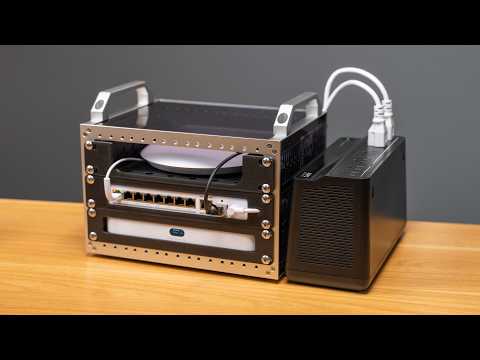
Heading out to set up my NTP Time demo in less than 24 hours. No time remains!
Be sure to check out my demo at VCF Midwest if you're in Chicago this weekend:
https://geerlingguy.github.io/vcfmw21-map/#045
Some of the resources, tools, and parts I mentioned in this video (some links are affiliate links):
- Video on TrueTime Restomod: https://www.youtube.com/watch?v=CivRNW0b1H8
- Video on Xserve G5 Restoration: https://www.youtube.com/watch?v=kFnvZ4NWr00
- BlueSCSI: https://bluescsi.com
- YesterYear's MacGames: https://www.youtube.com/@YesterYearsMacGames
- InfiniteMac: https://infinitemac.org
- SE/30 LED Holder: https://www.printables.com/model/875844-macintosh-se30-hdd-led-bracket/comments
- Noctua Fan (NF-A6x25 PWM): https://amzn.to/4yucDXM
- CRT Adjustment Tool: https://www.printables.com/model/276900-tv-set-crt-alignment-tool-tweaker/comments
- Glarks Rivets (used R3545 in SE/30): https://amzn.to/4gJ5HQB
- 68KMLA on Tardis and Timelord: https://68kmla.org/bb/threads/doctorin-the-tardis-and-timelord-the-revived-appletalk-time-server.38553/
- BigMaclock: https://github.com/retrotheory/BigMaclock
- Little Maclock WB-8: https://amzn.to/46OA7Lh
Support me on Patreon: https://www.patreon.com/geerlingguy
Sponsor me on GitHub: https://github.com/sponsors/geerlingguy
Merch: https://www.redshirtjeff.com
2nd Channel: https://www.youtube.com/@GeerlingEngineering
3rd Channel: https://www.youtube.com/@Level2Jeff
Contents:
00:00 - Xserve G5 NTP Stratum 2 Time Server
02:11 - Macintosh SE/30 restoration time
05:03 - NTP on a 37-year-old Mac
05:42 - Timelord and Tardis
07:30 - NTP over PoE
08:35 - NTP over the OG AirPort WiFi
Some of the projects I built, contributed to, or used:
- Jimmy Paputto GNSS HAT: https://github.com/jimmypaputto/gnsshat
- Densitron LCD: https://github.com/geerlingguy/densitron-lcd
- Time-Pi Fan Control: https://github.com/geerlingguy/time-pi/tree/master/fan-control
- Time-Pi Chrony Dashboard: https://github.com/geerlingguy/time-pi/tree/master/chrony-dashboard
- TrueTime Pi Mounting Bracket: https://www.printables.com/model/1832259-truetime-pi-mounting-bracket
- Right-angle HDMI and USB-C Adapter: https://deskpi.com/products/deskpi-kl-p24-raspberry-pi-adapter-board
And here's the EEVBlog forum thread on the TrueTime XL-AK: https://www.eevblog.com/forum/projects/symmetricom-truetime-xl-dc-gpsdo/msg6292664/#msg6292664
A few people asked about the wire wrap tool; it's a WSU-30M and I got it for $30 on Amazon here (affiliate link): https://amzn.to/3SzaRFD
Support me on Patreon: https://www.patreon.com/geerlingguy
Sponsor me on GitHub: https://github.com/sponsors/geerlingguy
Merch: https://www.redshirtjeff.com
2nd Channel: https://www.youtube.com/@GeerlingEngineering
3rd Channel: https://www.youtube.com/@Level2Jeff
Contents:
00:00 - A ticking Time bomb
01:33 - Two big problems
04:11 - The plan
04:45 - Teardown
06:49 - A Pi and a GNSS HAT
08:51 - Old batteries
10:56 - A closer look at the HAT
13:40 - Hacking the Densitron LCD
14:51 - Designing a mounting bracket
16:54 - dupont too tall
18:24 - Retro PLA and almost forgot the LED
19:38 - Learning a new old skill
21:25 - Wire wrapping
22:09 - As excited as I'll ever be
22:52 - Three more projects in four more days
Back to School Tech Deals: https://micro.center/e01f1d
Sign up for a FREE 128 gig Flash Drive at Micro Center Austin, TX: https://micro.center/4f41ea
Visit Micro Center Columbus for the Grand Re-Opening: https://micro.center/e9bcb1
Micro Center News: https://micro.center/a14f51
Huge thanks to Micro Center for sponsoring this build and my trip out to Columbus!
Blog post on UniFi 5G Backup debugging: https://www.jeffgeerling.com/blog/2026/unifi-u5g-backup-debugging/
Support me on Patreon: https://www.patreon.com/geerlingguy
Sponsor me on GitHub: https://github.com/sponsors/geerlingguy
Merch: https://www.redshirtjeff.com
2nd Channel: https://www.youtube.com/@GeerlingEngineering
3rd Channel: https://www.youtube.com/@Level2Jeff
Contents:
00:00 - I need a mobile homelab
00:35 - Thank the sponsor
01:14 - Picking a router
01:55 - Other hardware
03:17 - 3D printed rackmounts
03:41 - Flexible and wireless
04:33 - A few Ubiquiti annoyances
06:19 - It is proprietary
07:43 - Protect and 5G quirks
09:04 - From livestream build to ER in 1 day
10:21 - A flexible but expensive option
Huge thanks to Adam (othermod) for sending over a PSPi 6 for me to test and review.
I wanted to try this out when I first heard about it in 2022... since then it's been completely overhauled! And better yet, it's open source with a CC BY-SA license.
Here are some links to things I mentioned in this video:
- PSPi 6 Board: https://othermod.com/product/pspi-6-board/
- Open Source files: https://github.com/othermod/PSPi-Version-6
- CM5 PSPi Heatsink Mod: https://www.youtube.com/watch?v=Dpj7oJ_UN2A
- Heatsink mod based on: https://github.com/othermod/PSPi-Version-6/wiki/6.-Community-Mods#custom-cooling-modules
- Macho Nacho Production's video on the PSPi: https://www.youtube.com/watch?v=PKXbAd7vXA4
- Joe Cirillo's video on the PSP: https://www.youtube.com/watch?v=I7AeQFk00dQ
- polymatt's custom PSP: https://www.youtube.com/watch?v=ORz3dcgBAVE
Support me on Patreon: https://www.patreon.com/geerlingguy
Sponsor me on GitHub: https://github.com/sponsors/geerlingguy
Merch: https://www.redshirtjeff.com
2nd Channel: https://www.youtube.com/@GeerlingEngineering
3rd Channel: https://www.youtube.com/@Level2Jeff
Contents:
00:00 - PSPi version 6
01:14 - Quick Teardown
03:38 - CM5 compatibility and heat
04:54 - Booting up Lakka
06:24 - Games for PSP
08:13 - Other older games
09:11 - Nostalgia for everything but the fingerprints
Intel's upped their efficiency game in a big way. The XPS 13 surprised me.
Mentioned in this video:
- Dell XPS 13: https://www.dell.com/en-us/shop/dell-laptops/new-xps-13-laptop/spd/xps13dx13260laptop
- MacBook Neo: https://www.apple.com/macbook-neo/
- My benchmark data for the XPS 13: https://github.com/geerlingguy/sbc-reviews/issues/111
- My benchmark data for the MacBook Neo: https://github.com/geerlingguy/sbc-reviews/issues/102
The XPS 13 shown in this video was provided on temporary loan from Dell. I am returning the laptop to Dell, and they had no control over the content of this video.
Support me on Patreon: https://www.patreon.com/geerlingguy
Sponsor me on GitHub: https://github.com/sponsors/geerlingguy
Merch: https://www.redshirtjeff.com
2nd Channel: https://www.youtube.com/@GeerlingEngineering
3rd Channel: https://www.youtube.com/@Level2Jeff
Contents:
00:00 - XPS 13
00:49 - Improvements over the Neo
01:35 - Some things are worse
02:33 - Linux on the XPS 13
02:52 - Not all fun and games
03:23 - Intel efficiency
04:43 - Still a budget laptop
Mentioned in this video (some links are affiliate links):
- Generic OCP 25G Thunderbolt Adapter: https://amzn.to/4vGLjDG
- Dual 25GbE TB Dock: https://store.raidendigit.com/products/lightone-25gbe-thunderbolt-docking-station
- Sonnet Twin25G: https://amzn.to/4tVqlAM
- Atto ThunderLink: https://amzn.to/48Tj0cG
- Aluminum Heatsinks: https://amzn.to/48DSiVn
- Noctua NF-A8 80mm 5V fan: https://amzn.to/4gUpZqK
- Noctua NA-FC1 Speed Controller: https://amzn.to/4vQq8iB
- Generic USB 5V fan (louder but cheaper): https://amzn.to/4cCM6OS
- 3D print - 80mm fan duct: https://www.printables.com/model/1789472-80mm-fan-mod-for-25g-thunderbolt-nic
- 3D print - Noctua 80mm fan grill: https://www.printables.com/model/1098017-high-efficiency-noctua-80mm-fan-grill
Support me on Patreon: https://www.patreon.com/geerlingguy
Sponsor me on GitHub: https://github.com/sponsors/geerlingguy
Merch: https://www.redshirtjeff.com
2nd Channel: https://www.youtube.com/@GeerlingEngineering
3rd Channel: https://www.youtube.com/@Level2Jeff
Contents:
00:00 - 25G Thunderbolt is too expensive
00:38 - A cheaper option
01:06 - Need more fiber in my network diet
01:37 - 25G on a Mac - 2 problems
03:04 - Prusa and Noctua to the rescue
04:06 - A better way for fan power
04:50 - The blood sacrifice
04:56 - Keeping things cool
05:37 - How's 25 Gbps?
- Tweet that kicked off my discussion: https://x.com/Raspberry_Pi/status/2082208491490459688
- Micro Center Pi 4 1GB for $35: https://www.microcenter.com/product/665122/raspberry-pi-4-model-b
- Micro Center Pi 5 1GB for $43: https://www.microcenter.com/product/704295/raspberry-pi-5-1gb
- Micro Center Pi 5 16GB for $280: https://www.microcenter.com/product/702590/raspberry-pi-5-16gb
- Pi blog post about memory price increases: https://www.raspberrypi.com/news/a-new-3gb-raspberry-pi-4-for-83-75-and-more-memory-driven-price-increases/
- Touch Display 2 (10"): https://www.raspberrypi.com/news/a-new-10-raspberry-pi-touch-display-2-available-now-at-80/
Support me on Patreon: https://www.patreon.com/geerlingguy
Sponsor me on GitHub: https://github.com/sponsors/geerlingguy
Merch: https://www.redshirtjeff.com
2nd Channel: https://www.youtube.com/@GeerlingEngineering
3rd Channel: https://www.youtube.com/@Level2Jeff
Contents:
00:00 - Pis are so expensive
00:28 - It was never a good deal
01:00 - Value is in the low end
01:56 - The Raspberry Pi problem
02:51 - What Raspberry Pis are good for
03:14 - I don't actually run high end Pi 5s
06:12 - Don't buy Lamborghini Pis
07:00 - What about the Zero 2W
Support me on Patreon: https://www.patreon.com/geerlingguy
Sponsor me on GitHub: https://github.com/sponsors/geerlingguy
Merch: https://www.redshirtjeff.com
2nd Channel: https://www.youtube.com/@GeerlingEngineering
3rd Channel: https://www.youtube.com/@Level2Jeff
Contents:
00:00 - OUTTATIME
01:26 - Atomic Clock Tower PC
02:26 - GPS Time Badge
03:35 - PPS Watch
04:48 - Time Tokens
05:56 - My wife told me I had to do this
08:01 - Synchronizing clocks at Open Sauce
10:08 - Even better than the best time
11:57 - The absolute best time, guaranteed
12:41 - NASA astronaut questions my methodology
13:32 - Awarding the Time Tokens
Makera thinks their new desktop CNC is able to be useful for noobs like me. Is it?
And can I fix my Apple Xserve mounting issue by the end of the video? How about a trip to Canada? All that and more in this video.
Thank you to Makera for providing a Z1 Ultimate Kickstarter Bundle for my use and review in this video. They have not paid for the video in any other way, nor do they have any say in the content of the video. See my sponsorship policies here:
Support me on Patreon: https://www.patreon.com/geerlingguy
Sponsor me on GitHub: https://github.com/sponsors/geerlingguy
Merch: https://www.redshirtjeff.com
2nd Channel: https://www.youtube.com/@GeerlingEngineering
3rd Channel: https://www.youtube.com/@Level2Jeff
Contents:
00:00 - Is CNC harder than 3DP
01:23 - Beginner CNC with Sean Hodgins and a Tormach
07:18 - Setting up a desktop CNC
09:06 - Firmware update and too tight a cable
10:21 - Inside the machine
11:08 - Power consumption at idle
11:22 - Workholding
11:43 - Top Clamp Tutorial
12:49 - Measuring sound and power in use
13:10 - Air cleaning and vacuum performance
13:37 - 4-in-1 tool is not great
14:10 - CAM and Makera Studio
15:14 - Setting up toolpaths
16:44 - Setting up the job
17:50 - Making chips
19:56 - E-STOP
20:19 - Not great, not terrible
20:26 - 2nd time's a charm
21:42 - Count your fingers, it's finishing time
22:02 - Installing the Xserve rackmount
22:46 - Lessons learned
The Special Value Pi 4 was only for sale for a week. Right after I bought one, it was gone! What made it a 'special value', anyway?
Here's where I first heard about these 'Special Value' Pi 4s: https://www.cnx-software.com/2026/06/26/discounted-1-25-ghz-raspberry-pi-4-model-b/
Support me on Patreon: https://www.patreon.com/geerlingguy
Sponsor me on GitHub: https://github.com/sponsors/geerlingguy
Merch: https://www.redshirtjeff.com
2nd Channel: https://www.youtube.com/@GeerlingEngineering
3rd Channel: https://www.youtube.com/@Level2Jeff
I flew up to Canada with a 20TB hard drive. After building a new storage server for a friend, I proved I was faster than the Internet—sorta ;)
Things I mentioned in the video, in order of appearance:
- Pigeons are Faster than the Internet: https://www.youtube.com/watch?v=4pz2kMxCu8I
- 45Drives Beast: https://45drivesstudio.com/configure/studio-beast?utm_source=Geerling&utm_medium=Geerling_Beast&utm_campaign=Geerling_Beast
- 45Drives Dead Silent Server: https://45drivesstudio.com/configure/silent?utm_source=Geerling&utm_medium=Geerling_Silent&utm_campaign=Geerling_Silent
- ServerPartDeals: https://serverpartdeals.com
- Sean Hodgins: https://www.youtube.com/c/SeanHodgins
- ORICO Hard Drive Case: https://amzn.to/4vtzj9o (As an Amazon Associate, I earn for qualifying purchases)
Huge thanks to 45Drives for paying for my travel expenses for this video, and providing the Beast server for Sean! Also thanks to ServerPartDeals for setting Sean up with storage! And finally to Josh from 45Drives and Sean for showing some wonderful Canadian hospitality!
Support me on Patreon: https://www.patreon.com/geerlingguy
Sponsor me on GitHub: https://github.com/sponsors/geerlingguy
Merch: https://www.redshirtjeff.com
2nd Channel: https://www.youtube.com/@GeerlingEngineering
3rd Channel: https://www.youtube.com/@Level2Jeff
Contents:
00:00 - Pigeons are Faster than the Internet
00:34 - Station Wagons are, too
01:12 - Oh, Canada
01:56 - 45Drives brought two studio servers
03:29 - Hard drives and SSDs
04:25 - Building the server
05:06 - Server ASMR
05:57 - First boot into Rocky Linux and Houston UI
07:05 - A surprise guest on the CRT
08:38 - Just as Wendell predicted...
10:29 - Did my data snowball melt?
11:55 - Full-size GPUs in the 5U chassis
12:44 - Down to Sean's machine shop for a DIY rackmount
You can finally remotely power on a Mac, even if it shut down normally!
Things I referenced in this video (some links are affiliate links):
- Apple's support article: https://support.apple.com/en-us/125517
- ThirdReality Zigbee Smart Outlet: https://amzn.to/4vxuhse
- How I set up my power monitoring in Home Assistant: https://www.jeffgeerling.com/blog/2025/how-i-monitor-and-control-all-my-powered-devices-zigbee-ha/
- How to log into a Mac with SSH before FileVault is unlocked: https://www.jeffgeerling.com/blog/2025/you-can-finally-manage-macs-filevault-remotely-tahoe/
- 9to5Mac Article about the feature: https://9to5mac.com/2026/05/11/macos-26-5-adds-new-way-to-control-your-macs-power-state-via-switches/
- Reddit comment where I found this out: https://www.reddit.com/r/homelab/comments/1txnj04/comment/opyd44t/
Support me on Patreon: https://www.patreon.com/geerlingguy
Sponsor me on GitHub: https://github.com/sponsors/geerlingguy
Merch: https://www.redshirtjeff.com
2nd Channel: https://www.youtube.com/@GeerlingEngineering
3rd Channel: https://www.youtube.com/@Level2Jeff
Contents:
00:00 - What it's not
00:44 - Why this feature is actually useful
02:00 - Zigbee power control
03:26 - macOS's new power setting
04:38 - Remote access with FileVault
06:09 - Potential security hole
07:41 - I found a bug
09:36 - prodigalAvian
Ars article on vulnerabilities: https://arstechnica.com/security/2026/03/researchers-disclose-vulnerabilities-in-ip-kvms-from-4-manufacturers/
Thanks to all the KVM manufacturers who sent in review units over the past couple years, many of which were displayed in this video. (Note: None of the companies paid anything for this video, or had any say in its contents.)
Support me on Patreon: https://www.patreon.com/geerlingguy
Sponsor me on GitHub: https://github.com/sponsors/geerlingguy
Merch: https://www.redshirtjeff.com
2nd Channel: https://www.youtube.com/@GeerlingEngineering
3rd Channel: https://www.youtube.com/@Level2Jeff
Contents:
00:00 - ALL the KVMs
01:59 - Caution
02:33 - PiKVM
03:17 - BliKVM and BliKVM PCIe
03:49 - GL-iNet Comet and Comet Pro
04:49 - The one that got me an FBI visit
05:39 - NanoKVM Pro and PCIe
06:16 - JetKVM
07:25 - Luckfox
07:39 - LeafKVM
08:20 - TinyPilot
09:13 - Openterface KVM-GOs
10:01 - Pi-Cast
10:27 - DezKVM
11:22 - Which ones do *I* use
Support me on Patreon: https://www.patreon.com/geerlingguy
Sponsor me on GitHub: https://github.com/sponsors/geerlingguy
Merch: https://www.redshirtjeff.com
2nd Channel: https://www.youtube.com/@GeerlingEngineering
3rd Channel: https://www.youtube.com/@Level2Jeff
Contents:
00:00 - A $250 price premium
01:20 - Many things are bad
02:22 - Slower performance
03:22 - Some things are good
04:31 - What about artists?
05:02 - What would a graduate choose?
10:17 - A bad value, not a bad laptop
A few things we learned about the Pi 6 and potential for a Zero 3 W.
A link to the AMA: https://www.reddit.com/r/engineering/comments/1tcyfvk/hello_rengineering_were_eben_upton_ceo_james/
Support me on Patreon: https://www.patreon.com/geerlingguy
Sponsor me on GitHub: https://github.com/sponsors/geerlingguy
Merch: https://www.redshirtjeff.com
2nd Channel: https://www.youtube.com/@GeerlingEngineering
3rd Channel: https://www.youtube.com/@Level2Jeff
Contents:
00:00 - Raspberry Pi 6
01:24 - Pi Zero 2W and Zero 3W
02:38 - Microcontrollers
03:23 - Software and support
- OrcaSlicer-bambulab: https://github.com/jarczakpawel/OrcaSlicer-bambulab
- Bambu's Blog post responding to the situation: https://blog.bambulab.com/setting-the-record-straight-on-cloud-access-and-community/
- Louis Rossmann's video: https://www.youtube.com/watch?v=qLLVn6XT7v0
- My video last year: https://www.youtube.com/watch?v=91kfolYkRNM
- Slic3r: https://github.com/Slic3r/Slic3r
- Prusa Slicer (fork of Slic3r): https://github.com/prusa3d/PrusaSlicer
- Bambu Studio (fork of Prusa Slicer): https://github.com/bambulab/BambuStudio
- OrcaSlicer (fork of Bambu Studio): https://www.orcaslicer.com
Support me on Patreon: https://www.patreon.com/geerlingguy
Sponsor me on GitHub: https://github.com/sponsors/geerlingguy
Merch: https://www.redshirtjeff.com
2nd Channel: https://www.youtube.com/@GeerlingEngineering
3rd Channel: https://www.youtube.com/@Level2Jeff

 Login
Login