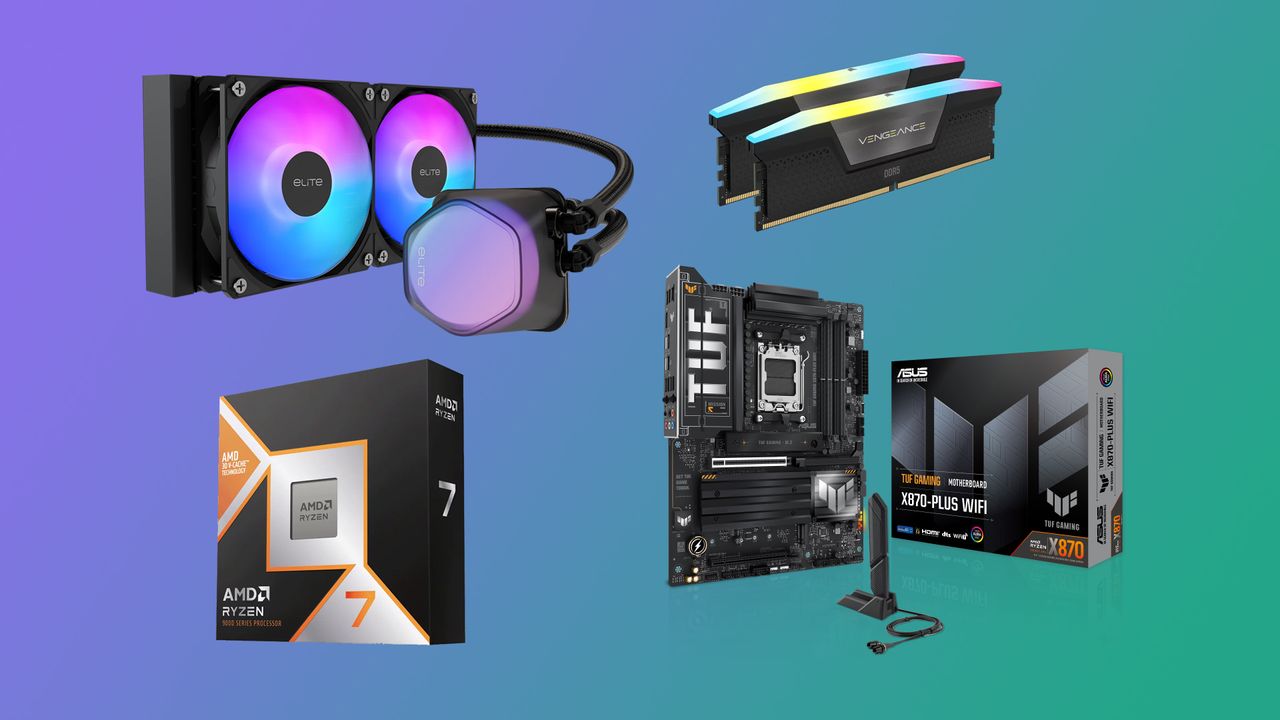
With the ongoing memory crisis driving up the price of RAM and other components, it is arguably one of the worst times to build a new gaming PC. However, bundle deals can be a good way to offset some of those inflated prices. Speaking of which, we’ve spotted an incredible AMD bundle over at Newegg that includes the AMD Ryzen 7 9800X3D, an Asus TUF X870E motherboard, and 32GB of Corsair Vengeance RGB DDR5-6000 RAM for $1,109.99, offering savings of around $150. The bundle also includes a 240mm Cooler Master AIO liquid cooler and a copy of Onimusha: Way of the Sword as free gifts.
The Ryzen 7 9800X3D is an 8-core, 16-thread processor based on AMD’s Zen 5 architecture. With a 4.7 GHz base clock and up to 5.2 GHz boost clock, the highlight feature of the chip is its 3D V-Cache technology that helps in lowering latency and giving a boost in overall gaming performance. If you’re looking for the best gaming CPU for a high-end build, the Ryzen 7 9800X3D should be at the top of your list.
The Asus TUF Gaming X870E-Plus motherboard should be a suitable pairing for the 9800X3D as it offers premium features including a robust power delivery system, dual PCIe 5.0 M.2 SSD storage slots, and solid connectivity. The motherboard supports Wi-Fi 7, 2.5Gb Ethernet, dual USB4 (40Gbps) Type-C ports, and front USB 20Gbps Type-C connector with up to 30W PD Fast-charge. It also offers enlarged heatsinks for the VRM, M.2 storage and PCH, as well as tools to overclock and fine tune various features.
Last but not least, the bundle includes a Corsair Vengeance RGB kit with two 16GB DDR5 modules running at 6000 MT/s, with a CAS latency of CL36 and timings of 44-44-96. The memory features black aluminum heat spreaders with a patterned finish, along with RGB lighting across the top of each module. It also supports both Intel XMP and AMD EXPO profiles, making it easy to apply pre-configured memory overclocking settings.
If we look at individual pricing, Ryzen 7 9800X3D is currently $469, while the Corsair RAM kit and Asus motherboard are listed at $499.99 and $289.99, respectively. You also get a CPU liquid cooler worth $79.99 and a copy of Onimusha: Way of the Sword worth $69.99. That puts the combined value at around $1,408.96, making the $1,109.99 bundle price a saving of nearly $300. If you're planning a high-end AMD gaming PC, this bundle is definitely worth exploring.
Iran's spiritual leaders tend to call the U.S. the Great Satan to express their spite, but it turns out that its military, surveillance, propaganda, and even allied Houthis are eager to use American-built AI technology to target the U.S. Navy and develop weapons, surveillance, and propaganda, Anthropic's September 2026 threat report revealed.
Arguably, one of Anthropic's most remarkable findings is that an Iran-linked threat actor used an American AI model, Claude, to support military reconnaissance and develop targeting recommendations against U.S. naval forces in the Middle East. The perpetrator combined publicly available ship and aircraft transponder identifiers with commercial satellite imagery and information on U.S. naval movements, and even extracted the names of U.S. military personnel from captions of publicly available military photographs. It also researched potential vulnerabilities in communications equipment used aboard ships, including known flaws affecting Cobham Sailor VSAT terminals, Cisco communications equipment, and Schneider Electric EcoStruxure systems. Anthropic said it banned the account, introduced additional detection mechanisms, and shared its findings with government authorities.
Another striking case involved a cell in northern Yemen controlled by Houthis (which are in turn controlled by Iran) that used Claude Code to support three weapons programs: a guided rocket that uses a phone-class flight computer that assists terminal guidance, a multistage ballistic missile targeting a range of more than 2,000 km, and an R2000 missile family that included a hypersonic glide vehicle variant. The group used Claude to develop guidance, navigation, and control software; integrate an open-source autopilot with a phone-class flight computer; write control and position-estimation code; tune parameters; build firmware; and even run flight simulations. Essentially, the group used multiple Claude instances instead of a group of software engineers for coding, code review, research, and simulation.
While Houthis are technically not Iranians, they can certainly share their research and development results with their allies and potentially use Iran's industrial capacity to build their weapons.
In addition to building targeting recommendations against American naval forces as well as speeding up the development of weapons, Iran used Claude for surveillance tools.
One Iran security-linked unit used Claude to analyze 155,216 tweets to profile, identify, and surveil 6,388 opposition individuals in a single year. Another group used the model as an engineering pipeline to develop domestic tracking tools, including the production-deployed "al-Najm al-thāqib" Firefox extension designed to mass-harvest user identities across major social platforms. While Anthropic has banned 16 Claude accounts associated with Iranian paramilitary and domestic security agencies, that does not mean it has banned all of them.
Iran-linked actors and Houthis are not the only entities using Anthropic's AI technologies for weapon development. China and Russia are also actively using Claude for their military programs.
According to a report from The Maine Wire, the FBI has arrested and charged Terry “Jiajia” Liu, a Customs and Border Protection supervisor based in Calais, Maine, for theft and damage to government property. Liu allegedly stole computer hardware, including Intel 14th Generation Raptor Lake Refresh processors, memory modules, and hard drives, from at least 46 Department of Homeland Security computers across three Maine border facilities. They replaced the stolen parts with inferior hardware and exchanged the stolen equipment through Newegg’s trade-in program for store credit.
Liu’s official responsibilities were limited to information-technology support, so they did not have access to modify any government computer. Port Director Theodore Cummings made the restriction abundantly clear to Liu in a written order: “Please do not move any computers or computer parts.” However, criminals rarely listen.
Hidden surveillance cameras captured Liu opening government computers and swapping hardware during the midnight shift. The perpetrator would take the systems to a training room to commit the crime. One camera recording showed Liu using a screwdriver to scrape thermal paste off a processor and installing a replacement chip in one system. Meanwhile, another recording caught Liu removing a memory module from a system and storing it in their desk drawer.
According to the affidavit, investigators found that thirty-nine computers had their processors replaced, six machines with memory modules swapped, and eight had hard drive changes. The original systems used Raptor Lake Refresh chips but were later discovered to have older hardware, sometimes downgraded to Pentium chips. Beyond the processor swap, other computers had less memory and storage capacity than their original configurations.
Instead of trying to sell the stolen hardware on the open second-hand market, Liu used a less conspicuous approach: Newegg’s Trade-In program. According to investigators, Liu sent 13 emails between a personal account and an official CBP email address containing shipping labels and trade-in receipts for processor models matching the missing components from the government computers.
The Newegg trade-in offers varied between $200 and $210 per processor. According to the transaction records from the U.S. retailer, Liu traded in Core i7 Raptor Lake Refresh chips 16 times over 14 months, from May 2025 to July 2026. Investigators also found three $200 credits from Newegg in Liu's American Express records.
During an interview, Liu confessed to replacing hardware in the government computers with lower-performing parts bought on Amazon and Newegg. They also acknowledged submitting the government-owned parts to Newegg's Trade-In program. At first, Liu claimed their actions were motivated by a desire to improve the computers' performance and how long computer repairs took. However, they later admitted that the changes resulted in degraded performance.
Restoring the stolen hardware could cost about $20,460, while fully replacing all 46 compromised computers with equivalent hardware would cost an estimated $105,800. However, additional labor to configure each system for government use will drive the bill even higher.
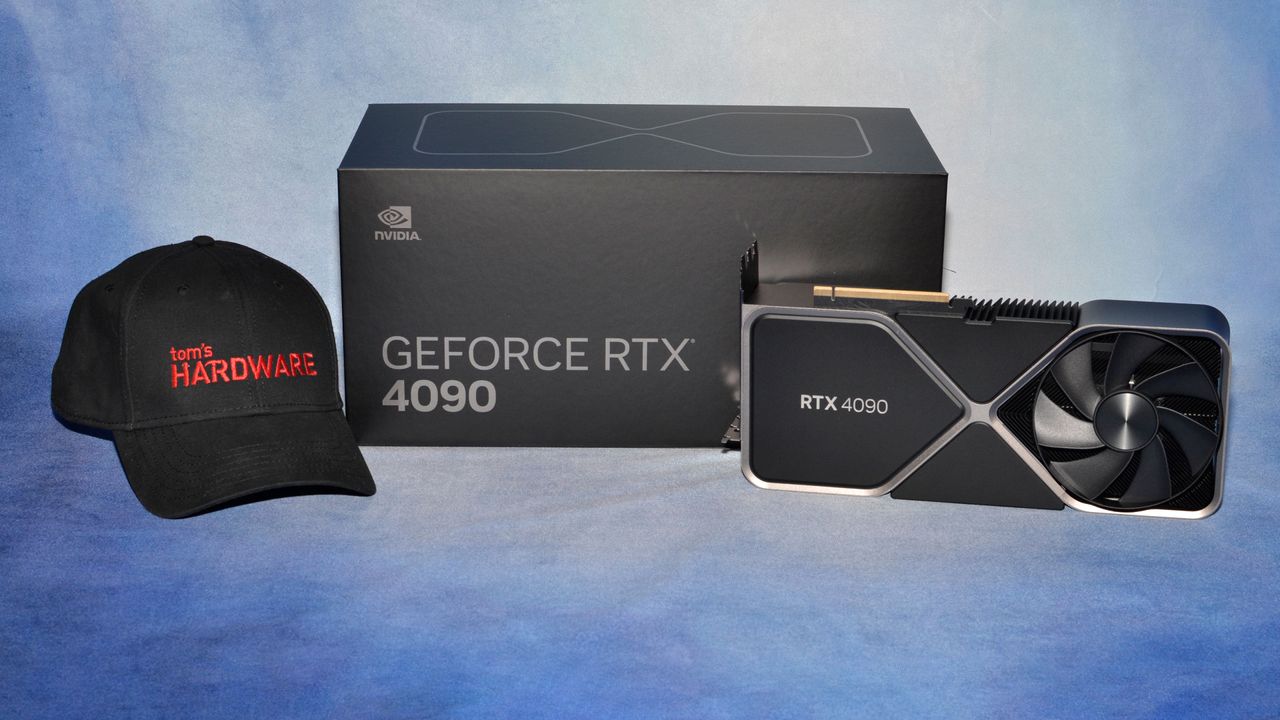
It’s been a heck of a time lately for PC gamers willing to get their hands dirty with mods. Hot on the heels of the discovery of the DLSS 5 DLL in a prerelease version of NBA 2K27, modder dashdogy found a way to bring Multi Frame Generation, one of the crown jewels of GeForce RTX 50-series graphics cards, to RTX 40-series (and earlier) products.
As already elevated graphics card prices seem set to continue rising, and hardware upgrades get further and further out of reach of the average PC gamer, more and more folks are going to want to hold on to the RTX 40-series hardware they have for as long as they can, especially if smoothness-boosting features like MFG are just a few clicks away on those older cards.
So we had to see MFG working on Ada for ourselves—assuming it works at all. We grabbed the mod files and got to playing with them in Cyberpunk 2077, since it’s likely in many TH readers’ Steam libraries already and has a healthy modding community. You can find the latest instructions for enabling MFG on Ada through dashdogy’s GitHub page.
Before spending a ton of time testing, we verified that the mod works at all. While spinning the camera at a high, constant speed, we could indeed see that increasing MFG multipliers beyond the officially supported 2X factor on Ada cards does greatly increase perceived smoothness or fluidity of motion in Cyberpunk 2077, as you would expect.
Another tell is that the same visual artifacts are visible in certain regions of the screen on both RTX 40-series and RTX 50-series graphics cards as you add more generated frames. MFG 4X and above, especially, tend to add some visual “junk” at the bottom of the frame that appears regardless of the game, and we could see that artifacting on Ada.
At least in Cyberpunk 2077, then, we’re confident that MFG is really doing its thing on RTX 40-series cards with this mod.
We also didn’t see any perceptible issues with frame pacing or frame delivery, although playing on a high-refresh-rate, G-Sync-Compatible monitor like our test bench’s ROG Strix XG27UCS smooths out all but the worst such issues. If you don’t have a high-resolution or high-refresh-rate monitor to begin with, the utility of MFG will be seriously limited for you anyway.
The latency question
So is this a free lunch? Is Nvidia soft-locking MFG to Blackwell purely for marketing reasons? That’s where performance testing comes in, since it has the potential to reveal whether there’s a catch in running MFG on Ada. The question is not so much whether MFG juices output frame rates, but whether it runs on Ada within acceptable latency thresholds.
As we’ve long emphasized, when you have essentially arbitrary control over output frame rates like MFG allows, input lag becomes the final barrier to a playable experience. So in the performance results that follow, we’ll certainly present output frame rates as you would expect. But you should view those in the context of your own monitor’s refresh rate. As long as the delivered frame rates we recorded exceed your display’s peak refresh rate, you have headroom to play with to keep your monitor at or near that number during gameplay.
The real issue, then, is whether both RTX 40-series and 50-series cards deliver an acceptable input latency under our test conditions. In our past testing, we’ve determined that a roughly 60ms average latency threshold, as indicated by Nvidia’s FrameView app, is the point at which player inputs and displayed frames start to become noticeably decoupled in AAA single-player experiences like Cyberpunk.
If you’re only slightly on the wrong side of this threshold, a game might still be playable, but if you totally blow past it, you’re likely to notice laggy inputs and increasingly distracting visual artifacts as the MFG model struggles to fill in the gaps between sparser and sparser input data.
Testing methods and notes
As one of the biggest technical showcases of the current PC gaming era, Cyberpunk 2077 lets us enable all the modern rendering features we’d want for Nvidia cards. It implements not only ray tracing and path tracing, but DLSS Super Resolution, Ray Reconstruction, and Multi Frame Generation. The number of AI-generated pixels per frame can be quite high in this title.
We enabled all those features to expose the full potential complexity of running all of their associated AI models in a modern rendering pipeline. If RTX 40-series cards are going to stumble for some reason with modded MFG enabled, we want to put as many obstacles in their way as possible.
And because benchmarking the performance of an unofficial mod is venturing into the Wild West anyway, we also added a DLSS 5 mod to the mix to see whether Blackwell GPUs have a distinct edge in the neural rendering future that the arrival of that feature promises to usher in. DLSS 5 is supposed to come to RTX 40-series cards later this year, so we think it’s good to understand where performance sits today, even if it’s subject to the same disclaimers as this MFG mod.
For reference, then, we tested Cyberpunk with maxed-out raster settings, path tracing, and MFG 4X at three resolutions: 1080p with DLSS Balanced, 2560x1440 with DLSS Performance, and 4K with DLSS Ultra Performance upscaling enabled.
We only tested cards ranging from the RTX 4090 down to the RTX 4070 for these experiments, both because of time and Cyberpunk’s VRAM requirements. We didn’t want to deal with potential performance pitfalls due to running out of VRAM, so the 12GB RTX 4070 is where we’re drawing the line for now.
Modded Cyberpunk 2077 1080p performance
(Image credit: Tom's Hardware)
At 1080p, Cyberpunk 2077 with MFG 4X scales fine on Ada, but it’s clearly scaling better on Blackwell. The RTX 4090 lands between the RTX 5070 Ti and RTX 5080. Introducing DLSS 5 to the mix doesn’t change any relative standings, although it does create some larger gaps between average frame rates and 1% lows than we might like on the RTX 4070 Ti Super, RTX 4070 Ti, RTX 4070 Super, and RTX 4070. The RTX 5070 has no such trouble.
(Image credit: Tom's Hardware)
But again, the real story is in our latency results. Here, we can see that every card we tested falls under our 60ms threshold with MFG 4X alone. But Blackwell hardware has a clear advantage in the standings, as even the RTX 5070 delivers a lower input latency than the RTX 4090 with our DLSS 5 mod off and a comparable input latency with it enabled. All the other Ada cards shake out as you would expect from there. But in absolute terms, even with DLSS 5 enabled, only the RTX 4070 Super and RTX 4070 are far beyond our acceptable latency thresholds.
Blackwell might have a latency edge with MFG enabled and a smoothness edge with a modded version of DLSS 5 on top, but at least with the RTX 4070 on up, there’s certainly enough headroom to use the feature on Ada.
And as we went to press, a version of the RTX 40-series MFG mod came out that removes the need for ReShade. That more streamlined approach might cut down latency, but we couldn’t test it because it currently crashes Cyberpunk 2077. Again, this is the Wild West, not a validated, bulletproof solution from Nvidia like you get with RTX 50-series products.
Modded Cyberpunk 2077 2560x1440 performance
(Image credit: Tom's Hardware)
At 2560x1440, generational performance standings and scaling between cards remains much the same as we saw at 1080p. The RTX 4090 still falls short of the RTX 5080, and the RTX 4080 duo falls behind the RTX 5070 Ti.
We also still see the wide gap between average frame rates and 1% lows rear its head on more Ada cards with our DLSS 5 mod enabled, though to be fair, these lows are still being smoothed over by MFG to the point that you’re unlikely to notice them with a high-refresh-rate, variable-refresh-rate monitor like we’re using.
(Image credit: Tom's Hardware)
On the latency side, all of the Ada cards except the RTX 4070 still run our modded MFG 4X with acceptable input latency. But enable the DLSS 5 mod we’re using, and input latency climbs past 60ms for all Ada cards except the RTX 4090. The RTX 4080 Super and RTX 4080 still provide acceptable performance under this full load, as they’re only slightly over our latency threshold. But for any less powerful RTX 40-series cards, you’d need to start choosing between DLSS 5 and other eye candy, like lighter RT settings instead of path tracing or no RT or PT at all.
Modded Cyberpunk 2077 4K performance
(Image credit: Tom's Hardware)
Our modded performance results at 4K with DLSS Ultra Performance demonstrate why it’s so important to discuss MFG-boosted frame rates in the context of input latency. If you’re not mentally dividing by four, everything on our output frame rate might look playable.
At this high output resolution, the RTX 4090 finally takes the lead over the RTX 5080, both with plain MFG 4X and with our DLSS 5 mod on top. The 16GB of VRAM of the RTX 4070 Ti Super would seem to be giving it an edge over the RTX 4070 Ti and RTX 5070, and the RTX 4080 duo would seem to beat out the RTX 5070 Ti.
(Image credit: Tom's Hardware)
Our latency chart for MFG 4X shows a weird, but entirely reproducible result: input latencies at 4K with DLSS Ultra Performance are actually much lower than they are at 2560x1440 for most Ada cards, despite the fact that both of these output resolution targets share the same input resolution.
We’re not sure why Ada cards run into such a latency hump with this MFG mod at 2560x1440 with DLSS Performance, but we double-checked our results, and this behavior is reproducible. Blackwell cards experience the more linear rise in input latency as output resolutions rise that you would expect.
Again, this is the Wild West of modded performance, and we have nobody to blame but ourselves here, but it’s an unfortunate result given the prevalence of 2560x1440 monitors. Perhaps the maintainers of this mod can track down the root cause and fix it, but nothing is guaranteed.
In any event, input latency with MFG 4X alone at 4K with DLSS Ultra Performance isn’t an issue for any card here. You might be pushing your luck with the RTX 4070, but both Blackwell and Ada cards are delivering on the promise of MFG here: smoother output with responsive input.
Add DLSS 5 to the latency picture, though, and as we’ve come to expect, you really want an RTX 5090, RTX 4090, or RTX 5080 for acceptable responsiveness. And you’re pushing it with the RTX 5080. No other cards in this bunch need apply.
Bottom line
Our experience with the purportedly Blackwell-exclusive Multi Frame Generation on RTX 40-series cards through modding suggests that there isn’t any glaring reason why Nvidia couldn’t enable the feature for Ada Lovelace cards, and that’s kind of wild given how heavily it was touted as a Blackwell-exclusive feature back when those cards launched.
At least as long as Nvidia doesn’t find a persistent way to lock it out, our experience is that MFG generally just works on Ada. Even if input latencies aren’t quite as low on those older cards as they are on comparable Blackwell hardware, all else equal, they’re still perfectly acceptable, even under the combined load of path tracing, DLSS Super Resolution, DLSS Ray Reconstruction, and MFG 4X in Cyberpunk 2077.
We only had time to test cards ranging down to the RTX 4070 for this quick look, but for folks looking to extend the useful life of their Ada hardware, the availability of MFG could certainly stretch those cards’ lifespans.
But our experience also shows that MFG on Ada isn’t perfect. It’s still a mod in active development, and the unusual and reproducible input latency behavior we charted at 1440p on RTX 40-series cards is the sort of unexpected pitfall you might expect from an unofficial implementation of the feature. Cross your fingers that it’s an issue that can be fixed by the community.
The fact that MFG works as well as it does on Ada, even in this modded form, also makes us wonder whether Nvidia might just enable official support for it at some point, given the apparently bleak prospects for gaming graphics card pricing and future hardware generations as the AI boom shows no signs of abating. And such a move would provide much broader and more immediate performance relief for gamers than re-introducing ancient silicon like the RTX 3060.
Given that Nvidia is already working on bringing DLSS 5 to RTX 40-series GPUs, maybe this mod will convince it to throw in official MFG support, too. Fingers crossed.
IKEA has announced the Kallax Storageborn companion creation for players of The Elder Scrolls V: Skyrim Special Edition on PC or Xbox. But who’d want a set of drab utilitarian Swedish shelves following them around during their adventures in this fantastical role-playing game? The answer is quite a lot of people, it would seem, from the social media feedback we’ve seen. IKEA’s free mod for this iconic RPG also appeals to gamers’ pragmatic instincts with its claims that “your inventory woes end here.”
The household furniture giant says it designed this Skyrim mod as it wanted to bring its real world smart storage solutions to the digital domain. Skyrim was chosen, in particular, because gamers in this classic title are “plagued by the evils of encumbrance and disorganization,” asserts IKEA.
Of course, the furniture maker will have invested time and money into the development of this fully voiced companion mod (voiced by comic actor Matt Berry) for the publicity, too. But there's little to complain about as it's free and entirely optional to your Skyrim experience.
If you are interested in adding the Kallax Storageborn companion creation to your Skyrim experience, you can get it directly from Bethesda here, for free. But before using these eminently practical flatpack DIY shelves in your game and “sending clutter back to the fires of oblivion,” you have to discover and assemble your Kallax through a questline. You’ll find it at the Dwemer furniture store, where you’ll also discover the secrets of Kallax’s origin and have to defeat the Clutter Golem.
IKEAIKEA
Naturally, you summon this shelving unit in the game with a call of ‘Aya Key Yah.”
The mod doesn’t just introduce your trusty new Kallax Storageborn companion; you’ll also get access to the Allenblade weapon, some blue and yellow-themed armor, and a Meatball helmet.
It is always interesting to see non-tech brands cross over into our reporting realm. The first example that springs to mind is the KFC console, but IKEA has dipped its toe into tech more recently by expanding its computer furniture ranges to include products such as the Xbox Gaming Den furniture series showcased at Gamescom 2026, plus various smart home accessories.
If you're not yet subscribed to Tom's Hardware Premium, we've got you covered with this weekly roundup of everything we've posted throughout the week.
To kick the week off, our resident GPU guru and all-round inference extraordinaire Jeff Kampman undertook the laborious task of running Qwen 3.8 27B across several devices you might actually be able to afford. The model promises near-enough Frontier levels of performance, without the downsides that come alongside paying for an API-based subscription or tokenized billing.
What Jeff finds out after a dizzyingly large number of benchmarks across devices like an RTX 5090, Mac Mini, DGX Spark, and Strix Halo systems is that configuration matters just as much as the final, raw, tokens-per-second outputs that many clamor over on social media. Benchmarking AI models is still a fairly nascent subject, and the level of detail on offer here isn't something you'll find published anywhere else.
Andrew Freedman headed out to IFA last week, where we saw a slew of new announcements and devices from companies. But there's only one problem. They're all either super-light MacBook Neo competitors or Agentic AI PCs that may well cost more than a car. The original "golden" price point for many enthusiasts, around $1,000, looks a little lonely as a result.
The factors impacting the mid-range of regular old desktops and laptops have been adversely affected by the sheer scale of demand coming from the ongoing AI data center buildout. Meaning that if you're after a system with just enough RAM and storage to get by, prices can skyrocket fast. Andrew explores everything he saw at the show and ruminates on the current state of the systems market, which, for now, appears to be fractured.
Elsewhere in the industry, Ajinomoto, a company usually associated with food products based in Japan, is involved in making some of the most crucial materials in modern AI accelerators. We've taken a look at how the company's ABF substrates sit within the supply chain of the biggest chipmakers like Nvidia, Intel and AMD. But, as with many components in the AI boom, it's strained by more demand than anyone anticipated, which has led to an increase in prices of approximately 30%. We dive deep into the current state of the use of ABF substrates in the semiconductor industry and take a look at the supply chains underpinning it.
Also in the news, TSMC, Intel, and Samsung have all thrown their support behind ASML. The industry is collectively aiming to move towards a shift in High-NA EUV, particularly in the usage of 6×12-inch photomasks. With current standards set at 6×6-inch photomasks, a larger mask would eliminate the need for stitching, which weaves together multiple High-NA exposures, at the cost of efficiency.
We analyze how the move to larger photomasks might shake out, and the trials and tribulations that might face chipmakers during the shift, which, theoretically, will take years.
Lastly, the news has been dominated this week by the release of OpenAI's latest frontier-level model. Named GPT-6 Astra, the AI model quickly topped charts for its intelligence and the ability to complete tasks on a per-task basis lower than other leading AI models. This comes hot on the heels of a fleet of rogue OpenAI agents running amok on internet forums, all in the name of co-ordination.
Astra's release prompted OpenAI to release a blog post, explaining how it believed that Astra was aligned internally. But others believe that the threat of a looming humanity-threatening tech "singularity", powered by powerful models like Astra, is on the way soon.
OpenAI has also claimed to have solved one of the Millennium Problems. The Navier-Stokes problem had been left long unsolved, while mathematician Tristan Buckmaster had been working on a step toward a solution for the problem, alongside a member of Anthropic staff. The pair had been using both Anthropic and OpenAI models in their research, so when the claim came out that an OpenAI model had solved the long-standing problem, it raised more than a few eyebrows. We chronicle the entire saga and the implications for researchers in our exhaustive breakdown.
Premium Subcription: $29 Don’t miss out on this Tom’s Hardware Premium. Get a full year of access for just $29, or from $7 per-month. Get daily news analysis, deep dives into specialist topics in the semiconductor industry, as well as access to Bench, the largest benchmarking database around.View Deal
If you'd like to read any of the articles above and gain access to Bench, you'll need to purchase a subscription. Your support goes a long way in helping us to publish deeper, more insightful stories that might otherwise fall outside of our regular areas of coverage.
Iran is likely to study and attempt to reverse-engineer a U.S. Navy underwater drone captured by Iranian forces near the Strait of Hormuz, potentially handing Tehran useful technology while delivering a setback for the Pentagon. According to a Reuters report published September 9, the 19-foot Dive-LD autonomous underwater vehicle malfunctioned while surveying regional waters before Iran’s Islamic Revolutionary Guard Corps recovered it.
Both the U.S. military and the drone’s manufacturer Anduril quickly moved to downplay the significance of the loss. Analysts cited by Reuters also said the captured drone was unlikely to provide Iran with a decisive military advantage. At the very least, however, the vehicle gives Tehran a propaganda victory and an opportunity to examine American undersea technology as the U.S.-Iran war enters its seventh month.
Tehran already appears to be having a field day with the situation, with Iranian embassies around the world mocking the U.S. for losing the drone. In an X post, Iran’s embassy in Ghana compared its recovery to pulling a plastic bottle from a fishing net, adding that it was “still blinking like an idiot.” Iran's embassy in Hyderabad was even more direct about what might happen next, posting: “Unboxing ceremony by our reverse engineers, tomorrow morning!”
A noticeable gap has emerged between how Anduril markets the Dive-LD and how the U.S. military is now describing the captured vehicle. Anduril promotes the Dive-LD as a highly reliable and adaptable large autonomous underwater vehicle capable of operating for up to 10 days in demanding environments, previously calling the platform the most reliable and flexible autonomous underwater vehicle on the market. The Navy, meanwhile, described the lost vehicle as an older, defective model that “neither collected sensitive data nor carried any classified sonar or radar equipment.”
Despite attempts to downplay the incident, Washington has historically taken similar incidents seriously. After Iran recovered an RQ-170 Sentinel stealth reconnaissance drone in 2011, then-President Barack Obama publicly requested its return. Tehran subsequently claimed that it had reverse-engineered the aircraft and unveiled domestic drones apparently influenced by its design. In 2022, the U.S. Navy dispatched a patrol ship and an MH-60S Seahawk helicopter after an Iranian naval vessel attempted to tow away an American Saildrone surface vehicle in the Gulf.
Iran's comical commentary is backed by a genuine ability to extract useful information from captured hardware. Bryan Clark, director of the Center for Defense Concepts and Technology at the Hudson Institute, told Reuters that Iranian engineers “could definitely reverse-engineer the mechanical systems.” However, he was more skeptical about Tehran’s ability to penetrate the software, which reportedly includes defenses intended to frustrate exploitation attempts.
Regardless of any reverse engineering limitations, analysts say Iran will continue to present the incident as evidence of Iranian control around the Strait of Hormuz and U.S. vulnerability there. “This is something that Iran has proven very adept at exploiting for its own benefit in terms of seeking to frame the narrative as one of U.S., in this case, ineptitude and their ability to sort of retain control over the Strait of Hormuz,” said Mona Yacoubian, director of the Middle East program at the Center for Strategic and International Studies.
Heading out to set up my NTP Time demo in less than 24 hours. No time remains!
Be sure to check out my demo at VCF Midwest if you're in Chicago this weekend:
https://geerlingguy.github.io/vcfmw21-map/#045
Some of the resources, tools, and parts I mentioned in this video (some links are affiliate links):
- Video on TrueTime Restomod: https://www.youtube.com/watch?v=CivRNW0b1H8
- Video on Xserve G5 Restoration: https://www.youtube.com/watch?v=kFnvZ4NWr00
- BlueSCSI: https://bluescsi.com
- YesterYear's MacGames: https://www.youtube.com/@YesterYearsMacGames
- InfiniteMac: https://infinitemac.org
- SE/30 LED Holder: https://www.printables.com/model/875844-macintosh-se30-hdd-led-bracket/comments
- Noctua Fan (NF-A6x25 PWM): https://amzn.to/4yucDXM
- CRT Adjustment Tool: https://www.printables.com/model/276900-tv-set-crt-alignment-tool-tweaker/comments
- Glarks Rivets (used R3545 in SE/30): https://amzn.to/4gJ5HQB
- 68KMLA on Tardis and Timelord: https://68kmla.org/bb/threads/doctorin-the-tardis-and-timelord-the-revived-appletalk-time-server.38553/
- BigMaclock: https://github.com/retrotheory/BigMaclock
- Little Maclock WB-8: https://amzn.to/46OA7Lh
Support me on Patreon: https://www.patreon.com/geerlingguy
Sponsor me on GitHub: https://github.com/sponsors/geerlingguy
Merch: https://www.redshirtjeff.com
2nd Channel: https://www.youtube.com/@GeerlingEngineering
3rd Channel: https://www.youtube.com/@Level2Jeff
Contents:
00:00 - Xserve G5 NTP Stratum 2 Time Server
02:11 - Macintosh SE/30 restoration time
05:03 - NTP on a 37-year-old Mac
05:42 - Timelord and Tardis
07:30 - NTP over PoE
08:35 - NTP over the OG AirPort WiFi
Some of the projects I built, contributed to, or used:
- Jimmy Paputto GNSS HAT: https://github.com/jimmypaputto/gnsshat
- Densitron LCD: https://github.com/geerlingguy/densitron-lcd
- Time-Pi Fan Control: https://github.com/geerlingguy/time-pi/tree/master/fan-control
- Time-Pi Chrony Dashboard: https://github.com/geerlingguy/time-pi/tree/master/chrony-dashboard
- TrueTime Pi Mounting Bracket: https://www.printables.com/model/1832259-truetime-pi-mounting-bracket
- Right-angle HDMI and USB-C Adapter: https://deskpi.com/products/deskpi-kl-p24-raspberry-pi-adapter-board
And here's the EEVBlog forum thread on the TrueTime XL-AK: https://www.eevblog.com/forum/projects/symmetricom-truetime-xl-dc-gpsdo/msg6292664/#msg6292664
A few people asked about the wire wrap tool; it's a WSU-30M and I got it for $30 on Amazon here (affiliate link): https://amzn.to/3SzaRFD
Support me on Patreon: https://www.patreon.com/geerlingguy
Sponsor me on GitHub: https://github.com/sponsors/geerlingguy
Merch: https://www.redshirtjeff.com
2nd Channel: https://www.youtube.com/@GeerlingEngineering
3rd Channel: https://www.youtube.com/@Level2Jeff
Contents:
00:00 - A ticking Time bomb
01:33 - Two big problems
04:11 - The plan
04:45 - Teardown
06:49 - A Pi and a GNSS HAT
08:51 - Old batteries
10:56 - A closer look at the HAT
13:40 - Hacking the Densitron LCD
14:51 - Designing a mounting bracket
16:54 - dupont too tall
18:24 - Retro PLA and almost forgot the LED
19:38 - Learning a new old skill
21:25 - Wire wrapping
22:09 - As excited as I'll ever be
22:52 - Three more projects in four more days
Back to School Tech Deals: https://micro.center/e01f1d
Sign up for a FREE 128 gig Flash Drive at Micro Center Austin, TX: https://micro.center/4f41ea
Visit Micro Center Columbus for the Grand Re-Opening: https://micro.center/e9bcb1
Micro Center News: https://micro.center/a14f51
Huge thanks to Micro Center for sponsoring this build and my trip out to Columbus!
Blog post on UniFi 5G Backup debugging: https://www.jeffgeerling.com/blog/2026/unifi-u5g-backup-debugging/
Support me on Patreon: https://www.patreon.com/geerlingguy
Sponsor me on GitHub: https://github.com/sponsors/geerlingguy
Merch: https://www.redshirtjeff.com
2nd Channel: https://www.youtube.com/@GeerlingEngineering
3rd Channel: https://www.youtube.com/@Level2Jeff
Contents:
00:00 - I need a mobile homelab
00:35 - Thank the sponsor
01:14 - Picking a router
01:55 - Other hardware
03:17 - 3D printed rackmounts
03:41 - Flexible and wireless
04:33 - A few Ubiquiti annoyances
06:19 - It is proprietary
07:43 - Protect and 5G quirks
09:04 - From livestream build to ER in 1 day
10:21 - A flexible but expensive option
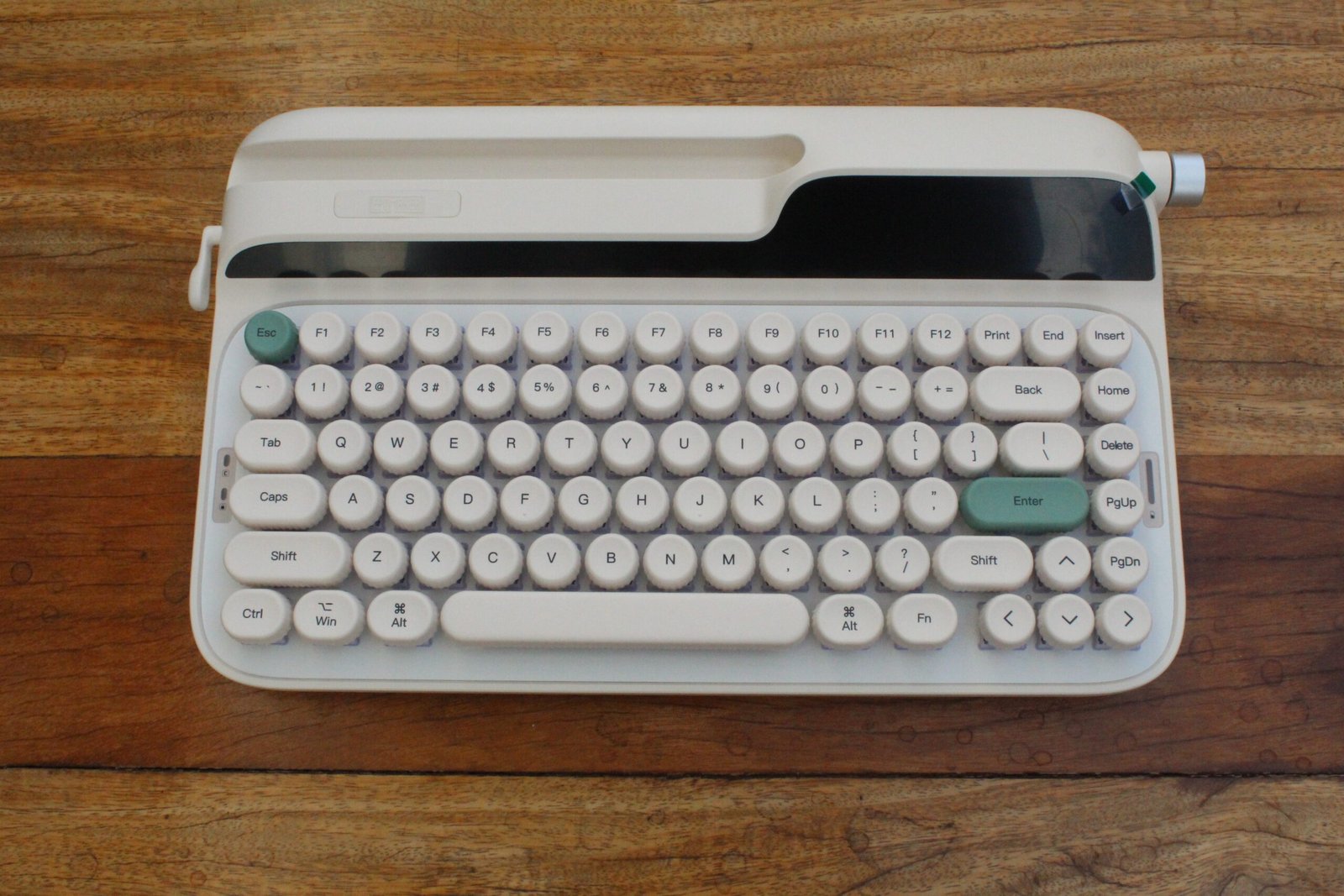
Nesse artigo irei analisar o EPOMAKER Glyph, que se trata de um teclado mecânico "75%", ou seja, sem teclado numérico, mas mantendo as teclas de função e setas direcionais, no padrão ANSI, sem "Ç", com construção em plástico e iluminação RGB, onde seu maior diferencial é o visual retrô diferente de tudo que já passou aqui pelo site. Mas será esse um bom teclado? É o que vamos descobrir.
A IA (Inteligência Artificial) está na boca do povo e é um tema que suscita todo tipo de discussão, desde preocupações com a segurança da tecnologia, passando pela parte social e chegando até mesmo no fim da humanidade. Apesar do caráter divisivo da IA, o objetivo aqui não é centrar nas polêmicas e sim no aspecto prático: O que é? Como vive? Como funciona? Dá pra rodar no meu PCzinho em casa? As respostas para essas e outras questões estão no artigo a seguir! :)
Huge thanks to Adam (othermod) for sending over a PSPi 6 for me to test and review.
I wanted to try this out when I first heard about it in 2022... since then it's been completely overhauled! And better yet, it's open source with a CC BY-SA license.
Here are some links to things I mentioned in this video:
- PSPi 6 Board: https://othermod.com/product/pspi-6-board/
- Open Source files: https://github.com/othermod/PSPi-Version-6
- CM5 PSPi Heatsink Mod: https://www.youtube.com/watch?v=Dpj7oJ_UN2A
- Heatsink mod based on: https://github.com/othermod/PSPi-Version-6/wiki/6.-Community-Mods#custom-cooling-modules
- Macho Nacho Production's video on the PSPi: https://www.youtube.com/watch?v=PKXbAd7vXA4
- Joe Cirillo's video on the PSP: https://www.youtube.com/watch?v=I7AeQFk00dQ
- polymatt's custom PSP: https://www.youtube.com/watch?v=ORz3dcgBAVE
Support me on Patreon: https://www.patreon.com/geerlingguy
Sponsor me on GitHub: https://github.com/sponsors/geerlingguy
Merch: https://www.redshirtjeff.com
2nd Channel: https://www.youtube.com/@GeerlingEngineering
3rd Channel: https://www.youtube.com/@Level2Jeff
Contents:
00:00 - PSPi version 6
01:14 - Quick Teardown
03:38 - CM5 compatibility and heat
04:54 - Booting up Lakka
06:24 - Games for PSP
08:13 - Other older games
09:11 - Nostalgia for everything but the fingerprints
Intel's upped their efficiency game in a big way. The XPS 13 surprised me.
Mentioned in this video:
- Dell XPS 13: https://www.dell.com/en-us/shop/dell-laptops/new-xps-13-laptop/spd/xps13dx13260laptop
- MacBook Neo: https://www.apple.com/macbook-neo/
- My benchmark data for the XPS 13: https://github.com/geerlingguy/sbc-reviews/issues/111
- My benchmark data for the MacBook Neo: https://github.com/geerlingguy/sbc-reviews/issues/102
The XPS 13 shown in this video was provided on temporary loan from Dell. I am returning the laptop to Dell, and they had no control over the content of this video.
Support me on Patreon: https://www.patreon.com/geerlingguy
Sponsor me on GitHub: https://github.com/sponsors/geerlingguy
Merch: https://www.redshirtjeff.com
2nd Channel: https://www.youtube.com/@GeerlingEngineering
3rd Channel: https://www.youtube.com/@Level2Jeff
Contents:
00:00 - XPS 13
00:49 - Improvements over the Neo
01:35 - Some things are worse
02:33 - Linux on the XPS 13
02:52 - Not all fun and games
03:23 - Intel efficiency
04:43 - Still a budget laptop
Mentioned in this video (some links are affiliate links):
- Generic OCP 25G Thunderbolt Adapter: https://amzn.to/4vGLjDG
- Dual 25GbE TB Dock: https://store.raidendigit.com/products/lightone-25gbe-thunderbolt-docking-station
- Sonnet Twin25G: https://amzn.to/4tVqlAM
- Atto ThunderLink: https://amzn.to/48Tj0cG
- Aluminum Heatsinks: https://amzn.to/48DSiVn
- Noctua NF-A8 80mm 5V fan: https://amzn.to/4gUpZqK
- Noctua NA-FC1 Speed Controller: https://amzn.to/4vQq8iB
- Generic USB 5V fan (louder but cheaper): https://amzn.to/4cCM6OS
- 3D print - 80mm fan duct: https://www.printables.com/model/1789472-80mm-fan-mod-for-25g-thunderbolt-nic
- 3D print - Noctua 80mm fan grill: https://www.printables.com/model/1098017-high-efficiency-noctua-80mm-fan-grill
Support me on Patreon: https://www.patreon.com/geerlingguy
Sponsor me on GitHub: https://github.com/sponsors/geerlingguy
Merch: https://www.redshirtjeff.com
2nd Channel: https://www.youtube.com/@GeerlingEngineering
3rd Channel: https://www.youtube.com/@Level2Jeff
Contents:
00:00 - 25G Thunderbolt is too expensive
00:38 - A cheaper option
01:06 - Need more fiber in my network diet
01:37 - 25G on a Mac - 2 problems
03:04 - Prusa and Noctua to the rescue
04:06 - A better way for fan power
04:50 - The blood sacrifice
04:56 - Keeping things cool
05:37 - How's 25 Gbps?
- Tweet that kicked off my discussion: https://x.com/Raspberry_Pi/status/2082208491490459688
- Micro Center Pi 4 1GB for $35: https://www.microcenter.com/product/665122/raspberry-pi-4-model-b
- Micro Center Pi 5 1GB for $43: https://www.microcenter.com/product/704295/raspberry-pi-5-1gb
- Micro Center Pi 5 16GB for $280: https://www.microcenter.com/product/702590/raspberry-pi-5-16gb
- Pi blog post about memory price increases: https://www.raspberrypi.com/news/a-new-3gb-raspberry-pi-4-for-83-75-and-more-memory-driven-price-increases/
- Touch Display 2 (10"): https://www.raspberrypi.com/news/a-new-10-raspberry-pi-touch-display-2-available-now-at-80/
Support me on Patreon: https://www.patreon.com/geerlingguy
Sponsor me on GitHub: https://github.com/sponsors/geerlingguy
Merch: https://www.redshirtjeff.com
2nd Channel: https://www.youtube.com/@GeerlingEngineering
3rd Channel: https://www.youtube.com/@Level2Jeff
Contents:
00:00 - Pis are so expensive
00:28 - It was never a good deal
01:00 - Value is in the low end
01:56 - The Raspberry Pi problem
02:51 - What Raspberry Pis are good for
03:14 - I don't actually run high end Pi 5s
06:12 - Don't buy Lamborghini Pis
07:00 - What about the Zero 2W
Support me on Patreon: https://www.patreon.com/geerlingguy
Sponsor me on GitHub: https://github.com/sponsors/geerlingguy
Merch: https://www.redshirtjeff.com
2nd Channel: https://www.youtube.com/@GeerlingEngineering
3rd Channel: https://www.youtube.com/@Level2Jeff
Contents:
00:00 - OUTTATIME
01:26 - Atomic Clock Tower PC
02:26 - GPS Time Badge
03:35 - PPS Watch
04:48 - Time Tokens
05:56 - My wife told me I had to do this
08:01 - Synchronizing clocks at Open Sauce
10:08 - Even better than the best time
11:57 - The absolute best time, guaranteed
12:41 - NASA astronaut questions my methodology
13:32 - Awarding the Time Tokens
Makera thinks their new desktop CNC is able to be useful for noobs like me. Is it?
And can I fix my Apple Xserve mounting issue by the end of the video? How about a trip to Canada? All that and more in this video.
Thank you to Makera for providing a Z1 Ultimate Kickstarter Bundle for my use and review in this video. They have not paid for the video in any other way, nor do they have any say in the content of the video. See my sponsorship policies here:
Support me on Patreon: https://www.patreon.com/geerlingguy
Sponsor me on GitHub: https://github.com/sponsors/geerlingguy
Merch: https://www.redshirtjeff.com
2nd Channel: https://www.youtube.com/@GeerlingEngineering
3rd Channel: https://www.youtube.com/@Level2Jeff
Contents:
00:00 - Is CNC harder than 3DP
01:23 - Beginner CNC with Sean Hodgins and a Tormach
07:18 - Setting up a desktop CNC
09:06 - Firmware update and too tight a cable
10:21 - Inside the machine
11:08 - Power consumption at idle
11:22 - Workholding
11:43 - Top Clamp Tutorial
12:49 - Measuring sound and power in use
13:10 - Air cleaning and vacuum performance
13:37 - 4-in-1 tool is not great
14:10 - CAM and Makera Studio
15:14 - Setting up toolpaths
16:44 - Setting up the job
17:50 - Making chips
19:56 - E-STOP
20:19 - Not great, not terrible
20:26 - 2nd time's a charm
21:42 - Count your fingers, it's finishing time
22:02 - Installing the Xserve rackmount
22:46 - Lessons learned
The Special Value Pi 4 was only for sale for a week. Right after I bought one, it was gone! What made it a 'special value', anyway?
Here's where I first heard about these 'Special Value' Pi 4s: https://www.cnx-software.com/2026/06/26/discounted-1-25-ghz-raspberry-pi-4-model-b/
Support me on Patreon: https://www.patreon.com/geerlingguy
Sponsor me on GitHub: https://github.com/sponsors/geerlingguy
Merch: https://www.redshirtjeff.com
2nd Channel: https://www.youtube.com/@GeerlingEngineering
3rd Channel: https://www.youtube.com/@Level2Jeff
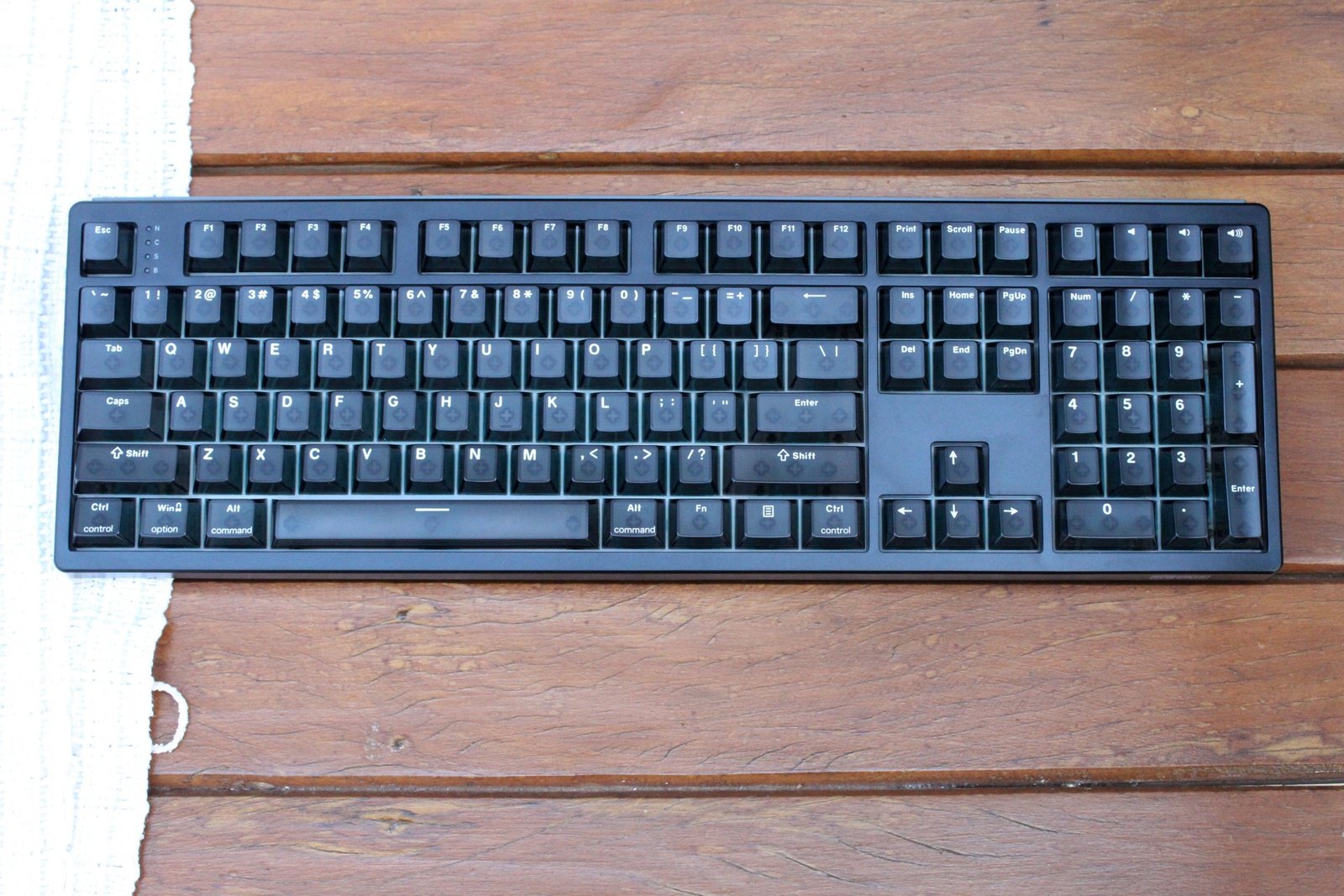
Nesse artigo irei analisar o EPOMAKER HE108, que se trata de um teclado mecânico "100%", ou seja, com todas as teclas se tem direito, incluindo o teclado numérico, no padrão ANSI, sem "Ç", com construção em plástico e iluminação RGB, onde seus maiores diferenciais estão nos seus switches por efeito hall além da possibilidade de trabalhar sem fio. Será esse um bom teclado? É o que vamos descobrir.

 Login
Login