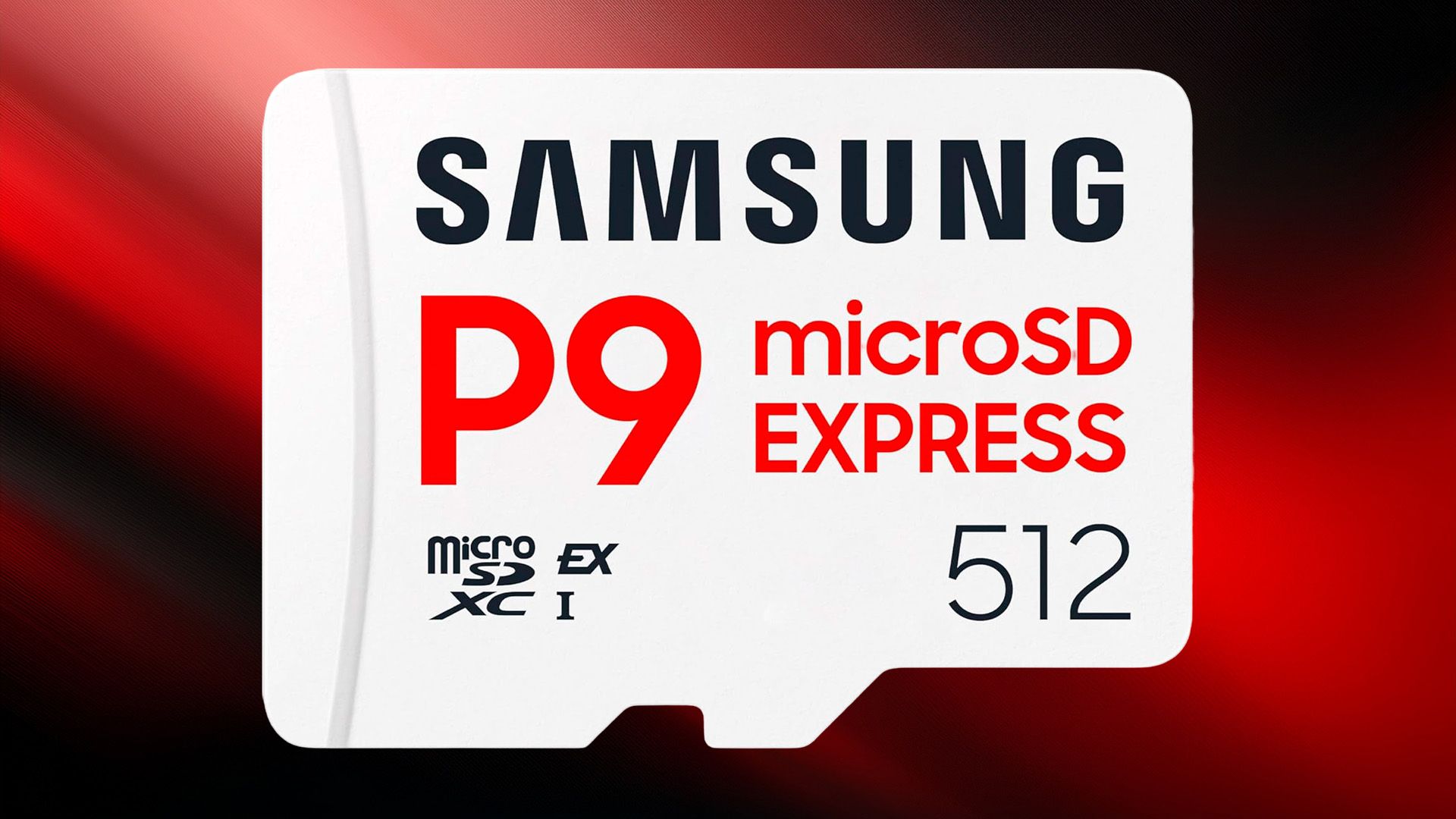
The flash shortage has driven up prices for nearly all consumer storage devices. Fortunately, for a limited time, Nintendo Switch 2 owners have a rare opportunity to secure a high-performance Samsung P9 512GB microSD Express card for just $99.99, the original MSRP before the shortage began. Amazon’s $50 checkout discount makes this deal even more enticing, since the microSD Express card typically retails for $149.99.
The Samsung P9, one of the best microSD Express cards available, offers blazing-fast sequential read speeds of up to 800 MB/s. That performance is enough to ensure games on your Switch 2 load quickly, and gameplay stays smooth. Samsung does not explicitly state the sequential write speed; however, microSD Express cards in the 512GB class generally offer sustained write speeds of up to 300 MB/s.
P9 512GB: was $149.99 now $99.99 The Samsung P9 is a microSD Express card that offers great performance and reliability for its price. The 512GB model is currently priced at its original MSRP of $99.99.View Deal
High write speeds mean faster data transfers and game installations. Still, 300 MB/s is more than enough for most Switch 2 owners to install large games and updates with little waiting time. In normal usage, the Switch 2 reads more data than it writes, so high read speeds are always a plus.
The Samsung P9 512GB is an incredible steal at $99.99, especially since Amazon typically lists it for $149.99. In fact, $99.99 is the lowest price this card has reached in the past three months, and it's a rare event given the ongoing flash shortage. Even Samsung’s own website currently sells this exact card for a staggering $199.99, making Amazon’s current offer stand out even more.
Deals like this are few and far between, especially for a microSD Express card of this caliber and capacity. If you are running out of space on your Switch 2 or want to prepare for the wave of incoming AAA titles, the Samsung P9 512GB is a smart investment since you are paying 20 cents per GB, the lowest price available right now. Act fast before it's gone.
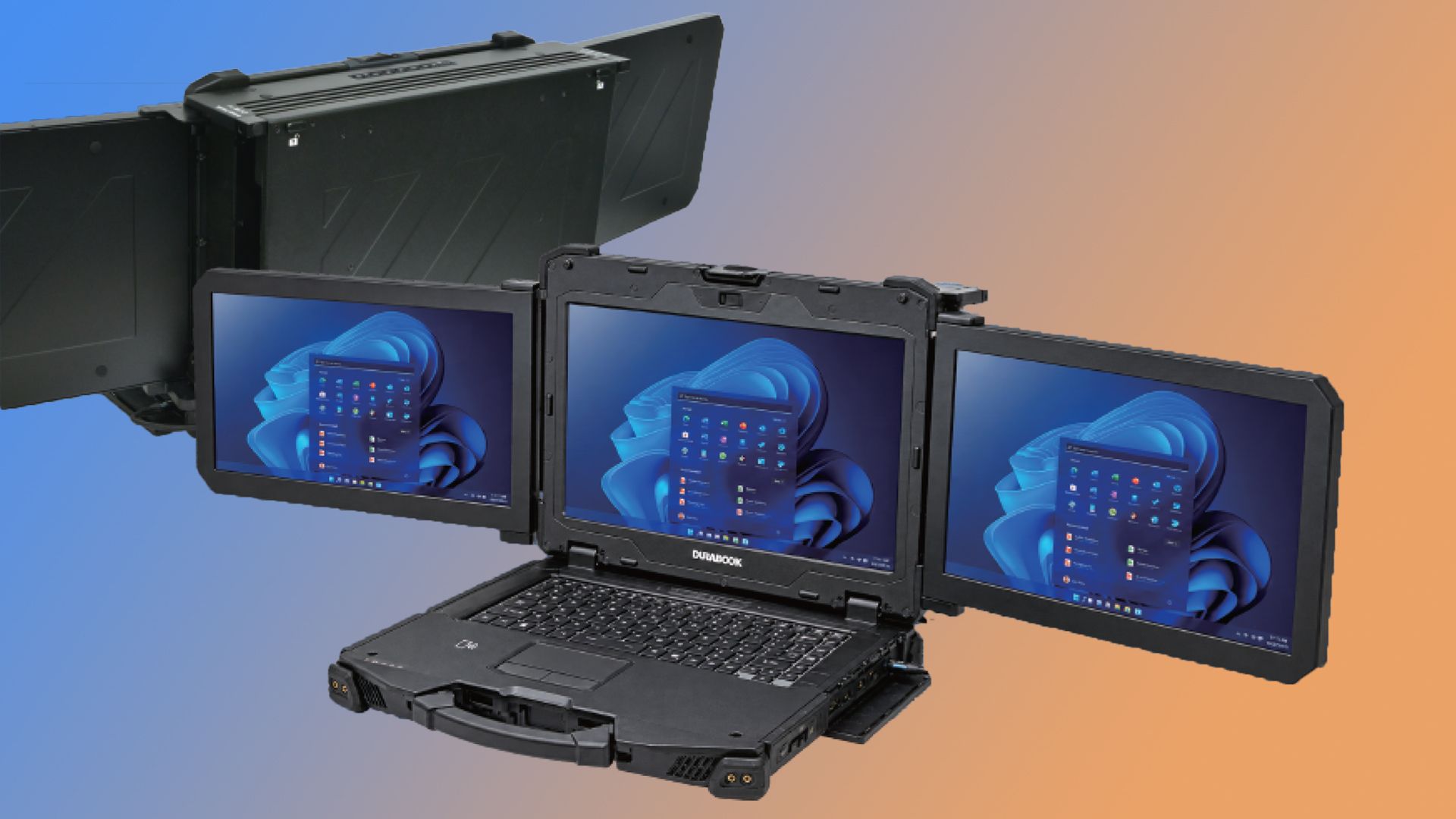
Taiwan-based manufacturer Durabook has introduced a highly rugged mobile workstation with not one, not two, but three integrated 14-inch 1080p displays. The Z14I-DX3 comes in a traditional clamshell design with two additional displays attached on either side that fold inwards during transportation. The laptop is MIL-STD-810H and MIL-STD-461G certified and is primarily meant for field professionals including military, public safety and emergency services, engineers, and other industrial operations.
All three displays are DynaVue sunlight-readable touchscreens with capacitive multi-touch and built-in OSD controls. Offering up to 1200 nits of peak brightness, all three can be synchronized or adjusted individually. The displays also support finger, water, glove and stylus inputs, which can be useful depending on the working conditions.
The additional displays increase the overall weight of the machine to a whopping 21.6 lb or 9.8 kgs, significantly heavier than the standard single-screen model at 3.6 kg. And at 5.4" thick (137.5mm) when closed, this system is best understood as a luggable workstation rather than anything resembling a traditional laptop.
The notebook can be configured with Intel’s Meteor Lake Core Ultra 5 or Core Ultra 7 mobile processors with up to 64GB of DDR5-5600 memory. Unusually for a ruggedized system, Durabook also offers several Nvidia discrete GPUs including the RTX A500 AI accelerator, RTX 3500 Ada and RTX 5000 Ada for up to 682 TOPS of AI performance.
The Durabook Z14I-DX3 also offers support for a wide range of connectivity options including Thunderbolt 4, dual RJ-45 Ethernet, two RS-232 serial ports, ExpressCard 54, Nano SIM and eSIM, as well as USB options ranging from USB 3.2 Gen 2 to USB 2.0. Wireless connectivity options include Intel Wi-Fi 7, Bluetooth 5.4, along with optional dedicated GPS, 4G LTE, and 5G connectivity. Durabook touts the use of this connectivity for highly customized application-specific configurations like the addition of joysticks for drone controls.
Given its likely customers, the Z14I-DX3 has several multi-factor authentication options, such as a smart card reader, optional Windows Hello webcam, RFID/NFC reader, and fingerprint scanner. The system also comes with quick-release dual NVMe PCIe SSD drives, allowing users to swap storage drives without requiring any tools. While the main battery is a 6,900mAh unit, the company lists an optional secondary 4,700mAh battery and a 6,700mAh battery for the two additional screens.
There is no information regarding the price, however, customers interested in the rugged mobile workstation can visit Durabook’s official website for a quote.
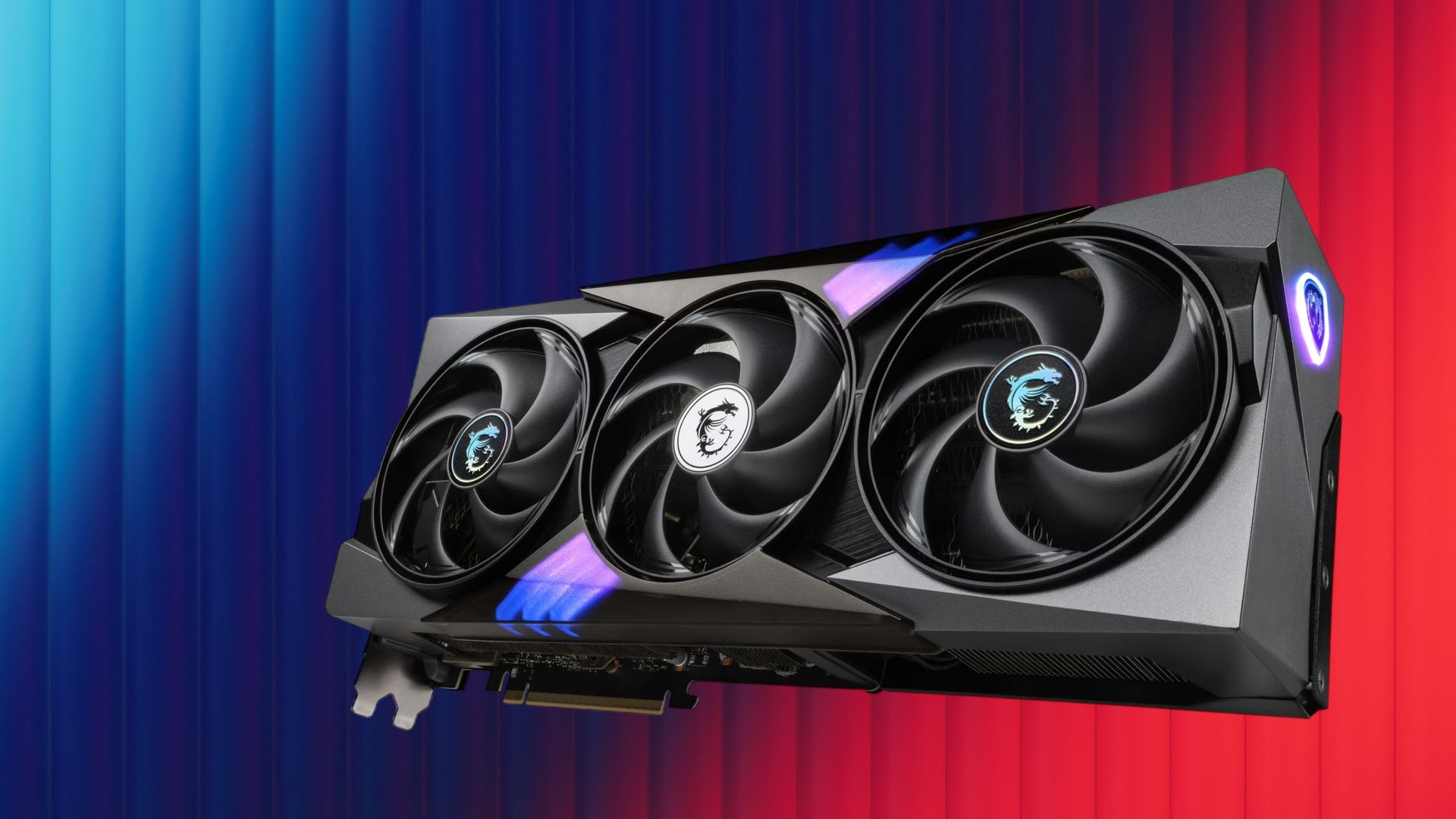
The indomitable GeForce RTX 5090 is getting harder and harder to find at any price, let alone for anywhere near its $1999 MSRP. If you can find one in stock, it's likely from a third-party seller, and prices from those sources are often over $8000 right now. But it's GeForce Week at Walmart, and as part of that deals event, you can get MSI's Gaming Trio RTX 5090 for just $4299 direct from a reputable seller — a screaming bargain in today's market.
The RTX 5090 needs no introduction as the most powerful gaming graphics card on the market today. If you're trying to max out path-traced lighting effects with all of Nvidia's DLSS 4.5 technology enabled at 4K (or even beyond), the RTX 5090 is still the king of graphics performance today.
It's also an amazing card for fast local AI work like LLM inference and image generation, and that multi-purpose appeal is part of why prices have shot up of late. New GeForce cards are still nowhere in sight, so if you're looking for the best gaming upgrade possible, the RTX 5090 is still it.
MSI's Gaming Trio GeForce RTX 5090 puts a huge, quiet triple-fan cooler on Nvidia's best-performing gaming graphics card. If you need a relatively affordable RTX 5090 upgrade, this is the way to go right now. View Deal
In our 2026 GPU Hierarchy testing at 4K, the RTX 5090 comes out on top, no matter what you throw at it. Whether you're trying to push raster or RT performance to the max, this card can do it all, without question.
If you're contemplating an RTX 5090 upgrade, be sure that your power supply is up to the task and that you're using a quality 12V-2x6 cable with it to minimize the chances of a costly meltdown. Be sure to consider an upgrade to one of our best picks for a 4K gaming monitor, too, as this card really is wasted on any other resolution.
The current AI boom means graphics card prices only seem set to rise for the foreseeable future, so even at this elevated price versus its MSRP, this MSI RTX 5090 is a rare opportunity to get the very best gaming GPU at a relatively attainable price. If you've been waiting, now is the time to jump.
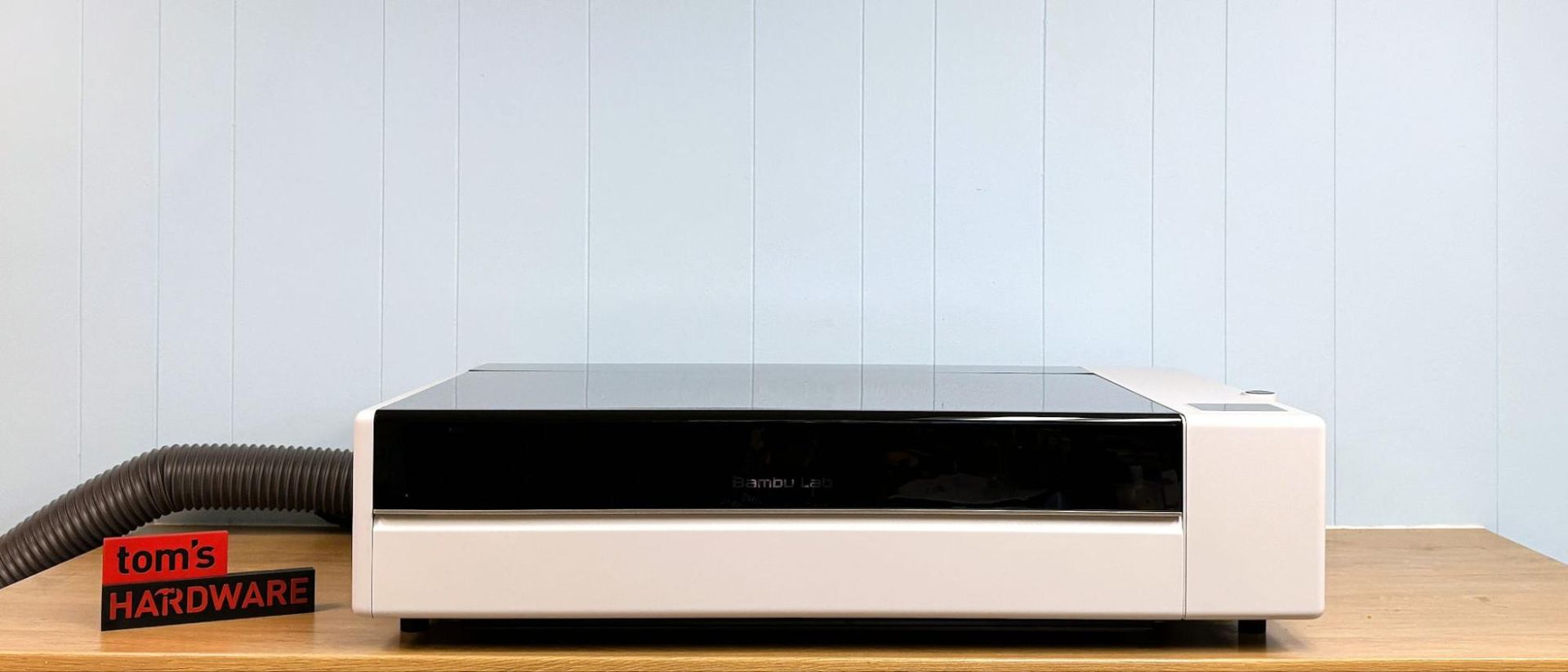
Bambu Lab has swung for the fences with its second go at making a laser cutter, and this time, it knocked it out of the park. The Bambu Lab R1 is a standalone, 55W CO2 laser with a roomy 600 x 300 mm work area, a bird’s eye camera for remote positioning, and a well-designed software suite. Priced at $2,499, the laser is a steal compared to other CO2 lasers of the same size and caliber.
You might recall the company’s first laser, a 40w diode packaged inside the H2D, was met with skepticism. Though the company pitched the H2D as the ultimate mini manufacturing machine for makers, many people felt a laser was too dirty to house in the same box as an expensive Core XY printer. Bambu must be listening, because they took everything that was good about the H2D’s diode system and gave it a standalone case with a massive CO2 laser.
The R1 has the same simple unboxing and setup experience as a Bambu Lab printer, making it easy to get started without a ton of prior experience. The only thing it is currently lacking is a more comprehensive set of material presets. Bambu Suite really shines in a market where good hardware is often let down by bad software.
While the Bambu Lab R1 is not a small machine, it does have a smaller footprint than other lasers with a similar work area. It requires a stout work table – and two people to cart it into position – as the machine is over 70 pounds. In its base configuration the R1 has a work area of 600mm x 300mm. With the optional conveyor and riser base, that 300mm can be extended to 3000mm, or 9.8 feet. Of course, you’ll need a lot of space in front of and behind the machine to pull that off. Bambu Lab did a wonderful job putting all of the controls and frequently used ports near the front of the R1 since you won’t want to move it much unless you are lasering something large.
The only flaw I found was the need to manually change focus lenses to cut thicker material. The process to change lenses is tedious, with six screws needing to be removed and replaced with the new lens. The two screws for the toolhead cover are ridiculously small. This process is reminiscent of the early Bambu Lab printer nozzles that required the heater and thermistor to be detached, then reinstalled with thermal paste. Hopefully Bambu Lab will come up with a quick-release lens at some point in the future.
Specifications: Bambu Lab R1
Machine Footprint
940 x 560 x 200 mm (37 x 22 x 7.8 inches)
Machine Weight
33.5 kg (73.8 lbs)
Engraving Size
600 x 300 mm (23.6 x 11.8 inches)
With Conveyor 600 x 3000 mm (23.6 x 118.1 inches)
Material
Cuts wood, acrylic (incl. clear acrylic), leather, fabric, paper, EVA foam, and shell.
Engraves
The above plus coated metal, glass, and ceramic
Laser Type
CO2
Laser Power
55W
Laser Wave Length
10600 nm
Engraving Accuracy
0.10 mm
Cutting Platform
Metal slats and baseplate included
Connectivity
USB, Wi-Fi
Interface
Color touch screen
MSRP
$2,499
Release Date
September 22, 2026
Bambu Lab R1: Included in the Box
(Image credit: Tom's Hardware)
The Bambu Lab R1 arrives fully assembled with its accessory pack bundled inside the laser enclosure. Accessories include a tool kit, exhaust hose, ventilation fan, antifreeze, funnel, laser alignment sensor, calibration board, and a material pack of basswood plywood and clear acrylic. You will need to supply 1500ml of distilled water to dilute the antifreeze. For the review, we also received the medium and long focus lenses, the conveyor and the riser needed for its use, the auto fire extinguishing system, and a smoke purifier.
Design of the Bambu Lab R1
(Image credit: Tom's Hardware)
The Bambu Lab R1 is a beast of a machine, but a well-thought-out one. It’s more compact than other CO2 lasers with the same working area, despite this, weighing over 70lbs. It’s not an easy machine to move. Bambu Lab put all of the controls, ports, and the safety key thoughtfully within easy reach at the front of the machine. The color touchscreen and start button are on top of the machine.
(Image credit: Tom's Hardware)
The automatic fire extinguisher ports, USB-C, and safety key are located on the left side of the laser.
(Image credit: Tom's Hardware)
The emergency stop button is located on the right side of the laser.
(Image credit: Tom's Hardware)
Only the power switch, the exhaust fan, and the coolant filling point are located on the rear of the unit.
Unlike most other lasers, a CO2 laser has a large, glass, liquid-cooled laser tube at the rear of the unit. Antifreeze is mixed with distilled water for the coolant to prevent the glass tube from freezing should it be kept in a garage, basement or even if you lose power in your house during the winter.
(Image credit: Tom's Hardware)
The laser fires a beam which is directed to the tool head with mirrors.
(Image credit: Tom's Hardware)
On some lasers, calibrating these mirrors can be a chore. Bambu Lab developed a laser alignment sensor, which clips to the toolhead and allows the laser to align the mirrors itself in just about a minute.
(Image credit: Tom's Hardware)
The Bambu Lab R1 has an excellent positioning system. There is a bird's eye camera on the lid of the laser, which requires that the lid be up when measuring. This takes a little getting used to since I reflexively shut the lid of a laser when I walk away from it. There is a camera mounted on the toolhead as well as a distance-measuring laser, instead of a clunky mechanical probe. The R1 tracks the toolhead position with XY encoders. The system worked great out of the box with no camera calibration needed. The camera is listed as having a .2mm positioning accuracy.
The Bambu Lab R1 is rated to cut up to 18mm wood and 20mm acrylic but doing so requires changing the focus lens in the tool head and then doing a five minute vision accuracy calibration. To change lenses, you need to remove two extremely tiny 1.5mm screws from the toolhead cover and four screws from the focus lens. It would be nice if they could develop a quick release for the lens, since as it is, this is not a process I’d want to have to do frequently.
(Image credit: Tom's Hardware)
A built-in air assist works to keep charring down and keep the laser lens clear. It is not adjustable, being either on or off, and it's powerful enough to move lightweight objects if they are not stuck down.
Given its size, the R1 is not likely to be used anywhere other than a shop or workroom, which is great because this thing is loud. The cooling fans in the laser don’t ever stop, and they are pretty loud on their own. When the laser is activated, it sounds like a jet engine spooling up. Between the noise of the laser and the air purification, it’s the loudest laser I’ve reviewed.
Assembling the Bambu Lab R1
(Image credit: Tom's Hardware)
The Bambu Lab R1 is fully assembled out of the box. Setup requires removing the accessory box, removing a cage around the tool head, and removing two stops holding the XY carriage in place for shipping. At initial power up the printer walks you through these steps from the touch screen.
(Image credit: Tom's Hardware)
There is a short calibration routine that automatically calibrates the laser’s mirrors by clipping the laser alignment sensor to the toolhead. In no time at all, you are ready to go.
(Image credit: Tom's Hardware)
The riser base comes in four large assemblies that are screwed together. You need to remove the base plate from the laser before setting it atop the riser. A data cable runs from the laser to the riser base, and requires deft hands to attach. Rubber feet on the bottom of the main laser unit hold it the correct position
The laser is cooled with a mixture of distilled water and antifreeze, which is poured into the rear of the laser with an included funnel. Pay close attention to the instruction booklet when adding coolant. The instructions call for “preparing” 1500ml of distilled water, then adding antifreeze to an indicated level on the rear sight window. But what it means is to pour in the antifreeze, then add as much of the 1500ml of water as needed to hit the correct level. Getting this backward makes a bit of a mess. After mopping up, I added the correct amount of water and coolant to the laser. The coolant must be topped off after turning the laser on, so don’t move the laser into a position where you cannot access the coolant port until you do this.
Safety Precautions for the Bambu Lab R1
(Image credit: Tom's Hardware)
The Bambu Lab R1 is a fully enclosed and safe Class 1 laser by itself. When running with the riser base and conveyor, it moves to a Class 4 laser. Operating a Class 4 laser requires laser-safe glasses that are not provided with the laser. I was not able to see any leakage of laser light through the riser base, but it is unavoidable when running with the conveyor. Laser light can cause severe damage to eyes and skin, and care should be taken to keep small children and pets away while the laser is in use.
The R1 has a number of built-in safety features. There is an equipment key preinstalled on the left side of the laser. When not in use this key can be pulled to prevent unauthorized access. The laser will not operate with the enclosure’s lid up and will quickly pause the job if the lid is raised while in use. If there is a problem with the job, the machine can be stopped from the touch screen, and for major problems, there is a red kill switch on the right side of the machine, which will quickly cut power to the machine completely. The laser has flame sensors which will stop the job if they detect any issues. Bambu Lab provided its optional auto fire-extinguishing system for the review. This unit has a replaceable gas canister and plugs into the left side of the laser.
Even with a good air purifier, some materials should not be burned with a laser due to their chemical makeup. Dallas Maker Space has published a list of safe and hazardous materials to use with their laser. The list of no-nos includes some plastics like PVC, fiberglass, and certain types of foams.
Software for the Bambu Lab R1
(Image credit: Tom's Hardware)
Bambu Suite was developed to run the lasers on the H series and also handle the cutting function on H2 and A2 printers. It might be the easiest to use laser software I’ve seen. The laser is connected to Wi-Fi from the touchscreen, and Bambu Suite connects to it just like a 3D printer. You import whatever you want to cut or engrave, choose the process type, hit Prepare, then select Measure, line up your art with the material, and pick the material you are using. Finally, you press Make and off it goes.
(Image credit: Tom's Hardware)
The only thing that the software doesn’t have is a large list of default materials. The basics are there, but hopefully more will be added over time. As it is, a number of the projects I did required internet searches and guesswork to find material settings that worked.
Makerworld is accessible directly from Bambu Suite, and it has an expanding group of shared laser projects to help you get started.
Engraving / Cutting with the Bambu Lab R1
For the first job, we used the test file from Bambu Lab that includes line drawing, engraving, and cutting on 3 mm basswood plywood. The test file did not list the settings, but the overall job took under two minutes to complete and looks really good. The cuts show much less charring than you would see on a diode laser.
(Image credit: Tom's Hardware)
Next, I tried a really intricate butterfly decoration from PabloLab on Makerworld.com. Using the default material settings for 3mm basswood, 75% power at 30 mm/s, the cut was perfect. The butterfly and the interior cuts dropped out of the material with no weeding needed. I should point out I broke off one of her antennae in handling.
(Image credit: Tom's Hardware)
The Bambu Lab R1 is rated to cut up to 18mm black walnut and 20mm acrylic, but the thicker wood requires the optional medium or long focus lenses. I tested cutting on a piece of pine lumber that is 19.5mm thick but is much softer than black walnut. There was no material default for anything thicker than 3mm. The cut on the left used the long focus lens and did the best cut at the lowest power, using 80% power at 10mm/s and 4 passes. The cut in the middle used the medium focus lens at 85% power at 5 mm/s and required 5 passes. The short focus lens really did not totally punch through the bottom of the material. The cuts are charred due to using 100% power at 4 mm/s through multiple tries.
(Image credit: Tom's Hardware)
For cutting out stickers out of sheets of sticker paper, we used the material preset for 200g kraft paper, 45% power at 250mm/s. The cuts were perfect and only took a few seconds. With a jig mounted on the cutting plate, the results are repeatable page after page.
(Image credit: Tom's Hardware)
There was no material preset for PETG so with a little trial and error we stepped that down to 65% power at 35mm/s for 2mm PETG and 20% power at 20mm/s for 1mm PETG. With air assist, the results were terrific, with just a very little smoke cloudiness at the edges of the PETG cuts. At these speeds, the cuts all took less than a minute.
Material: PETG (Image credit: Tom's Hardware)
Where most lasers just pass right through clear materials, CO2 lasers run at a high enough frequency to cut and engrave them. Using the shape library in Bambu Suite for the designs, we cut a bunch of blanks for use with our UV printer out of clear PETG sheets and clear acrylic. The material settings in Bambu Suite were perfect for 3mm clear acrylic at 80% power at 10mm/s speed.
Material: Acrylic (Image credit: Tom's Hardware)
CO2 lasers can also engrave glass with no masking needed, though a thin smear of liquid soap is suggested to keep chipping down. There was no material preset for glass, so a quick internet search led to settings from a competitor’s 55-watt CO2 laser. Using 30% power and 250mm/s, with air assist on, the engraving took just seconds and looks excellent.
(Image credit: Tom's Hardware)
CO2 lasers can’t cut metal, but they do a good job engraving coated metal. The Bambu lab R1has a curved surface machining mode for curved surfaces like this flask and tumblers. The auto measure function creates a 3D map of the material’s surface and shows the engravable area. Using the settings for aluminum business cards, 70% power at 400mm/s, the job took less than a minute and looks sharp and clear.
Tom's HardwareTom's Hardware
Bottom Line
(Image credit: Tom's Hardware)
The Bambu Lab R1 is an impressive step into the laser market. Good hardware with even better software makes the R1 an excellent choice for makers and small businesses needing an easy-to-use CO2 laser. It’s simple enough for a beginner to use, leaving you with more time to focus on making art, not fussing over settings.
Retailing at $2,499, the R1 is more expensive than a hobby-level diode, but a downright bargain compared to the competition. If you’re serious about making cool things or running a small business, the price is worth it.
By combining a 55W CO2, a generous 600 x 300 mm work area, and automated mirror calibration, it delivers high-grade cutting performance through wood, acrylic, and glass with minimal charring. While the manual lens swap process is a minor hassle and the operational noise requires a dedicated workspace or shop environment, its performance outclasses most competitors in its price range.
If you’re not ready to invest in a professional-grade machine, check out the Creality Falcon A1 Pro, a very capable 20W for $1,099. If you’re thinking about engraving glass or handling materials without charring, the xTool F2 Ultra UV is a great “cold” laser that runs for $4,299. If you want to take your laser with you, a portable xTool F1 laser is a heck of a deal at $819.
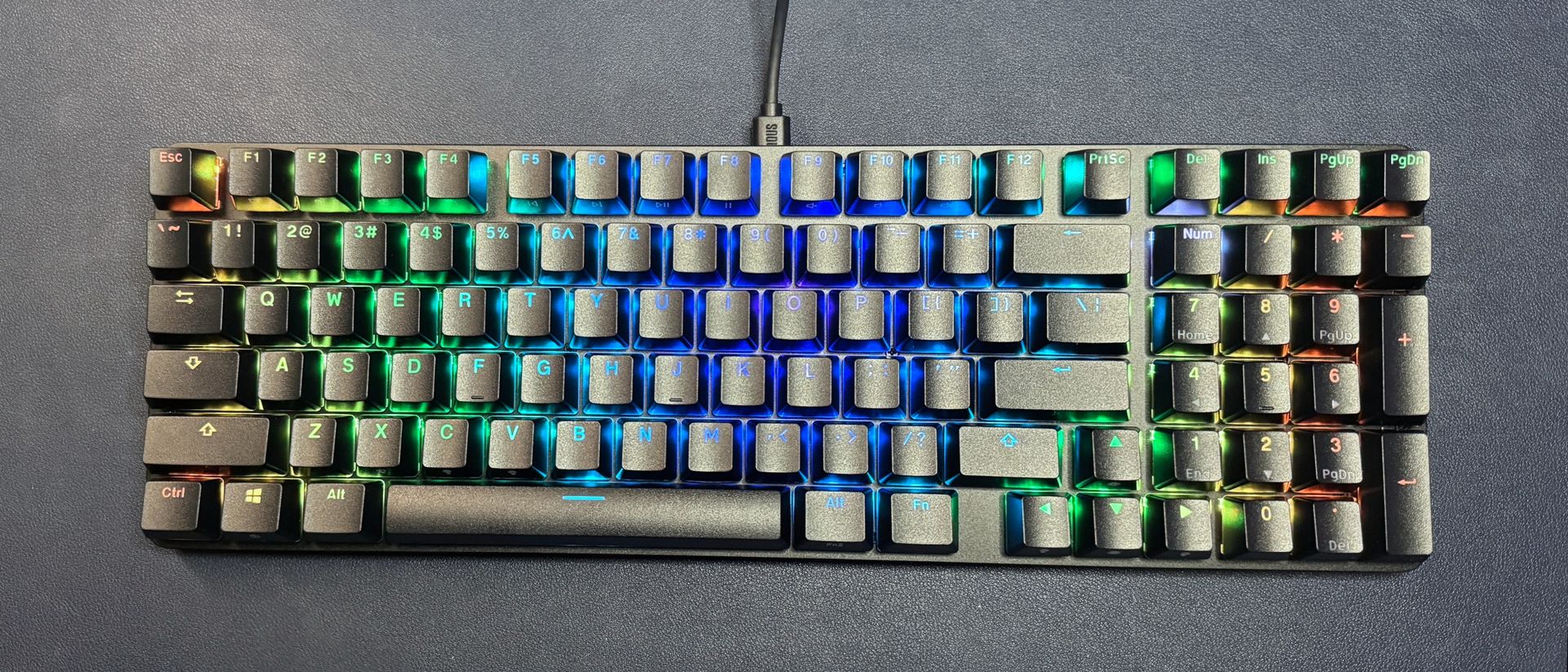
Something, something, going back to your roots. I guess that's what Glorious is doing (or, thinks it's doing) with the GMMK Eternal — its new wired mechanical gaming keyboard.
The GMMK Eternal is, at a glance, pretty basic: it's wired, it has regular mechanical (not magnetic) switches and a standard 1,000 Hz polling rate. It comes with bright backlighting, double-shot ABS keycaps, and some gamer-friendly features such as multiple onboard profiles and macro-recording via Glorious Core. It also has a hot-swappable PCB and three layers of sound-dampening material in the case — it's not supposed to be a revolution, but it is a pretty solid option if you're looking for something compact and relatively budget-friendly. The GMMK Eternal is available now in black, with GMMK's Fox MX linear switches, for $99.99.
Design and Construction of the GMMK Eternal
The GMMK Eternal is a wired mechanical gaming keyboard with a compact 96-percent layout — it has a full function row, arrow keys, and a 10-key numberpad, but everything is squashed together (and it ditches most of the navigation keys), so it takes up significantly less space than a full-size keyboard but has almost as many keys. It sports a fairly simple, minimalist overall design — edge-to-edge keys with virtually no bezel, black anodized aluminum top plate over a black ABS plastic bottom case, and no obvious branding on the top or sides.
Tom's HardwareTom's HardwareTom's Hardware
The keyboard measures approximately 14.6 inches (372mm) wide by 4.8 inches (122mm) deep, and is 1.7 inches (44mm) thick at its thickest point (including the keycaps). That's significantly smaller than a full-size keyboard, and is even small by 96-percent keyboard standards — perhaps my favorite 96-percent keyboard, the Asus ROG Strix Scope II 96 Wireless, is slightly larger than the GMMK Eternal at 14.84 x 5.16 inches (377 x 131mm), though at 1.57 inches (40mm) thick, it's slightly lower-profile. This is because the GMMK Eternal has double-shot ABS keycaps with shine-through legends in an OEM profile (the ROG Strix Scope II 96 Wireless comes with keycaps in a mid-height profile that's very close to the Cherry profile).
While the GMMK Eternal is pretty compact, even by 96-percent keyboard standards, you won't feel too cramped for space. There's enough room to leave some separation between the alphanumeric keys and the arrow keys (though not much), and there's enough room in the top row that the Function keys are grouped into visibly distinct groups of four. There are five navigation keys next to the Function row and above the numberpad: PrintScreen, Delete, Insert, Page Up, and Page Down. So you really shouldn't miss too much about your full-size board once you get used to the numberpad being right on top of you.
The GMMK Eternal has some weight to it, but it's not too hefty: it weighs in at just under two pounds (1.94 lbs / 879 g), which is about what we'd expect for a board of this size and construction. For comparison, the wired Corsair Vanguard Pro 96 weighs about 2.2 pounds (998g), while the wireless Asus ROG Strix Morph 96 Wireless weighs just under 2.5 pounds (2.48 lbs / 1,125 g). The GMMK Eternal is heavy enough that it shouldn't move around on your desk too much during heavy gaming sessions, but it's not so heavy that it would be difficult to travel with.
The bottom of the keyboard is where you'll finally see Glorious' branding. The Glorious name is stamped across the back, debossed with a shiny finish. There are also a couple strips of anti-slip rubber, as well as two sets of plastic flip-out feet for adjusting the keyboard's angle. The GMMK Eternal is a wired keyboard, and it has one USB-C port in the center of the board.
(Image credit: Tom's Hardware)
The GMMK Eternal comes with just two accessories in the box: a 6-foot (1.8m) rubber-coated USB-C to USB-A cable and a 2-in-1 combination keycap and switch puller.
Specs
Size
96%
Number of keys
99
Switches
Glorious Fox Switches
Backlighting
Yes
Onboard Storage
Yes (3 profiles)
Dedicated Media Keys
No
Game Mode
Yes / No
Additional Ports
0
Connectivity
Wired (USB-C)
Cable
6ft. / 1.8m USB-C to USB-A
Keycaps
double-shot ABS
Construction
Anodized aluminum top plate ABS bottom case
Software
Glorious Core
Dimensions (LxWxH)
14.6 x 4.8 x 1.7" / 372 x 122 x 44mm
Weight
1.94lbs / 879g
MSRP / Price at Time of Review
$99.99
Release Date
Sept. 8, 2026
Typing and Gaming Experience on the GMMK Eternal
The GMMK Eternal is a mechanical gaming keyboard with a hot-swappable PCB that takes both 3- and 5-pin switches. It comes pre-built with Glorious' Fox switches, which are pre-lubed linear switches with an actuation force of 55g — a little heavier than your average linear switch, but I kind of liked the extra force. The switches are otherwise typical linear switches, with smooth, stable keypresses that have no tactile bump or audible click. They're rated for 50 million clicks.
Tom's HardwareTom's HardwareTom's Hardware
The keyboard features three layers of sound-dampening material in the case: a molded silicone layer and two layers of PU foam around the PCB, for a "deeper, more satisfying thock." And I'll admit that I was pretty impressed with how the GMMK Eternal sounded out of the box — especially for a sub-$100 keyboard from a mainstream gaming company. There was a small amount of rattle as I typed, but the case, at least, was solid and ping-less, and bottoming out did give a deeper sound (if not quite a "thock").
The GMMK Eternal comes with double-shot ABS keycaps in an OEM profile, which is the standard, medium-height profile you'll find on most mainstream gaming keyboards. The keycaps have lightly cupped, textured tops with shine-through legends and secondary legends printed on the sides in white. While I usually prefer lower-profile keycaps, I didn't mind these — the keyboard is fairly compact and low-profile to begin with, so I didn't find the standard height OEM profile to be uncomfortable (nor did I feel like I needed a wrist rest).
The GMMK Eternal is a solid option for both typing and gaming — I didn't have any issues with accuracy, speed, or response time in my testing, minus the normal learning curve of getting used to having the arrow keys right on top of the alphanumeric keys.
Features and Software of the GMMK Eternal
The GMMK Eternal is configurable with Glorious' universal peripheral software, Glorious Core, which I don't have any real problems with, save for the fact that it requires a restart upon install. The keyboard has onboard storage, and you can set up up to three profiles in Glorious Core to save directly to the hardware.
You can use Glorious Core to adjust the keyboard's settings, including polling rate, input latency, and lighting standby timer, as well as switching between Windows and Mac modes. This isn't a magnetic switch keyboard, so there's not much else to set up in terms of performance. You can also remap keys — up to two layers deep, and the software has a built-in macro recorder and manager.
You can also customize the keyboard's lighting, which looks great — the board features bright RGB backlighting with a north-facing PCB, and the board's otherwise boring design really lets the lighting shine. There are 17 different lighting presets in Glorious Core, and you can also customize the lighting for each key individually (if you want).
The Bottom Line
The Glorious GMMK Eternal isn't the most exciting keyboard on the market, especially not for gaming. It's a wired keyboard with mechanical switches and a standard 1,000 Hz polling rate, so it's not trying to be the fastest, lowest-latency, RapidTrigger-enabled keyboard that will launch you into a pro-eSports career. Instead, it's a simple, compact keyboard that offers a very solid typing and gaming experience with hot-swappable switches and pretty RGB lighting for the relatively budget-friendly price of $100. While you can definitely find keyboards for less than $100, you probably won't find one that sounds and feels better than the GMMK Eternal.
An Nvidia-backed startup plans to establish a Bitcoin mining operation in space before the year is out. Starcloud will fire up its cryptocurrency mining ASICs after its second spacecraft reaches orbit later this year. “We’ll be the first to mine Bitcoin in space,” claimed Starcloud CEO Philip Johnston in a recent interview with Documenting Bitcoin.
₿𝗥𝗘𝗔𝗞𝗜𝗡𝗚: The first company to mine bitcoin in space will be Starcloud, says CEO Philip Johnston“We’ll have some bitcoin mining ASICs on the second spacecraft launching later this year” pic.twitter.com/6LjTj1j0fISeptember 21, 2026
Starcloud was founded in 2024 with the headlining goal of moving data centers to space. “As launch costs fall, data centers in space will leverage continuous solar energy and radiative cooling, rapidly scaling to gigawatts while avoiding permitting constraints on Earth,” reads its mission statement. The firm spells out its proposition in far greater detail in a white paper on its website, highlighting the appeal of training AI in space. However, the ample supply of solar energy is also great for cryptomining.
So, when Starcloud-2 reaches orbit, it will be tasked with raising some crypto-cash. In the embedded interview segment, Johnston said: “We’ll have some Bitcoin mining ASICs on the second spacecraft launching later this year.” At the time of writing 1BTC is worth roughly $86,000, quite a way down from highs several months ago.
Starcloud-2 is just the second of four currently planned satellite launches from the startup. It is framed as the company's first commercial mission, and like the prior satellite, will feature a GPU cluster. Interestingly, the official Starcloud-2 project page doesn’t mention Bitcoin mining or ASICs, so Johnston’s reveal is quite eyebrow-raising. Moreover, for something that seems a bit like an afterthought, “Potentially it [Bitcoin mining] is one of the most compelling use cases of space compute,” the Starcloud CEO told Documenting Bitcoin.
Johnson provided some financial insight into why there is now a Bitcoin side gig or pivot being considered. He cited the lower costs of ASICs vs. GPUs: they are about 30x cheaper than GPUs per kilowatt, he told the host. A specific example given was a 1KW Nvidia B200 chip at $30,000 vs. a 1KW ASIC at $1,000. Solving the energy supply situation in space for GPUs, or for ASICs, isn’t relevant to the business, said Johnson. We wonder what Nvidia will think about that.
While the availability of near-uninterrupted solar power is a big attraction of space-based compute, there are downsides. For example, satellites aren’t easy to service, and convection cooling doesn’t work in a vacuum. Commercial space-based data centers are so new that some of the problems and solutions will only become entirely clear after pioneering deployments like the Starcloud-2.
The U.S. and China have proposed developing a hotline for AI incident reports to address the risk of a rogue AI model getting out of control and to prevent misinterpretations of attacks that could trigger rapid autonomous escalation, Reuters reports. This news comes ahead of a planned visit by Chinese Premier Xi Jinping to Washington on September 24. U.S. Treasury Secretary Scott Bessent has also confirmed that follow-up AI safety discussions are scheduled between the two nations in two months' time.
All of this sits against the backdrop of ongoing U.S. China trade and relations talks, in addition to various frontier AI agents seemingly breaking out of their containment and hacking organizations without oversight from humans.
While some are raising the alarm about the humanitarian risk posed by AI models, the U.S. and China are taking steps to ensure that if either party does end up triggering a dangerous AI event, there may be the opportunity for a joint response from both nations ahead of any potential perceived threat or escalation.
As artificial intelligence continues to make headlines circling around safety, both the U.S. and China now appear to be building global safeguards through a dedicated hotline to discuss any AI-related issues that escalate to national security threats.
Keeping humans in the loop
Following discussions between Scott Bessent and Chinese Vice Premier He Lifeng in New York over the weekend, the two sides have proposed that President Trump and Xi Jinping discuss various AI safety mechanisms, including a notification system focused around national security. This could include warnings of detected rogue AI actors operating anywhere in the world, as well as informing the other partner if an autonomous system performed an action that could be misinterpreted as an attack.
The scenario both parties want to avoid is an AI-driven autonomous weapon system — be they kinetic or something more asymmetric in nature, like AI-driven cyber attack capabilities — responding to provocation without consideration by a human. That could then trigger an escalated response in another AI system, leading to rapid escalation to full-blown conflict at a pace where humans wouldn't be able to intervene.
The proposed system could also help both parties develop joint responses to positive goals, as well as potential threats. This could form the basis for joint development pacing, considering the recent calls from U.S. AI firms to slow AI development to improve alignment and safeguards. China is less keen, suggesting that such a move could be used to hamper Chinese AI developments.
It's not clear at this time how keen China is to implement the proposed notification system, but analysts and experts on both sides have called for a system like this to be developed. Both the U.S. and China have agreed to further broach AI safety concerns in the coming months.
Laying the groundwork
We're still in the very early days of these discussions, with only the bare bones of a proposal for a hotline in place, and much to discuss on alignment between the two major AI-developing countries. The next step will be the talks between the two leaders, where much more than AI will be discussed.
If the relationship between the U.S. and China can move beyond its ongoing rivalry, the potential is there for much firmer agreements on the specifics around AI integration in national security and military actions. Although some analysts remain sceptical of firm agreements because of the limited trust between the two parties, there is some hope that agreements can be made on the direct weaponization of AI, core principles of AI safeguarding, and preventing them from targeting or damaging critical infrastructure.
The hope for a successful meeting is very much bipartisan. Leading Democrat in the U.S. House, Representative Ro Khanna, said that the first thing President Trump and Xi Jinping should work on in their meeting is developing core AI principles. Particularly around banning recursive self-improving AI and removing the option to use such autonomous systems on biological and nuclear weapons technology.
Washington's summit between President Trump and Xi Jinping is scheduled to begin in just a few days, where much more will be discussed beyond AI safety, as the rest of the world waits with bated breath, as the meeting between the two leaders could set the stage for another round of discussions surrounding the two nations' economic relations.
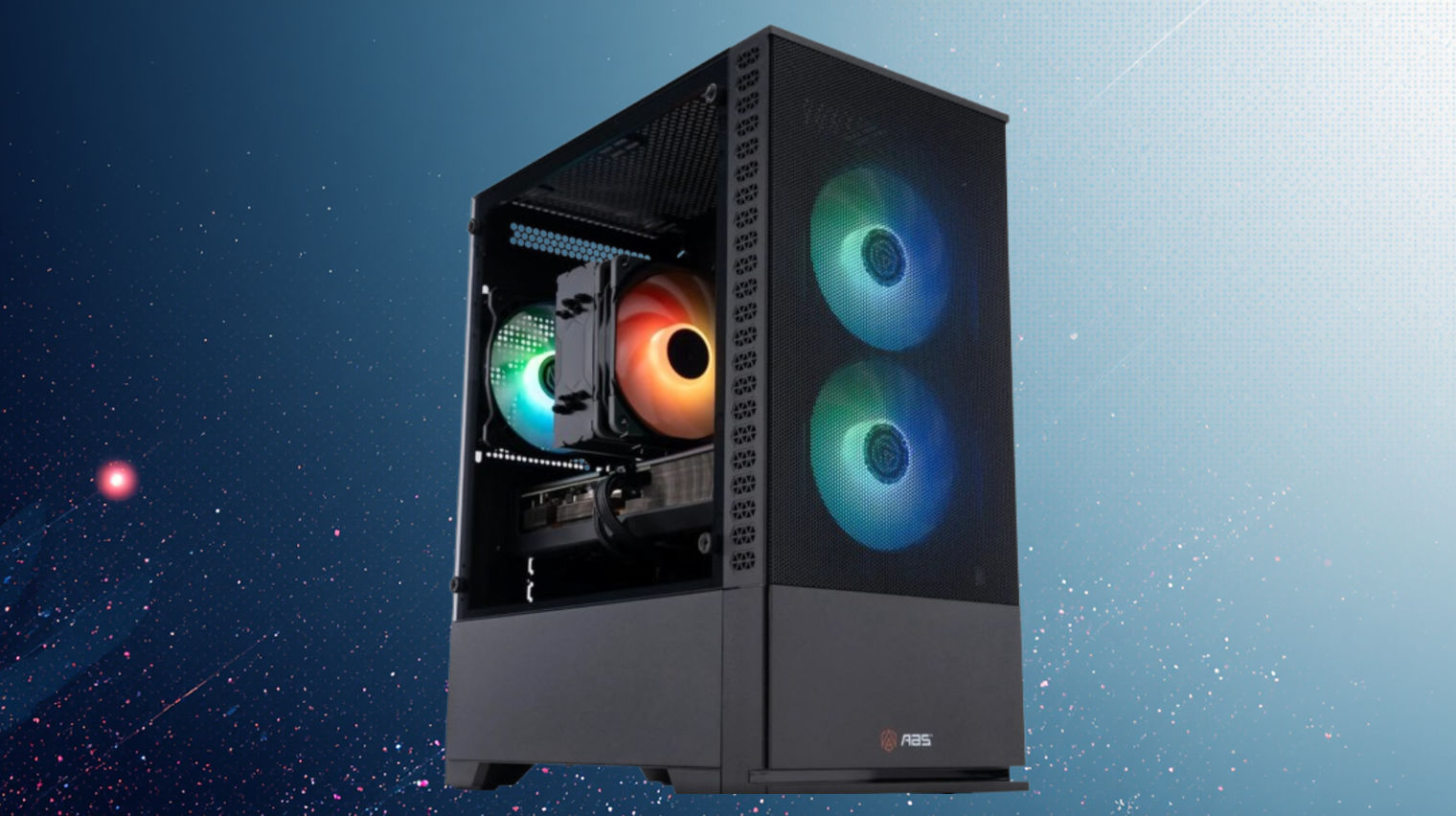
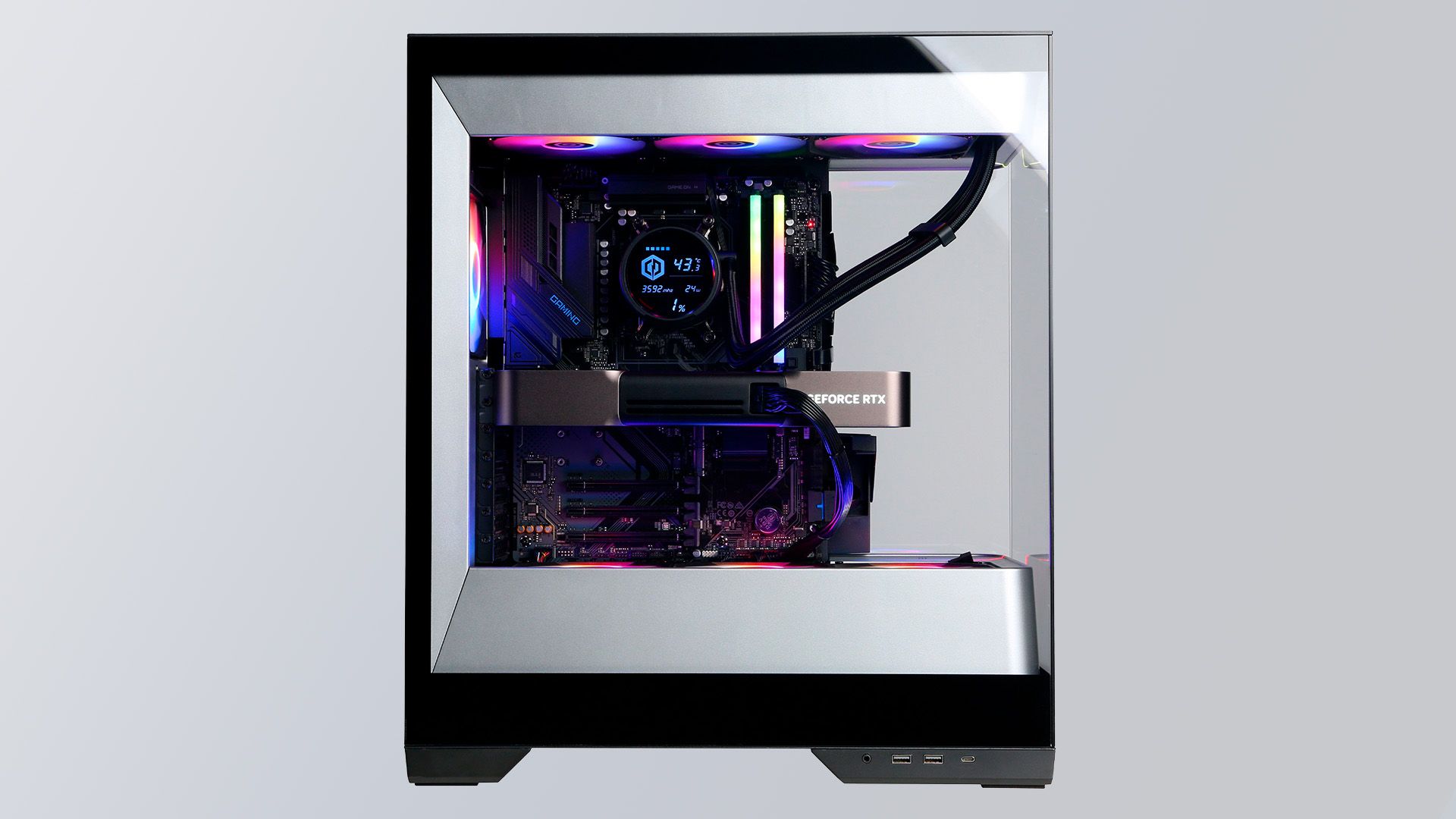
Bundle deals are often the best way to sidestep today's inflated pricing of memory, SSDs, and GPUs. However, a well-configured prebuilt can be even more compelling, offering compatible components and the convenience of a fully assembled system out-of-the-box. One such prebuilt is the ABS Cyclone Aqua that is currently listed on Newegg for $1,299.99, down from its original price of $1,699.99, resulting in savings of $400. Customers can get an additional $100 discount using the promo code SSF73826 during checkout, bringing the final cost down to $1,199.99 for the Cyclone Aqua and an overall saving of $500.
The ABS Cyclone Aqua gaming PC features hardware suitable for modern AAA gaming at 1080p. It is powered by an Intel Core i7-14700F, which is a solid 20-core (8 P-cores + 12 E-cores) processor with 28 threads and boost clock speeds of up to 5.4 GHz. The CPU is paired with an ASRock B760M-C/D4 motherboard with 32GB (2 x 16GB) of DDR4 3200 MT/s memory from G.Skill (Ripjaws V). The motherboard also comes with onboard Wi-Fi 6 and Bluetooth. For storage, the system includes a 1TB Patriot P410 M.2 2280 PCIe 4.0 SSD offering read speeds of up to 5,000 MB/s and write speeds of up to 4,500 MB/s.
Graphics duties are handled by the Zotac Gaming RTX 5060 Solo with 8GB VRAM, which is essentially Nvidia’s latest entry-level 1080p card. While it may not be ideal for high-end AAA gaming, it's good enough for less demanding titles, especially if you are into competitive FPS shooters. The rest of the features include a Cooler Master Hyper 212 CPU air cooler, a 650W 80+ Gold power supply unit, and a decent ABS Cyclone Micro ATX mid-tower case with a glass side panel, as well as two 120mm ARGB fans at the front and one at the rear.
If you've been holding off on a new gaming PC due to high component prices, this deal at $1,199.99 is definitely worth your attention. Considering that sourcing comparable components individually would likely push the total cost beyond $1,500, this prebuilt offers excellent value for the money.
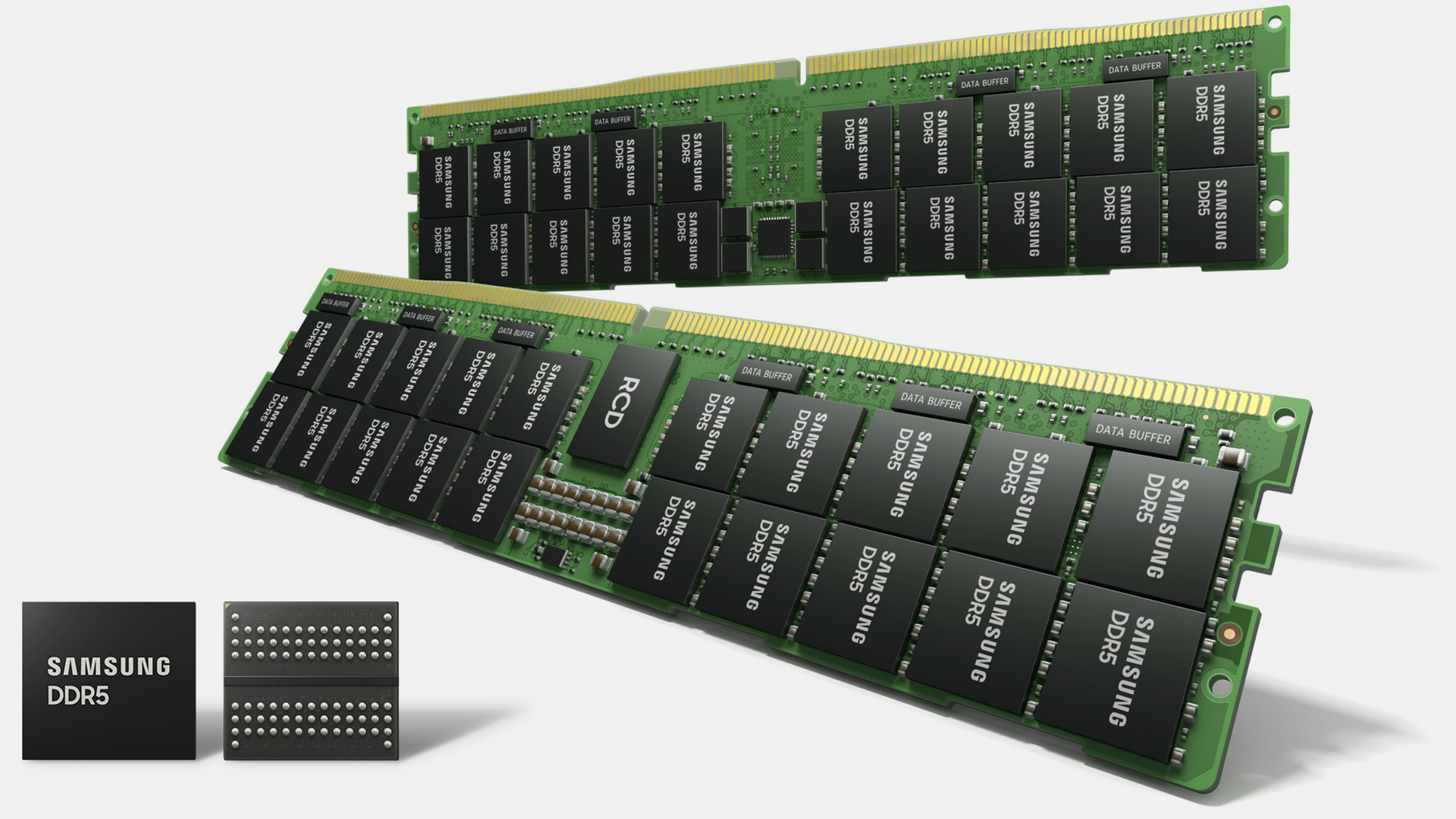
Memory prices are at record highs due to demand from the AI sector and are not going to drop any time soon. In fact, the cost of manufacturing memory chips on a per-area basis can be higher than the price of silicon processed using TSMC's N2 and N3 fabrication technologies, which are used to make compute chips, according to an observation made by Kurnal Insights. While the comparison has merit, it has an important caveat.
DRAM Wafer price is more expensive than TSMC N3 Wafer Price pic.twitter.com/uWqizOZ6iGSeptember 20, 2026
Based on media leaks, Kurnal from Kurnal Insights considers that a 300-mm wafer processed using TSMC's N3 technology costs $20,000, which translates to approximately $0.283 per mm² when the wafer price is divided by its area. For TSMC's N2, the analyst assumes a considerably higher wafer price of $30,000, or around $0.424/mm². These calculations are based on unofficial information and do not account for unusable wafer edges, dicing, test structures, defects, or yield, so they should be viewed as nominal wafer-area prices rather than the actual price of usable silicon.
The calculation for DRAM works differently. Kurnal assumes a DRAM price of $1.50 per Gb and then multiplies it by the bit density of different generations. At 0.219 Gb/mm², 1y DRAM works out to $0.329/mm², whereas 1z DRAM with its 0.273 Gb/mm² density reaches $0.410/mm². Finally, 1b DRAM at 0.436 Gb/mm² produces a figure of $0.654/mm², considerably higher than the nominal $0.424/mm² calculated for an N2 wafer.
There is an important distinction here. The N2 and N3 numbers represent assumed prices charged by TSMC for processing a wafer, whereas the DRAM figures represent the potential selling value of the memory contained within a square millimeter of silicon, thus illustrating how much revenue a DRAM maker can theoretically get from a given die area at the assumed memory price.
Interestingly, Kurnal Insights' $1.50/Gb assumption is almost exactly in line with the current spot price of DDR5 eTT memory. According to DRAMeXchange, 16Gb DDR5 eTT chips carried a session-average price of $24.80 on September 21, equivalent to $1.55/Gb. At that price, 1b DRAM with a density of 0.436 Gb/mm² would be valued at approximately $0.676/mm², just 3% above Kurnal's $0.654/mm² estimate.
It goes without saying that producing DDR5 memory is considerably cheaper than making logic chips using TSMC's N3 process technology. However, with DRAM in short supply, memory makers are getting considerably more money for their silicon than they did historically.
There are a few important caveats that make the comparison somewhat less straightforward. The calculations do not account for packaging costs, with logic requiring more expensive techniques. Additionally, TSMC manufactures chips on a contract basis, and the actual price of a processed wafer depends on the volumes, customer, and other commercial terms. Thus, comparing estimated TSMC wafer prices with DRAM spot prices is not exactly an apples-to-apples comparison. Even TrendForce notes that DDR5 spot procurement remains limited and transactions are sporadic, which means spot prices do not necessarily reflect the prices at which Micron, Samsung, and SK hynix sell the bulk of their DRAM.
Therefore, contract DRAM prices would provide a considerably better basis for an economically meaningful comparison. However, we do not know contract prices, and while they are clearly higher than historical memory prices, they may not be as high as spot prices. To that end, we cannot state for sure that DRAM makers get more money for their wafers than TSMC does for its logic wafers.
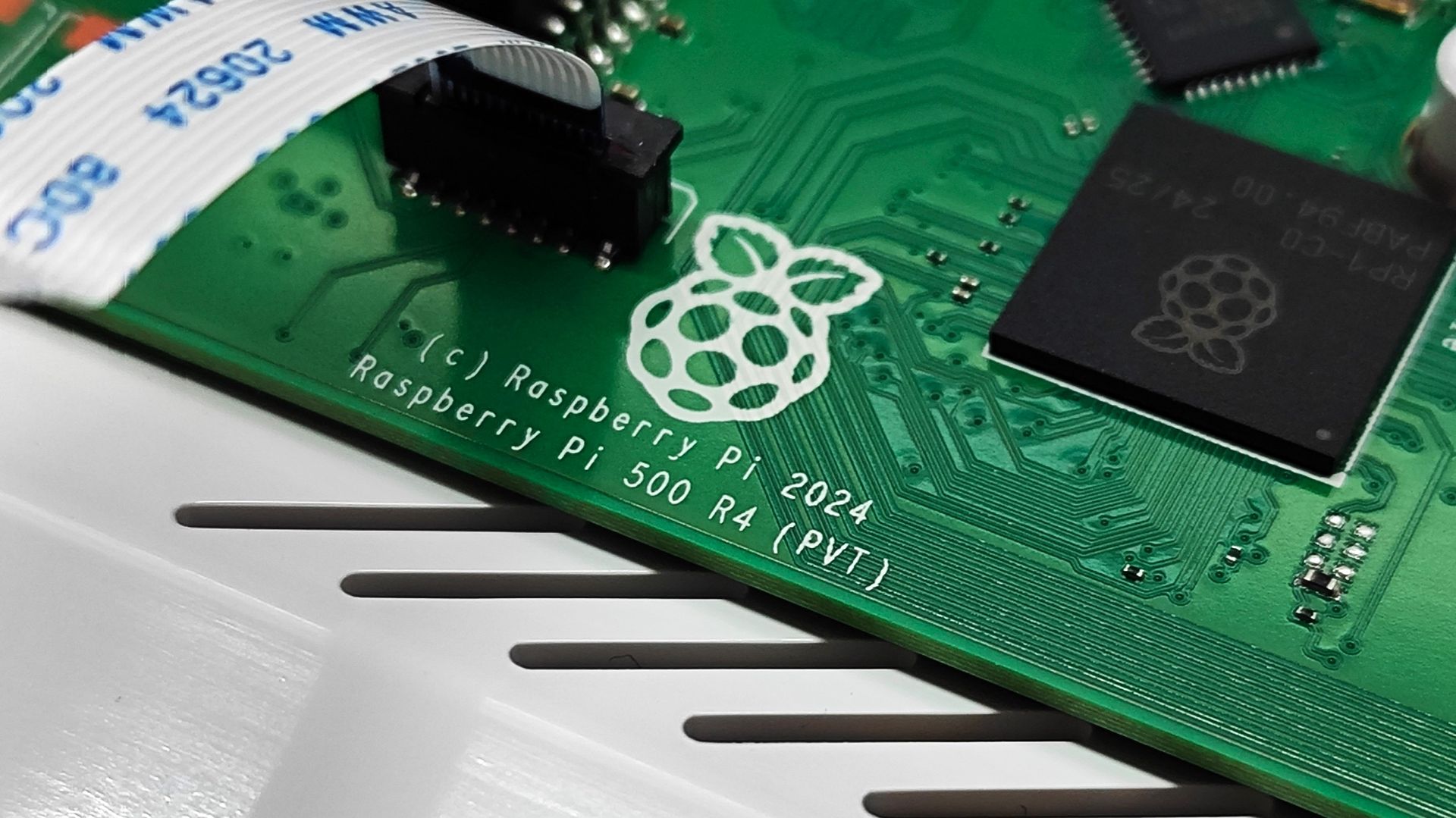
Raspberry Pi users are effectively being blocked from swapping the RAM chips on their SBCs for repairs or upgrades. In a reply on the firm’s forums, Raspberry Pi Engineer & Forum Moderator PhilE told users that the company has been “locking devices to their original RAM size” for some time. This decision was made for the sake of device reliability, says the rep. However, the move seems to go against the grain for a company so involved in the maker, DIY, and tinkerer side of computing.
PhilE explains the problem that faced Raspberry Pi and some users, airing the company’s side of the argument. “If labor is cheap enough then there may be a minor financial gain in buying a part with say a 2GB part, swapping it for an 8GB part of dubious origin, and reselling it as an 8GB device,” says the forum mod. “However, this brings an element of risk to the user - the board hasn't been tested by us - and is a potential support burden for us, with customers complaining of unreliable devices. We therefore remove the commercial incentive by locking devices to their original RAM size.”
In addition, the Pi’s firmware currently “program in some other device attributes, meaning that switching parts of the same size may not work,” says PhilE. This isn’t great for genuine users who might want to tinker with or upgrade the RAM chips or have to replace an IC for repair. The forum mod underlines the effective block by telling would-be RAM MacGyvers to “don't waste your time trying - it won't work.”
Some readers might feel sympathetic towards Raspberry Pi’s RAM tinkering blockade, given PhilE’s reasoned explanation. One surprising aspect of the decision, though, is that the firmware locks of RAM IC swaps began to roll out in updates from late 2024 onwards. So, this change was made well before the crazy RAM chip pricing upswing precipitated by the AI data center boom. Also, it means that if you want to sidestep this RAM tinkering block, you would need to grab and flash a pretty old firmware to your Pi model (if available).
Naturally, the Pi community isn’t celebrating this RAM upgrade/repair block. Some high-profile Pi advocates like Jeff Geerling suggest that implementing a ‘warranty bit’ (similar to older models), or a one-time firmware flag to void support for modified boards, would have been a more agreeable path for Raspberry Pi to take. Here’s a lookup table that you can use to check your Pi’s factory RAM configuration.
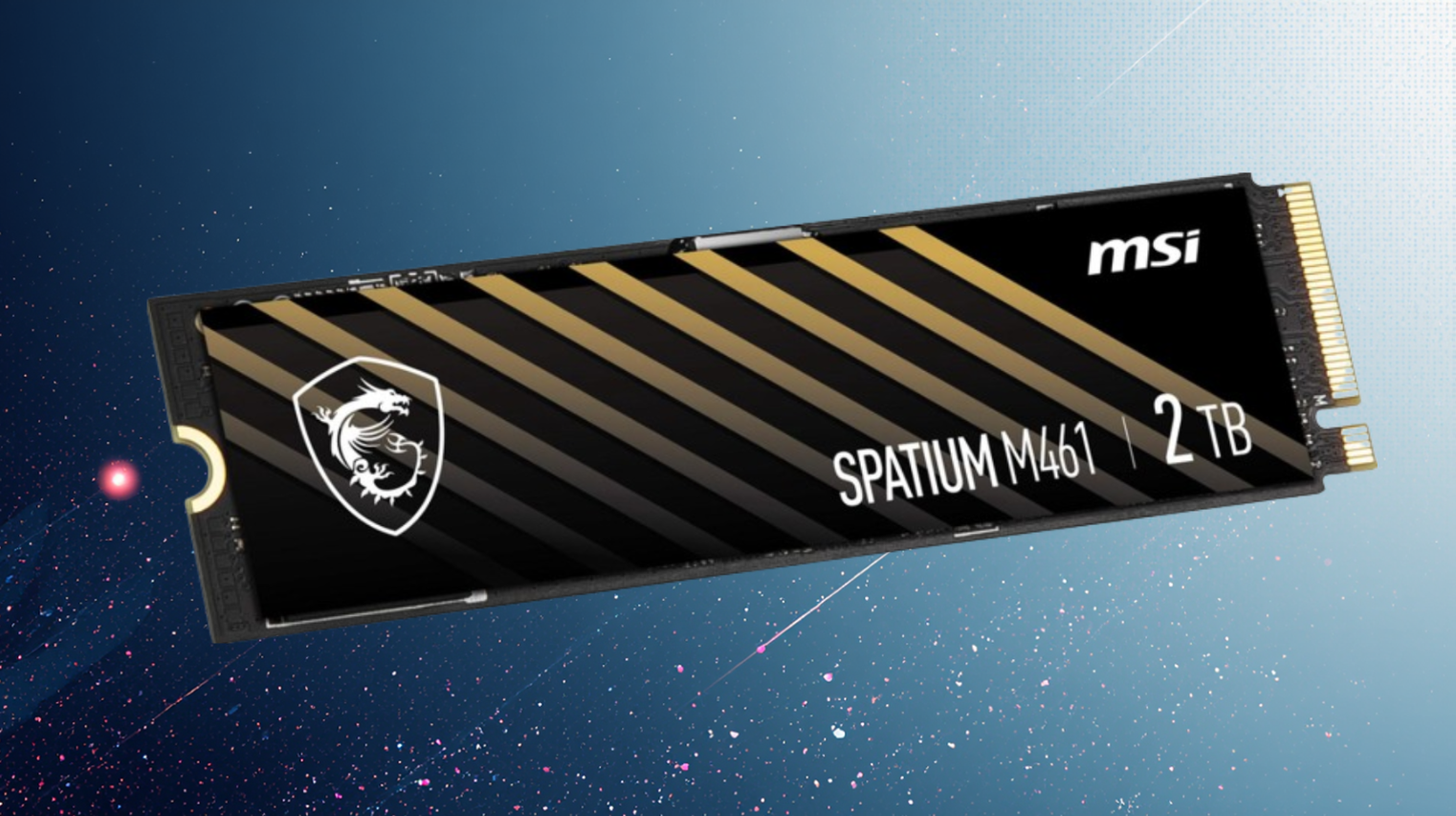
Component prices have been through the roof for far too long because of the AI apocalypse, with RAM, video cards, and storage among the biggest increases. And while the prices are nowhere near what they were just a scant year and a half ago, we are seeing some deals that are good for the times. For example, Newegg has a great price on the budget-friendly MSI Spatium M461 2TB PCIe 4.0 SSD for only $299.99, or 10 cents per GB, after the promo code (SSD73852). This mid-range SSD is one of the least expensive name-brand drives available.
While this isn’t the fastest PCIe 4.0 SSD, it’s exponentially faster than your average HDD and SATA-based SSD, with solid all-around performance for random and sequential reads and writes. The M461 uses a PCIe Gen 4x4 (64 Gbps) backbone, the NVMe 1.4 standard interface, and a Phison E21T controller with 3D NAND flash. This lets the 2TB MSI Spatium reach speeds of 5,000/4,200 MBps reads/writes, which is plenty fast for game storage or even an OS drive, and a notable upgrade over old storage technology and PCIe 3.0 drives.
2TB Spatium M461: was $359.99 now $299.99 Save big on this budget-friendly 2TB MSI Spatium M461 SSD. At under $200 using promo code SSF73852, it's one of the best deals on a PCIe 4x4 drive going today.View Deal
MSI backs the M461 with a long five-year warranty and 900 TBW, which should be plenty of write cycles for the average user. You’ll likely reach the five-year time limit before you blow through 900 TB of writes. The Spatium also includes built-in data security and error correction capabilities, standard for this type of drive.
If you’re in the market for more NVMe-based storage, the 2TB MSI Spatium M461 for only $199 (with promo code SSF73852) is an excellent deal, since it’s one of the least expensive name-brand Gen 4x4 drives available on the market at only 10 cents per GB.
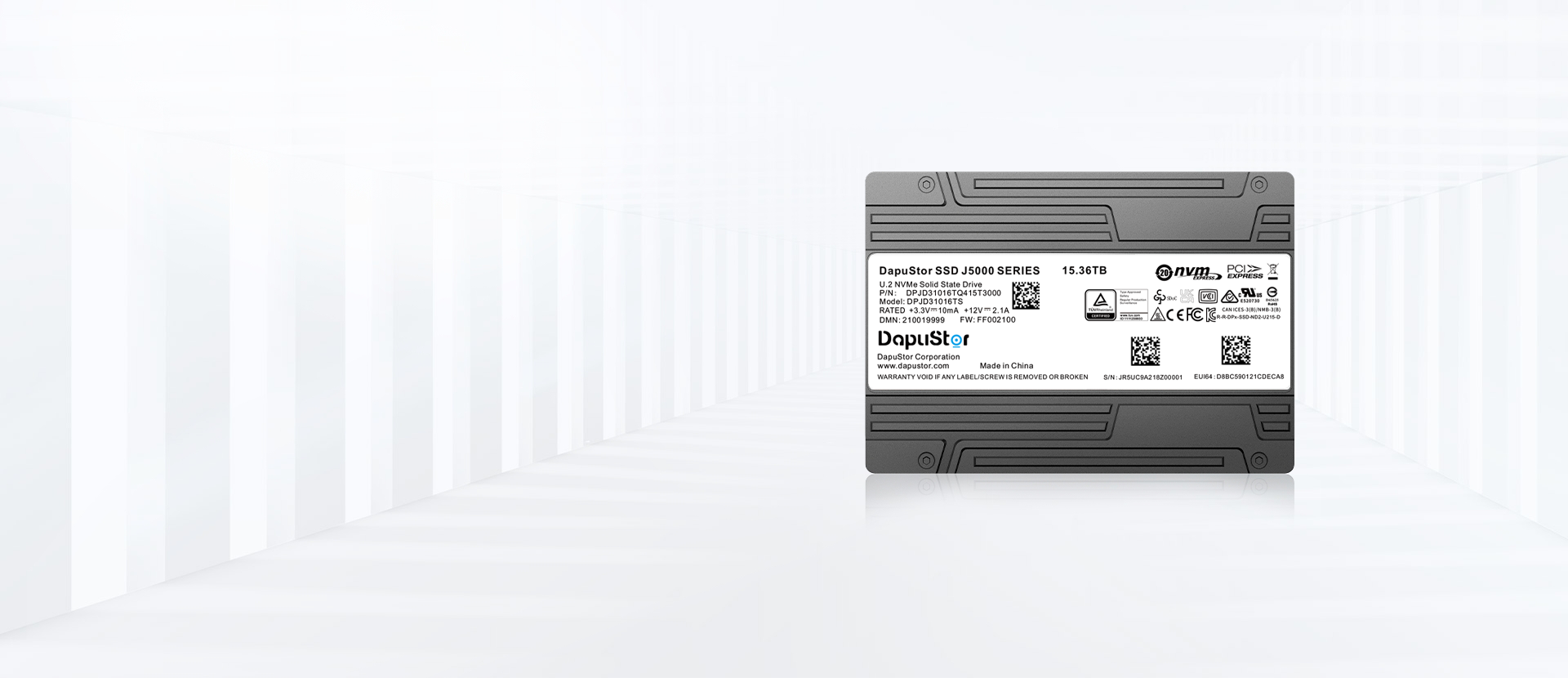
Enterprise SSD brand DapuStor revealed a new dual-mode configuration for its J5060 enterprise drive that combines SLC (single-level cell) and QLC (quad-level cell) flash on a single drive. The drive’s new firmware runs “selected QLC cells” in a faster pseudo-SLC (pSLC) mode, trading capacity for speed.
As an example, the 30.72TB model trades around 4TB of QLC for 800GB of pSLC, a ratio closer to 5:1 than 4:1. The other two configurations put aside 400GB or 1.2TB with a cost between 6% and 20% of the QLC capacity. “No dedicated SLC NAND is required,” as this uses a “software-defined media configuration,” DapuStor said. Announced last month during FMS 2026, the drive still lacks pricing, a named customer, and a general availability date.
Typical consumer QLC drives have a pSLC cache that fills with super-fast performance, with the data later transferring over to QLC. However, this pSLC mode is dynamic and variable in size. DapuStor’s implementation uses a fixed region sized by the operator, and the regions are exposed as individual block devices to the host. The J5060 is also higher capacity, from 15.36 to 122.88TB, and in the U.2 form factor for PCIe 4.0 x4. Endurance is rated at 0.5 DWPD (Drive Writes Per Day) over five years. The stock 30.72TB model is rated at 30,000 random-write IOPS at 16KB. Its write latency is 35 microseconds.
(Image credit: DapuStor)
The capacity trade-off improves what QLC is worse at, random writes, by more than seven times, DapuStor said. It also says average 4K random-write latency is below 8 microseconds. The pSLC has over 25 times the program/erase cycles of the QLC region, although without region-specific DWPD or TBW numbers. DapuStor achieves this with three firmware changes: die-level isolation, optimized SLC reserve allocation, and region-aware I/O scheduling. The high-performance region targets workloads that benefit, namely “database journals, write-ahead logs (WALs), and metadata caches.” The idea is that this drive configuration precludes the need for specialized SLC drives where failure could be an issue; however, you still end up with a dead dual-mode drive on a failure.
The NVMe specification has defined this arrangement since 2019, with an NVM Express presentation at FMS 2019 claiming the goal was to “enable one SKU to be configured by customer for their use case.” An FMS 2019 example showed that some media units run as a small fast region, while the rest run at full density. A prior drive with the same idea, via a Phison firmware split and a host driver, was the consumer Enmotus/Phison FuzeDrive P200 with our 2021 verdict stating that “excessive pricing isn’t for everyone.” Enmotus wound down the same year. It’s also possible to mod a QLC drive to SLC, as we covered in 2024. The difference here is that DapuStor hands the host a second and separate block device with storage software control.
Competitors have other solutions. Sandisk’s bet is on Direct Write QLC on its UltraQLC platform, “which eliminates SLC buffering by enabling power-loss safe writes on the first pass,” Sandisk said, but there are still performance differences, according to our own reporting. Alternatively, Micron’s solution offers a separate cache drive in its XTR. The drive uses 176-layer TLC entirely in SLC mode and is rated at up to 35 DWPD. The drive acts as an optional write buffer for arrays of Micron’s 6000-series SSDs. For reference, Micron rates the XTR at 15 microseconds for QD1 writes.
Product promises are valuable, but any full comparison requires seeing the drives in actual use. Questions remain specifically regarding DapuStor’s drive, as pSLC region specifications are lacking. It is uncertain what commands the drive employs and whether the region split is modifiable live; usability depends much on the undemonstrated storage software. More details for the QLC-based, PCIe 5.0 sibling R6060 would be nice, too. Utilizing multi-bit flash in a single-bit, SLC mode for performance or endurance reasons is not a new idea, but balancing those with the increasing need for capacity remains a challenge.
China's DRAM champion CXMT has begun mass production using its 5th-generation DRAM process technology.
CXMT says its new process technology — G5, as the company calls it — reduces DRAM’s active-area half-pitch to 11.95nm using quadruple-patterning lithography. The 11.95nm half-pitch corresponds to an active-area pitch of 23.9nm, something that puts this particular dimension roughly in the range of other advanced 10nm-class DRAM technologies. However, it cannot be directly translated into a conventional DRAM node designation. Separately, CXMT says its DRAM-optimized high-K metal gate (HKMG) process reduced the height of the core cell array to 6,762nm.
The company also says it modified its process flow and introduced unspecified new materials to enable storage capacitors with a depth-to-width aspect ratio of about 45:1.The figure is certainly difficult to compare directly with competing DRAM process technologies, but SK hynix says that capacitor aspect ratios will need to exceed 100:1 as DRAM critical dimensions eventually fall below 10nm.
A 45:1 aspect ratio means CXMT’s storage capacitors are 45 times deeper than they are wide, which is what enables the company to reduce DRAM cell area and fit more memory arrays onto a wafer and retail predictable capacity. However, increasingly high aspect ratios make etching, deposition, mechanical stability, and ultimately high-yield manufacturing considerably more challenging.
The first disclosed mass-produced devices using G5 are said to be 24Gb LPDDR5X devices, which have already entered mass production. The chips offer 50% more capacity than CXMT's previous comparable products and are available in two package formats for different mobile-device designs. According to the Chinese report, the 24Gb LPDDR5X products are already entering mainstream Chinese flagship smartphones.
A nanometer caveat?
Meanwhile, there are some important caveats.
First up, CXMT's 11.95nm figure represents the active-area half-pitch rather than a conventional process-node designation, so calling G5 a 12nm process is a large degree of simplification at best.
Secondly, the two revealed physical dimensions do not mean technological parity with the latest DRAM processes from Micron, Samsung, and SK hynix, as density, capacitor scaling, transistor characteristics, power consumption, and, arguably most importantly when it comes to commodities, yields matter.
Thirdly, CXMT says G5 provides at least 50% more gross dies per wafer than G4, but without actual numbers, this is obsolete. CXMT also did not disclose yields, which makes it impossible to determine the increase in productivity, not to mention known-good dies or the actual manufacturing cost per bit. Yet again, even a claimed 11.95-class DRAM node is an achievement.
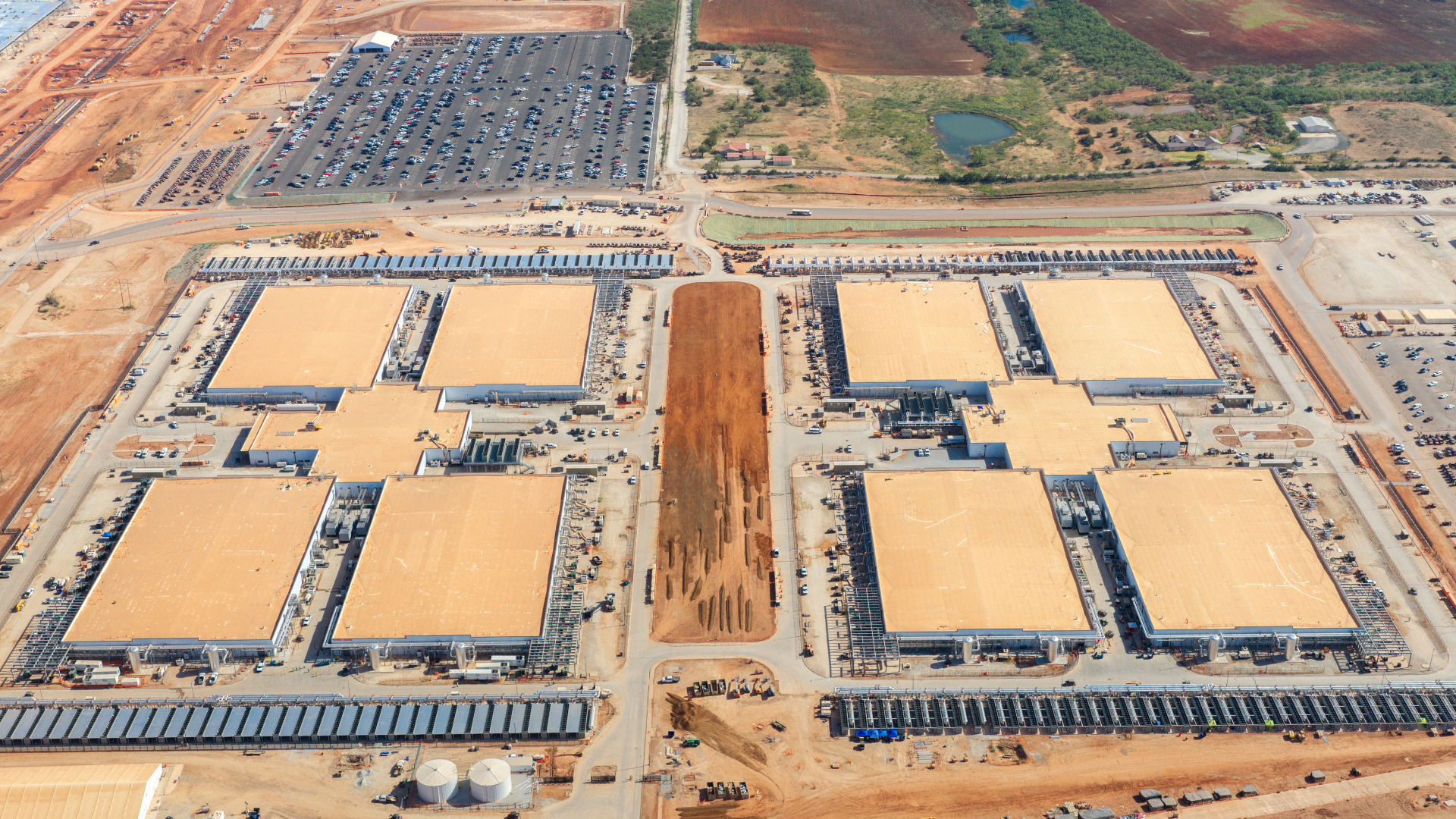
Anthropic and OpenAI are reportedly scrambling to secure smaller AI data center deployments as they race to bring more compute capacity online while gigawatt-scale projects undergo construction. According to a September 18 CNBC report, the two AI giants are exploring agreements for existing facilities with roughly 20-30 MW of capacity, despite already committing tens of billions of dollars to much larger AI infrastructure projects.
Anthropic has reportedly sounded out potential deals of that size across the UK and Nordic countries, according to CNBC, citing four people familiar with the discussions. OpenAI has also explored smaller deployments in the Nordics, while sources said both companies have discussed similar opportunities in the United States.
“We’re building a diversified compute portfolio to meet growing demand for AI around the world,” an OpenAI spokesperson told CNBC. The company added that different workloads require different infrastructure and that it evaluates potential deployments based on performance, reliability, timing, and cost. Anthropic declined to comment.
The smaller facilities would complement the enormous AI campuses both companies are already pursuing. Anthropic, for example, reportedly signed a roughly $45 billion agreement with Nscale for around 460 MW of compute capacity at a West Virginia development. OpenAI, meanwhile, said earlier this year that its Stargate infrastructure commitments had already surpassed the project's original 10 GW target, before announcing another 3 GW in Georgia and 8 GW in Ohio.
These projects provide the large clusters of accelerators needed to train increasingly large AI models, in which thousands of GPUs must work together via high-bandwidth interconnects. However, they also take years to develop, requiring land, grid connections, substations, cooling infrastructure, and huge amounts of power before the accelerators can begin operations.
Meanwhile, both OpenAI and Anthropic need immediate capacity to meet the inference demand for their models. As it turns out, inference can be distributed across multiple smaller clusters, making smaller data centers appropriate for these tasks and increasing the demand for such facilities.
Smaller deployments also circumvent some of the issues plaguing large data center buildouts. In the U.S. alone, local opposition blocked 45 data center projects worth $68 billion in the second quarter of 2026 over land usage, noise pollution, and electricity and water consumption. Existing, small facilities do not face the same pressure.
“Securing a few megawatts at an existing powered site can be more practical than waiting for a much larger block in one location,” Jabez Tan, head of research at Structure Research, told CNBC. “For workloads that can operate across separate sites, a collection of smaller deployments can add up to substantial capacity.”
Renting capacity is already standard practice for AI companies, as AI labs lease capacity from hyperscalers, dedicated data center operators, and rapidly expanding GPU-focused neoclouds. This allows them to spread workloads across multiple providers.
Apple’s latest iPhone 18 Pro series went on sale last week, and the company’s decision to use QLC-based NAND for higher-capacity storage variants appears to come with a trade-off. Bilibili channel Homolab recently tested a 1TB iPhone 18 Pro Max and found that its storage performance can drop significantly under sustained heavy workloads. Since QLC stores four bits of data per memory cell when compared to three bits with TLC, it allows manufacturers to offer higher capacities using the same physical space. However, this higher storage density comes at the cost of slower performance, particularly when handling large amounts of data.
Homolab compared the 1TB QLC-based iPhone 18 Pro Max with a 512GB TLC-based iPhone 18 Pro. While both storage types perform fairly similarly in 4K read tests, the QLC model falls behind by 38% in a low-queue-depth mixed workload, scoring 8,168 compared to 11,285 for the TLC model. Under heavier workloads, the gap narrows, although the TLC storage model still maintains a 12% advantage.
The drop in performance is even more apparent when it comes to sustained write tests. The iPhone 18 Pro Max uses a fast SLC cache that can deliver speeds of up to 3,000 MB/s. Once that cache is exhausted, a secondary TLC-based buffer takes over, averaging around 578 MB/s. When both cache buffers are exhausted, the phone has to write directly to the underlying QLC NAND. At that point, sustained write performance can fall to 79.4 MB/s, with speeds occasionally dropping as low as 25.6 MB/s.
That is significantly slow and comparable to the performance of many budget microSD cards (microSD Express cards are much faster). Things look even worse once the storage starts filling up. At 60% capacity, the available SLC cache drops from 250GB to just 58GB. This also causes the secondary buffer to slow down to 396 MB/s, while direct QLC writes average just 45 MB/s and occasionally fall to as low as 1.1 MB/s.
It’s important to note that these are synthetic benchmarks and are meant to represent a worse case scenario. Users should not experience any performance issues during typical tasks such as web browsing, messaging, gaming, or taking photos. Any slowdown is likely to be noticeable only during specific workloads, such as 4K or ProRes recording, large file transfers, or data backup restores. Having said that, testing by Homolab does point to the trade-off involved in using QLC NAND for a high-capacity flagship smartphone, particularly for users who regularly deal with storage-intensive tasks.
Powered by a Ryzen 7 9800X3D and a GeForce RTX 5080 Founders Edition, the $2,299 CyberPowerPC SLC8500WST is one of the best gaming prebuilt deals on the market right now. A custom GeForce RTX 5080, which starts at $1,579, and the$449 Ryzen 7 9800X3D already add up to $2,028. In today’s market, there is no way you will find 32GB of DDR5 memory and a 1TB PCIe 4.0 SSD for $271, much less put together an entire system.
The Ryzen 7 9800X3D needs no introduction. The octa-core Zen 5 chip with 96MB of L3 cache has been on the market for two years now and still reigns as the best CPU for gaming. Although Intel and AMD have released many processors, nothing comes close to the Ryzen 7 9800X3D in terms of performance and gaming value that the Zen 5 processor offers.
Meanwhile, Nvidia's GeForce RTX 5080 Founders Edition, one of the best graphics cards, joins the Ryzen 7 9800X3D in the SLC8500WST to deliver strong 4K (3840x2160) performance and exceptional frame rates at lower resolutions. It is worth noting that it is the Founders Edition, a coveted model that is rarely available on the market anymore, even if you are willing to overpay for it. It comes with DLSS 5 support, as well, and we've found solid DLSS 5 performance on the RTX 5080 in our testing.
SLC8500WST Gaming PC: $2299 The SLC8500WST is a solid 4K gaming machine with the best gaming processor on the market right now and a formidable GeForce RTX 5080 Founders Edition graphics card.View Deal
Sometimes prebuilt systems are a mixed bag, pairing high-end hardware with weaker components to cut corners. However, the SLC8500WST makes no compromises. The gaming system comes equipped with 32GB of DDR5-6000 memory to ensure seamless gaming and future-proofing of your system.
While the Walmart page does not list the exact specifications of the kit used in the SLC8500WST, it is worth noting that the most affordable 32GB (2x16GB) DDR5-6000 C30 memory kit on the market currently sells for $429.
On the storage side, the SLC8500WST has a spacious 1TB PCIe 4.0 SSD. It provides ample room for your games and loads them instantly. The capacity is a good starting point given current storage prices due to the AI-induced shortage. Again, we do not know the SSD model. However, a budget 1TB PCIe 4.0 SSD typically starts at $149 nowadays.
You do not see offers like the CyberPowerPC SLC8500WST every day, especially at the $2,299 price point. If you have been holding off on upgrading your gaming system or buying a new one, this SLC8500WST deal is definitely one you should consider.
It's not just because of the RAM pricing situation.
Links mentioned in this video:
- Raspberry Pi EEPROM issue from Oct 2025: https://github.com/raspberrypi/rpi-eeprom/issues/761
- Raspberry Pi Forum Post: https://forums.raspberrypi.com/viewtopic.php?t=399212
- Hacker News discussion: https://news.ycombinator.com/item?id=49786689
- Geekworm guide for determining Factory RAM size: https://geekworm.com/blogs/news/prevent-ram-swapped-raspberry-pi-5-how-to-verify-factory-ram-size
And special thanks to a viewer for pointing this out via email in late April! I never got a satisfactory answer about this from Raspberry Pi, but they have some official responses on the forum now, so ¯\_(ツ)_/¯
Support me on Patreon: https://www.patreon.com/geerlingguy
Sponsor me on GitHub: https://github.com/sponsors/geerlingguy
Merch: https://www.redshirtjeff.com
2nd Channel: https://www.youtube.com/@GeerlingEngineering
3rd Channel: https://www.youtube.com/@Level2Jeff
Local opposition blocked or delayed $68 billion in data center projects between April and June this year, according to a September 21 Bloomberg report citing data from research group Data Center Watch. The report says 30 state houses have implemented rules on data center location and resource consumption, with communities pursuing moratoriums on planned construction even before developers apply for permits. Conversely, hyperscalers have spent over $1 trillion on data infrastructure since 2023, with an additional $745 billion in Capex expected in 2026 alone.
The blocked-project figures reflect widespread opposition to data centers across the United States over concerns about land usage, noise pollution, and electricity and water consumption. In July this year, 142 AI data center protests were simultaneously staged across 42 states in one weekend. Data Center Watch’s research estimates that there are 843 opposition groups across all U.S. states except Hawaii.
One leading concern is the environmental impact of AI data centers. Each consume huge amounts of water to cool hundreds of thousands of accelerators powering artificial intelligence, with AI reportedly set to consume up to 600 billion gallons of water by 2030. The hyperscalers, on the other hand, insist the issue is being blown out of proportion.
Protesters also commonly cite electricity consumption as a major concern. Analysts project that data centers will consume 20% of U.S. power by 2035. Local residents are already feeling the effects. An AI data center in Virginia led to an irreversible 76% hike in residents’ electricity bills, prompting the state to eventually mandate hyperscalers to cover the cost of the transmission infrastructure required exclusively for the project.
Many regions are now implementing similar mandates, with hyperscalers offering to offset the bills in many cases. These concerns, along with the extreme power demands of AI data centers, have also led hyperscalers to build on-site power, with some offering to supply power back to the grid. Meta, for example, recently signed an agreement with utility company Entergy Louisiana for 7 GW of power for its Hyperion facility. Entergy claims Meta's payment will save other customers $20 billion over 20 years.
Meanwhile, the shift to off-grid, on-site power generation is creating yet another issue driving the protests. Due to their scalability and speed of availability, many hyperscalers are relying on gas plants, which mostly burn fossil fuels to generate electricity. Elon Musk's Colossus 2 data center recently came under fire after 59 unpermitted natural gas turbines powering the data center released thousands of tons of pollutants into predominantly black communities in Mississippi. Elsewhere, Amazon’s custom 35-turbine gas plant has been authorized to emit 33 million tons of greenhouse gases annually, a move that will make it the largest single source of CO₂ pollution in the U.S.
The growing sentiments present a sort of dilemma. AI is proving to be quite the revolutionary technology and has seen massive adoption and skyrocketing usage. To meet demand, hyperscalers are erecting data centers at breakneck speed, which residents now oppose. Proponents say data centers are an absolute necessity and any opposition stifles growth.
Opponents, on the other hand, say they are only demanding responsible execution and have nothing against AI. President Trump has condemned communities that have opposed data centers, saying that they “want to end up being backwards and poor.” He has also implied that China could be behind the sentiment, orchestrating movements behind the scenes. Meanwhile, officials across the country are reportedly facing death threats and gunfire over AI data center projects, even as AI data center investments are projected to hit $32 trillion by 2050.
AMD's market cap has crossed the $1 trillion mark for the first time, following a rally in its share price over the last week. At market close on Friday, AMD's share price was around $557. On Monday morning, shares immediately jumped to $607 on the market open and have continued to rise, finally pushing AMD over the $1 trillion mark.
$1 trillion market cap! 🚀 @AMD has officially joined one of the most exclusive clubs in the market. https://t.co/woLb1X4HB7September 21, 2026
Saša Marinković, AMD's senior marketing director, shared the milestone on X. Since posting, AMD's share has fluctuated a bit, bringing the market cap down below $1 trillion for brief periods. Undoubtedly, the buzz around the milestone will cause some turmoil in the share price throughout the day, though it should eventually stabilize.
Just a week ago, AMD was quite a ways off hitting the trillion-dollar milestone. AMD's share price has risen by around 29% over the past month, and 21% of that jump came in just the last five days. On Monday alone, AMD's shares jumped around 9% within the first few hours of the market opening.
If you're unfamiliar, market cap is a shorthand for understanding the value of a company. It looks at the number of outstanding shares multiplied by the share price. It's not necessarily tied to revenue or profit, at least not directly. Rather, market cap is a read on the value of a company in the eyes of Wall Street, fluctuating as the share price does.
AMD joins a club of fewer than two dozen companies around the world that have passed a $1 trillion market cap, including SK hynix, Amazon, Microsoft, Apple, Nvidia, Broadcom, and Micron. Although AMD has now joined the club, it's still far behind its rival in the AI accelerator space, Nvidia, which sits at a market cap of around $5.4 trillion currently.
However, AMD was able to beat Intel to the milestone. Intel's market cap currently sits at around $648 billion. Interestingly, Intel has actually seen a larger rally in its share price over the past month. Share prices have risen 37% in the past month, with 25% of that growth coming in the past five days. Similar to AMD, Intel opened on the market Monday morning with a 13% jump.
Following AMD's Q2 earnings, where it beat revenue expectations by 2%, shares traded down, creating an opportunity to hold. That's paying off now as both AMD and Intel shares jump.
Although AMD's AI accelerators have made inroads into the data center, Nvidia still largely dominates that market. AMD's unique positioning comes from its CPUs, which have become a focal point of agentic AI data centers over the past year.
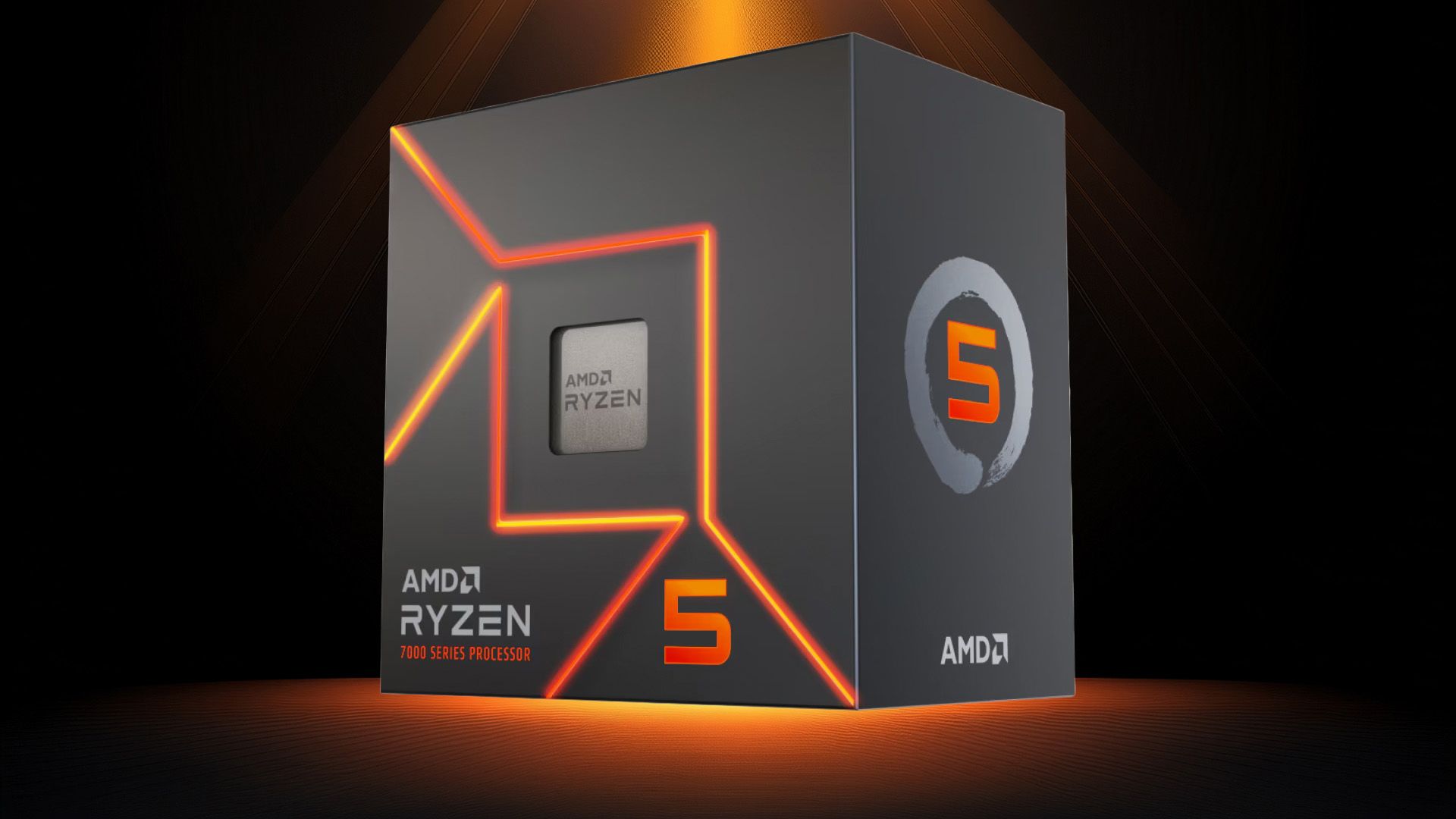
AMD's new Ryzen 5 5500F and Ryzen 5 7500 are available for sale, though the prices are higher than AMD originally suggested. On Amazon, the Ryzen 5 5500F is available for $120, while the Ryzen 5 7500 is listed at $210, both $20 more expensive than AMD's suggested retail pricing. Both are sold directly by Amazon, suggesting we'll see slightly higher prices for these two chips than AMD originally suggested.
AMD revealed the budget CPUs nearly two weeks ago, and despite launching on that date, the chips haven't been available for sale in the U.S. until now. The Ryzen 5 5500F is particularly interesting, as the $90 Ryzen 5 5500 has continually been among Amazon's best sellers in CPUs. Although the Ryzen 5 5500 and 5500F sound similar, there are actually quite a few differences between the two CPUs.
Both are six-core, 12-thread chips using AMD's Zen 3 architecture, but the 5500 falls under the Cezanne family, while the 5500F falls under Vermeer. The 5500F comes with PCIe 4, compared to PCIe 3 on the 5500, as well as a higher 4.4 GHz boost clock — the base 5500 tops out at 4.2 GHz. These changes apparently allow the 5500F to achieve higher performance, somewhere in the range of 5% to 10%, in games. We'll be getting the CPU in the Tom's Hardware lab to test the performance ourselves.
Although Zen 3 is aging, it has become an ideal home for budget builders as the RAM pricing crisis continues to surge. In addition to the Ryzen 5 5500F, we saw AMD re-release the Ryzen 7 5800X3D earlier this year to combat rising DDR5 prices.
Tom's Hardware
We took the Ryzen 5 5500 (non-F) out for a spin earlier this year for a budget $100 CPU shootout. Generally, it underperforms the Intel competition at this price, but a 5% to 10% jump would close that gap. If performance holds up, the Ryzen 5 5500F may have a shot at our best CPUs for gaming list with its low price.
The Ryzen 5 7500 is easier to parse. It's identical to the 7500F, just with integrated graphics. It comes with six Zen 4 cores for a total of 12 threads, and unlike the 5500, it exclusively supports DDR5 memory. The 7500 comes with a boost clock of 5 GHz and supports PCIe 5. Like the 5500F, it has a 65W TDP and comes bundled with AMD's Wraith Stealth cooler.
AMD originally announced the Ryzen 5 5500F at $99 and the 7500 at $190, though the current Amazon listings are both $20 higher than that — $120 and $210, respectively. At the time of writing, the CPUs are only available at Amazon in the U.S.; Micro Center and Newegg don't have listings available. When other retailers pick up the chips, prices could come down.
This isn't the first time we've seen oddly high prices on new AMD releases at Amazon. Earlier this year, the Ryzen 9 9950X3D2 went up for sale on Amazon prior to release, selling for $1,000, $100 above MSRP. After the launch dust settled and listings went up at other retailers, the pricing dropped back down to $900. Hopefully, we'll see something similar happen here.

 Login