Thanks to Formlabs for providing the Form Studio 1 for this project.
More info: https://formlabs.com/3d-printers/form-studio-1/?utm_source=youtube&utm_medium=referral&utm_campaign=jeffgeerling-fs1-2026-07-26-global
(Note: The above link is a campaign tracking link, NOT an affiliate link. I do not participate in any manufacturer affiliate programs, only Amazon Affiliates, as part of my YouTube sponsorship policy.)
Support me on Patreon: https://www.patreon.com/geerlingguy
Sponsor me on GitHub: https://github.com/sponsors/geerlingguy
Merch: https://www.redshirtjeff.com
2nd Channel: https://www.youtube.com/@GeerlingEngineering
3rd Channel: https://www.youtube.com/@Level2Jeff
Contents:
00:00 - Formlabs Form Studio 1
01:43 - Accessories and Tanks
02:54 - No cloud account required
03:49 - First resin print
05:36 - Power usage
05:59 - Dripping, drying, washing, curing
08:07 - POING!
08:56 - Changing resins
10:36 - A Pi case in Alpha Black
11:23 - Alpha Black to Alpha Clear
12:13 - A clear case for GutBomb's MacPicoModem
14:49 - T-Rex is clearly better
15:31 - Clear ADB Mouse
16:26 - The oozable Flexible 80A
17:35 - A rubber bumper emerges
13:34 - Total resin noob experience
20:24 - Value engineering, to cut the cost
22:31 - Finally in the hobbyist realm
The Radxa Dragon Q8B is more than twice as fast, has twice the I/O, and is only a little bit larger than the Raspberry Pi 5. But it costs a smidge more, and can be hard to find.
Links to things I mentioned in this video:
- My SBC Reviews website: https://sbc-reviews.jeffgeerling.com
- Radxa Dragon Q8B benchmark data: https://github.com/geerlingguy/sbc-reviews/issues/108
- I bought my 8GB model from ARACE: https://arace.tech/products/radxa-dragon-q8b
None of those are affiliate links, and I purchased all the hardware used in this review :)
Support me on Patreon: https://www.patreon.com/geerlingguy
Sponsor me on GitHub: https://github.com/sponsors/geerlingguy
Merch: https://www.redshirtjeff.com
2nd Channel: https://www.youtube.com/@GeerlingEngineering
3rd Channel: https://www.youtube.com/@Level2Jeff
Contents:
00:00 - 2x everything except the price
01:11 - Picking an OS shouldn't be this hard
02:38 - First boot and usage
04:14 - Benchmarks and performance
06:37 - Hardware notes
07:15 - BIOS, UEFI, and Linux ISOs
08:14 - The big problem
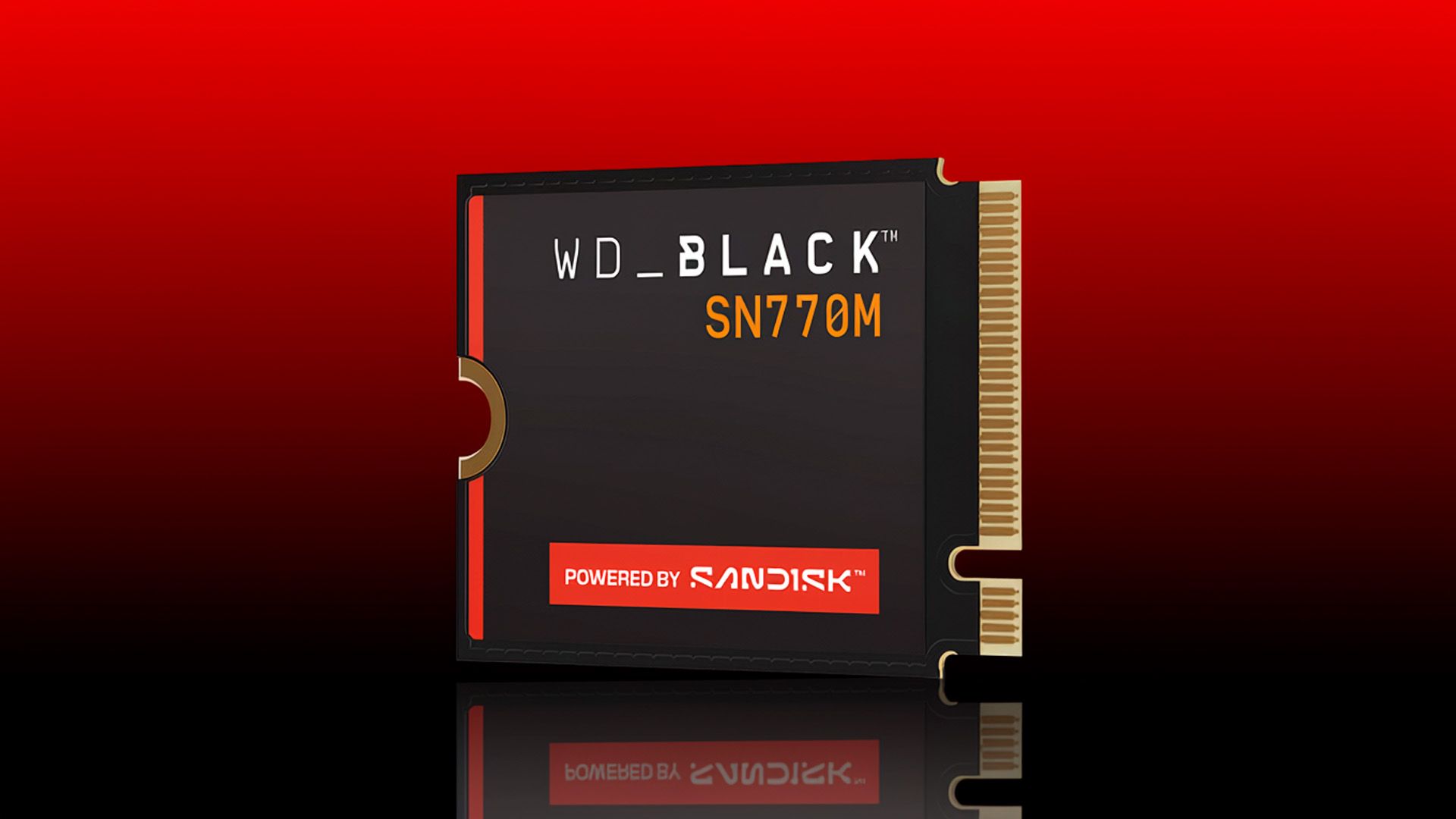
Normally, only a madman would even attempt to buy an SSD during a storage shortage. However, the WD Black SN770M 2TB has fallen to $259.99, just 8% above its original launch price. At this price, it is worth considering if your gaming handheld is running out of internal storage.
The WD Black SN770M, once one of the best SSDs, is an M.2 2230 drive, making it a perfect fit for popular handhelds like the Steam Deck, ROG Ally, Legion Go, and Claw. Currently, 2TB is the highest capacity available to consumers. Micron announced a 4TB M.2 2230 SSD not long ago, but it is limited to OEM models, so gamers will have to settle for 2TB for now.
The PCIe 4.0 SSD delivers sequential read and write speeds up to 5,150 MB/s and 4,850 MB/s, respectively. It is a perfect fit for modern handhelds that take advantage of the PCIe 4.0 interface. For the Steam Deck, however, which uses PCIe 3.0, the WD Black SN770M is a bit of overkill.
WD Black SN770M 2TB: was $531.99 now $259.99 The WD Black SN770M is an M.2 2230 SSD that delivers sequential read and write speeds of up to 5,150 MB/s and 4,850 MB/s, respectively, over a PCIe 4.0 interface.View Deal
The WD Black SN770M remains a good option for gaming handhelds, even after the introduction of newer models like the Optimus GX 7100M. The SSD strikes a balance between price and performance, especially for the Steam Deck, which is limited by PCIe 3.0.
The WD Black SN770M came out three years ago with an MSRP of $219.99, but it typically hovered around $239.99. During the recent storage shortage, prices surged to between $349.99 and $399.99, so Best Buy's comparison value of $531.99 is heavily exaggerated.
For $0.13 per GB, the WD Black SN770M offers very good value, being only 8% above its pre-shortage retail price. The SSD is among the best deals available if you need a high-performance M.2 2230 SSD for your gaming handheld right now.
Nvidia's RTX Spark is arriving soon, with devices shipping on Friday, October 16. Pre-orders for RTX Spark from brands like Asus, Microsoft, Lenovo, HP, and Dell are live now, including the new Surface Laptop Ultra. Additional devices will be available post-launch, including small form factor desktops. Further below, you'll find the full list of all available models in detail, but we also have more general links here:
Best Buy has a limited lineup of devices to start, ranging from the Asus ProArt P14 with 24GB of memory for $2,599 up to the Surface Laptop Ultra with 48GB of memory for $3,999. If you want to scale up the RTX Spark's maximum 128GB of memory, you'll need to shop elsewhere.
Nvidia RTX Spark 128GB and 64GB laptop pre-orders
ProArt P16 RTX Spark: $4399.99 The Asus ProArt P16 is a 16-inch laptop with the RTX Spark chip, which includes the 20-core Grace CPU and a Blackwell GPU, along with up to 128GB of unified memory. View Deal
Asus has the ProArt P16 available with either 64GB or 128GB of unified memory directly from its web store, starting at $4,499.99 for the 64GB configuration. If you upgrade to 128GB of unified memory, the laptop comes in at $6,999.99 with 2TB of storage.
The HP OmniBook X 14 is a 14-inch laptop with the RTX Spark chip. It includes a 3K OLED touch display at a 120Hz refresh rate, along with up to 128GB of unified memory. View Deal
The HP OmniBook Ultra 16 is a 16-inch laptop with the RTX Spark chip and supports up to 128GB of unified memory. View Deal
HP has two models available directly in its web store, both of which support up to 128GB of unified memory (along with 64GB, 48GB, 32GB, and 24GB). Both models are significantly cheaper than the ProArt P16 with 128GB of unified memory. The OmniBook X comes in at $5,109, while the OmniBook Ultra runs $5,309, both with 1TB of storage.
The two models are very similar, differing primarily in screen size. The OmniBook X is 14 inches, and the OmniBook Ultra is 16 inches. Both come with a 3K OLED touch display with a 120Hz refresh rate, and they support up to 2TB of storage.
With both laptops, you'll get a smaller 5120-core GPU with the 32GB configuration. With all other configurations, you get the full 6,144-core GPU available on the RTX Spark.
The Surface Laptop Ultra is a 15-inch laptop with the RTX Spark chip and up to 128GB of unified memory. View Deal
Finally, the Surface Laptop Ultra is available up to 128GB directly from Microsoft. It's also available from B&H, though it appears configurations with more memory capacity are exclusive to first-party sources right now. That might mean B&H ships later than what you can get directly.
Dell and Lenovo don't have devices available directly yet, so the only options for pre-order are what you can find at Best Buy. We have those rounded up below.
Nvidia RTX Spark Best Buy pre-orders
Best Buy has a broad range of RTX Spark laptops available for pre-order, topping out at 64GB of unified memory. All of the devices through Best Buy are expected to ship on the October 16 release date. You can find all of the pre-orders going on right below below.
We've included the starting configuration for each machine, though note that Best Buy has other configurations of these models available for pre-order, as well. You can browse all of the pre-orders directly on Best Buy.
ProArt P16 (RTX Spark): $2799.99 The Asus ProArt P16 is a 16-inch laptop with up to 128GB of unified memory and 2TB of storage, featuring the RTX Spark chip. View Deal
Nvidia calls its latest SoC simply "RTX Spark," but it's actually a range with two different chips. The full chip is comes with a 20-core Grace CPU and 6144-core Blackwell GPU, but there's a lower-end configuration with an 18-core Grace CPU and 5120-core Blackwell GPU.
Pay close attention to which you are pre-ordering. Listings will simply call the chip "RTX Spark N1X," and you have to read through the description to confirm the core counts on the CPU and GPU.
From the pre-orders available now, we've only seen the 18-core CPU/5120-core GPU version with laptops that have 24GB or 32GB of Unified Memory. Listings with 48GB or above have the full chip. The RTX Spark is available with several different memory capacities, including 24GB, 32GB, 48GB, 64GB, and 128GB.
For storage, we've seen configurations with 512GB, 1TB, and 2TB, though the vast majority of devices top out at 1TB, including the Surface Laptop Ultra. Undoubtedly we'll see configurations with more storage capacity eventually, but that's a tough sell right now when even a tricked-out 2TB configuration costs $7,000.
Logitech's entry-level G29 racing wheel and pedal set is on sale for 37% off at Amazon right now, bringing its $299.99 list price down to just $189.98. Although the set frequently goes on sale, it usually sells for above $200, and otherwise, for its list price of $300. This isn't the lowest the set has dropped (it dropped to $170 before), but it's close.
It's a basic wheel and pedal set that's perfect for a beginner racing sim. The wheel includes real force feedback along with a 900-degree rotation (like an F1 car), and the nonlinear pads are customizable for an accurate braking feel. The G29 is the PlayStation version of Logitech's entry-level racing wheel; however, the Xbox-branded G920 is on sale, as well. Both work on PC and Mac.
Logitech's G29 has been around for more than a decade, and it's still a popular entry-level choice today. The wheel and pedal kit is enough to get you started with an adjustable desk mount, but Logitech has built up an ecosystem of racing sim accessories that you can use to expand the G29, as well, some of which are on sale.
The Logitech G Driving Force Shifter, for example, is down to an annual-low price of $39.98, giving you a realistic, H-pattern shifter alongside your wheel and pedals. If you need somewhere to mount everything, the Marada racing sim cockpit is on sale as well. It supports the G29 ecosystem, and it's 15% off on Amazon right now.
If you have more cash to spare and are gunning for a premium racing sim experience, Logitech's direct drive RS series peripherals are on sale, as well. The direct drive RS50 wheel is 21% off, as are the RS racing pedals and RS shifter.
For years, the standard polling rate for gaming peripherals — mice, keyboards, etc. — has been 1,000 Hz, which equates to a delay, or latency, of 1 millisecond. This is significantly higher than the standard polling rate for non-gaming peripherals, by the way, which is 125 Hz (8ms latency) — in fact, it's eight times as fast.
Well, over the last couple of years, gaming companies have been asking: What if we made the polling rate even faster than 1,000 Hz? What if we made it eight times as fast?
And now just about every single ultra-lightweight, esports-oriented gaming mouse that comes out has up to an 8,000 Hz polling rate. And, of course, this raises the question every time: Do you actually need a mouse with an 8,000 Hz polling rate?
And the answer is... probably not.
What is polling rate, and what does it mean?
Polling rate is, simply put, how often your mouse communicates with your PC. That is, how often it reports mouse movement and clicks to your CPU. At a standard gaming mouse polling rate of 1,000 Hz, your mouse is communicating with your PC 1,000 times per second — or, once every millisecond. Hence, a 1,000 Hz polling rate means 1ms latency. At a standard non-gaming mouse polling rate of 125 Hz, your mouse is only communicating with your PC once every eight milliseconds — or an 8 ms latency. At a polling rate of 8,000 Hz, your mouse is communicating with your PC once every 0.125 milliseconds — a 0.125 ms latency.
Polling Rate
Mouse Report Rate
Latency
125 Hz
125x / second
8 ms
500 Hz
500x / second
2 ms
1,000 Hz
1,000x / second
1 ms
2,000 Hz
2,000x / second
0.5 ms
4,000 Hz
4,000x / second
0.25 ms
8,000 Hz
8,000x / second
0.125 ms
Polling rate affects both mouse movement (if the polling rate is low enough, mouse movement might be jerky) and, more importantly, click latency — you want your mouse clicks to translate instantly.
But it's important to keep this in perspective, because higher polling rates yield increasingly diminishing returns. Going from 125 Hz to 1,000 Hz is definitely noticeable — it cuts your latency from eight milliseconds to just one. But while going from 1,000 Hz to 8,000 Hz cuts your latency by the same factor, we're now talking about fractions of a millisecond. The average gamer can tell if their mouse is lagging by several milliseconds, but can they tell if their mouse is lagging by less than one millisecond?
Maybe. But probably not.
Why not?
Well, inability to distinguish whether your mouse is lagging by 0.875 milliseconds aside, there are some potential downsides to ultra-high polling rates. The main one being that your system may not be able to handle it. A higher polling rate means that the mouse is communicating with your PC more frequently, so this can affect CPU performance — if you don't have a pretty solid gaming CPU, you may see more of a performance hit than is worth the infinitesimal lower latency (which may not even end up being lower if performance issues cause latency). And if you don't have a gaming monitor with a high refresh rate (at least 240 Hz, if not higher), any perceived smoother mouse movement will be just that — perceived. (Of course, with a higher refresh rate you'll need an even better system to keep up with that and the 8,000 Hz polling rate, and... well, you get the point).
Turtle Beach Burst II Pro (Image credit: Tom's Hardware)
Another downside to an 8,000 Hz polling rate is battery life, because it drops significantly on wireless gaming mice. The battery life of the Corsair Sabre v2 Pro Wireless is a pretty impressive 120 hours at 1,000 Hz, but this drops to just 21 hours at 8,000 Hz. The Razer Basilisk V3 Pro 35K gets up to 150 hours at 1,000 Hz, and just 28 hours at 8,000 Hz. The Turtle Beach Burst II Pro does a little better, going from 150 hours at 1,000 Hz to 40 hours at 8,000 Hz, but it's still a significant drop.
Razer HyperFlux V2 (Image credit: Tom's Hardware)
And while you can cheat the system with select Razer and Logitech gaming mice by pairing them with either the Razer HyperFlux V2 or the Logitech PowerPlay 2 wireless charging mouse pads, you will need to pair the mice to your PC using their included (or, in some cases, sold separately) 8,000 Hz dongles — neither the HyperFlux V2 nor the PowerPlay 2 offer 8,000 Hz polling rates if you connect through the built-in receivers.
But... 8,000 Hz!!
You may not need an 8,000 Hz polling rate, but maybe it will make you feel better.
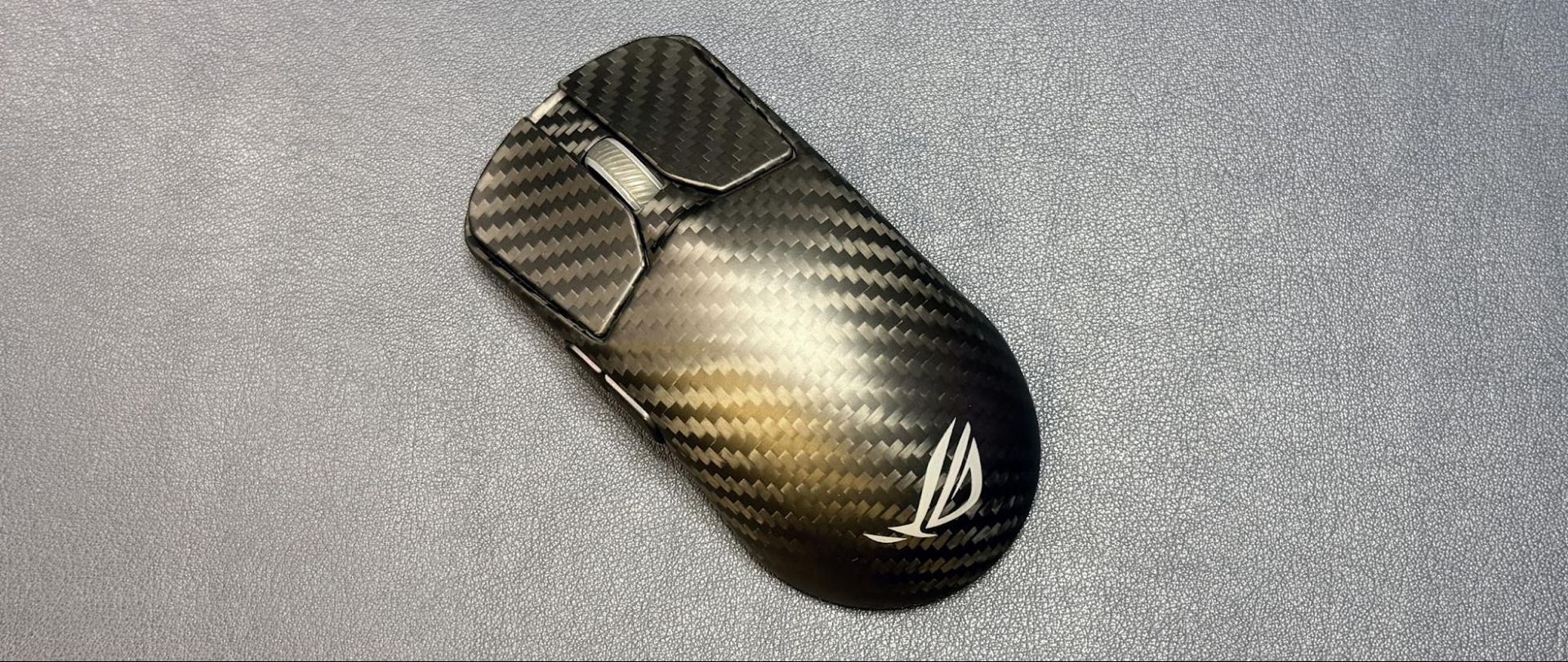
If any category of gaming mouse is going to benefit from lower latency, it's the esports category — where mice need to be lightweight so they can fly across surfaces, relatively small so they can be picked up when sliding them is too time-consuming, and hyper speedy and accurate so competitors can shoot people in the head without missing a beat. And so it's not surprising that flagship gaming mice like the Razer DeathAdder V4 Pro or the Asus ROG Harpe Ace Extreme (or the Asus ROG Harpe II Extreme Edition 20) tout 8,000 Hz polling rates.
Razer Basilisk V3 Pro (Image credit: Tom's Hardware)
But you don't have to spend a ton on an extreme edition flagship gaming mouse to max out your polling rate — several of Razer's older mice work with the company's Mouse Dock Pro and/or HyperPolling Wireless Dongle to get up to 8,000 Hz wireless polling rates, including the Razer Basilisk V3 Pro, and many of its newer mice come with 8,000 Hz polling out of the box (e.g. the Razer Viper V3 Pro, which is currently on sale for $110 at Amazon — 31% off its retail price of $160).
If you don't need a wireless mouse, Razer's DeathAdder V3 wired gaming mouse gets up to an 8,000 Hz wired polling rate (and is currently on sale for $45 at Amazon — 36% off its retail price of $70). Even Redragon, one of our favorite budget-friendly peripherals companies, has a mouse with an 8,000 Hz polling rate: the Redragon M916 ULT, which is wireless and ultra-lightweight (49g) and retails for just $50.
Razer Naga V3 Pro (Image credit: Tom's Hardware)
Ultra-high polling rates are creeping in everywhere, not just in the competitive esports market. Even Razer's recently launched V3 Naga Pro, which isn't even an ultra-lightweight, esports-oriented gaming mouse (it's a relatively hefty 23-button mouse for games that definitely do not need to worry about ultra-smooth, accurate mouse movement or click latency), can get up to an 8,000 Hz polling rate if you pair it with either the company's Mouse Dock Pro or HyperPolling Wireless Dongle (both are sold separately, naturally, because — again — you don't need this).
Corsair recently showed off its Nightsword v2 Wireless SD, a mouse with a built-in Stream Deck (sort of), which also has up to an 8,000 Hz polling rate (170 hours of battery life at 1,000 Hz, which drops to 47 hours with the lighting turned off and 25.5 hours with the lighting turned on at 8,000 Hz). And if you think that you can tell the difference between half a millisecond but not that extra quarter, there are also mice with up to 4,000 Hz polling rates, such as the HyperX Pulsefire Saga Pro and the SteelSeries Aerox 3 Wireless Gen 2.
And as for whether you need a keyboard with an 8,000 Hz polling rate, the answer is: absolutely not.
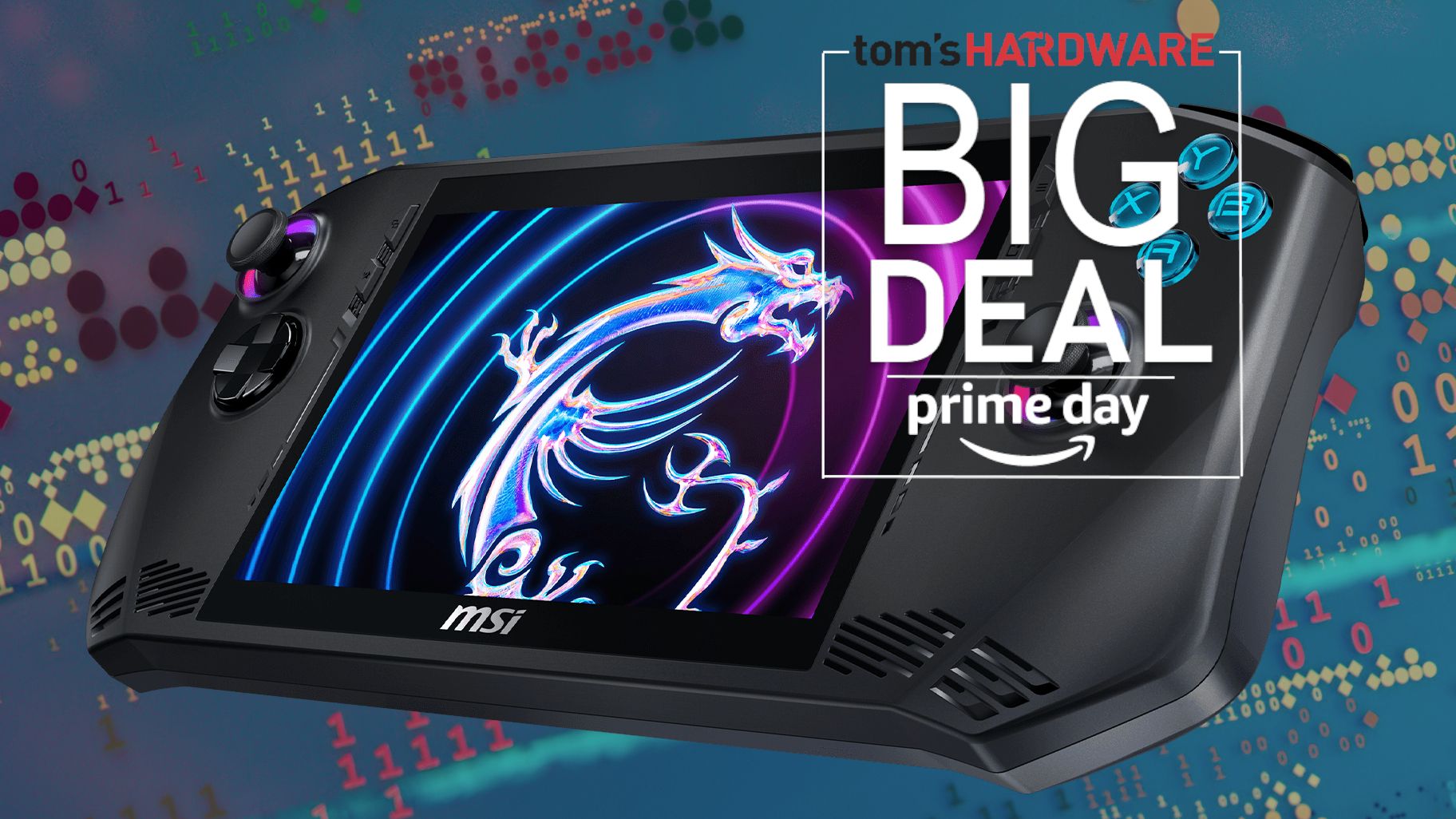
The original MSI Claw (A1M) was forgotten about almost as quickly as it launched, being the first handheld from MSI, and the first one to sport an Intel CPU (in this case, the Core Ultra 7 155H from the Meteor Lake family). Unsurprisingly, Best Buy has the handheld on clearance, and right now it's available for a surprisingly good price of $562.99 considering how expensive newer handhelds are.
In this case of handheld gaming PC, this is the cheapest option you can get right now. Even the ROG Xbox Ally with the Ryzen Z2 A and 512GB of storage is $600. Handhelds with 1TB of storage and the Ryzen Z1 Extreme (the chip Intel originally targeted) will run you north of $1,000.
In both build quality and layout, the A1M is nearly a carbon copy of the original Asus ROG Ally. It sports a 7-inch 1080p display with a 120Hz refresh rate, a single USB-C port for charging and peripherals, and a microSD card slot for storage expansion; though, you can replace the SSD inside, as well.
This is a great deal considering the price of handhelds right now, especially those packing 1TB of storage, but the A1M was glossed over quickly for a reason. The Meteor Lake chip inside wasn't built for handheld gaming, so although it offers decent performance, it does so at relatively high power draw.
In a game like Horizon Zero Dawn, it's able to achieve around 30 FPS at native 1080p with the Balanced power plan, which uses a 30W target. Plugged in with a full 40W power budget, the game can crack 30 FPS in titles like Cyberpunk 2077 with the Steam Deck preset.
It falls between 5% and 10% short of the Z1 Extreme, and with worse battery life. With prices equal, we'd normally recommend the ROG Ally. Considering the price gap, the A1M is worth considering. The software isn't as clear as what you get with an Asus handheld, but MSI has made dozens of updates to its firmware and overlay software since the original A1M launched.
Performance is less of a concern than battery life, with the Meteor Lake chip sucking down quite a bit of power relative to modern PC handhelds. That's not a dealbreaker at this price, but make sure to have a quality USB-C charger at the ready.
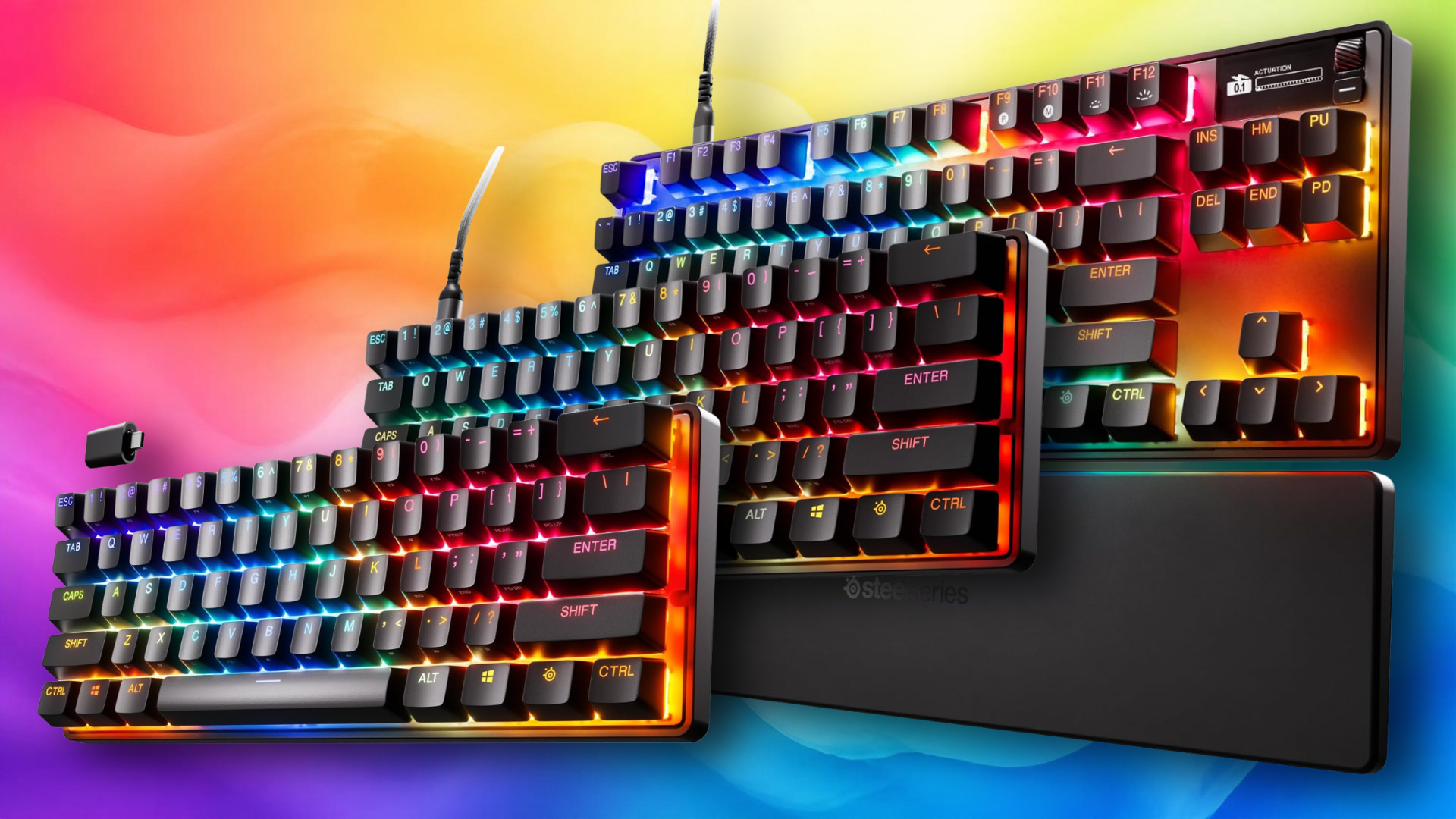
The SteelSeries Apex Pro Mini (Gen 2) Wireless currently offers the biggest discount at up to 50% off, pushing its price down from $239.99 to $119.99, saving you as much as $120. You can also get the newer Apex Pro Mini (Gen 3) Wired for just $156.74 — a 29% discount on its $219.99 list price, saving you over $63. Lastly, those who want separate arrow and function keys could get the Apex Pro TKL (Gen 3) Wired at 17%, pushing its $239.99 price down to $199.99, offering savings of $40.
Even if you have the most powerful gaming PC in the world with all the RGB that money could buy, your gaming experience would still be affected if you don’t buy yourself a proper gaming keyboard. So, if you want to treat your fingers to some nice keys, now’s your chance to score a gaming keyboard from SteelSeries, as several Apex Pro keyboards are currently available at a discount.
The Apex Pro keyboards have OmniPoint 3 Analog Magnetic Switches. These Hall effect switches let gamers adjust their actuation exactly to their liking from 0.1 to 4.0 mm and offer a bottom-out force of 45 grams.
Apex Pro Mini (Gen 2) Wireless keyboard: was $239.99 now $119.99 The SteelSeries Apex Pro Mini (Gen 2) is a wireless 65-key keyboard that offers premium performance and aesthetics. It comes with Hall effect switches, allowing you to customize sensitivity to gain an advantage over your opponents during online matches.View Deal
The Apex Pro Mini (Gen 3) Wired keyboard is the latest version of the acclaimed Apex Pro Mini (Gen 2) keyboard. It comes with special features like Protection Mode, Rapid Trigger, and Rapid Tap, so you can react more quickly while preventing mistypes from affecting your game.View Deal
Apex Pro TKL (Gen 3) Wired keyboard: was $239.99 now $199.99 The Apex Pro TKL (Gen 3) keyboard has all the features of the Mini version but comes with extra keys that you might need for productivity. It also has a clickable volume roller, a multifunction media key, and a customizable OLED display for your gaming and entertainment convenience.View Deal
It also comes with three special features: Protection Mode, which cuts accidental key presses by reducing the sensitivity of keys that surround the switch that you’re currently pressing; Rapid Trigger, which resets the key as soon as you lift your finger instead of waiting for it to reach the top of its travel to cut latency; and Rapid Tap, which prioritizes the most recent key you press between two switches for faster inputs.
Aside from these capabilities, SteelSeries keyboards all feature an aluminum frame, per-key RGB, and ergonomic legs to make typing easier. The TKL version also comes with an OLED display, making it easier to make adjustments on the fly. And if you want to make the most out of these keyboards, you can do so with the SteelSeries Engine.
The SteelSeries Apex Pro Mini received Tom’s Hardware’s best mini gaming keyboard award in our best gaming keyboard list, so you won’t be disappointed by this unit. We also have a high opinion of the Apex Pro TKL, especially as we gave it a four out of five score in our review of the unit. These are expensive keyboards, though, so you might find these just a little bit too rich for your taste. But with the current discount, it might finally make sense for your wallet to get one — you have to be quick, though, as we don’t know how long these discounts will last.
While compressed air is affordable, it becomes less practical if you clean your system frequently. You could unknowingly spend hundreds of dollars a year on disposable cans, especially if you use compressed air outside of system maintenance. Amazon has plenty of deals on cordless air dusters during the Big Day sales, which not only helps save you money in the long run but is also better for the environment.
As with any product, air dusters come in different shapes, specifications, and features. So, choose one that meets your needs. Prices also vary, but we have curated a selection of air dusters, starting at $19, which is a few dollars more expensive than a can of compressed air, and going up to premium options.
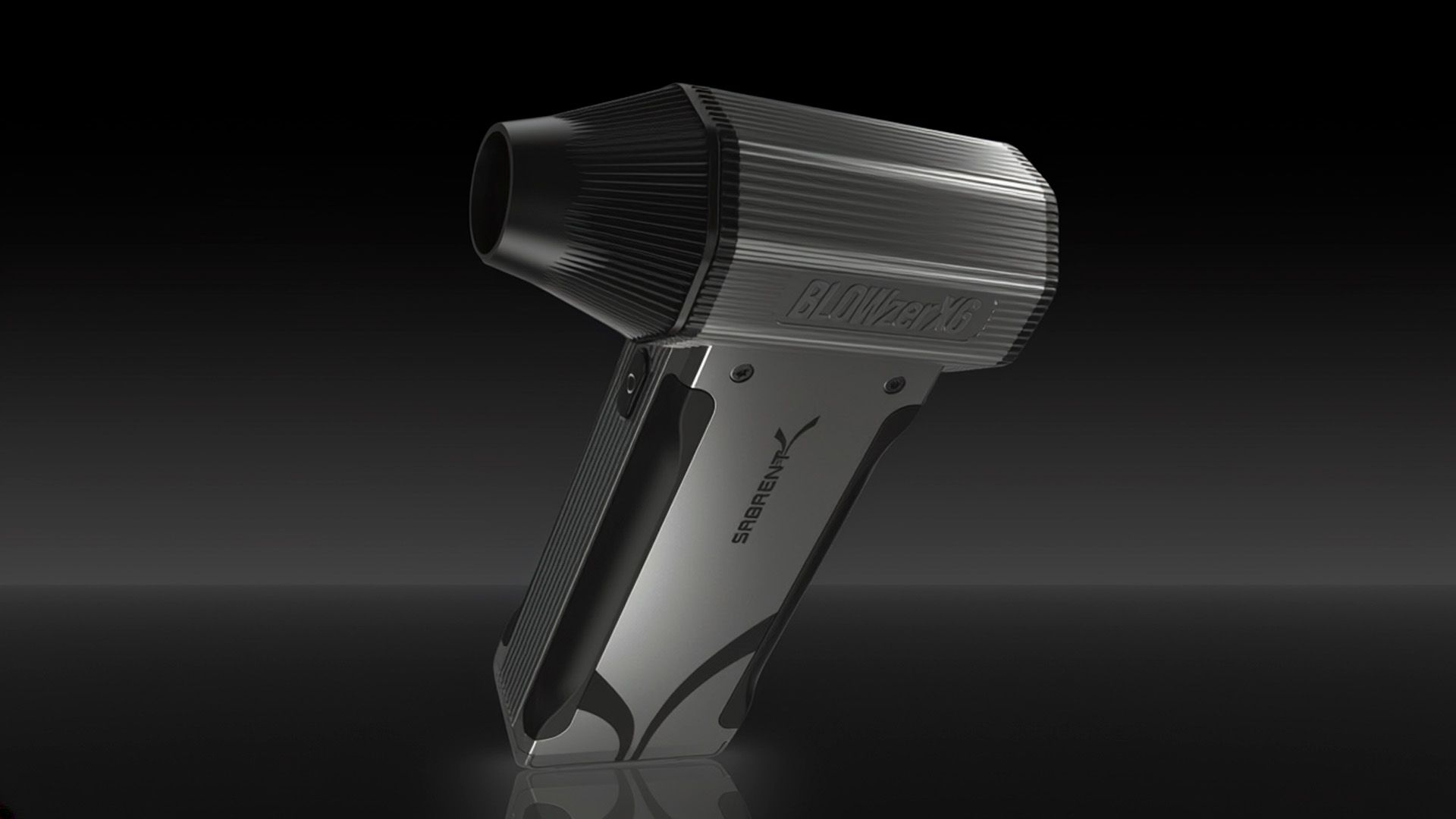
The Blowzer X6 is a high-end cordless air duster with a 130,000 RPM motor. It includes five nozzles, a carrying case, and a three-year warranty.View Deal
Compressed Air Duster: was $23.99 now $19.19 At a very accessible price, the CAGIWIRU air duster has a fan speed of 130,000 RPM. It offers three adjustable gear speeds, an LED light, and various attachments for different cleaning needs.View Deal
Compressed Air Duster: was $24.99 now $19.28 This device is equipped with a slightly varied set of accessories designed for cleaning your PC or keyboard. It features rechargeable capability via USB Type-C, includes two different nozzles and three brushes, and operates at a maximum speed of 150,000 RPM.View Deal
MF60: was $49.99 now $30.39 Wolfbox's rechargeable compressed air duster has a 110,000 RPM motor, three speed settings, and five nozzles for cleaning. It has two 2,2500 mAh batteries that charge in three and a half hours.View Deal
This compact air duster is capable of moving air at velocities of up to 45 m/s, powered by a turbofan operating at 150,000 RPM. It features a rechargeable battery that provides a usage time of up to 100 minutes and supports charging via USB Type-C. The MF100 is equipped with five nozzles and two brush tools to facilitate the cleaning of your PC equipment.View Deal
Compressed Air Duster: was $39.99 now $24.34 This air duster features three adjustable gear modes up to 100,000 RPM. It also has a smart LED display to show the active mode, plus an LED light for working in dark places.View Deal
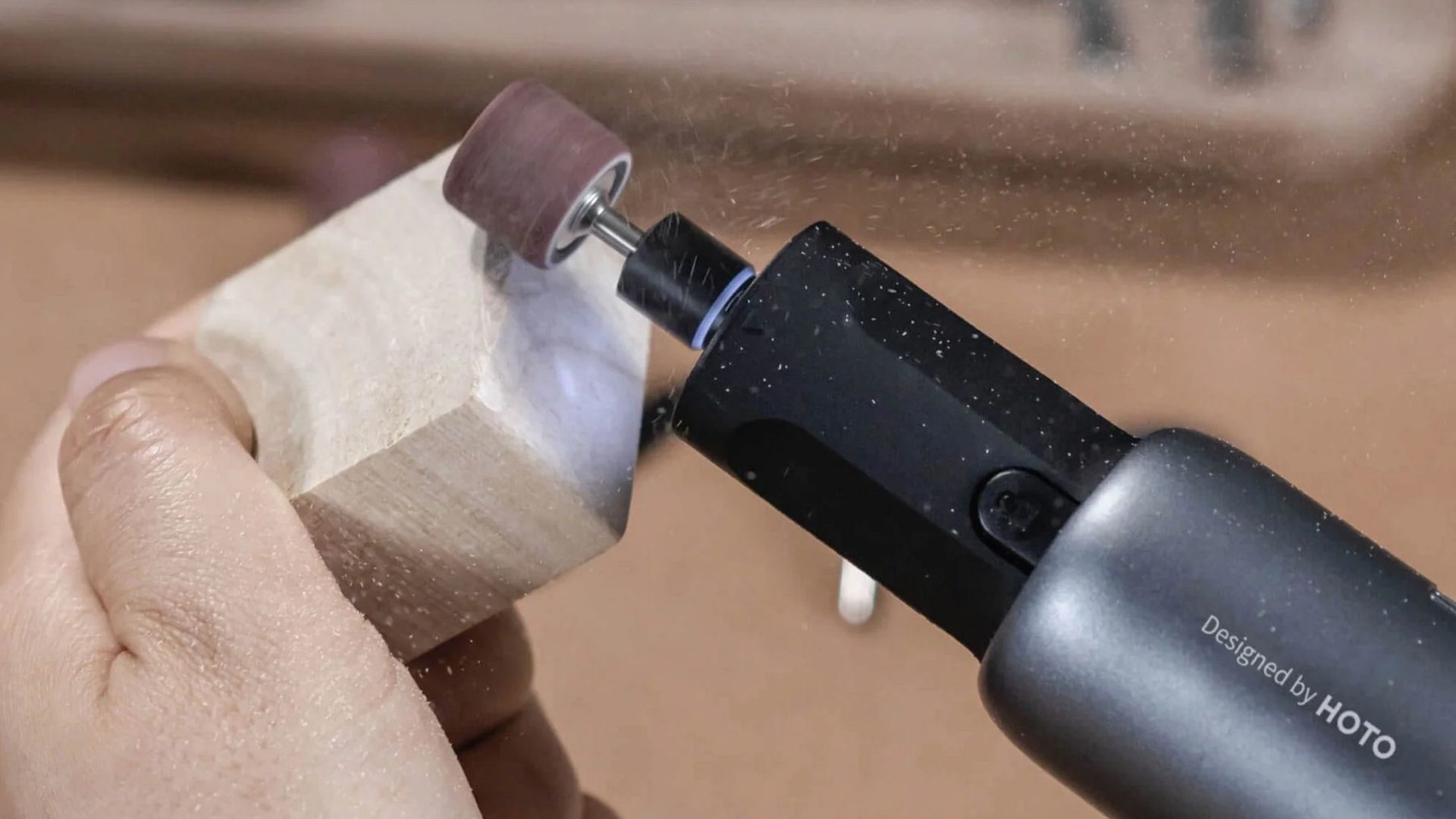
Hoto (short for Home Tools) makes some of the most aesthetically pleasing and user-friendly tools for everyday home improvement, DIY projects, and casual tasks. One of the many interesting offerings from the modern hardware and lifestyle brand is the Hoto Cordless Rotary Toolkit, a lightweight, pen-style multipurpose tool that can be used for various intricate projects. Originally priced at $49.99, it is currently on sale on Amazon for $29.99, saving you $20.
The Hoto cordless rotary toolkit features a powerful five-speed motor with adjustable speeds ranging from 5,000 to 25,000 RPM. According to the company, it is lightweight at just 240 grams and offers a well-balanced design, making it suitable for detailed DIY projects while reducing hand fatigue during extended use. There’s a built-in 2,000 mAh battery that offers up to 50 minutes of continuous work on a full charge. To recharge the battery, plug the charging dock into a power source using the USB Type-C cable, and place the tool on the dock.
cordless rotary toolkit: was $49.99 now $29.99 The compact rotary tool weighs just 240 grams and offers speeds of up to 25,000 RPM, while its 2,000 mAh battery provides up to 50 minutes of continuous use on a full charge.View Deal
The toolkit includes 35 accessories for sanding, polishing, drilling, carving, and cutting, as well as a special pet nail grinding attachment for your furry friends. It supports both 3.2mm and 2.3mm collets, making it compatible with a wide range of rotary tool accessories. There’s even a snap-on dust cover that helps reduce mess and protect your face and eyes during your creative projects. The integrated LED ring light helps illuminate working surfaces and reveal intricate details, which is quite useful if you are working in dim conditions.
The Hoto cordless rotary toolkit is a great option for anyone looking to purchase a compact precision tool for DIY projects, 3D printing, or general home improvement. The 40% discount brings the price down to just $29.99, making it an even more attractive choice for those who don’t want to spend a lot of money.
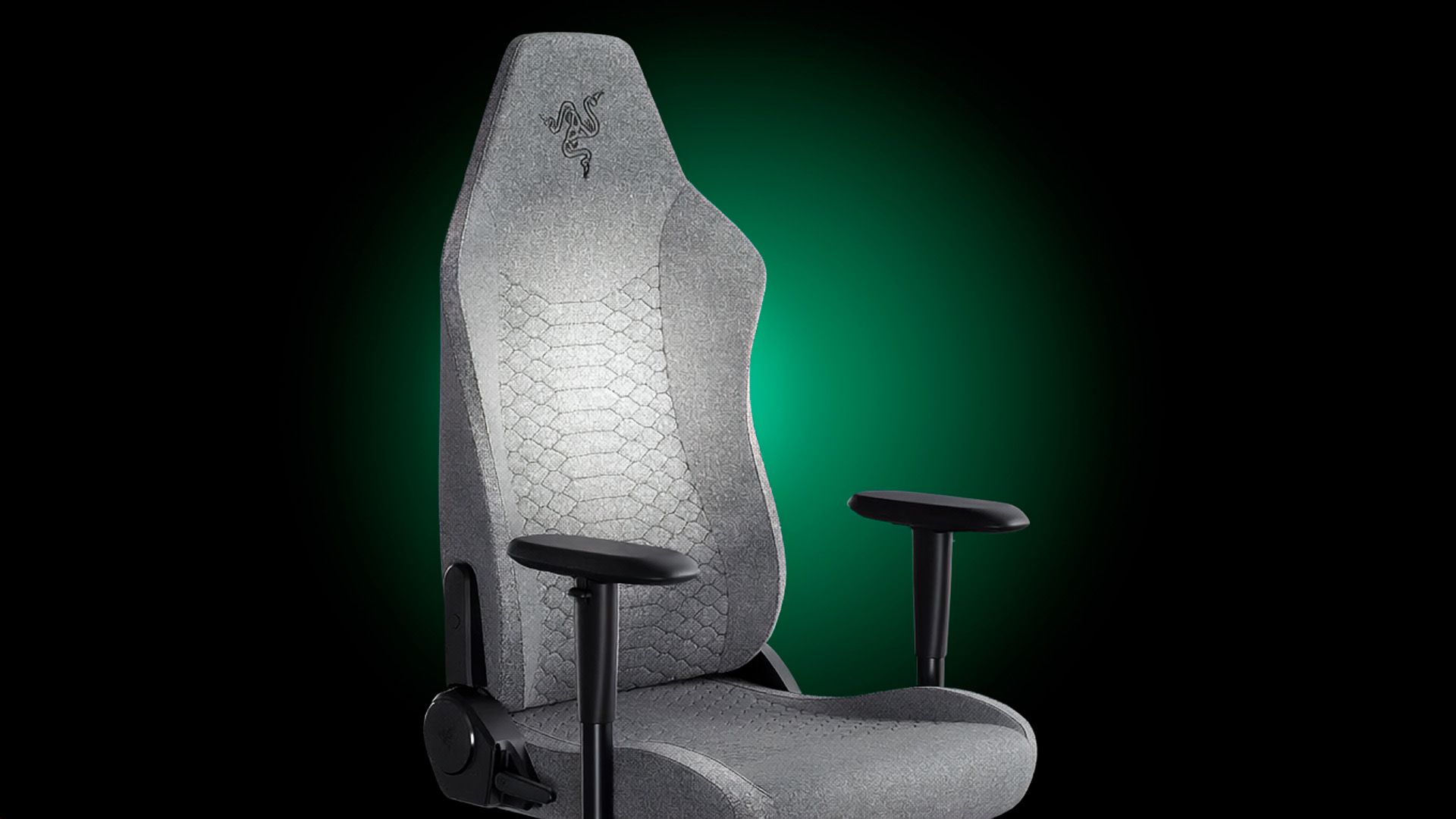
Finding a budget gaming chair that checks all the right boxes is rare. Our top recommendation, the Razer Iskur V2 X, is now available at a record-low price of $189.51, an $110.48 discount off its usual price.
The Iskur V2 X, one of the best gaming chairs, offers some of the best ergonomics in any budget gaming chair. Designed for long gaming sessions, it features an adjustable lumbar support system and high-density foam cushions that adapt to your body. Meanwhile, the 21.4-inch seat base evenly distributes your weight, so you stay comfortable whether you are leaning forward during gaming or lying back to relax.
The Iskur V2 X caters to a wide range of users. It can accommodate adults up to 6.2 feet tall and supports a maximum load of 299 pounds. Whether you are petite or average-sized, the Iskur V2 X's robust construction and reinforced frame are designed to keep you as comfortable as possible.
Razer backs the Iskur V2 X with a generous limited three-year warranty. That alone really sets it apart from the competition, where entry-level gaming chairs typically come with one-year warranties. The level of support demonstrates Razer's confidence in the Iskur V2 X's quality and durability, two areas that matter a lot when it comes to something that you will likely sit on every day until it breaks.
At just $189.51, you are unlikely to find another chair that matches the Iskur V2 X's blend of comfort, durability, and support. Whether you need a gaming chair or plan to use it as an office chair for long workdays, the Iskur V2 X offers outstanding value.
One of the simplest upgrades you can make to your desktop setup is a pair of the best PC speakers, many of which are on sale now as part of Amazon's Prime Big Deal Days. We've tracked down six of the best deals on speakers we've tested, some of which are among the best we've tested on the market.
If you want an alternative to headphones or don't want to keep relying on your monitor's junky internal speakers, you need a dedicated pair of PC speakers that you can use for listening to music, watching movies, and of course, playing games. The picks below are all compact, stereo speaker systems that should easily fit on most desktops — though there are larger surround sound systems available, like the SteelSeries Arena 9, if you have the space (and cash) to spare.
The Creative Labs Pebble V2 is a set of stereo speakers that connect to your PC via USB and feature a minimalist design. View Deal
Starting with an old favorite of Tom's Hardware, the Creative Labs Pebble V2 are about as simple and straightforward as PC speakers come. We've seen them for a couple of dollars less before, but at just $28 for a 2.0 stereo set of speakers, it's hard to complain. The speakers connect via USB-C (power) and 3.5mm (audio), and there's a volume dial on the front of the right speaker for quick adjustments.
We've reviewed the Pebble Pro set, which comes with an optional power boost to round out the low-end, as well as modern wireless connectivity with Bluetooth, but they're around $60. For a no-nonsense set of speakers that you plan on exclusively using with a desktop, however, the base Pebble V2s remain our go-to option.
Up a step in quality, you can save a solid 27% off the Edifier G2000 speakers, which currently rank as our best set of PC speakers for 2.0 gaming. With 32W of peak power, the G2000s are substantially more powerful than what you get with the Pebble V2, helping to deliver better low-end performance out of the 2.75-inch drivers.
In addition to USB and 3.5mm connections, the speakers also support Bluetooth, and there's an optional input for a subwoofer if you want to expand to a 2.1 stereo setup in the future. This is the first time this pair of speakers has dropped below $80 this year, with the set mostly selling for around $90 and $100 on sale, so now's a great time to pick them up.
If you're after the illustrious Audioengine A2+ speakers, they unfortunately aren't on sale right now. The Edifier M60 set does a decent impression, however, and they're half the price right now at $149.99. Peak power is more than doubled compared to the G2000, up to 66W peak with the internal Class-D amp; the drivers are enlarged to 3 inches, and Edifier includes a 1-inch tweeter to help separate the high-end frequencies.
For connections, Edifier includes USB-C, 3.5mm, and Bluetooth, and the speakers come with a pair of aluminum stands that angle the drivers up toward your ears at 15 degrees (an extra with Audioengine speakers).
Creator Series GX-10DB: was $249 now $159 These 6.81 x 4.68 x 5.51-inch speakers have attractive removable cloth fronts, 10-degree angled stands to aim them up at your ears, and they performed well in our testing. They also have ample connectivity, with Bluetooth 5.3 LE, USB-C, RCA (with a built-in Phono stage for vinyl record players), optical, and a subwoofer connector. I've used these for years as the sound system for my projector and have been very happy with their audio output. View Deal
For around the same price, you can pick up a pair of the GX-10DB speakers from the Japanese brand Onkyo. These speakers are similar to the M60 set, featuring a 3-inch driver and 3/4-inch tweeter, though with a lower 30W of total power through the Class D amp. Onkyo also includes 3.5mm, USB-C, and Bluetooth inputs, along with an optical input and an RCA output for a subwoofer.
The main reason to go for the Onkyo's is the enclosure and DSP chip, which is better than what you get with the Edifier's. Both the white and black versions are on sale, and regardless of the color you choose, you get a pair of wood-finished angled stands and speaker grilles with the Edifier logo.
GX-30ARC: was $349.00 now $249.99 These 4-inch 50-watt speakers look great, come with angled desktop stands, and can connect to your PC and just about everything else. Features include Bluetooth as well as 3.5mm AUX, HDMI ARC, USB-C, line/phono, and optical connections. View Deal
If you have a bit more budget, the larger GX-30ARC speakers from Onkyo are also on sale, and they currently rank as our top multi-use 2.0 PC speakers. They're virtually identical to the smaller GX-10DB set, just with larger 4-inch drivers and a bump up to 50W on the amp. Onkyo also includes an HDMI CEC input with these speakers if you want to us them with a TV or console.
Stepping up once again to a 5-inch driver, the Fluance Ai41 speakers are on sale for around $255. Similar to the Edifier M60 set, these are modeled after Audioengine's A5 speakers, though they cost half the price right now. Plus, Fluance includes some extra goodies that Audioengine doesn't, such as a remote that controls volume, treble, and bass, in the box.
In our Fluance Ai41 speaker review, we found that the audio quality was excellent for the price, assuming you have space for larger speakers on your desktop. The speaker accepts RCA, Bluetooth, and optical inputs, and the two satellites connect with the included 18-gauge speaker wire.
At the high end, the OXS Thunder Pro soundbar is on sale for a solid $150. It's a 5.1.2 system with Dolby Atmos support, with the soundbar packing dual 3/4-inch tweeters, dual 2.5-inch full-range drivers, and four 1.5-inch full-range drivers. You can optionally purchase a neck pillow with two additional 1.75-inch drivers, though we found the neck pillow to be mostly a gimmick in our OXS Thunder Pro review.
Although the soundbar is angled toward PC, it includes two HDMI inputs (one of which supports eARC), a USB-C and USB-A connection, a microphone and headset input, as well as a separate 3.5mm audio input. OXS also includes a wireless remote, as well as a wired desktop volume rocker.
At an event in San Francisco, Microsoft and Nvidia teamed up to show off the RTX Spark chip, along with the Surface Laptop Ultra and new features in Windows 11 that use the new system-on-a-chip's capabilities. The device, along with the Surface RTX Spark Dev Box and the broader Spark ecosystem is available for pre-order today, with devices shipping on October 16. You can see our full breakdown of retailers and listings in our dedicated pre-order coverage here.
Microsoft CEO Satya Nadella, Nvidia CEO Jensen Huang, and Windows and Devices head Pavan Davuluri took turns on stage.
"We've reinvented the personal computer completely," Huang said.
Nadella described the event as one that would be building the "frontier ecosystem," anchoring it in Agent 365, Microsoft IQ, and Copilot. Davuluri describes Windows 11 as being the most secure platform for AI agents, highlighting containment for agents.
Windows 11 and Surface Laptop Ultra
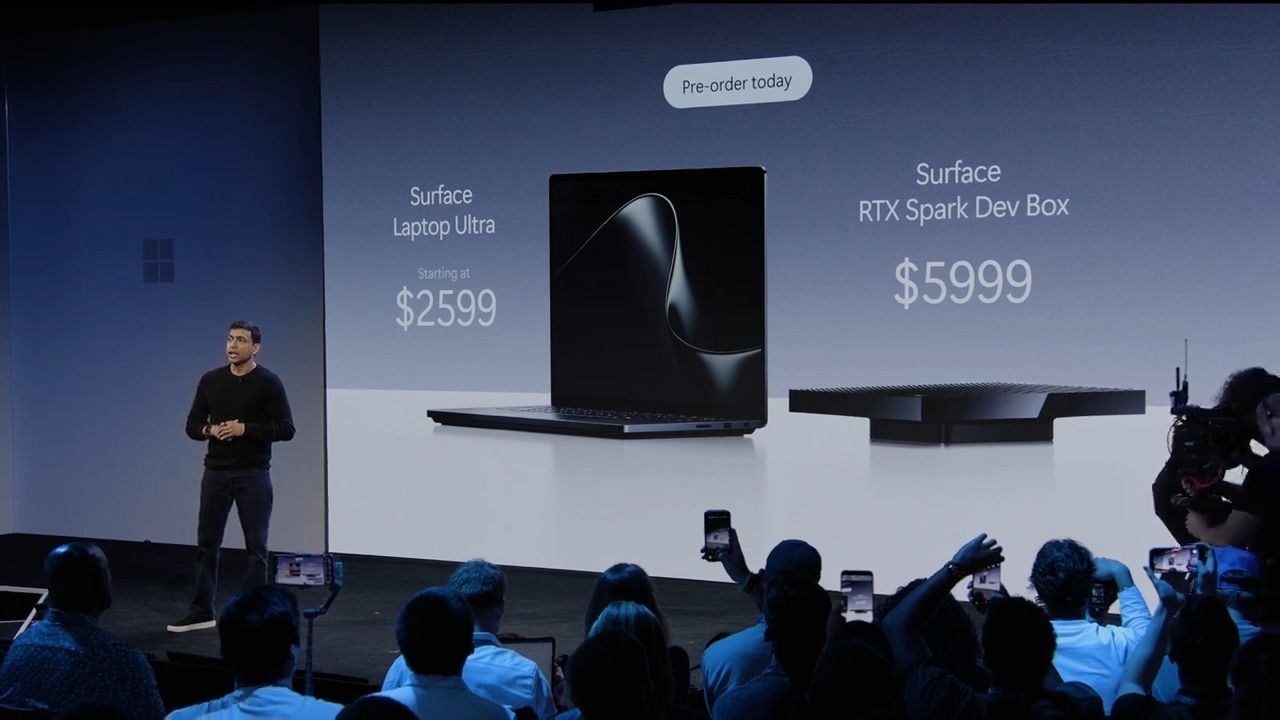
The Surface Laptop Ultra will start at $2,599, while the Surface RTX Spark Dev Box will begin at $5,999. Both are available for pre-order. They, along with PCs from Asus, Dell, Lenovo, HP, and MSI will ship next Friday, Oct. 16.
Davuluri showed the Surface Laptop Ultra running Github Copilot and playing Gears of War: E-Day at 60 frames per second. He said that "hundreds" of AAA titles and indies will be available day one, and that Call of Duty will come to RTX Spark in 2027.
The 4.5-pound system has the brightest peak HDR on a laptop, he said. The system also features a magnetic USB-C charger it calls "magnetic connect." The connector plugs in, similar to Apple's MagSafe or the old Surface Connect ports, except using a standardized port.
(Image credit: Microsoft)
An impressive video demo using multiple local and cloud models across Blender, Photoshop, ComfyUI, and Unreal Engine to make a workload that took hours instead of days was impressive, but also highly produced.
(Image credit: Microsoft)
Microsoft compared the Spark to the M5 Pro in a MacBook Pro, promising performance up to 2.1 times faster to first token, 4.3 times faster image generation, and 6.2 times faster video generation.
On Windows 11, there will be new quick actions in the Search menu in the Task Bar, making quick changes to settings, taking screenshots, or arranging windows using natural language. The Taskbar will also launch Copilot if the request calls for it, and you can jump from Search to Copilot.
Davuluri also described local models running from other vendors, including Hermes, OpenClaw, and Perplexity, performing a demo with Perplexity Computer. He also stated that Meta's Muse will come to Windows. There will be a new setup for Windows AI agents to make them easier to configure.
Davaluri also announced DGX Spark and Station for Windows, a "supercomputer" to bring "last quarter's frontier to your desktop." He showed off desktops from HP and Dell that will come "later this year." Up to this point, both have been exclusive for Linux.
Copilot and Local Agents
Microsoft's Jacob Andreou detailed the recent launch of the new Copilot, which is now getting access to local files, local models, and the ability to take actions on account of the user. It will still use cloud models, but will switch to local models when privacy is called for.
(Image credit: Microsoft)
In one example, Andreou was grabbing tax data for his accountant. The system used a mix of local and cloud models to search for documents, rename them, and zip them into a folder. Copilot also wrote an email to the accountant to send on his behalf, which he approved. These features, he said, are coming over the next few months.
Containers, Trust, and Hybrid Ingelligence
(Image credit: Microsoft)
Daviluri focused on the technical details of agents, including Microsoft Execution Containers, which is moving to general availability. These are sandboxes that are integrated with the OS to decide what data is shared with agents.
(Image credit: Microsoft)
Windows will also require agents to attribute their actions to themselves. There will be IT actions for enterprises that want to set agentic rules once and use them across their fleet of devices.
Microsoft's Divya Venkataramu demonstrated this system, showing how she had access to documents even when agents didn't.
Davuluri also described hybrid intelligence, a mix of agents running locally and in the cloud to reduce token budgets. Microsoft's HydraFusion, which balances local and cloud agents, is coming from GitHub to Windows on October 15 for GitHub Copilot, the CLI, and VS Code, and will use new models like MAI Code 1.1 Flash and Nvidia's Nemotron. Using advanced quantization, DeepSeek V4 Flash can be used at 1.6 bits to run locally at 60GB of memory, he said.
Windows ML will serve as the runtime to deploy models across GPU, NPU, and CPU. Llama.cpp will come to Windows ML to give developers chances to experiment with new models at launch.
Microsoft's Kayla Cinnamon demonstrated Hybrid intelligence on a Surface RTX Dev Box by prompting GitHub Copilot to detect unused codes, packages, and feature flags to clean up code. With an Efficiency mode, Copilot selects a model automatically based on how complex a task is. A more complex prompt used GPT-6 Luna, while separate sub-agents ran locally.
Amazon's Big Deal Days 2026 event is here, and so are the savings on our favorite 3D printers. We've sifted through Amazon to find the best bargains you can get on brands like Bambu Lab, Prusa Research, Snapmaker, Anycubic, and Elegoo. These prices won’t last long, so you'll need to act quickly.
There are plenty of great deals on FDM and resin 3D printers, including machines you’ll find on our list of best 3D printers. We're also rounding up deals on filament and resin, so you can stock up now.
The Bambu Lab A1 Mini is our favorite beginner printer for kids and teens because it is easy to use, super affordable, and doesn’t take up a lot of space. Right now, you can get the A1 Mini Combo for $315.50, or get a single-color A1 Mini for $212.90. The single-color machine comes with a bonus LED lamp kit, so you can make cool projects right away with the help of free files from MakerWorld, Bambu’s file-sharing site.
The Prusa Research MK4S, the old-school workhorse of the Prusa lineup, was $1,299, and now it’s yours for $220 off. This machine comes fully assembled and ships from Prusa’s US Amazon warehouse in Delaware for free with your Prime Membership.
The Prusa Research Core One is our favorite premium 3D printer and comes fully assembled and pre-tested for the best out-of-the-box experience. Prusa 3D printers are built to last a lifetime, with updates for years to come, and can be easily repaired or modded with the help of open-source parts. This machine ships for free from Prusa’s US Amazon warehouse in Delaware.
The Prusa Research Core One L is a beast of a machine, with a 300 x 300 mm build plate and high marks for secure, cloud-free printing. Prusa’s US Amazon warehouse is located in Delaware, so these Prime Big Deal machines are in stock and ready to ship for free with your Prime Membership.
Ranked the best multicolor 3D printer, the Snapmaker U1 is our favorite four-color tool changer. Snapmaker is leading the way on Full Spectrum printing, a way to squeeze a whole rainbow of color from only four spools. An optional lid makes this an all-temperature powerhouse.
The Kobra X is a terrific four-color 3D printer, and our pick for the best budget machine. This machine is a real steal with a price tag under $300 and would make a great gift to stash away for the holidays.
Ranked the best 3D printer for beginners, the SparkX i7 is a four-color bed slinger with an automatic material handler that can load any spool, from tiny coils up to 3kg spools.
The bare-bones Centauri 2 does an excellent job of printing in four colors of PLA, PETG, or TPU. Coming in well under $300, this is a great machine for testing the waters of 3D printing with a full-sized 256 x 256 mm build plate.
The FlashForge Creator 5 is a no-nonsense four-color tool changer with great quality. It can handle PLA, PETG, and TPU, but can’t be upgraded to an enclosed machine for high-temperature filaments.
3D printing is a fun and rewarding hobby, but with it also comes the frustrations of trying to maintain the quality output of your printer and also tidying up the finished look of your prints. You need a host of tools to keep the process running smoothly.
Some manufacturers throw a few cheap tools in the box with a new 3D printer, but if they don't, then investing in a dedicated 3D printer toolkit will make a huge difference in caring for not only your 3D printer, but also your creations.
We've trawled through the Amazon Prime Big Deal Days sales event and used our expert knowledge to source the tools you absolutely need for your 3D printing toolkit.
This 74-piece 3D printer tool kit from Creality is packed with everything that you need to keep your printer going. This toolkit has everything from a 34-piece screwdriver set to a magnetic project mat. Perfect for a budding 3D printer enthusiast, this is a "one and done" purchase.
Whether you are cutting your filament, cleaning out supports, or removing cable ties, wire/flush/side cutters are an essential part of the 3D printer toolkit. Sometimes you get a pair with your printer, but if you don't, or you need a spare set, then this pair of snips is a good alternative for you.
These cheap cutters are superb for 3D printing, electronics, and some general home maintenance tasks. Model makers and electronics hobbyists can also use these cutters to trim parts of dried knots and dribbles.
Flush Cutters: was $7.97 now $6.29 Trim, cut, and rip plastic from places where it shouldn’t be. Then use these cutters to trim electronic components or for other craft projects.View Deal
Hex Keys
Hex keys are essential 3D printer tools. The majority of 3D printers are held together by machine screws that sport an Allen / hex head. If you don't get a set with your printer, it's not too much money to buy a spare set off Amazon.
A 9-piece metric Hex key set with sizes from 1.5-10mm, with long ball endView Deal
When the prints don't pop off the plate
A 3D printer's print beds are designed to be super grippy, so the side effect is that sometimes you may need to use a tool to persuade the print to release from the print sheet. Scrapers are superb tools for the job, with the thin metal blades perfect for breaking the seal between the print and the build plate!
A good general-purpose precision screwdriver set is a necessity. This 49-in-1 set isn't on sale, but it has all the bits and is super cheap. For higher quality, you can step up to the HOTO driver, albeit with fewer bits, or go all in on an electric screwdriver.
3D printers will get clogged at some point; that's a 100% guarantee. Hot plastic or the wrong type of filament being used at the wrong temps will mess up the most expensive printers. Luckily, the solution to this common problem is a very low-cost one.
Swapping out the nozzle on your 3D printer is also a fairly simple task, but that task is made far easier with the right tools.
Tackle a blocked nozzle from another angle with the Creality Clog Poke. Instead of pushing into the nozzle, remove the PTFE tube and push this clog poke into the throat of the extruder, forcing molten plastic out of the nozzle.View Deal
16-Piece 3D Printer Nozzle Maintenance Kit: $8.99 Here you have all the gear to maintain the business end of your 3D printer. Nozzle wrenches, needles, tweezers and two handy brass bristled brushes to keep your prints running smoothly.View Deal
Clean up your prints
Take your prints to the next level by giving them a professional finish. Clean up the edges of your projects and remove leftover bits of print support with this handy deburring tool.
This is the deburring tool that I personally use, and it has been stellar since day one. A sharp, but safe blade trims unwanted plastic from prints, leaving a clean edge without risking my fingers.View Deal
Shine a light on it
Perfect for performing repairs in the tight spaces of an enclosed 3D printer, or for attaching to a cap to light up the project you're working on and highlight any print deformities that may need addressing. With 1800 Lumens of light, USB Type-C charging, an IP68 rating, a baseball cap clip, and a magnetic base, this is a great flashlight for working on 3D printing projects.
E7 Rechargeable Mini Flashlight: was $29.99 now $22.78 With USB Type-C charging, six brightness modes, and a magnetic base, the Wuben E7 is a useful flashlight for makers and tinkerers who want extra light for their work, without compromising on quality.View Deal
IMINI 2 Flashlight: was $19.99 now $11.99 This compact and easy-to-use flashlight provides 50 Lumens of light, without the need to fiddle around for a button. Just unclip, and your flashlight is ready to light your way.View Deal
OLED panels are quickly becoming a must-have item for desktop PCs. Most of us were introduced to the panel technology in smartphones, and it’s become increasingly popular on laptops. For desktop gamers seeking an immediate visual upgrade, OLED is the way to go, and fortunately, Prime Day is proving to be a great time to take the plunge. From massive DQHD panels on the Samsung Odyssey OLED G9 (G93SC) to more value-oriented offerings like the Acer Nitro VG277U Xbiip, we have you covered.
Here are the best OLED gaming monitors that we’ve seen so far:
Samsung's Odyssey OLED G9 (9G3SC) is massive, with a 49-inch QD-OLED panel. It also features integrated Wi-Fi for interfacing with Samsung's Gaming Hub service.View Deal
Mega-ultrawide gaming monitors are not for the faint of heart. Not only can these monitors be quite expensive, but they can also occupy a substantial amount of desktop space. However, for those who have the need (and the space), there are options such as the Samsung Odyssey OLED G9 (G93SC), which features a 49-inch DQHD (5120 x 1440) QD-OLED panel. It's currently priced at $898 on sale at Amazon.
The G93SC sports a maximum 240 Hz refresh rate. We reviewed the G93SC and came away impressed not only with its overall image quality and expansive contrast, but also with its premium build quality. Samsung also includes some excellent extras, such as Bluetooth and Wi-Fi, the latter of which can be used with Samsung TV Plus and the Gaming Hub.
FutureFuture
Our testing revealed that the G93SC was among the class leaders in input lag and response time, as expected from a premium OLED gaming monitor.
The Samsung Odyssey OLED G9 (G91SD) is a slightly less ambitious 49-inch QD-OLED gaming monitor with a DQHD resolution. Instead of a 240 Hz top speed, the G91SD dials it back to a maximum of 144 Hz.View Deal
You still get a gorgeous 49-inch QD-OLED panel with a 5120 x 1440 resolution, but instead of a maximum 240 Hz refresh rate, you'll top out at 144 Hz. Brightness tops out at 250 nits (typical), and you'll still get a fast 0.03 ms GtG response time. The monitor supports AMD FreeSync Premium Pro, and it's also Nvidia G-Sync compatible. As for ports, you'll find one DisplayPort 1.4, two HDMI 2.1, and two downstream USB-C ports.
34-inch Ultrawide OLED Gaming Monitors
The AOC Agon Pro AG346UCD is a highly desirable QD-OLED monitor that strikes a sweet spot with its 34-inch WQHD panel and a 165 Hz refresh rate.View Deal
MSI's MAG 341CQP offers a 34-inch WQHD WOLED panel with a 175 Hz refresh rate. It is also a good-looking monitor with thin bezels, which helps with gaming immersion.View Deal
If you're looking for something more in a “mid-range” size class, the AOC Agon Pro AG346UCD should be on your shopping list. This is a 34-inch QD-OLED monitor with a 3440 x 1440 resolution and a 165 Hz refresh rate. While that figure may not be as high as the 240 Hz more commonly found with 34-inch panels, the Agon Pro AG346UCD is priced at just $599, taking $50 off its typical asking price. In our review, we praised the monitor for its well-saturated color, excellent contrast, and out-of-the-box accuracy.
(Image credit: Tom's Hardware)
It's also worth considering the MSI MAG 341CQP, priced at $549.99 ($100 off its usual selling price). You still get a 34-inch QD-OLED panel, but the maximum refresh rate is slightly higher at 175 Hz.
27-inch OLED Gaming Monitors
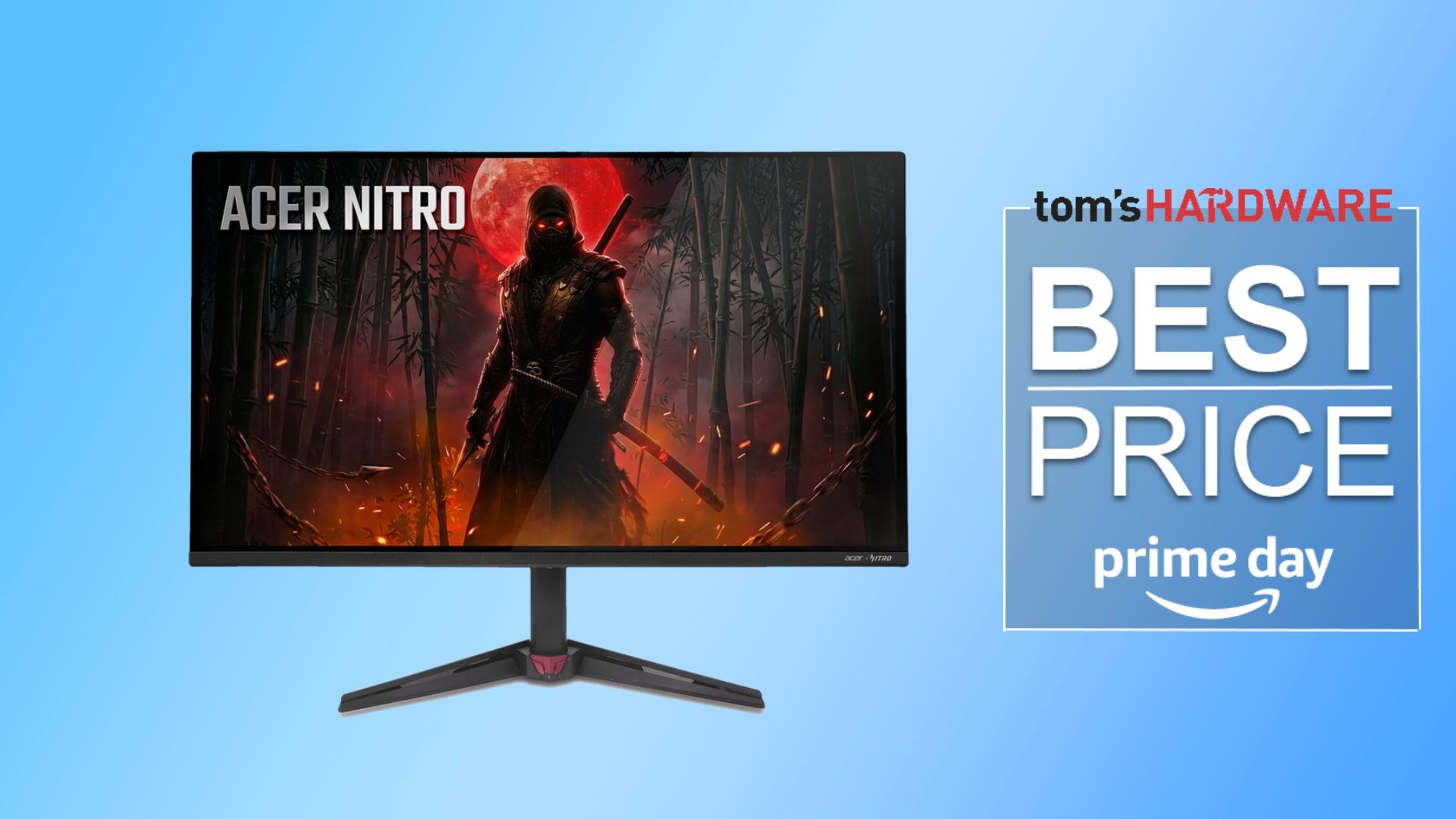
Nitro VG277U Xbiip: was $349 now $269 This mid-sized gaming monitor sports a QD-OLED panel rated at a decent 400 nits of brightness, with a 240 Hz refresh and a resolution of 2560 x 1440. If you're after a gaming screen on a budget and want inky blacks and saturated colors, this is a tough deal to beat.View Deal
The Alienware AW2725DF might be small in stature, but its 27-inch QHD panel delivers a sizzling 360 Hz maximum refresh rate.View Deal
One of the best things to happen to gaming monitors in recent years has been the emergence of OLED panel technology. OLED panels are fast, offer rich color and blacker blacks, but have come with a big price premium. But as the technology has matured, prices have come down. That fact is exemplified by the 27-inch, 240 Hz model (VG277U Xbiip) from Acer's Nitro line. It sports a 240 Hz QD-OLED panel rated at 400 Nits of brightness and a 0.03 ms response time. Best of all, the monitor is currently on sale for just $269, which is unheard of.
We haven't tested this monitor, so we can't vouch for its performance. However, Acer typically makes solid gaming panels, and the QD-OLED panel ensures that the blacks will be truly black and the colors should be vivid. The 400-nit brightness rating isn't the best for an OLED, but it should be sufficient for most home environments (as long as you're not sitting next to a sun-blasted window).
The VG277U Xbiip has one DisplayPort (1.4) and two HDMI (2.1) ports. And AMD FreeSync Premium is on the menu for smooth gaming performance.
(Image credit: Future)
Another option is the Alienware AW2725DF, which also sports a 27-inch QHD panel, albeit using QD-OLED technology. When the AW2725DF arrived in our testing lab, we noted its large color gamut, fast response, and stunning image quality. The monitor also boasts a 360 Hz refresh rate for ultra-twitch gamers. Currently, the AW2725DF is on sale for $469.99, representing a 28% savings.
A new compression model, called CRAM, offers a different path to compression that avoids swap entirely by keeping the compressed data in memory, and it offers up to 452x the performance of ZRAM. I was a kid in the 1990s when the idea seemed so simple to me: I can use PKZIP to compress my files, so why can't we do that with RAM? Indeed, I am not a singular genius, and many other people had the same idea, so memory compression has been a feature of most operating systems for a long time. In Linux, the most popular options are zswap and ZRAM, but both of these options are fundamentally swap-layer features. CRAM is a new take that claims to boost performance tremendously.
(Image credit: Gregory Price/Meta)
CRAM was conceptualized by Gregory Price and his team at Meta. The central realization that seems to have spurred the development of CRAM is that the largest portion of the performance hit from compressed memory isn't the compression; that's tiny. No, the largest hit apparently stems mostly from the fault itself and the swap behavior. So the thinking seems to have been "what if we just do zram, but completely in memory instead of as swap?"
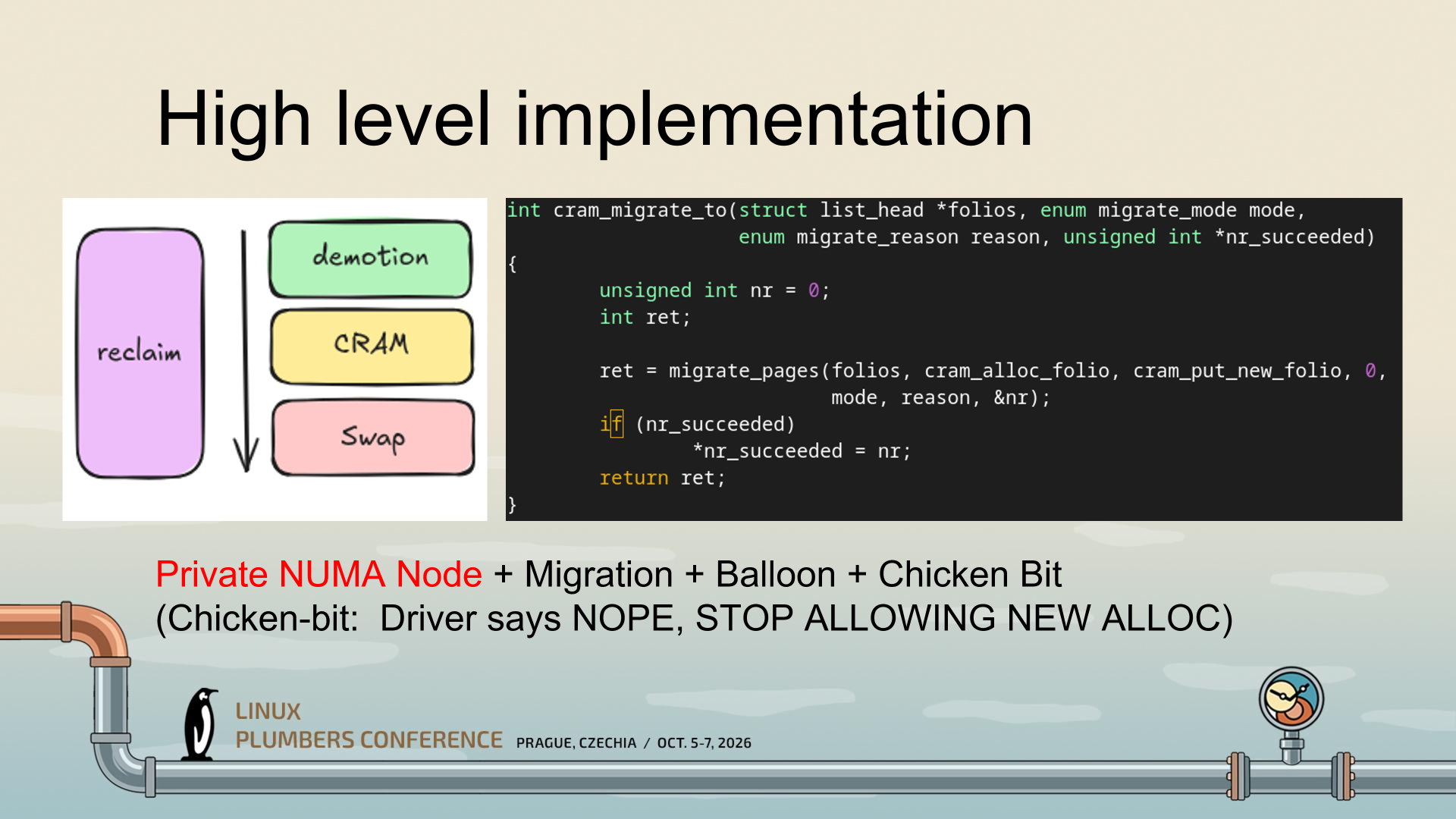
That's a gross simplification of an enormously complex project, but what CRAM seems to be doing is making use of mechanisms Linux already has to enable radically higher-performance compressed memory, particularly on reads. It uses a private NUMA node (essentially, a ghost CPU) instead of pretending to be a block device, and this lets Linux continue using all of its memory semantics, including migration and ballooning, to manage CRAM.
(Image credit: Gregory Price/Meta)
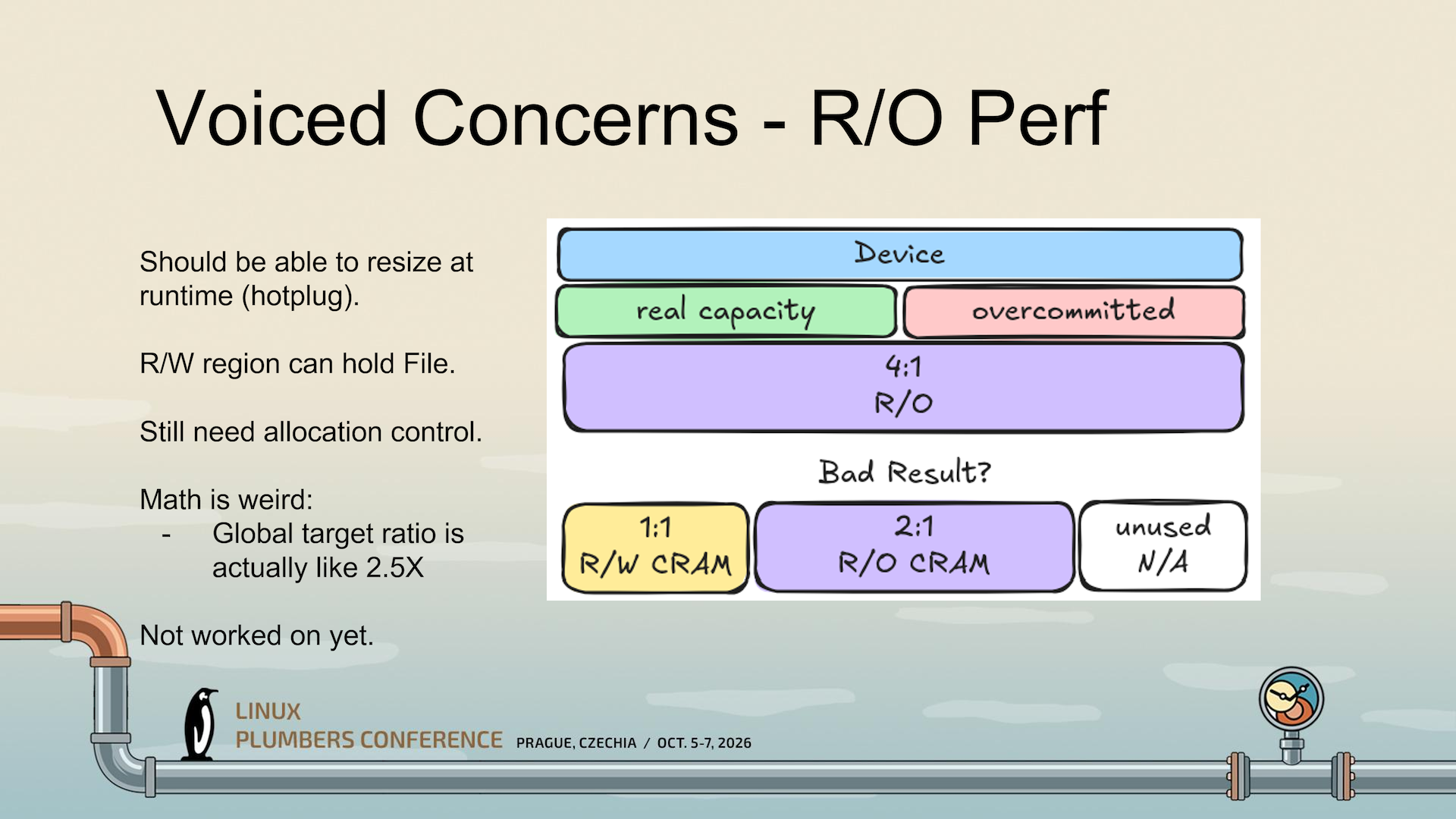
A critical part is the "Chicken Bit," which tells Linux that it has to stop trying to use CRAM while it is busy managing allocations. See, compressed memory seems straightforward until you start actually thinking about it. Compressibility of data varies tremendously based on what you're compressing, all the way from big piles of zeroes (perfectly compressible) up to already-compressed data (non-compressible). Given that, how do you know how much "logical" RAM you have when some of it is compressed? And how do you know when you're going to run out?
(Image credit: Gregory Price/Meta)
CRAM hasn't actually solved that problem yet, it seems; the slides I'm working from seem to establish this as an unsolved problem and an area of ongoing research. But the Chicken Bit is one way it can at least stop cascading failures (colorfully called a "poison storm" in the presentation) from happening when writes outpace CRAM's ability to allocate them.
(Image credit: Gregory Price/Meta)
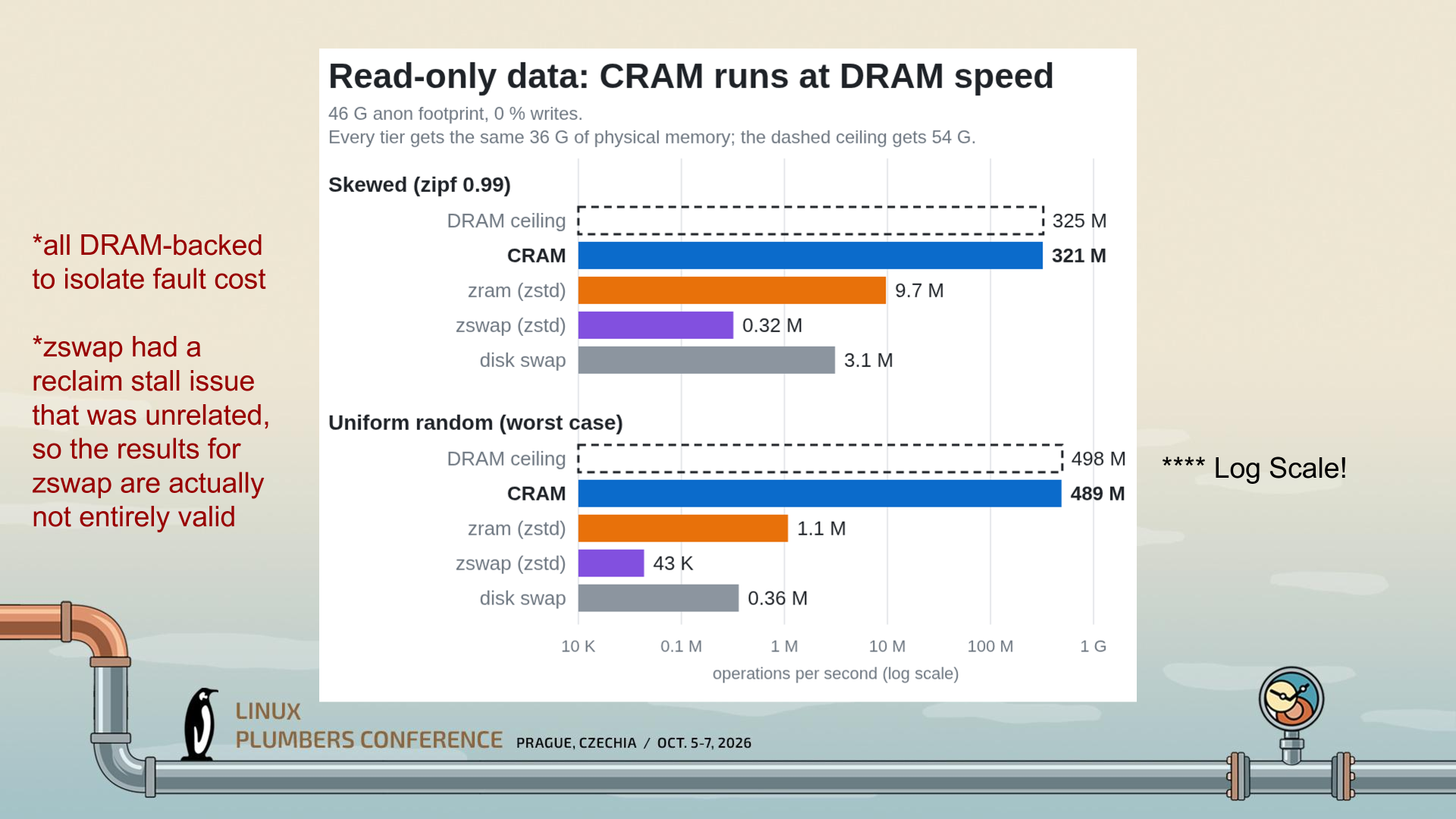
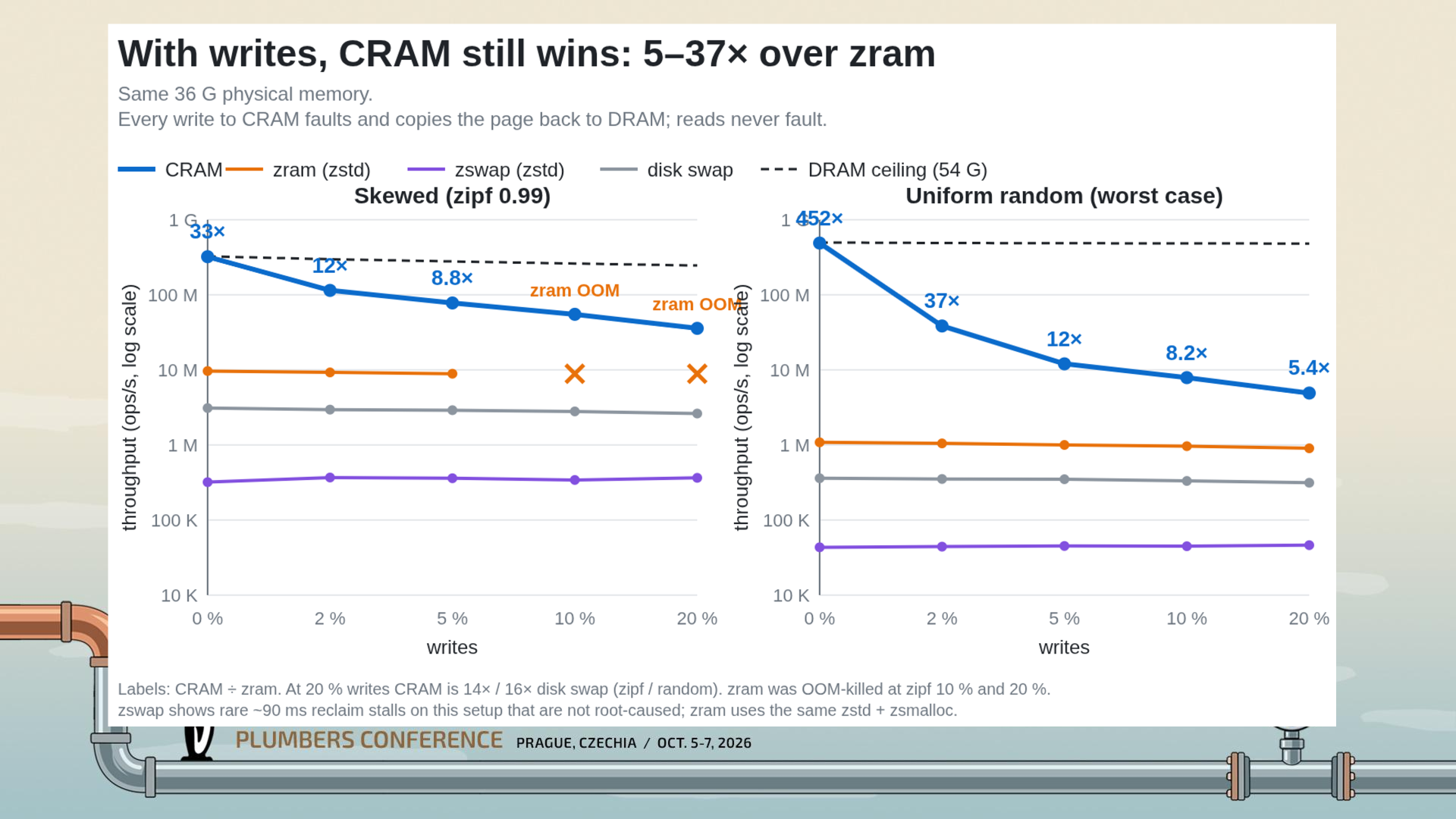
Because CRAM is stored in RAM and treated as RAM, with full cacheline/byte access, it can be accessed in a read-only fashion with little delay; just the cost of hardware-offloaded compression. As a result, CRAM "runs at DRAM speed," as the creator says in the slide above. While the graph already looks impressive, it's a logarithmic scale; CRAM, in the worst case, is doing 489 million operations per second versus ZRAM's 1.1 million. It's barely comparable.
(Image credit: Gregory Price/Meta)
Even when you enable writes, CRAM is still much faster than ZRAM; 5.4x in the worst tested case of 20% writes. That's a huge drop from the 452x read-only case, but keep your context; a 5.4x speedup is still titanic. The massive performance cliff when writes are involved comes down to the need to page fault and migrate folios back to the original NUMA domain, as you can't write directly to compressed data; you'd corrupt everything.
My explanation of CRAM might not be completely correct; I wasn't at the Linux Plumbers' Conference in Prague to hear the presentation directly, so I'm working off of the slides available from the session information site (h/t to Phoronix for the spot) I think I've managed to grasp the gist of what Price is getting at, though.
While the obvious target of the work here (given its origin at Meta Platforms) is big Linux servers, ZRAM and Zswap are used all over the Linux ecosystem, even on machines as constrained as the Steam Deck. Many distributions enable one or the other by default. CRAM seems like it could offer a considerable speed-up for some of these machines, so hopefully it finds its way into the kernel once the remaining implementation questions are answered.
Amazon Prime Big Deals Day 2026 is here, and we're already seeing some tasty deals on Wi-Fi routers. If you're in the market for a Wi-Fi 6E or Wi-Fi 7 router, we've scoped out deals on standalone and mesh systems that could give your home (or office) network a much-needed performance boost.
If you have a smaller home that doesn't need the aid of wireless satellites to improve coverage, consider the TP-Link Archer AXE75 Wi-Fi 6E router. While it isn't one of TP-Link's newest Wi-Fi 7 offerings, it still offers a lot of bang for the buck. The Archer AXE75 has a retail price of $119.99, but a $30 instant discount reduces the cost to just $89.99 for Prime subscribers.
That price gets you Gigabit WAN, four Gigabit LAN ports, and even a USB 3.0 port for adding storage to your network. The Gigabit WAN port should be more than adequate if your ISP delivers 1 Gbps or slower speeds. If you're rocking a 2 Gbps or higher internet plan, you might want to invest in a router with at least a 2.5 GbE WAN to fully utilize your plan. Another thing to keep in mind is that if you plan to expand your network in the future, the Archer AXE75 supports TP-Link's OneMesh standard, enabling you to combine multiple compatible routers into a mesh network.
Regarding performance, the Archer AXE75 operates at speeds of up to 574 Mbps on the 2.4 GHz band and up to 2,402 Mbps on the 5 GHz and 6 GHz bands.
The TP-Link Archer AXE75 combines excellent performance and value in a Wi-Fi 6E router. You get four GbE ports, a USB 3.0 port for external storage, and OneMesh compliance for less than $90.View Deal
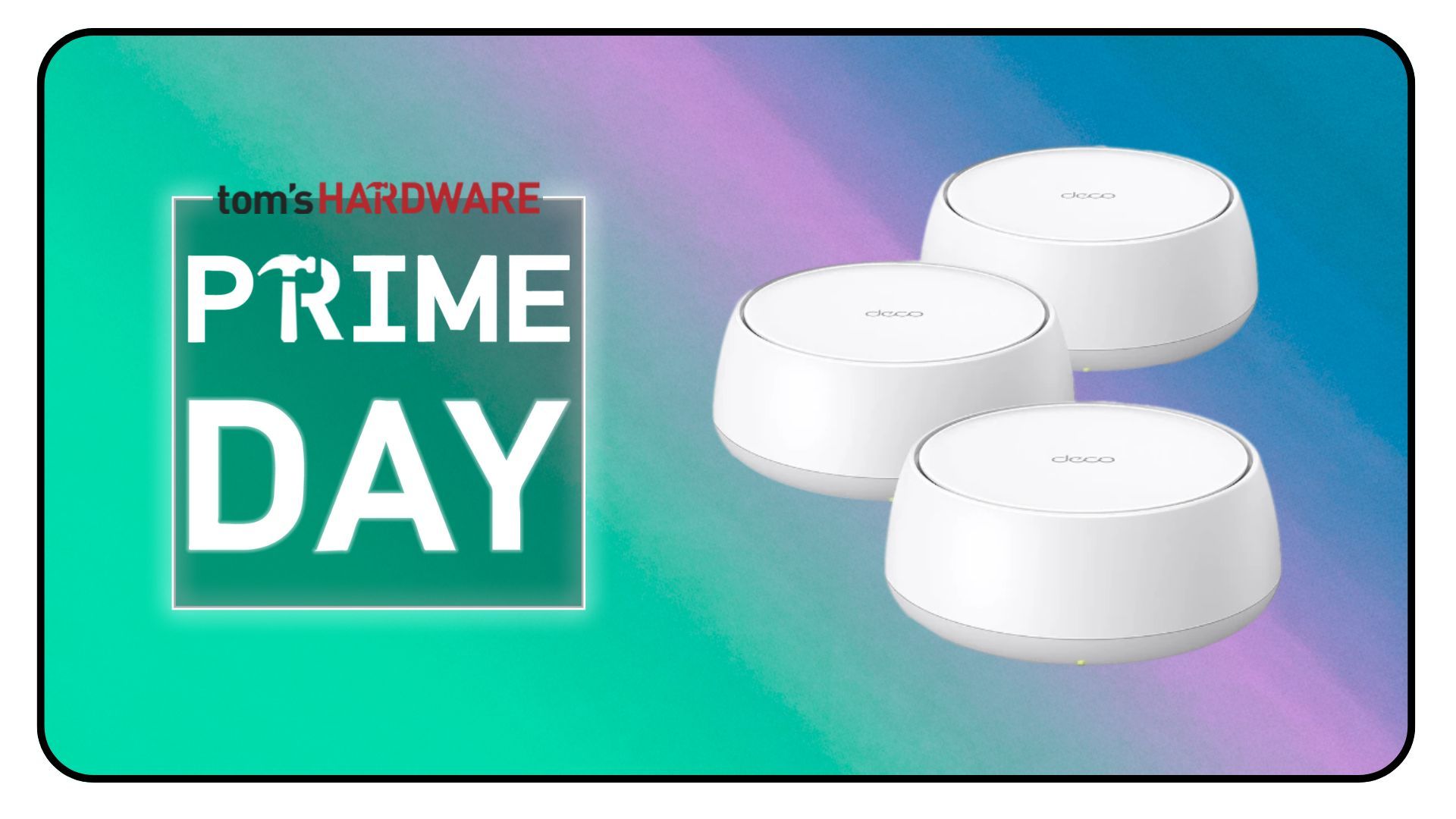
If you need the added coverage of a mesh system, the TP-Link Deco XE75 also uses the Wi-Fi 6E standard. But while the Archer AXE75 covers just 2,000 square feet, the Deco XE75, a three-node system, covers up to 7,200 square feet (over three times the coverage).
Each satellite has three Gigabit Ethernet ports, which are excellent for connecting your wired-only network devices. However, there's another added benefit: the Deco XE75 supports wired backhaul, which can improve overall network performance compared to using the default wireless backhaul between satellites.
(Image credit: TP-Link)
When it comes to overall performance, expect a similar experience to the Archer AXE75, as it also offers a maximum of 574 Mbps over the 2.4 GHz band, 2,402 Mbps over the 5 GHz band, and 2,402 Mbps over the 6 GHz band.
The Deco XE75 is typically available for $249.99, but is currently on sale for $229.99. But that's not all; there's also an instant coupon that knocks another $30 off the price of the 3-pack, bringing the price down to $199.99.
Deco XE75: was $249.99 now $199.99 TP-Link is offering a complete three-node Wi-Fi 6E mesh router that covers up to 7,200 square feet. Each node has three GbE ports supporting wired backhaul.View Deal
Finally, the TP-Link Prime Big Deals Day trifecta is completed with the Deco BE5000. This is an entry-level Wi-Fi 7 mesh router. Because of this alignment, the Deco BE5000 isn't a full-featured tri-band offering; instead, it's a dual-band Wi-Fi 7 solution. Although you miss out on the higher-performance 6 GHz band, you do gain support for Multi-Link Operation (MLO), a key pillar of Wi-Fi 7 (although MLO is one of Wi-Fi 7's most misunderstood features).
(Image credit: TP-Link)
Each node features two 2.5 GbE ports, and you also get wired backhaul support. Maximum throughput reaches 688 Mbps for the 2.4 GHz band, while the 5 GHz band achieves 2,882 Mbps.
The Deco BE5000 retails for $299.99 but is currently priced at $198.19, which is a healthy $100 discount.
Archer AXE75
Deco XE75
Deco BE5000
Wi-Fi Standard
Wi-Fi 6E
Wi-Fi 6E
Wi-Fi 7
Wireless Bands
2.4 GHz, 5 GHz, 6 GHz
2.4 GHz, 5 GHz, 6 GHz
2.4 GHz, 5 GHz
Maximum Throughput (Combined)
5,400 Mbps
5,400 Mbps
5,000 Mbps
LAN Ports
1x GbE WAN, 4x GbE LAN
3 x GbE LAN/WAN per node
2x 2.5 GbE WAN/LAN per node
USB Ports
1x USB 3.0
None
None
Coverage
2,000 square feet
7,200 square feet
6,600 square feet
The TP-Link Deco BE5000 is a dual-band Wi-Fi 7 router that features three nodes and covers up to 6,600 square feet. Each node features 2.5 GbE ports and supports wired backhaul.View Deal
There's one other deal perk possible with these router deals if you have an Amazon Prime Rewards VISA credit card. Amazon is offering up to 25% cash back on the purchase of each of these routers when you use the card.
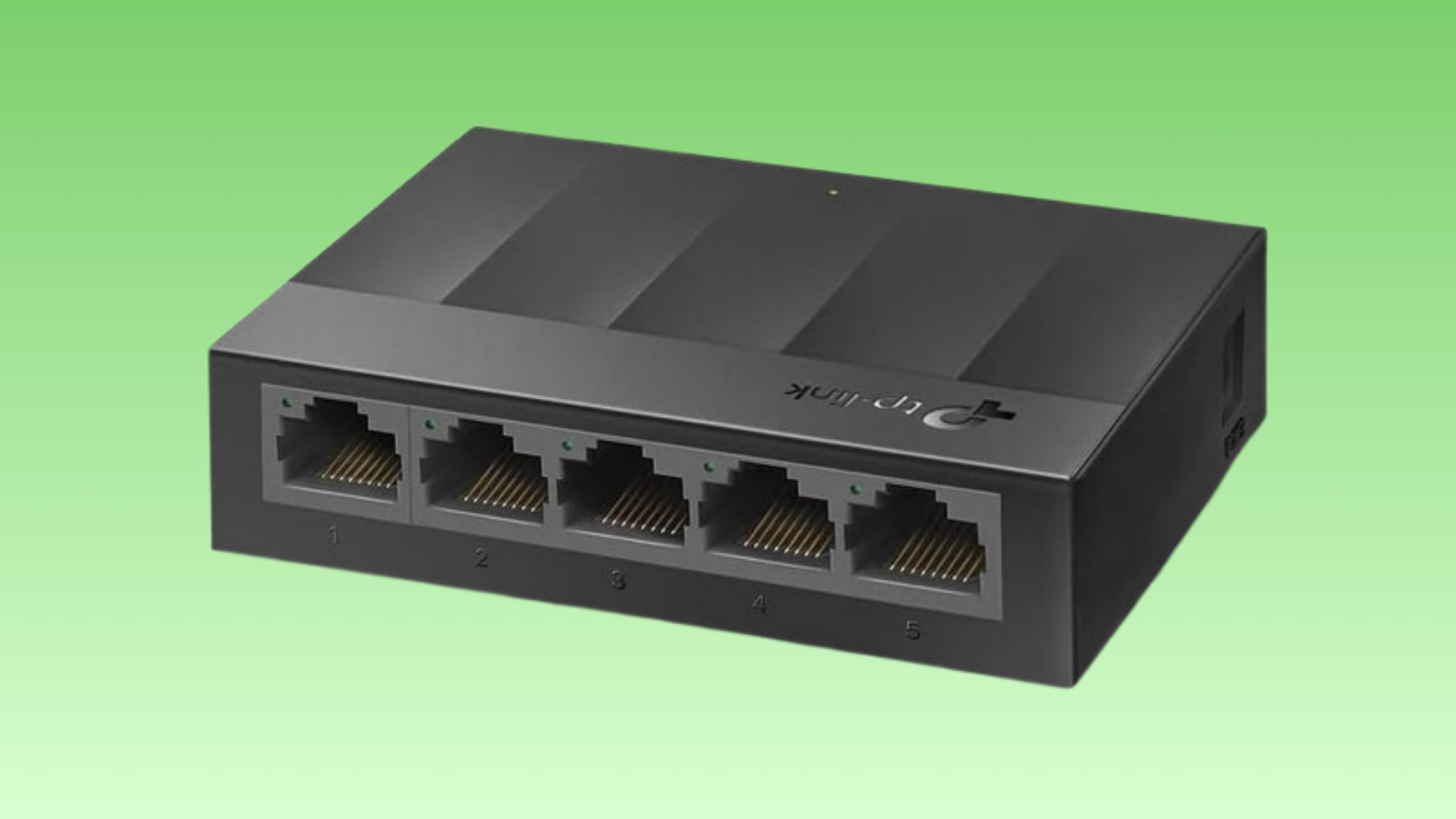
Wi-Fi is great until you hit lag, network congestion, or interference. If you need to expand your network, you'll want a network switch with gigabit speeds. Luckily, Amazon's big sale means you can pick up this TP-Link Lightwave 5-port unmanaged Ethernet switch for just $7.99 right now, bringing it back down to its lowest-ever price.
With the LS1005G, you're getting five extra Ethernet ports for your network, although you'll need to use one to connect it to your existing router. There isn't a better option than an Ethernet cable for maxing out the bandwidth on your internet connection, especially if you prefer to stream or play games online.
Gigabit speeds shouldn't seem that exciting these days, but plenty of people are rocking old network hardware that isn't this fast. You don't need to worry about Wi-Fi lag or interference here, as you'll get a solid, dedicated wired connection instead. There's no need to think about a setup process either, as the LS1005G is completely unmanaged. You just need to plug it in, hooking your router up to the switch's WAN port. The other four ports will then work straight away.
Back to a record low price
The TP-Link Litewave 5-Port Gigabit Ethernet Switch LS1005G provides four additional Ethernet ports, delivering reliable, high-speed wired internet for your gaming PC, NAS, console, TV, and other connected devices.View Deal
As it's unmanaged, you do lose some of the customization features that you'd gain with a more expensive managed switch. That isn't really a downside here. This switch is less than $8. For that price, you're still getting a network upgrade that'll let you connect almost any Ethernet-capable device. Gaming PCs, laptops, printers, NAS drives, consoles, TVs, and even another router or Wi-Fi extender will work with this switch. It's just going to work. It doesn't deliver power, though, so you can't use it to deliver power to PoE devices like cameras.
This TP-Link switch isn't big, so it won't take up much space. It's just 2.8 x 3.5 x 0.9 inches, so it'll fit near your existing router or around your home or office, as long as the cabling is long enough. No fans are required to keep it cool, either. That means it'll run silently without disrupting you.
I'd almost say it's impossible to beat the $7.99 sale price for this TP-Link Litewave LS1005G 5-port switch, but believe it or not, Ugreen has matched it. Both deals are running for a limited time only, but if the TP-Link runs out, you can pick up this Ugreen 5-port switch for the same $7.99 sale price. You'll get the same level of functionality, although TP-Link's brand is generally better known. Either way, for less than $8, this Ugreen model will be a good alternative if the TP-Link switch sells out.
There really isn't a better way to expand your wired network than with a network switch like this. For $7.99, both the TP-Link LS1005G and the Ugreen 35492US models will serve you well, delivering gigabit speeds across your LAN without worrying about Wi-Fi lag. It's a good, affordable option but, with Amazon's deal set to end tonight, you've got to be quick if you want to grab one (or two, or three) of these brilliantly-priced switches.
Intel will remain a part of Elon Musk's Terafab project, Lip-Bu Tan, chief executive of Intel, told reporters on Wednesday. Around the same time, Elon Musk, chief executive of SpaceX, Tesla, and xAI, said that Terafab remains committed to building and operating its fab itself, but proposed to lease a part of the fab to TSMC.
Intel will continue its involvement in Terafab, Lip-Bu Tan told Bloomberg prior to the company's event in Japan that commemorates the company's presence in Japan. Back in April, Intel and Terafab, the semiconductor production venture by SpaceX, Tesla, and xAI, announced that the new chipmaker would use Intel's next-generation 14A fabrication process to make chips. Details of the collaboration are still unknown, but there is a general understanding that Intel will license its manufacturing technology to Terafab, though it is unclear whether it will also help ramp up production using the node.
At around the same time, Elon Musk debunked rumors that his companies would invest in Terafab and then partner with TSMC, which will build and operate the fab. Instead, Elon Musk proposes that TSMC sublease a part of Terafab to make chips for its customers.
"No, we will build and run the fab," Elon Musk wrote in an X post. "Let there be ZERO doubt about that. Maybe TSMC subleases part of the Terafab if they want, but nothing more than that."
Offering TSMC, the world's largest foundry that owns and operates dozens of advanced 300-mm fabs around the world, to 'sublease' a part of Terafab is quite an unusual arrangement for many reasons.
First up, TSMC has its own production facilities as well as aggressive plans for about 10 new fab phases in the coming years, and it hardly needs to sublease any capacity or part of the building or site from a third party.
Secondly, semiconductor fabs are not generic facilities: if Terafab is initially equipped and qualified around Intel's 14A process technology, converting part of the facility for TSMC's A14, A13, or A12 processes that the company will use in the back half of the decade would require different process flows, equipment configurations, materials, automation, qualification, and contamination control. Theoretically, TSMC could install a largely independent production line within the same enormous building, but at that point the arrangement would resemble TSMC building and operating its own fab inside a Musk-controlled site rather than simply renting spare manufacturing capacity.
Thirdly, if Intel licenses 14A technology to Terafab, the agreement would almost certainly contain extensive provisions governing access to Intel IP, process information, equipment configurations, and personnel. Putting TSMC engineers and manufacturing operations inside the same facility could create contractual and IP-isolation issues even if TSMC never directly touches the Intel production line. In fact, IP protection would be extraordinary at Terafab, which will complicate its operation.
Fourthly, if indeed two chipmakers end up in the same fab building, or even in the same campus, responsibility for downtime becomes messy. In the case of a Terafab-owned power distribution system, water plant, chemical system, or cooling installation fails and takes someone's production offline, determining operational responsibility and financial liability for potentially hundreds of millions of dollars of affected wafers would be considerably more complicated than at a site controlled by one company.
Finally, if Terafab can equip enough cleanroom space by the end of the decade to satisfy semiconductor requirements of Tesla, SpaceX, and xAI while still leaving substantial capacity available to TSMC, that would raise questions about whether the project had significantly overbuilt capacity in its initial phases.
Since Musk's statements at X are deliberately vague, it is hard to interpret them. In fact, there might be a conceptual problem with Musk's statement. If TSMC installs its own tools, hires its own employees, brings process technology, and production management, while Terafab just provides land, shell, and infrastructure, calling this a 'sublease' undersells what would be a TSMC fab embedded within the Terafab campus. Alternatively, if Terafab provides the tools and infrastructure and TSMC just operates them, that starts to look much closer to precisely the kind of TSMC operational involvement Musk appears to be denying.
Anyhow, while Intel has confirmed its involvement in the project and Musk wants TSMC to be part of it as well, the latest comments raise more questions than they answer.

 Login