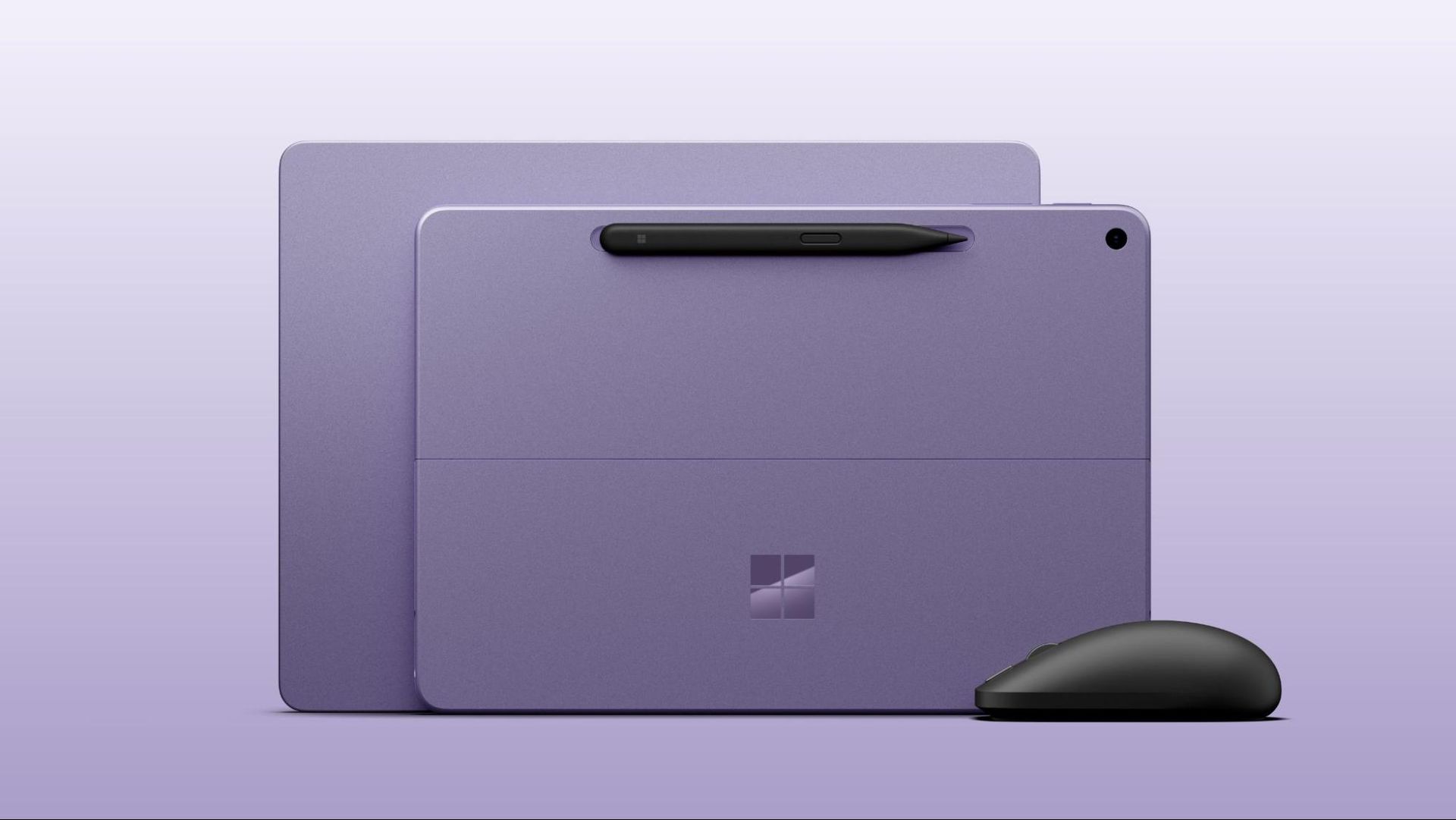
Microsoft is finally updating its lowest-end computers: the 13-inch Surface Laptop and 12-inch Surface Pro. Both systems are getting the Qualcomm Snapdragon X2 Plus processor (including an 80 TOPS NPU), up from a first-gen Snapdragon X Plus. The company announced the new Surfaces on its blog, in timing with Qualcomm's Snapdragon Summit.
Both new devices will launch on October 13. The Laptop will start at $1,199, while the Surface Pro will be $1,149. These are substantial increases over the previous versions, which started at $899 and $799, respectively, when they launched.
Microsoft Surface Laptop (13-inch)
Microsoft Surface Pro (12-inch)
CPU
Qualcomm Snapdragon X2 Plus (6-core)
Qualcomm Snapdragon X2 Plus (6-core)
GPU
Qualcomm Adreno GPU
Qualcomm Adreno GPU
Memory
16-24GB LPDDR5x RAM
16-24GB LPDDR5x RAM
Storage
256GB, 512GB UFS
256GB, 512GB UFS
Display
13-inch, 1920 x 1280, 3:2, 60 Hz, 500 nits maximum
12-inch, 2196 x 1464, 3:2, up to 90 Hz (60 Hz default), 500 nits maximum, touch
Release Date
October 13
October 13
Starting Price
$1,199
$1,149
Microsoft claims that the new systems are 17% faster in Microsoft Office workloads, up to 18% more efficient on battery, offer "more than" 60% faster graphics, and have up to 95% faster AI inferencing on the NPU. Those are all compared to previous-generation Snapdragon X Plus processors.
(Image credit: Microsoft)
Both systems are getting a new black color and 25% brighter displays than previous generations. The 12-inch Pro will also receive optional 5G connectivity, but only in enterprise versions of the device.
The Surface Pro will also introduce Ink Canvas, a new sketching and annotating app for Windows 11. It comes preinstalled on the new tablet and will be available for other Surface and supported Windows 11 devices through the Microsoft Store.
Surface Mouse
(Image credit: Microsoft)
Beyond the two new Surface systems, the company is also announcing a new Surface Mouse. The $79.99 mouse includes haptic feedback, which has only been on some Surface notebooks so far. This can take advantage of features built into Windows 11 that allow for haptic responses for actions such as hovering over the exit button or resizing windows. Logitech's recently released MX Master 4 mouse also supports haptics.
Microsoft's pointer is designed for ambidextrous use (unlike the MX Master 4), connects over Bluetooth 6.0, uses two AAA batteries, and comes in both black and platinum colors. Like the laptops, it will launch on October 13.
A court in Germany has granted court injunctions against Micron, marking a win for YMTC on the European/German front in the 3-year legal war between the two companies over memory technology patents.
According to a Digitimes report, the court ruled on Sept. 18 that Micron did infringe YMTC’s 3D NAND technology patents in two instances. The injunctions could restrict Micron’s supply in Germany and impact the broader European NAND market. Micron said it disagreed with the court ruling and has already filed an appeal. It is also challenging the validity of the related patents in separate legal cases across various countries.
YMTC filed the lawsuit that won the recent injunctions in late 2025 at the Munich 1 Regional Court, opening five cases involving four German utility models and a European patent. The court granted injunctions on two of the utility models with 10-year protection periods — DE202020006166U1 (case No. 7O12615/25) and DE202021004551U1 (case No. 12614/25) — and adjourned the others. The injunctions are only first-instance rulings and can be suspended if Micron successfully appeals at the Munich Higher Regional Court.
The ruling is the latest development in a years-long dispute between the two memory makers that started in 2023 when YMTC sued Micron in California, alleging violations of eight 3D NAND architecture patents. The dispute has since snowballed into a multi-front war involving over 20 patents, with suits and countersuits on both sides. The cases cover patent infringement, declaratory judgment, spyware, libel, false advertising, and invalidation actions, and have been filed in courts across China, the U.S., the U.K., Germany, and in other parts of Europe.
Micron has vehemently denied any wrongdoing and has filed multiple patent invalidation challenges since 2024, the first of which came after YMTC dragged the company to court in China over related issues. Seven of the disputed patents have already been declared invalid, and Micron has said it will continue pushing to safeguard its intellectual property.
3D NAND is a flash-memory storage technology that stores data in products ranging from smartphones and SSDs to enterprise storage systems. Unlike older planar NAND, where memory cells are arranged side by side on a flat surface, 3D NAND stacks cells vertically in multiple layers, allowing manufacturers to pack more storage into a given area while increasing density and lowering cost per bit. Modern NAND chips can contain hundreds of these layers, making the architecture and manufacturing techniques behind them commercially valuable intellectual property.
Alibaba Cloud has released a new lightweight image generation AI model, called Qwen Image 2.1. Sporting just 7 billion parameters, it's an extremely lean open-weight model, able to run on even older consumer graphics cards like the RTX 3090. Despite its lightweight design, its developers claim it is more capable than a range of closed-weight models, including Google's Nano Banana 2.0.
That is on its own internal benchmark, so we'd like to see some additional testing before making any concrete claims, but early reports suggest it's a very capable image model, with native transparency support and the ability to create unified images from a range of reference images.
One area that has raised eyebrows, though, is the change to the Qwen Image 2.1 licensing agreement. Unlike the previous version, this one explicitly forbids commercial resale of the model, requiring anyone who wants to use it for that to obtain a separate license directly from the developer.
Competing with the best?
Qwen Image 2.1 introduces a number of new features that improve its utility and help it better compete with established alternatives. It supports native transparency, so you can have it generate images with transparent backgrounds, which can make it particularly useful for artists wanting to use AI as part of something else, or for print-on-demand products like stickers.
It also improves image editing, with the ability to use up to 10 reference images. Cited examples include taking an existing image of a person, feeding the model images of clothing items, and then it can composite an image of the person wearing those clothes. The Qwen team promises consistency across images, preserving people and products effectively.
The standout feature of Qwen Image 2.1, though, is its compact size. Its visual generation component has just 7B parameters, making it one of the leanest models of its kind. In first-party comparison testing, the only model with fewer parameters was LongCat-Image developed by Meituan, coming in at 6 billion parameters. Most other models are several times that size, or closed-weight entirely.
It's those closed-weight models that Qwen Image 2.1's developers claim it can compete directly with, though. On that same internal benchmark, its model scored 60.2 on the Qwen Image Benchmark. In comparison, OpenAI'S GPT Image 2.5 Sunburst scored 67, Muse Image 62.34, and Google's Nano Banana 2.0 59.82.
Preliminary testing on AI Arena suggests it's not quite as strong as that in less favorable benchmark conditions, but still very close. There, it achieved a score of 1228, while Nano Banana 2 managed 1260. Musw Image is ranked a few steps higher again, with a score of 1276, while GPT 65 Sunburst sits at the top with a score of 1423.
On the image editing front, AI Arena claims it's now the best of the open-weight options:
Qwen-Image-2.1 by @Alibaba_Qwen just landed as the #1 open source model in the Image Edit Arena and Text-to-Image Arena!With 1367 pts in the Image Edit Arena, Qwen-Image-2.1 took the #1 spot among open. It landed #16 overall, just 3 pts from GPT-Image-1.5-high-fidelity at #15.… https://t.co/J5MqBP22eM pic.twitter.com/MV5USBrMa9September 22, 2026
These are still early results, and more testing will be needed to fully confirm or refute the Qwen team's claims, but so far they seem to track pretty closely to reality. Although we can't know how many parameters the proprietary models lean on to achieve their higher scores, Qwen Image 2.1 appears to be nipping at their heels with its modest weights.
It works well on local hardware
Reports from individual early adopters of Qwen Image 2.1 claim it runs just fine on their consumer graphics cards. Hacker News forum member Vunderba, developer of the GenAI Showdown site, claims they were able to convert a 1MP image using Qwen Image 2.1 in around five seconds on an RTX 4090.
On the Stable Diffusion subreddit, user cgs019283 praised its capabilities, stating that it could generate 1MP images in around 25 seconds on modern Nvidia 50-series graphics cards like the RTX 5070 and 5080. They did, however, state that it can take a lot longer if you use lots of reference images, and that editing an image was the slowest function of the model in their testing.
Others have the model working on older and much lighter hardware. One user claims to be using it to generate 2K resolution images in around 50 seconds using an Nvidia RTX 3060 and 64GB of memory.
Although the setup and use of local AI is still a far cry from the accessibility of cloud-based platforms like Google's Nano Banana and OpenAI's GPT Image models, the early results appear, at least on the surface, to be impressive. If the feature set holds up under more rigorous testing, those wanting the kind of rapid, quality image generation but running locally with full control and no need for cloud accounts or subscriptions could make it a fierce competitor.
The licensing conundrum
Of all the commentary from Qwen Image 2.1 early adopters, a discussion that keeps coming up is how the developers are handling licensing. The wording comes across as ambiguous:
"You are granted a non-exclusive, worldwide, non-transferable, and royalty-free limited license under our intellectual property or other rights owned by us embodied in the Materials to use, reproduce, distribute, copy, create derivative works of, and make modifications to the Materials FOR NON-COMMERCIAL PURPOSES ONLY. "
It then says that anyone wanting to use those "Materials" for commercial purposes would need to acquire a license from the Qwen team specifically for that use case. It's caused enough concern among the community that the Qwen team released a statement on Twitter/X:
We’ve received so much love for Qwen-Image-2.1 over the past 24 hours, thank you!! Also gotten a lot of questions about the license, especially around model outputs. So here’s the answer:Outputs are not part of the licensed Materials. Users retain the rights to images and other… https://t.co/5kLG46bvN9September 21, 2026
That mostly seems to clear things up. Whatever you generate with the model shouldn't be classed as a licensed material, so it shouldn't be covered by this clause.
What this does mean, though, is that the model itself cannot be re-sold without a license from Alibaba. That's quite different from the Apache model the original Qwen Image was based on, and potentially stretches the definition of open-weight. It's certainly not as open as it could be.
But for most people, this is no concern. You can run Qwen Image 2.1 on your local hardware to make some pretty effective generated imagery and use them however you wish. With such a lightweight design offering such impressive capabilities, the response from closed-weight model developers will be interesting to see.
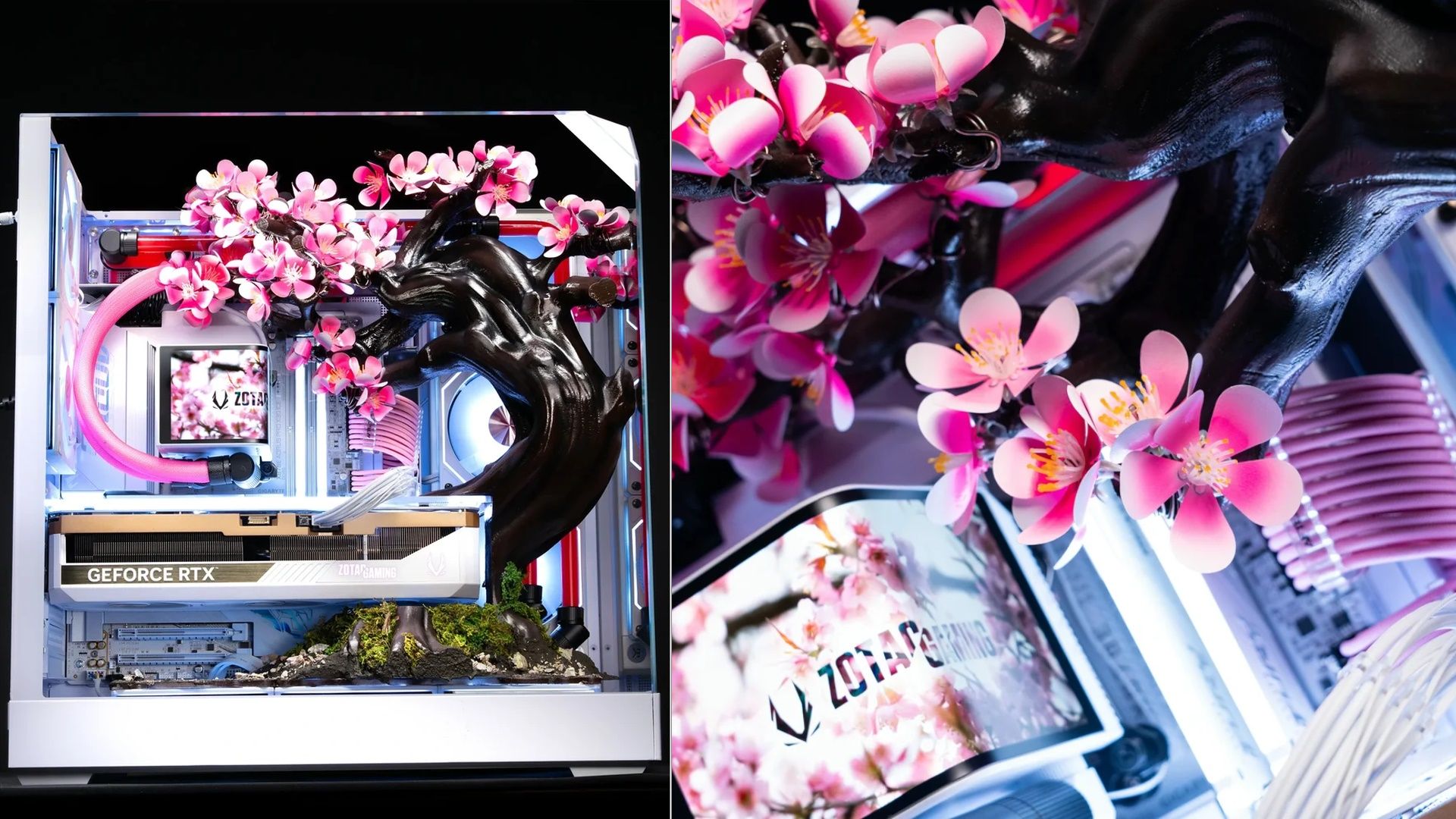
Forget RGB, OLED screens, figurines, and dioramas. We've never seen anything like the Cherry Bloom PC from Aftershock PC in Australia, though. This liquid-cooled, high-end gaming PC includes a Cherry Blossom tree, featuring 70 handcrafted, heat-reactive titanium-alloy cherry blossoms that unfurl when the machine heats up.
The 70 hand-crafted blossoms 'bloom' mechanically when the PC heats up, no motors or electricity required. (Image credit: Aftershock PC)
What makes this even more remarkable is that the PC — heat-reactive blossoms included — is actually commercially available, and isn't a one-off custom mod. You can buy one from Aftershock PC right now. There are no motors to break; the blooming blossoms are completely 'powered' by the heat generated from the high-end components in the PC, too. Those components include an AMD Ryzen 7 9800X3D processor, 64GB of fast DDR5 memory, a 1300-watt modular power supply, and most notably, a GeForce RTX 5080 graphics card.
The presence of an RTX 5080 might be surprising considering the price we mentioned in the headline; yes, this PC costs approximately $14,150 USD ($20,000 AUD, or around £10,650 GBP). But if you've got the cash to spare and are eyeing the PC up, just note that the eye-watering price doesn't include shipping. At that price, it's fair to expect truly top-end components, like a Ryzen 9 9950X3D2 Dual Edition and a GeForce RTX 5090 (as found in the very best PCs for gaming), but honestly, this machine is as much a work of art as a functional PC. You're not merely paying for the components; you're paying for the brilliant display inside.
It's not a small system, to be sure. The liquid cooling is fully custom for each system. (Image credit: Aftershock PC)
The chassis used for the Cherry Bloom is the "V2" by Taiwan's Advanced Performance Nexus, better known as APNX. The case has what APNX calls "one of the largest viewing area in its class," with wrap-around glass on three sides to allow you to admire the gorgeous sculpture in your case. Along with the previously mentioned components, you also get a 2TB Lexar NQ790 PCIe 4.0 SSD, a custom open-loop liquid cooling setup, eight Aftershock Chrome RGB fans, and Windows 11 Professional, naturally.
The high-end Gigabyte X870E motherboard offers gobs of connectivity. (Image credit: Aftershock PC)
Obviously, the Cherry Bloom PC isn't something that many people are going to buy. Much like the KFC console before it, it's a curious piece of marketing from Zotac Gaming, which designed the PC, according to the product listing. Nevertheless, the mechanism is indeed mind-bending enough. You can check out Aftershock's website and click through the slideshow to view videos showcasing the petals of the 'tree' unfurling; if nothing else, it's impressive to see the mechanism working in motion.
When I look at my collection of computer monitor reviews from the past 13 years, I see a tremendous number of displays from manufacturers that begin with the letter A. But there are lesser-represented companies with the same level of engineering expertise and high quality as mainstream brands when it comes to the best gaming monitors.
If you’re old enough to remember CRTs, then you’ve heard of the Sony Trinitron tube. This was an evolved display with a cylindrical shape rather than the bubble screens that fronted other CRTs. It wasn’t completely flat, but it curved only along one axis. And it was coveted by users for its sharp and undistorted image.
Today, you can still buy a premium gaming monitor from Sony, and here is its latest: the INZONE M10S II. It’s a 27-inch OLED with QHD resolution and 540 Hz refresh rate. It runs at 720 Hz in HD and supports Adaptive-Sync, HDR, and wide-gamut color. Let’s take a look.
Sony INZONE M10S II Specs
Panel Type / Backlight
Organic Light Emitting Diode (OLED)
Screen Size / Aspect Ratio
27 inches / 16:9
Max Resolution and Refresh Rate
2560x1440 @ 540 Hz
1280x720 @ 720 Hz
FreeSync and G-Sync Compatible
Native Color Depth and Gamut
10-bit / DCI-P3+
Response Time (GTG)
0.02ms
Brightness
283 nits full field
543 nits 25% window
Contrast
Unmeasurable
Speakers
None
Video Inputs
1x DisplayPort 2.1
2x HDMI 2.1
Audio
3.5mm headphone output
USB 3.2
1x up, 2x down
Power Consumption
43.5w, brightness @ 200 nits
Panel Dimensions
WxHxD w/base
23.8 x 14.9-19.7 x 7.8 inches
(604 x 378-500 x 197mm)
Panel Thickness
2.28 inches (58mm)
Bezel Width
Top: 0.28 inch (7mm)
Top/sides: 0.3 inch (8mm)
Bottom: 0.47 inch (12mm)
Weight
13.64 pounds (6.2kg)
Warranty
3 years
The M10S II starts with an OLED panel that runs natively at 2560x1440 QHD resolution and 540 Hz. A dual-refresh mode bumps that up to 720 Hz at HD, 1280x720 pixels. Adaptive-Sync runs on both AMD and Nvidia platforms, and you get HDR support with the ability to calibrate for HDR10 content. The screen coating is unusual in that it’s matte, while nearly every OLED that crosses my desk is shiny. That finish is extremely effective at rejecting image-spoiling ambient light. It literally swallows up reflections and displays the image without any visible grain.
The M10S II delivers a huge color gamut that, in my tests, covered nearly 110% of DCI-P3. I found that calibration was necessary, but the reward was a beautifully saturated image. There’s an sRGB mode available if you need that smaller gamut for photography or graphics work. You also get variable brightness to stretch dynamic range. It has two settings that had a positive impact in both practice and testing. I’ll tell you more about that on page four. Peak output is around 475 nits in SDR mode and 543 nits in HDR mode when measuring a 25% window pattern.
For gaming, you get plenty of goodness in the form of static and dynamic aiming points, OLED anti-flicker, black frame insertion for blur reduction at low frame rates, an FPS indicator, and a set of timers. Missing are internal speakers and LED lighting, but you do get USB ports for peripherals. There’s panel protection in the form of advanced heat management and OLED care options, such as panel refresh and pixel orbiting. The latest I/O ports also include one DisplayPort 2.1 and two HDMI 2.1 ports. A pair of headphones can be plugged into the provided 3.5mm jack. There’s a comprehensive OSD for control, or you can use Sony’s INZONE Hub app, which is free to download.
The M10S II sells for $1,100 at this writing, so it’s primed to compete with other speedy competition displays. While it isn’t quite as loaded as an Asus ROG Swift screen, it delivers equal performance and image quality.
Assembly and Accessories
The M10S II’s carton gets the full cardboard treatment with no crumbly foam in sight. The panel, upright, and base assemble without tools. If you plan to use an arm, there’s a 100mm VESA mount with fasteners included. Also in the box are a DisplayPort cable, an external power brick, and a sheet of INZONE stickers, in case you want to decorate your Trapper Keeper.
Product 360
SonySonySony
The M10S II’s most visible feature is its small-footprint base. Honestly, when I took it out of the box, I was dubious about its stability. It’s a heavy metal disc just six inches across. The upright bolts to its center with an offset that extends the depth to almost eight inches. It looks like it would fall over easily, but I gave it a few shakes, and it remained stable. This is geometry at work. The swivel point is where the upright and base meet, allowing you to swing the screen 360 degrees. You also get a 5/35-degree tilt and a 4.8-inch height range, no portrait mode, though. Movements are firm and smooth with no wobble or play.
Reach around the back right, and you’ll find a small protrusion with a power button and a joystick for the OSD. Uniquely, the power LED is positioned on the side, just the right spot to light up your hand when you press the button. It isn’t visible from the front, but you can turn it off if you wish.
The side view shows a thick component bulge attached to a thin screen backed by a metal plate. It’s just 5mm thick, and the bezel is narrow too: 7mm on top, 8mm on the sides, and 12mm at the bottom. It’s flush, so you can’t see it when the power’s off.
The I/O panel is up and under and includes two HDMI 2.1 ports, one DisplayPort 2.1, and USB, one upstream and two downstream ports. There are no internal speakers, so you can plug headphones into the 3.5mm jack. An additional USB port is there for service and firmware updates.
OSD Features
Pressing the M10S II’s joystick brings up an efficiently organized OSD. It’s divided into nine sections and has plenty of calibration and convenience options.
The OSD begins with picture modes, eight in total. The default is Game, and it looks good but needs a bit of tweaking to align it with broadcast standards. The other modes are aimed at specific game types or tasks, and there’s an accurate sRGB mode. I found the best results using Standard with a grayscale calibration, which you can read about below and on page four.
Gaming Assist includes the refresh rate switches and 24.5-inch modes which deliver 1080 vertical pixels while maintaining a 1:1 mapping. That way, there’s no scaling to soften the image. You also get motion blur reduction via a backlight strobe, which works well at low frame rates. It cuts brightness by around 30%. Anti-VRR flicker is unique to OLED monitors and prevents flickering during rapid frame-rate transitions. Hint: if your video card is fast enough to keep the action above 300 Hz, you won’t get flicker. Also in this menu are an FPS counter and aiming points, both static and dynamic.
In the Picture adjustment menu, you’ll find the variable brightness options, which Sony calls Brightness stabilizer. It’s counter to other monitors I’ve encountered, in that off means variable brightness is fully engaged. I experimented with all three settings and found the best gamma, and therefore quality, on the Mid setting. Also, here are gamma presets and color temps with a set of RGB sliders. There is no color gamut selector, but you can opt for sRGB in the sRGB picture mode.
For panel care, the M10S II includes pixel shift, a screen saver, and refresh routines. Sony differentiates between pixel and panel refresh. I ran the pixel refresh when I first powered up my sample. Selecting panel refresh prompted a message that it should only be run once a year, so I concluded it was a very aggressive refresh routine.
Sony INZONE M10S II Calibration Settings
The M10S II arrived set to its Game mode, which had a cool grayscale and light gamma. I could fix the grayscale but not the gamma, so I turned to Standard mode, which was much better. After a few clicks of the RGB sliders, I had much improved grayscale, gamma, and color tracking. The gamut volume is just under 110% of DCI-P3, which is too large for the SDR standard but looks great, nonetheless. If you want sRGB, it’s there in the preset mode list. It has good gamut accuracy and supports grayscale calibration but not gamma adjustment. My recommended settings are below.
For HDR content, the M10S II switches over automatically and provides four specific picture modes. Game works the best, and I noted that it allowed grayscale calibration and brightness adjustment. You can see those test results on page five.
Picture Mode
Standard
Brightness 200 nits
51
Brightness 120 nits
28
Brightness 100 nits
23
Brightness 80 nits
17
Brightness 50 nits
8 (min. 22 nits)
Contrast
75
Gamma
2.2
Color Temp User
Red 100, Green 100, Blue 98
Gaming and Hands-on
Sony’s marketing for the M10S II clearly targets competition and hardcore gamers, and for those users, it delivers. Whether you need 540 Hz or not, it is super quick. Motion resolution is perfect, which means moving objects and backgrounds have the same clarity as stationary elements. Camera pans are free from blur or smearing. Adaptive-Sync worked perfectly for me when using a GeForce RTX 4090 video card. Frame rates in Doom Eternal set to max detail ranged from 350 to 540fps.
The M10S II has a couple of features designed to reduce motion blur and smooth out the image, but I didn’t find any need for them. Anti-flicker, which I’ve seen from Asus as well, is there to remove any flickering during frame rate transitions. I saw plenty of those with rates rapidly shifting 80-100fps by the second. There was no flicker. You also get blur reduction via backlight strobe. It only works below 270 Hz, and since my speeds never went below that, it wasn’t needed. To engage it, turn off Adaptive-Sync first. The M10S II will automatically reduce the refresh rate. It works well and shows no evidence of phasing or ghosting.
Input lag is low enough that I perceived instant response to control inputs during the most frenetic battle maneuvers. My skills are average, but I see this monitor’s benefit to a competitive gamer. The 720 Hz mode felt super quick even though its input lag is only a tad lower. Full-screen resolution is limited to 1280x720, but you can achieve dizzying frame rates in the process. Also available are 24.5-inch modes in which the picture occupies a portion of the screen. You can do 1920x1080 at 720 Hz this way or opt for 2368x1332 pixels in a 1:1 mapping.
In all scenarios, color and clarity are as good as it gets for the OLED genre. The M10S II has a huge color gamut, almost 110% of DCI-P3, and that shows in both SDR and HDR content. HDR has the additional capability of calibration, something most HDR monitors cannot do. I also liked the variable brightness options. The terminology is a little counterintuitive in that when Brightness stabilizer is off, variable brightness is engaged at maximum. The other settings, Mid and High, are less aggressive at modulating light output. I found the best gamma, and therefore picture quality, came from the Mid option.
As a 27-inch QHD flat panel, the M10S II is well suited for productivity and delivers a clean and colorful picture for general use. Small text is sharp and free of color fringing. Graphics and photos are deeply textured, and video looks great as well. The monitor makes a great personal TV. The only things I noted missing were internal speakers and LED lighting. But everything you need for gaming, entertainment, and work is there.
Takeaway: The M10S II is a competitor’s dream with its speedy response, smooth motion resolution, and multitude of refresh and resolution options. It delivers a clean and colorful picture for both SDR and HDR content. The anti-glare layer is among the best I’ve seen, with no effects seen from ambient light reflections. It’s a premium purchase for sure, but there is nothing it cannot do well.
Click here to read up on our pixel response and input lag testing procedures.
Tom's HardwareTom's Hardware
I can only include monitors tested with the Nvidia LDAT for a fair comparison, so I had to exclude the Asus screens from the response test results. The M10S II shows a difference between 540 and 720 Hz of 0.20 ms and 0.12 ms, respectively. You can’t see this difference as it is well below the human eye’s capabilities. Notice that the 240 Hz ViewSonic draws the one-inch white box in the same amount of time, and the Alienware is just behind at 0.24ms. Do you need a 540 Hz OLED? 240 Hz is enough for perfect motion resolution.
Faster refresh rates typically mean lower input lag, though not universally. The M10S II is quick at 14.9 ms, but again, it’s pipped by a 240 and a 280 Hz screen. At 720 Hz, it sits on top. Note the 540 Hz PG27AQWP can only muster 22ms. Is that a problem? Not if you consider that human reaction time is typically around 200ms.
Test Takeaway: The M10S II is certainly a fast monitor and among the quickest 27-inch QHD OLEDs currently available. It gains a slight advantage in test results at 720 Hz, but not enough to make a visible difference. If you can drive it at 540 Hz in QHD resolution, you’ll be rewarded with a superb feel and perfect motion resolution, with moving objects rendered as clearly as static ones.
Viewing Angles
(Image credit: Tom's Hardware)
The M10S II shows a barely visible red tint at 45 degrees from the center, in both horizontal and vertical orientations. This is likely due to the anti-glare coating, which makes it the least shiny screen I’ve encountered. There’s no reduction in light output or gamma, and even the top view has good detail rendering. This is excellent performance.
Screen Uniformity
To learn how we measure screen uniformity,click here.
(Image credit: Tom's Hardware)
The M10S II has screen uniformity on par with the best monitors I’ve measured, OLED and LCD alike. 2.55% is about as good as it gets. I used the pixel refresh routine right after unpacking, which took five minutes, then ran moving patterns on the panel for a few hours before starting my tests. This is excellent performance.
The M10S II includes both constant and variable brightness options. To find the peak luminance, I tested all three Brightness stabilizer settings. Off means variable brightness is fully engaged, measuring 478 nits with a 25% window pattern. A full field was 283 nits. Mid is 426 nits, and Off is the same 283 nits for any size window pattern or a full field. As you’ll see on the next page, Mid delivers the best gamma and is the setting I used for my hands-on tests. Black levels and contrast could not be measured.
After Calibration to 200 nits
Tom's HardwareTom's HardwareTom's Hardware
Calibration doesn’t change black levels or contrast. I found the best gamma on the Mid setting of the Brightness stabilizer, so I used a 25% window to set the slider to 200 nits. This is typical OLED performance.
Test Takeaway: The M10S II has typical brightness and contrast compared to other OLED displays with a variable-brightness option. It stands out by having three options instead of two. It also performs best in gamma tests and looks the best when the Mid setting of the Brightness stabilizer is used.
The M10S II includes a variety of picture modes tailored to different game types and tasks. They offer different levels of control for users who want to calibrate.
Grayscale and Gamma Tracking
Our grayscale and gamma tests use Calman calibration software fromPortrait Displays. We describe our grayscale and gamma tests in detail here.
The M10S II’s Game mode is visibly cool in tone. No surprise, as its default color temp setting is neutral. You can find some relief from the Warm preset, but calibration is the best way to go. Gamma is a tad light as well. Adjustments also affect color tracking, which you’ll see just below.
The RGB sliders are a bit coarse in operation, so I couldn’t quite get all the errors below 1dE. But aside from 90 and 100% brightness, they are all under 2dE, not too bad. I switched to Standard mode as well, which has better gamma. Though it’s a little skewed, more of it sticks close to 2.2, so the picture gains some texture and depth. This is solid performance.
I measured the sRGB mode at its default settings. You can’t change brightness or gamma, but you can adjust the color temperature. The above result shows the default state. Gamma is too light in the darker parts of the image, while highlights are a tad dark.
The M10S II’s out-of-box grayscale is clearly blue in tone. A 6.17dE error is visible to the naked eye. Changing the color temp to warm improves it; it measures around 3dE. The best option is to calibrate, which brings the error down to 1.51dE. Then, there is no visible issue.
In the gamma test, the range of values is a bit wider than the other monitors, at 0.18 (low to high). But the numbers stay close to 2.2, so the deviation is only 0.45%; the actual value is 2.21. This is mainly because I changed the picture mode from Game to Standard.
Color Gamut Accuracy
Our color gamut and volume testing usePortrait Displays’ Calman software. For details on our color gamut testing and volume calculations,click here.
The first chart is the main reason why the Game mode isn’t the best choice. The blue grayscale pulls the gamut tracking off target, resulting in visible hue errors across every color. Yellow is too green; magenta is too blue, and so on. The good part is that there is linear oversaturation, which delivers richer color without going over the top to a cartoonish look.
You can see what a difference calibration makes. Hue errors are now almost gone, and saturation points are at or near target. This makes a visible improvement in picture quality, making it look more natural.
Comparisons
Tom's HardwareTom's Hardware
It’s nigh impossible to find a bad OLED when it comes to color. Though the M10S II isn’t at the top of this group, it has no visible errors once calibrated. 2.22dE is still in the realm of excellent performance. I noted that the sRGB average error was 1.34 dE.
In the volume test, the M10S II proved itself to be one of the most colorful monitors you can buy in this category. OLED gamuts don’t get much bigger than 109.5% of DCI-P3. The 96.61% sRGB coverage is nearly ideal. The M10S II is suitable for color-critical work once calibrated.
Test Takeaway: The M10S II doesn’t come out of the box in its most accurate picture mode, but a few tweaks in the OSD take performance to a higher level. You can simply select the Standard picture mode with Warm color temp or calibrate for the best possible result. The sRGB mode is also accurate, and unlike most monitors, it can be calibrated for grayscale tracking. The M10S II’s overall color performance is on par with other premium OLED displays.
The M10S II accepts HDR10 signals and switches automatically to reveal four new picture modes. I noted that some adjustments were possible, which is unusual in a good way. Most monitors have no HDR picture options.
HDR Brightness and Contrast
Tom's HardwareTom's HardwareTom's Hardware
The M10S II’s brightest HDR picture mode is also the default, Game. A 25% window pattern measures over 543 nits, which puts it mid-pack in this comparison. In practice, and with its infinite black levels, it delivers punchy images with deep shadows and bright highlights with sharp detail throughout.
Grayscale, EOTF and Color
Portrait Displays CalmanPortrait Displays Calman
In the grayscale and EOTF test, the M10S II in Game mode proved to be one of the most accurate HDR monitors I’ve reviewed. The first chart above shows grayscale after a couple of tweaks to the RGB sliders. It’s one of the few HDR monitors that allow color adjustments. The EOTF tracks very closely to the reference with a correct tone-map transition at 68% brightness. This is where it should be given the measured white and black points.
In the color test, there is significant oversaturation in red and just typical oversaturation in blue and green. This isn’t all that different from other HDR displays, but some red-dominant images I viewed showed clipping. Most HDR monitors are engineered this way, but Sony goes a bit further than others. Hue tracking is good, though with only slight deviations in yellow and magenta. In the BT.2020 test, the M10S II runs out of color at 90% red, 80% green, and 98% blue.
Test Takeaway: The M10S II has superb HDR luminance and grayscale tracking. Color is a little oversaturated, but most users will not complain about a monitor this colorful. It fills more of the BT.2020 color space than nearly every monitor I’ve reviewed, including professional models. Brightness is on the high side of average with punchy highlights and deep shadows, all well detailed.
Based on the number of gaming monitors on offer, Sony might not be the first brand one thinks of, but that doesn’t mean it isn’t among the best. Its model line may be small, but it is no less mighty. Competitors looking for the fastest and most flexible OLED display should take a closer look at the INZONE M10S II.
(Image credit: Sony)
With a 540 Hz refresh rate at QHD resolution, the M10S II delivers speed right out of the gate. Then it adds performance options like 720 Hz at HD and two 24.5-inch modes that sport 1920x1080 and 2368x1332 resolutions with 1:1 pixel mapping. Add in blur reduction and anti-flicker, and you have a monitor that delivers smooth, responsive gaming on any PC or console.
(Image credit: Tom's Hardware)
Image quality is given equal attention. The OLED panel used here covers almost 110% of DCI-P3 and, with a few tweaks, delivers a color-accurate picture with the deep contrast and true blacks OLEDs are known for. The M10S II also includes variable brightness and HDR calibration, features not found in many OLED displays. I also noted the matte screen coating, which rejected ambient light better than any other OLED I’ve reviewed.
The Sony INZONE M10S II is a premium purchase for sure, and though it doesn’t include internal speakers or LED lighting, it performs on par with the very best. If you have the budget and you want a competition weapon for your gaming PC or console, you should definitely check it out.
UK-based “neocloud” Nscale built its business on a major deal with a ByteDance subsidiary named Spring, which accounted for $24 million of its $33 million annual revenue in 2025. This contract allowed Spring to access 2,304 Nvidia B200 chips at Nscale’s Glomfjord, Norway, data center. Even though the Financial Times reports that this was legal and exploited loopholes in the U.S.’s ongoing export controls against China, it still exposes the company to regulatory and reputational risk, especially as Washington continues to restrict Chinese access to its most advanced AI accelerators.
This information only came to light after Nscale released its S-1 documents as it filed for an initial public offering in the U.S. There was also no direct mention of the TikTok owner or its subsidiary anywhere in its S-1 filing; instead, it was noted in a supporting document, a $105 million loan agreement with Macquarie, that Spring (SG) Pte Ltd, a Singaporean ByteDance subsidiary, was a significant customer. This credit, alongside a $35 million in equity, helped fund the purchase of advanced Nvidia AI GPUs, which also caught the attention of the chipmaker.
A month after Nscale drew the first tranche of the loan, it closed a deal with Microsoft and Nvidia, with Jensen Huang committing to invest more than $660 million into the company. This funding is part of an agreement between Nscale and Nvidia, under which the latter promised to buy large volumes of AI chips in the future. Nvidia has since increased its commitments to over $2 billion, plus an additional $860 million guarantee on Nscale’s lease at a Texas facility. Nscale has since been able to secure larger deals with other AI hyperscalers, such as a $44 billion deal with Microsoft and another $45 billion contract with Anthropic. The company said that this would make its Spring contract fall to below 20% of its overall revenue, and it is expected to shrink further as Nscale secures other Western clients.
Because of Spring’s link to ByteDance, Macquarie compelled Nscale to monitor how the Chinese subsidiary used the AI chips and report “compute anomalies or suspicious configurations” that might be in violation of the U.S.’s export controls. Nscale also had a third party conduct due diligence on both the TikTok parent and the Singapore-based subsidiary to ensure that the deal complied with the law.
Chinese companies have been taking advantage of these loopholes in the U.S.’s export controls to gain access to advanced AI chips. While they cannot import the most advanced Nvidia AI GPUs, like Blackwell and Vera Rubin, into China, they could still rent these AI chips from companies based abroad or by using subsidiaries founded outside of China to purchase them directly. However, the U.S. has recently closed the latter loophole, with the Trump administration working to close the former, too. It’s unclear if these moves would affect the Spring-Nscale deal, but the recent delays on gigawatt-scale data center projects in the U.S. mean that Nscale could potentially get more clients as AI hyperscalers race to secure compute from smaller facilities.
Alibaba unveiled its powerful new Zhenwu V900 chip and ambitious Qwen model plans at the Apsara Conference 2026, the AP reports. Alibaba CEO Eddie Wu calls the Zhenwu 900 the most powerful AI chip in China, with three times the performance of the previous-generation M890. The chip is meant to support the training of future Qwen models in the 5 to 10 trillion parameter range, an increase over both the 2.4 trillion Qwen3.8-Max and Moonshot’s Kimi K3 and its 2.8 trillion parameter basis. The announcement follows Huawei’s new chip launch last week.
Alibaba describes the Zhenwu V900 as an AI training and inference processor with 216 GB of GPU memory and 1,200 GB/s of inter-chip bandwidth. Aside from performance being multiples of the last generation, the chip can scale out to a supernode cluster “comprising up to 500,000 cards.” The AI accelerator is due for mass production and commercial release in the first quarter of 2027, Alibaba says.
The company’s May roadmap placed the V900 in the third quarter of 2027, so the timeline has moved up. As of May, Alibaba chip arm T-Head had shipped more than 560,000 Zhenwu chips to over 400 external customers, a count Alibaba now puts above 650, with a Zhenwu refresh expected annually.
The technical specifications do not include FLOPS, a process node, foundry, power figures, or memory bandwidth claims. The prior M890 had 144GB of memory with 800GB/s of inter-chip bandwidth. The M890 could work in a supernode of 128 chips, while T-Head says more than 1,000 V900 chips can work as a single system.
For comparison, Huawei’s Ascend 960PR, due in the third quarter of 2027, is slated for 192GB of memory capacity, 2.4TB/s of memory bandwidth, and a 2.2TB/s scale-up interconnect. Alibaba’s most-powerful and three-times claims currently rest on no absolute figure for compute, but maximum achievable FLOPS are often far below calculated figures to begin with, so delivered performance will be the ultimate judge.
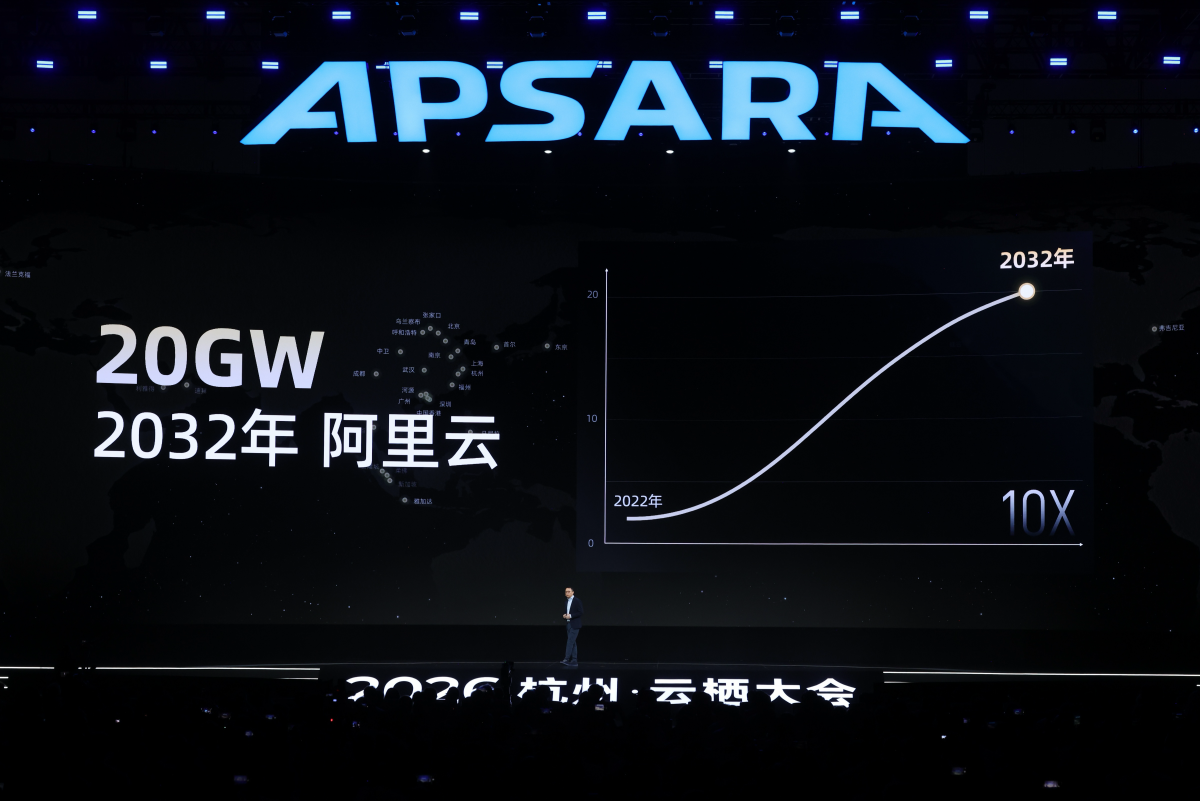
Alibaba Cloud’s greater goal is to reach a data center capacity of “more than 20 gigawatts” by 2032, the company said. However, global shortages in the AI supply chain “are currently limiting the speed at which we can scale our compute infrastructure,” Wu said. Alibaba also anticipates significant growth in its own annual AI chip shipments. Domestic demand remains high as Huawei had to shelve its global Ascend rollout. The report compared these goals to SpaceX, which has around 1.4GW of AI compute with a target of more than 10GW in 2027.
On the model side, Qwen 4 is “currently in training,” Alibaba said, and the Qwen 4.5 and 5 families will scale up further on the roadmap. As far as the achievements of its current models go, the company claims that Qwen3.8-Max ran “33 iterative cycles” over a month of automated runs to produce an Artificial Analysis score gain from 40 to 45. Meanwhile, a separate chip-design experiment with more than 10,000 EDA tool calls over more than 60 hours of test time showed an area cut of 42% without performance loss.
The announcements come ahead of Chinese President Xi Jinping’s summit with President Donald Trump in Washington on Thursday. AI remains a top subject on the agenda, following U.S.-proposed AI mechanisms. The AI talks in New York did not have export controls for chips or tools on the agenda.
As it stands, Alibaba’s V900 is months from commercial release and the 5-to-10-trillion-parameter model it promises remains untrained. Capacity targets remain six years out. The announcement is nevertheless timely as the two largest national AI powers come together to discuss and define AI security.
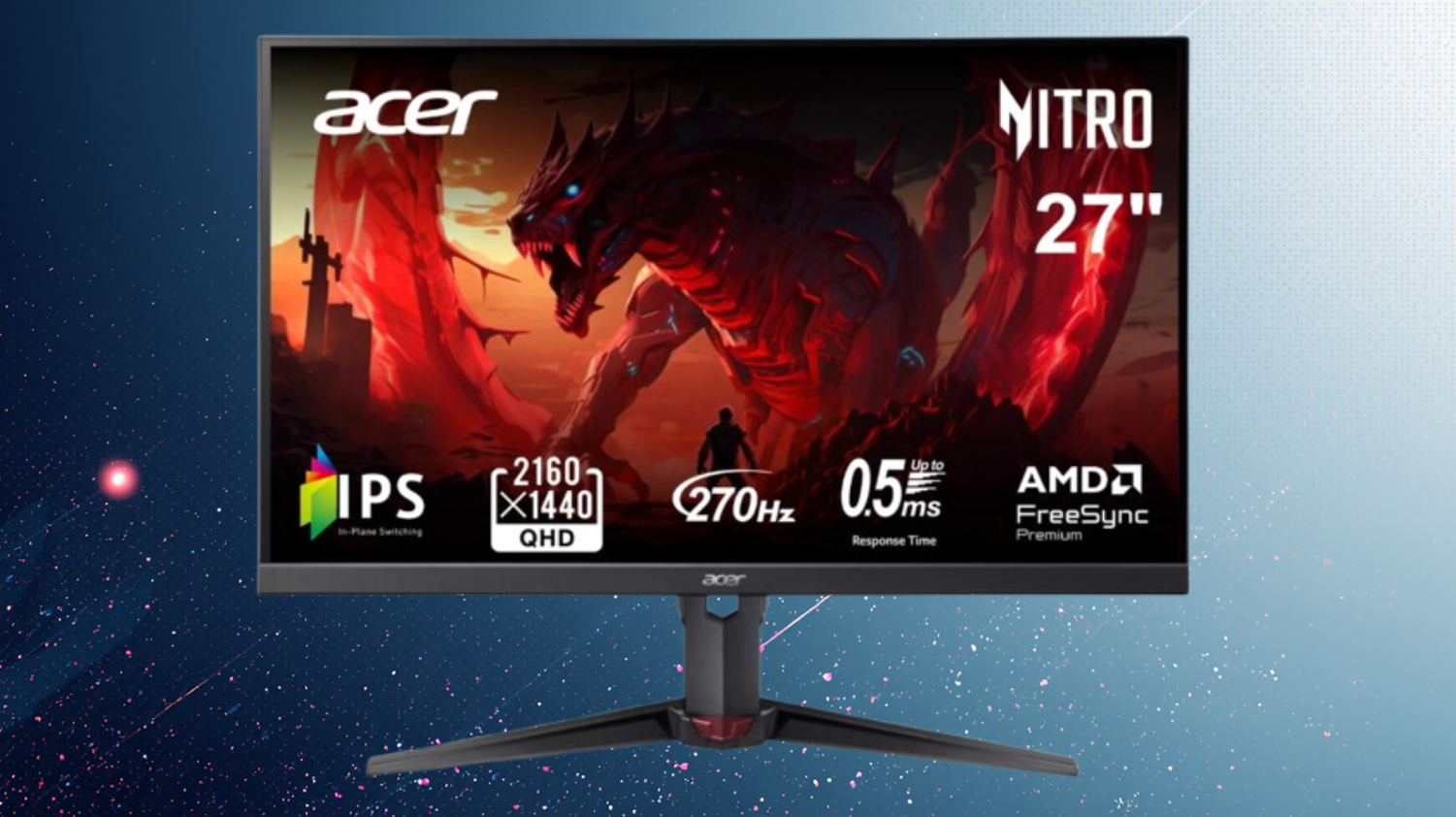
While RAM, video cards, and storage have become the most expensive parts of a PC build or upgrade, monitors haven’t really flinched price-wise. They can still offer a tangible upgrade, whether for gaming or productivity, for your PC. After all, you are staring at it the entire time you use your PC. Acer is currently offering an incredible deal on the Nitro (XV270U). Just $179 (a whopping 45%/$150 off the $239.99 MSRP) buys a 27-inch 2560x1440 IPS panel with a wicked-fast 270 Hz refresh rate without breaking the bank.
This IPS panel uses a matte anti-glare surface and supports up to 99% sRGB, making it suitable for a wide range of tasks, specifically gaming, entertainment, and basic creative work. It also supports brightness up to 250 cd/m², a 1ms (MPRT) response time, wide 178-degree viewing angles, and Acer VisionCare, a suite of technologies to reduce eye strain, headaches, and fatigue, including BlueLightShield, flicker-less technology, and a low-dimming feature for a more comfortable viewing experience during prolonged use. It also supports AMD FreeSync Premium technology to help prevent screen tearing and stuttering for a better visual experience.
Nitro XV270U Z1BMIIPRX: was $329.99 now $179.77 Snag an incredible deal on a 27-inch 270Hz IPS panel from Acer. The XV270U offers users a wide color gamut (99% sRGB), 250 cd/m brightness, and supports AMD FreeSync Premium to prevent screen tearing.View Deal
The monitor features a thin bezel on three edges for a cleaner look; however, it's not an ultra-thin bezel, so it may not be ideal for a surround setup. It comes with a stand that offers tilt adjustment from +25 degrees to -5 degrees, plus ~30mm of vertical height adjustment, and you can mount it on the wall using the standard 100x100mm VESA mounting holes on the back. As for I/O, the XV270U offers the standard fare of two HDMI (v2.0) and one DisplayPort (v1.4), which supports the panel’s specifications. It also has a single 3.5mm headphone out and two integrated speakers (2W x2).
If you’re in the market for a new gaming monitor, or even a secondary monitor, and just don’t have the cash for a much more expensive 4K OLED (which, chances are, also requires a potentially prohibitively expensive video card upgrade), you can still reap the benefits of a more pixel-dense, high-refresh-rate display. Acer’s XV270U is only $179, an incredible 45% off, and while it’s not at an all-time low, it is the cheapest it’s been in several months. It's a great deal for a 27-inch, 1440p, 270 Hz, FreeSync Premium-capable IPS panel.
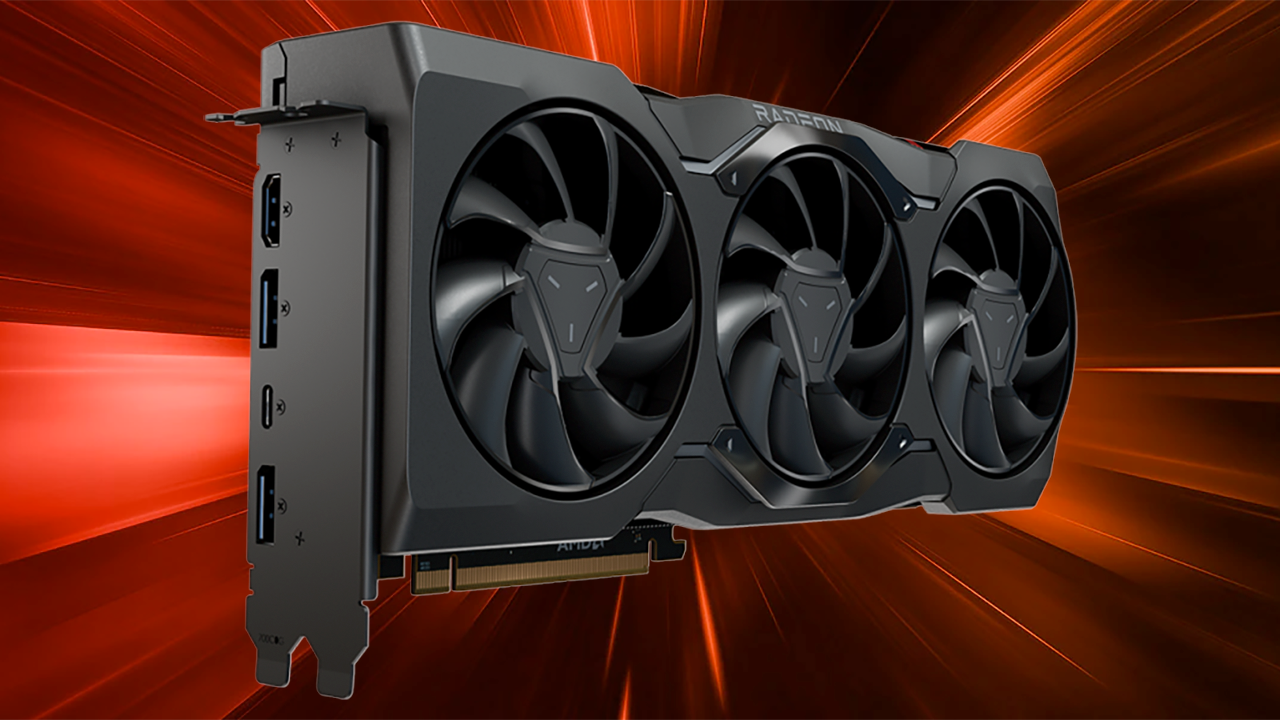
AMD has started to add support for GDDR7 memory and several new graphics IP blocks to its open-source Linux kernel driver, which indicates that software enablement for the company's next-generation standalone GPUs is underway, reports Phoronix. While AMD does not identify the upcoming architecture, the changes are likely tied to its RDNA 5 project — but they don't necessarily herald an imminent launch.
AMD's existing Radeon RX 9000-series graphics processors based on the RDNA 4 architecture use GDDR6 memory, so the addition of GDDR7 identification to drivers is arguably the most explicit confirmation that AMD is setting the stage for its next-generation discrete Radeon graphics processors based on the RDNA 5 architecture.
AMD also submitted patches that enable IH 8.0, a new version of its Interrupt Handler IP block, as well as NBIF 7.10, the latest revision of the company's New Bus Interface. Several smaller patches make additional preparations for the new hardware. These changes follow earlier Linux driver work involving Display Core Next 6 (DCN6) as well as GFX 13.0.x, suggesting that AMD is gradually upstreaming support for multiple components of an upcoming GPU architecture. Yet, while enablement of IH8, NBIF 7.10, DCN6, and GFX 13.0.x clearly point to new graphics hardware, it does not necessarily point to new discrete GPUs, unlike the mention of GDDR7.
As revealed in August, 2025, Laks Pappu, Senior Fellow at AMD, is the lead architect for AMD's next generation datacenter GPU and discrete graphics platforms. Pappu was building next-generation "competitive 2.5D/3.5D chiplet-based and monolithic graphics SoCs on various packaging technologies," according to his LinkedIn profile before it was edited to remove those disclosures.
Essentially, Pappu's profile indicated that AMD's next-generation GPU architecture could support multiple physical implementations — including multi-chiplet and monolithic — depending on performance, cost, market requirements, and AMD's willingness to compete in certain market segments
AMD has already used a multi-chiplet design with its Navi 31 GPU, an implementation that kept graphics processing hardware on a large Graphics Compute Die (GCD), but disaggregated memory interfaces and caches into smaller Memory Cache Dies (MCDs). A more ambitious implementation could potentially distribute graphics processing resources between multiple dies, although Pappu's profile did not disclose how AMD intended to partition its future GPUs.
Such an approach would be considerably more complicated than separating memory and cache functionality. Multiple compute dies would require high-bandwidth, low-latency connections as well as mechanisms for synchronization and coherency, while software would ideally continue to see the set of chiplets as a single graphics processor.
Based on conventional GPU development cycles of roughly 2.5 to 3.5 years, RDNA 5 could already have been approaching tape-out or early post-tape-out stages when the information surfaced in August 2025, which means that the company is already likely to be testing the new GPUs internally.
Officially, AMD hasn't disclosed any details about its RDNA 5 architecture nor launch schedule, so take these developments with a grain of salt. For now, all we know for sure is that AMD is working on standalone RDNA 5-based GPUs, and they're likely to use GDDR7 in at least some configurations, assuming the AI-driven memory crunch doesn't choke supply of those chips even further for consumer applications.
Meta has announced plans to build and install a new subsea cable that will connect France and the United States at a breakneck 1 Pbps (1 petabit per second or 1,000 terabits per second). It will become the most advanced subsea cable at its length and blow Meta's own 0.5 Pbps Anjana cable system out of the water. Figuratively, of course.
Anjana runs from Spain to the US for a total distance of 4,425 miles at a relatively leisurely 480 Tbps thanks to its 24 fiber pairs. But Petal ratchets things up a notch, using 48 fiber pairs and a two-core fiber-based solution (with 24 pairs each) to achieve 1 Pbps across transatlantic distances.
Meta claims that the new cable will have enough network capacity to allow 75% of the planet's population to stream music at the same time — so long as they stick to 160 kbps MP3s or lower, that is. No lossless streaming for you.
Either way, you'll have to wait a while for your theoretical music fix. Meta says that Petal is expected to enter service in 2029. It'll be built in partnership with NEC and Sumitomo Electric Industries, with support for the French landing from Orange.
Today we’re announcing Petal: the world’s first petabit-class transoceanic subsea cable and the first to deploy multi-core fiber at scale.Spanning 7,000 km (4,000+ mi) between France and the United States, Petal will deliver 1 Petabit per second (1 Pbps / 1,000 Tbps), doubling… pic.twitter.com/fLSWGkHDzSSeptember 21, 2026
Subsea cables might not be at the top of many internet users' minds, but they're vital to the way our connected world functions today — and they've often been the subject of sabotage plots as a result. As the number of connected devices continues to grow, these cables become all the more important. And they need to be fast and reliable.
Meta says that its decision to use a two-core fiber design for Petal brought complications along with its huge performance. Minimizing crosstalk is key, as is ensuring low attenuation throughout the length of the cable.
The fix for the attenuation involves using ultra-pure synthetic silica during the manufacture of the preform, while crosstalk is minimized by "carefully controlling for high refractive indexes in the cores against lower indexes within the surrounding medium and counter-propagating the optical signals."
Meta says that a subsea cable of this length typically needs around 100 repeaters to get the signal from one end to the other without degradation. Petal uses single-body 96-amp repeaters, each with single-core fiber amplification and a Fan-In/Fan-Out (FIFO) interface to convert two-core fiber into two single-core fibers inside the repeater before converting it back to two-core fiber following amplification. The theory is that this approach will allow Petal to retain the efficiency and reliability afforded by single-core amplification.
As for why Meta feels the need to build such a cable, it points to its desire to bring "greater capacity, stronger resiliency, and future-proof infrastructure to Europe as demand for communications and reliable connectivity continues to increase." We hope that dual-core fiber isn't twice as tasty to the average shark.
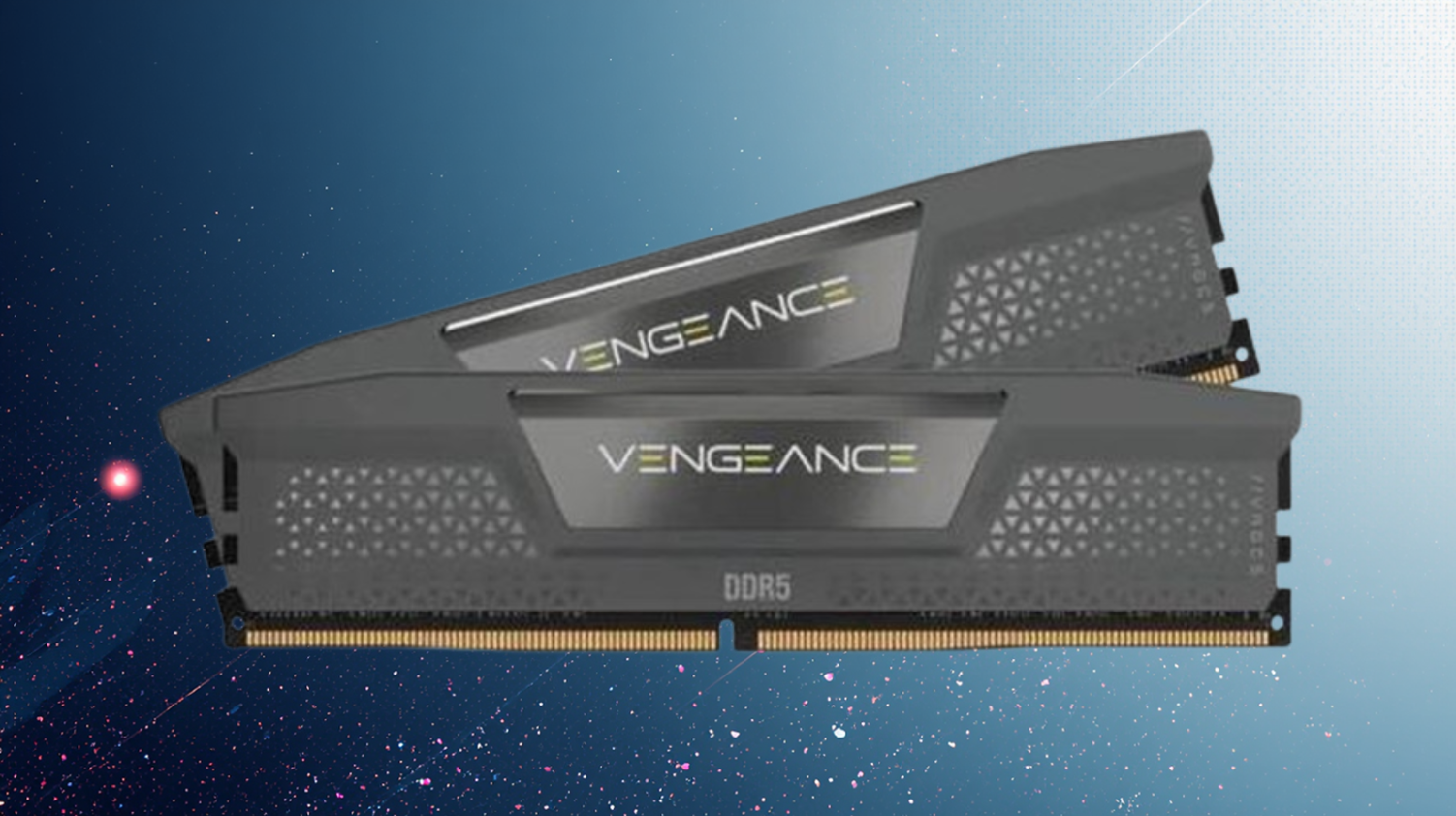
RAM prices are still out of whack and will be for the foreseeable future. Combo deals certainly help to bring this outlandish pricing down to something reasonable for the time being. This gray Corsair Vengeance DDR5-6000 kit is now $439 with promo code SSF73844 and is the cheapest standalone kit we could find right now matching our white 32GB V-Color Manta XSky kit we found earlier this week for less, but that’s now the same price.
Deals like this, and the combos when active, are by far the best way to buy new RAM in the ongoing RAMpocalypse. Sadly, the days when you can get 64GB of DDR5-6400 RAM for around $225 (what I paid for a G.Skill Trident Z Royale kit in April 2025) are over, and you’re left with what we have now…the best prices in an extremely expensive market.
As for this specific Corsair Vengeance kit, it’s a great option for any build, performance-wise. The DDR5-6000 speed sits squarely in AMD’s sweet spot for price-to-performance and is much faster than older DDR4 modules. Sadly, we didn’t review this specific kit, but below are performance numbers from a similar DDR5-6000 CL38 kit from Team Group (Vulcan CL38 kit) that show how well it performs in our CPU test suite.
The Corsair Vengeance kit comes in gray without RGB lighting and includes two DDR5-6000 modules with CL38-48-48-96 timings at 1.35V. Though the timings are a bit higher than we’d like to see, they'll work well for any use case, from gaming to workstation productivity, and you’ll get the most out of your system at these speeds, especially on the AM5 platform. If you were considering this kit for an Intel system, it will also work well, but is a bit on the slower side for the platform.
While $439 for 32GB of Corsair Vengeance DDR5-6000 RAM (read: any RAM) makes most of us shudder in disappointment these days, considering what RAM prices were in early 2025, it is one of the best deals available for 32GB DDR5-6000 in gray/black. If you’re in the market to start a DDR5-based build or upgrade what you have and need it soon, I wouldn’t pass up this Newegg deal.
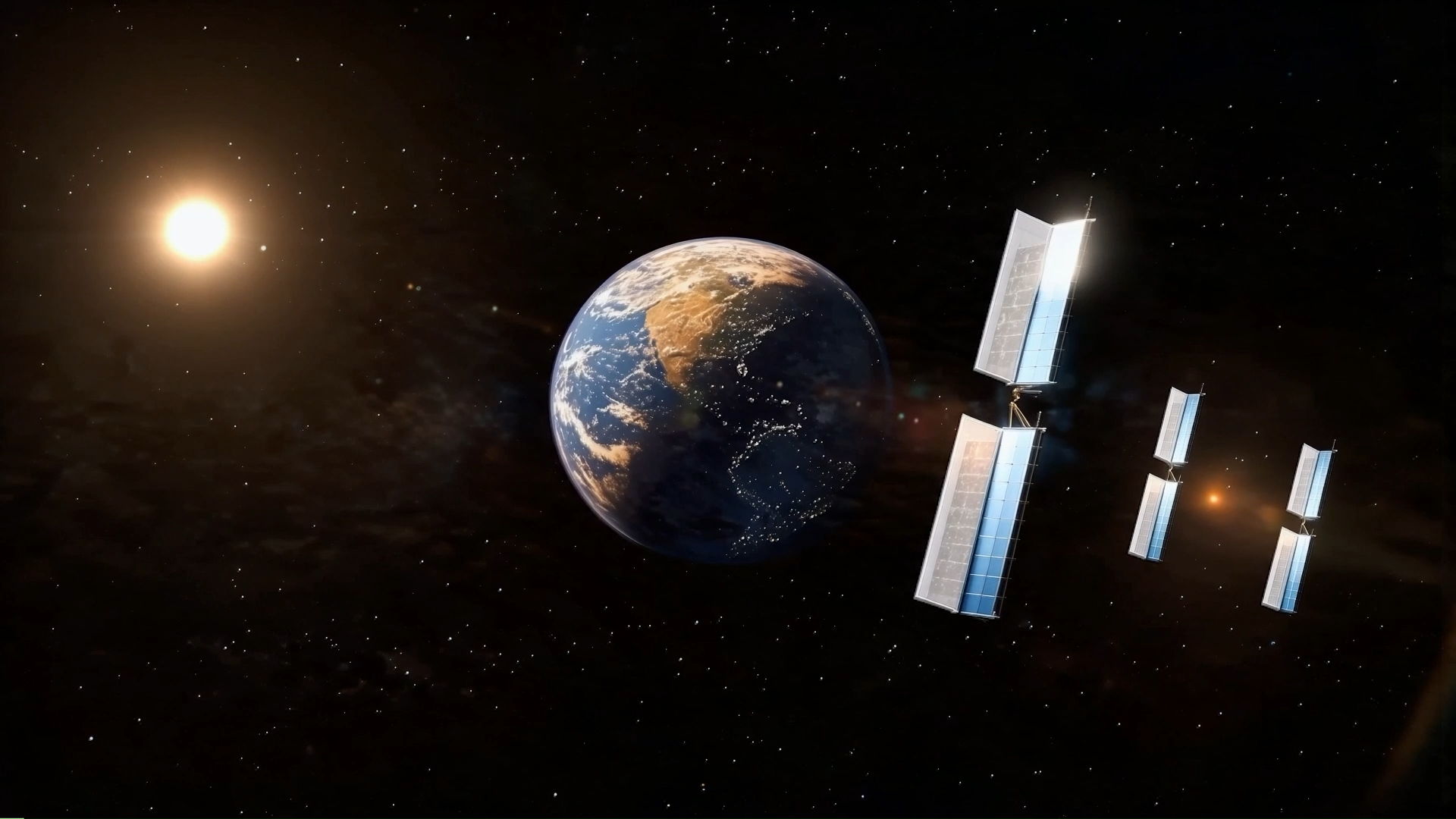
China has launched nine satellites — including its first integrated “rocket and satellite” AI computing project — as part of its push to put AI computing in orbit. According to a Digitimes report, the Kinetica 1 Y18 rocket, operated by Chinese commercial launch provider CAS Space, lifted off on September 20, carrying the nine satellites to their planned orbits.
The payload of greatest interest is the “Supercomputing-1” satellite, developed by Chinese AI computing infrastructure company S-AIDC. Also known as the S-AIDC-1, the satellite is designed to capture and process Earth-observation data in orbit instead of sending data back to terrestrial data centers. Keeping the processing local is meant to cut cross-regional data processing times from hours to minutes. The satellite features both a high-res optical payload and the image-processing AI computer.
According to Digitimes, the launch highlights China's efforts to develop orbital computing as part of a “broader integrated computing network.” In early June, the Chinese government approved the Space Computing Industry Innovation Center, which aims to bring together rocket and satellite manufacturers, semiconductor fabs, and AI tech companies to build a space computing network. A couple of factors are driving this spike in the development of off-planet computing, foremost among them being the AI boom.
The demand for artificial intelligence has spurred the construction of numerous data centers to house AI accelerators. These data centers, some of which can house hundreds of thousands of accelerators, consume unprecedented amounts of electricity, placing significant strain on the grid. This, along with land use, water consumption for cooling, and noise, has fueled growing anti-data sentiment, with local residents blocking $68 billion worth of new data center projects in Q2 2026.
Despite numerous economic and practical challenges, space might offer an alternative with unlimited area, access to solar power, constant cold conditions, and a dead-quiet vacuum. These advantages have made orbital computing a serious topic of discussion. SpaceX is leading the charge with the AI1 satellite, a proposed orbital data center that will deliver 150 kW of peak compute power. The company aims to achieve 1 GW per year of space AI compute by 2027 and has begun constructing the 11-million-square-foot Gigasat facility that would manufacture the 6,000 satellites required to meet this goal.
Beyond the large-scale serving of AI models, putting edge compute capacity in space is already useful for a range of applications. Earth-observation satellites can process images onboard to identify wildfires, storms, floods, ships, or other objects of interest, sending only the useful results back to Earth instead of dumping enormous amounts of raw data to ground stations. The same approach can speed up weather monitoring, disaster response, communications, and even the management of satellite constellations, where spacecraft could make more decisions independently rather than waiting for instructions from Earth.
The launch of a single satellite with edge AI capabilities on board is a far cry from an entire orbital data center, but China's approach could prove to be a more practical and immediate application for advanced computing capabilities in orbit.
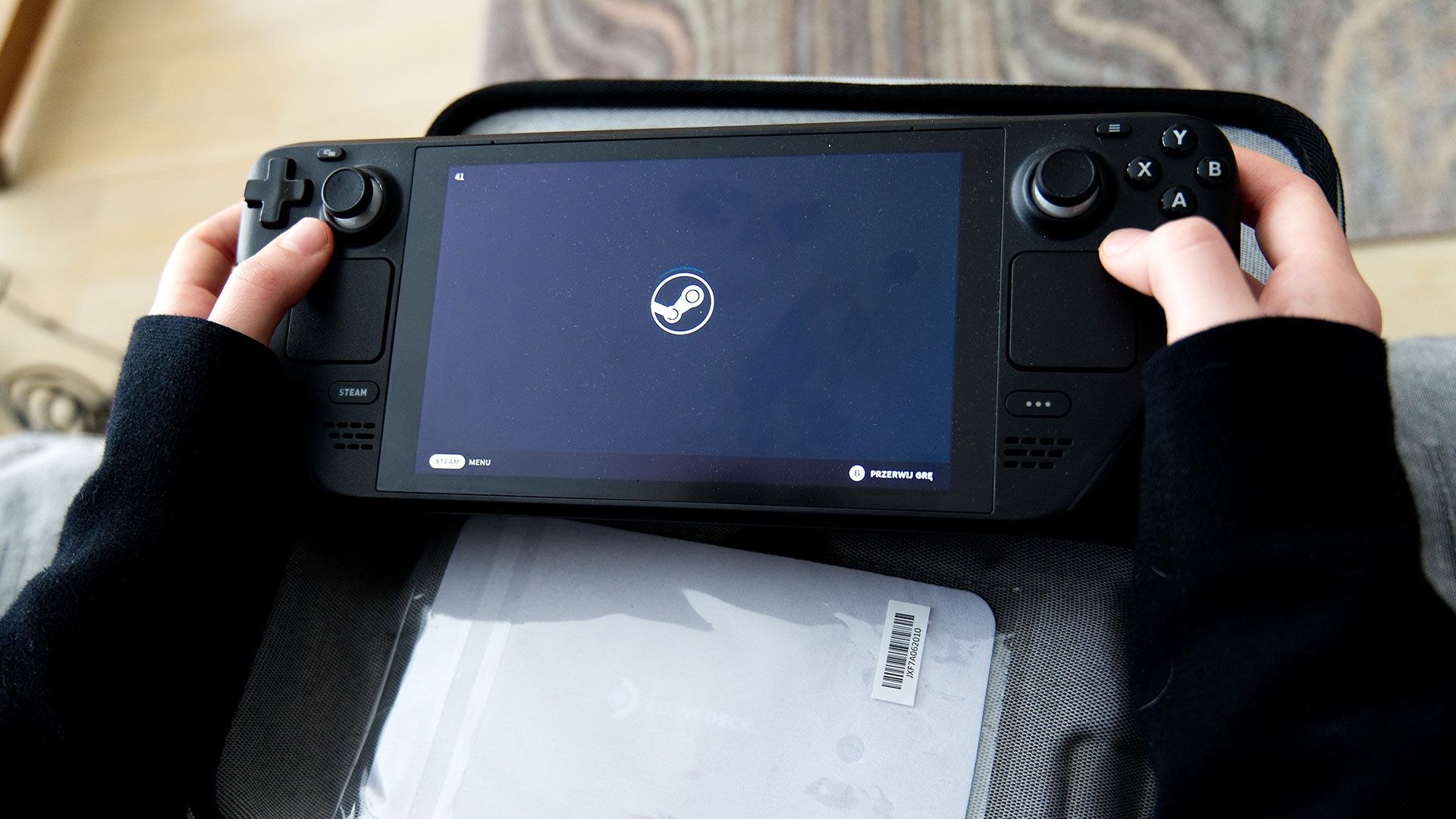
Valve's Steam Deck portable PC, the same one you might play your favorite games on, isn't just for fun, as Airbus has just proven. The aerospace firm is using the Deck to control a prototype Mars rover throughout its development and testing process.
The ExoMars rover, a device that will be autonomous when it reaches the Red Planet, is being developed in the UK by Airbus. The rover and its Steam Deck companion made an appearance in a video shared by YouTube personality Tom Scott following a visit to Airbus' facility. And while ExoMars is being tested on Earth, it's hoped that it will eventually be capable of controlling itself when it rolls out onto the Martian terrain.
For now, engineers need a way to control the rover during its development and testing in a Mars-like environment. And for that, Airbus has settled on a Steam Deck.
The video shows a Steam Deck running unspecified custom software. Just like playing the games Steam Deck owners are familiar with, Scott can be seen using the thumbsticks, triggers, and face buttons as a method for controlling the rover.
While novel, the decision to use a Steam Deck in this way probably shouldn't be all that surprising. It's a handheld PC in every sense of the word — it's powered by Linux and has both physical and touchscreen controls, not to mention Wi-Fi and Bluetooth support. If you're so inclined, you can even install Windows on a Steam Deck, too.
All of these things make the Steam Deck the perfect way to control something as advanced as a Mars rover. Doubly so if specialist software is required, something that traditional controllers like Sony's DualSense and Microsoft's Xbox controllers can't offer. With that in mind, it's perhaps only a matter of time until we see Valve's Steam Frame also used for testing of a future Mars rover.
As for today, Airbus teams in Stevenage, UK, are working on a project to design the mechanical, thermal, and propulsion systems for the landing platform that will help a rover land on Mars in 2030. That rover will be officially called the Rosalind Franklin, and getting it to Mars safely will be "the culmination of more than 20 years’ work," says Kata Escott, the managing director of Airbus Defence and Space UK. Even if Valve's handheld doesn't prove necessary for controlling the Franklin rover once it's on Mars, it can still claim a cool spot in the history of the platform's development.

 Login