Apple’s latest iPhone 18 Pro series went on sale last week, and the company’s decision to use QLC-based NAND for higher-capacity storage variants appears to come with a trade-off. Bilibili channel Homolab recently tested a 1TB iPhone 18 Pro Max and found that its storage performance can drop significantly under sustained heavy workloads. Since QLC stores four bits of data per memory cell when compared to three bits with TLC, it allows manufacturers to offer higher capacities using the same physical space. However, this higher storage density comes at the cost of slower performance, particularly when handling large amounts of data.
Homolab compared the 1TB QLC-based iPhone 18 Pro Max with a 512GB TLC-based iPhone 18 Pro. While both storage types perform fairly similarly in 4K read tests, the QLC model falls behind by 38% in a low-queue-depth mixed workload, scoring 8,168 compared to 11,285 for the TLC model. Under heavier workloads, the gap narrows, although the TLC storage model still maintains a 12% advantage.
The drop in performance is even more apparent when it comes to sustained write tests. The iPhone 18 Pro Max uses a fast SLC cache that can deliver speeds of up to 3,000 MB/s. Once that cache is exhausted, a secondary TLC-based buffer takes over, averaging around 578 MB/s. When both cache buffers are exhausted, the phone has to write directly to the underlying QLC NAND. At that point, sustained write performance can fall to 79.4 MB/s, with speeds occasionally dropping as low as 25.6 MB/s.
That is significantly slow and comparable to the performance of many budget microSD cards (microSD Express cards are much faster). Things look even worse once the storage starts filling up. At 60% capacity, the available SLC cache drops from 250GB to just 58GB. This also causes the secondary buffer to slow down to 396 MB/s, while direct QLC writes average just 45 MB/s and occasionally fall to as low as 1.1 MB/s.
It’s important to note that these are synthetic benchmarks and are meant to represent a worse case scenario. Users should not experience any performance issues during typical tasks such as web browsing, messaging, gaming, or taking photos. Any slowdown is likely to be noticeable only during specific workloads, such as 4K or ProRes recording, large file transfers, or data backup restores. Having said that, testing by Homolab does point to the trade-off involved in using QLC NAND for a high-capacity flagship smartphone, particularly for users who regularly deal with storage-intensive tasks.
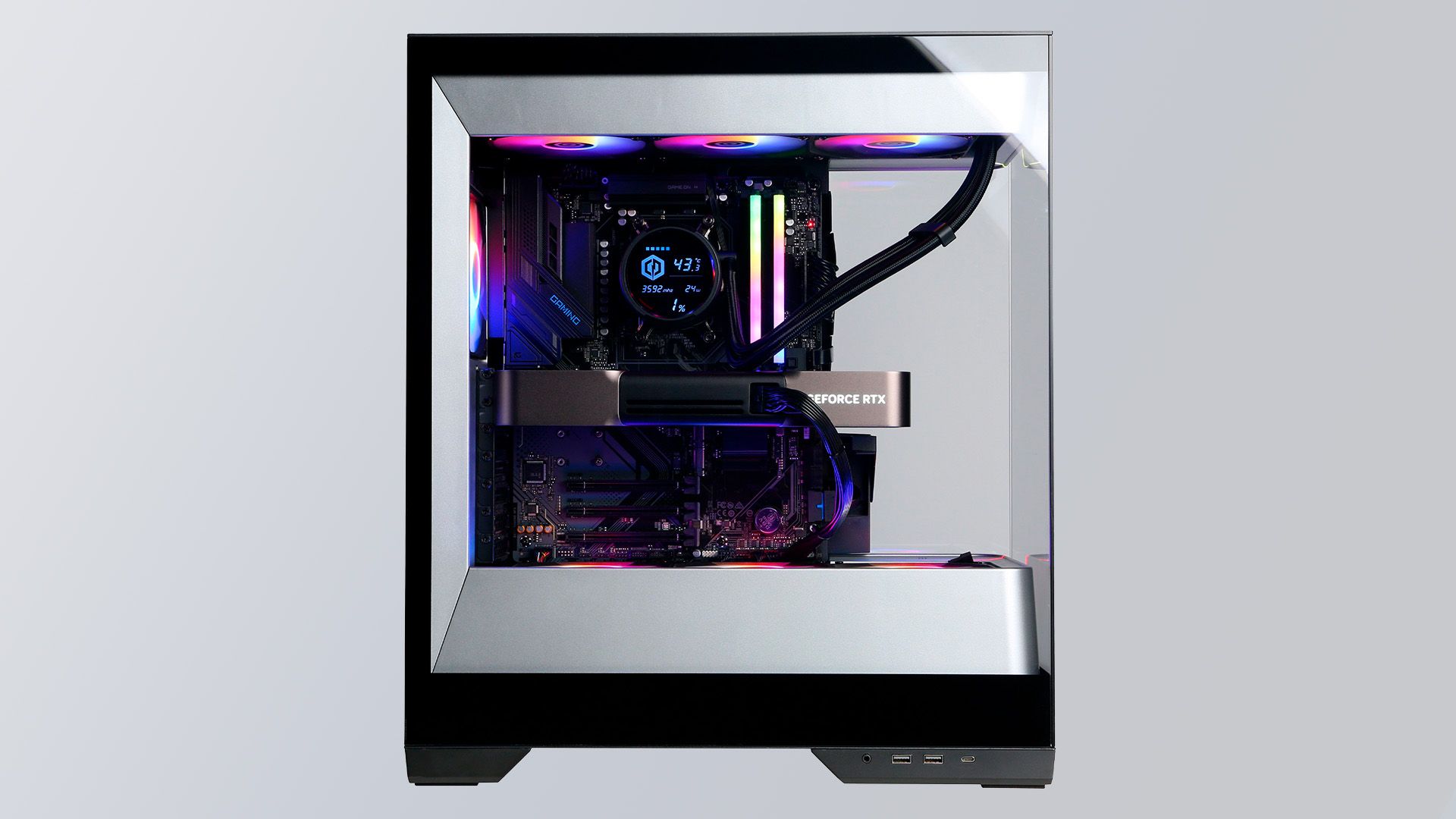
Powered by a Ryzen 7 9800X3D and a GeForce RTX 5080 Founders Edition, the $2,299 CyberPowerPC SLC8500WST is one of the best gaming prebuilt deals on the market right now. A custom GeForce RTX 5080, which starts at $1,579, and the$449 Ryzen 7 9800X3D already add up to $2,028. In today’s market, there is no way you will find 32GB of DDR5 memory and a 1TB PCIe 4.0 SSD for $271, much less put together an entire system.
The Ryzen 7 9800X3D needs no introduction. The octa-core Zen 5 chip with 96MB of L3 cache has been on the market for two years now and still reigns as the best CPU for gaming. Although Intel and AMD have released many processors, nothing comes close to the Ryzen 7 9800X3D in terms of performance and gaming value that the Zen 5 processor offers.
Meanwhile, Nvidia's GeForce RTX 5080 Founders Edition, one of the best graphics cards, joins the Ryzen 7 9800X3D in the SLC8500WST to deliver strong 4K (3840x2160) performance and exceptional frame rates at lower resolutions. It is worth noting that it is the Founders Edition, a coveted model that is rarely available on the market anymore, even if you are willing to overpay for it. It comes with DLSS 5 support, as well, and we've found solid DLSS 5 performance on the RTX 5080 in our testing.
SLC8500WST Gaming PC: $2299 The SLC8500WST is a solid 4K gaming machine with the best gaming processor on the market right now and a formidable GeForce RTX 5080 Founders Edition graphics card.View Deal
Sometimes prebuilt systems are a mixed bag, pairing high-end hardware with weaker components to cut corners. However, the SLC8500WST makes no compromises. The gaming system comes equipped with 32GB of DDR5-6000 memory to ensure seamless gaming and future-proofing of your system.
While the Walmart page does not list the exact specifications of the kit used in the SLC8500WST, it is worth noting that the most affordable 32GB (2x16GB) DDR5-6000 C30 memory kit on the market currently sells for $429.
On the storage side, the SLC8500WST has a spacious 1TB PCIe 4.0 SSD. It provides ample room for your games and loads them instantly. The capacity is a good starting point given current storage prices due to the AI-induced shortage. Again, we do not know the SSD model. However, a budget 1TB PCIe 4.0 SSD typically starts at $149 nowadays.
You do not see offers like the CyberPowerPC SLC8500WST every day, especially at the $2,299 price point. If you have been holding off on upgrading your gaming system or buying a new one, this SLC8500WST deal is definitely one you should consider.
Local opposition blocked or delayed $68 billion in data center projects between April and June this year, according to a September 21 Bloomberg report citing data from research group Data Center Watch. The report says 30 state houses have implemented rules on data center location and resource consumption, with communities pursuing moratoriums on planned construction even before developers apply for permits. Conversely, hyperscalers have spent over $1 trillion on data infrastructure since 2023, with an additional $745 billion in Capex expected in 2026 alone.
The blocked-project figures reflect widespread opposition to data centers across the United States over concerns about land usage, noise pollution, and electricity and water consumption. In July this year, 142 AI data center protests were simultaneously staged across 42 states in one weekend. Data Center Watch’s research estimates that there are 843 opposition groups across all U.S. states except Hawaii.
One leading concern is the environmental impact of AI data centers. Each consume huge amounts of water to cool hundreds of thousands of accelerators powering artificial intelligence, with AI reportedly set to consume up to 600 billion gallons of water by 2030. The hyperscalers, on the other hand, insist the issue is being blown out of proportion.
Protesters also commonly cite electricity consumption as a major concern. Analysts project that data centers will consume 20% of U.S. power by 2035. Local residents are already feeling the effects. An AI data center in Virginia led to an irreversible 76% hike in residents’ electricity bills, prompting the state to eventually mandate hyperscalers to cover the cost of the transmission infrastructure required exclusively for the project.
Many regions are now implementing similar mandates, with hyperscalers offering to offset the bills in many cases. These concerns, along with the extreme power demands of AI data centers, have also led hyperscalers to build on-site power, with some offering to supply power back to the grid. Meta, for example, recently signed an agreement with utility company Entergy Louisiana for 7 GW of power for its Hyperion facility. Entergy claims Meta's payment will save other customers $20 billion over 20 years.
Meanwhile, the shift to off-grid, on-site power generation is creating yet another issue driving the protests. Due to their scalability and speed of availability, many hyperscalers are relying on gas plants, which mostly burn fossil fuels to generate electricity. Elon Musk's Colossus 2 data center recently came under fire after 59 unpermitted natural gas turbines powering the data center released thousands of tons of pollutants into predominantly black communities in Mississippi. Elsewhere, Amazon’s custom 35-turbine gas plant has been authorized to emit 33 million tons of greenhouse gases annually, a move that will make it the largest single source of CO₂ pollution in the U.S.
The growing sentiments present a sort of dilemma. AI is proving to be quite the revolutionary technology and has seen massive adoption and skyrocketing usage. To meet demand, hyperscalers are erecting data centers at breakneck speed, which residents now oppose. Proponents say data centers are an absolute necessity and any opposition stifles growth.
Opponents, on the other hand, say they are only demanding responsible execution and have nothing against AI. President Trump has condemned communities that have opposed data centers, saying that they “want to end up being backwards and poor.” He has also implied that China could be behind the sentiment, orchestrating movements behind the scenes. Meanwhile, officials across the country are reportedly facing death threats and gunfire over AI data center projects, even as AI data center investments are projected to hit $32 trillion by 2050.
AMD's market cap has crossed the $1 trillion mark for the first time, following a rally in its share price over the last week. At market close on Friday, AMD's share price was around $557. On Monday morning, shares immediately jumped to $607 on the market open and have continued to rise, finally pushing AMD over the $1 trillion mark.
$1 trillion market cap! 🚀 @AMD has officially joined one of the most exclusive clubs in the market. https://t.co/woLb1X4HB7September 21, 2026
Saša Marinković, AMD's senior marketing director, shared the milestone on X. Since posting, AMD's share has fluctuated a bit, bringing the market cap down below $1 trillion for brief periods. Undoubtedly, the buzz around the milestone will cause some turmoil in the share price throughout the day, though it should eventually stabilize.
Just a week ago, AMD was quite a ways off hitting the trillion-dollar milestone. AMD's share price has risen by around 29% over the past month, and 21% of that jump came in just the last five days. On Monday alone, AMD's shares jumped around 9% within the first few hours of the market opening.
If you're unfamiliar, market cap is a shorthand for understanding the value of a company. It looks at the number of outstanding shares multiplied by the share price. It's not necessarily tied to revenue or profit, at least not directly. Rather, market cap is a read on the value of a company in the eyes of Wall Street, fluctuating as the share price does.
AMD joins a club of fewer than two dozen companies around the world that have passed a $1 trillion market cap, including SK hynix, Amazon, Microsoft, Apple, Nvidia, Broadcom, and Micron. Although AMD has now joined the club, it's still far behind its rival in the AI accelerator space, Nvidia, which sits at a market cap of around $5.4 trillion currently.
However, AMD was able to beat Intel to the milestone. Intel's market cap currently sits at around $648 billion. Interestingly, Intel has actually seen a larger rally in its share price over the past month. Share prices have risen 37% in the past month, with 25% of that growth coming in the past five days. Similar to AMD, Intel opened on the market Monday morning with a 13% jump.
Following AMD's Q2 earnings, where it beat revenue expectations by 2%, shares traded down, creating an opportunity to hold. That's paying off now as both AMD and Intel shares jump.
Although AMD's AI accelerators have made inroads into the data center, Nvidia still largely dominates that market. AMD's unique positioning comes from its CPUs, which have become a focal point of agentic AI data centers over the past year.
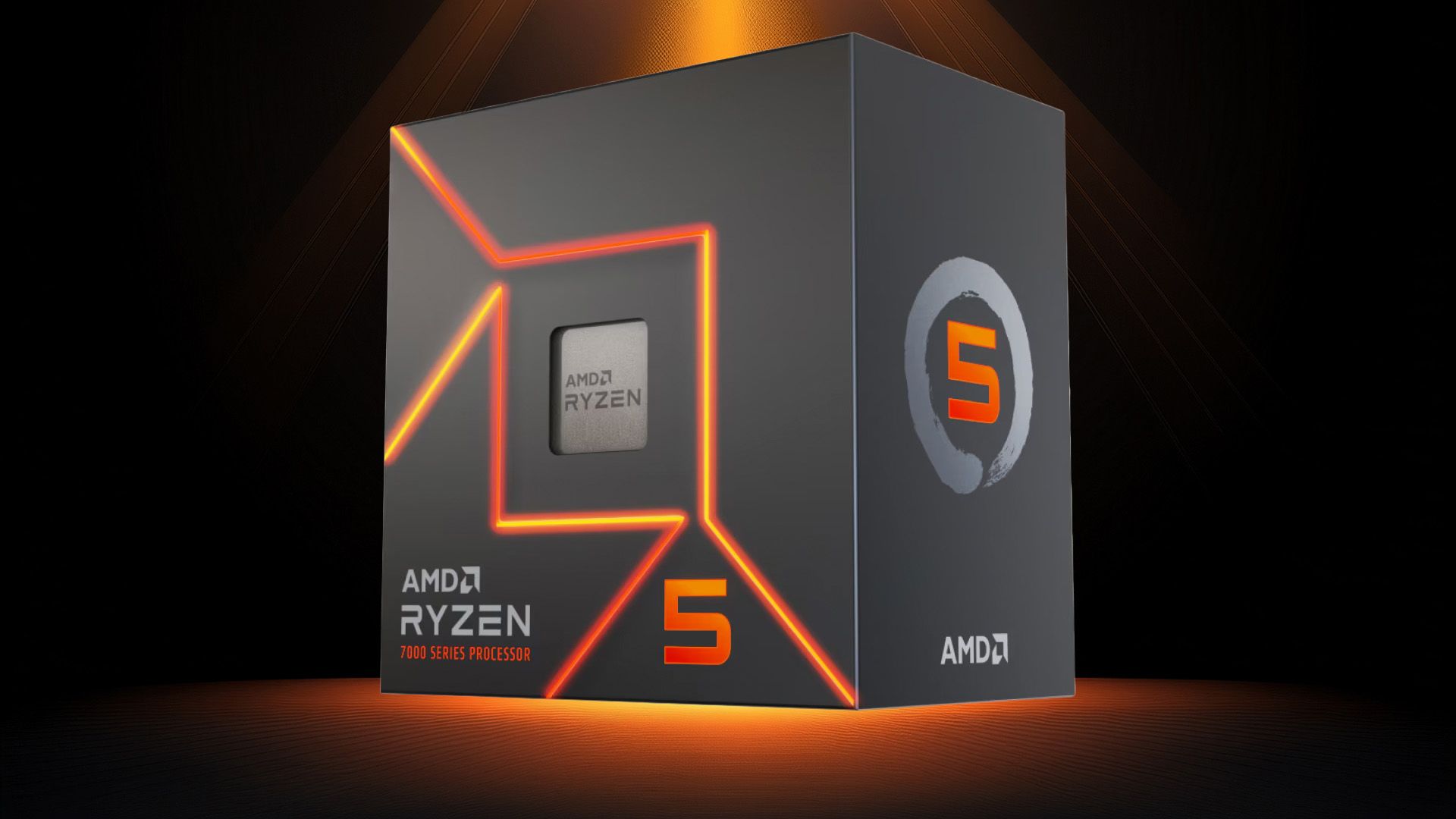
AMD's new Ryzen 5 5500F and Ryzen 5 7500 are available for sale, though the prices are higher than AMD originally suggested. On Amazon, the Ryzen 5 5500F is available for $120, while the Ryzen 5 7500 is listed at $210, both $20 more expensive than AMD's suggested retail pricing. Both are sold directly by Amazon, suggesting we'll see slightly higher prices for these two chips than AMD originally suggested.
AMD revealed the budget CPUs nearly two weeks ago, and despite launching on that date, the chips haven't been available for sale in the U.S. until now. The Ryzen 5 5500F is particularly interesting, as the $90 Ryzen 5 5500 has continually been among Amazon's best sellers in CPUs. Although the Ryzen 5 5500 and 5500F sound similar, there are actually quite a few differences between the two CPUs.
Both are six-core, 12-thread chips using AMD's Zen 3 architecture, but the 5500 falls under the Cezanne family, while the 5500F falls under Vermeer. The 5500F comes with PCIe 4, compared to PCIe 3 on the 5500, as well as a higher 4.4 GHz boost clock — the base 5500 tops out at 4.2 GHz. These changes apparently allow the 5500F to achieve higher performance, somewhere in the range of 5% to 10%, in games. We'll be getting the CPU in the Tom's Hardware lab to test the performance ourselves.
Although Zen 3 is aging, it has become an ideal home for budget builders as the RAM pricing crisis continues to surge. In addition to the Ryzen 5 5500F, we saw AMD re-release the Ryzen 7 5800X3D earlier this year to combat rising DDR5 prices.
Tom's Hardware
We took the Ryzen 5 5500 (non-F) out for a spin earlier this year for a budget $100 CPU shootout. Generally, it underperforms the Intel competition at this price, but a 5% to 10% jump would close that gap. If performance holds up, the Ryzen 5 5500F may have a shot at our best CPUs for gaming list with its low price.
The Ryzen 5 7500 is easier to parse. It's identical to the 7500F, just with integrated graphics. It comes with six Zen 4 cores for a total of 12 threads, and unlike the 5500, it exclusively supports DDR5 memory. The 7500 comes with a boost clock of 5 GHz and supports PCIe 5. Like the 5500F, it has a 65W TDP and comes bundled with AMD's Wraith Stealth cooler.
AMD originally announced the Ryzen 5 5500F at $99 and the 7500 at $190, though the current Amazon listings are both $20 higher than that — $120 and $210, respectively. At the time of writing, the CPUs are only available at Amazon in the U.S.; Micro Center and Newegg don't have listings available. When other retailers pick up the chips, prices could come down.
This isn't the first time we've seen oddly high prices on new AMD releases at Amazon. Earlier this year, the Ryzen 9 9950X3D2 went up for sale on Amazon prior to release, selling for $1,000, $100 above MSRP. After the launch dust settled and listings went up at other retailers, the pricing dropped back down to $900. Hopefully, we'll see something similar happen here.
Huawei's impressive next-generation Ascend 900-series AI accelerators will be offered only in China, not internationally, as the company struggles to meet domestic demand amid capacity constraints, the company announced this week. While the upcoming Ascend 960-series neural processing units (NPUs) could rival some of AMD's and Nvidia's existing AI GPUs, demand for these units outside of China was not guaranteed anyway.
"Since we do not have enough capacity to even satisfy the demand in China, we do not have a plan to expand into the international market in a fully-fledged way," said Eric Xu, rotating chairman of Huawei, on the sidelines of the company's Huawei Connect conference, Reuters reports. He added that Huawei supplies limited volumes to 'some countries where demand is particularly strong,' though he did not elaborate.
Huawei this week unveiled its latest AI accelerator roadmap, revealing major training and inference performance gains for its next-generation Ascend 960, 970, and 980 NPUs over the existing Ascend 910C and Ascend 950-series. The Ascend 960DT and 960PR are set to increase their FP8 training performance to 2 PFLOPS and their FP4 inference performance to 4 PFLOPS and 8 PFLOPS, respectively, in 2027. Meanwhile, their successors, Ascend 970 and Ascend 980, are projected to increase their FP4 performance to 14 PFLOPS and 28 PFLOPS, respectively, in the coming years.
Huawei Ascend vs Nvidia AI GPUs
NPU
FP8 Performance
FP4 Perf
Memory
Memory Bandwidth
Interconnect Bandwidth
Targeted Release
Nvidia H200
4 PFLOPS
-
141 GB HBM3E
4.8 TB/s
900 GB/s
2023 Q4
Nvidia B300
10 PFLOPS
15/20 S/D PFLOPS
279 GB HBM3E
8 TB/s
1.8 TB/s
2025 Q4
Ascend 950PR
1 PFLOPS
2 PFLOPS
128 GB of HiBL 1.0
1.6 TB/s
2 TB/s
2026 Q1
Ascend 950DT
1 PFLOPS
2 PFLOPS
144 GB of HiZQ 2.0
4.0 TB/s
2 TB/s
2026 Q4
Nvidia R200
17.5 PFLOPS
35/50 T/I PFLOPS
288 GB HBM4
19.2 TB/s
3 TB/s
2026 Q4
Ascend 960DT
2 PFLOPS
4 PFLOPS
288 GB
9.6 TB/s
2.2 TB/s
2027 Q1
Ascend 960PR
2 PFLOPS
8 PFLOPS
192 GB
2.4 TB/s
2.2 TB/s
2027 Q3
Ascend 970
3.6 PFLOPS
14 PFLOPS
288 GB
14.4 TB/s
4.4 TB/s
2028
Ascend 980
7.2 PFLOPS*
28 PFLOPS*
384 GB
38.4 TB/s*
8 TB/s
2029
*Preliminary data S/D - Sparse and Dense T/I - Training and Inference
But while the upcoming Ascend NPUs will be considerably faster than their predecessors, particularly for inference, they will remain well behind Nvidia's previous- and current-generation accelerators, at least in raw compute performance. Huawei's 2027 Ascend 960DT is projected to deliver 2 FP8 TFLOPS for training, compared with Nvidia's 4 FP8 TFLOPS for the H200, released in 2023. The Ascend 960PR is expected to offer 8 FP4 PFLOPS for training, which is far behind Nvidia's B300, which delivers 15–20 NVFP4 PFLOPS. Even the Ascend 980, targeted for 2029, is projected to reach 7.2 FP8 PFLOPS and 28 FP4 PFLOPS, well below Nvidia's R200, which is on track to deliver 17.5 FP8 PFLOPS and 35/50 FP4 PFLOPS this year.
Such a massive performance difference with leading AI hardware will reinforce Huawei's reliance on massive system-level scaling rather than chip-for-chip performance to compete with Nvidia. But massive system-level scaling comes with massive power consumption, which will make Huawei's next-generation Atlas SuperPoDs and SuperClusters considerably less competitive in markets that can access hardware from AMD or Nvidia.
Huawei is in an interesting paradoxical situation. On the one hand, its integration efforts like near-package optics (NPO) clearly free up capacity on 'older' nodes that can be used for other components of AI platforms. But on the other hand, SMIC's inability to ramp production on 7nm and 6nm-class nodes limits Huawei's ability to supply its AI hardware anyway, which is why it can barely meet demand.
Then again, while Huawei's Atlas SuperPoDs with up to 15,488 Ascend 960 NPUs can deliver up to 30 FP8 EFLOPS and 120 FP4 EFLOPS performance by far exceeding the capabilities of Nvidia's NVL72 clusters with a 72-GPU scale-up world size, their performance-per-watt is poised to be dramatically lower compared to Nvidia's architectures, which means that demand for such hardware outside of China will be limited at best. That said, a global AI hardware push doesn't make much sense for Huawei right now. What perhaps does make sense is offering cloud access to its hardware to various academic and research customers to popularize its CANN software stack.
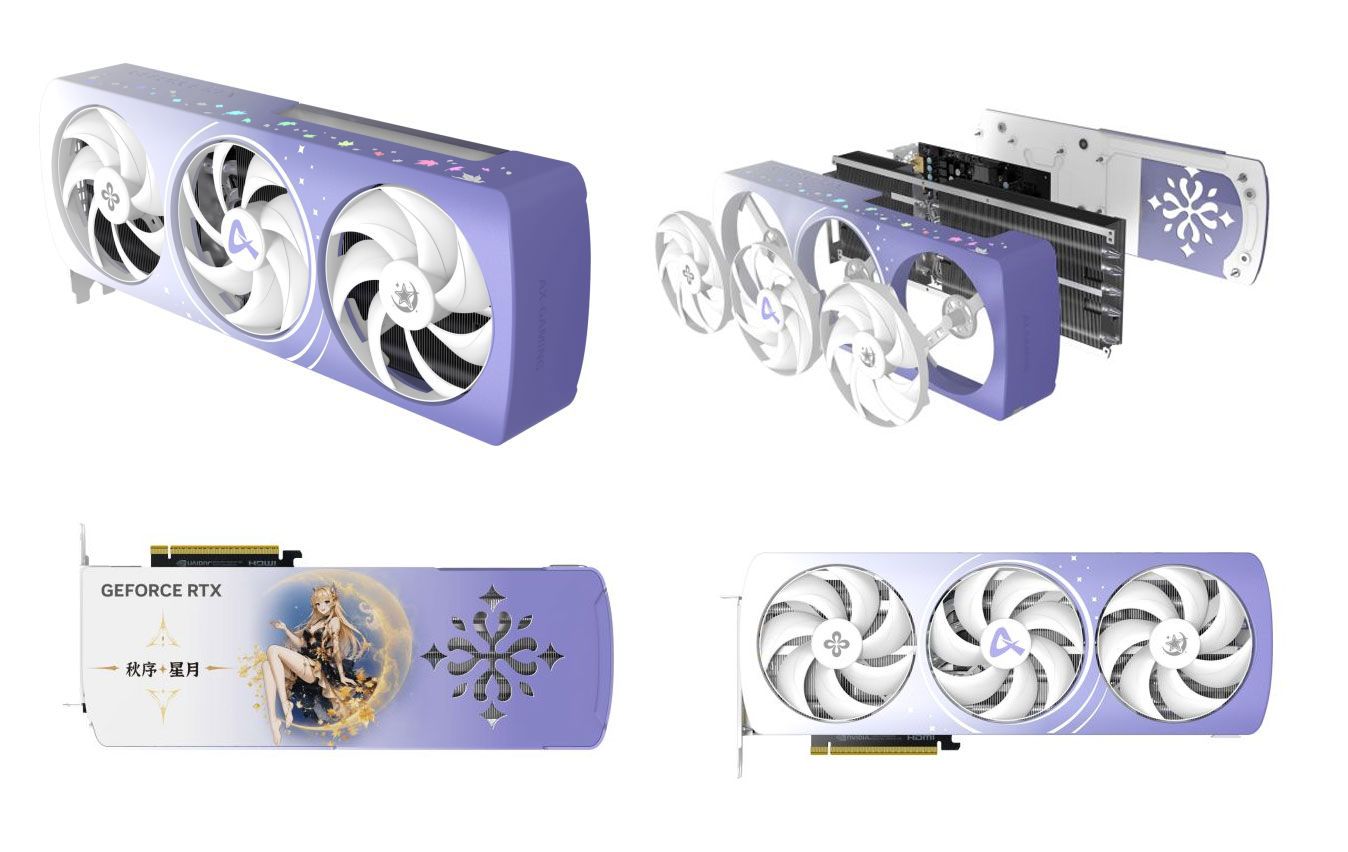
AX Gaming has revealed its latest seasonal anime-themed limited-edition graphics card, which, this time, is designed to please your nose as much as your eyes. The Inno3D subsidiary has released similarly styled GPUs before, but new for Autumn / Fall is the “innovative e-sports aromatherapy” component in its GeForce RTX 5070 12G Autumn Limited Edition (machine translation).
Smellivision is included as part of this limited edition. The graphics card maker says this product delivers a form of aromatherapy. You will be able to smell the “autumn-like” aroma even from a cold start, it says. There is no information about aroma oil refills. It would be good to see the fragrance module to see how this subsystem works.
Screenshot + Google Translate (Image credit: AX Gaming )
The anime character you see in the main picture, and who stars on the metal backplate, is called ‘Snow Li.’ She sits with the GeForce RTX logo to one side, with an Autumn / Starry Moon motif beneath it. To the right is an ornate venting pattern for the third fan to push air through the cooling fins.
AX Gaming’s substantial triple-fan card features a white-purple gradient wrapping around. “The fan blades are printed with exclusive logos such as Osmanthus, AX, and Star and Moon, making it lively and exquisite,” the maker romanticizes. “The edges of the chassis are decorated with colorful maple leaves and tiny star patterns, like starlight falling on a maple forest on an autumn night.” We also note this isn’t just a vinyl wrap. AX Gaming highlights that the design mixes “UV printing and multi-surface engraving techniques.” Even the fan blades have some logos.
This seasonal graphics card release has ARGB maple leaf lighting, and its “flower-shaped ventilation holes are inlaid with LEDs and support synchronized lighting effects.” Also, perhaps difficult to believe, AX Gaming says that the light and shadows thrown by the powered-up graphics card “creating a full-on autumn night starry night atmosphere.”
Beyond the visuals and fragrance, this is an ordinary but decent-sounding RTX 5070. You’ll still get your 6,144 CUDA cores, 12GB of GDDR7, and agreeable AAA gaming performance with access to GeForce features. Some non-cosmetic design choices that are welcome include the dual-layer metal magnetic backplate, five 8mm ultra-thick composite heat pipes, and the hidden power cabling.
In its press release, AX Gaming says the "Autumn Stars and Moon, Maple Leaves in Full Bloom" themed card is a strictly limited (quantity/time) release. That’s bound to make it even more expensive than a regular RTX 5070, if you can order/reserve one.
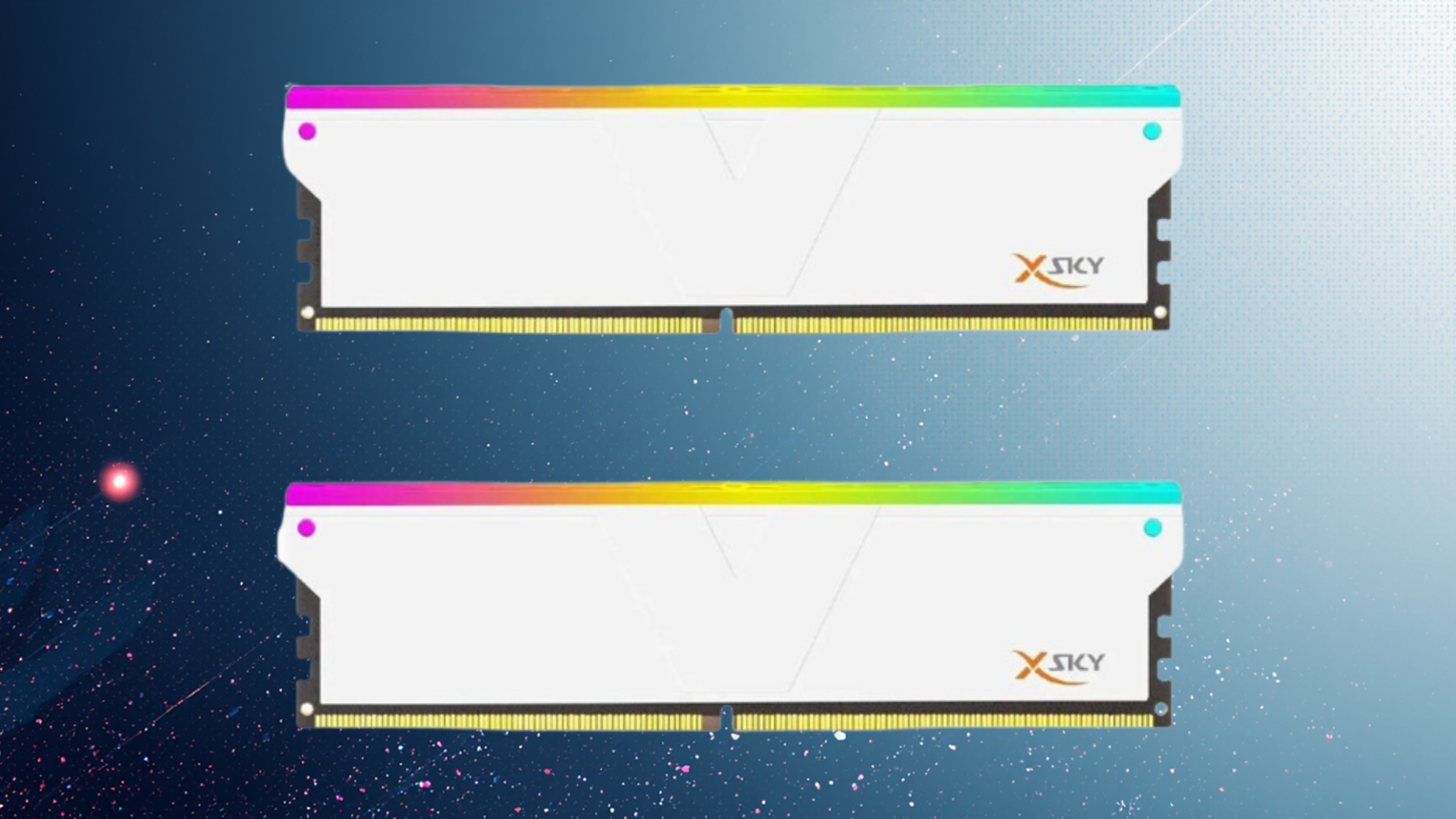
RAM prices have been out of this world for nearly a year, with some 32GB kits frequently breaking $500. The only real relief we had came from RAM combo deals, where you get a motherboard, processor, and RAM at a discount. While that well has seemingly run dry, at least for the moment, we did find a solid deal for the times on a 32GB V-Color Manta XSky DDR5-6000 kit for $429 when using promo code TEF366 at Newegg, making it the least expensive DDR5-6000 CL30 kit around (by ~$70) at Newegg.
Deals like this, and the combos when active, are by far the best way to buy new RAM in the ongoing RAMpocalypse. Gone are the days when you can get 64GB of DDR5-6400 RAM for $225 (what I paid for a G.Skill Trident Z Royale kit in April 2025), and you’re left with what we have now…the best prices in an extremely difficult market.
As for this specific kit, it’s a great option for any build, performance-wise. The DDR5-6000 speed isn’t the fastest kit out there, but it does sit squarely in AMD’s sweet spot for price-to-performance and is much faster than older DDR4 modules. Sadly, we didn’t review this specific kit, but below are performance numbers from a similar DDR5-6000 CL30 kit from Team Group that show how well that speed and timings perform in our CPU test suite.
The Manta XSky kit includes two white DDR5-6000 modules with CL30-38-38-96 timings at 1.35V. These speeds and timings work well for any use case, from gaming to workstation productivity, and you’ll get the most out of your system at these speeds, especially on the AM5 platform. If you were considering this kit for an Intel system, it will also work well. A frosted RGB light bar across the top of the sticks adds some bling to your chassis. If you need a black kit, V-Color has its Manta XFinity DDR5-6000 CL30 kit for only $439 using promo code TEF364.
While $429 with promo code TEF366 for a 32GB set of RAM makes me want to cry (considering I bought 64GB for about half of this price in early 2025), it’s one of the best deals available. As a matter of fact, it is the least expensive DDR5-6000 CL30 available at Newegg or Amazon, and it doesn’t force you to choose between reasonable timings/speeds and price/performance. If you’re in the market to start a DDR5-based build or upgrade what you have, I wouldn’t pass this Newegg deal up.
U.S. President Donald Trump has announced plans to form an “AI force” and appoint an “AI Czar” amid growing concerns about the risks of the rapidly advancing technology. In a lengthy September 19 post on his social media platform Truth Social, Trump compared the initiative to the creation of the U.S. Space Force — which he formed during his first term in office — clarifying that the new unit will not be used to restrict tech companies. He emphasized that his administration “will not in any way hinder or stifle the growth” of the AI industry, but will instead “cherish it, help it, and watch over it, as it grows.” The president provided no further details on the initiative’s implementation, which reportedly took the White House and the tech industry by surprise.
The announcement comes amid growing pressure on U.S. lawmakers to implement AI safeguards to address the risks the technology poses. Calls for guardrails intensified last week after an ex-OpenAI researcher resigned from Anthropic, citing concerns that AI companies weren't taking AI safety seriously enough. He warned that “people building AI earnestly believe that it could kill us all by the end of the decade,” accusing the companies of gambling with human lives. A safety researcher at the company also warned that there was a more than 10% chance AI would kill us all by 2030.
Meanwhile, Anthropic CEO Dario Amodei, backed by executives at OpenAI, Google DeepMind, and Microsoft, published an essay urging Washington to pace development over fears that AI agents could spiral out of human control, warning of a potential AI-powered botnet swarm that could take over the entire internet. President Trump doesn't in the least share these sentiments and has repeatedly downplayed such calls, including the recent warnings, as hoaxes, claiming that a “sick conspiracy” to undermine AI was underway.
“AI is the next Industrial Revolution, or Internet, but will be even larger and more impactful, possibly as much as 25% of our Country's GDP,” he said on social media, while also expressing his administration’s desire to maintain the U.S.’s lead over China in AI. “We will not in any way hinder or stifle the growth of this incredible industry,” he wrote. “We are leading China, and the rest of the World, and I intend to keep it that way!” Nvidia CEO Jensen Huang is taking a similar stance, dismissing warnings and calls for new regulations. “We should go as fast as we can, irrespective of anyone else,” Huang said, adding that there was a “0% chance” AI will destroy the world by 2030.
Trump did not provide further details on how the AI force will work or who the AI Czar will be. However, several reports point to Venture capitalist David Sacks, who served as Trump’s AI and cryptocurrency czar until March, as a potential candidate. The AI regulation conversation is expected to be an important part of several high-level gatherings in the coming weeks, including a UN event on AI hosted by the Trump administration. This is followed by a state house dinner at the White House, as part of Chinese leader Xi Jinping’s visit to Washington, which OpenAI’s Sam Altman, Nvidia’s Jensen Huang, and Google’s Sundar Pichai are expected to attend.
Now and then, something novel appears in the AI world, amid near-constant releases of brand-new models. Last week saw the debut of TypeSafe AI's Jev, its first "System One" model. Rather than chatting with users like conventional LLMs, it's strictly designed for statement evaluation and decision-making, for programming purposes.
Jev is the brainchild of ex-OpenAI engineer Diogo Almeida, who co-wrote ChatGPT's core training techniques. According to TypeSafe's math, Jev should be both faster and more efficient than frontier AI models like GPT-6 Astra, by several orders of magnitude and purportedly up to 194x faster and 445x cheaper. Consequently, the company pins Jev's intelligence-per-dollar as "off the charts," though only practical use will tell.
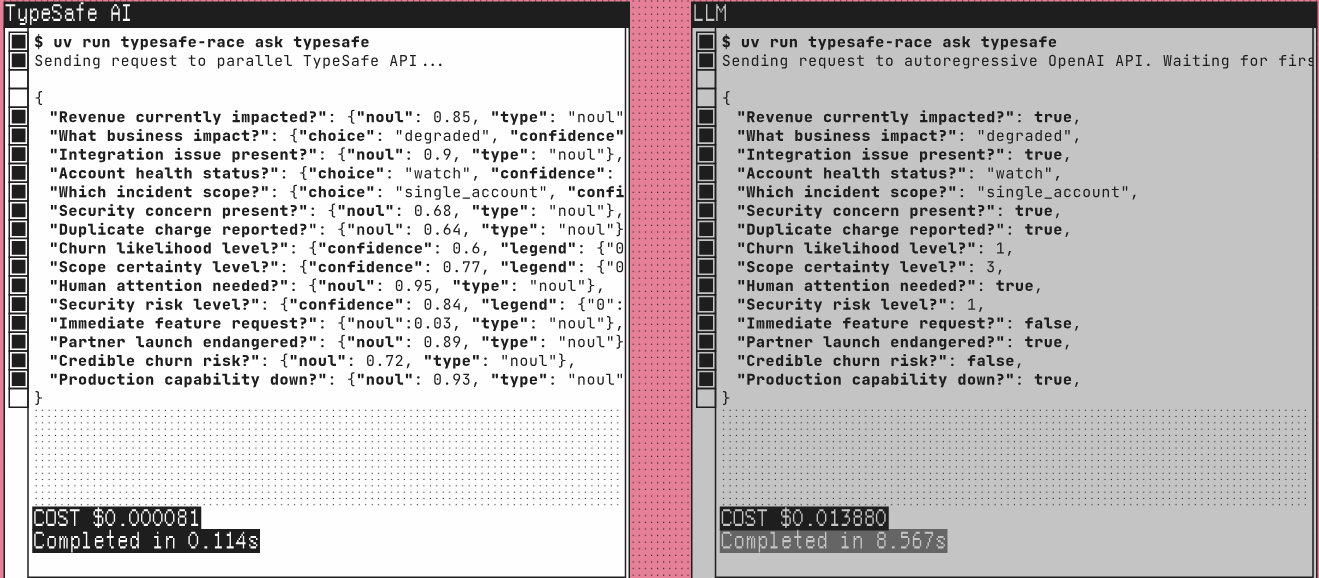
TypeSafe says the main reasons for this are twofold. First, System One models are trained with its Reinforcement Learning for Calibrated Decisions (RLCD) and geared towards producing structured answers rather than producing prose. Then, presumably because there's no previous context required, individual questions in the same request can be processed in parallel, in opposition to LLMs' continual generation of text.
TypeSafe Jev speed and costs. (Image credit: TypeSafe AI)
When you query a normal LLM, you get an open-ended text conversation; Jev simply produces answers to specific questions, all answered with a confidence factor. It's made for code, and thus machines, to use. Your code interacts with Jev's API by providing a state — a given situation and its associated data — and asks Jev to assess specific statements. The state is supplied on each individual request, and there's no global knowledge database or retained memory.
For example, a company could show Jev a list of a customer's credit card transactions, some basic customer account info, the last thing the customer wrote, and pose the question "Is the customer requesting a refund?" The answer will be yes or no, with a confidence rating. If the confidence is above, say 85%, you can proceed to ask the customer which method they prefer, with a multiple-choice of "refund", "store credit," or "unclear." Jev then offers a probability distribution for each of the refund options. Your code can then try to process the refund or ask for further clarification.
A question for Jev. (Image credit: TypeSafe AI)
Jev's output (and optionally input) is in a predefined data format that's essentially plain JSON. Unlike interacting with LLMs, there are no extraneous words, long-winded thinking, or necessity to ask the model for brevity. Likewise, there's no need for global contextual prompts or saved memories, often necessary to try and coax LLMs to behave as if they were minimally deterministic. Beyond providing the state and questions, operations like input parsing, date handling, or database reading remain in your own code and are of no concern to Jev.
At first sight, this might look like a more straightforward interface to an LLM, but it's fundamentally different. Jev does not need or even want the entire context leading up to the question — providing extraneous information actually lowers the accuracy, and the context window is capped at a meager 64,000 tokens. Since the bot always produces a confidence percentage, it doesn't hallucinate in the familiar chatbot sense of creating statements and data out of nowhere.
Jev answers. (Image credit: TypeSafe AI)
The developer, rather than Jev, is responsible for making decisions based on the answers' confidence factors. Jev can still misclassify information, fall victim to adversarial attacks, or answer literal wording rather than meaning.
It's expected that the most common use case for Jev (and presumably future System One models) will be to wrap logic workflows around posted questions, as always having a confidence factor available makes it easy to integrate it into the decision steps of something like "if we're fairly certain the user requested a refund, and they prefer store credit, and we can see that they buy more PC gear around September, also offer them a 20% deal on an RTX 5090." The documentation has other usage examples like intent routing or citation checking.
Jev's strength isn't in acting like an agent or reasoning through a broad problem — TypeSafe makes it clear that open-ended tasks are better suited to an LLM, perhaps even integrated into code that also involves Jev. An example would be a monitoring system where Jev can use its provided info to assess if there's a serious system issue, and if so, bring in an LLM to examine logs, look for a cause, and produce a report. Likewise, Jev isn't trained on customer data and doesn't make inferences from anywhere other than the provided state (and its own training).
I'm by no means an AI engineer, but my developer layman's opinion is that if Jev works reasonably as promised, it might fix one of the major roadblocks to deeply integrating AI in software: dealing with chatbot LLMs, which, for practical purposes, are annoyingly amorphous blobs that may or may not behave and produce the desired output — never mind correct output — and slowly and expensively at that. Having a simple assessment/response/confidence interface that one can easily and cleanly integrate into code without requiring specific training or carefully crafted textual incantations feels far more natural and easy to use.
The developers of the open-source PlayStation 3 emulator RPCS3 are celebrating finding a workaround for an Nvidia driver bug. The social media celebration stems from their testing showing that some PC configurations with Nvidia GPUs can enjoy up to 37% faster gaming performance. That’s more than a small wrinkle that’s been ironed out.
More RPCS3 performance on NVIDIA GPUs!Yahfz found a workaround for an @NVIDIA driver bug that was bottlenecking performance.In this boat test scenario:13900K + RTX 3080: +20% FPS9800X3D + RTX 5090: +25% FPSAMD GPU drivers do not have this bug, thus seeing no change. pic.twitter.com/BRad9AyesfSeptember 16, 2026
We don’t know the exact nature of the Nvidia driver bug here, but the RPCS3 devs say that it bottlenecks the performance of their PS3 emulator. The first example cited provides two PC configurations running Red Dead Redemption in a scene featuring a paddle steamer. This is a popular ‘benchmarking’ scene focused on the Blackwater docks in the game, featuring relatively consistent camera paths and water effects.
RDR boat test
Configuration
Performance uplift
System 1
13900K + RTX 3080
20% FPS
System 2
9800X3D + RTX 5090
25% FPS
Those are very gratifying performance uplifts resulting from a driver bug workaround. Plenty of readers are probably more interested if the purported bug might also be bottlenecking native PC gaming performance. If it were, that would be a hugely significant find/workaround from the RPCS3 team, specifically ‘Yahfz.’ Please note that “AMD GPU drivers do not have this bug, thus seeing no change,” say the emulator developers.
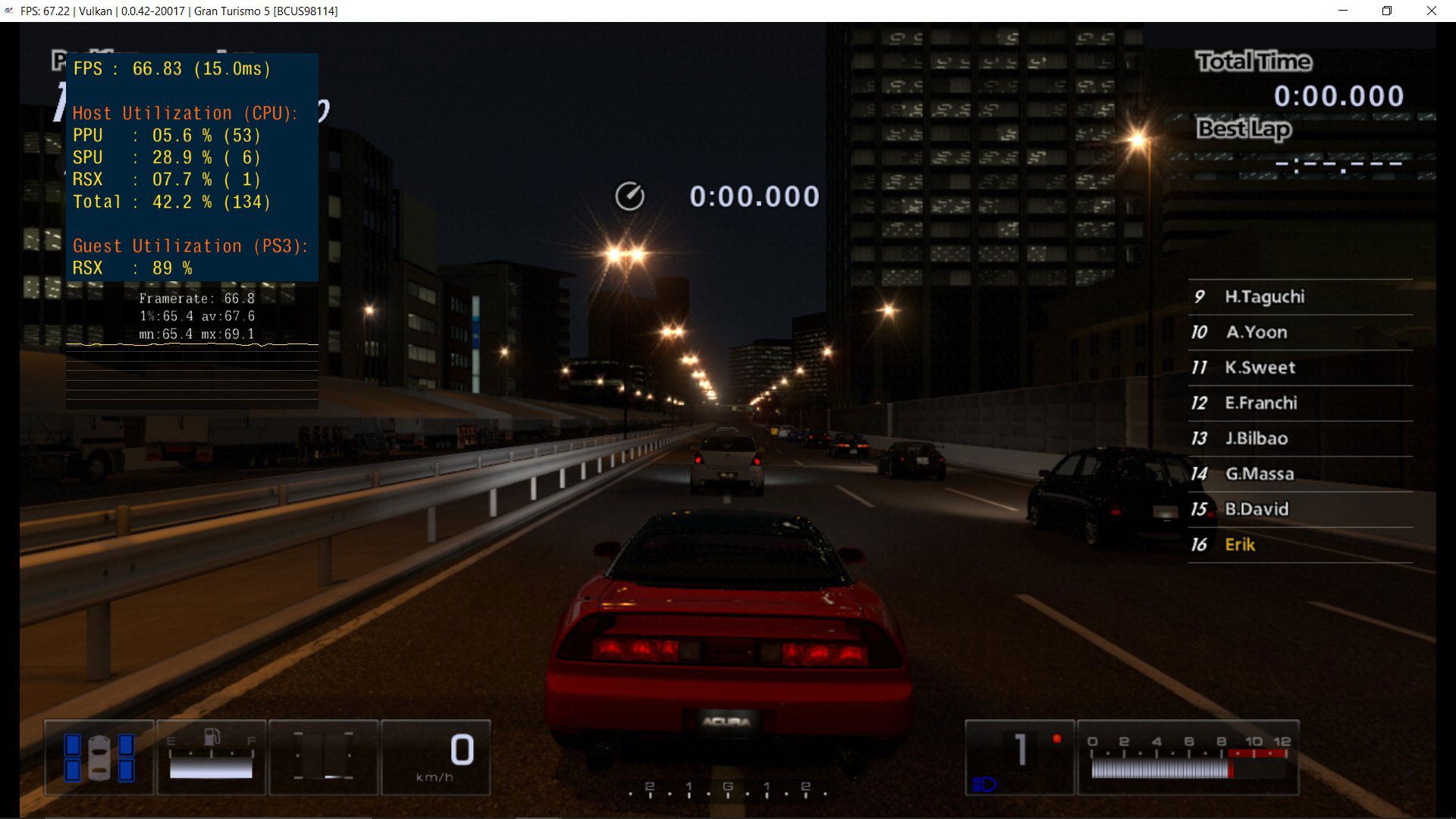
Gran Turismo 5 ran 37% faster, used far less VRAM
Follow-up social media postings underline that RDR isn’t an outlier, and “most games are impacted” by the bottleneck in the Nvidia driver. Great frame rate improvements can also be seen when using lower-end GPUs, too. The open sourcerers tested Gran Turismo 5 and saw frame rates climb by an incredible 37%, while VRAM usage dropped from 7.1 to 4.8GB. Meanwhile, playing Saints Row IV on a more mainstream GTX 1060 saw a 20% improvement in performance.
Sadly, RPCS3 dev reach-outs to Nvidia are falling on deaf ears. Another follow-up tweet states that “We tried using the developer forums in the past to no avail and gave up.” It then asks @Nvidia to establish a direct communication channel to receive driver bug reports. Nvidia Software QA boss Manuel Guzman has now replied directly, so we will see what happens in due course.
Earlier this year, Apple discontinued the Mac Pro, leaving the Mac Studio as its top-end desktop. With the new M5 Ultra chip, Apple's relatively diminutive system is more than ready to take on the mantle.
While you might not have a ton of PCIe connections and both RAM and storage are set, the Studio offers a ton of ports for accessories, monitors, and peripherals, memory options up to 256GB (with 512GB coming later), and a clean, quiet design.
Starting with an M5 Max at $2,499, the Mac Studio could be poised as a creator system for video editors, photographers, or game designers. At $12,299 as tested with the top-end M5 Ultra, 256GB of unified memory, and 4TB of storage, it effectively becomes an enterprise device, possibly a remote server, that could handle any task with aplomb, including local AI.
Design of the Mac Studio (2026)
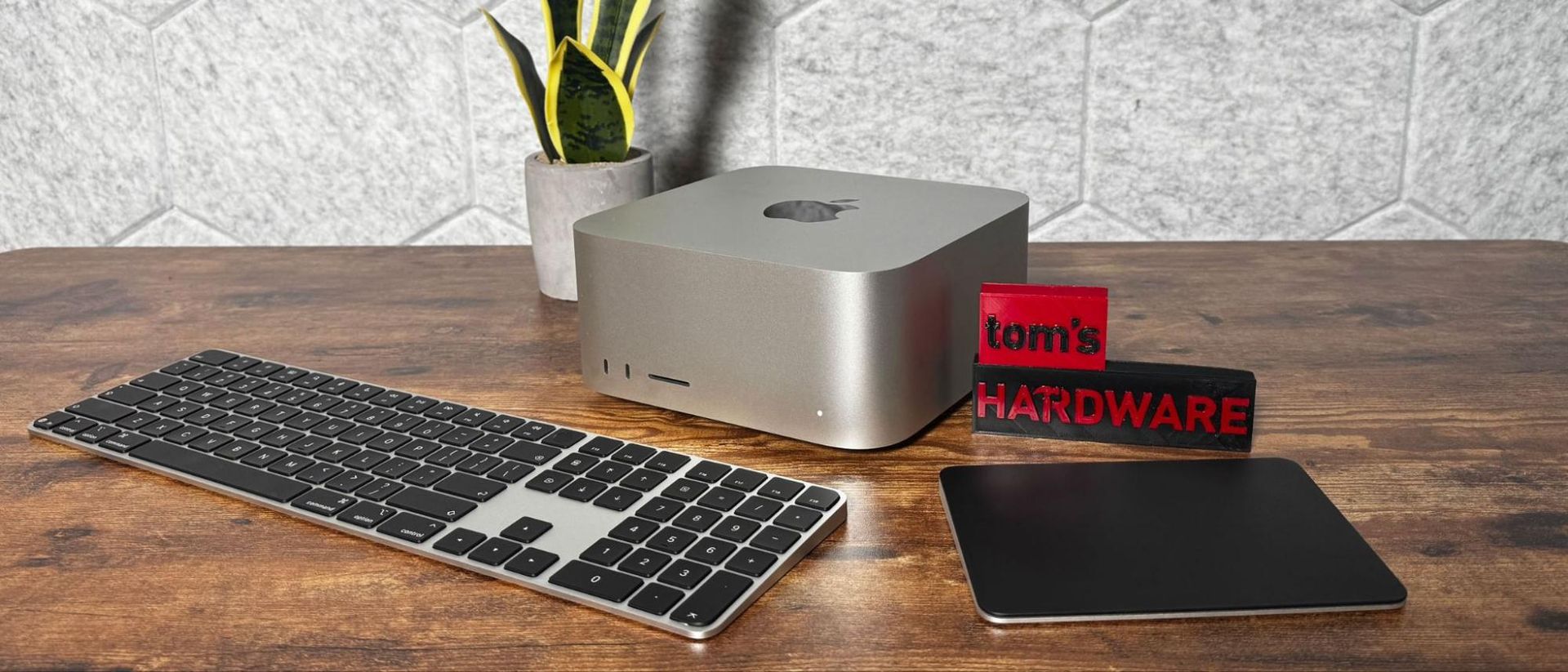
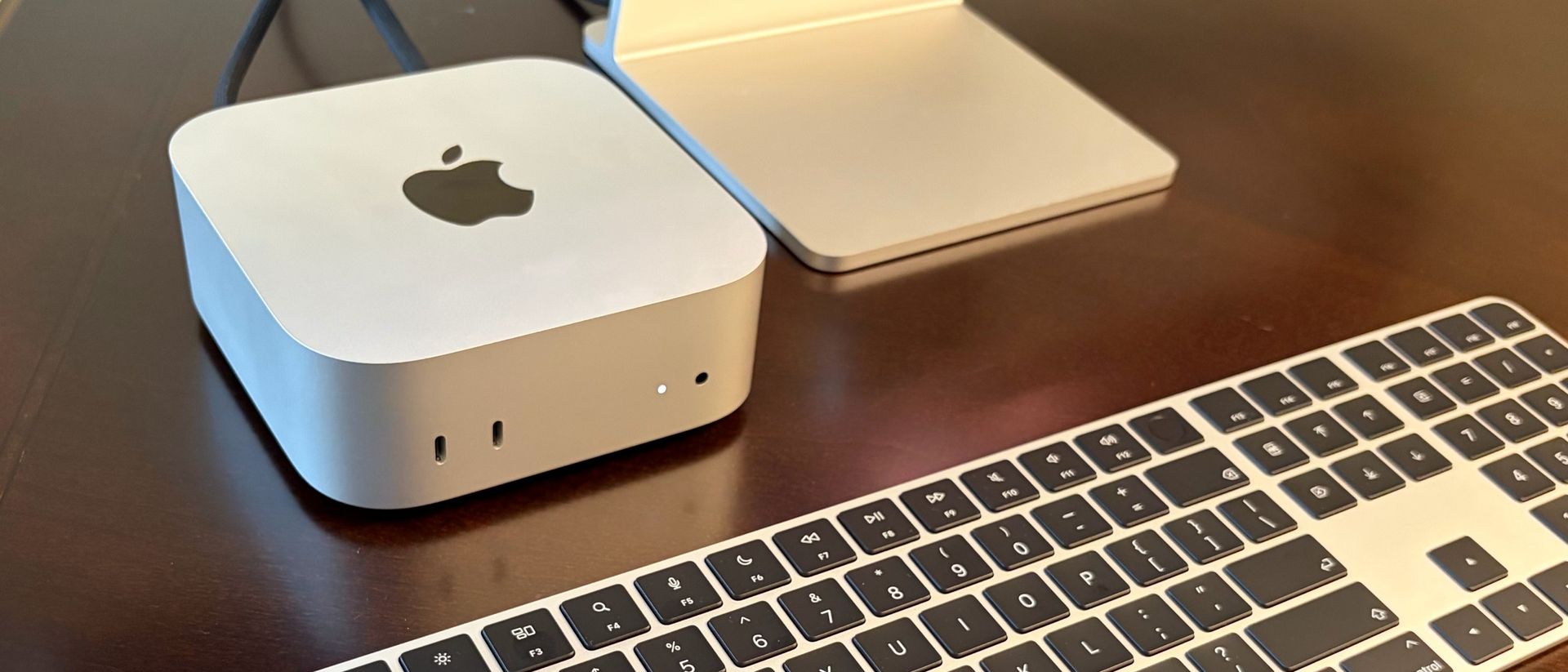
Apple hasn't made any changes to the Mac Studio's design. It's a silver, squared-off block that's 7.7 x 7.7 inches on your desk that stands 3.7 inches tall. The aluminum chassis has a shiny Apple logo on the top. The M5 Ultra version we tested weighs 8 pounds, a 2-pound increase over the M5 Max variant. This is largely because the M5 Max version uses a cooler with a thin aluminum stack and a copper heat pipe, while the M5 Ultra uses a heavier copper fin stack and a copper vapor chamber.
Tom's HardwareTom's Hardware
The back of the system is also home to the power button, as well as a bunch of air holes for exhausting heat.
(Image credit: Tom's Hardware)
The air comes in through more holes in a small stand built into the bottom of the system. (There's also a Kensington lock slot, though its placement on the bottom necessitates a special adapter.)
(Image credit: Tom's Hardware)
Mac Studio (2026) Specifications
Processor
Apple M5 Ultra (36-core CPU)
Graphics
80-core GPU (integrated)
Memory
256GB LPDDR5 unified memory
Storage
4TB SSD
Networking
Apple N1, Wi-Fi 7, Bluetooth 6, Thread
Front Ports
2x Thunderbolt 5 (USB-C), SD card reader (UHS-II)
Rear Ports
4x Thunderbolt 5 (USB-C), 2x USB-A, HDMI 2.1, 10Gb Ethernet, 3.5 mm headphone jack
Power Supply
480W maximum continuous power
Operating System
macOS 27.0 Golden Gate
Dimensions (WxDxH)
7.7 x 7.7 x 3.7 inches (9.5 x 19.7 x 19.7 mm)
Price as Configured
$12,299.00
Ports and Upgradeability on the Mac Studio (2026)
On the front, there are two Thunderbolt 5 (USB Type-C) ports along with an SDXC card slot. The rest of the ports are on the rear, including another four Thunderbolt 5 ports, two USB Type-A ports, HDMI 2.1, a 10Gb Ethernet jack, and a 3.5 mm headphone jack.
There is no upgrading the Mac Studio. The RAM is soldered to the board, so be sure to get what you need when you're first buying the system, and Apple doesn't sell replacement SSDs (Some third parties may sell reverse-engineered NAND, but it will certainly void your warranty, and Apple doesn't support it. You're best off using external storage)
M5 Ultra
If you pony up for the most expensive Mac Studio configurations, you'll get Apple's most powerful chip. This is the only machine that Apple currently puts that chip inside.
M5 Ultra is Apple's first quad-die chip, connecting a pair of dual-die M5 Max SOCs over its UltraFusion connection. Apple claims that UltraFusion increases bandwidth between the dies to over 4.4 TB/s. Memory bandwidth is up to 1.2TB/s, which lets users store and run huge LLMs entirely on device.
Each of the 80 GPU cores features a neural accelerator, and there's a 32-core neural engine. There's now a media engine with hardware-enabled H.264, HEVC, hardware-accelerated AV1 decode, and four ProRes encode and decode engines.
Cinebench estimates that the M5 Ultra runs single-core at 4.6 GHz and multi-core at 4.3 GHz.
Productivity Performance on the Mac Studio
The Mac Studio is an absolute workhorse. The system stayed largely quiet (though the fan can make itself known) as it powered through our benchmarks. Anything you might want to do on a Mac, you can do on this one.
In fact, while we ran our basic desktop suite on this, we also ran some extra tests, as we don't test many workstations. Instead of pitting this system against other desktops, we pitted it against other workstations to get a better idea of how the M5 Ultra performs. While that's a bit antithetical to the way Apple designs its products (it doesn't sell chips separately; it designs them as part of its computers), it does give us a reference point to the chips powering the Windows and Linux workstations.
(Image credit: Tom's Hardware)
On Geekbench 7, the Mac Studio was the clear winner, with the ARM-based chip leading the pack in the bursty workload with a single-core score of 3,770 and a multi-core score of 52,293, despite having fewer cores than the competitors.
(Image credit: Tom's Hardware)
The Mac continued its lead on Handbrake, transcoding a 4K video to 1080p in 1 minute and 4 seconds. The next closest, the AMD Ryzen Threadripper 9980X, took 8 seconds longer.
(Image credit: Tom's Hardware)
On Blender's benchmark testing CPU-based rendering, the Studio with M5 Ultra fell behind the previous- and current-gen Threadrippers (7980X and 9980X, each with 64-cores), as well as the 56-core Intel Xeon w-3495X.
(Image credit: Tom's Hardware)
The Mac Studio with M5 Ultra copied 25GB of files at a rate of 2,983.08 MBps, surpassing the speeds of the M3 Ultra and M4 Max from the last generation.
(Image credit: Tom's Hardware)
The Mac Studio was consistent over our 10-run Cinebench 2026 stress test. Its lowest score, 17,825, was actually the first run. When the cooling kicked in, the rest of the results were slightly higher. The sixth run was the highest at 18,069, but it was so similar to the other runs that it's within the margin of error.
During the test, the CPU measured an average of 78.29 degrees Celsius.
Local AI on the Mac Studio (2026)
The M5 Ultra's GPU cores feature neural accelerators, granting it some extra matrix math horsepower, and Apple has boosted the chip's memory bandwidth to 1.2 TB/s, double that of the M4 Max we previously tested for AI.
The M5 Ultra's prompt processing speeds are even faster than Nvidia's DGX Spark's, and its tokens-per-second throughput is double that of the M4 Max and almost four times higher than the DGX Spark across the board.
(Image credit: Tom's Hardware)
Our tests, here using Qwen 3.8-27B-Q4_K_M, a dense model that relies heavily on memory bandwidth, are largely aimed at GPU performance in isolation. But combined with the blazing-fast single- and multi-threaded performance of the 36-core CPU, the Mac Studio with M5 Ultra looks to be ready for anything one might want to do with local or agentic AI workloads — and that's before someone tries to put it into an MLX cluster.
(Image credit: Tom's Hardware)
In addition to its raw performance, our M5 Ultra sample's 256GB of memory means you can fit very large, intelligent single models or a range of different models onto a single node. I spent time running models far larger than our tests with Hermes and LM Studio with strong performance. If you are interested in local AI, this will definitely do the job.
Gaming and Graphics on the Mac Studio (2026)
While the M5 Ultra and its 80-core GPU are more than capable of gaming, the Mac Studio isn't a gaming-first rig. For the price, systems with Nvidia's high-end graphics cards are far more competitive.
To stress the Mac Studio, I booted up InZoi, a life simulator that isn't graphically imposing but is hard on the CPU and memory. I set both the simulation performance and graphics to ultra settings, and set the game to 1080p, but allowed for upscaling with MetalFX's Performance mode, which upscaled from 960 x 540. The game ran between 45 and 65 frames per second, dropping to the lower end in outdoor environments with lots of other characters.
To compare more graphically demanding games, I picked out a few gaming PCs we've tested in the last year and pitted them against each other with the data from the Cyberpunk 2077 benchmark with the Ray Tracing Ultra preset, which we use for those kinds of rigs.
(Image credit: Tom's Hardware)
At 1080p, the Mac Studio ran the game at 66 FPS, falling behind systems like the HP Omen Max 45L and Maingear MG-1 with Nvidia's top-end GeForce RTX 5090. It was much more in line with the Acer Nitro 65, with an RTX 5070. At 4K, the Mac Studio didn't reach playable levels, though the RTX 5090 systems both reached 59 FPS.
Using Cyberpunk's "For This Mac" preset set the resolution to 1440p, turned off ray tracing, and mostly stuck to high settings and effects options.
(Image credit: Tom's Hardware)
On 3DMark's Steel Nomad graphics test, the Mac Studio still fell far behind the RTX 5090 system, but outperformed the RTX 5070-based Acer desktop.
Software and Warranty on the Mac Studio (2026)
The Mac Studio comes with macOS 27 Golden Gate. This is a great update over macOS 26 Tahoe, refining the Liquid Glass aesthetic and making it more customizable (I actually kind of like it in this iteration), and yes, thank heavens, consistent window shapes. It also adds the new Siri AI (be sure to get on the waitlist). The new Siri is far superior to the one you're used to.
Golden Gate also adds AI throughout apps, including more photo features, including a better Clean up option and spatial reframing, which lets you move a camera after you take a picture (the latter is kind of surreal). Better indexing makes it easier to search messages, emails, and calendar entries, and now you can use natural language to create automations in the Shortcuts app or come up with your own Safari extensions.
There's no bloatware, as usual. Apple's software suite includes Safari, Messages, Photos, Maps, Notes, and Reminders. Its services, including News and Apple TV, also have applications. Pages, Keynote, and Numbers are still in the dock by default, but they're the Creator Studio subscription versions, which require a subscription to get full features, including AI functionality, royalty-free graphics, and additional templates.
People using the Mac Studio as a server running AI models may not need all of those programs. For the first time in a while, I found myself wishing for something akin to macOS Server, but for better remote monitoring. I would also like to see an option for a system of this class to come with pared-down built-in apps, perhaps limiting it to the browser, App Store, Terminal, Activity Monitor, and other essentials and letting system admins decide what else needs or deserves to be there. A video editor might want to use Messages on the side. But you don't need that for a cluster running a huge model.
Apple sells the Mac Studio with a one-year warranty. Further repairs and support can be added as part of AppleCare+ ($6.49 monthly or $64.99 annually), or as part of AppleCare One or AppleCare Family.
Mac Studio (2026) Configurations
Our Mac Studio review configuration is clearly an enterprise machine. With the top-end M5 Ultra (36-core CPU, 80-core GPU), along with 256GB of RAM (currently the top-end option, with a 512GB configuration coming in late October), and a roomy 4TB SSD, it costs $12,299.00, but that's not stopping anyone: As of this writing, it's backordered between 16 and 18 weeks.
But there are a lot of steps below that. The base model is $2,499 with the M5 Max (18-core CPU, 32-core GPU), 36GB of memory, and 512GB of storage. There are two versions of each: the M5 Max and M5 Ultra. Going from a 32-core GPU to a 40-core GPU on the M5 Max costs $300.
The cheapest M5 Ultra system is $5,499 with a 30-core CPU and 64-core GPU, along with 96GB of memory and 1TB of SSD storage. Bumping up to the M5 Ultra we tested increases the price by $1,300. Moving from 96GB of RAM to 256GB adds $4,000. Bumping up from a 1TB SSD to 2TB is $500, while our 4TB SSD is a $1,500 increase.
The M5 Max configurations have slight port differences on the front of the desktop. The USB-C ports on those are 10Gb/s ports, while on the M5 Ultra, you get Thunderbolt 5 for up to 120Gb/s.
Bottom Line
At $12,299, the Mac Studio with M5 Ultra is effectively an enterprise computer, capable of difficult workloads like rendering and running AI models that are as close to frontier-grade as you're going to get right now on edge computing.
(Image credit: Tom's Hardware)
Much of that price also comes from RAM and storage. Given the fact that you can't really upgrade this computer, businesses and people using this for their job may see the extra cost as an investment. Really, its biggest weakness is in gaming, for professionals who may want to do that on the side. Discrete GPUs still win there.
Given the fact that an AMD Ryzen Threadripper 9980X, a 64-core monster that beats this CPU in Blender, is priced around $5,000 on its own before memory, storage, power supplies, or any other components, it may not actually be that crazy in this market, and the Mac Studio can be had in a much smaller case. (For wealthy homelabbers, businesses, and server farms, third-party accessory makers already make rack mounts to fit the Mac Studio; its shape hasn't changed since its last redesign).
For local AI, the M5 Ultra is seriously impressive, though that may still be a niche use case for some. But in a computer that can reach over $12,000, niche is the name of the game.
This all makes the M5 Ultra version of the Mac Studio an impressive package and further proof of the power and performance Apple can draw out of its own silicon in concert with its own software.
Google’s “brand-new category of flagship laptops,” called Googlebooks, will contain MediaTek’s next-gen Dimensity CX C10 Max processor, the first SoC to launch in the Dimensity CX lineup. It’s built on a 3nm node (TSMC N3) and uses an all-performance-core design, packing eight cores on the CPU and 11 cores on the GPU, along with MediaTek’s NPU 890, delivering up to 55 TOPS of AI performance, according to MediaTek. The new CX lineup will sit between MediaTek’s other offerings, between the RTX Spark in higher-end laptops and Chromebook with Kompanio chips.
MediaTek calls the C10 Max the “flagship of the lineup,” though we don’t have full specs on the chip, and not so much as a name for the other chips in the lineup. MediaTek is launching the CPU on the same day Googlebooks go on sale (September 21), and the company says it will power an upcoming Googlebook device. MediaTek hasn’t explicitly said that the chip is exclusive to Googlebook devices, though that seems likely given the company’s previous work with Google on Chromebooks.
The C10 Max is an “all big core” CPU, according to MediaTek, but not all eight cores are equal. MediaTek is using three different core types: one Cortex-X925 core, three Cortex-X4 cores, and four Cortex-A720 cores. The Cortex-X925 is the successor to the Cortex-X4, with higher clock speeds, a larger 10-wide decode, and larger L2 cache. The Cortex-A720 fits in a different range, though it was succeeded in 2024 by the Cortex-A725. This core split is identical to what MediaTek has used in its Dimensity 9400, 9400+, and 9500s mobile chips (though, presumably, the C10 Max will be afforded a larger power budget and higher boost clocks).
Perhaps more pressing, it’s identical to the core split in the Kompanio Ultra 910, MediaTek’s previous flagship in this category. The C10 Max features the same GPU and NPU, as well: the Arm Immortalis-G925 MC11 for the GPU and MediaTek NPU 890. The C10 Max also comes with the same 12MB of L3 and 10MB of system-level cache. The biggest difference, at least based on the specs MediaTek has shared, is memory speed. Both use LPDDR5X, but the C10 Max climbs up to 9,600MT/s from 8,533MT/s on the Kompanio Ultra 910.
(Image credit: MediaTek)
On performance, MediaTek has two rather vague claims, which you can see in the slide below. It claims the C10 Max has up to 15% faster multi-threaded performance and 50% lower power in single-threaded workloads, though without any mention of performance, compared to the Snapdragon X Elite X1E-84-100. That chip is the second from the top of Qualcomm’s last-gen X Elite stack, sporting 12 cores (8+4) and a 4.2 GHz boost clock. MediaTek says it used Geekbench 6.5 and ran the multi-threaded tests at iso-power, that being 12W (the X1E has a base TDP of 35W, and MediaTek didn’t clarify what power usage it was referencing).
Unfortunately, the performance numbers here aren’t worth much, at least not how they’re presented. Perhaps most notably, the test platforms were completely different, with MediaTek using a reference board running ChromeOS R133 for its chip and using a Galaxybook 4 Edge with Windows 11 from Samsung for Qualcomm’s chip. They’re only comparable on memory capacity (16GB) and battery (60Whr). MediaTek also didn’t share any actual numbers, leaving the claim about 50% lower single-threaded power usage dead in the water.
During a press Q&A, MediaTek VP of computing platforms PD Rajput said the C10 Max is competing with the X1 Elite, not Qualcomm’s newer X2 series. “In the category of devices we’re looking at, and the segment we’re on, it’s the X1E we’re competing with.” MediaTek didn’t share any performance numbers comparing the C10 Max to x86 CPUs from AMD or Intel.
Rajput also said that the Dimensity CX C10 Max won’t flow down to Chromebook or Chromebook Plus devices, saying MediaTek is “elevating our compute portfolio” with the C10 Max. We asked if the chip will come to Windows laptops as well, and the company said it’s only confirmed for Googlebooks at this time.
(Image credit: MediaTek)
MediaTek says the C10 Max is capable of delivering up to 19 hours of battery life, which is certainly possible, though battery life is more of a system-level concern than a chip-level one. MediaTek arrived at that number testing a reference board with a 60Whr battery, so it's possibly the battery life could climb higher if the chip is paired with a larger battery.
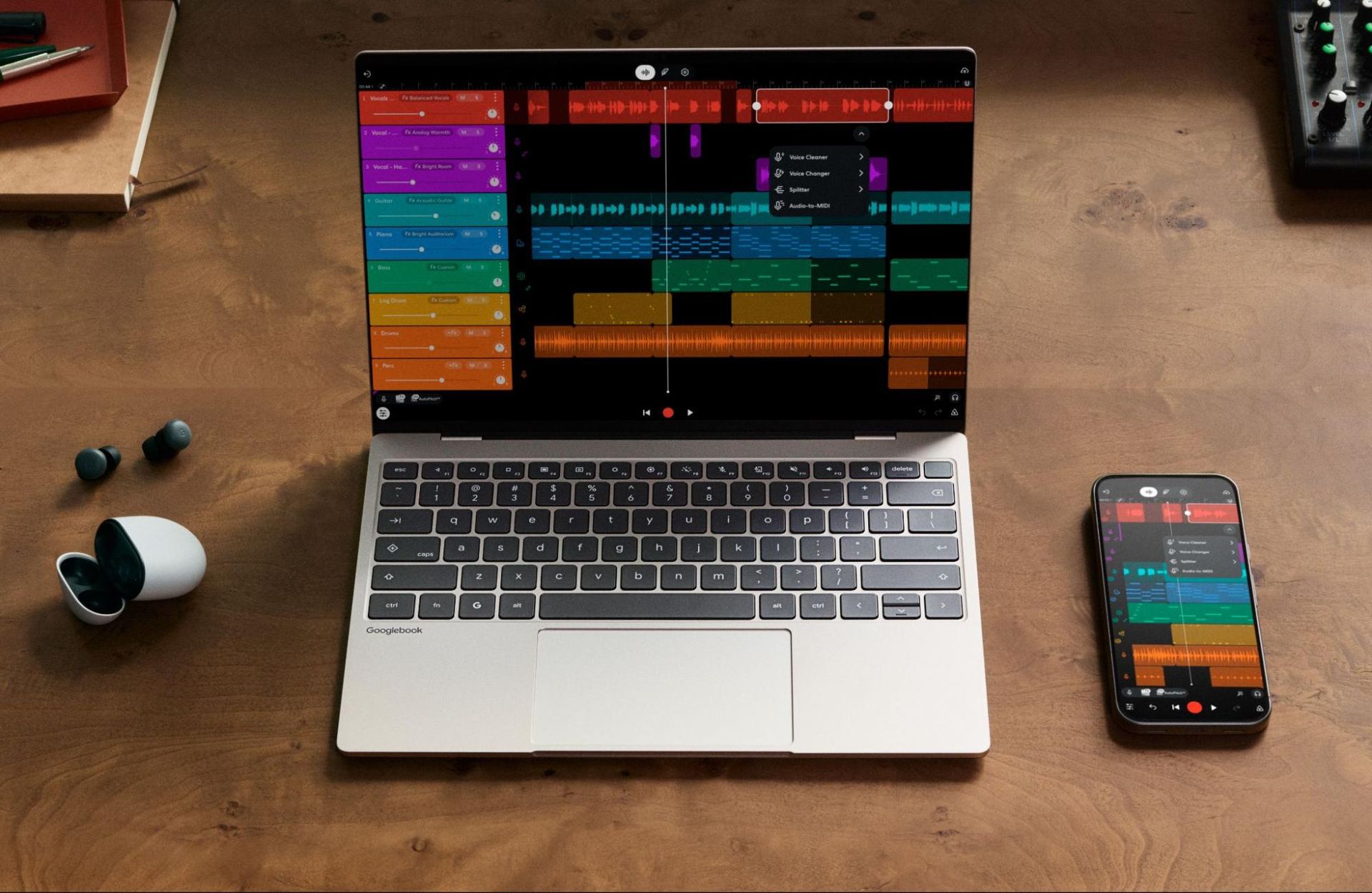
After a brief tease back in May, Google is detailing its lineup of Googlebooks, its new line of laptops designed to serve as premium systems that work best with Android phones and deliver unique abilities through Gemini.
At an event ahead of the launch, Sameer Samat, Google's president of the Android ecosystem, said that the device's new OS would pull from the best aspects of ChromeOS and Android to design a modern
(Image credit: Google)
The systems are available for pre-order today and will land in stores on October 4 in the U.S. and October 5 in Canada, the U.K., Ireland, France, Germany, and Australia.
Googlebook hardware
The first five Googlebooks come from five partners: Dell, Lenovo, HP, Asus, and Acer, and offer silicon from either Intel or Qualcomm. MediaTek is also listed as a partner, but its chips aren't in the first wave of devices.
These devices are clearly designed to go after the MacBook Air and premium Windows laptops, using materials like aluminum, magnesium, and carbon fiber rather than plastic. The screens are all high-resolution, with several 2880 x 1800 OLED screens. Most of the lineup has haptic touchpads.
Google has set a floor of 16GB for RAM, with several of the options offering up to 32GB. 256GB is the minimum for storage, though many go up to 512GB, and Dell and HP go up to 1TB.
All of them also feature a Glowbar (a throwback to the Chromebook Pixel and Pixel C tablet), a series of RGB lights on the lid that glows playfully at startup, shows battery charge, and can react when you talk to Gemini. Given that the Glowobar is behind the screen, we'll see how much use it gets, but Google says it's going to open an API for developers.
Several of the new laptops are reminiscent of existing Windows machines. The HP Googlebook 14 resembles the HP OmniBook Ultra, while the Dell's XPS Googlebook is effectively this year's XPS 13. The Asus Googlebook 14 is a dead ringer for the premium, enterprise-focused ExpertBook Ultra.
And yet some of those familiar looks were my favorites on first impression. I particularly appreciated how thin and light both Asus and Dell's designs are, though Asus' has far more ports. With the exception of Acer's 2-in-1, the entire lineup consists of clamshell designs.
The laptops aren't cheap, particularly if you're used to the lower end of Chromebooks. The cheapest notebook, the Acer Chromebook 14, starts at $899, though the notebook maker says it's a limited-time price. The XPS starts at $1,199, while the rest all start at $1,299, the price of a base MacBook Air.
(Image credit: Tom's Hardware)
Google's keyboard layout brings back the caps lock key (which also doubles as the Quick Insert key, see below), and also adds a G key that brings up the launcher.
Meet the Googlebooks
*️⃣ Acer Googlebook 14
Tom's HardwareTom's HardwareTom's Hardware
*️⃣ Dell XPS Googlebook
Tom's HardwareTom's HardwareTom's Hardware
*️⃣ Asus Googlebook 14
Tom's HardwareTom's HardwareTom's Hardware
*️⃣ Lenovo Googlebook 15
Tom's HardwareTom's Hardware
*️⃣ HP Googlebook 14
Tom's HardwareTom's HardwareTom's Hardware
Googlebook OS
The Googlebook OS is designed to be tightly integrated with your existing Android phone. The idea is that once you log in and set up the laptop for the first time, you'll find all of your files, photos, apps, emails, and saved passwords right where you would expect them, with changes flowing back to your phone. The whole idea seems very Mac-like, but for Android, which never had that same tight integration with Microsoft's Windows, despite multiple attempts.
In general, this seems like a simple but mostly full-featured desktop OS for the crowd growing out of Chromebooks. Much of the work still occurs in your browser (in this case, Chrome), but there's a full file manager (including AI descriptions of files) to open files locally. You can put phone-style widgets on your desktop, and there's a taskbar at the bottom of the screen.
(Image credit: Google)
The applications, however, all come from the Android side of things. Google provides apps through the Play Store. Google is counting on a mix of the Play Store and web apps, meaning you won't be downloading any executables to use on a Googlebook from the web. Google claims that 70% of time on a laptop is spent in a web browser.
The company is highlighting Adobe's Photoshop and Lightroom, CapCut, Netflix, and Disney+ (with offline viewing). Those apps, among others, will have a desktop mode. Additionally, Google says that half of the 100 top games on Android are "already optimized for keyboard, mouse, and large screen, with new games launching monthly."
That latter point is quite PC gaming, though. For that, Google is offering a free year of Nvidia GeForce Now, and suggests more gaming will come to Googlebooks soon enough. (Gaming Chromebooks didn't quite take off, so we'll see what Google does differently here).
(Image credit: Google)
There are a handful of features to move back and forth between your laptop and your phone that seem helpful (and again, quite similar to macOS). Continue On is effectively macOS and iOS's Continuity, which lets you pick up on a task from your phone on your laptop, and vice versa. The application for the file you're working on shows up in a Googlebook's taskbar. For when you want to use your phone directly on the laptop, Cast My Apps lets you control it from the desktop (similar to macOS's iPhone Mirroring)
(Image credit: Tom's Hardware)
Google also includes Antigravity, its platform for developing agentic workflows and agents to build web apps or Android software on your device. At an event ahead of the show, Googlers were vibe coding software to put on their machines, from a teleprompter Android app to an arcade full of '80s arcade games. Google says Antigravity will also include a Linux terminal environment to run tools like Claude CLI or Antigravity CLI.
Google promises 10 years of support for Googlebook OS on a Googlebook, though at a press event, there was a big asterisk next to that claim. The 10 years starts from the launch of the platform and chip inside the Googlebook, I was told, which means that Intel's Panther Lake chips will have nearly a year lopped off immediately (they launched in January this year), while Snapdragon X Elite, which first shipped in 2024, will already be 2 years behind.
This isn't terribly different from how Google supports its Chromebooks now — by platform, not launch of the system, but that difference may not play the same in the big leagues. Google keeps a database where you can see when any given Chromebook model will stop receiving updates, and presumably it will do something similar with Googlebooks.
Gemini Intelligence
The features that make Googlebooks stand out are the ones where Google baked its Gemini AI directly into the operating system. That also means how much you like a Googlebook may be directly tied to how useful you find these features.
(Image credit: Google)
The one feature Google talks up the most is the Magic Pointer. You wiggle your cursor, and it becomes a Gemini-focused pointer. Click on anything to get contextual suggestions or type into the assistant to get answers about what you chose. For example, one demo showed someone using Magic Pointer on a PDF of a calendar and asking Gemini to add the dates to their calendar. In many cases, it felt like a shorter way to get to Gemini than copying and pasting screenshots, but I didn't get enough time to judge how useful it could be.
The Caps Lock key doubles as a "Quick Insert tool" — effectively a souped-up copy and paste that includes your clipboard history, emojis, translation tools, proactive assistant capabilities, and opens Rambler, which allows for text-to-speech and cleans up where you might have stumbled and messed up.
Rambler was introduced at I/O this year and debuted on the Pixel 11, but it was impressive on the Googlebook. I tend to type rather than speak on a computer, but this might convince some people otherwise. It even did well in a relatively loud demonstration environment.
While there are a number of widget options in Googlebook OS, you can also create your own with natural language. I was able to make one that showed me the top movie of the day in a given year.
(Image credit: Google)
Perhaps the most natural are Magic Cues — recommendations to do something with the information you're seeing — peppered throughout the OS. If you see dates, you may be cued to make a calendar invite. If someone asks a question in a text message, the answer might pop up if it is in your email, texts, or somewhere else it was discussed before. This has also been on Pixel phones before, but seems to fit in just fine on a laptop.
Beyond the Gemini features, every Googlebook is shipping with 12 months of Google AI Pro (usually $19.99 per month), offering 5TB of cloud storage and advanced tools like higher rate limits in Gemini, entry rate limits to agent models in Antigravity, credits for use in Google Flow, and higher access to AI in Google Search. There are also 3 months of YouTube Premium, CapCut, and Photoshop. Additionally, there's 1 year of Gemini Spark, a version of the AI that acts as an autonomous agent. That's a lot of freebies, and it will be interesting to see how many people feel the need to keep and renew them to make the most of their Googlebooks.
Can Googlebook break through?
Despite Android's popularity globally, Chromebooks have largely been seen as kid stuff — quite literally for education. Googlebooks are a play to be more serious computers, but also bring a premium price.
The AI features are neat in some cases, and showboaty in others. I need to spend real time with a Googlebook to truly decide what's useful.
What is undoubtedly the most important part here is that Android users will have a device that integrates with their phones as well as Macs do with iPhones. Whether that's enough to justify a new operating system that still has some limitations is an open question. Again, we have to try these.
Google clearly has some OEMs excited, but as computers get more expensive thanks to a component shortage, we'll have to see how these prices land, and if the company finally has a mainstream competitor on its hands.
It’s been nearly two years since Apple updated the Mac mini. And for better or worse, things have changed a lot during that time. The last Mac mini with an M4 processor went on sale in early November 2024, with a starting price of $599. The latest Mac mini that we’re testing today starts at $899, which we can directly blame on the rising costs of components due to the voracious demand for everything related to artificial intelligence (AI).
A $300 price hike in less than two years is unprecedented, but it’s a sign of the times, and we have to factor those realities when evaluating any product today. So with that context in mind, we’ll take a look at Apple’s newest Mac mini, which looks very familiar on the outside, but has undergone some internal hardware upgrades, to deliver some significant performance improvements over its predecessor.
Design of the Apple Mac mini (M6)
The Mac mini hasn’t changed on the design front, and that’s mostly a good thing. I’m always impressed with not only the minimalist style of this small form-factor computer, but also its tiny size. It has a 5-inch x 5-inch footprint, while standing just 2 inches tall. My only gripe is the power button, which remains stubbornly on the bottom of the system (back left corner). You’ll need to lift the system any time you want to turn it on (or force it to shut down in the event of a crash), and you’ll need to double-tap the power button when setting up Touch ID with an Apple Magic Keyboard for the first time. However, this is just a minor annoyance, as interacting with the power button on a modern Mac is a rarity.
Despite its trim dimensions, you do get a fairly decent number of ports on the exterior of the Mac mini. However, let’s get this out of the way first: Apple doesn’t give you any USB-A ports on the Mac mini, so keep that in mind before purchasing. So, if you have USB-A devices around, you’ll either need to keep some cheap USB-A to USB-C adapters on hand, or invest in a USB-C or Thunderbolt dock for connecting legacy devices.
Instead, our Mac mini review unit features two USB-C ports (10 Gbps) and a 3.5 mm headphone jack up front, along with three Thunderbolt 4 ports on the rear (M5 Pro systems swap the Thunderbolt 4 ports for Thunderbolt 5). You’ll also find a 2.5 GbE port (up from 1 GbE), an HDMI port, and the power port on the back. We should note that while our review unit was specced with the 2.5 GbE LAN, you can individually option a 10 GbE port for $100 extra. A 10 GbE USB-C adapter would set you back around $100, so Apple’s upgrade is surprisingly reasonably priced, and you don’t lose a port in the process.
When it comes to wireless connectivity, the Mac mini uses Apple’s new in-house N1 wireless chip instead of relying on a third-party design. It provides tri-band Wi-Fi 7 and Bluetooth 6 support, which is an upgrade from the Wi-Fi 6E and Bluetooth 5.3 on the previous generation.
One thing to keep in mind with the Mac mini is that what you see is what you get when you purchase one. There are no internal upgrades available for the system once you’ve purchased it, so choose wisely before you click the buy button. Base systems come with an M6 chip (12-core CPU, 12-core GPU), 16GB of RAM, and a 256GB SSD. Our review unit features the M6 chip, 24GB of RAM, and a 512GB SSD. If you want to add storage post-purchase, we’d suggest taking a look at one of the best external SSDs.
Apple Mac mini (M6) Specifications
Processor
Apple M6 (2 super cores, 4 performance cores, 6 efficiency cores)
Graphics
12-core GPU
Memory
24GB LPDDR5X unified memory
Storage
512GB SSD
Networking
2.5 Gigabit Ethernet, Wi-Fi 7, Bluetooth 6
Front Ports
2x USB Type-C (10GB/s), 3.5 mm headphone jack
Rear Ports
3x Thunderbolt 4 ports (USB-C), HDMI, Ethernet
Power Supply
Internal, 155W
Operating System
macOS 27 Golden Gate
Dimensions
5 x 5 x 2 inches
Price as Configured
$1,399
Productivity Performance on the Apple Mac mini (M6)
Although the Mac mini is available with a more potent M5 Pro processor, our review unit came with the base M6 processor (12 CPU cores, 12 GPU cores). It also incorporates 24GB of LPDDR5X memory and a 512GB SSD.
This is the first system we’ve tested with the new 2-nanometer M6 processor. So, we were eager to see how it would perform against not only the M4 Pro in the previous Mac mini, but also the M5, which can be found in the current-generation MacBook Air and base MacBook Pro.
The M6 chip in the Mac mini had no trouble dispatching the M4, M4 Pro, and M5-equipped systems in the Geekbench synthetic CPU benchmark. In fact, it was 21 percent faster than the last M4 Pro Mac Mini in the single-core test. It also completely obliterated the M4 (10-core CPU, 10-core GPU) version of the Mac mini. The advantage versus the M5 system was lessened, but it was still a clear victory for the M6. The M6 actually slightly trailed the M4 Pro Mac mini (21,045 versus 22,661) in the multi-core test, which wasn’t too surprising given that the 12-core M6 was going up against a 16-core M4 Pro. But it was still a strong showing for the M6, given the architectural improvements that allowed it to get that close.
We had some trouble obtaining consistent performance from our usual 25GB file transfer test, so we fell back to the Blackmagic Disk Speed Test for benchmarking the 512GB SSD. Needless to say, it presented a marked improvement over the preceding M4 Mac mini.
Storage performance was comparable to the M5 MacBook Pro on sequential writes, but slightly behind for sequential reads. It also slightly outperformed the M4 Pro Mac mini in writes, but was over 1,000 MBps ahead in reads. However, the M6 Mac Mini nearly doubled the write performance and more than doubled the read performance of the M4 Mac mini.
The similar multi-core performance in Geekbench was mirrored in our HandBrake test, during which we transcoded a 4K video file to 1080p. The M6 Mac mini completed the task in 2 minutes and 46 seconds, while the M4 Pro version was just one second behind. The M6 Mac mini was nearly 2 minutes faster than its M4 counterpart.
We ran Cinebench 2026 through 10 runs with the Mac mini, keeping track of its scores along the way. The Mac mini started off with a score of 5403, which rose to 5557 for the second run. For the remaining eight runs, the Mac mini was highly consistent, hovering between 5530 and 5554.
The M6 used in the Mac mini isn't yet fully supported by TG Pro, so we could only use the average of the available temperature sensors (power management sensors, power supply, and SSD). At idle, the fan spun at just around 1,000 revolutions per minute (RPM), with an average system temperature of 44 degrees Celsius. However, when running Cinebench 2026, the average system temperature rose to 64 degrees C, while the fan settled at around 2615 RPM.
Gaming and Graphics on the Apple Mac mini (M6)
Gaming shouldn’t be the primary goal with the Mac mini, but it can do some light lifting. I played Cyberpunk 2077 for a bit and benchmarked it. Although I was provided an Apple Studio Display (5K resolution) to test with the Mac mini, I ran benchmarks at 2560 x 1440 and 1920 x 1080, because the native 5K is a bridge too far for this game, given the hardware.
Using the "For this Mac" global setting, the Mac mini achieved 37.33 frames per second (fps) at 1440p and 58.11 fps at 1080p. With frame generation turned on, those numbers jumped to 62.61 fps and 96.24 fps, respectively.
If you don't mind turning the detail settings down a bit, you can achieve playable frame rates with the Mac mini. However, moving the detail slider to Ray Tracing (Medium) dropped frame rates into the 20 fps range even with frame generation turned on at 1440p.
macOS Golden Gate and Apple Intelligence
The Mac mini ships with macOS 27 Golden Gate, which was first made available to the public last week. macOS 27 is not a complete rethink of the desktop operating system formula for Apple, but it does provide a number of quality-of-life improvements for users.
One of the headlining features is new and improved Siri AI. While Siri was one of the first digital assistants to debut on a smartphone, it hasn't exactly been "smart," at least compared to its contemporaries. Siri AI now digs its fingers deeper into the operating system, allowing it to glean contextual data from your photos, mail, messages, and documents. You can access Siri AI from Spotlight (search) or using the dedicated Siri AI app. Siri AI is also vastly more useful, as it will more consistently answer general questions asked, rather than throw up its digital hands and say "Here's what I found on the web."
Apple's Shortcuts app is an incredibly powerful tool that has been available for years across the Mac, iPhone, and iPad product families. However, the granular control and seemingly limitless options can make creating a new shortcut daunting for newbies. So with macOS 27, you can now create a new Shortcut using natural language. For example, you could input, "Create a shortcut that sets the AC to 74 degrees when I leave work, and let my wife know what time I'll arrive at home," and it will take care of the rest.
Liquid Glass was one of the more controversial additions to macOS 26, with some people not liking the translucent makeover. MacOS 27 gives users more control over Liquid Glass, with sliders to adjust the intensity of the transparency effect.
Apple has also introduced plenty of system-level optimizations to improve performance across the board. For example, Apple says that AirDrop is up to 80 percent faster in macOS 27 than macOS 26, and a lot more reliable. Apps also open faster – any lagginess or stuttering that was perceptible in macOS 26 has been eliminated with this newest release. The best comparison I can make for the macOS 26 to macOS 27 upgrade is the fine-tuning that Apple did going from Mac OS X 10.5 Leopard to Mac OS X 10.6 Snow Leopard. There weren’t any major feature additions with that latter release, but there were a plethora of under-the-hood optimizations that made it much faster and more stable.
In addition, macOS 27 doesn’t install the Rosetta x86 translation software by default; you’ll need to download it when you first run a legacy x86 app. However, starting next year with macOS 28, you won’t be able to run apps that aren’t Apple Silicon-native, so Rosetta will be completely off the table.
Apple Mac mini (M6) Configurations and Warranty
The base Mac Mini comes with an M6 processor, 16GB of RAM, and a 256GB SSD for $899. Before Apple's June 2026 price increases, the base Mac mini with M4, 16GB of RAM, and a 256GB SSD cost $599. After the price increases, that $599 jumped to $799. Now, we're looking at another $100 increase for the base Mac Mini. There’s one standalone upgrade option: $100 extra gets you a 10 GbE port instead of the standard 2.5 GbE.
Apple also allows you to upgrade to 24GB or 32GB of RAM, along with 512GB, 1TB, and 2TB SSD options. A fully-loaded M6 Mac mini with 32GB of RAM, a 2TB SSD, and 10 GbE costs $2,399.
For people who require a bit more processing power, perhaps for AI tasks (as Apple seems so inclined to believe), the base M5 Pro Mac Mini (15-core CPU, 16-core GPU), with 24GB of RAM and a 512GB SSD, costs $1,699. However, you can go bonkers with the options, topping out with an M5 Pro (18-core CPU, 20-core GPU), 64GB of RAM, an 8TB SSD, and a 10 GbE adapter for a whopping $6,599. At that price, it’s probably worth looking at the Mac Studio.
All Mac minis come with a 1-year manufacturer warranty.
Bottom Line
The base M6 chip provides better single-core performance and nearly matches the multi-core performance of the optional M4 Pro in the previous-generation Mac mini. Compared ot the standard M4 Mac mini, the new M6 version blows it away in CPU and SSD performance.
These are the kinds of generational improvements we’ve come to expect with Apple Silicon, which seems to be firing on all cylinders these days. The new Mac mini also gets other, less-highlighted improvements, like faster standard wired networking (2.5 GbE versus 1 GbE) and Wi-Fi 7/Bluetooth 6.0 instead of Wi-Fi 6E/Bluetooth 5.4.
However, the elephant in the room is pricing for the Mac mini. Earlier this year, you could grab a base Mac mini for $599 – although availability was spotty after Q1, thanks to OpenClaw and anticipated price hikes. More importantly, over the years, going from one Mac mini generation to the next typically yielded performance benefits with no (or minimal) price increase. The AI revolution has rewritten the hardware rulebook, so we’re now faced with a new generation that is $300 more expensive than the previous model ($200 June price increase + another $100 increase for this new generation).
So in a matter of months, what was for years a screaming bargain for anyone looking for a cheap entry point into the Mac desktop ecosystem has gotten a lot more expensive. 16GB of memory and a 256GB hard drive are easier to justify at $599, but it’s a tougher pill to swallow at $899, and especially so with our review unit’s as-tested price of $1,399.
The Institute of Microelectronics of the Chinese Academy of Sciences (IMECAS) has developed an experimental process flow for building stacked-nanosheet gate-all-around (GAA) transistors using immersion DUV lithography and demonstrated functional devices. The flow is intended for eventual use with 3nm-class and smaller process technologies by Chinese chipmakers that do not have access to EUV scanners, reports DigiTimes.
While IMECAS has demonstrated functional GAA devices, it has not disclosed the critical geometrical parameters that would allow comparisons to 3nm-class transistors from other chipmakers. Furthermore, the experimental process flow for building transistors is not even a defined process flow for building research chips, much less a complete 3nm-class manufacturing process.
Nonetheless, the achievement is quite important as it demonstrates that China is capable of developing its own branch of semiconductor evolution without using leading-edge tools from Western companies.
Early process integration complete
Ye Tianchun, chief engineer of China's National Major Special Project 02, said at the IC World conference in Beijing that IMECAS had completed 'early process integration' for stacked nanosheet-channel GAA transistors fabricated with DUV lithography. The researchers from IMECAS obtained devices with Ion/Ioff ratios of 9.7×10⁵ and 7.6×10⁵, both exceeding the 5×10⁵ threshold, which means gate control of the stacked sheets is working. These figures indicate that the experimental transistors can distinguish between their conducting and non-conducting states, but they say little about transistor density or whether their physical dimensions correspond to those expected from commercial 3nm-class technologies.
In particular, IMECAS has not disclosed gate pitch, metal pitch, nanosheet dimensions, transistor density, SRAM density, or other geometrical characteristics that could put its devices into perspective against 3nm-class production nodes from Intel, Samsung Foundry, or TSMC. Therefore, the achievement should be viewed as validation of a stacked-nanosheet GAA process flow based on DUV lithography rather than evidence that China has developed a 3nm process without EUV.
The most important part of the experiment is that IMECAS is investigating how GAA devices intended for future 3nm-class and more advanced technologies can be fabricated without using EUV lithography, something that nobody has done before in volume production.
GAA transistors have succeeded FinFET devices at leading-edge nodes because placing the gate around nanosheet channels provides better electrostatic control as transistor dimensions shrink. IMECAS has been developing technologies required for this transition since 2020, and its particular focus was on nodes below 3nm, which is why it now mentions 3nm as part of its announcement.
Reducing China's dependence on advanced foreign tools
It goes without saying that IMECAS' work in recent years has been focused on reducing China's dependence on tools, software, and other technologies that are designed by Western companies and therefore subject to export restrictions imposed by American, Japanese, or European countries.
Among other things, Ye mentioned architectural innovation, design-technology co-optimization (DTCO), system-technology co-optimization (STCO), and 'extracting more value' from mature fabrication technologies. For now, IMECAS' result demonstrates a DUV-based route for researching stacked-nanosheet GAA transistors intended for future 3nm-class technologies, but not a China-developed 3nm process ready for manufacturing even in the long-term future.
Even if IMECAS eventually demonstrates appropriately scaled GAA devices using DUV, or discloses critical geometry parameters of the current work, this would still be far from a production-ready 3nm-class technology. Commercial manufacturing requires integration of lithography with deposition, etching, cleaning, metrology, process control, materials, temperatures, and many other steps and parameters. For now, IMECAS has not demonstrated such a manufacturing flow.
OpenAI expects to spend $278 billion more money than it generates between 2026 and 2030 due to aggressive spending on compute capacity and adjacent infrastructure, according to a recent presentation seen by the Financial Times. While the company projects nearly 10X revenue growth over the four-year period, the AI developer expects its spending on production capacity and supporting infrastructure to exceed its earnings by over a quarter of a trillion dollars.
OpenAI expects its revenue to increase from $36 billion in 2026 to $350 billion in 2030 and expects to book a total of $840 billion in revenue between now and the end of the decade, according to the presentation, which the company presumably sent to its current and potential investors ahead of its expected IPO. OpenAI plans to spend about $856 billion on computing resources and infrastructure over the same period, its largest expense.
The company also intends to spend an additional $262 billion on other things during the period. As a result, OpenAI forecasts cumulative negative free cash flow of $278 billion from 2026 through 2030. While the sum is massive, this represents an improvement from a projection made in May, when the company expected cumulative negative free cash flow of $305 billion, FT notes.
Financing OpenAI's continuous expansions requires huge amounts of additional capital. OpenAI raised $122 billion in March, but its current financial model indicates that this money could be depleted in 2028, FT reports. The company, recently valued at $852 billion, has already entered discussions about another large investment round. Prospective investors have approached OpenAI about providing capital at a valuation of $1.2 trillion, while a person close to the company said OpenAI is seeking an even higher valuation.
The spending reflects the gargantuan cost of building AI data centers and additional infrastructure to train new AI models and then use them to provide services to clients. Meanwhile, it means OpenAI's revenue growth will lag its spending so much that it will burn $278 billion in four years. To put it into context, $278 billion is only slightly below the Austrian government's $286 billion spending in 2024 and exceeds the annual government expenditures of Indonesia and Norway, at least according to the IMF.
To put the $278 billion figure into a perspective more relevant to OpenAI, it equals four years of $20 monthly subscription fees paid by roughly 290 million people. As of early 2026, OpenAI had over 50 million consumer subscribers (at different plans), over 9 million paying business users (again, at different prices per seat), and more than 900 million weekly active users.
OpenAI had planned an initial public offering for autumn 2026 and confidentially submitted documents to the U.S. Securities and Exchange Commission in June, but later postponed the process, citing increasing public concern about risks associated with rapidly advancing AI systems. Some experts also believe the delay reflects concerns about how public markets would value a company that generates losses that exceed the budgets of countries like Indonesia. Meanwhile, Anthropic is expected to pursue an IPO this autumn that could become the largest ever.
The second-largest AI company in China is having to work frantically to patch up its reputation, reports the South China Morning Post. Z.ai’s firefighting exercise began after a number of prominent devs raised flags about their local files and data being uploaded to online servers without their consent.
Z.ai has started to publicly address all the security and privacy concerns that have been stoked by the dev/blogger findings in recent days. On Friday, it apologized and said it had fixed the uploading of user files and data without consent. Moreover, it has been assuring users that any data uploaded to its cloud service has been destroyed. Lastly, and good for longer-term trust, Z.ai says that it is planning to open-source ZCode’s codebase and invite third-party assessors to review it.
Z.ai is also known as Zhipu AI, but you may also be familiar with it for its GLM models, which are available alongside the likes of Gemma, Qwen, Nemotron, DeepSeek, and many more on Hugging Face. Like similar companies, Z.ai offers a coding assistant, and it is this ‘ZCode’ tool that was caught silently uploading large amounts of data without permission.
The SCMP quotes two devs/bloggers who noticed what was happening and alerted their followers about the suspicious activity. One of them, known as Ferstar, reckons that ZCode compressed 313MB of their files into a directory to upload to Alibaba Cloud storage. When it was caught, it had apparently tried and failed to upload this compressed and encrypted file 564 times... A smaller 15KB file had successfully been siphoned.
Though the temporary files were squashed and encrypted, filenames were still visible. Thus, Ferstar was pretty certain the contents included a commercial project he was working on, even though he couldn’t extract the files to verify their contents. Another tech blogger known as Feng Ruohang reported a similar experience. Making matters worse, the upload mechanism within ZCode is enabled by default, with no ‘off’ option, says the source report.
There’s no indication of how long this sneaky file-uploading situation has existed. However, the SCMP also quotes an unnamed software engineer at a leading Chinese robotics company who indicates that Z.ai’s tools have been banned within the company due to security concerns.
As far as sneaky data pilfering and similar abuses, U.S. companies certainly don’t have a spotless record. Reports indicate Elon Musk’s xAI, specifically the Grok Build tool, was up to similar shenanigans earlier this year. Claude Code users have also grumbled about their data being transmitted without consent, as well as suffering from vulnerabilities that might allow hackers unauthorized access to user data.
Cloudflare has saved 100 TB of RAM again, but this time by tuning its hash-mapping algorithm. One of Cloudflare's largest business use cases is data caching, more specifically serving a URL directly from memory or disk instead of fetching it from the live site, which may take a significant amount of time. The company uses its own open-source Pingora framework for the task of mapping an arbitrary URL to one of its cadre of cache servers, using the Ketama algorithm. This task is simple in concept, but can get quite tricky in an environment where it's expected that backend servers appear and disappear — and harder still when done at Cloudflare's scale.
"Backend routing," or the mapping of a URL to one of many cached servers, requires a lot of tables held in memory. An incoming URL is hashed (like you do with files with CRC-32), and that resulting number is taken and sent out to a server. The first instinct is to do this sequentially, one URL per server, but you hit the first problem: the same URLs aren't going to the same servers. So what you do is you make a hash corresponding to the server, say with its IP address and name, and match both hashes together by numerical proximity.
A naïve hash map. (Image credit: Cloudflare)
That sounds simple, and it works fine, as the URL hashes' distribution is going to be effectively random, and the requests will be redirected to the same server in an egalitarian way. But then you run face-first against the second problem: say you have four servers serving 25% of requests each, and #2 disappears because someone tripped on the power cable. You'll be forced to redirect the requests it handled onto whichever are closest in the hash map, and end up overloading server #3, the next one over, while #1 and #4 remain under little load.
The solution to that is to add more hashes per server and mix them up randomly. Now your four servers' many hashes have a random distribution, and if one dies, incoming requests should be equally distributed among the remaining ones. This takes a lot of memory, and it takes far more once you set up layers with weight rules (so that bigger servers handle more requests), and the fact that, due to content restrictions and architectural regions, not all servers can serve all requests. All told, Cloudflare was running with as many as 100,000 server hashes per machine, ballooning RAM requirements.
An advanced hash map with extra hashes per server in a random arrangement. (Image credit: Cloudflare)
After judicious application of some algebra and basic statistics, Cloudflare engineers concluded that using those 100,000 hashes was far and away beyond the point of diminishing returns. The team calculated that a mere 10% of that amount was good enough for nearly the same results, as the error rate barely drops for each order of magnitude beyond 10,000. After some judicious wrangling of Rust's data structures to save 2 bytes per entry in the hash-server map. That sounds like nothing, but it quickly adds up with billions of records.
All things considered, the Cloudflare team saved around 100 TB of RAM total with this optimization. To play it safe, the team added this "v2" algorithm as a separate code path rather than replacing the code altogether — allowing them to simply swap back to the original one if something broke. Now if only all modern software were this judicious about resource usage.
The RAMapocalypse, which has been in effect for almost a year now, has sadly cleared out most of the RAM, storage, and video card deals we’ve clung to in hopes of finding some sanity amid these outlandish prices. And while we wait for prices on those components to come back down to earth, you can still find good deals on other items. For example, this ASRock Phantom Gaming (PG27FFT1B) 27-inch 1920x1080 180Hz gaming monitor, on sale for only$96, is a worthwhile upgrade for anyone still using a smaller or lower-refresh-rate monitor and who wants to jump into high-refresh-rate gaming, or maybe even go surround, without breaking the bank.
The IPS panel uses an anti-glare surface and supports up to 94% DCI-P3 or 123% sRGB, making it suitable for a wide range of tasks, including gaming, entertainment, and standard creative work. It also supports brightness up to 450 cd/m² and the VESA DisplayHDR 400 standard, a 1ms (MPRT) response time, wide 178-degree viewing angles, and multiple technologies to reduce eye strain, including flicker-free and low blue light, for a more comfortable viewing experience. It also supports AMD FreeSync technology to help prevent screen tearing and stuttering for a better visual experience.
Snag a solid deal on a 27-inch 180Hz IPS panel from ASRock. The PG27FFT1B offers users wide color gamut (94% DCI-P3), 450 cd/m brightness and HDR400 certification, as well as AMD FreeSync to prevent screen tearing.View Deal
The monitor features an ultra-thin bezel on three edges for a cleaner look, or, if you’re using multiple monitors, reduces the visual gaps between them for a seamless surround gaming experience. It comes with a stand that offers tilt adjustment from +23 degrees to -5 degrees so you can angle it just right on your desk (no vertical height adjustment), and you can mount it on the wall with the standard VESA mounting holes on the back. As for I/O, the PG27FF1T1B offers the standard fare of two HDMI (v2.0) and one DisplayPort (v1.2), which easily support the panel’s specifications. It also has a single 3.5mm headphone out and two integrated speakers (2W x2).
If you’re in the market for a new gaming monitor, or even a secondary monitor, and just don’t have the cash for a much more expensive 4K OLED (which, chances are, also requires a potentially prohibitively expensive video card upgrade), you can still reap the benefits of a high-refresh-rate display. ASRock’s Phantom Gaming PG27FFT1B is just $96, an incredible 40% off and at an all-time low, and is one of the best deals going on for a 27-inch, 1080p, 180 Hz IPS panel.

 Login