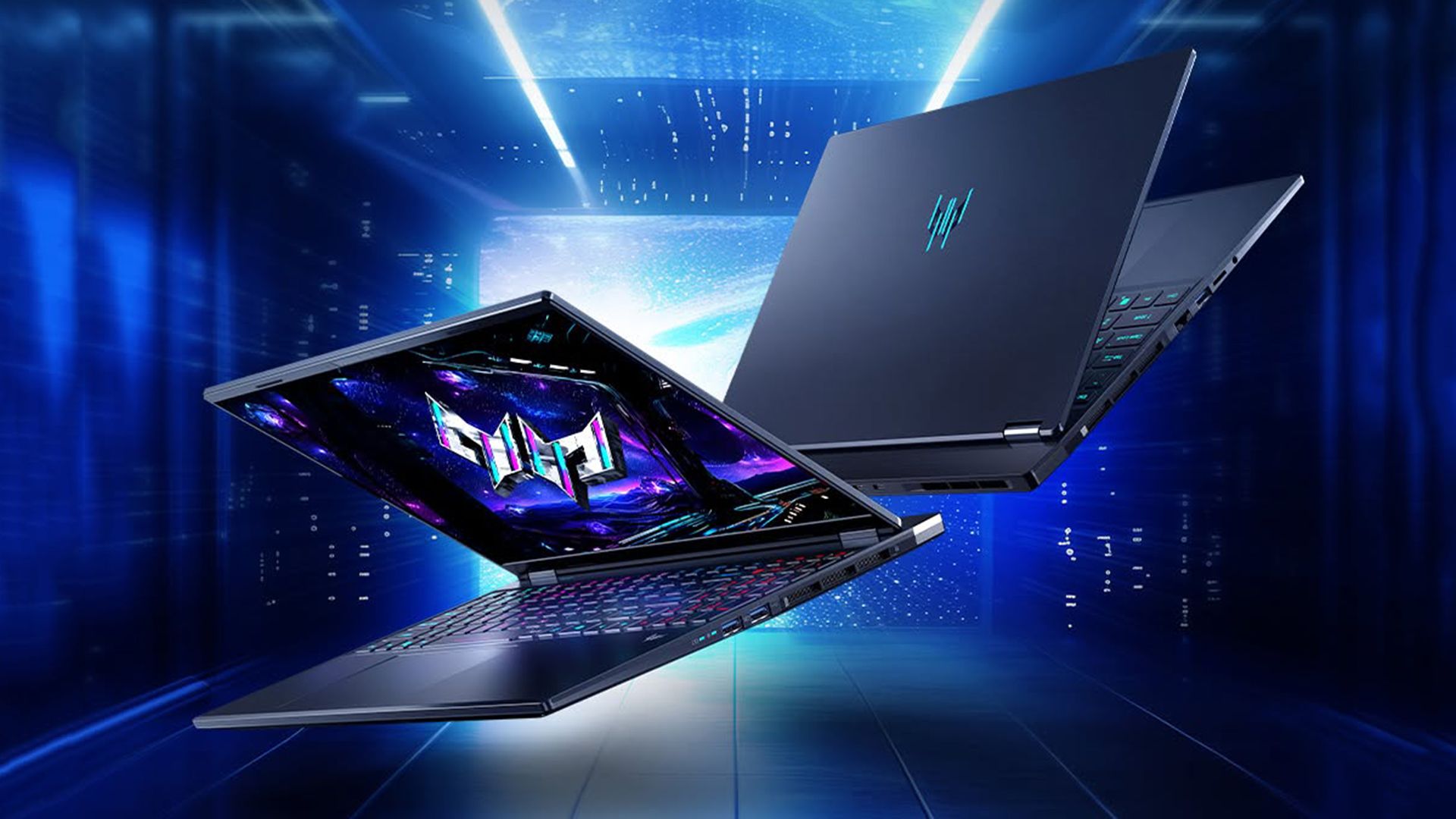
For anyone looking to buy a premium gaming laptop with an OLED display, the Acer Predator Helios Neo 16S AI is worth considering. The laptop is currently on sale at Best Buy for a limited time for $2,224.99, saving you $550 off its original price of $2,774.99. The discount also applies to the higher-end 32GB RAM model, available for $2,399.99, saving $800 off its original price of $3,199.99.
The Acer Predator Helios Neo 16S AI is a fairly thin gaming laptop with a maximum thickness of just 18.9 mm. The laptop features a 16-inch OLED panel with QHD+ (2560 x 1600) resolution and a 16:10 aspect ratio, giving you more vertical screen space. It also offers a fast 240 Hz refresh rate, plus support for G-Sync, VESA True Black HDR500, and 100% DCI-P3 color gamut coverage.
Gamers looking for a premium laptop with a vibrant OLED display and high-end graphics can grab the Acer Predator Helios Neo 16S AI at a reduced price, with the RTX 5070 Ti-equipped machine starting at $2,224.99 and the 32GB RAM model dropping to $2,399.99.View Deal
Despite its thin profile, the laptop is claimed to deliver desktop-class performance thanks to Intel’s top-of-the-line Core Ultra 9 290HX Plus processor, which features 24 cores and boost clock speeds of up to 5.5 GHz.
Handling the graphics is Nvidia’s RTX 5070 Ti laptop GPU with 12GB of GDDR7 memory, offering the benefits of the Blackwell architecture, including DLSS 4 and the latest DLSS 5, multi-frame generation, and improved ray-tracing performance. Memory options include 16GB or 32GB of DDR5-6400 RAM, while a 1TB PCIe Gen 4 SSD provides storage for all your games and other data.
Gamers looking for a premium laptop with a vibrant OLED display and high-end graphics can grab the Acer Predator Helios Neo 16S AI at a reduced price, with the RTX 5070 Ti-equipped machine starting at $2,224.99 and the 32GB RAM model dropping to $2,399.99.View Deal
For I/O, you get three USB 3.2 Type-A ports, a USB 3.2 Type-C port, a Thunderbolt 4 port, a headphone jack, 2.5-gig Ethernet, HDMI 2.1, and a microSD card slot. For wireless connectivity, you get Bluetooth 5.4 and Wi-Fi 6E. Other notable features include a 92 Wh battery, a quad-zone RGB backlit keyboard, and a 1080p IR webcam.
Overall, the Acer Predator Helios Neo 16S AI offers a promising combination of a high-refresh-rate OLED display, powerful hardware, and a relatively slim design. At $2,224.99 for the 16GB model or $2,399.99 for the 32GB variant, the current Best Buy deal makes it a great option for those looking at desktop-class performance in a portable package.
Proton AG, which provides privacy-focused services like Proton Mail and Proton VPN, has decided to host the Flock camera map that security researcher Joshua Michael built from leaked Flock data. While the original Flock Surveillance Map is still available online, its creator is facing legal threats from the company, especially after Flock sent the researcher a cease-and-desist letter. In addition, Michael’s website is accessible only from within the U.S., requiring users outside the country to use a VPN to access it.
By contrast, Proton’s Flock camera map is easily accessible worldwide. Its location in Switzerland also makes it a little more complicated for the surveillance company to take legal action. Its move to preserve Michael’s work also follows the company’s privacy ethos.
(Image credit: Proton)
“You have a right to know who’s recording you when you leave home, especially when a private company controls the data and it’s unclear how law enforcement uses that information,” the company said. “This map lets you search by ZIP code to see where Flock’s license plate readers are located. Use it [to] make informed decisions about how you move through your own area and whether you need to reach out to your municipal leaders.”
Flock and other automatic license plate recognition (ALPR) cameras are at the center of the privacy debate between law enforcement and citizens. While the former argues these machines help make communities safer, many of the latter worry about the technology's potential misuse. Their fears aren’t unfounded, either — there have already been multiple cases of police officers misusing Flock cameras to stalk romantic partners and even one case of mistaken identity due to a lapse in police procedure.
However, Proton’s map is based on data from November 2025. This makes it more of a snapshot of the company’s network at that time, rather than a live map of Flock’s ALPR cameras. For a more up-to-date map, consider downloading MapQuest, which recently released an update showing the locations of ALPR cameras from Flock and other companies. This could help you plan your trip if you have privacy concerns and want to avoid getting picked up by an ALPR camera.
Why settle for ordinary when you can spice up your gaming setup with a pair of unique-looking RGB-laden desktop PC speakers? Edifier’s Hecate G2000 Pro speakers instantly stand out in both looks and sound, with the small desktop 2.0 speakers outputting a much larger soundstage than their size would have you believe. These versatile speakers are enjoyable for both gaming and music listening, and offer good value with plenty of connectivity options.
Design of the Edifier Hecate G2000 Pro
The design of the Edifier Hecate G2000 Pro 2.0 system has a different speaker design that I haven't really seen before: A squished and elongated hexagonal shape, with a clear, see-through speaker enclosure and bright RGB lighting. They look unique and modern, maybe even a little futuristic — and while I’m not a fan of the overuse of RGB lighting in general, I like them. (You can also easily turn the lighting off, so you aren’t left stuck with distracting flashing lights 24/7.) Both speakers aim the sound toward your ears with a 10° tilted angle built into the shape of the speaker, so there's no need for any angled desktop speaker pads or stands.
Tom's HardwareTom's Hardware
The right speaker contains all the tech, with controls on the top of the speaker — four rubberized silicone buttons — and power and connectivity options on the rear. The two speakers are connected by a hardwired 1.5-meter braided cord, which is plenty of length for most desk sizes. Large rubber feet on the bottom of the speakers soothe vibrations and stop the speakers from slipping around the space. The speakers are solidly built and feel very sturdy and weighty when you hold them.
FutureFuture
On the rear of the speakers is the opening for the bass reflex port, a clear port that you can see inside the transparent speaker enclosure, and complete with a little mesh dust filter midway along the port to keep the inside of the enclosure clean.
FutureFuture
Performance of the Edifier Hecate G2000 Pro
I put the Edifier Hecate G2000 Pro speakers through their paces, testing them while gaming and listening to lossless audio via my PC and via Bluetooth on my phone.
In gaming, the sound is clear and positional audio cues are easy to detect. The 7.1 virtual surround sound is enabled via the Xear software and does some heavy lifting in games that have good positional audio composition; however, in games that have more of a stereo soundscape, the 7.1 just seems to add echo and reverb to the mix, and doesn’t sound good at all. While playing Battlefield 6, I was impressed with the volume and gravitas of the cinematic explosions and sound of crumbling infrastructure, with individual sounds of gunfire and footsteps easily identifiable in the chaos. My set of Logitech speakers that I usually use on my gaming PC includes a subwoofer, so the bass rumble of explosions is far greater — with the desk and room vibrating when the volume is high. You won’t get that with the Edifier Hecate G2000 Pro, but the rumble is still impressive for a small 2.0 speaker setup, and the clarity and depth of the soundstage are impressive.
There is no port for a subwoofer on the G2000 Pro, but that’s not necessarily a bad thing for what are essentially a pair of bedroom PC speakers. Being able to watch a movie or play games without waking up the whole house or even your neighbours gives these speakers a valuable niche, but they still have enough power with 32W total output power to turn up the volume and blast some tunes when the timing is right. You can add some dynamic bass boost via the Xear software, but I found that sound from the speakers without the added bass was far superior, with the default flat EQ offering the best experience.
(Image credit: Future)
Inside the Hecate G2000 Pro is a single 3-inch speaker driver. It does a great job for just one driver, but not having any separate tweeters or high-frequency speakers means it’s trying to accomplish quite a bit. The overall soundscape suffers slightly because of this, with some muddying at lower volumes — but only slightly. The overall sound is superb for a pair of small mid-range desktop gaming speakers, with an excellent soundstage and big sound not relative to the size of the G2000 Pro. Obviously, they aren’t as bottom-heavy as a 2.1 system with the lack of a dedicated subwoofer, but the bass is still impressive for such small speakers.
Specs
Speaker Type
2.0 Stereo
Driver Type
3” Full Range Drivers
Frequency Response
75Hz - 20kHz
Peak Power
32W
Inputs
Bluetooth 5.4, USB-C, USB-A, and 3.5mm wired input
Cables
USB-C to USB-A cable + USB-A to USB-C adapter
3.5mm to 3.5mm line-in cable
Size
116 mm x 160 mm per speaker
Weight
1600g (Net weight)
Lighting
RGB
Software
Hecate Xear Audio Center
MSRP / Price at Time of Review
$249
Release Date
October 6, 2025
Features and Software of the Edifier Hecate G2000 Pro
One of the best aspects of the Hecate G2000 Pro is the number of connectivity options you have for your audio sources. There’s an AUX port that I used to connect to my sound mixer, a USB-C port for connecting directly to the PC (included USB-C to USB-A cable plus a USB-A to USB-C adapter) via USB-C or USB-A, and also a Bluetooth connection. Although the speakers work flawlessly when connecting via Bluetooth, I did find the source audio wasn’t as clear as it was via the AUX or USB connection. There’s a 3.5mm headphone jack located on the rear if you want to connect a pair of headphones — and you can enable 7.1 surround for the headphones in the Xear software options.
Tom's HardwareTom's HardwareTom's Hardware
The downloadable audio software for the G2000 Pro is very basic. Right-click on the speaker icon for interactive actions, and you can enable/disable the EQ, Dynamic Bass, Audio Brilliant, Smart Volume, and Voice Clarity; there’s also a separate 7.1 surround option for use with headphones through a connection on the speaker. You can also change the lighting without having to use the buttons on the speakers themselves. A volume slider is included, but it's completely unnecessary with the physical buttons on the speakers and various Windows OS volume controls. Most of all, the small selectable UI elements make for a terrible experience; the radial buttons are tiny and an annoyance.
I also found that making any changes to the lighting managed to disrupt any music that was playing on Spotify, so there are some software conflicts there. To be honest, you do not need this software at all to use these speakers on a Windows PC, and I could not notice any discernible improvement in sound quality when listening to music. The 7.1 audio in games is okay if the game supports it, but leave it off in a game that doesn’t; the sounds you hear can be pretty terrible.
(Image credit: Tom's Hardware)
Bottom Line
(Image credit: Tom's Hardware)
For a mid-range set of speakers at $249 MSRP, the Edifier Hecate G2000 Pros are pretty good. They are an improvement over the Edifier G2000 speakers ($109 MSRP) in power output, driver size, and pretty lighting, but do lack the ability to connect a subwoofer. The sound quality, clarity, and loudness are impressive for the speakers' size, and these speakers sound great even without the added PC software. They are loud enough for any bedroom gaming setup and will appeal to anyone who loves to add a little RGB illumination to their gaming space. The transparent speaker enclosure is novel and looks great, and definitely offers something unique to any battlestation.
We're back with another weekly roundup, containing everything that we've published on Tom's Hardware Premium this past week. From a brand-new type of SSD to reasons why buying that expensive audiophile-grade headset might not be the wisest idea for gaming, and much more. To read any of the articles featured in this roundup, be sure to subscribe to unlock access.
TP-Link’s alleged ties to China have drawn scrutiny from regulators, even though the company says it split from its Chinese parent company back in 2024. With the FCC’s ban on foreign-made consumer routers in place, it has pledged nearly $1 billion in U.S. R&D and manufacturing, and has also signed a letter of intent with Key Tronic to assemble its Wi-Fi 8 routers in Mississippi, hoping to win approval. We chronicle the saga of keeping those routers off U.S. shelves, and how TP-Link hopes that Key Tronic will once again unlock the U.S. market for the networking firm.
Last week saw the release of Nvidia's RTX Spark platform, with a brand-new high-end Microsoft Surface Laptop Ultra in tow. However, despite the device's focus on running local AI workloads and inference, it can be a capable gaming machine. There's just one thing getting in its way: a 3:2, 3270x2180 display that demands a lot out of the relatively humble Blackwell-based GPU within. We tested the ideal custom-resolution cocktails to bolster gaming performance on the Surface Laptop Ultra, with benchmarks on how it performs in Control Resonant, and how to get a better gaming experience out of Nvidia's pricey slab of silicon.
Gaming PCs and setups aren't merely about getting the best performance possible; it's also about immersion, comfort, and ease-of-use. All of those elements are heavily informed by your choice of gaming headset. With the market saturated up and down, ' audiophile'-grade headsets are sitting on storefronts with some of the heftiest price tags. So, is pure audio fidelity really the be-all and end-all for gaming headsets? We argue that other elements, like microphone quality and additional quality-of-life features, can make a bigger difference.
Tape storage is far from obsolete. As the AI boom produces and demands massive datasets that don't always need to remain on expensive SSDs or HDDs, tape shipments jumped by 57% year-on-year in Q1 2026. But where does the technology go next? We explore how companies like IBM, HPE, and Quantum are building new standards beyond LTO-10 with new standards and upcoming cartridges with up to 365TB native capacity, balancing time-tested reliability, performance and cost.
China's domestic chipmaking technologies have lagged behind Western counterparts due to a lack of access to advanced extreme ultraviolet lithography machines. However, despite this setback, the country continues to rely on older DUV machines instead. We talked to experts to find out how much further DUV can go.
SSD controller designer FADU announced its File-Semantic SSD (FS-SSD) and detailed the technology in a white paper. The FS-SSD puts the filesystem directly onto the SSD's flash to bypass host CPUs, enabling GPUs, DPUs, and NICs to open and read files directly. The company also presented initial tests, with results that still need to be qualified by real silicon. The FS-SSD builds upon existing frameworks and a Gen6 controller, and the company claims that partner samples should be shipping by Q3 2027.
On the AI front, Deepseek released its latest AI model. Named Deepseek V4-Flash-1017, the model scores well across intelligence and agentic workloads broadly. However, further analysis of the open-weight model shows that it is more prone to hallucination than Western closed-source counterparts, which is important as the model sits directly between GPT 5.6-Sol and Claude Opus 5, but at a much lower cost-per-task ratio than either of the two, potentially making it an attractive option for those looking to run tasks with verifiable outputs like programming or OCR functions.
Vast swathes of modern tech infrastructure rest on open source software, yet many of the projects used by billions of people are either underfunded or understaffed. We explore a sobering report wherein 11 out of 23 critical pieces of open source infrastructure only have one or two maintainers. We look back at major vulnerabilities like Shellshock and Log4Shell to show what neglect can truly cost, and why the people maintaining these critical pieces of online infrastructure deserve more support.
Premium Subcription: $29 Don’t miss out on this Tom’s Hardware Premium. Get a full year of access for just $29, or from $7 per-month. Get daily news analysis, deep dives into specialist topics in the semiconductor industry, as well as access to Bench, the largest benchmarking database around.View Deal
To read any of the articles we mention above, as well as unlock Bench, you'll need to purchase a Tom's Hardware Premium subscription. Your support goes a long way in helping us to publish deeper, more insightful articles that might not otherwise be covered.
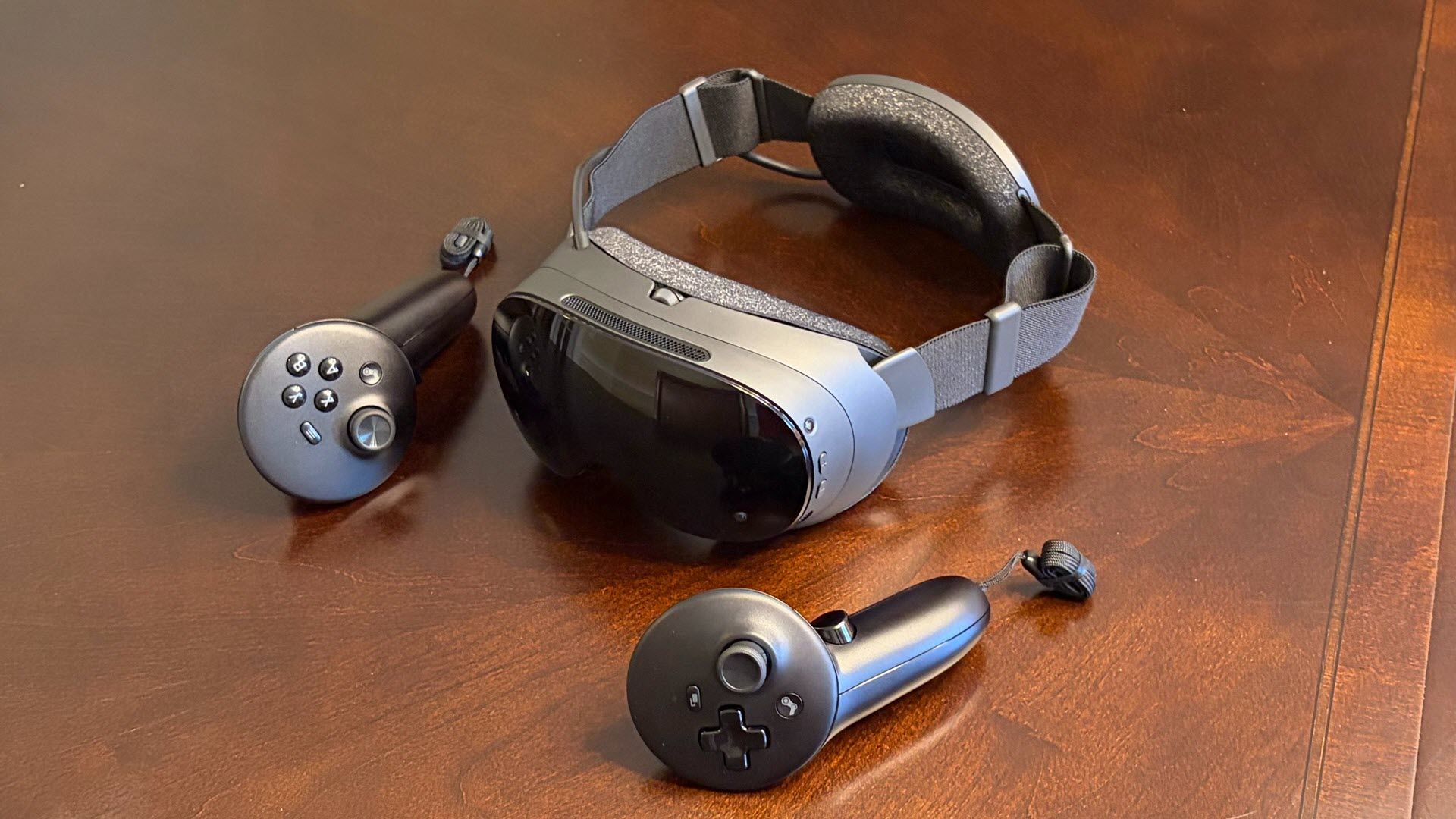
A Steam Frame user asked for the ability to use an external optical drive with their headset, and Valve added the feature a day after one of its developers saw the post. Aiodensghost wrote the post in the Steam Frame General Discussions forum, saying that they wanted to watch a movie on the road and install abandonware from 2006 on their device, with Valve developer gaberowe responding a day after.
“I wanted to use my Steam Frame to be able to watch a movie on the road and thought it was no big deal to use the detachable disc drive I had on my computer,” Aiodensghost said on Oct. 18. “Turns out that the Frame cannot power the player and even if it could, it lacks the drivers to read a disc. Valve, this not only killed my ability to watch a movie, [but it also] killed my ability to install my abandonware from 2006. You don’t sell NFS Carbon anymore, and while I have the disc, the Frame isn’t able to read it.” Just a day later, gaberowe responded with, “We will look into this. Thanks for alerting us.”
The Valve developer then proceeded to add the feature in under 10 minutes, pushing commit b68e4a1 to the deckard-linux-no-oopsies GitHub repository, which is described as “the Linux kernel sources used in SteamOS ARM for the Steam Frame.” While this does not automatically mean that the Steam Frame will get optical drive support in the next update, this development shows that Valve developers take gamers’ requests seriously.
More enterprising users who can’t wait for the feature could also build and install the modified kernel themselves instead of waiting for the official software update. Adding CD-ROM drive support to the Steam Frame is a relatively simple exercise, though, as the commit only enabled a pre-existing Linux kernel feature instead of building an entirely new feature from scratch.
While the Steam Frame is primarily designed as a streaming device, it can also be used for standalone gaming. So, by enabling external CD-ROM drive support, users could let their headset directly read their CDs instead of needing another device to stream the contents of the disc from. It might look awkward, though, if you don’t have a long-enough cable, and you’ll have to hold your external optical drive on your head.
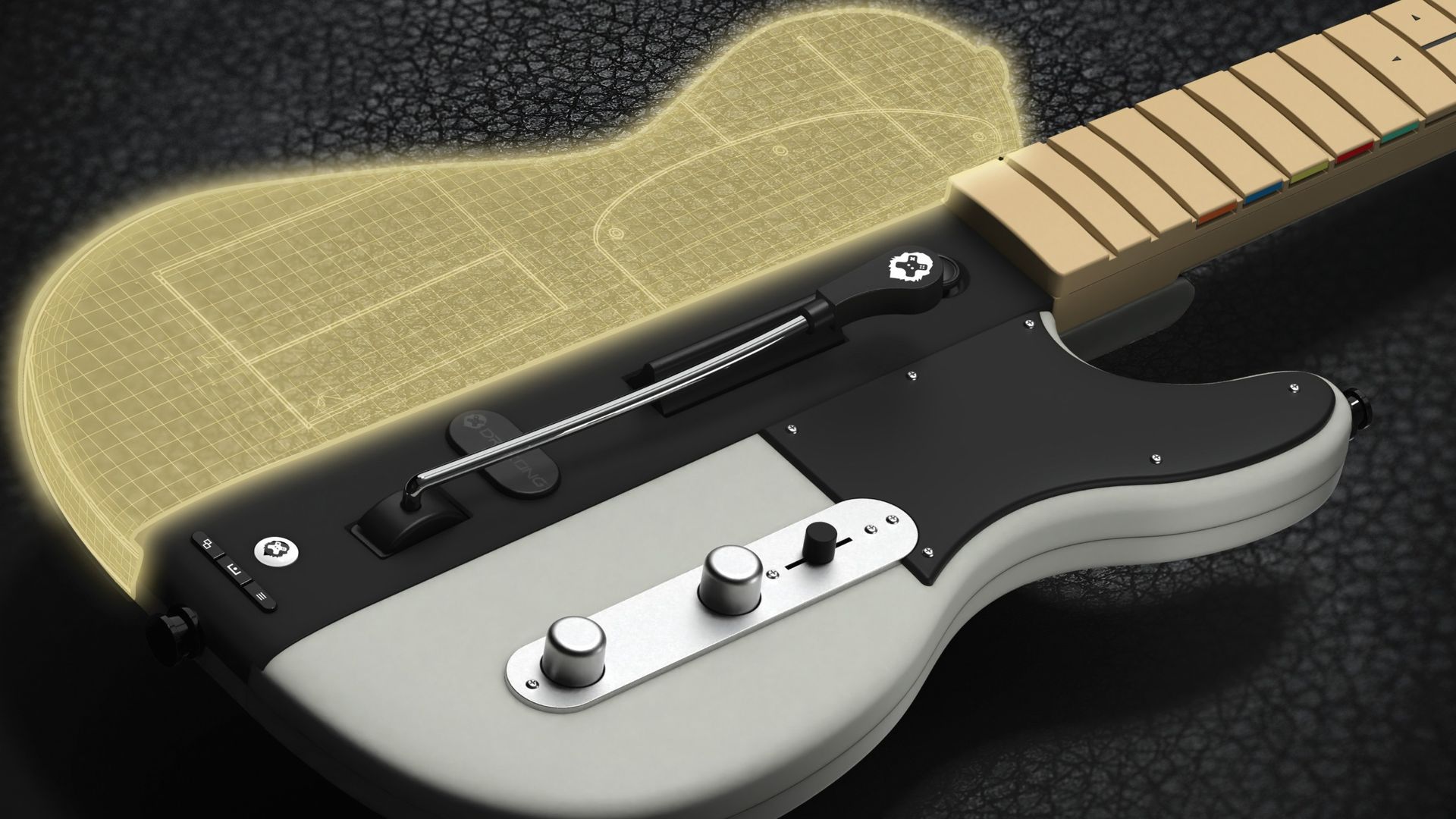
It's been over 20 years since the first Guitar Hero arrived on the gaming scene in 2005 and catapulted music rhythm games to the top of the charts. This was followed by multiple Guitar Hero iterations and competition from rival rhythm games such as Rock Band, and even Clone Hero on the PC. Now, in 2026, band-based rhythm games are due to make a return with the imminent release of Stage Tour from developer RedOctane Games. This brings new opportunities for brand-new music peripherals, and one interesting entry with a unique spin is the InfinaKore Fender Telecaster guitar controller from manufacturer Drakong, which will retail for an MSRP of $129.99 / €129.99 / £119.99. This new controller has a modular design to let creative users fully customize the guitar to their own look and feel, and even 3D-Print their own parts.
The premise of open-source and customizable peripherals isn't a new one, but it certainly does make this new guitar controller from Californian-based peripheral maker Drakong (Part of HyperKin) interesting. Being able to take the core of this guitar controller and modify the shape, size, and color of the body and head by 3D printing your ideas or community designs will allow you to instantly transform this controller into something else.
(Image credit: Drakong)
Apart from the customization aspects of the InfinaKore controller, the guitar peripheral hosts the latest tech, with the top frets using low-profile Kailh Choc switches (these are hot-swappable) and the bottom frets using membrane switches, with the strum-bar and whammy-bar using hall-effect switches for less wear and tear.
The fret bar has some of the frets styled like a D-pad for some interesting strumming possibilities, plus the controller can be easily stored away thanks to a foldable neck, allowing convenient storage and transportation.
There's also tri-mode connectivity, a 4-mode slider switch, tilt functionality for entering the power-up mode, or just use the new dedicated power-up button. Even better, the buttons are mappable.
There's plenty of rhythm music gaming to look forward to when Stage Tour drops later on in the year, and this could be a great controller to complement the game.
Texas has suspended the construction permits of 17 data center projects and disabled a web portal that automated filing for new permits after it was discovered that they were still being issued a month after calls for the process to be paused. Governor Greg Abbott asked for new permits to be halted in September 2026, but watchdog groups FracTracker Alliance and Public Citizen both published reports detailing more than two dozen permits issued to Texas data center projects, reports404 Media.
Now, the portal that previously automatically authorized permits is unavailable. “TCEQ’s electronic filing application used for automatic authorizations has been temporarily shut down to ensure all applications are reviewed by agency staff to determine if they are related to data centers," a message on the website reads.
The portal, called STEERS, is used to rubber-stamp construction approvals. But despite Governor Abbott's call for no new permits to be approved, it seems that nobody thought to take STEERS offline. Sam Law, a researcher at FracTracker, says that it's been happily approving new projects, including those for OpenAI and Amazon that went through the system earlier this week. All 17 of the suspended permits are for stormwater construction, a process that sees construction companies raise and level the ground. It's also a process that is a vital part of the approval process for all construction projects in Texas.
Governor Abbot put the brakes on 1,800 data center projects while work was done to audit them. Concerns were raised about their power use and generation, how much water they would consume, and the impact that they would have on their communities. “Our top priority is to protect Texans’ safety and quality of life,” Abbott wrote in a statement provided at the time. “Any project that fails to comply with the requirements set forth by the PUCT and ERCOT, and by state law, must be denied connection to the Texas grid. Simply put, Texans must come first.”
The situation in Texas follows New York's year-long ban on data center projects larger than 50 megawatts that came into force earlier this year. The Responsible Data Center Development Act was signed into law as Senate Bill S10642 by New York Governor Kathy Hochul in July. It was another instance of a change in stance on data centers that is gathering momentum in the United States. While President Trump announced an "AI Action Plan" to accelerate adoption of AI tools and infrastructure rollout in July 2025, he announced a mandate forcing AI data centers to pay dividends to communities in October 2026. In Northern Virginia, Amazon bowed to a community backlash to plans to build four new data centers — going so far as to offer its land up for housing instead.
While the continued focus on AI tools helps drive demand for more capacity and more data centers, communities and local officials are increasingly concerned about the impacts they have on their surroundings. Water shortages and deforestation have become key issues affecting the communities in which data centers are being placed, as has the increase in the cost of energy.
If you are wondering why the GeForce RTX 5090, despite being one of the best graphics cards, has evaporated from retail shelves, the answer lies in China’s industrial conversion factories. A newly surfaced video reveals the staggering scale of the country’s grey-market AI operations, showing industrial workshops dismantling brand-new GeForce RTX 5090 graphics cards to repurpose them for the AI boom.
So, what exactly is a GeForce RTX 5090 doing in China when the graphics card is not even officially available there? The answer is simple. They are there to be transformed into AI workhorses. The recently leaked footage offers a glimpse inside these Chinese workshops, where skilled technicians meticulously desolder the pricey flagship’s GB202 silicon and GDDR7 memory chips. They then transplant the components into a dual-slot blower design tailored for server use.
The GeForce RTX 5090 blower graphics cards will ultimately end up in high-density server racks where they will become the backbone of massive AI compute clusters. The scale and efficiency of these operations are impressive, with production lines converting shipments of brand-new GeForce RTX 5090 graphics cards, from Nvidia's custom partner models to the chipmaker's highly coveted Founders Edition. After testing and validation, workers would repackage these modified GeForce RTX 5090 graphics cards and ship them to clients, likely data centers or AI labs.
Many of these Chinese factories are scattered throughout the country. The conversion process is massive in scale, and probably thousands of GeForce RTX 5090 graphics cards are being repurposed every day. Middlemen in these grey-market supply chains are constantly hunting for GeForce RTX 5090 stock to fuel these operations.
Nvidia has reportedly halted production of the GeForce RTX 5090 and is, in all likelihood, redirecting the valuable silicon to higher-margin professional GPUs like the RTX Pro 6000 Blackwell. At the same time, a vast network of Chinese conversion factories continues to operate at full speed. Redirected supply and aggressive grey-market recycling have nearly wiped out GeForce RTX 5090 stock from U.S. retailers.
Custom GeForce RTX 5090 graphics cards now start at an eye-watering $8,500. However, a new workaround has emerged to sidestep the stock shortage and inflated prices: prebuilt gaming systems. Sometimes these GeForce RTX 5090 prebuilts cost less than a standalone GeForce RTX 5090, while offering a fully assembled system with a manufacturer's warranty.
If you had told me a few months ago that buying an entire gaming system would be cheaper than a single high-end graphics card, I would have called you insane. Yet here we are. In today’s chaotic market, prebuilt systems often offer better value than standalone graphics cards.
Ukraine's military intelligence agency GUR released details of a new 3D-printed Russian cruise missile that was first deployed around September and October of this year. The missile is faster than traditional weapons, hitting speeds of 500mph, and has a range of over 700 miles. According to Business Insider, these cruise missiles, called “Filin,” are more affordable than the traditional Kh-101 cruise missile that costs more than $2,000,000 per launch. This is why some fear that these weapons would be used by the Russian military in “missile spam” tactics against Kyiv to overwhelm its air defenses.
Russia’s invasion of Ukraine, which was originally planned to last just a few weeks, has turned into a multi-year war of attrition. This has made the frontlines a costly effort for both man and machine, which is why both sides are looking for more cost-efficient ways to conduct warfare. While drones have seen widespread use in this conflict, they’re relatively slow and are easier to shoot down. The Geran-5, which has been known to disintegrate in flight, could only hit a maximum speed of 270 mph, while the Filin can reportedly hit speeds of 500 mph and has a range of 745 miles. While this still isn’t as fast as modern fighter jets like the F-16 Fighting Falcon, the increased top speed could make it that much harder for Ukrainian air defenses to deal with the threat.
The GUR said that the Filin has a carbon and fiberglass fuselage, while also featuring some 3D-printed parts. It also said that Moscow was able to keep costs on the cruise missile low by relying on commercially available parts from both domestic and foreign companies. It used Russian-made engines instead of the Chinese turbojets found in many Shahed drones, while many electronic components, such as the flight controller, inertial navigation systems, equipment controllers, and counter-jamming hardware, are said to come from Western nations and their allies. The Ukrainian intelligence agency listed the following sources: 35 components come from the U.S., 22 from China, and 13 from Japan, Switzerland, Taiwan, and the Netherlands.
While 3D-printing isn’t necessarily cheaper than traditional manufacturing methods, it’s sometimes more cost-efficient for producing items that require unique geometries, such as solid rocket fuel or jet-engine turbine blades. It has even allowed a tech hobbyist to build a DIY MANPADS for under $100. While the Filin will likely cost way more than a home-made 3D-printed missile, the fact that it’s significantly more affordable than traditional cruise missiles could allow Russia to launch more of them, spelling trouble for the Ukrainian defenders.
These days, it's exceedingly difficult not to be jaded and weary about the tech market. Memory, graphics cards, and now storage are becoming impossible to obtain; there's basically no new consumer hardware being released; and there's AI everywhere. Technology YouTuber TrashBench (TB), too, is tired and was harkening back to the halcyon days when everything was fresh and straightforward — so he went back in time with a retro build.
More specifically, he recreated a facsimile of the first machine his parents bought him in 1996 when he was a wee lad, to playThe Need for Speed: Special Edition— a PC-improved version of the first ever game in the series. According to the man, it was thanks to this machine that he fell in love with computers in general.
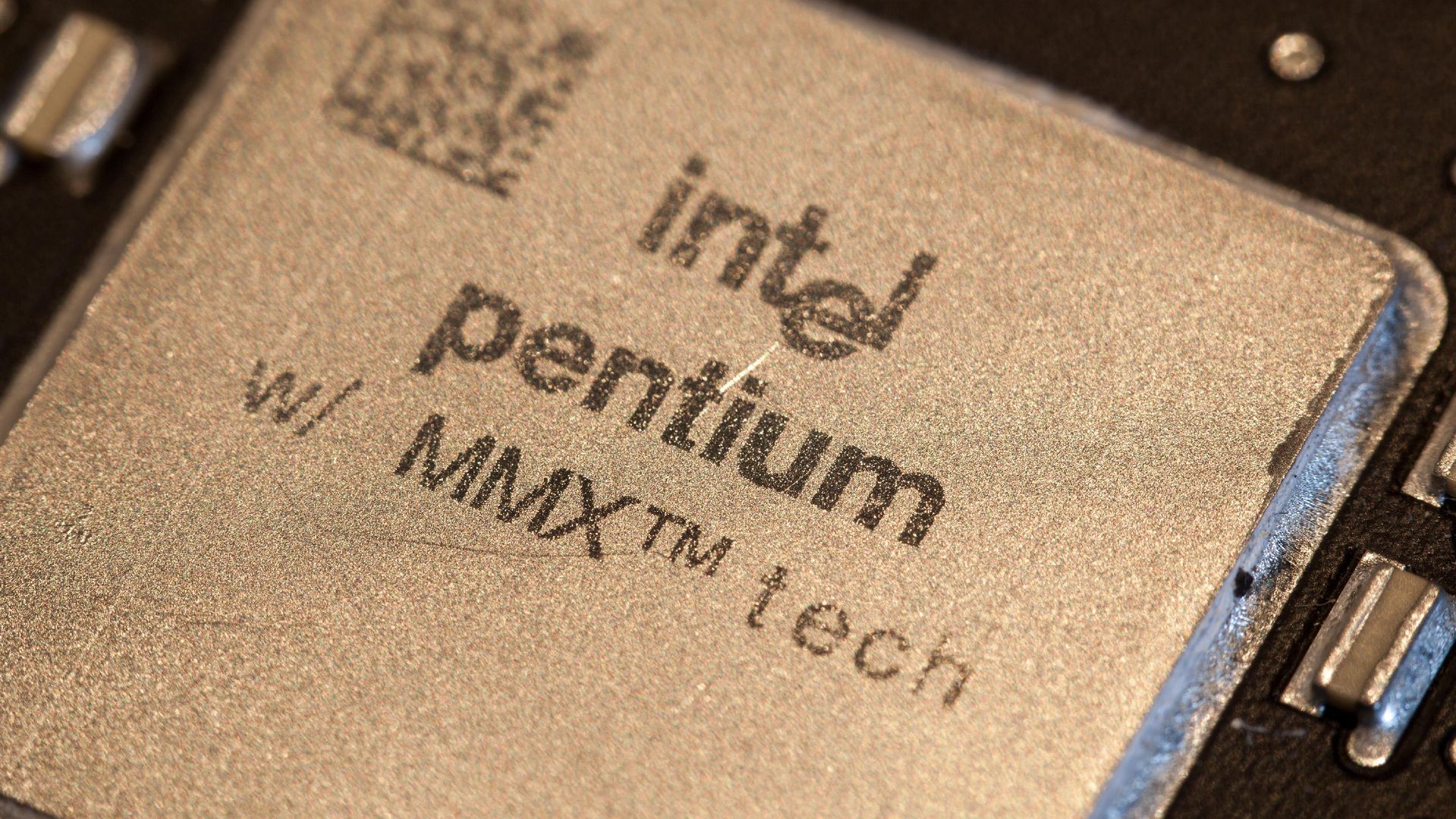
TB kicked things off with an Intel Pentium MMX 200 MHz CPU sitting atop anEpox Pronix EP-P55-BT motherboard, boasting what was at the time a new, fresh, convenient ZIF (Zero Insertion Force) socket. This motherboard popped up during the RAM transition from SIMM to DIMM, which is why you'll see two slots of each on the top. 32 MB of RAM went right in, a generous amount for the year.
Funnily enough, the CPU barely needed cooling, which is why a simple 40-mm fan suffices, although anyone who's lived through this era will tell you that those were guaranteed to start whining after just a few months of heavy usage. There is no case cooling, as it's just not needed.
However, he did need to correctly set the motherboard's jumpers, as such luxuries like automatically detecting CPU speed and voltage were just becoming normal. Yes, this meant that you could burn out a CPU if you played the jumper game wrong.
For graphics card duty, he enlisted an S3 Trio32 card, which was pretty, ahem, modest even in the era, and had no 3D rendering capabilities whatsoever. In this era, the now-ubiquitous 3D accelerator cards were just coming into fashion, and he eventually replaced the S3 with a Matrox Mystique 3D, another offering of dubious quality. Yet those were happy days, as any form of 3D acceleration was far better than none.
Storage comes by way of aWestern Digital Caviar 22100 hard drive with a whopping two gigabytes of storage and the uncanny ability to emulate the dulcet tones of a jackhammer. TB eventually swapped it later for a roomier 80 GB unit. Again, due to the idiosyncrasies and constant transitions of the era — hardware doubled in speed and capacity nearly every year — he had to set a jumper to clip it to the likely amounts of either 8.4 GB or 33.4 GB, as the addressing space of BIOSes and disk controllers of the time were limited.
The build wraps up with an OG Sound Blaster 16 sound card and a CD-ROM drive. After test-driving the machine with Need for Speed, he moved on to Microsoft Flight Simulator 98, which necessitated a joystick. Naturally, he got the much-beloved Quickshot QS-123, a staple in many home PCs, and one that needed replacement in about six months, as its build quality matched its price.
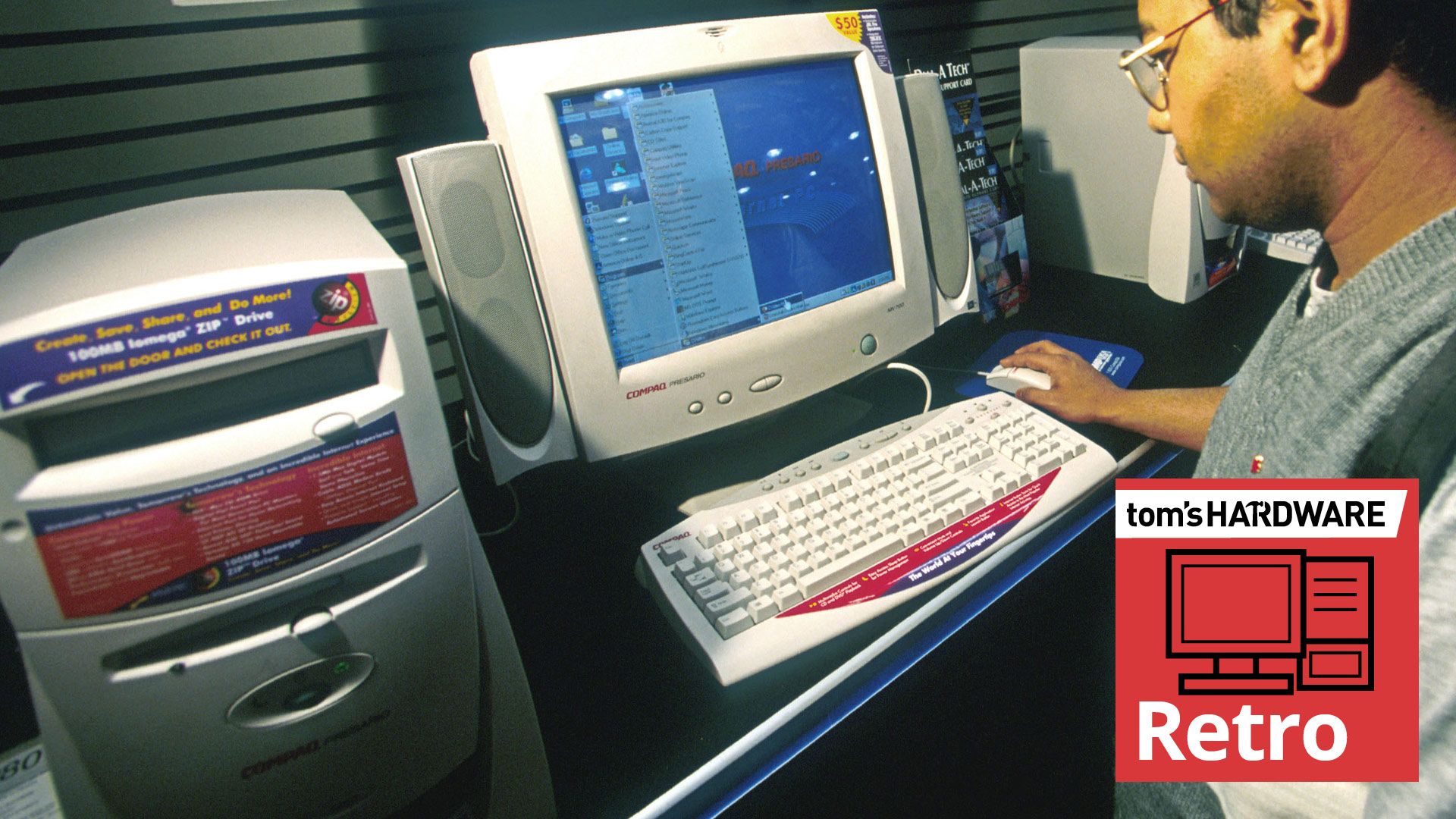
A video purported to be “authentic, original 360p footage captured inside a CompUSA retail store in New York City” has been shared on YouTube, allowing retro computing fans to step back in time to November 2000. This was the Windows Me, Pentium III, and Athlon era, dominated by computers constructed using a lot of translucent plastics and beige boxes already a distant memory. However, computer stores like this bulged with displays and fast-selling stock before internet shopping would start to eat many of these businesses away.
The video reveals a nostalgic CompUSA, greeted by a wall of CRT monitors. The store looks crowded and almost chaotic with peripherals, PCs, and devices - and boxes filling a lot of space in the aisles.
The first item is a noteworthy trio of laptops. It looks like three stylish Sony VAIO machines in a line. In the center of this display is probably the most interesting device from the time, which we believe to be a Sony VAIO C1 Series ‘PictureBook’ PCG-C1VN subnotebook. Searches indicate this device was powered by the Transmeta Crusoe TM5600 processor running at 600 MHz, supported by 128MB of SDRAM, and a 12GB HDD. The tiny form factor, weighing in at around 2.2 pounds (1kg), was built around an 8.9-inch TFT display of 1024 x 480 pixels. It also had a dGPU, an ATI Rage Mobility with 8MB dedicated VRAM.
Above this trio of laptops, there's a spec card for one of the larger laptops available in store. Squinting at the 360p video, it appears the unnamed portable has an Intel Pentium III 700 MHz CPU, S3 graphics, 128GB of RAM, and a 20GB HDD.
Next up, the video shows some New Yorkers (or tourists) browsing desktop machines including Compaq Presario PCs, with characteristic translucent accent faceplates – clearly inspired by the iMac. Again, we would expect these came with Celeron/Pentium III processors, or AMD Athlon/Duron chips from that era. Graphics cards in these would typically be Nvidia RIVA TNT2 or GeForce2 MX cards.
Later on, the video shows a significant amount of store space stacked with boxes for perhaps 100 Compaq Presario desktops. On one box you can see the model number ‘5WV294.’ According to our searches, that model would come with an AMD Athlon 1.0 GHz, 128MB RAM, 30-40GB HDD, an optical drive, and Nvidia GeForce2 MX or S3 Savage4 / ProSavage 3D graphics.
The video also shows Apple Mac desktops powered up next to matching monitors. Even with Apple’s serious professional desktops, by 2000 the beige era was long gone. A spec card shows that one of the Apple desktops on display is the Power Macintosh G4 Dual 500. Yes, it had twin 500 MHz G4 processors, as well as 256MB memory, a 40GB HDD, a DVD RAM drive, and a 16MB video card, costing an eye-watering $3,500. We previously mentioned the ‘iMac era’ and indeed, an in-store wall of perhaps 50 boxed iMac computers is shown later in the video.
A 21-inch ViewSonic A110 monitor displaying a demo reel with Apple monitors and Apple Macs is also featured. It is a high-end model, priced at $750. Printers appear in the video too, with various HP models boxed up. The video also shows a shelf of unboxed printers and MFPs on display, and you can see someone pondering over one. Mice, mouse mats, and a Windows Me ‘Take Me Home’ promotional in-store display also catch the cameraman’s eye.
The video ends with a scene at the checkout, and folks buying sundries and peripherals. The last customer appears to be inquiring about a mail-in rebate for an HP printer. Some things never change.
CompUSA collapsed due to competition from big box stores, the ascent of online retailers, and various managerial missteps. The store brand saw mass closures and liquidation in 2007/8, with a handful of stores kept alive by Systemax/TigerDirect. The CompUSA retail identity was finally retired in 2012.
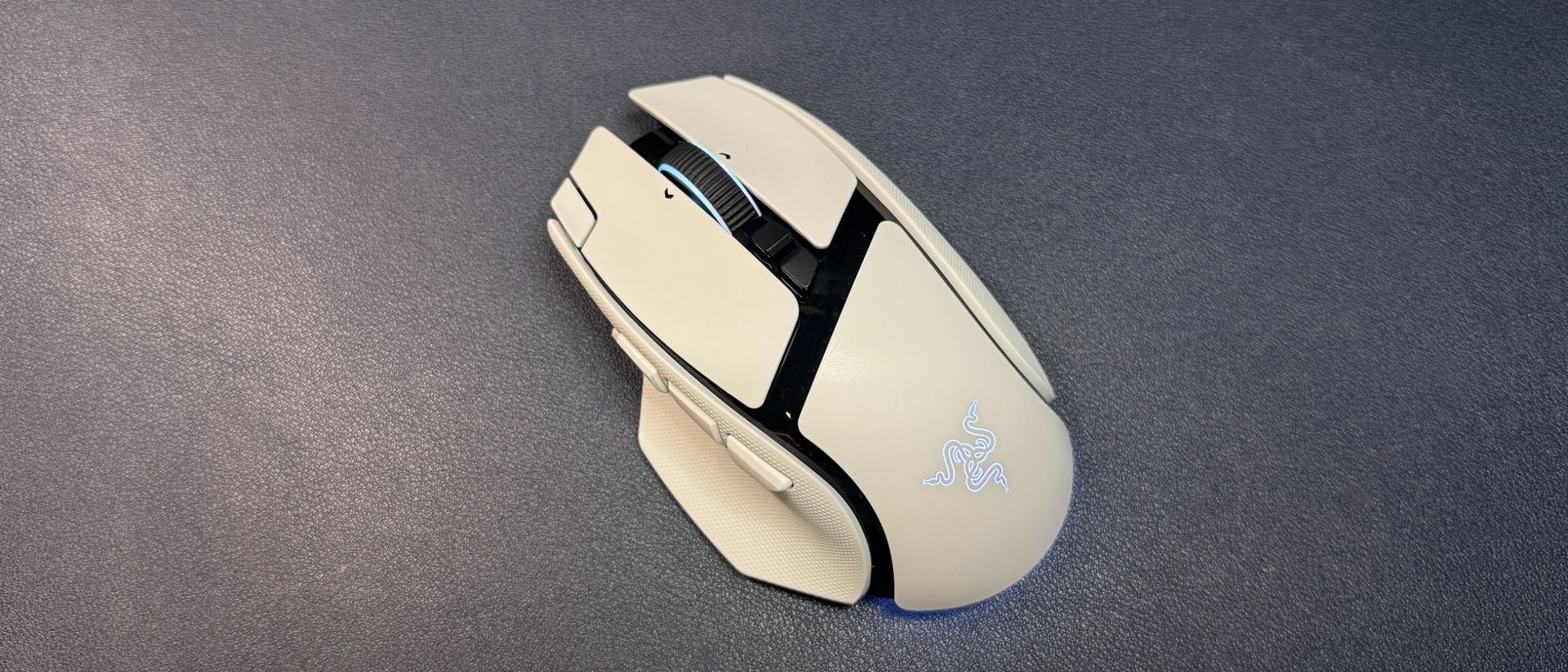
Razer has been updating its gaming mouse lineup systematically over the past two years, and it's finally the Basilisk's turn to get a real update. The last update we saw to the Basilisk line was the Basilisk V3 Pro 35K in October 2024, which was basically just the Basilisk V3 Pro with a new sensor.
The Basilisk isn't Razer's most popular gaming mouse line, but it is the more versatile, all-rounder line for people who aren't chasing performance above all else. The Basilisk V4 Pro maintains the general design of its predecessor — a contoured, right-handed gaming mouse with bright RGB lighting and a handful of extra buttons, for the serious gamer who isn't trying to break esports records. It features Razer's newest Focus Pro 50K optical sensor, gen-4 optical mouse switches, and up to an 8,000 Hz polling rate, plus multiple forms of connectivity and up to 200 hours of battery life (over 2.4GHz at 1,000 Hz).
It is admittedly pricey, like all of Razer's flagship mice, at $169.99 for both colorways (black and white), and it launched with Razer's Mouse Dock V2 Pro — which is sold separately for $69.99.
Design and Comfort of the Basilisk V4 Pro
Following in the footsteps of its other recent next-gen mouse launches, Razer has kept the design of the Basilisk V4 Pro largely the same. The Basilisk V4 Pro has basically the same size and shape as its predecessor — it has a right-handed ergonomic shape with a contoured thumb rest and a hump that sits slightly back and to the left. It has large primary mouse buttons with shallow finger grooves, and a slight contour on its outer edge that makes it relatively easy to pick up and move.
(Image credit: Tom's Hardware)
It's not exactly the same as the V3 Pro, however. The V4 Pro has two new buttons, for a total of 12 programmable buttons on the mouse: the left and right primary buttons, three thumb buttons (instead of the usual two) and a trigger button in the thumb groove, a clickable tilt wheel (three "buttons" — center click and left/right click), two buttons above the tilt wheel, and an extra button on the left side of the left mouse button. The third thumb button and the extra button on the left mouse button are the new ones; the third thumb button sits in front of the first two and is set to open up Razer's AI prompt by default, while the extra button on the left mouse button is set to switch through profiles by default.
Tom's HardwareTom's HardwareTom's Hardware
I'm... actually not a big fan of the new buttons. Or, well, I don't really think they're necessary — the Basilisk already had plenty of buttons for a mouse that's not all about having buttons, and I don't really see myself incorporating these new buttons into my workflow in the near future. The extra button on the left mouse button is a little too far forward — this is a very long mouse (it measures 5.02 inches / 127.5mm long), and the extra button is right at the front edge. I have medium-sized hands and relatively long fingers, and the button felt too far for me to press comfortably. It's not a big deal if you plan to leave it set as a profile switch button (which are often located on the bottom of mice), but it's not really viable as a real extra button.
(Image credit: Tom's Hardware)
Worse, however, is the location of the third thumb button — the AI prompt button — which is located in line with the other two thumb buttons. I generally have no issue with three rows of thumb buttons, as my daily driver is the Razer Naga V3 Pro, but this new AI button is the same size as the other thumb buttons and it pushes everything back a little. This puts the first thumb button (MB4) back too far to press comfortably (and that's a mouse button I use often). And while you can swap the buttons around, the AI prompt button is slightly too far forward. Basically, there are now three buttons where there should be only two, and they all feel slightly off.
The tilt wheel has three different modes you can switch through with the button right above it: two tactile modes (24 and 48 steps), and free-spin mode. I generally love free-spin mode, but the tilt wheel on the Basilisk V4 Pro is a little too sensitive and will backscroll if you even think about moving your finger near it. The precision-tactile scroll hits a great balance and feels great, however, so this didn't bother me too much.
Tom's HardwareTom's Hardware
The Basilisk V4 Pro comes in both black and white colorways; ours came in white, which has shiny black accents so it's a little more Stormtrooper than iPod. It has a smooth matte white body with dimpled rubber texturing for grip on both sides. While it's nice to have built-in side grips, I suspect they will wear down like the grips on the V3 Pro — and then you'll have to find or make your own grip tape, as the mouse comes with none. The mouse is roughly the same size as its predecessor, but it weighs less: the black version weighs 3.53 ounces (100g), which is almost half an ounce lighter than the V3 Pro 35K (3.95oz / 112g). It's not an ultralightweight mouse (or anywhere close), but the weight difference is noticeable and the mouse is definitely easier to pick up.
Tom's HardwareTom's Hardware
On the bottom of the mouse, you'll find pure PTFE feet — two near the front, a strip at the back, and a strip under the thumbrest, as well as a strip around the sensor, a power switch, and a connection switch button that is not programmable.
(Image credit: Tom's Hardware)
In the box, the Basilisk V4 Pro comes with a USB-A dongle, a USB-A to USB-C converter, and a 6-foot (2m) braided USB-C to USB-A cable. While the cable is braided, it is not one of Razer's flexible HyperFlex cables — it's meant for charging the mouse and plugging the dongle into your PC, not for using the mouse in its wired form.
Specs
Sensor Model
Focus Pro 50K Gen-3 optical sensor
Max Sensitivity
50,000 DPI
Max Speed (IPS)
930 IPS
Max Acceleration
90 G
Polling Rates
8,000 / 4,000 /
Programmable Buttons
12
LED Zones
7
Cable
USB-C to USB-A
Connectivity
2.4GHz wireless, Bluetooth, wired (USB-C)
Measurements (L x W x H)
5.02 x 2.98 x 1.68 inches / 127.5 x 75.8 x 42.5 mm
Weight (excluding cable)
100g
MSRP / Price at Time of Review
$169.99
Release Date
Oct. 2026
Performance of the Basilisk V4 Pro
The Basilisk V4 Pro sports Razer's latest optical sensor, which is the Focus Pro 50K Gen-3 optical sensor. It has a maximum resolution of 50,000 DPI and a maximum speed of 930 IPS, and it can handle up to 90 G's of force. This is the third Razer mouse to feature this sensor (others are the Viper V4 Pro and the Naga V3 Pro), and it's a solid sensor that works with Razer's dynamic sensitivity (the sensitivity can be set up to change based on how quickly you move your hand) and rotation tool in Synapse. It tracks well across just about every surface, including glass that's at least 4mm thick.
The Basilisk V4 Pro isn't an ultra-lightweight mouse, but its shape and grippiness mean it's pretty easy to pick up and move quickly if you're playing an FPS. The trigger button is right under your thumb, however, so you may accidentally trigger (haha) it if you have a tendency to pick up your mouse a lot. The Basilisk's shape isn't quite as natural-feeling as that of the DeathAdder V4 Pro, but it's a comfortable mouse for a variety of games — from multi-button-needing MMOs to competitive shooters (though, perhaps not for peak competition). While I still take issue with the placement of the new buttons, it is nice to have a few extra buttons without jumping straight to 19.
The Basilisk V4 Pro sports Razer's Gen-4 optical mouse switches, which are rated for over 100 million clicks. The switches have a nice, crisp sound that's not too loud (not as loud as Logitech's, anyway), though it's not a mouse for those trying to minimize mouse clickiness. The primary buttons have a solid, tactile feel, and I had no issues with misclicks or double-clicks while I was testing. While the tilt wheel's free-spin mode was too sensitive for me to get to work properly, I love the precision tactile mode — it blends speed and tactility perfectly.
Features and Software of the Basilisk V4 Pro
The Basilisk V4 Pro is programmable with Razer Synapse 4 (not Razer's web-based version of Synapse). You can use Synapse to remap the mouse's 12 programmable buttons (14 programmable controls, if you include scroll up/down; the connection switch button on the bottom of the mouse is not programmable). Synapse has a variety of remap options, as well as a built-in macro recorder / editor. Synapse is also where you'll be able to customize the mouse further by tweaking things like the scroll wheel, DPI stages, and surface calibration. There's also a sensitivity matcher that will match the Basilisk V4 Pro's sensitivity to match that of your old mouse.
You can also use Razer's Chroma Studio to customize the mouse's lighting and sync it with games and/or your other Razer peripherals. The Basilisk V4 Pro has seven RGB lighting zones: a five-zone underglow strip along the bottom curve of the mouse, as well as one in the scroll wheel and one in the logo on the palm rest. The lighting is bright and the underglow's five zones blend nicely — the underglow strip is tilted outward so it's pretty visible when the mouse is just sitting on your desk.
Wireless Experience and Battery Life of the Basilisk V4 Pro
The Basilisk V4 Pro has three forms of connectivity: 2.4GHz wireless, Bluetooth, and wired (via USB-C), though it doesn't really come with a mouse-ready USB-C cable. Razer rates it at 200 hours of battery life over a 2.4GHz wireless connection with a 1,000 Hz polling rate, which is excellent. This number does drop to 54 hours at an 8,000 Hz polling rate, which is... still pretty good, to be honest.
(Image credit: Tom's Hardware)
The Basilisk V4 Pro launched alongside Razer's Mouse Dock V2 Pro, which is a wireless charging dock with built-in RGB lighting and an integrated 8,000 Hz wireless receiver. The Mouse Dock V2 Pro is sold separately for $70, and comes with a wireless charging puck that slots into the bottom of the mouse. It sits on your desk (it's small — 3.28 x 2.2 x 1.71 inches / 83.5 x 56 x 43.5mm) and serves as a magnetic dock and wireless receiver for your mouse. It has eight RGB lighting zones around the base, and it lights up to indicate battery level (flashes red when the battery is low). It's made for the Basilisk V4 Pro and V4 HyperSpeed, but it will also work with the Basilisk V3 Pro 35K, the Basilisk V3 Pro, the Cobra Pro, the Cobra HyperSpeed, the Naga V3 Pro, and the Naga V2 Pro (up to 8,000 Hz polling rate for all except the Naga V2 Pro).
The Basilisk V4 Pro is also compatible with Razer's HyperFlux V2 charging mouse pad, but you'll need to connect to your PC via the mouse's dongle for 8,000 Hz polling.
Bottom Line
The Razer Basilisk V4 Pro is an expected update to the Basilisk V3 Pro / 35K. The bump in battery life, from 150 hours in the Basilisk V3 Pro 35K to 200 hours in the Basilisk V4 Pro, is very nice (and 54 hours with an 8,000 Hz polling rate isn't bad, either). While I didn't like the new buttons, I'm sure some people will (although I find it difficult to believe that every mouse and keyboard needs a dedicated AI prompt button), and the reduced weight feels good even if, at 100g, it's still nowhere near the ultra-lightweight category. The Basilisk V4 Pro is a great gaming mouse for gamers who want something a little more exciting and versatile than a DeathAdder V4 Pro, but not as button-heavy (or as heavy) as a Naga V3 Pro.
Micron's next-generation 3D NAND, which will enter mass production in 2H 2027, is set to offer three significant advantages: it will double storage density, increase I/O performance by 50% compared to the company's current-generation NAND memory, and decrease power consumption, the company revealed at an event this week. To achieve these aggressive goals, Micron plans to take a page from YMTC's book and adopt wafer-on-wafer bonding. Meanwhile, Micron is also developing new materials and denser memory cell architectures to extend 3D NAND scaling beyond G11.
"We had mentioned we will bring in wafer-on-wafer bonding technology at the right time when it’s cost-effective, and it brings in capability that is important for the product specs at the time, and this is the right timing for that technology," said Scott DeBoer, president and chief technology and products officer at Micron, during the company's event this week. "So this G11 technology is the world's most advanced NAND. It will ramp in the second half of next year, [and] it is based on wafer-on-wafer bonding technology."
G11: Over 400 layers and wafer bonding
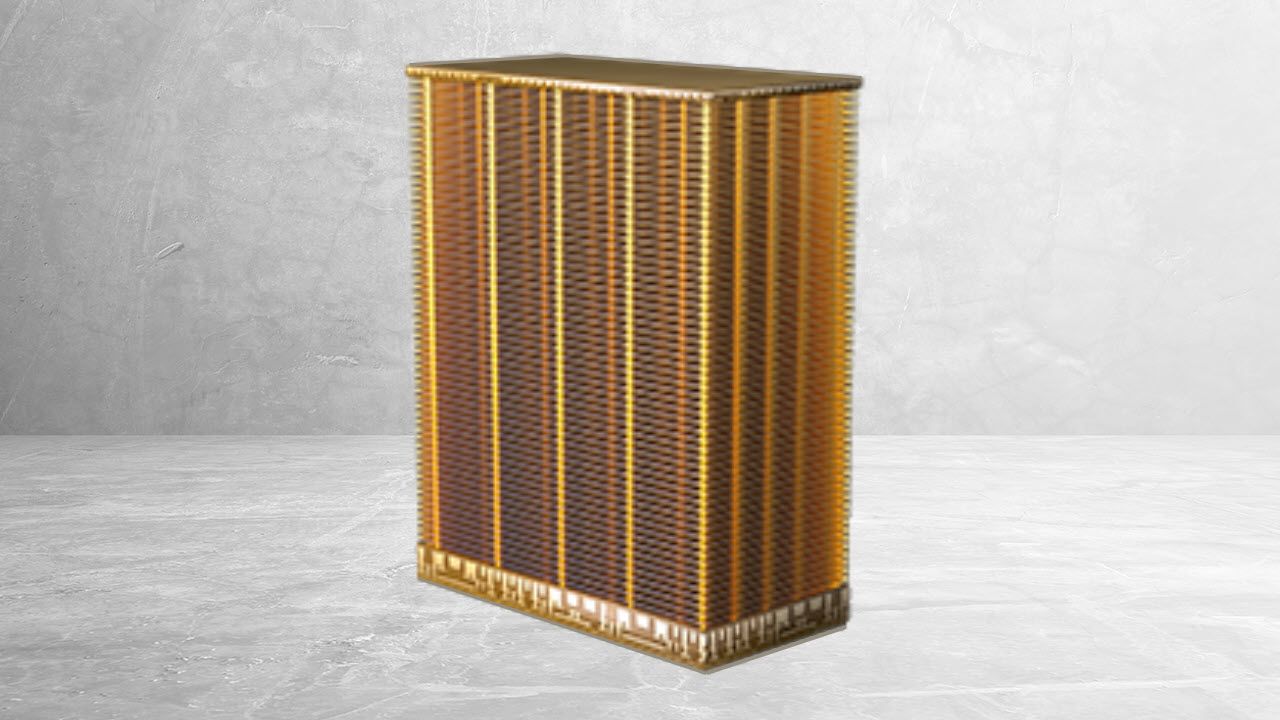
Micron's G11 3D NAND represents a substantial advancement over its current G9 (N160) generation. The company expects the new memory to achieve approximately twice the bit density of G9 (3D TLC 21 Gb/mm2 => 3D TLC 42 Gb/mm2?), which means a dramatic increase compared to Kioxia's BiCS10 or Samsung's V10; increase I/O speeds by up to 50% (3,600 MT/s => 5,400 MT/s?); and reduce data transfer energy consumption per bit by more than 25%.
These improvements should benefit both conventional high-capacity SSDs for client and data center applications and emerging AI-oriented storage devices, which require greater bandwidth and energy efficiency.
(Image credit: Micron)
One of the key changes introduced with G11 is wafer-on-wafer bonding, which enables Micron to manufacture different parts of its NAND device on separate wafers using different process technologies — a new 3D NAND node to build a NAND array and a logic fabrication process to make peripheral circuits and I/O — and subsequently bond them together. The company has used CMOS-under-array architectures for several generations. Still, wafer bonding provides additional flexibility to optimize memory arrays and peripheral logic independently, which means more capacity and performance if all goes as planned.
Another important innovation is the transition to more than 400 NAND layers. Micron has not disclosed the exact number of active wordline layers or the number of memory decks used by G11, but the company says the technology will feature an industry-leading memory cell pitch, which suggests that its density improvements will come from both additional layers and smaller cell dimensions.
Micron expects to disclose more technical details about G11 in 2027, closer to the start of high-volume manufacturing in the second half of next year.
Beyond G11: New materials and denser memory cells
Without any doubt, Micron will continue scaling 3D NAND along all three dimensions rather than simply increasing the number of layers going forward. While conventional 3D NAND scaling initially relied primarily on adding more memory layers, future generations will also require reductions in cell dimensions along the X and Y axes to improve bit density while keeping manufacturing complexity in check.
(Image credit: Micron)
To achieve this, Micron is developing what it describes as breakthrough high-mobility materials, ultra-dense cell architectures, and more energy-efficient devices and data paths. These technologies could improve transistor characteristics, enable further reductions in memory cell dimensions, and reduce the energy required to move data within NAND devices.
"Beyond G11, we have a strong roadmap, not going to go into great detail on it today, but really focused on new materials densifying the cell architecture, and continuing to focus on that XYZ scaling going forward," said DeBoer. "[…] The current industry direction and Micron’s direction is scaling both by adding layers [and] also by shrinking the cell dimensions."
The company has not disclosed specific architectural details, density targets, or production schedules for its post-G11 generations, though its roadmap suggests that future NAND scaling will increasingly depend on innovations in materials, cell architecture, and peripheral circuitry rather than layer-count increases alone. Meanwhile, since the number of active layers is arguably the easiest way to increase storage density, we would not expect the race towards the highest layer count to slow down substantially in the coming years, especially given strong demand for 3D NAND-based storage.
SK hynix early on Friday announced that it had decided to abandon plans for a potential initial public offering (IPO) of Solidigm, its U.S.-based enterprise SSD subsidiary, citing unfavorable stock market conditions and semiconductor share price trends. At the same time, SK hynix confirmed it plans to build a new fab for Solidigm in the U.S. to address growing demand for enterprise SSDs. Although an IPO could have helped finance a new fab in the U.S., SK hynix claims that its subsidiary’s expansion remains a priority.
Solidigm specializes in high-capacity data center SSDs based on floating gate 3D QLC NAND memory. As AI infrastructure deployments accelerate, demand for high-capacity storage increases, whereas Solidigm's existing manufacturing capacity is barely sufficient to address its projected needs. Consequently, SK hynix believes that Solidigm requires additional production facilities in the U.S., although it has yet to disclose the planned fab's capacity, investment requirements, or construction schedule. Such a facility could also strengthen SK hynix's American manufacturing footprint, which is important, given the current environment and on-shoring trends.
SK hynix had considered multiple options — including direct investment, a pre-IPO funding round, and IPO of Solidigm — to finance capacity expansion. An IPO would have enabled SK hynix to raise capital from outside investors without taking on more debt. Furthermore, it could have revealed the true value of the subsidiary, which SK hynix believes is not properly reflected in its own market capitalization. In addition to financing the expansion, the proceeds could have been used for dividends, share repurchases, and share cancellations.
However, SK hynix says that increased market volatility and the ongoing correction in semiconductor stocks have made an IPO less attractive. As a result, the company believes that current market conditions would prevent Solidigm from achieving a valuation that adequately reflects its growth prospects. Consequently, it has discontinued its review of both pre-IPO financing and an IPO, even though it will continue to evaluate alternative funding mechanisms.
The cancellation of the IPO raises an obvious question: why would SK hynix abandon a financing mechanism that could provide billions of dollars for Solidigm's expansion just as demand for enterprise SSDs is at a record high and set to increase further over the next couple of years? After all, constructing a modern 3D NAND fab requires tens of billions of dollars, and external financing could reduce the burden on SK hynix's balance sheet and preserve capital for other projects (e.g., new capacity elsewhere).
One possible explanation is Solidigm's exceptionally strong profitability. Micron's enterprise storage division recently reported a non-GAAP gross margin of 90%, and given Solidigm's unique position in the market (it controls 21.1% of the enterprise SSD market together with its parent company), its margins may well be higher as it sells exclusive products. If extraordinary margins are sustainable over the next two or three years, its operations could substantially boost SK hynix’s consolidated profitability and generate considerable cash for future investments. Given these circumstances, SK hynix could potentially finance Solidigm's U.S. manufacturing expansion through a combination of internally generated cash and debt even without diluting its ownership. Financing the entire project with cash alone may also be possible, even though such an approach would be less likely given the massive capital requirements of advanced semiconductor production facilities nowadays. In any case, it is natural for SK hynix to prefer retaining full ownership of a highly profitable subsidiary to selling part of it at a valuation it considers inadequate.
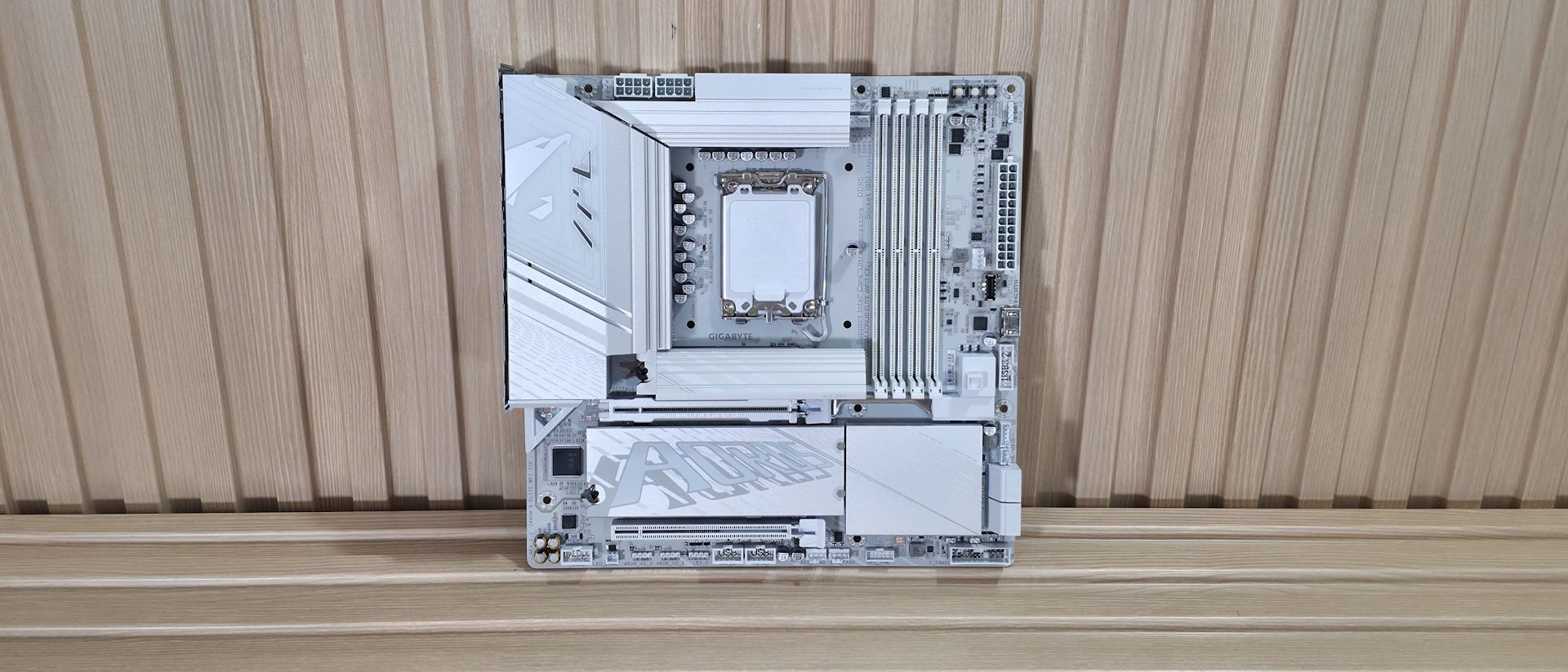
The latest board to land on our test bench is a small-form-factor Intel option, the Gigabyte Z890M Aorus Elite Wifi7 Ice. This Micro ATX motherboard costs only $209 on Amazon and packs most of the ATX version's features into a smaller package. The board is optimized for Intel’s Core Ultra 200S Plus processors and pairs best with Micro ATX chassis, but its best feature is its looks. It’s one of the better-looking Micro ATX options, especially if you’re looking for a white-themed build.
The Z890M Aorus Elite offers three M.2 sockets (2x PCIe 5.0) and four SATA ports for storage, 2.5 GbE and Wi-Fi 7 (160 Hz) for networking, and a basic audio solution. The rear IO delivers nine USB ports total, including one 40 Gbps Type-C port (with DisplayPort capability). All of that is typical fare for the form factor. You also get two full-length PCIe slots (one reinforced) and heatsinks covering all M.2 sockets, giving the board a more premium look than its direct competition. It also adds two RGB lighting zones, one by the VRMs on the left and the other under the chipset heatsink, adding glow to your chassis.
Overall, performance in our testing was average, with the board doing well in some tests and slightly below average in others. For gamers, it performed well in our 3DMark tests and in real games. In short, there’s nothing to worry about from a performance standpoint. The Z890M Aorus Elite also supports AI features, including AI Perfdrive, which offers customizable BIOS performance presets for one-click CPU improvements.
Below, we’ll examine the board's performance and other features to determine whether it deserves a spot on our list of the best motherboards. But before we share test results and discuss details, here are the specifications from Gigabyte.
Specifications of the Gigabyte Z890M Aorus Elite Wifi7 Ice
(1) USB v3.2 Gen 2 (10 Gbps) Type-C (1) USB v3.2 Gen 1 (5 Gbps) (2) USB v2.0 (480 Mbps)
Fan/Pump Headers
(6) 4-Pin (Accepts PWM and DC)
RGB Headers
(3) 3-pin ARGB headers (1) 4-pin RGB LED strip header
Diagnostics Panel
(1) Q-LEDs (4 LEDs, CPU, VGA, RAM, Boot)
Internal Button/Switch
Power, Reset, and Q-Flash Plus buttons
SATA Controllers
✗
Ethernet Controller(s)
(1) Realtek RTL8125 (2.5 GbE)
Wi-Fi / Bluetooth
Intel MediaTek MT7925 Wi-Fi 7 - Up to 2.9 Gbps, 160 MHz, 6 GHz, 5.8 GHz, BT 5.4
USB Controllers
✗
HD Audio Codec
Realtek ALC897
DDL/DTS
✗ / ✗
Warranty
3 Years
Inside the Box
The box includes the usual accessories. You get two SATA cables (white), a rubber pad, an extra thermal pad for M.2, an EZ connector for the front panel, and an installation guide. The collection here is sparse, but typical for the price point.
Design and Features of the Aorus Elite WiFi7 Ice
FutureFutureFutureFutureFutureFutureFuture
For what tends to be a budget motherboard class (and typically, well, ugly), the Aorus Elite WiFi 7 Ice is an attractive Micro ATX SKU. Where its peers don’t offer complete heatsink coverage on the bottom half, this one does. It also uses a large heatsink for the primary M.2 socket, unlike its peers. It also has integrated RGB lighting (under the VRM and chipset heatsinks) for an extra bit of flair. All in all, it’s one of the better-looking Micro ATX motherboards around.
(Image credit: Future)
Zooming in on the top half, starting on the left, we get a better look at the Aorus eagle design, along with the RGB feature. The VRM heatsink below has a lot of mass and surface area, so it does a good job keeping the MOSFETs below running in spec. Above that are the two “UD” (solid pin) 8-pin power connectors (one required) for the processor.
Past the CPU socket, the next thing we run into is the four DRAM slots with the locking mechanism at the top (where there’s room). Gigabyte lists support for up to DDR5-9200(OC), which is plenty fast for the platform. Surprisingly, our fastest kit (DDR5-8800) didn’t play nice with this board, but the DDR5-8200 kit worked fine. As always, for best results, stick to the memory QVL.
Next to the RAM slots on the left are the first two (of six) 4-pin fan headers. Each header supports PWM and DC-controlled devices. Each header supports up to 2A/24W output, which is plenty, especially for a smaller chassis with fewer fans. Gigabyte Control Center (GCC) and the BIOS control the fans via the Smart Fan 6 applet.
Above the DRAM slots is the Q-LED feature. Four LEDs, CPU/Boot/VGA/RAM, light up during POST. If a failure occurs during that time, the offending RGB stays lit, giving you a general idea of where the problem may be. Next to it, in the upper-right corner, are three simple buttons: power, reset, and Q-Flash.
Down the right edge, you'll find the first (of three) 3-pin ARGB headers. The other two are along the bottom edge. GCC and the RGB Fusion app inside control these headers and the integrated lighting, offering users plenty of canned LED effects and customization. Below that are the 24-pin ATX connector to power the board, another 4-pin fan header, the front-panel USB 3.2 Gen 2 (10 Gbps) connector, and a 19-pin front-panel USB 3.2 Gen1 (5 Gbps) header. Between those is a front-panel HDMI output, making it easy to add secondary displays for monitoring or further chassis customization.
(Image credit: Future)
Power delivery on the Z890M Aorus Elite WiFi7 Ice is capable, but it doesn’t quite reach the level of "robust." The board has 15 phases, 12 of which are dedicated to Vcore. Power comes from the dual 8-pin EPS connectors and is controlled by the OnSemiconductor NCP81537 8-phase controller (teamed configuration). From there, power moves on to the OnSemi NCP302155 60A DrMOS MOSFETs and then to your processor. The 720A available isn’t a lot, but it can handle the Core Ultra 7 270K Plus, the Core Ultra 5 250K Plus, and even the Core Ultra 9 285K — though I’m not sure how hard I’d push it overclocking the 285K or 270K Plus. Just be sure to keep air flowing through your chassis, as these components will get warm under sustained heavy use.
(Image credit: Future)
On the bottom half of the board, starting on the left edge, we spy the audio solution. The Z890M uses the budget Realtek ALC897 codec, plus a few dedicated audio capacitors (yellow and black). While one of its direct competitors has a better one, this codec is fine for most users, and there's no reason to avoid it unless you're making music with the board or consider yourself a PC-focused audiophile.
In the middle of the board are two full-length PCIe slots. The primary slot, using Gigabyte’s PCIe UD Slot X reinforcement) connects through the CPU and runs at PCIe 5.0 x16 speeds (no bifurcation, FYI). The second slot at the bottom sources its bandwidth through the chipset and runs up to PCIe 4.0 x4. There’s plenty of bandwidth for expansion; just make sure your graphics card doesn’t cover the second slot if you need to use it.
Between and above the PCIe slots are three M.2 sockets. The top socket, under the beefy EZ-Latch heatsink (made good contact, note), connects through the CPU and is the main PCIe 5.0 x4 (128 Gbps) M.2 socket. Under the plate-style heatsink (also using EZ-Latch along with EZ-Click to secure the M.2 without screws) are two more M.2 sockets. Both sockets connect via the chipset, support 80mm devices, and run up to PCIe 4.0 x4 speeds. The bottom socket supports up to 110mm modules, while the middle socket supports the more familiar 80mm. If you need the additional speed or redundancy RAID offers, the board supports RAID0/1/5/10 modes for NVMe SSDs.
We've also captured several images of the ICs that make this motherboard work, including Realtek Ethernet and audio, ASMedia (for the front HDMI), and OnSemiconductor MOSFETs/PWM controller.
Moving right, past the chipset heatsink and the other RGB lighting element, we spot a couple of Thunderbolt headers and four SATA ports (supporting RAID0/1/5/10 modes). At the bottom of the board is a slew of headers, offering the typical connectivity in this area, with nothing worth calling out.
FutureFutureFutureFutureFuture
Below, we’ve listed all the connections across the bottom of the board.
Front panel audio
(2) 4-pin RGB header
3-pin ARGB header
(2) USB 2.0 (480 Mbps) headers
(2) 4-pin system fan headers
SPI TPM header
2-pin reset jumper
2-pin Clear CMOS jumper
Front panel header
(Image credit: Future)
The rear IO area is pretty sparse compared to high-end boards, but it uses some venting to help keep the VRMs running cooler. On the left (in white) are four USB 2.0 ports, followed by four USB 3.2 Gen 1 (5 Gbps) ports in blue. Below those is the DisplayPort (v2.1) output. Next to the blue USB ports is your sole Type-C port. In this case, it's USB4 (not Thunderbolt 4) at 40 Gbps and supports DisplayPort output as well. To the right, you'll find the 2.5 GbE port and, below that in red, the only USB 3.2 Gen 2 (10 Gbps) Type-A port. Finally, on the right, are the quick-connect Wi-Fi 7 (160 Hz) connectors and audio stack: dual 3.5mm jacks for mic and line-out, plus an SPDIF optical output.
Gigabyte’s updated “UC BIOS 2.0” defaults to Easy Mode. It’s logically laid out and displays a wealth of system information, including processor, RAM, fan speeds, and several selectable options such as XMP profiles, RAM tweaks, Re-Size BAR support, Smart Fan 6 access, and more. The Aorus Elite WiFi7 Ice uses a white background with the ‘Aorus orange’ accents and black text, creating a high-contrast, easy-to-read screen similar to the Aorus Infinity, but with a white background instead of Aorus branding. The BIOS also offers different themes in EZ mode via a dropdown if you want to change it.
All headings still appear across the top in advanced mode, but they are now larger ‘buttons’ and easy to select with a mouse. The highlight bar (where you are on the page) is a light blue here and easy to see. Every option you need and want is at your fingertips, and you don’t have to drill down several layers to reach the most commonly used functions – especially if you populate your selections in the Favorites section.
Gigabyte Control Center (GCC) is a one-stop solution for controlling various functions, including RGB and Fan control, hardware monitoring, and overclocking. It also helps you find, download, and install driver updates for your system. It’s a simple application that does its job. It’s also a much cleaner tool than the previous App Center. It earns our approval for the breadth of functionality it offers users. There’s also the curiously named AI Snatch to help with overclocking.
FutureFutureFutureFutureFutureFutureFuture
Test System / Comparison Products
We’ve updated our test system to Windows 11 (25H2) 64-bit OS with all updates applied as of late April 2026. On the hardware front, we’ve updated the RAM kits to ones appropriate for the platform. Peripherals, including cooling, storage, power supply, and graphics cards, remain unchanged. We also use the latest publicly available BIOS unless otherwise noted. The hardware we used is as follows:
Our standard benchmarks and power tests are performed using the CPU’s stock frequencies (including any default boost/turbo) with all power-saving features at default. We set optimized defaults in the BIOS, then enable the XMP profile to set the memory. If the BIOS enables boosts by default, it runs like that. We set the Windows power scheme to Balanced (default) for this baseline testing, so the PC idles appropriately.
Synthetic Benchmarks and Real World Applications
Synthetics offer a valuable way to evaluate a board's performance, since identical settings should yield similar results. Turbo boost wattage and advanced memory timings are areas where motherboard manufacturers can still optimize for stability or performance, though, and these settings can impact specific testing scenarios. We’ve also combined our previous ‘timed’ benchmark applications into this section..
Performance on the Aorus Elite was around the average among the tested boards. Some benchmarks were above average, while others were slightly below—nothing to worry about so far.
3D Games and 3DMark
FutureFutureFutureFuture
Starting with the launch of the Arrow Lake refresh chips, we’ve updated our game tests. We’re keeping the F1 racing game but have upgraded to F1 25. We’ll also continue with the ever-popular, aesthetically pleasing Cyberpunk 2077. We run both games at 1920x1080 resolution using the Ultra preset (details listed in the table above). Both games are set to use DLSS.
The goal of these settings is to determine whether performance differs at the most commonly used (and CPU/system-bound) resolution, with settings most people use or strive for (Ultra). We expect the difference between boards in these tests to be minor, with most falling within the margin of error. We’ve also added a minimum FPS metric, which can affect your gameplay and immersion.
As we’ve seen for a while now, the 3DMark tests don’t show much separation from worst to first, and we see that again across our varied datasets. 3DMark scores were fine; in fact, they were the highest so far in these tight results, while gaming results were average overall. Not only does it do work, but as expected, the board also plays games just fine.
Overclocking
Over the past few CPU generations, overclocking headroom has been shrinking on both sides of the fence, while out-of-the-box performance has increased. For overclockers, that means less fun. For the average consumer, you’re getting the most out of the processor without manual tweaking. Today’s motherboards are more robust than ever, and most support power-hungry flagship-class processors, so we know the hardware can handle them.
You can extract even more performance from these processors by manually adjusting settings or using the fancy AI overclocking that board partners have been touting. Results will vary and depend on the CPU's cooling and quality. In other words, your mileage may vary. With that in mind, we’re not overclocking the CPU for these review articles. However, we'll test our different memory kits to ensure they meet the specifications.
FutureFuture
Memory testing went OK, with the board surviving a 30-minute stress test using the DDR5-7600 and DDR5-8200 kits without issue. That said, it struggled with the DDR5-8800 kit and failed after about 5 minutes. If you really want to push memory speeds, stick to the QVL list for your best chance of reaching higher speeds.
Power Consumption / VRM Temperatures
(Image credit: Future)
We used AIDA64’s System Stability Test with Stress CPU, FPU, cache, and Memory enabled for power testing, using the processor's peak power consumption value. We measured wall wattage with a Kill-A-Watt meter, which captures the entire PC (excluding the monitor). The only variable that changes is the motherboard; all other parts remain the same. We now use only the stock power-use/VRM temperature charts, as this section aims to ensure the power delivery can handle flagship-class processors.
Stress testing with our flagship-class 270K Plus and the Team Group DDR5-7600 kit at stock yielded a peak of only 330W at the wall, tying our lowest result so far. The board also sipped power at idle, dropping to around 56W, the lowest result we’ve recorded for the platform. This board sips power compared to some others.
FutureFuture
VRM temperatures ran warm, but are not a concern. Throughout the 30-minute test, the system (excluding the monitor) averaged 232W, and our sensors on the back of the board, directly under the MOSFETs, recorded temperatures peaking at just under 60 degrees Celsius, while HWInfo and the internal sensor showed similar peaks at about 60 degrees Celsius. That value is well within specification for the MOSFETs doing all the work below. We’re confident that the power delivery can handle whatever you're likely to throw at it. Chances are, the CPU temperature will limit you before the board does, but keep airflow good to keep temperatures down.
Bottom Line
Gigabyte’s Z890M Aorus Elite WiFi7 Ice is a solid all-around motherboard for the Micro ATX form factor and smaller builds. Its icy-white aesthetic and ‘full coverage’ of heatsinks are rare for this class of board and give it a premium vibe compared to its peers. Hardware-wise, it includes most of what you’d expect from the Z890 platform, though I’d like to see another USB4 port on the rear IO, and perhaps a better audio codec. Still, this is one of the better-looking and better-equipped of the Z890M Micro ATX options.
As for the competition, the Asus Prime Z890M-Plus ($216.99) has more expansion slots (4), additional “AI” features, and SATA ports (6), but fewer rear USB ports, and it just doesn’t give off the same premium vibes as the Gigabyte Z890M. ASRock’s Z890M Riptide Wifi ($252) costs quite a bit more than the others and offers more robust power delivery (like the Asus) and decent looks, but its specs are otherwise similar. Aesthetically, the ASRock is also less pleasing than the Gigabyte, and it has only one PCIe slot (so no room for expansion if needed). MSI has the Pro B860M-A WiFi ($158), which uses a lesser mainstream chipset, offers 5 GbE (and slower 6E Wi-Fi), and is otherwise comparable to the Asus with its extra PCIe slots. Oh, and it doesn't look great.
Overall, the Z890M Aorus Elite WiFi7 Ice is one of the better-looking Micro ATX offerings and nicely priced, earning a spot on our best motherboards list (for Intel Micro ATX). The icy-white aesthetic and minimal PCB visibility will turn heads in a white case. Hardware-wise, it has the specs you expect for this class of board. If you’re in the market for a Micro ATX Intel board, the Z890M Aorus Elite Wi-Fi 7 Ice should be your first stop, especially if you want to show off your paired white components.
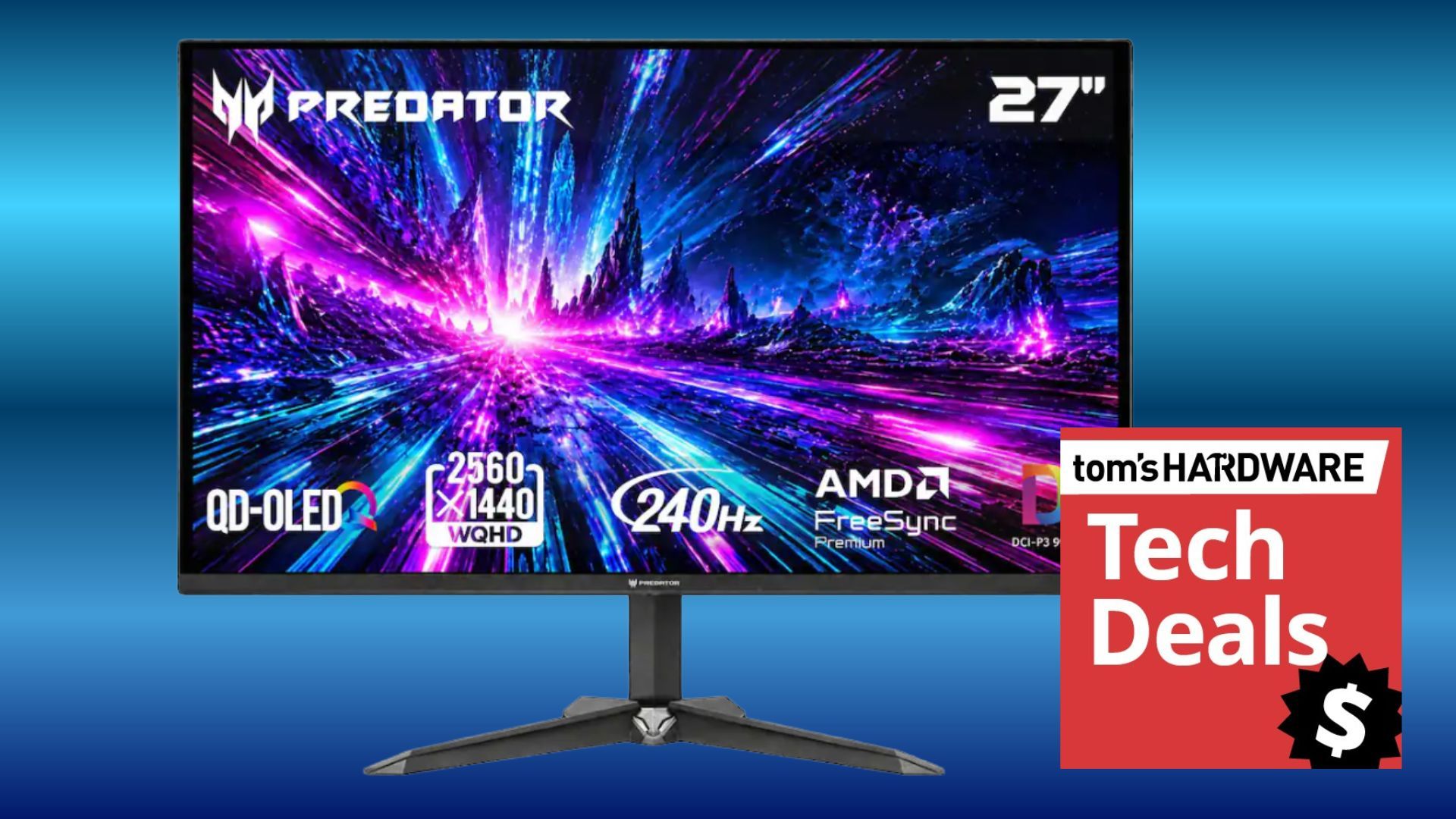
If you've been thinking about making the transition from an IPS monitor to an OLED display to upgrade your gaming setup, today's deal is a great way to pick up a new QD-OLED screen for a great price. Save $50 at Best Buy on Acer's 27-inch Predator XB27OU QD-OLED gaming monitor, now only $329.99, a great price for onboarding the latest technology into your gaming setup. Experience gorgeous inky blacks and eye-popping colors with the amazing contrast offered by QD-OLED displays, perfect for accentuating your favorite games.
The Acer Predator XB27OU has a max resolution of 2,560 x 1,440 pixels; it's a QHD (2K) display that's superb for a mid-range gaming PC where the graphics card shouldn't struggle too much to meet the frame rate and resolution requirements. It has a very fast 240Hz refresh rate for seamless gaming, and thanks to the OLED tech, the gray-to-gray response time is a staggeringly low 0.03ms, giving your games very smooth motion and avoiding ghosting compared to slower monitors. This monitor also fully supports AMD's FreeSync Premium tech, so you can match the refresh rate of the monitor to the frame rate of your games to eliminate screen tearing completely, for a much better gaming experience.
Predator XB27OU 27-inch QD-OLED Gaming Monitor: was $379.99 now $329.99 This Acer Predator XB27OU display features a gorgeous 26.5-inch QD-OLED panel with a crisp 2,560 x 1,440 resolution. A super-low 0.03 ms response time and 240Hz refresh rate make the Acer Predator XB27OU a great option for fast-paced gaming, with AMD FreeSync support to eliminate screen tearing.View Deal
Let's not forget about the other great aspect of QD-OLED displays - the color representation. The Acer Predator XB27OU sports an impressive 99% DCI-P3 color gamut, a Delta E
You can connect your gaming PC and even a couple of game consoles thanks to the inclusion of two HDMI 2.1 ports and a DisplayPort 1.4 port. Plenty of connections for the ultimate gaming battlestation.
Amazon will no longer build four new data centers on the site of the George Washington University's campus in Loudoun County, just outside of D.C., and will instead repurpose the majority of the 122-acre space for mixed-use and residential development following significant pushback from the local community. It will also donate 25 acres of the property to Loudoun County to be used for a community arts center and new recreational facility. On top of all that, it'll even give $5 million to the county's fund for housing, reportsThe Washington Post.
Go deeper with TH Premium: Taiwan, trade, and tariffs
That's quite the turnaround compared to plans to build in a county that is already dubbed "Data Center Alley" because it has the largest concentration of data centers on the planet. But residents' concerns about the noise generated by such data centers and the incredible amount of power that they require to function have seen the county's approach to new data center buildouts change of late. Amazon first submitted its proposal to build the new facilities in July, and Loudoun County Board of Supervisors Chair Phyllis J. Randall and Amazon met in September, where it was put to the company that it may be better to find an alternative use for the land.
Josh Weissman, Amazon’s vice president in charge of data center development, said the company had jumped at the chance to purchase the former university campus when the opportunity arose, but added that the company considered the county’s “pointed concerns about data center development at this particular site.” Weissman added that “While we see the property’s legal development potential differently than the County does, we concluded that the best outcome for all is to come together on a shared vision for this campus rather than engage in costly litigation.”
The building of new data centers has always been a necessity given our growing use of cloud-based services and storage systems. But the recent boom in AI use has seen demand for additional, and larger, facilities ratcheted up to new levels. But with that demand comes opposition, with local communities wary of the impact these mammoth facilities can have on the areas in which they live, including spikes in the price of electricity. Officials have begun taking steps to try to grease the wheels of data center construction. Just days before this news broke, President Donald Trump called for data center builders and AI hyperscalers to pay local communities a dividend amid energy-related price increases. In a social media post, Trump went on to say that data centers would be required not only to make their own electricity but also to give or sell excess energy back to the local community. Water shortages and deforestation have also become key issues affecting the communities in which data centers are being placed.
Back in Loudoun County, officials pointed to what could be achieved when choosing dialog over confrontation. “By choosing dialogue over reflexive disagreement, Loudoun County and Amazon created an opportunity for the County,” Randall reportedly said via statement. “This agreement provides new places for our Loudoun residents to gather, create, and play. And, most importantly to me, we will provide more attainable homes for working families.”
Export controls have kept ASML's most advanced EUV lithography machines out of China. Instead, the country's chipmaking industry has relied on less-capable deep ultraviolet (DUV) lithography machines. By using multiple exposures on critical chip layers, these older machines are still capable of producing performant silicon. However, as multiple patterns are applied there are more chances for defects, longer manufacturing times, and higher bills. We spoke to experts like Chris Mack, co-founder and CTO of semiconductor firm Fractilia, to find out how much further DUV can go.
For years, extreme ultraviolet (EUV) lithography has been seen as China’s biggest choke point in the country’s attempts to build cutting-edge chips. The machines, made exclusively by Dutch manufacturer ASML, use 13.5nm-wavelength light to print some of the most intricate features found on modern processors.Sales of ASML’s EUV systems are subject to export restrictions, forcing Chinese manufacturers to squeeze ever more out of older deep ultraviolet, or DUV, lithography instead. The EUV gap alone between China and the West is atleast half a decade, according to some analysts.
But even without access to EUV machines, China has gotten surprisingly far in recreating what it offers through existing technology.
Teardowns of Huawei’s Mate 60 Pro in 2023 found the phone’s Kirin 9000S processor had been made by SMIC using a second-generation 7nm-class manufacturing process without EUV. More recently,analysis of Huawei’s Kirin 9030 found SMIC had pushed its DUV-based process closer still to the density associated with 5nm manufacturing – although it continued to lag behind the leading processes used by TSMC and Samsung.
Multiple patterning
The trick is multiple patterning. Rather than trying to print an overly intricate chip layer in a single pass, Chinese manufacturers are dividing up the complex design into several simpler patterns. Repeat the process enough times and you can etch up something approximating the proper layer you intended.
The trick works. But according to lithography expert Chris Mack, co-founder and CTO of Fractilia, asking whether a chip can be made without EUV overlooks the trade-offs manufacturers make in order to do it.
“When this transition first began, what everyone in the industry said as conventional wisdom is that cost-wise, three exposures on a 193 immersion tool cost about the same as one exposure on an EUV tool,” Mack said in an interview with Tom’s Hardware Premium. “At three, it was about even,” Mack explained. “But as soon as you hit four masks – 193 masks being replaced by one EUV mask – then EUV became more cost-effective.”
It’s also likely to produce a higher quality product with fewer defects. Each time a wafer is patterned, that new pattern has to line up perfectly with everything that’s already been etched beneath it. The more individual exposures needed to produce a single layer, the more opportunities there are for things to go wrong. “If you have, say, four 193 masks, you've got all those different overlays, and you've got all these different process variations that start to accumulate,” Mack said.
Chip designers can try and avoid that by leaving more space around features so the finished processor can actually be manufactured reliably. But that means the chip ends up bigger – and bigger chips become expensive very quickly. Making each die larger means fewer fit on every wafer, and wafers cost a lot of money – tens of thousands of dollars each.
“You don't sell wafers, you sell die,” Mack said. “The question is: how many die can I fit onto that wafer, and how many of those die yield, and therefore how many chips can I sell per wafer?”
The efficiency gap
There is some evidence of what that efficiency gap can look like in practice – albeit in memory rather than logic chips. In a June report, Morgan Stanley estimated that Chinese DRAM manufacturer CXMT was producing only around one-third as many bits per wafer as Western competitors. The analysts believed the older process node only accounted for around a third of that shortfall, but said access to lithography was a “hard ceiling” on Chinese memory development. “For advanced logic chips, in theory there could be other innovations to engineer around EUV, but they are not likely to be very efficient and effective,” said Douglas Fuller, a researcher at Copenhagen Business School, in comments to Tom’s Hardware Premium.
It is also why claims that China has reached a particular semiconductor process “node” need to be treated with caution. “If somebody says it's X node – the seven nanometer node, the five nanometer node, the three nanometer node – these words almost have no meaning,” Mack said.
That can be seen in SMIC’s latest chips. Reporting suggests its N+3 process representsmeaningful progress towards 5nm-class manufacturing – but the actual measurements show it remains significantly less scaled than established 5nm processes from Samsung and TSMC. That doesn’t mean DUV has reached the end of its useful exploitation.
Stretching DUV's efficacy
Micron is an example of how far DUV can be stretched, producing competitive DRAM chips using DUV, multiple patterning and tight process control. Its 1-alpha generation of chips wasdeveloped without EUV. “They pushed 193 farther than any of the other memory makers did,” Mack said. “They were able to make very competitive chips with 100% 193 compared to Samsung and Hynix making them with many layers of EUV.”
Morgan Stanley believes CXMT’s planned move to 1-alpha DRAM – which it wants to use for HBM3e – is achievable without access to EUV, citing Micron as evidence. Indeed, “by the end of the decade, advanced packaging will allow firms to use DUV to produce the latest generations of DRAM,” reckons Fuller.
Micron also designed its products around the manufacturing technology available to it, rather than simply trying to recreate an EUV process on older equipment – something which could be a useful lesson for Chinese manufacturers. “If the entire ecosystem of 193 immersion were available to China,” Mack explained, “then they could probably push a long way with 193 multiple patterning, especially if they optimise designs for the fact that they're going to be using that.”
But Micron was making memory, whose highly repetitive structures make close co-ordination between chip design and manufacturing easier than it is for the much more complicated logic processors found in phones and computers.
“Memory is a lot easier than logic,” Mack said.
And even Micron eventually concluded that EUV was worth using. Its newer 1-gamma DRAM processuses EUV lithography, with Micron saying the technology helps it achieve more than 30% greater bit density per wafer than its preceding 1-beta generation.
EUV is hardly a magic wand, either. Mack points to stochastic effects – tiny random variations caused by the small number of photons involved in an exposure – which mean manufacturers can improve pattern control by increasing the EUV exposure dose. But it also pushes the cost back up quickly.
Because of that, Mack believes there is ultimately a limit to how far multiple patterning can economically substitute for EUV. “I would be hard pressed to really believe that a three nanometer or a two nanometer node is going to be economically viable without EUV,” he said.
That doesn’t mean Chinese chipmakers simply hit a technological wall and stop. They can keep pushing DUV while accepting larger dies, poorer yields, longer manufacturing times – or some combination of all three.
They can also throw capacity and money at part of the problem. Morgan Stanley assumes CXMT remains stuck on its 1-alpha process without EUV, yet still increases its share of global DRAM bit supply from 14% in 2026 to 16% in 2028 simply by building more greenfield capacity. The bank also expects China’s AI chip self-sufficiency to rise from 42% in 2025 to 70% by 2030 through new advanced-node capacity, improving yields and heavy state support – while EUV, HBM and advanced software leave a persistent gap. And so without EUV, the experts reckon China can only get partway to bridging the gap with the West. ““I would be hard pressed,” said Mack, “to really believe that a three nanometer or a two nanometer node is going to be economically viable without EUV.”
Bambu Lab’s long-anticipated tool changer will launch on November 3rd. Dubbed the H3C, the 3D printer has 9 tools held by a Vortex-like rack mounted on the front of the chamber. Tool changers are the wave of the future, as they can switch colors faster and with less waste than Bambu Lab’s current AMS system.
Unfortunately, most of the information about the new 3D printer is shrouded in secrecy, but there are plenty of details that are already public knowledge. Bambu Lab is quite proud of this latest engineering feat, which you can see in the video below, and I’ll admit, I’m pretty impressed, too.
(Image credit: Bambu Lab)
Here’s what we can confirm about the H3C: It is a member of the H-line of flagship printers, which includes the H2S, H2D, and H2C. As you can imagine, it is most similar to its namesake, the H2C, which is a 7-tool induction-heated “nozzle swapper” with a motorized Vortex rack to hold tools not in use. The H2C is one of the larger Bambu Lab machines, with a 330 x 320 x 325mm build volume.
The 11-second-long teaser video shows the tool rack dropping down, along with a satisfying metallic snick. As you might imagine, tool heads that are stored above the build plate are not going to get in your way when you’re watching that first layer go down. This is an annoying problem with the Bondtech INDX system, which we reviewed paired up with a Prusa CORE One, which forces you to peer through the tool rack to see what's going on inside the printer. Visibility on the Bambu H3C is probably better.
If you type “H3C leak” on YouTube, you can find several YouTubers who do not have machines under review dissecting the clues sprinkled around the internet. One “AI-enhanced” image showed 10 spools, which I can now finally confirm is completely wrong. Today’s video clearly shows only nine colorful Bowden tools arching over the top of the printer. We’re not at liberty to say what’s holding the spools, but I think it’s safe to acknowledge that it's a very Bambu sort of system.
The H2 line has been touted as a home manufacturing hub, so you might wonder if the H3C is the same? Perhaps it is. I had an opportunity to talk to Dr. Tao at Formnext last year when the H2C was fresh, and he was very interested in creating multitasking machines that could do more than just 3D print.
Sadly, not everyone was impressed with adding a laser to the H2D, but since the Bambu Lab A2L has an optional blade cutting and embossing tool, we can safely assume that the notion of multitasking is alive and well. I once programmed an Ender 3 to pick up Sharpie markers, so just think about the things a much more sophisticated machine with a team of sharp engineers could program.
I can’t wait to tell you more about the H3C. There are definitely a couple of surprising things about this printer that are going to come out of left field. We’ll let it all out on November 3rd.
Lava, an Israeli security firm, says that it has been able to identify 32 Nvidia Blackwell Ultra B300 chips within the network of China Telecom, a state-owned company that provides telecommunications services within the country. These same chips have already been barred from export by U.S. export controls, a report by The Information notes, which begs the question of how they have turned up in a Chinese data center. Such chips can only be sold to whitelisted buyers who agree not to export them to sanctioned parties, including those in China.
However, banning companies from buying Nvidia's high-performance GPUs and AI data center chips hasn't always worked. In 2025, it was reported that Chinese companies smuggled $1 billion worth of Nvidia AI chips into the country in three months. At the time, the B200 chips were the most sought-after, but some distributors were already gearing up to sell B300-series chips when they became available.
While the latest finding shows that the proliferation of export-controlled chips into China continues to be an issue, Nvidia has downplayed the report but didn't deny the findings. "Governments, researchers, and media have all found insignificant diversion of controlled US products, less than one half of one percent in recent court cases — a drop in the bucket compared to the ocean of domestic compute China already has," an Nvidia spokesperson told Tom's Hardware. "With tens of millions of GPUs in service in approved countries, this report again demonstrates that smuggling is a nonfactor, blocked by governments on both sides of the globe."
It's unknown how B300 chips found their way into China Telecom's server racks, nor can Lava confirm exactly where within the company's network they are located. But they are there, with Lava identifying them via Nvidia's own DCGM Exporter tool. The software can be installed by data center operators and is used to monitor server health and performance, and while designed for internal use, it can oftentimes be accessed beyond the data center's network. Oddly, it doesn't always require password authentication, either. Nvidia previously confirmed it was working on a tool that would allow its chips to be located, but it is yet to be released.
It's easy to see why Chinese firms are keen to get their hands on the Blackwell Ultra B300. Announced in March of last year, the data center GPU is one of the most powerful on the planet, offering huge performance gains with 50% more memory and FP4 compute than the previous-generation B200. At the time, Nvidia touted that the chip was "built for the age of reasoning," while name-checking more sophisticated AI LLMs like DeepSeek R1. At the time of its announcement, the B300 was expected to ship by the end of 2025, and it didn't take long for it to become hot property. In August 2026, nine people were indicted in Taiwan over the illegal export of B300 GPUs to China. This came just days after Supermicro confirmed that it had fired several employees following an investigation into smuggling. The complicated smuggling process included the use of a Taiwanese server trading firm called Flying Tiget Tech — a firm with whitelisted status for GPU purchases.
Nvidia's chips have proven so vital to AI data centers that demand for even its older silicon has caused skyrocketing prices. The company's A100 servers have tripled in price, despite being five years old, and can cost up to $82.,000. The ongoing crackdown on Nvidia chip smuggling has even seen some resort to retooling gaming GPUs to run AI workloads where possible.

 Login