WooCommerce 11.2.2 is a security release with multiple security updates. We strongly recommend updating as soon as possible. This release contains:
Additional hardening of Store API cart item quantities, REST API key authentication, and checkout tax calculation for local pickup.
Hardened how product default attributes are updated when a global attribute term is renamed, and how they are read. This release includes a database update to clean up affected data.
Hardened Store API checkout so an order that could not be saved does not go on to payment.
Hardened the decoding of payments profile data.
Improved validation of the product CSV importer’s column mapping.
Hardened the admin connection endpoints.
Each Store API checkout request now starts with its own order and payment data.
The cart now ignores attributes that the product does not use when a shopper adds it.
Fixed PayPal Standard shipping address updates so shipping and tax are recalculated correctly.
Additional Notes
Store API checkout now stops if the order fails to save. If an extension’s callback on woocommerce_before_order_object_save, woocommerce_new_order, or woocommerce_update_order throws during Store API checkout, checkout now returns a 500 error. Before, it carried on with a partially saved order. save() itself still does not throw.
Two wc-admin connection endpoints now require an administrator browser session.onboarding/plugins/jetpack-authorization-url and plugins/connect-jetpack now need a logged-in cookie and a wp_rest nonce on top of the capability check. Requests using REST API keys, WP-CLI, or application passwords get a 403. The wc-admin client isn’t affected.
A security update now is available for WooPayments. If you manage a store using WooPayments, check its installed version against the fixed versions below and update any affected site.
The update addresses a security issue in the subscriptions functionality bundled with WooPayments (extending a fix announced in August).
Check that your store has the update
In WP Admin, in the left hand navigation, go to Plugins → Installed Plugins.
Find WooPayments and note the current installed version.
Compare it with the fixed version for your release line in the table below.
If your store needs the update and one is available, select Update now.
When the update finishes, check the installed version again to confirm it matches a fixed release.
Check the installed version even if automatic updates are enabled or your host manages updates for you. If your store is already running a fixed version, you do not need to repeat the update.
Fixed versions
If your store runs
Update to
11.2.0
11.2.1
11.1.0
11.1.1
11.0.0 – 11.0.1
11.0.2
10.9.0
10.9.1
10.8.0
10.8.1
10.7.0 – 10.7.1
10.7.2
10.6.0
10.6.1
10.5.0 – 10.5.1
10.5.2
10.4.0
10.4.1
10.3.0 – 10.3.1
10.3.2
10.2.0
10.2.1
10.1.0 – 10.1.1
10.1.2
10.0.0
10.0.1
9.9.0
9.9.1
9.8.0
9.8.1
9.7.0
9.7.1
9.6.0
9.6.1
9.5.0
9.5.1
9.4.0
9.4.1
9.3.0
9.3.1
9.2.0 – 9.2.1
9.2.2
9.1.0
9.1.1
9.0.0
9.0.1
Older than 9.0.0
11.2.1
Developers and agencies: Check each site
Verify the installed WooPayments version on every affected site you manage, including publicly accessible staging and development sites. A completed update on one site does not confirm the status of another.
Keep a record of the versions you have checked so you can follow up on sites that still need attention. For stores managed by a hosting provider or another developer, confirm the installed version with that person or team.
Get help with the update
If the update is unavailable or fails to complete, contact WooCommerce Support. Include your installed WooPayments version and any error shown during the update so the team can help you find the appropriate next step.
WooCommerce uses PHPStan along with a number of other tools for testing, linting, and static analysis. However code that interacts with other extensions can be skipped or baselined when their classes and methods aren’t available to the analyzer.
To ensure that any integration between Woo plugins is proper and doesn’t break with future changes, PHPStan needs to know the shape of classes and methods. Otherwise, you end up with class.notFound errors and no way to verify it works as it should. Enter PHP stubs.
We’re introducing woocommerce/php-stubs, a new package that auto-generates PHP stubs for Woo extensions, both from the WooCommerce Marketplace and WordPress.org, so PHPStan can check calls into other extensions instead of skipping them. The stubs are public on GitHub and Packagist.
If you develop a plugin or theme that integrates with Woo extensions, you can use the same stubs to check those integrations without installing every extension in your analysis environment.
Why we built it
Even though we’re making this widely available to developers building on Woo, the truth is, we needed it for ourselves.
Integration code had no checks. PHPStan can’t check a call to a class it doesn’t know, so the code was skipped or baselined.
Hand-written stubs go stale. A number of extensions each had their own, but they were stale against the latest versions.
Version matters. Checks need to be against the minimum version requirement, not the latest release, otherwise it can call a method that older sites don’t have.
What’s included
The public package includes the first release of each of the newest 10 minor versions (x.y.0) and the newest release. A patch release stays only while it’s the newest.
Woo-owned paid plugins from the WooCommerce Marketplace.
Free Woo-owned WordPress.org plugins.
Third-party Marketplace extensions whose developers opt in to public stubs.
A supplement for WooCommerce internals that php-stubs/woocommerce-stubs skips. It picks the supplement matching your installed WooCommerce stubs automatically.
The stubs are generated from each extension’s release using php-stubs/generator: functions, classes, interfaces, traits, enums, and constants. New releases are published automatically – paid plugins within an hour, free plugins daily.
Include the plugins you integrate with in phpstan.neon.dist. Pin the minimum version you support, always an x.y.0 release. Use latest.neon when you don’t declare a minimum.
includes:
    # Minimum supported version: move the pin together with the minimum.
    - vendor/woocommerce/php-stubs/stubs/woocommerce-bookings/3.10.0.neon
    # No minimum declared: newest release.
    - vendor/woocommerce/php-stubs/stubs/woocommerce-subscriptions/latest.neon
    # WooCommerce internals: matches your installed stubs automatically.
    - vendor/woocommerce/php-stubs/supplements/woocommerce-internal.php
If your code checks plugin versions, add each plugin’s version constant to PHPStan’s dynamicConstantNames. A stub defines it with one release’s value, which would otherwise make version_compare() guards look constant.
The stubs are plain PHP, so Phan, Psalm, and IDEs can read them too. The package README explains which files to load.
Add stubs for your extension
Marketplace extension developers can opt in by adding this line to the main plugin file header in their next release:
* Woo Stubs: public
That release’s stubs will then be generated and published. If you need stubs for another WordPress.org plugin, open an issue in the repository with information about the plugin and integration you want to check.
I’d like to see this used across more repos, as this can catch cross-plugin integration bugs that might otherwise go unnoticed. If you need help setting this up, open an issue.
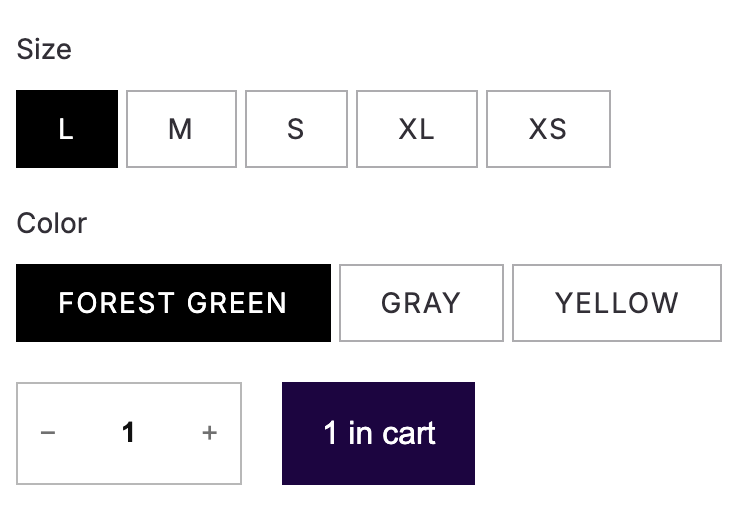
In WooCommerce 11.3, the “N in cart” count of the Product Button block (including the button inside Add to Cart with Options) will leave out cart items that an extension declares as children of another cart item.
Until now, a product that was in the cart only as part of another item, like a product inside a bundle, made its button say “1 in cart”, even though the shopper never added it on its own. Core can’t tell those items apart from the ones added separately, so the extension that adds them needs to say which item they belong to.
To do that, there’s a new filter, woocommerce_store_api_cart_item_parent_item_key, and a new read-only field in Store API cart items, parent_item_key (a string, or null by default).
A few details:
WooCommerce never marks an item as a child by itself. Only your extension does.
The parent key is returned only while the parent item is in the cart. If the shopper removes the parent, or it’s dropped from the cart, the child’s parent_item_key becomes null and it counts as a standalone item again.
If the filter returns a key that doesn’t match an item in the cart, or the item’s own key, WooCommerce returns null.
If a product appears in several cart lines, the count now adds them all up (before, the hydrated button showed only the first line’s quantity).
For now, the Product Button count is the only place that uses parent_item_key, but the idea is that blocks can rely on it whenever they need to know that an item belongs to another one. For example, in the future the Cart and Mini-Cart blocks could show child items indented under their parent item. So even if the “N in cart” count isn’t a problem for your extension, we think it’s worth declaring the parent of the items your extension adds.
How can developers tell if they are affected?
You’re affected if your extension adds cart items on behalf of another cart item. For example bundles, composite products, mix and match, force sells, chained products or “frequently bought together”.
An easy way to check is to add the parent product to the cart and look at the Product Button of one of the products it added. If it says “1 in cart”, your extension should use the new filter.
Free gift or upsell plugins that add a real product tied to another item can decide either way, because “1 in cart” may be correct for them.
Nothing breaks if you don’t adopt the filter. Those items just keep counting as they do today.
What action do developers need to take if affected?
Store the parent’s cart item key (the one WC()->cart->add_to_cart() returns, not a product ID) in the child’s cart item data, and return it from the filter:
For any other item, return $parent_item_key unchanged so you don’t erase a parent declared by another extension. You don’t need to clear the stored key when the parent leaves the cart, WooCommerce handles that.
The Store API documentation has a full example, including how to add the parent and the child.
WooCommerce 11.3 is scheduled for the week of November 9, 2026 and the first beta release is ready for testing. This is a big one, with 1,310 commits and 117 contributors so far. Highlights include more styling controls, flexible On-Sale Badges, and smoother mobile swiping in Product Galleries to improve the experience of using Purple, our block theme. You’ll also see improvements Analytics, product queries, and numerous REST API and MCP updates for developers.
We’ve expanded styling options for many blocks: Product, Featured Product, Featured Category, and Product Categories List blocks and more. New controls include colors, spacing, and borders, with options curated for each block.
In addition, Featured Category block can now be used in Terms Query block, allowing users to display a collection of product categories in unified way and nice custom designs.
We’ve also introduced more customizable Product Result Count and Catalog Sorting:
Based on user feedback we’ve also improved the mobile gesture support in Product Gallery block. It’s smoother and more intuitive. Images now follow user’s finger and respond to quick flicks with natural momentum, thanks to native scrolling and scroll snap.
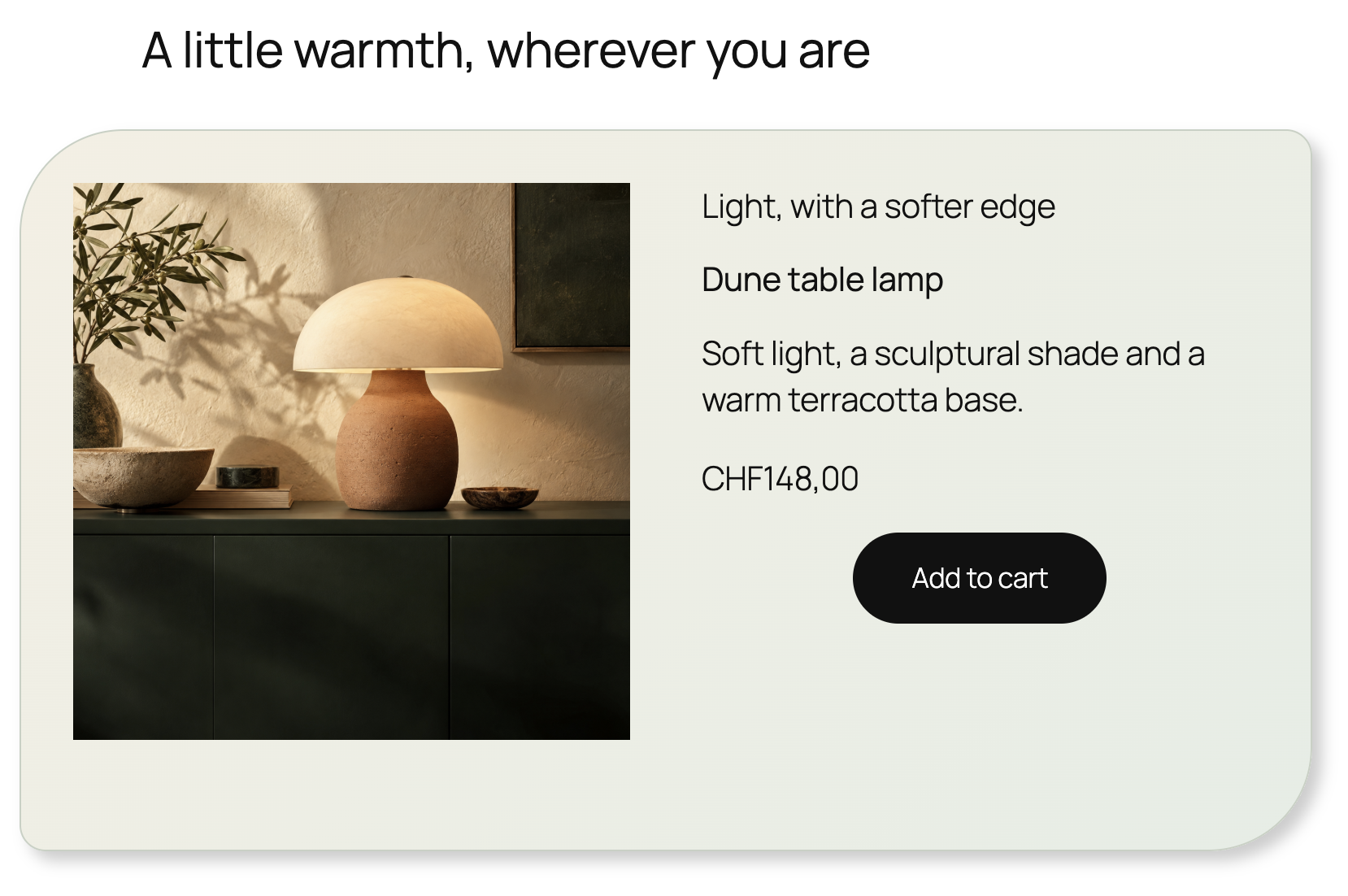
In WooCommerce 11.3, the On-Sale Badge block will support showing the discount amount or percentage, along with custom text. This lets you show how much customers save directly on the badge.
Select the On-Sale Badge block in the Product Catalog or Single Product template. Under Badge content → Show, you can now choose between:
Text: show “Sale” or your own text, like “Special offer”.
Amount: show the amount saved, like “$5.00”.
Percentage: show the discount percentage, like “25%”.
For Amount and Percentage, you can add a prefix and suffix. For example, “Save ” and “ off” will display “Save 25% off”. The default remains “Sale”, so you don’t need to change existing blocks.
For variable products, the badge shows the maximum discount with “Up to”, like “Up to 50%”. On single-product views using Add to Cart + Options, it updates to show the selected variation’s discount. If the selected variation isn’t on sale, the badge is hidden. Clearing the selection restores the “Up to” badge.
Merchants can select their refund and returns policy page under Settings → Advanced → Page setup. The selected page is also labeled visually in the Pages list.
For discoverability, WooCommerce adds structured data linking to the selected policy page and expose its link to search engines without requiring custom markup.
WooCommerce 11.3 removes its deprecated /wp-json/woocommerce/mcp endpoint and its REST API key connection path, and stops bundling the MCP Adapter and Abilities API packages. Core product and order abilities are enabled by default. To access them through MCP, clients use the WordPress MCP Adapter plugin with a WordPress application password. Developers using the old endpoint can follow the migration steps in WooCommerce 11.3 MCP Adaptor updates.
The experimental Extensible abilities API is off by default. When enabled, extensions can add their fields to product and order ability reads, support fields in product writes, and register query filters and validators. The API is still changing, and the team is asking extension developers to test it outside production. See Call for testing: Extensible abilities for extension fields for examples, known gaps, and the feedback discussion.
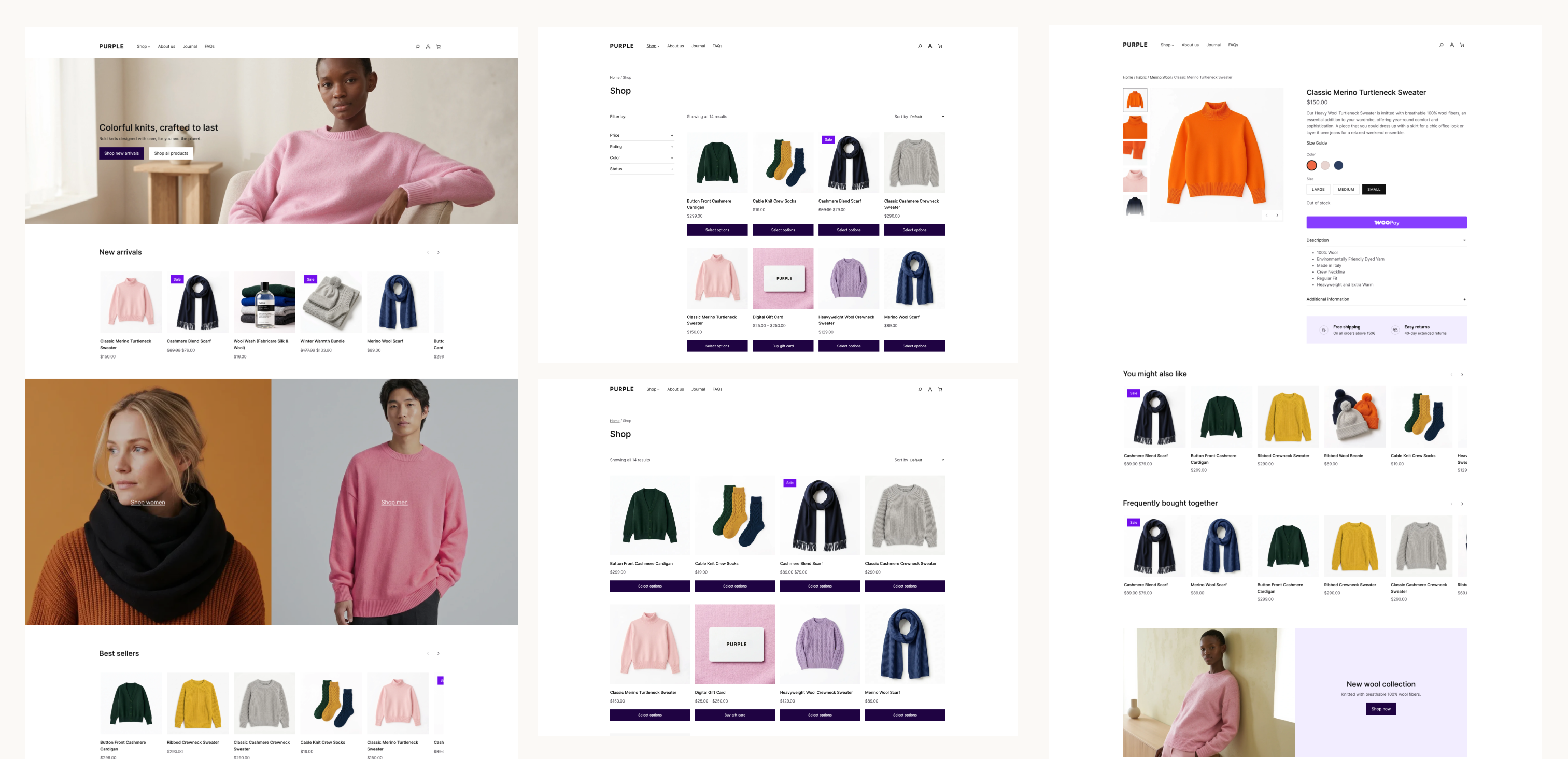
Purple, the official block theme, is broadly available
WooCommerce Beta Tester 4.0.0 is available for testing upcoming WooCommerce releases. Update the plugin before trying the 11.3 prerelease. This version improves switching away from Live Branch builds and adds a template-loading tool to WCA Test Helper. Use it on a non-production site running WordPress 6.8 or newer. Get WooCommerce Beta Tester.
Developer advisories
Products API endpoints have updated on_sale, include, and exclude behavior
Several endpoints related to products have been updated so the include and exclude parameters work in a more predictable way when used in combination with the on_sale parameter.
Using on_sale, include or exclude alone is unchanged. The only change is when the parameters are used in combination.
This table shows how these parameters behaved before 11.3, and how they behave in 11.3:
Request
Before 11.3
11.3
on_sale=true + include
Every included product, including ones not on sale, plus some other on-sale products when the on-sale list was longer than include
Products that are both included and on sale
on_sale=false + include
The include list. on_sale was ignored
Included products that are not on sale
on_sale=true + exclude
exclude was ignored
On-sale products, minus exclude
on_sale=false + exclude
Some on-sale products could still be returned
Products that are not on sale, minus exclude
For example, in a store with product 10 not on sale and products 13-18 on sale, on_sale=true&include=10,13 previously returned 10, 13, 15, 16, 17, 18. In WC 11.3 it will only return 13.
The new behavior matches what developers would expect and makes on_sale aligned with other parameters such as featured or type.
If your implementation is making a request to the endpoints listed above using on_sale in combination with include or exclude, we recommend re-testing it to make sure it matches your expectations.
Additional validation for refunds made via REST API
Starting with WooCommerce 11.3, POST /wp-json/wc/v3/orders/{order_id}/refunds validates explicitly supplied line-item refund amounts before creating a refund. This change prevents the REST API from creating refunds whose line-item amounts contradict the overall refund amount or exceed what remains refundable. Previously, those requests could leave order records and Analytics reporting inconsistent.
Expand for more details and testing instructions
Integrations supplying line_items should check that:
Each nonzero allocation refers to a product, fee, or shipping line on the same order.
Each line’s refund_total plus its refund_tax values does not exceed that line’s original or remaining refundable amount.
The sum of the line allocations, including tax, does not exceed the refund’s top-level amount. If amount is omitted, supply numeric line amounts from which it can be calculated.
Refund amounts have the appropriate sign for their order line. Negative refunds remain supported for negative lines, such as discount fees.
Invalid requests can now return HTTP 400 or 422, with a woocommerce_rest_* error code, rather than creating a refund. For example, amount: “3” with a line-item refund_total: 4 returns 400 woocommerce_rest_invalid_refund_amount; an allocation above a line’s original or remaining balance returns a 422 error. Check the response before treating a refund as created, and correct the allocation rather than retrying the same payload.
Developers are affected if their integration creates refunds through POST /wp-json/wc/v3/orders/{order_id}/refunds with explicit line_items amounts that exceed the refund’s amount or a line’s remaining refundable balance. After updating to WooCommerce 11.3, those requests return HTTP 400 or 422 instead of creating a refund; check for woocommerce_rest_* error codes in the response.
Ensure refunds are within the bounds of the remaining refundable balance, and ensure the combined line amounts do not exceed the refund’s top-level amount. Handle HTTP 400 and 422 responses as validation failures: show or log the error, correct the request, and don’t assume a refund was created.
Changes to Product Collections and Product Filters
Product Collection now uses the same filtering engine as the Product Filters blocks for URL filters. This applies to collections with filtering enabled that don’t inherit the template query.
Extensions modifying generated filter clauses through query_loop_block_query_vars. For price, stock, attribute and taxonomy filters, modify query arguments such as max_price instead of the generated meta_query/tax_query clauses. Custom conditions and rating filters are unchanged.
The newly added woocommerce_product_filter_params hook lets developers localize URL filter parameters or rename them to avoid conflicts. It receives the full parameter map, but only taxonomy changes are supported in 11.3.
As an example, you can replace existing parameter names with Spanish parameter names (categorias, etiquetas, and marcas) by registering the filter before the parameter map is first read:
WooCommerce 11.3 changes how the Single Product block passes product context to nested blocks. The previous implementation tracked descendant block names and could leak context into nested Product Collection, Query, or Single Product blocks. #68533 now uses WordPress block context, fixing #45374 and #45342.
This cleanup removes the protected extract_single_product_inner_block_names() method and the $product_id and $single_product_inner_blocks_names properties. Normal use of the block is unchanged.
Search extension or theme code for extract_single_product_inner_block_names. Only custom PHP subclasses that use them are affected. Before upgrading to WooCommerce 11.3, remove dependencies on the removed method and use WordPress block context instead.
Shop pages now associate directly with the Product Catalog template
WooCommerce now associates the Shop page with the Product Catalog template when a block theme is active, allowing the page editor to preview that template.
This changes the value returned when reading the Shop page’s _wp_page_template metadata. Reads specifying this key return archive-product, including when the page has a custom template assignment saved in the database.
Expand for more details
For example, if the saved value is my-custom-template:
$shop_id = wc_get_page_id( 'shop' );
get_post_meta( $shop_id, '_wp_page_template', true );
// Before this change: 'my-custom-template'
// After this change:  'archive-product'
The saved metadata remains unchanged. However, the override applies wherever the WooCommerce filter is registered, including frontend, admin and REST requests. This metadata override does not affect other pages or stores using classic themes.
Developers should review extensions, themes, and integrations that use the Shop page’s template assignment. Look for:
Reads of _wp_page_template using get_post_meta().
Logic that reads or synchronizes the Shop page’s REST API template field.
You are affected if this code expects a previously saved custom template value while a block theme is active. To verify, activate a block theme, assign a page as the WooCommerce Shop page, and compare the values returned before and after the update. If your integration needs a different effective template value, use the get_post_metadata filter to override the logic.
VAT exemption and calculated shipping now survive customer logins
In WooCommerce 11.3, a logged-in customer’s VAT exemption (is_vat_exempt) and calculated shipping (calculated_shipping) are kept in the session when the customer account is saved. Previously, any save to the account (including checkout saving the billing address) made the session out of date, so WooCommerce threw it away and both values reset to false. If a VAT-exempt customer had their payment declined, tax would be calculated after retrying payment. Addresses and other saved fields still reload from the account as before.
You’re affected if your code calls WC()->customer->set_is_vat_exempt( true ) and relies on an account save to clear it again. For example, exempting a customer with a valid VAT number and expecting that to drop when they change country. The flag now stays set until your code clears it, whether the account was saved by checkout, My Account, or an admin. Set the flag both ways, based on the customer’s current details, rather than only ever setting true:
WooCommerce 11.3 adds the payment method to the Analytics Orders report. It shows as a table column, a CSV export column and a new advanced filter. To make this work, the update changes the wc_order_stats table.
Expand for a deeper dive into what changed:
wc_order_stats has a new nullable payment_method column. It holds the gateway ID, the same value as WC_Order::get_payment_method(). A refund takes the gateway of the order it refunds. Orders with no gateway stay NULL.
wc_order_stats has a new index, idx_payment_method_date_paid_status on (payment_method, date_paid, status).
The database update wc_update_1130_backfill_order_stats_payment_method() fills the column for existing orders. It runs in the background through Action Scheduler, 500 orders per batch.
Items from reports/orders have a new payment_method property.
reports/orders and reports/orders/stats accept two new optional arguments, payment_method_is and payment_method_is_not. Both take a list of gateway IDs.
No existing hook, field or query argument changes.
Custom SQL that joins wc_orders
Before 11.3, only wc_orders had a payment_method column, so custom Analytics SQL could use it without a table name. Now both tables have it.
If your code joins wc_orders into an Analytics query through the woocommerce_analytics_clauses_* filters and uses the bare payment_method, the query fails with: Column 'payment_method' in field list is ambiguous
On the Orders report, this shows an empty table. Search your woocommerce_analytics_clauses_* callbacks for payment_method. Code that reads _payment_method from post meta is not affected.
Large stores
WooCommerce adds the column and the index to wc_order_stats during the update. On MySQL 8.0 and later with InnoDB, adding the column is instant. The index builds without blocking writes, but MySQL still reads every row of the table to build it. On a large store, this takes time and disk I/O. The index needs about 47 MB per 1M orders.
On older database servers, for example MySQL 5.7, adding the column also rebuilds the whole table.
Add the table name to the column. For example, change payment_method = 'stripe' to {$wpdb->prefix}wc_orders.payment_method = 'stripe', or use the alias from your join. This works on earlier versions too.
If you join wc_orders only to get the payment method, on 11.3 you can drop the join and use wc_order_stats.payment_method or the new payment_method_is argument. Existing rows are empty until the background update fills them.
On large stores, plan the update for a quiet time.
Analytics replaced the legacy WooCommerce > Reports screen years ago, but every new store still lists Reports in its menu. From 11.3, stores first installed on WooCommerce 11.3.0 or later no longer show it.
Expand to see more details for stores using legacy reports
What changed:
On a new store, WooCommerce hides the WooCommerce > Reports menu item. It also hides the top-level Sales reports item that users with view_woocommerce_reports see when they can’t access the WooCommerce menu.
Stores installed before 11.3.0 see no change. WooCommerce decides by the woocommerce_initial_installed_version option. A missing or malformed value counts as an existing store.
The page stays registered. admin.php?page=wc-reports, its tabs, the screen IDs (woocommerce_page_wc-reports, toplevel_page_wc-reports) and the view_woocommerce_reports capability all work as before.
WooCommerce hides the item with the hide-if-js class. The entry stays in the global $menu and $submenu arrays, so code that reads, reorders or removes it keeps working.
New filter: woocommerce_show_legacy_reports_menu. It takes one boolean, $show, and lets a plugin force the item on or off.
The menu stays visible on a new store when:
Analytics is disabled, or
an extension adds legacy reports: it hooks wc_reports_tabs or wc_admin_reports_path, or its woocommerce_admin_reports callback adds a report group or report that core doesn’t define, or replaces a core report’s callback.
Analytics-only entries added through woocommerce_admin_reports don’t count, so extensions that use that filter only for Analytics don’t bring the menu back.
You may be affected if your extension:
Adds a legacy report and registers its filters late. WooCommerce makes the decision at the end of admin_menu (priority PHP_INT_MAX). Report filters added after that, for example on admin_init or current_screen, aren’t seen, so the menu stays hidden on new stores even though your report exists. Your report still loads at admin.php?page=wc-reports; merchants just can’t find it in the menu.
Adds a legacy report only on certain screens. If your woocommerce_admin_reports callback checks the current screen before adding its report, it adds nothing when the menu is built, and the menu stays hidden.
Links merchants to WooCommerce > Reports by menu position, or tells them in docs or onboarding to “go to WooCommerce > Reports”. On a new store, that item isn’t there.
Checks for the Reports item in the menu, for example in end-to-end tests that click WooCommerce > Reports on a fresh install.
To check, install WooCommerce 11.3 on a fresh site, activate your extension and open the WordPress dashboard. To test against an existing store, run:
Register your woocommerce_admin_reports, wc_reports_tabs or wc_admin_reports_path callbacks on plugins_loaded or init, before admin_menu. Add the report on every request, not only on the Reports screen.
If you need the menu regardless, return true from the filter, and add the callback before admin_menu:
The woocommerce_json_search_found_customers filter runs both during AJAX customer searches and when WooCommerce renders the selected customer on an order edit screen. The purpose of this change is to bring these two filter call sites into parity, so extensions receive the same array shape whether filtering search results or the customer already selected on an order.
// Before WooCommerce 11.3, the order edit screen passed the selected registered customer with numeric key 0:

array(
	0 => 'Customer Name (#123 – customer@example.com)',
);

// Starting in 11.3, it uses the customer’s user ID as the key, matching the AJAX payload:
array(
	123 => 'Customer Name (#123 – customer@example.com)',
)
Guest orders continue to pass array( '' ). The displayed customer label and the filter’s return value are otherwise unchanged.
Search extension, theme, and custom code for callbacks attached to woocommerce_json_search_found_customers. Code is affected if the callback runs while rendering an order edit screen and directly accesses numeric key 0, such as $found_customers[0]. Callbacks using current(), reset(), or value iteration continue to work.
If the callback only needs the selected label, retrieve it without assuming a key: $label = current( $found_customers );. If it needs the customer ID, use the array key while accounting for the unchanged guest value.
We are graduating the optimized hashing algorithm announced in WooCommerce 10.5 and enabling it by default for new stores to align with the original graduation timeline. Read the developer advisory for more information.
A new filter, woocommerce_store_api_cart_item_parent_item_key, and a new read-only field in Store API cart items, parent_item_key (a string, or null by default), now allows extensions to mark cart items as children of another cart item, leading to more accurate “N in cart” strings for customers. Read the full developer advisory for more information.
As part of our ongoing work improving the WooCommerce MCP experience, WooCommerce 11.3 adds an experimental API that lets extensions add their own data to WooCommerce resource abilities, such as products and orders. AI agents and other clients then read and change that data with the abilities they already use. An extension no longer needs its own copy of a product ability only to expose a few extra fields.
The feature is off by default. To try it, go to WooCommerce > Settings > Advanced > Features and turn on Extensible abilities in the experimental section. With the feature off, none of the hooks below fire, and the abilities work as in 11.2.
What extensions can do in 11.3
Add fields to reads. A field shows in the ability output under extensions.<namespace>.<field>, and in the output schema. Fields work on the product, order and order_item resources.
Add fields to writes.woocommerce/product-create and woocommerce/product-update accept the same extensions object as input. WooCommerce saves its own changes and the extension fields in one save.
Refuse a change. A validator sees the changed product before the save. If it returns a WP_Error, nothing is saved, and the client gets the error.
Add query filters.woocommerce/products-query and woocommerce/orders-query accept extension filters under filters.extensions.<namespace>.<filter>.
Build their own extensible abilities. An extension can extend Automattic\WooCommerce\Abilities\ActionableAbility. Its ability then loads the object, changes it, writes the extension fields, runs the validators and saves one time, the same way Core’s abilities do.
Extending abilities example
A gift wrap extension stores a gift wrap price on each product. It registers a field, a list filter and a validator inside the woocommerce_extensible_abilities_init action:
<?php
use Automattic\WooCommerce\Abilities\ExtensibleAbilities;
add_action(
	'woocommerce_extensible_abilities_init',
	function () {
		ExtensibleAbilities::register_field(
			array(
				'resource'        => 'product',
				'namespace'       => 'giftwrap',
				'field'           => 'price',
				'schema'          => array(
					'type'        => array( 'number', 'null' ),
					'minimum'     => 0,
					'title'       => 'Gift wrap price',
					'description' => 'Price of gift wrapping. Null when the product cannot be gift wrapped.',
				),
				'get_callback'    => function ( WC_Product $product ) {
					$price = $product->get_meta( '_giftwrap_price' );
					return '' === $price ? null : (float) $price;
				},
				'update_callback' => function ( WC_Product $product, $value ) {
					if ( null === $value ) {
						$product->delete_meta_data( '_giftwrap_price' );
						return;
					}
					$product->update_meta_data( '_giftwrap_price', $value );
				},
			)
		);
		ExtensibleAbilities::register_query_filter(
			array(
				'resource'  => 'product',
				'namespace' => 'giftwrap',
				'filter'    => 'available',
				'schema'    => array(
					'type'        => 'boolean',
					'description' => 'True lists products that can be gift wrapped. False lists the others.',
				),
				'callback'  => function ( bool $available ) {
					return array(
						'meta_query' => array(
							array(
								'key'     => '_giftwrap_price',
								'compare' => $available ? 'EXISTS' : 'NOT EXISTS',
							),
						),
					);
				},
			)
		);
		ExtensibleAbilities::register_validator(
			array(
				'resource'  => 'product',
				'namespace' => 'giftwrap',
				'callback'  => function ( WC_Product $product ) {
					if ( $product->is_virtual() && '' !== $product->get_meta( '_giftwrap_price' ) ) {
						return new WP_Error( 'giftwrap_virtual_product', 'A virtual product cannot be gift wrapped. Remove the gift wrap price first.' );
					}
					return null;
				},
			)
		);
	}
);
An agent then reads the field from woocommerce/products-query:
And it lists the products that can be gift-wrapped with { "filters": { "extensions": { "giftwrap": { "available": true } } } }.
Use the API in your own abilities
An extension can make its own abilities extensible too. Other extensions can then add fields, filters and validators to them, the same way they do for products and orders.
For example, a support ticket extension stores tickets in My_Ticket, a class that extends WC_Data. An SLA extension wants to add a due_at field to tickets with register_field() and 'resource' => 'ticket'. The ticket extension needs three new calls for that. The rest of each ability is registered as usual.
1. Register the resource. Other extensions use the resource name to add fields to tickets.
2. Add the fields to the read ability.add_fields_schema() adds the fields to the output schema, and add_fields_to_object() adds their values to the output.
3. Build the write ability on ActionableAbility. The ability gives four small methods, and ActionableAbility runs the rest: it writes the extension fields, runs the validators and saves one time. It also adds the extensions input to the schema, so the write ability needs no execute_callback.
<?php
class My_Ticket_Update extends ActionableAbility {
	public function get_resource(): string {
		return 'ticket';
	}
	public function load( array $input ) {
		return My_Ticket::find( $input['id'] )
			?? new WP_Error( 'my_tickets_not_found', 'Ticket not found.', array( 'status' => 404 ) );
	}
	public function change( $ticket, array $input ) {
		if ( isset( $input['subject'] ) ) {
			$ticket->set_subject( $input['subject'] );
		}
		return null;
	}
	public function prepare_response( $ticket ) {
		return my_tickets_format( $ticket );
	}
}
wp_register_ability( 'my-tickets/ticket-update', array(
	// label, description, category, schemas and permission_callback as usual.
	'ability_class' => My_Ticket_Update::class,
) );
my-tickets/ticket-update accepts the field too, and it saves the subject and the due date in one save:
Order writes. Extensions can read and filter order fields, but Core’s order abilities do not write them yet. woocommerce/order-update-status keeps its current write.
Custom product types. The product abilities support only a fixed list of product types. Product types that extensions register, such as subscription in Subscriptions, are not on that list.
Variable products and multi-step saves. A variable product needs several saves: one for the parent and one for each variation. Currently, product create/update only performs one save.
Try it and tell us what you think
We’re still changing the design and the API, so please don’t use it in production yet. We welcome testing and feedback from extension developers. Tell us which fields you would add and where the API gets in your way in the GitHub discussion
Starting with WooCommerce 11.3, WooCommerce core product and order abilities will be enabled by default, and will require the WordPress MCP Adapter plugin active on your store to establish an MCP connection.
This update will remove the /wp-json/woocommerce/mcp endpoint and legacy abilities that have been deprecated since WooCommerce 10.9.
If your MCP client connects to your store with the deprecated endpoint and a WooCommerce REST API key, you will need to update that connection to use the WordPress MCP Adapter plugin and a WordPress application password before testing or upgrading to 11.3.
Enabling MCP in WooCommerce 11.3
MCP Adapter 0.7.0 is the first release published as a WordPress.org plugin, and it deprecates bundling the adapter as a Composer library. With one shared adapter per site, a separate WooCommerce endpoint with its own authentication and its own set of REST-shaped tools only added configuration and confusion.
The purpose-built WooCommerce abilities replace the REST-derived ones, and the adapter’s default server already exposes them, along with abilities registered by other plugins on your site. We’re also working on bringing more abilities to Woo core and our extensions to round out the type of actions and tools available for humans and agents working with WooCommerce.
What’s removed
The /wp-json/woocommerce/mcp endpoint and its WooCommerce REST API key authentication (the X-MCP-API-Key header). Requests to it now return HTTP 410 with a JSON-RPC error that explains how to connect through the MCP Adapter.
The WooCommerce MCP feature (mcp_integration) under WooCommerce > Settings > Advanced > Features. FeaturesUtil::feature_is_enabled( 'mcp_integration' ) now always returns false.
The REST-derived abilities that only the deprecated endpoint used: woocommerce/products-list, woocommerce/products-get, woocommerce/products-create, woocommerce/products-update, woocommerce/products-delete, woocommerce/orders-list, woocommerce/orders-get, woocommerce/orders-create, and woocommerce/orders-update.
Filters that only applied to the deprecated endpoint: woocommerce_mcp_include_ability, woocommerce_mcp_allow_insecure_transport, and woocommerce_check_rest_ability_permissions_for_method. Callbacks attached to them no longer run. The expose_in_deprecated_woocommerce_mcp ability metadata is no longer read.
Bundled packages: wordpress/mcp-adapter and wordpress/abilities-api. The Abilities API is part of WordPress core as of WordPress 7.0, WooCommerce’s minimum version. The MCP Adapter project has deprecated the package in favor of the canonical plugin (which is built from the same repo).
How can developers tell if they are affected?
You are affected if any of these apply:
An MCP client connects to /wp-json/woocommerce/mcp with a WooCommerce REST API key.
Your extension registers abilities that it expected to appear in the WooCommerce MCP endpoint, through the woocommerce/ namespace, expose_in_deprecated_woocommerce_mcp, or the woocommerce_mcp_include_ability filter.
Your code hooks into woocommerce_mcp_include_ability, woocommerce_mcp_allow_insecure_transport, or woocommerce_check_rest_ability_permissions_for_method.
Your code uses WP\MCP\* classes and relies on WooCommerce to load them.
Your code calls MCPAdapterProvider, WooCommerceRestTransport, AbilitiesRestBridge, or RestAbilityFactory, or one of the removed REST-derived ability IDs listed above.
What action do developers need to take if affected?
Merchants and MCP client users
If you connected an AI assistant to /wp-json/woocommerce/mcp:
Install and activate the MCP Adapter plugin, for example with wp plugin install mcp-adapter --activate.
Create a WordPress application password for a user with only the capabilities the client needs.
Point your MCP client at /wp-json/mcp/mcp-adapter-default-server with that username and application password, instead of the WooCommerce endpoint and REST API key.
The WooCommerce MCP documentation has client configuration examples. Stores that had the WooCommerce MCP feature enabled see an admin notice after updating. It links to the documentation and, when no MCP adapter is loaded, to Install MCP Adapter (which opens the official plugin’s details) or Activate MCP Adapter if the plugin is already installed. The notice goes away for every admin once someone dismisses it or activates the plugin from it. You can revoke the WooCommerce REST API keys you created for the old endpoint.
Extension developers
Register abilities through the WordPress Abilities API and add mcp metadata ('mcp' => array( 'public' => true, 'type' => 'tool' )) so the MCP Adapter exposes them. Custom abilities that appeared in the removed endpoint don’t carry over: before 10.9 it included abilities in the woocommerce/ namespace, from 10.9 those with expose_in_deprecated_woocommerce_mcp set to true, and the woocommerce_mcp_include_ability filter could change either. None of these affect the MCP Adapter’s default server, which only exposes abilities whose meta.mcp.public is true (falling back to the top-level meta.public).
Don’t rely on WooCommerce for MCP Adapter classes. If your extension uses WP\MCP\* classes, check for them at runtime (see below), or add Requires Plugins: mcp-adapter if your extension can’t work without MCP.
Removed internal classes don’t fatal.MCPAdapterProvider, WooCommerceRestTransport, AbilitiesRestBridge, and RestAbilityFactory still exist, but their methods do nothing except trigger a “called incorrectly” notice with migration guidance. Remove any calls to them. WooCommerceRestTransport no longer extends the MCP adapter’s HttpTransport, so code that type-hints or instanceof-checks HttpTransport won’t accept it, and passing it to the adapter’s create_server() fails. Use the adapter’s own HttpTransport with application passwords, or your own transport.
if ( class_exists( 'WP\MCP\Core\McpAdapter' ) ) {
    // Register your MCP server or tools.
}
Due to the critical severity of the issues, store owners are encouraged to immediately update their installations of PHP. These vulnerabilities are not specific to WooCommerce or WordPress and affect any server that hosts a PHP application. No WooCommerce or WordPress update is required or planned for these issues.
For WooCommerce stores hosted on Automattic infrastructure (WordPress.com, WordPress VIP, Pressable, and WP Cloud), your sites are already protected against the recently disclosed PHP security issues. Automattic worked closely with the PHP Security team to ensure that all sites hosted on our platform were protected as soon as possible.
Your web host may already be working to update PHP and put web application firewall (WAF) rules in place to mitigate the vulnerabilities, but you should still check for updates from your web host and, if necessary, update PHP as soon as possible.
Within WordPress, you can see which version of PHP your site runs under Tools > Site Health > Info > Server. Many web hosts provide this information in your web hosting administration panel too.
Versions of PHP prior to 8.2 no longer receive security updates from the PHP project. WooCommerce recommends and is fully compatible with PHP 8.3 or newer. The minimum requirement for WooCommerce is PHP 7.4, but we are actively raising that minimum requirement in future releases.
If your site runs a PHP version prior to this and you manage your own web hosting, you should consider taking your server offline while you prepare to update to a newer version of PHP. This advice is being published by several national cyber security agencies. To quote the UK National Cyber Security Centre:
Where immediate remediation is not feasible, organisations should consider taking the system offline until it can be fully mitigated.
Development of the Purple theme has moved from woocommerce/woo-themes to the WooCommerce monorepo. We’re retiring the separate repository and bringing theme development closer to the WooCommerce blocks it builds on.
Keeping themes alongside WooCommerce makes it easier for contributors and AI coding tools to understand how templates and patterns use WooCommerce blocks.
Shared tooling reduces maintenance across repositories, keeping dependencies, development environments, and validation checks on the toolchain we already maintain.
What changes for contributors?
Please use the WooCommerce monorepo for new Purple contributions:
Purple continues as a standalone WordPress theme, with releases independent of WooCommerce Core. The repository move requires no changes to existing Purple installations and will have no impact on WooCommerce as a plugin.
Thanks to everyone who has contributed to Purple so far. We welcome your feedback and contributions in its new home!
Classic checkout with removed address fields (woocommerce/woocommerce#69644): restores the 11.1 behavior for how the classic checkout sends address data when the order summary refreshes. On 11.2.0, stores that remove address fields with the woocommerce_billing_fields or woocommerce_default_address_fields filters could see checkout blocked with “Please enter an address to continue.”, tax not charged, or shipping options disappear.
Postcode validation on the checkout block (woocommerce/woocommerce#69658): accepts Argentine postcodes without the province letter (for example 1213) again, along with the formats for El Salvador, Saint Vincent and the Grenadines, and the British Virgin Islands that 11.2.0 rejected.
This release is now available for download. Review the highlights below, follow the update guide, and check the full changelog before updating production sites.
Row matching and cleanup improvements for Product CSV importer
Product CSV importer matches by global unique id’s. With “Update existing products” enabled, the importer now matches rows by GTIN, UPC, EAN, or ISBN when no ID or SKU is present.
Date fields in Additional Checkout API
The additional checkout fields API now supports date fields, allowing extensions and developers to collect information such as birthdays and preferred delivery dates through the Checkout block.
Configurable emails
WooCommerce now includes configurable emails for order withdrawal requests, acknowledging customers and notifying merchants when a request is submitted. Store owners can manage both emails from WooCommerce > Settings > Emails, including recipients, additional content, previews, and whether each notification is enabled.
Block styling updates
Several blocks have been updated to include more styling options. These styles are added on top of the styles that were already supported by those blocks. They can be used by themes to customize the look and feel of a store and they can be overridden by users via global styles (Appearance > Editor > Styles > Blocks) or directly in each block instance.
Security updates
WooCommerce 11.2 includes security fixes. Update all stores to 11.2.
Cc/Bcc (woocommerce/woocommerce#69537): Cc and Bcc recipients can no longer be set for the Reset password, New account, and Confirm email address emails, since these emails contain a password reset or verification link. Addresses previously saved for these emails are ignored. Developers who need a copy for an integration can still add one through the woocommerce_email_cc_recipient_{email_id} and woocommerce_email_bcc_recipient_{email_id} filters. The cc and bcc settings for these three emails are no longer exposed by the REST settings endpoints. (The Back in Stock verification email got the same change.)
Downloads (#69531): Strengthened downloadable-product authorization by rejecting malformed order and email credentials before permission lookup. Standard download links are unchanged. Rare custom or imported links, or permission records with malformed order or email data, may stop working. A store can reissue the link, fix the permission record, or correct the order’s billing email and regenerate permissions (regenerating resets download counts and logs).
Shop managers (#69533): Harden security around shop managers being able to edit other users who have additional more privileged roles. (In practice, shop managers can no longer edit users who also have a role outside woocommerce_shop_manager_editable_roles, for example, bbPress or Ultimate Member roles. Admins still can, and sites can add the role through that filter.)
Blueprints (#69529): On multisite, importing Blueprints now requires network super admin rights; subsite administrators can no longer import them. Single-site stores are unaffected.
Usage tracking (#69536): When a site opts in to usage tracking, WooCommerce now checks that sensitive information is left out of the data it sends.
Additional advisories
PublishPress Future 3.0.0–4.10.3: these versions can cause a fatal error on sites running WooCommerce 11.2, because they load their own outdated copy of Action Scheduler instead of the one bundled with WooCommerce. PublishPress fixed this in 4.10.4. If you use PublishPress Future, update it to 4.10.4 or later before updating WooCommerce.
Back in Stock Notifications are still experimental. Thanks to everyone who tested it and shared feedback. We’re working on improvements for WooCommerce 11.3.
WooCommerce 11.6, planned for February 2027, will require PHP 8.1 or newer. To give affected stores time to prepare, WooCommerce 11.3 will add a dismissible admin notice for stores running PHP 7.4 or 8.0. The notice warns about the future requirement, but WooCommerce 11.3 continues to work on those PHP versions.
Stores on PHP 7.4 or 8.0 can keep updating WooCommerce through the rest of the year, up to version 11.5, while they prepare their hosting environment for the new requirement.
Why we’re changing the minimum PHP version
PHP 7.4 and 8.0 have reached the end of upstream security support. Maintaining compatibility with them also keeps WooCommerce tied to older dependency versions and extra code paths, and requires testing each release across more PHP environments. A PHP 8.1 minimum gives WooCommerce and extension developers room to update dependencies and use newer PHP features.
WooCommerce has already supported running on PHP 8+ for years. The new requirement sets a higher baseline for future releases.
We want to thank our developer community for their feedback on this proposal, which gives even more detail explaining why this change is happening. Based on community feedback, we have pushed the selected release to WooCommerce 11.6, giving stores plenty of time to test and upgrade after the peak selling season.
What the WooCommerce 11.3 notice means
If your store is running PHP 7.4 or 8.0, this dismissible admin notice will display your server’s current PHP version and recommend contacting your hosting provider about an upgrade. You do not need to change PHP to continue using WooCommerce 11.3. The minimum requirement changes when WooCommerce 11.6 is released.
Check your PHP version. In WordPress admin, go to WooCommerce > Status, then find PHP version under Server environment. The PHP update guide has more detail.
Plan the change with your host. Ask your hosting provider to move the store to PHP 8.3 or newer if your site’s software supports it. PHP 8.1 meets WooCommerce 11.6’s minimum, while 8.3 or newer is WooCommerce’s current recommendation.
Back up and test first. Make a backup and try the PHP change on a staging copy of the store. Check checkout and payment methods, shipping and tax calculations, order management, scheduled jobs, your theme, extensions, and custom code. Resolve any compatibility problems before changing the production site.
Update production and verify. After changing PHP on the live site, check WooCommerce > Status again and repeat the store’s critical flows. You can then update to WooCommerce 11.6 when it becomes available.
If you need more time to upgrade PHP
You can remain on WooCommerce 11.5, the last planned release compatible with PHP 7.4 and 8.0, while you work through a hosting or extension constraint. WordPress normally prevents an update to a plugin version if your server does not meet the declared PHP requirement. The PHP requirement change will not deactivate an existing WooCommerce installation.
Staying on 11.5 is a temporary option. Under WooCommerce’s Security Patch Support Policy, fixes for vulnerabilities rated CVSS 9 or higher are backported to affected releases within a rolling window of 21 major release series. Other fixes generally ship only for the latest WooCommerce release. PHP 7.4 and 8.0 have also reached the end of upstream security support, so a WooCommerce patch may not address risks in the PHP runtime.
How many stores and extensions may be affected?
The latest published WooCommerce usage figures show approximately 7% of tracked stores on PHP 7.4 and 2% on PHP 8.0. Among stores that updated WooCommerce within the past year, the combined figure is closer to 6% and has been declining steadily. The actual numbers will be even lower when this change occurs. Usage tracking is opt-in, so these figures are a sample rather than a count of every WooCommerce store.
We also ran static analysis across our full extension marketplace for PHP 8.1 compatibility. Of the 1,357 extensions currently available for purchase, 0.22% showed potential issues that we’ll be reviewing manually with the developers. While this screening helps identify extensions that need closer review, it cannot guarantee that every extension, theme, or custom integration on a particular store will work after a PHP upgrade.
Guidance for extension developers and agencies
Test the versions of your extensions, themes, and integrations that stores will use with WooCommerce 11.6 on PHP 8.1 and on your recommended PHP version. Check declared PHP requirements and dependency constraints against the code you ship. If you continue to support stores on WooCommerce 11.5 and older PHP versions, keep those releases compatible with the PHP versions you claim to support.
If you find a compatibility issue, share the PHP and WooCommerce versions, the affected extension or integration, and steps to reproduce it on GitHub or in the comments below. That detail will help maintainers investigate before the requirement changes.
Moving the dual API engine to a separate plugin allows us to iterate in a more flexible way on its development, since we’ll be able to offer updates without being tied to specific WooCommerce core releases. This feature was always gated behind a feature flag, so this change only affects developers who opted into it and extended it.
Removing the proof-of-concept API
The built-in proof-of-concept API for products and coupons, available in WooCommerce 10.9 through 11.1, is removed in WooCommerce 11.2. If you were using those proof-of-concept endpoints, you will need to stop using them or build an equivalent API in your own extension. The WooCommerce Dual API plugin does not restore those endpoints.
The dual API engine is still useful for WooCommerce extension developers willing to develop their own dual APIs. If that’s your case, this is what changes:
The feature flag that enabled the engine is no longer available. Instead, installing and activating the dual API plugin makes the engine available. The plugin requires WooCommerce 11.2 or newer and PHP 8.1 or newer. If your extension depends on the engine, declare both dependencies in its plugin header: Requires Plugins: woocommerce, woocommerce-dual-api.
The API builder script is now in the WooCommerce Dual API plugin. To use it, install the plugin or clone its repository locally.
The WooCommerce Dual API plugin must be installed and active on the same site as your extension. It provides the engine; your extension registers its own dedicated GraphQL endpoint. Here’s a snippet that shows how to do it, taken from the WooCommerce simple events example plugin:
use AutomatticWooCommerceApiInfrastructureMain as DualApiMain;

add_action(
	'plugins_loaded',
	static function () {
		if ( method_exists( DualApiMain::class, 'register_graphql_endpoint' ) ) {
			DualApiMain::register_graphql_endpoint(
				__DIR__,
				'wc',
				'/graphql/simple-events'
			);
		}
	}
);
The Dual API remains experimental
The WooCommerce Dual API remains experimental. Everything under the Automattic\WooCommerce\Api namespace can change in backwards-incompatible ways, or be removed, in any release. Do not use it in production extensions.
We want to hear from you. Are you finding this dual API engine useful? Would you like to see it as part of WooCommerce in non-experimental state? Any changes to suggest? Share feedback in the the dedicated GitHub discussion.
Starting in WooCommerce 11.2, the Store API has a filter for rejecting a cart item quantity change error: woocommerce_store_api_cart_item_quantity_validation. The legacy cart had this via woocommerce_update_cart_validation; the Store API, and with it the Cart and Checkout blocks, had no equivalent.
The filter runs after the core min, max, and multiple-of checks, when a cart item quantity is updated or a product already in the cart is added again. It does not run on the first add of a product; use the woocommerce_store_api_validate_add_to_cart action for that.
Return a WP_Error to reject the quantity; the Store API sends its code and message in a 400 response and the block UI shows the message to the shopper. Any other return value is ignored and the quantity is accepted, including false. Notices added with wc_add_notice() are not read.
Example: cap a product at 3 per order
add_filter( 'woocommerce_store_api_cart_item_quantity_validation', function ( $valid, $quantity, $product, $cart_item ) {
	if ( $quantity > 3 ) {
		return new \WP_Error(
			'invalid_custom_condition',
			sprintf( 'Only 3 of "%s" are allowed per order.', $product->get_name() )
		);
	}
	return $valid;
}, 10, 4 );
The legacy pattern of wc_add_notice() plus return false does not carry over. A callback copied from woocommerce_update_cart_validation as is will accept every change.
Backward compatibility
The filter is additive; with no callbacks attached, the Store API behaves as before.
It can add rejections but never loosen the declared min, max, or multiple-of limits. Numeric bounds belong in the woocommerce_store_api_product_quantity_* filters.
woocommerce_update_cart_validation is unchanged and still only runs for the shortcode cart.
How can I tell if this affects me?
Search your extension for woocommerce_update_cart_validation. If you use it to reject quantity changes, that rule only applies to the shortcode cart; the Cart block and any Store API client bypass it.
What action should I take?
Add a callback on woocommerce_store_api_cart_item_quantity_validation and return a WP_Error for the quantities you reject.
Keep your woocommerce_update_cart_validation callback for the shortcode cart; the two filters cover different carts.
Test with the Cart block: change the quantity of an item past your rule and check the error appears.
Row matching and cleanup improvements for Product CSV importer
Product CSV importer matches by global unique id’s. With “Update existing products” enabled, the importer now matches rows by GTIN, UPC, EAN, or ISBN when no ID or SKU is present. Match order is ID, then SKU, then Global Unique ID. A non-blank identifier that matches nothing skips the row instead of creating a product, and a match with a different product type is refused, so an update cannot silently change a product’s type.
Import cleanup no longer runs site-wide orphan deletes for variations, post meta, and term relationships. Those added over a minute to small imports on large catalogs and could remove unrelated data, and cleanup now removes only the temporary placeholder products created by that import. (#68392, #68090, #67940)
Date fields in Additional Checkout API
The additional checkout fields API now supports date fields, allowing extensions and developers to collect information such as birthdays and preferred delivery dates through the Checkout block.
Date fields use the browser’s native date picker, including the familiar controls available on mobile. Shoppers enter dates using their browser’s locale, while emails and order details display them using the site’s date format.
Developers can restrict the dates shoppers choose using fixed limits or periods relative to today. For example, a store could allow preferred delivery dates from tomorrow through the next 30 days. These limits apply in the Checkout block and My Account forms. (#68143, #68083, #68048)
Configurable emails
WooCommerce now includes configurable emails for order withdrawal requests, acknowledging customers and notifying merchants when a request is submitted. Store owners can manage both emails from WooCommerce > Settings > Emails, including recipients, additional content, previews, and whether each notification is enabled.
Merchants can now tailor withdrawal communications to their brand and processes, choose who receives notifications, and disable messages they do not need. This creates a more relevant customer experience while giving store owners greater control over their flows and voice. (#67799)
Pump up the styling
Several blocks have been updated to include more styling options. These styles are added on top of the styles that were already supported by those blocks. They can be used by themes to customize the look and feel of a store and they can be overridden by users via global styles (Appearance > Editor > Styles > Blocks) or directly in each block instance.
Chips — typography, padding and border radius styles. (#68105)
Faster catalogs and admin screens
Reordering products now takes the same time regardless of catalog size. Stores with variable products load and check out faster, because price transients no longer grow without limit and checkout-triggered product saves skip redundant cache flushes. Report totals load with fewer queries, and their memory use no longer grows with customer count. (#66603, #68058, #66966, #68302)
Developer Advisories
PhotoSwipe error messages no longer include failed image URLs The %url% placeholder is no longer replaced with the failed image’s source. A custom errorMsg containing %url% will render that token literally after upgrading. (#68888)
Date filters now use the store’s local day for orders and products wc_get_orders() and wc_get_products() now read a date string like 2026-07-20 as a day in the store’s timezone instead of UTC. Product queries change on every store; order queries only on stores still keeping orders as posts. (#67903, #67827)
Store API cart-session failure responses omit cart headers A failure loading the cart session now returns a 500 with no Cart-Token or Cart-Hash. Clients must treat missing headers as an unavailable cart rather than a new one. (#67920)
Product attributes can now be deleted and recreated in one operation wc_delete_attribute() unregisters the taxonomy immediately instead of at the end of the request, so a slug like pa_color can be recreated right away. Code that still reads the attribute after deletion must treat it as missing. (#68212)
Removal of experimental abandoned cart recovery and Agentic Checkout APIs Both default-off experiments are gone, including the wc/agentic/v1 routes with no replacement endpoint. The 11.2 database update cancels queued recovery actions and drops the wc_email_unsubscribes table. (#67726, #67914)
Changes to settings and email registration register_wp_admin_settings moves from admin_init priority 10 to 999, so extensions adding settings pages or email classes during admin_init are no longer too late. An un-prioritized remove_action() on it now silently does nothing. (#67718).
Changes to webhook validation for trashed and restored posts WC_Webhook::is_valid_post_action() now derives the resource from the post ID instead of a request global, ending cross-resource deliveries like a trashed coupon firing product.deleted. A variable product trashed during a front-end request now fires one delivery per variation. (#68208)
Product archive pagination argument changes Starting in WooCommerce 11.2, the default pagination arguments for non-shortcode product archives on classic themes will use the base and format structure expected by WordPress’s paginate_links() function. (#68116)
Sequential coupon order changes With sequential discounts enabled, coupons of equal priority and item limit now apply in the order the customer entered them rather than lowest-amount-first. Because each coupon calculates from the price the previous one left, cart totals can shift. (#68030)
The admin order editor no longer accepts negative line item quantities The order item AJAX endpoints now reject quantities below the minimum, and woocommerce_quantity_input_min_admin gains an add context plus server-side enforcement. Returning '' to remove the minimum no longer works — return a numeric floor instead. (#67921)
Classic product templates now show parent categories first single-product/meta.php passes a new breadcrumb orderby to wc_get_product_category_list(), turning “Cameras, Electronics” into “Electronics, Cameras”. The woocommerce_product_meta_category_orderby filter restores the old order. (#67633)
Click here for the full list of developer advisories
Custom product category display types are normalized on save The admin form now runs display_type through sanitize_key() instead of esc_attr(), so Custom_Grid is stored as custom_grid. Any comparison against an uppercase key stops matching once a category is saved.
Legacy product widgets use lookup data for sales and rating ordering The Products and Top Rated Products widgets now sort from wc_product_meta_lookup rather than total_sales and _wc_average_rating post meta. Stale lookup rows can change widget order even when the post meta is current.
HTML filtering in checkbox descriptions and widget labels wp_kses_post() now filters checkbox tooltip_html and the number, select, textarea and checkbox labels in WC_Widget::form(). Custom controls, scripts or event-handler attributes embedded there get stripped.
Query hook changes in customer and review report totals The reviews and customers totals endpoints no longer fire pre_get_comments, comments_pre_query, users_pre_query or found_users_query, and comments_clauses now receives one grouped per-rating query rather than one per rating.
Blueprint exports no longer include payment settings Payments is gone from the export options and the deprecated ExportWCPaymentGateways class now returns an empty step, so provisioning workflows need a manual gateway setup step after import.
Cart and Checkout blocks use a fixed-width order summary column and a wider two-column breakpoint The sidebar becomes a fixed 360px flex column instead of 35%, and the is-large two-column threshold moves from 700px to 920px of container width, so custom CSS keyed to percentages or a 700px media query will misalign.
Coupon minimum and maximum spend are checked against each other
set_minimum_amount() now throws a WC_Data_Exception when the minimum is higher than the stored maximum, and the wc/v2 and wc/v3 coupon endpoints return a 400 for an invalid pair. Code that sets both amounts with two separate setter calls can fail depending on which runs first. Set both in one set_props() call instead. (#67703, #68251, #69237)
WooCommerce now decides whether to add Shop child page rewrite rules by comparing the Shop page path and product base when it generates rewrites. The use_verbose_page_rules key stays in the woocommerce_permalinks option, but WooCommerce no longer reads or writes it. Code that sets the key has no effect. (#68089)
New Store API filter for validating cart item quantities
Return a WP_Error from woocommerce_store_api_cart_item_quantity_validation to reject a quantity change in the Store API and the Cart and Checkout blocks. woocommerce_update_cart_validation still covers only the shortcode cart, so a rule there alone does not reach the Cart block. Read the full advisory. (#67928)
Mini-Cart styling: Fixes an issue where cart contents could appear unstyled below the footer when a visibility rule hides the Mini-Cart block. #68790
REST API authentication: Updates authentication checks to ensure WooCommerce API credentials are used only for the intended REST API requests. #68827
API permissions and sessions: Updates permission checks for the legacy options API and mobile app login, and strengthens guest-session validation. #68862
Join us on Wednesday, September 30, 2026, at 10 a.m. PDT / 1 p.m. EDT / 7 p.m. CEST for a practical live conversation about building WooCommerce stores with block themes.
Block themes give merchants and builders new ways to shape a store’s layout, styles, and templates. They also change how agencies think about design systems, plugin compatibility, performance, and the boundary between visual editing and custom code. If you have been curious about block themes—or tried them and found the experience harder than expected—this conversation is for you.
We are excited to welcome Mike McAlister, creator of the Ollie block theme, alongside WooCommerce engineers Karol Manijak and Lucio Giannotta. Mike will bring the perspective of an independent theme builder supporting real stores, while Karol and Lucio will share what the team is learning as it improves Woo Blocks and builds Purple, our block theme currently in beta.
Woo Developer Advocates Brian Coords and Shani Banerjee will lead the discussion, exploring practical ideas for trying block themes safely and a checklist for deciding whether they are a good fit for your next project. Bring your thoughts and questions, and join us for audience Q&A at the end.
On September 2nd, Anthropic published the Claude commerce agents, an open-source starter code for shopping assistants as well as merchant assistants. We leverage the code to ship our own version for WooCommerce which can be found in our latest Agentic Tools repo, which will be a fun, growing space for our open-source commerce tools. Please keep in mind that these are built for experimentation and growth, and are not maintained within official capacity.
We wanted to get a version out that really considers merchant control. Ultimately, you as developers and merchants should still be at the helm of your catalog, checkout experience, payment gateway decisions and ultimately your customer relationships. This is the direction we’d like to see agentic commerce move towards, and we would like to define that together. So, we encourage you to utilize and test the agents and code, and experiment with the opportunities to build on these elements.
What Anthropic actually shipped
Anthropic shipped a blueprint for patterns and guardrails needed to get commerce agents up and running:
The shopping agent allows for catalog search, comparison, multi-item planning, cart building, order tracking, policy answers, and customer memory.
The merchant agent contains sales performance questions, inventory and order alerts, pricing and promotion suggestions, campaign drafting. Every write is staged behind a human approval gate.
This includes three runtime paths with Messages API, Claude Agent SDK, and Managed Agents with MCP as the external system connection. It also requires Python 3.11 or newer for backend and Node 22 and Next.js on the frontend.
What we built for WooCommerce
The blueprint is platform-agnostic by design. It defines the agents and leaves the connection to a real store for each platform to build. With ours, a shopper can ask the assistant for products, build a cart, and get handed to the store’s normal WooCommerce checkout. A store owner can ask about sales, stock, and problem orders, and approve the assistant’s suggested changes (prices, restocks, listing copy, scheduled sales) before anything goes live. Nothing places an order or takes payment on its own.
The shopper side needs a small bridge plugin on the store. The assistant’s cart lives under a Store API cart token, and the shopper’s browser has its own WooCommerce session that can’t see it. When the shopper clicks through to check out, the plugin re-adds each item to the shopper’s own cart with normal stock checks and sends them to checkout. Once the order is placed, it empties the assistant’s cart and records which cart the order came from, which is how the assistant can later answer “Where is my order?” The plugin is part of the reference, not a supported extension. We encourage you to read it and the code before installing it.
python3 -m venv .venv && source .venv/bin/activate
pip install -r requirements.txt && npm install
	# Python packages, then the two web apps
cp .env.example .env
	# then set ANTHROPIC_API_KEY in .env
wordpress/local-store/scripts/setup.sh
	# WordPress + WooCommerce in Docker on :8090, seeded
One command starts a Docker WordPress and WooCommerce test store which includes a test store “ACME Supply Co.”, eight products, nine orders, policy pages, shipping, and the bridge plugin. Then start each side in its own terminal.
Storefront:
source .venv/bin/activate && uvicorn storefront.api.main:app --port 8006
npm run dev -w storefront/web                       # http://localhost:3006
Merchant:
source .venv/bin/activate && uvicorn merchant.api.main:app --port 8007
npm run dev -w merchant/web                         # http://localhost:3007
From a clean checkout to a first conversation takes about fifteen minutes. To point either side at your own store instead of the test store, follow the README, and start with a staging copy.
Limitations
Since this is reference code, there are a number of limitations to be aware of:
There is no undo: Reversing a change means asking the assistant to stage a new one with the old values. That is a redo, which can be refused, and it can be wrong.
No durable record. The conversation is the log of what changed, and a restart drops it. In WooCommerce the changes appear under the API key’s user with nothing naming the assistant. Only orders from the bridge are marked.
No authentication. Anyone who can reach the services can use them, and the merchant service holds a full-write REST key. Put them behind your own auth.
Built for small stores. Headline totals come from WooCommerce Analytics when it is available. Alerts and per-product figures come from a scan capped at 400 recent orders and 250 products, so a high-volume store can get alerts wrong.
No traffic or conversion data. WooCommerce core records no sessions.
Campaigns are read-only. The assistant can report on campaigns from installed marketing extensions but not draft them.
Retrieval is keyword search. The model does the semantic work on top, rephrasing, retrying, and judging results, so it behaves like a hybrid. It can only reason about products a keyword actually returned. This one matters most for large or oddly-named catalogs, which is exactly what we want people to test.
It is a self-hosted Python service beside WordPress. Cost is Claude usage, and the merchant side uses a larger model, plus hosting.
Who is this for?
The shopper side essentially runs as a second storefront, so shoppers will use it instead of the theme and return to the store at checkout – and for a merchant, it sends the shopper out to a different frontend in order to access this. This should be kept in mind for conversion from a merchant’s perspective.
The merchant side is currently built for smaller stores. If you want this kind of functionality at higher order volumes, reach out to join the WooCommerce AI Beta.
Ideally, this reference code is best used by developers and agencies that are evaluating and prototyping AI applications and workflows for their merchant-clients.
If the initial question is, “how do I start building an assistant on Anthropic’s stack” then the reference code above is the ideal gateway to experimentation. However, we can think of WooCommerce AI as a tool that answers the more specific question of, “what should a merchant’s assistant be?”
WooCommerce AI brings scoped opinion and direction for a merchant’s AI experience. It lives inside wp-admin and communicates with the store by answering from the store’s own data from inside WooCommerce.
Installed as a plugin, WooCommerce AI runs every change through preview, approval, and undo. Each change carries a reversibility tier, and an Activity Log records what the assistant did. It handles batch changes as well. There is nothing additional for a merchant to host, the assistant runs within the merchant’s admin.
Want to contribute?
If you’re interested in experimenting with our agentic tools, please head to our Agentic Tools repo, and also add your thoughts to the GitHub Discussion.
Issues and PRs are welcome, so don’t be afraid to contribute!
If you are interested in participating in the WooCommerce AI Beta, please reach out to @shanibanerjee via the WooCommerce Community Slack or at developer-advocacy@woocommerce.com.
WooCommerce has spent the last few years investing heavily in the block editing experience for merchants and developers. The only thing missing was an official block theme we could recommend, built specifically for Woo.
Purple is the open source WooCommerce starter theme made by Woo. The theme includes templates for most block-enabled WooCommerce pages, ten color palettes and ten font pairings, and custom styles for WooCommerce and WordPress core blocks. It also includes a pattern library focused on ecommerce with product grids, filters, collections, call-to-actions, product detail pages, and more.
For merchants launching on Woo, Purple is designed to give your store a modern and performant starting point. However, thanks to the customization options built into blocks, developers and agencies can modify and extend the templates and styles and use the theme as a starting point for bespoke store designs.
With everything WordPress and Woo have to offer, a good block theme is intentionally lean and modular. They don’t require the traditional layers of functionality and lock-in that older theme framework typically included.
When you compare Purple to our classic flagship theme, Storefront, you might wonder where all the featured extensions have gone. When using Storefront, you might have needed extensions for product hero designs, custom homepages and product galleries, a mini-cart, or even a more advanced header and footer. With WooCommerce’s block library and the block editor, those customizations are already possible within any block theme, including Purple.
The work is landing in WooCommerce core
The larger project is the work that Purple helped drive in WooCommerce core: more granular style controls in blocks, templates that showcase your product catalog, and an easy path to defining your store’s brand consistently across your site.
The improvements below are a small example of what’s available to any block theme that uses the affected blocks and APIs.
WooCommerce 11.0 made block themes lighter and more consistent
WooCommerce 11.0 established several foundations for the work that followed:
Pattern content is loaded on demand. WooCommerce registers patterns by file path and loads their content when the editor requests it, reducing work on requests that do not need pattern content (#65922).
Product images work better with theme settings. The Product Image block uses larger thumbnails and preserves the correct aspect ratio for cropped images (#66191, #66354).
Product collections compose more reliably. The Product Collection block now keeps the right context when nested inside a Query Loop, so its inner product blocks render correctly in composed templates and patterns (#65637).
More blocks participate in global styles. The Breadcrumbs block supports theme.json styling, including custom font sizes (#65460, #65537).
Product filters are easier to compose. The Product Filters block gained an option to disable its filter drawer and fixes synchronization across multiple filter instances (#65671, #65622).
Cart markup is more accessible. Cart table headers now expose the appropriate ARIA roles and scope attributes for assistive technology (#65364).
WordPress 7.1 introduced responsive design controls for the block editor. WooCommerce 11.1 gives those controls more useful WooCommerce blocks to work with:
Product Price supports responsive styling for typography, colors, padding, and margins, with the editor and frontend using the same responsive states (#67007).
Product Reviews now follows the WordPress wrapper used for responsive styling, so review content and the review form can reflect the styles selected for each viewport (#67360).
Product Details supports padding, margin, background, and border settings through the block and Global Styles (#67409).
Product Gallery supports custom aspect ratios and keeps the large image area and thumbnail rail in sync (#66441).
The release also completed some initial performance improvements for block registration. WooCommerce skips block and pattern registration for recognized requests that cannot render blocks, making Store API and REST requests 30–42% faster in the published measurements (#65781). This release also introduces experimental support for unified block editor assets while editing your site, with a 48.3% reduction in network transfer size.
WooCommerce 11.2 continues refining the storefront building blocks
WooCommerce 11.2 is still in development, and it contains some of the most visible examples of the theme work moving into core:
Product Filters has responsive overlay and sticky-positioning controls. The block can stay inline, switch to an overlay on mobile or tablet, or use an overlay at every viewport. The behavior works in the editor and on the frontend, respects the configurable responsive breakpoints in WordPress 7.1, and can keep filters visible as shoppers move through a product catalog (#67696, #68256).
Product Quantity exposes more styling controls. Text color, background color, border radius, and border and shadow styles can be configured through block styles. Grouped product quantity controls use the same styling model (#68040, #68000, #68148).
Product images can use theme-defined borders. The Product Image block now supports border styles, giving product grids and collection patterns another way to express a store’s visual system (#68342).
Chips are more themeable. The Chips block, used by Product Filters and Add to Cart + Options, adds typography and border-radius controls that can be styled consistently with the rest of the store (#68105).
WooCommerce patterns are easier to find and customize. The inserter category is being renamed from “WooCommerce” to “Shop,” and customized template parts no longer take priority over template parts queried directly (#67874, #67892).
This is just a subset of the most recent work done to improve the block editing experience, but Purple has been a long project, and a key factor in our work to improve the foundations of WooCommerce for all users.
How to test Purple
Please test Purple on a staging or local site. Use the latest version of WordPress and WooCommerce so you can exercise the responsive controls described above.
Install the purple directory as a theme, either by uploading a zip of that directory or copying it into wp-content/themes.
Activate Purple and open Appearance > Editor.
Review the front page, Shop or Product Catalog, Single Product, Cart, Checkout, My Account, and search templates.
Test the Product Filters block at desktop, tablet, and mobile widths. Try the inline and overlay modes, then test a custom settings.viewport configuration.
Test Product Price, Product Details, Product Reviews, Product Gallery, Product Quantity, Catalog Sorting, and Mini-Cart with simple, variable, and grouped products.
Add your usual extensions and child-theme customizations, then repeat the tests on the frontend and in the editor.
Purple is a beta. Expect the templates, patterns, and styling to continue changing as we learn from testing. Note: when downloading Purple directly from GitHub, it will not receive automatic updates.
Share your feedback
Please open an issue in the Woo Themes repository when you find a problem or have a suggestion. Include the WordPress, WooCommerce, PHP, and Purple versions; the template or block you were testing; the steps to reproduce the problem; and screenshots or a recording when the issue is visual.
Your feedback will help us improve the default WooCommerce storefront and the blocks and templates available to every block theme.

 Login