Normal view

Published — 19 September 2026 Simon Späti - Data Engineering & Second Brain

Omarchy Quattro: One Year In — Part 3

This is my Part 3 about Omarchy, after using it for more than a year full time, as my main daily driver first on Lenovo ThinkBook 14 AMD, and now TUXEDO InfinityBook Pro 14 Gen10, for my business and personal use, replacing my MacBook Pro M1 after using macOS for 15 years. See more in Part 1 about my transition, what tools I needed, and in Part 2, the good, the bad, and the fixable. I’m also the original author of the Windows VM work (PR #1333, merged via #2462), making Excel and Word available for me as I needed to write offers in Word and my daughters needed it for school. Recently I have also contributed a couple of plugins, the most used being the timezone plugin.

This Part 3 is about the newest Quattro version, which onboarded a whole lot more people. One would say it went a little viral. It’s everywhere on Twitter, and on socials. So this is my take after using it for a month, comparing it to the previous version and what I like most, and maybe some things you should still be aware of.

So What’s New?

Maybe the biggest question: what is new that started the hype even more? Why is it all over social media when it was already out there for a full year?

The main reason is its integrated design with Quickshell (written in C++, Qt, QtQuick), which made the full interface one cohesive OS that is ultra fast1. It feels like an OS such as macOS, not like 100 different tools patched together, which is what Linux usually is. Sure, most distros have a cohesive look, but as soon as you want to change anything, you need to look at different dotfiles, different ways of configuring, some use toml, some json, others .ini files, etc. Omarchy built it all on the same tool chain, which is well chosen, ultra fast, and looks beautiful, and the config is unified with Hyprland bindings, monitors and toggles in Lua and the shell itself with QML. If you don’t know the details, everything is available through the integrated Omarchy Menu.

![[omarchy-menu.png]]

And even more so, if you want to change monitor settings, you can just do it from the top bars, and Omarchy will change the settings in your dotfiles. It’s still the same tools underneath (most of them, as Omarchy comes with lots of great tools that are designed for Omarchy, e.g. Omasnap, the best screen capture tool, which finally replaced my beloved Snagit adequately on Linux - also because I added the cut-out feature myself and scrolling capture was recently added too, omacut for video editing, omawrite, and a bunch of other tools). But otherwise it’s the best-of-breed Linux utils and most importantly, [[TUIs]].

Omasnap, replaced beloved Snagit Screencasting with scrollable capture and horizontal and vertical in-line cut out

[!note] Unified Menus, Settings, Launcher
The new launcher is amazing in two distinct ways. Opening it and typing is so fast. It feels instant. With the old [[Walker Launcher]], I always had to physically wait before I typed what I searched for, as otherwise it would swallow the first letter.

Second, something I’ve built for myself from day one: you can fuzzy search the config entries below the tree. E.g. if you want to change the background, you don’t need to remember or know that it is under the parent Style and search for it for a couple of seconds, going into the wrong branches a couple of times. Instead, you just search back..+ enter and you’re there.

Pluggable: Change Your Operating System, the Malleable OS

But probably the biggest release and unlock for most people coming new into Omarchy (and Linux: remember, the target audience of Omarchy is not existing Linux users, who already know most of the glory and sheer beauty of tools out there, but macOS and Windows users) is the plugin marketplace (3000 in the less than a month, currently at 3548).

But why is this such a big thing, you might ask? Because it opens up the genie (Fable or GPT-6 Astra) to basically add any tool or visual to your OS that you want. Yeah, does not sound impressive, right? But ask Microsoft or Apple to add a timezone plugin into the actual OS, or change the ugly (personal taste) liquid glass back to the standard view, so it does not take drain battery out of your laptop for making the windows translucent. You can’t. You just get what you get. And the last couple of years, or months, were a disaster for macOS and Windows: instead of adding useful features, they shipped surveillance (hello Windows Recall), or bad rounded corners on macOS, or bad liquid glass design choices you had no control over.

If you experience it once: one prompt to change this, or to integrate your personal API into your OS, and it changes your perspective. That’s why people, especially non-technical ones who didn’t even have the possibility to program an app before, can now just ask to build an alert, or add an OCR function to your saved clipboard images (as a Plugin, PR to add to Omarchy), or update the fuzzy finder to search files, etc. I have literally changed 100s of things in my Omarchy setup. It might look similar to the default, but it’s very customized to my workflow. Which is what I love most.

Custom made themes, based on my own pictures, as Omarchy theme.

I can customize the OS to work for me, instead of me needing to adapt to how the OS is working. Again, very hard to put into words if you haven’t experienced it. That’s why I recommend to everyone who is a little curious: take an old laptop that can’t work anymore with the latest macOS or Windows, and just install Omarchy (needs a USB stick), it literally takes less than a minute (current world record, not released yet, 9 seconds).

It’s not a Better macOS or Windows

Also, DHH, the creator of Omarchy, didn’t intend to make a better macOS or Windows. Instead, he created a whole new OS that didn’t exist yet.

People who said it’s just a couple of dotfiles are totally wrong. Because when I initially tried Linux, the sheer amount of work to make external monitors, internal camera, fingerprint, etc. work was astronomical. When I installed Omarchy the first time, it all just worked, out of the box. Most of my favorite tools were installed already, and design and theming are top notch.

Even more, it has a tiling manager, one thing I had in my macOS setup anyway, and it’s very terminal and TUI centric, another thing I was already doing on macOS, so the switch was super natural to me. But I understand that for a normal Windows or macOS user, moving windows around, maximizing and closing windows with the mouse, this new OS might be overwhelming at first.

This OS is not meant to be learnt in minutes, it takes some effort to learn, and that’s intentional. Because all good things, ways of working that are different from what we are used to, need some work. The best thing I can think of, as a [[Vim Language (and Motions)|Vim Motions]] lover, is Vim. You don’t learn the commands and way of working in a day, you need at least a week to be roughly as proficient as with your old way. For full proficiency, it will take at least 3 months.

But they make it easier and easier to learn. There’s a shortcut to just show all key shortcuts, or you can just pop up Learn Omarchy.

What Else? The Agentic OS?

I think that’s it, these are the most critical changes compared to the version before. But wait, there’s one more. The malleable computer, as DHH likes to say. It integrates with any agent of choice, and they’re all installable with “one menu item”. Every harness or model you can think of is there. And why is that? Because you can ask your agents to fix bugs with your monitor, or to set things up when you are at a presentation or a new co-working place. Before you might have needed to google and spend lots of time, now you are just one prompt away from almost anything.

This is what Linux could do before Omarchy, but not macOS or Windows. And it’s now accessible, packaged in a single under-1min installer, beautifully designed and with all the features you want anyway, built by a large community.

This is what I haven’t seen before. That’s why there are so many people showing up, building things I needed anyway, and then sharing theirs with others. It’s so infectious. That’s why people who don’t use it can’t believe it. And the pace at which changes come in is so rapid that it’s hard to keep up, and not to have an outdated opinion about it. Because the Omarchy I wrote about in Part 1, or in Part 2, is not the Omarchy Quattro of today anymore. And by the time I share this article, or you read this, I’m sure there are 100 other new cool improvements worth sharing.

That’s why you should keep an eye on the RSS feed or website news to see what’s going on. Also DHH has already hired through the Omacom Foundation a bunch of Linux folks who work on Hyprland, QuickShell and more. People who otherwise had to do that in their free time can now work on it full time, hopefully with a comfortable salary, making the Linux experience better for everyone.

Improving the Linux Experience for Everyone, Open-Source Based

This is what I fell in love with throughout my career anyway: open source software, sharing what you build for anyone to see your code, forking or contributing. Working on a common goal together, instead of each one in their private repos.

This is what Omarchy is: an open Linux repo where all the fixes each of us would otherwise have needed to suffer through now get shared, and even packaged in a way that we can install in a crazy 9 seconds!!!!

That’s why everyone is so excited, at least the ones who realise this, or don’t have countless hours to set up a hard disk, or a partition. At least, that’s what I did in my early years, 100 times with Windows, and also a few times with Linux, and it was always a pain. Being afraid to hit the wrong partition, to make it too small and then later needing to repartition or reinstall the OS because I didn’t choose a good default. These are things I don’t enjoy.

Making it My Own: Fonts, Workflow Optimizations

But what I enjoy are aesthetics and workflow improvements. I want to change the fonts in my terminal, I want to change my workflow for taking notes, or capturing print screens that have worked for me for the last 20 years, that I have optimized so diligently. So now there’s an OS where I can take that to the moon, and I did.

Sure, there’s a lot of time “wasted”, but I’d say I loved it, I learned a ton, and why wouldn’t I spend a ton of time optimizing the toolchain I use every day for my work? I’m an author and data engineer who works 8-10 hours every day on the computer, sometimes even in my free time playing around with nerdy stuff like neovim, Obsidian and distraction-free typewriters. I love this. But every second I optimize is joy given back when I use the operating system. It’s how I interface with the computer.

Omarchy has made it possible to take an awesome starting point, customize it to my needs, make it my own, while still getting all the new cool features that I might not have known I needed, but once there, I can just use them. E.g. just one example, the speech-to-text integration with voxtype is just so cool and handy, I’m not a talker to my computer, but here and there I might use it. So I would not spend hours to set it up, but you know what, I once accidentally saw it on Twitter, I tried it, and it just worked.

This is me just speaking and see how fast the real time translation is. That came just out of the box, I didn’t setup anything. These are the kind of feature you’d expect from an OS update.

This is really the beauty of Omarchy, for me, and why Quattro took off so much. And potentially for you too? But we are just at the start, so there’s much more to come, and I’m very excited for it. Though I also just value using the system, I need to get work done. So even if you don’t want all the hype or changes, you can just use Omarchy, and you get the best Linux experience out there. The latest update included a bespoke Omarchy Linux Kernel, just for Omarchy, to keep the desktop responsive and multitasking smooth, even under heavy load or memory pressure.

So that’s a lot of words for the 4.0 version of a Linux distro, but I hope I could make it clearer what it is all about.

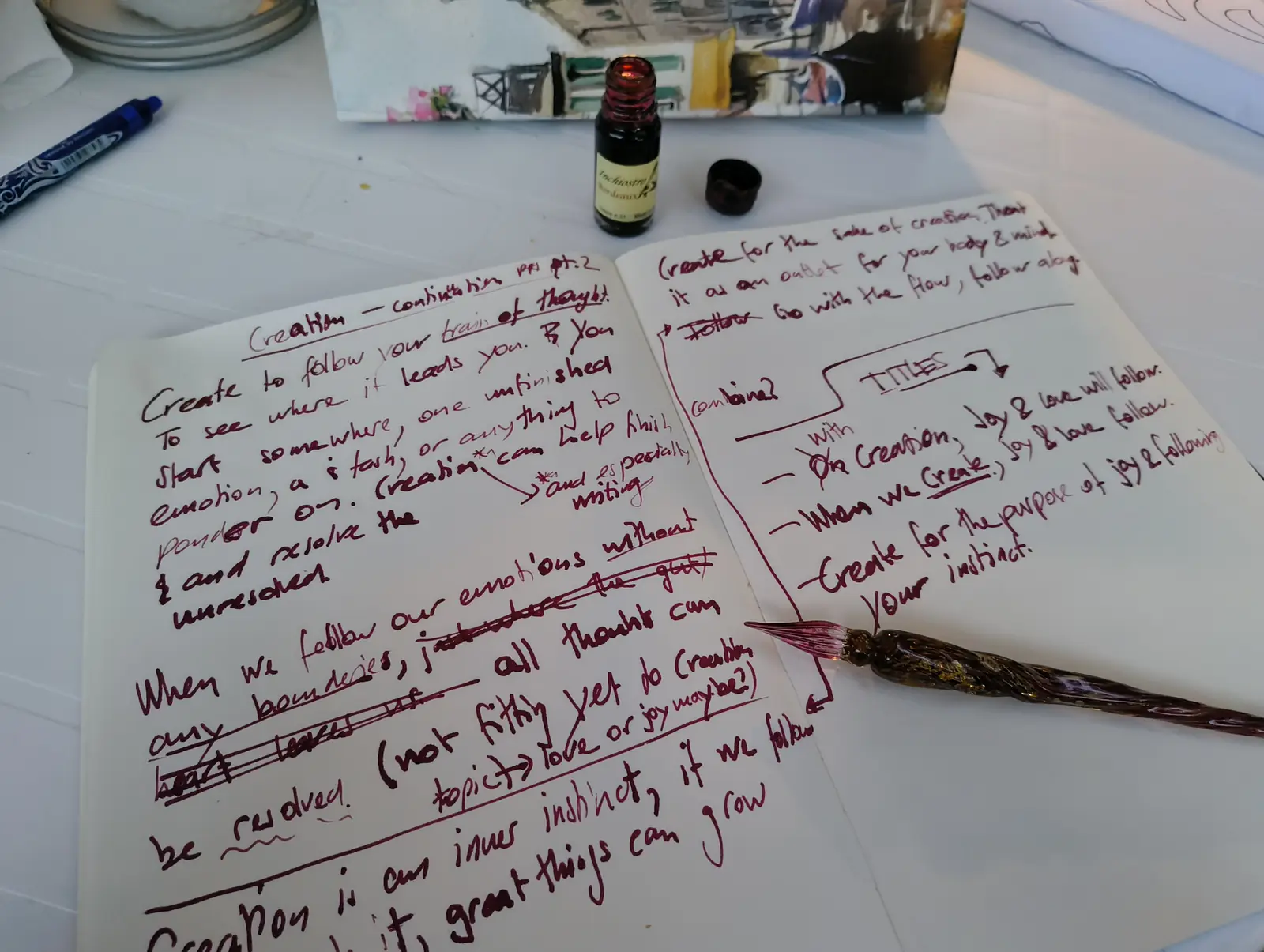
If you want to know more about my terminal workflows, (note-taking, database, writing with Zen and Nvim) or nerdy Omarchy-related stuff, check out my second brain note on [[Omarchy]] with all its backlinks and graph, where you can see related notes. Especially check out the beautiful [[TUIs]], this is really my favorite places to be in when on a computer. For example, for this article is written on a [[My Distraction-Free Typewriter (Micro Journal)|Typewriter]], no GUI, just plain terminal style (Simple Raspberry Pi Zero 2 with Debian and [[Neovim]]).

Typed on my beloved My Distraction-Free Typewriter (Micro Journal)

Find more related links and the custom plugins I’ve contributed to Omarchy so far. Thanks for reading this far. Feel free to share your workflow and how you use Omarchy—I’m always interested in learning more.

Further Reads

My Plugins

All my Omarchy plugins:
![[sspaeti-omarchy-plugins.png]]

Timezones

Timezone widget to see what time it is in my client’s timezone

Search Images with OCR from Clipboard

How I search files on my machine

TUI Email Client in the top bar

Integrated email for Omarchy with my email client Neomd

My Website Analytics in the top bar

Goatcounter, my website analytics, integrated into my Operating system

Cliamp: Listening Music in a TUI

Not my plugin, but one I tested, and super cool to listen Spotify:

Need a better Spotify client that looks cool and uses 2GB less memory?

Try Cliamp, inspired by Winamp. Beautiful little TUI. https://t.co/l5MWBxhAnk pic.twitter.com/2Nk6HDyBY6

— Simon Späti 🏔️ (@sspaeti) August 16, 2026

  1. Quickshell is newly used for the bar, launcher, menus, notifications, on-screen displays, control panels, lock screen, and polkit agent now all live inside a single long-running shell process with a plugin architecture. That means Waybar, Walker, Mako, SwayOSD, hyprlock, hypridle, swaybg, and polkit-gnome are all gone, replaced by one coherent, fully-themed, IPC-scriptable shell. Release notes ↩︎

Published — 15 September 2026 Simon Späti - Data Engineering & Second Brain

Obsidian Vault to Enterprise Company Brain: Where Agents Write, Branch and Merge

I’ve been using a personal second brain for many years. I started with OneNote and pivoted to Obsidian due to the linking feature. Since then, I have built a full net of knowledge for my personal life, but not only that: I also manage my solo business with Obsidian, such as my CRM or everything knowledge-related to my company.

But what if you want the same approach for a bigger company, enterprise scale with lots of information internally, but also available externally? How do you manage knowledge in that context, with multiple writers, lots of consumers, and always up to date? Though enterprise knowledge management isn’t something new, a self-curating LLM Wiki that Andrej Karpathy shared in a short gist went viral, and it showed what’s possible for a small personal, auto-updated knowledge wiki. But it’s not working at enterprise scale, and also, there’s no verification process or versioning happening.

In this article, we go from a personal brain to an enterprise company brain and show the feature differences, what enables them, and how agents help us not only read context but also write and update information. We explore how agents write on their own branches (with changes that don’t collide and with collisions where humans review and decide). Everything is accompanied by two showcases at the end that compare the two brains and their scale.

How it Started: Enterprise Knowledge Management

If we look at the history of six decades of knowledge management, we see that it’s not something entirely new, but the way we work, from foundational to wikis, over to graphs and now LLM-enhanced, is interesting:

For my personal knowledge brain, I use a graph to connect my personal notes for my personal life, school, and even work. It started with Roam, but you can use any linked note-taking app such as Obsidian or Logseq. I’d suggest using an open file format like Markdown plaintext files, so your knowledge is not tied to the tool.

If we assess what a single-user connected graph system looks like, we can then compare its limitations and how it compares to enterprise knowledge management. A personal system stands for:

  • A place to capture and collect “knowledge” for long-term retention (an open format that still works in 100 years)
  • Idea creation, a place where we can curate and write knowledge
  • Understanding and learning new things through interlinking notes (building the graph below)
  • Knowledge retrieval and getting insights from connections that have been written over years
  • Templates to automate common note structures, integration with knowledge capturing tools (e.g. Obsidian Web Clipper)

There are probably many more, but these are the essence of what a personal system should provide you.

Interconnected graph of personal knowledge, and how your system looks in graph form. | More at Todays Daily Graphs

Limitations of a Personal Knowledge Brain

There are real practical limitations and disadvantages a personal brain has over a company and enterprise brain. There are no multi-user capabilities, or hardly any, with just local Markdown files (you’d need to sync them with CRDTs or find another way), but ultimately, text files or Markdown files are not made for it.

The graph also has no types or way to guarantee that a data type is persistent. It’s unstructured, “free-flow” text. Linked notes (mostly Zettelkasten) are provided with limited semantics between the notes and the relations between them. This is what Sergei Simonovi says as well, noting that this can lead to “friction points when working with a large number of notes”.

If we have not 1000s, but millions of notes, we need an index for fast retrieval, we might need embeddings/clustering, and we need something that scales with the company size and all types of data (TXT, CSV, APIs, JSON, etc.).

Enterprise Knowledge Management Scale: Multiple Users, Concurrent Writes, Auto Update

Surprisingly maybe, all of the requirements we have for a personal brain, we also have for a business. We need to retrieve last month’s/year’s sales numbers, we want to learn new insights from an ever-changing business environment (new laws, new provided data we can use), and we want to share with internal and external stakeholders.

But it’s on a much bigger scale. We need to work with multiple users and bigger, more sophisticated data sets. We can’t just copy-paste from a website. We need data pipelines, a data warehouse.

We want automation, as well as governance. In a sense, you can imagine replacing some custom software products like CRMs or ERPs that need dedicated systems and SW, especially CRMs, which gather all sorts of context, from customers combined with inputs from the sales reps on when they called last, what the customer said, what their temperature is right now (hot/warm/cold), etc. If that can be gathered from notes of sales reps automatically, or from dedicated logs from the phone if approved, or similar, these states can be managed in a company brain, and it is a good example of what we need.

Features of such an Enterprise Company Brain

An enterprise company’s brain needs multiple users to write to it concurrently, and we need automation. This is where agents join the picture, and agents play a big part, but not the only one. Being able to version state when multiple concurrent users write is key, or you need a storage system that can handle all requests and the volume.

Agents-First Governance for Auto-update Context

Agents are very good at capturing information in any format. Agents should give us the comfort of doing that autonomously. We want them to read defined locations with information that can be valid for a company brain. Staying with the CRM example, all customers from the database should be automatically updated every day, calls and docs should be ingested and updated, deals and contracts should be related and attached to each customer, and so on.

But how do they write new context to the company brain?

Versioned: with Branches

That’s where we need branching. Not only because 100s of AI agents adding knowledge at once will trip over each other, but also because every change can be reviewed before it lands. Without that, a company brain fed by agents drifts into noise. Auto-changing a wrong phone number, or a hallucinated deal status, can lead to an untrustworthy state in a few weeks.

So we give each agent its own branch and its own private copy. It writes there, and then its changes get merged back into the main branch, exactly like a GitHub pull request. Nothing lands on the “real” version until it’s approved. Humans can review and decline certain merges, or revert them later, and you get a full history of who changed what.

On top of that, agents and humans can work at the same time without corrupting anything. This avoids conflicts and lets multiple agents work in parallel. Branches are also great for long-running tasks, since they can run concurrently and merge back when they’re done. So you get verification and multi-concurrency in one go.

More generally, a requirement for a useful company brain is that it stays continuously up to date, correct, and enriched (see CRMs that are always stale, missing, or incorrect, so humans patch by asking colleagues, but agents act directly). Branches are what make “continuously updated” and “still correct” work together.

Cheap Storage, Accessible for Everyone: Object Storage

We need an open space where data can be written, where we can version our data. The best place, one that is affordable in price, is object storage. Besides its easy setup and ease of use, it also allows using open formats such as Apache Parquet or other [[Data Lake File Formats|open file formats]] (you can also use open table formats if you like, with added database features on top of files) in a place for anyone to read the information with the right access, unlike piping the data into a proprietary database format.

There’s no database server to run either: your whole graph is a bunch of files.

Consistency with Agents: Typed Graph

So how do we make sure that agents write the information grepped from various sources in a consistent way? Unlike the Obsidian Markdown example, where we link them with [ [wikilinks] ] and data is stored free-flow, we can use a typed graph. Meaning the data is stored in a graph linked like Obsidian, but typed with a datatype. So the system you use makes sure that the agents consistently write a number for a client’s phone number, or that dates are aligned, etc.

These types act as data contracts for agents on how to store, but also how to retrieve the right information. It’s also key for agents to avoid writing bad data. Instead of separate tables, a typed graph stores everything as a graph (dots and lines). Dots are things (a person, a company, a deal). Lines are how they connect (this person founded that company). It’s basically the “connections” view in Obsidian, or how a social network knows who’s friends with who.

“Typed” means it has rules. Every dot and line has a defined shape you write down first (a Person must have a name, and a FoundedBy line only connects a person to a company). So nothing unrelated can sneak in. Think of it like a form with required fields vs. a blank notebook where anyone writes anything.

We can store graphs as code. Here’s an example of the node Organization:

1
2
3
4
5
6
7
8
9
node Organization {
    slug: String @key
    name: String @index
    brief: String?
    description: String?
    website: String?
    founded_year: I32?
    hq: String?
...

Explained in Obsidian terms: a graph link is a connection you declared (“A links to B”), while an embedding is a resemblance the model inferred (“A reads like B”). A company brain that holds both can retrieve on meaning and on typed relationships, not just on vector similarity alone.

Together with branches that are versioned, being able to revert certain changes or decline them altogether, built on an open and standard storage layer such as S3, R2, or others, we can increase the quality and consistency a lot.

This is something we’ve tried to keep in check with Master Data Management (MDM), where we used Excel for stewardship of data, but human-powered, which was always the bottleneck: domain experts were already the busiest, and now they get one more job, to check if the data was correct and approve it. With agents, we can accelerate this process, if we have quality documentation and up-to-date files the models can verify against.

Also, there’s no absolute truth, and agents can also surface contradictions that naturally happen in the data. Maybe one piece of documentation says the last call for a client was last month, while a log entry shows something else. In such a system, the human can always intercept and change the data too, same as the agents would.

It’s a continuously shared understanding that is developed together with the agents and the whole company.

Do We Need Ontologies?

But with graphs, we can model data with more accuracy and more detail. This is one advantage. We can model world knowledge into ontologies, and combine them with the enterprise data, which helps the model get more domain understanding with the right “connected” world+local and business knowledge.

The graph is the most generalized version of an ontology, Ragnor says. Text links linearly to other texts. A graph has many categories. Agents need an understanding of the domain (what’s a customer -> connection to data model etc.). An ontology is a world of objects that connect together, and the graph that connects it all, with indexes, embeddings, and the open storage format.

These ontologies are especially helpful for company brains, as they help find a common denominator across different departments. Personal Obsidian knowledge brains don’t need them, but they can still be helpful if you want to add the complexity.

A graph can be represented as a table, JSON, etc., but a table can’t be converted back into a graph, so you still get the tabular format if you need it. A16z argues that the reason using agents hasn’t worked so far was “a lack of proper data context”, and that “Enterprise data today is still incredibly disparate and messy”, which is why data agents struggle to answer basic questions.

And why not use a relational database? Andrew reframes the problem: Postgres is 40-something years old, and was made due to compute and other restrictions of its time. A design from first principles for agents that need lots of interconnected, real-world knowledge combined with our data is essentially a graph, not a tabular format. Combined with ontologies that describe the entities in the world, this can be extremely powerful for context.

Showcase: Managing CRM with Obsidian, and with Multiple Agents

Let’s look at the personal brain versus the enterprise company brain.

From Personal to Company Brain

Personal Brain with Obsidian

The example of a CRM is chosen somewhat illustratively, as I have built and [[Managing My Business with Obsidian|manage my own CRM system within Obsidian]]. I use a note for each client, and then, with a dedicated #hashtag, bring them together in one table. I use the Frontmatter (metadata of a Markdown file in the header) to attribute each client: how active everyone is, and who I need to reach out to.

With different views such as Sales Funnel or overview, I can then see different things. Sales Funnel with Kanban View - based on the same data as the above table:

From Managing My Business with Obsidian

Company Brain with OmniGraph

If we expand this to a company brain with agents writing, everything versioned, stored in an open format, here’s the example with OmniGraph: it uses Lance as the open columnar storage format on object storage (your graph is just files in a bucket you own, no database server), DataFusion as the query engine, and builds the typed graph with git-style branches on top.

I took my own Obsidian CRM and rebuilt it as a Company Brain at company-brain-crm (adapted from the vc-os cookbook example), a company brain for my company, SSP Data, scaled up to a fictional 50-person version that does a lot of outreach for data-engineering articles and consulting.

Every field from my Obsidian frontmatter got a type added: my Hotness: 5-Cold becomes hotness: enum(hot, warm, cold) that the system enforces (an agent physically can’t write “5-Cold-ish”), my ## Log section becomes Interaction nodes (call / email / meeting / note), and my #crmssp tag becomes the Company node type itself.

The whole CRM is three files you commit to git: schema.pg (4 node types — Company, Person, Deal, Interaction — and 7 edge types):

 1
 2
 3
 4
 5
 6
 7
 8
 9
10
11
12
13
14
15
16
17
18
19
20
21
node Company {
    slug: String @key
    name: String @index
    kind: enum(us, prospect, client, publisher, partner) @index
    // the old Obsidian frontmatter `Hotness: 5-Cold`, now enforced
    hotness: enum(hot, warm, cold)? @index
    segment: String?
    notes: String?
    // ...
}

node Deal {
    // ...
    stage: enum(lead, contacted, proposal, won, lost) @index  // the sales funnel
    value_usd: F64?
}

// the [[wikilinks]], but with meaning
edge WorksAt: Person -> Company { role: String? }
edge Knows: Person -> Person { context: String? }
edge DealWith: Deal -> Company

queries/crm.gq with the recurring questions, written as typed, lintable stored queries:

 1
 2
 3
 4
 5
 6
 7
 8
 9
10
11
12
13
14
15
16
17
18
19
20
21
22
23
// The sales funnel — the kanban board as a query.
query sales_funnel() {
    match {
        $d: Deal
        $d dealWith $c
    }
    return { $d.stage, $d.name, $c.name, $d.kind, $d.value_usd }
    order { $d.stage, $d.name }
}

// Warm-intro path: which SSP teammate knows someone at the target company?
query warm_intro($slug: String) {
    match {
        $target: Company { slug: $slug }
        $contact: Person
        $contact worksAt $target
        $teammate: Person
        $teammate knows $contact
        $teammate worksAt $ssp
        $ssp: Company { slug: "com-ssp" }
    }
    return { $teammate.name, $contact.name, $contact.role, $target.name }
}

and seed.jsonl (the data — one JSON line per node or edge):

1
2
3
{"type": "Company", "data": {"slug": "com-nordbahn", "name": "Nordbahn Logistik", "kind": "prospect", "hotness": "warm", "segment": "logistics", ...}}
{"type": "Person", "data": {"slug": "per-tom-vermeer", "name": "Tom Vermeer", "role": "Account Executive", ...}}
{"edge": "Knows", "from": "per-tom-vermeer", "to": "per-lars-petersen", "data": {"context": "met at Data Council booth"}}

Run it with make init && make seed, and you have a 98-node / 123-edge CRM, locally on your disk, no database needed. You can swap the path for an s3://… bucket and the exact same flow runs on object storage. From there, every view I had in Obsidian, such as the sales-funnel kanban or the follow-up table, is a stored query you invoke by name (sales_funnel, hot_prospects, company_log). Every result of this demo is captured in DEMO.md, such as the sales funnel as a query result, the same data as my Obsidian kanban above.

The context layer is versioned, diffable, and reproducible from a clean checkout, exactly like the rest of your infrastructure.

How Do Agents or Users Get Context Out?

How does an agent (or a colleague) actually get context out of this? It’s via calling a query. Take the question my Obsidian backlinks could never answer across 50 people’s networks: “who can warm-intro us at a target company?”

The result is one traversal: teammate → knows → contact → works at target:

1
2
3
4
5
$ omnigraph query warm_intro --params '{"slug":"com-nordbahn"}' ...
teammate.name | contact.name  | contact.role | target.name
--------------+---------------+--------------+------------------
Tom Vermeer   | Lars Petersen | Head of BI   | Nordbahn Logistik
...

Writing back to the CRM

How auto-merge and conflicts are handled: agents write on branches, humans decide on collisions

And now the write-back side, which most context layers or agents can’t do yet, but which OmniGraph supports. A CRM goes stale the day nobody updates it, so in this demo two agents keep it fresh, and neither writes to main directly. Commands from the repo you can try, such as make agents, run them:

1
2
3
4
5
6
7
# the inbox agent logs this morning's replies on ITS OWN branch — main untouched
omnigraph load --data agents/inbox-scan.jsonl --mode merge \
  --branch agent/inbox-scan --from main --as agent-inbox --store graphs/crm.omni

# meanwhile the billing agent marks a signed PoC as won — on a second branch
omnigraph load --data agents/billing-sync.jsonl --mode merge \
  --branch agent/billing-sync --from main --as agent-billing --store graphs/crm.omni
Auto-Merge

The two changes touch different rows, so both merges are clean and go through without human verification and are auto-merged. There’s three-way and row-level merging, one atomic commit each:

1
2
omnigraph branch merge agent/inbox-scan --into main --as agent-inbox --store graphs/crm.omni
# merged agent/inbox-scan into main: fast_forward
Conflict Handling

The interesting case is when writers disagree (make conflict in the repo): the inbox agent flags Nordbahn as hot (“CEO replied today”) while a CRM-hygiene agent downgrades the same row to cold (“no touchpoint in 60 days”). The first merge lands, and the second is blocked:

1
2
Error: merge conflicts: [MergeConflict { row_id: "com-nordbahn",
       kind: DivergentUpdate, ... }]

Nothing is published, and there’s no silent last-write-wins. Instead, a human (or a policy/data contract) decides. And because every write records an actor (--as agent-inbox), omnigraph commit list gives an audit trail where “who set this client to cold, and when?” has an actual answer. You can find the full captured run of both cases, the auto-merge and the blocked conflict, in the repo.

This is a fictive demo, with very little data to illustrate the concept, but I hope you got the gist of how this enables totally different context-related use cases, and eases life with auto-merge and agent help to update stale documentation and context.

[!example] Another Second Brain approach with OmniGraph

If you want another personal second brain example, and an application with OmniGraph as a personal life ontology, this showcases a typed graph to answer questions like:

  • Who haven’t I talked to in a while that I want to?
  • What did Sarah recommend that I haven’t read yet?
  • What do I still owe Theo?
  • What’s on my mind about parenting / work / health?

Building Enterprise Brains, and What’s Next?

I hope you got a good understanding of the difference between a personal wiki and a fully automated LLM wiki where agents write back. And why features such as versioned branches, open-format object storage, and types help form a graph that describes rich context much better than plain text or scattered, outdated documentation ever could, especially with the help of agents: collecting and scraping useful information, but also updating existing context and raising awareness where contradictions in the data have been made.

This new approach is worth remembering for building an enterprise company brain. It’s not only embeddings you search by similarity, but also typed, declared knowledge plus inferred similarity, versioned like code, so a hundred agents can write to it while humans keep it from drifting into noise, by reviewing what merges back to the main branch.

In the end, it’s the same bet I made when I moved my personal brain to plain Markdown. Open files outlive every tool that reads them, and a company brain stored as open files in your own bucket will survive whatever CRM or wiki is used today. What’s new is that the files now carry types, history, and a merge workflow, so the knowledge no longer depends on one careful owner. My Obsidian vault needs me, the single user. An enterprise company brain, a graph database designed for agents, kept fresh by agents and reviewed by humans, mostly needs someone to hit “merge”.

This difference compounds and can be the key to managing ever-growing information, moving from a wiki you maintain to an enterprise brain your company actually uses.


If you want to get started, the omnigraph-cookbooks are the fastest path. Feed one to the agent of your choice and get ready-to-run graphs with real seed data (company brain, VC operating system, pharma and industry intel). And for a deeper discussion, co-founders Andrew and Ragnor talk it through with Stanislav Kozlovski in why agents need typed graphs to coordinate.

Published — 14 September 2026 Simon Späti - Data Engineering & Second Brain

The Grammar of Data: From Definition to Execution

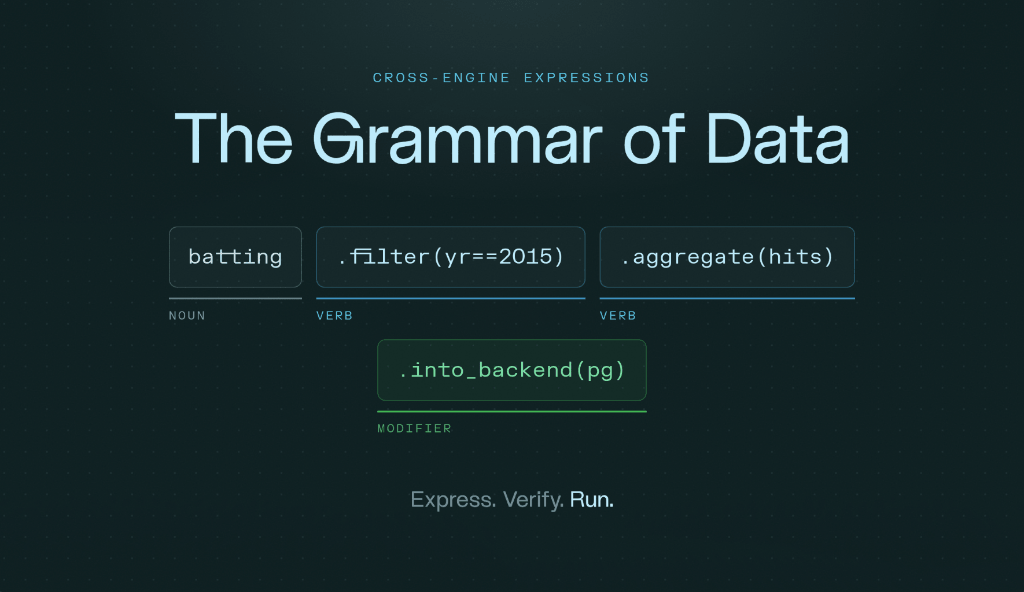
In Part 1, we discovered the grammar for data: a way to define a data project with its complex requirements and how we define it declaratively as a grammar in one sentence with nouns (sources), transformations (verbs), templates, and modifiers, essentially being able to define it once and run it anywhere with different execution engines.

This Part 2 will demonstrate how this looks in a data engineering digest project where we process data from RSS feeds, a live Bluesky firehose, and GitHub datasets, and find trends with an all-integrated horizontal data architecture running xorq based on the grammar described.

We use dlt for ingestion (outside the grammar), then Ibis, DataFusion/DuckDB/Snowflake for the engine, a cataloging feature to compress and discover metrics, and a small ML job. This article will guide you through that project and explain why xorq and the grammar of data are helpful to you.

[!Note] Want to jump right into the code: GitHub Repo
Then follow along, the repository is at de-ecosystem-digest, the showcase we will go through as an example for the grammar of data below.

The Grammar of Data in Action

As a reminder, the grammar dedicated to data consists of these parts and constructs a full sentence as our data project:

The project read as one sentence - five grammar parts · one named, executable, re-runnable expression

In our data engineering digest example project we create a data engineering digest based on my DE RSS Feeds I collected over the years, Bluesky posts, raw PyPI downloads and GitHub Archive events as source data that we ingest with dlt. Here’s an overview of the project:

Grammar of Data executed as a Sentence.

Model once, represent everywhere - the transformation never changes, only the engine binding does | Read left to right: every part of speech maps to a xorq call

We transform the data with xorq expressions (mutate, filter, group by, aggregate, order by), use templates to bind the sentence to any repo (dbt-core, polars, …) and modifiers to bind the engine (or a fitted ML model), and manifest it as a unique hash. Each named expression can be registered as a content-addressed, git-versioned catalog entry with the catalog being the shelf of all of them (such as star_velocity_30d, download_trend_90d), each reproducible on its own because xorq bundles the source read at build time.

Then we run those reusable metric definitions on any engine with pre-existing pipelines to make it easier to run with make preview, which executes every named expression, while make catalog registers the curated ones as versioned entries. The default engine is DataFusion, but I added DuckDB and Snowflake, using xorq’s multi-compute engine capabilities.

Mapping the Grammar to Xorq

To illustrate the grammar and expression of the grammar in plain Python, here is how github.py could look, in six lines:

 1
 2
 3
 4
 5
 6
 7
 8
 9
10
11
12
13
14
def star_velocity_30d(con, repo):          # TEMPLATE: bind this sentence to any repo
    cutoff = datetime.now() - timedelta(days=30)
    t = con.table("raw_github_events")      # NOUN: a lazy pointer, no computation yet
    return (
        t.filter([                          # VERB
            t.repo_name == repo,
            t.type == "WatchEvent",
            t.created_at > cutoff,
        ])
        .mutate(week=t.created_at.truncate("W"))   # VERB
        .group_by("week")                          # VERB
        .agg(stars=t.id.count())                   # VERB
        .order_by("week")                          # VERB
    )

Every one of these functions and the Makefile lets us run the grammar as steps of the grammatical grammar, building a sentence like this. I added this for illustration, but as an overview, if we map the commands to a xorq call, we can see the connection from the grammar of data to the xorq function:

make target xorq / Python call grammar part
make noun con.table(...) noun (source)
make verb .filter/.mutate/.agg (deferred expr) verbs (transform)
make template star_velocity_30d(con, repo) template (bind by arg)
make modifier settings.backend(engine) modifier (engine/fit)
make lineage expr.op() / ibis.to_sql / expr.ls lineage (what xorq sees)
make manifest xorq build expr.py -e star_velocity model once → expr.yaml
make catalog xorq catalog add … → ./catalog versioned entry store
make run-sentence digest.main().execute() execute the sentence
make engines settings.backend(x) + expr.execute() represent everywhere

[!note] Ingestion and installation are excluded on purpose here

To initialize, we also need make install to install dependencies and make ingest to load data with dlt locally. make run-sentence or make full-pipeline runs the full grammar of data. Additional commands preview catalog catalog-run summary digest ml test clean are added separately.

The Data Engineering Digest: What We Found

If we run the demo project with the 90-day windows (PyPI max provides this window without storing data ourselves), we get a couple of interesting insights that this demo project produces from digesting the full Data Engineering ecosystem. The digest ranks tools and terms of data engineering by their momentum with PyPI download growth and GitHub data, and enriches each tool with its Bluesky chatter on socials1.

This is how it looks with make digest:

 1
 2
 3
 4
 5
 6
 7
 8
 9
10
11
12
13
14
package          growth_pct  recent_daily  total_downloads   buzz
xorq                  130.9           968          125,104     10
ibis-framework         49.5        90,384       13,655,147     15
sqlglot                44.7     2,484,432      379,638,408     17
duckdb                 42.5     1,712,837      263,396,944  3,200
dagster                39.7       283,339       43,951,132    275
polars                 35.8     2,160,110      339,334,602     61
pydantic               30.0    35,567,354    5,688,585,163     90
sqlmesh                28.6        17,964        2,885,574     13
pyiceberg              24.4     1,300,103      211,933,200    640
prefect                19.7       441,434       73,236,617     38
dbt-core                9.9     3,527,875      609,587,211    369
apache-airflow          8.6       702,582      122,123,125    113
dlt                   -13.8       237,792       46,500,226    178

Interesting to see that we get a rise of the dataframe & query engines: the fastest-growing DE packages over the last 90 days are all query/dataframe engines:

  • ibis-framework +49%, sqlglot +45%, DuckDB +42%, Polars +36%.

One caveat: I included xorq. It has the biggest growth, but it’s also the smallest package overall and still early, so the growth can have more spikes (we went from ~400 to ~968). And it’s worth mentioning that xorq, the tool we use for the grammar series, uses and is built on ibis, its great expression layer, as xorq builds on a rising dataframe for a composable, in-process engine.

We also see that sqlmesh keeps climbing even after the Fivetran acquisition and dbt Labs joining Fivetran:

  • sqlmesh grew +28.6% over 90 days, while dbt-core grew the slowest of the pack (+9.9%).

Not surprising, DuckDB wins social media attention. On Bluesky, its buzz score is 3200, 5× more than the next tool (pyiceberg 640, dbt 369). DuckDB is the tool that is both growing fast and the “loudest”.

Number 1 by raw downloads is pydantic. By absolute volume, pydantic tops everything at 5.64B downloads (~9× dbt-core’s 610M):

1
2
3
4
5
6
7
── Naive leaderboard: raw PyPI downloads (all-time) ──
package            downloads
pydantic       5,639,574,035
dbt-core         603,522,561
sqlglot          376,710,633
polars           335,901,439
duckdb           261,307,529

This is probably because [Pydantic]https://github.com/pydantic/pydantic) is powering half of PyData while it doesn’t really have a lot of hype, but is a Data Engineering Toolkit for data validation and settings management using Python type annotations, used by any data engineer. It’s a part of the grammar that makes sure re-runs run deterministically.

[!note] What the blogs (RSS) say
My RSS feeds were the noisiest signal: titles skew to whoever writes the most, e.g. Mr. Robin Moffatt (rmoff’s random ramblings alone are ~690 of ~1,600 articles) 😉. General sentiment clusters around the incumbents (dbt, dagster, Spark, Snowflake), while the surging engines (polars, SQLMesh) are barely mentioned. Blog coverage lags the download signal, which is precisely why the digest triangulates four sources instead of trusting just one.

The Whole Stack in One File: stack.yaml and the Exchangeable Engine

The key is really that model and execution are separated. Once the stack is defined (in our demo project I used stack.yaml as a declarative config), we can just change the engine by editing a YAML file, and everything else stays the same:

 1
 2
 3
 4
 5
 6
 7
 8
 9
10
11
12
13
14
engine: datafusion              # duckdb | datafusion | snowflake  <- swap the engine here
db_path: de_ecosystem.duckdb

sources:                        # nouns — dlt ingests these (outside the grammar)
  bluesky:
    max_pages: 40
  github:
    slice: "data/raw/gharchive/*.json.gz"

momentum:                       # the digest metric
  window_days: 90               # 90 = laptop pulse; 365 = warehouse year-in-review
  tools: [dbt-core, dagster, dlt, ibis-framework, xorq, apache-airflow, polars,
          duckdb, great-expectations, pyiceberg, prefect, mage-ai, sqlmesh,
          soda-core, pydantic, sqlglot]

Imagine in your deploy scripts for dev you’d use DataFusion and on prod you’d just specify Snowflake as the variable. No implementation code is touched as in a typical imperative workflow.

With make manifest we can compile the full data stack’s expressions into a deferred execution file builds/<hash>/expr.yaml, which builds deterministically and is diffable. The demo shows that point well: if we make the above engine change to engine=duckdb from datafusion and rebuild, the semantic change shows up as a reviewable git diff.

Let’s run manifest with engine: datafusion:

1
2
3
4
make manifest
....
Written 'star_velocity' to builds/10671a1c33cf
builds/10671a1c33cf

Now changing engine: duckdb and re-running:

1
2
3
4
make manifest
....
Written 'star_velocity' to builds/f02f2c4dca81
builds/f02f2c4dca81

The diff shows a couple of interesting bits, e.g. xorq changed the scale for timestamps for duckdb (see both files datafusion and DuckDB):

1
2
  -      scale: 9      # datafusion → nanosecond timestamps
  +      scale: ~      # duckdb → microsecond timestamps

The profile.yaml shows the literal change we did:

1
2
3
4
5
  -  con_name: xorq_datafusion
  -    config: ~
  +  con_name: duckdb
  +    database: ":memory:"
  +    read_only: false

This shows that swapping the engine by configuration has a real impact: DataFusion carries Timestamp(scale=9) (nanoseconds) and DuckDB defaults to microseconds. The manifest captures that difference explicitly even before we run anything, reviewable instead of a silent runtime error through the built expression graphs before executing them with one expression, many engines.

Additional Capabilities of the DE Digest Project

Apart from the grammar we look at, the project comes with catalog and ML functions to showcase the full capabilities of xorq and what you typically want to do in a data engineering project.

The full data lineage can also be tracked and shown.

The Catalog and ML Capabilities

The project has added a catalog to retrieve versioned entries of our metric and created artifacts. With make catalog, this project with xorq-catalog registers a curated set of expressions as versioned, content-addressed entries in a local, git-backed catalog at ./catalog. The catalog.yaml manifest is the shelf where entries are addressed by content hash, and aliases are the human-readable handles:

 1
 2
 3
 4
 5
 6
 7
 8
 9
10
11
12
13
entries:                     # content hashes (a new hash = a new version)
  - 5adcf6bccba9             # dbt-star-velocity
  - a4f38c87079a             # dbt-download-trend
  - a636a49497fb             # dbt-momentum
  # …
aliases:
  - dbt-star-velocity
  - dbt-download-trend
  - dbt-momentum
  - duckdb-buzz
  - dbt-mentions
  - dbt-health
  - rising-tools

Each entry holds its own metadata sidecar with the expression + metadata + cached result, addressed by hash. Here is dbt-download-trend, the whole metric captured declaratively (kind, output schema, the compiled SQL over the source table, and the cache key):

 1
 2
 3
 4
 5
 6
 7
 8
 9
10
11
12
13
14
15
16
17
18
19
20
21
md5sum: 5a7d75db1e0cf46dc59a713a6ffa9573
backends: [xorq_datafusion]
expr_metadata:
  kind: expr
  schema_out:
    date: timestamp(9)
    downloads: int64
    package: string
  cache_keys:
    key: xorq_cache-snapshot-4788a41e541c0526df207922813c0377
    relative_path: parquet
  sql_queries:
    - - main
      - xorq_datafusion
      - |-
        SELECT "t0"."date", "t0"."downloads", "t0"."package"
        FROM "raw_pypi_downloads" AS "t0"
        WHERE "t0"."package" = 'dbt-core'
          AND "t0"."category" = 'without_mirrors'
          AND "t0"."date" > DATE_TRUNC('DAY', '2026-05-14')
        ORDER BY "t0"."date" ASC

Because xorq bundles the source read at build time, an entry is self-contained: make catalog-run ALIAS=dbt-momentum re-executes it with no re-ingest. Edit an expression (say days=30 → 90) and its content hash changes, so it registers as a new version while the old one stays retrievable.

The project also ships a small ML task (build feature matrix, split, fit a sklearn LogisticRegression wrapped in a xorq Pipeline, predict an adoption label) to mimic prediction and training of a real-life project. It could be interesting to add more sophisticated logic once more data is downloaded, and potentially even more sources are added.

With that example, we use the grammar of data with xorq to get essentially needed steps as part of the Data Engineering Lifecycle. We can have full lineage, we get deterministic reruns, we get the metrics in the catalog. Plus, we get extensibility at each stage if we need it.

E.g. extend the metrics from ‘catalog -> Boring Semantic Layer’, or use dlt for ingestion as I did in this project to load data incrementally into a staging area.

The Lineage

For instance, make lineage shows everything xorq knows about a sentence before it touches a single row: its source nouns, output schema, bound engine, and the verbs compiled to SQL. This is how it looks:

 1
 2
 3
 4
 5
 6
 7
 8
 9
10
11
12
13
14
15
16
17
LINEAGE — what xorq knows before any data is read:

>> expr.op().find(DatabaseTable)   — the source nouns this expression reads:
     ['raw_github_events']

>> expr.schema()                   — the output columns (resolved at build time):
     ibis.Schema { week: timestamp; stars: int64 }

>> expr.ls.backends                — the engine(s) bound to it (MODIFIER):
     ['Backend']

>> ibis.to_sql(expr)               — the VERB chain, compiled to SQL:
SELECT "t1"."week", COUNT("t1"."id") AS "stars"
FROM ( SELECT DATE_TRUNC('WEEK', "created_at") AS "week", "id"
       FROM "raw_github_events"
       WHERE "repo_name" = 'dbt-labs/dbt-core' AND "type" = 'WatchEvent' )
GROUP BY "t1"."week" ORDER BY "t1"."week"

If you use the xorq Desktop app, this is integrated into a nice UI like this:

Lineage view in xorq’s upcoming Desktop app

Machine Learning as Another Modifier

The tool-adoption model reuses the same four parts of speech: fit(...) attaches a modifier - the fitted model rides along as metadata (xorq tracks a training_hash) without changing what the expression computes, which is precisely Part 1’s definition of a modifier. predict(...) is just a verb returning an Ibis table expression. And because predict is an expression, xorq build can manifest the inference pipeline too. Deploying a model collapses into the same write → manifest → execute cycle as deploying a metric.

[!example] Add Semantic Layer
Here we use the inbuilt catalog and metrics are defined as expressions in Ibis. If you like, you could lift the catalog metrics into the Boring Semantic Layer for dimensions/measures. BSL is built by Hussain, the creator of xorq, and is tightly integrated. Check boring-semantic-layer if that is of interest, or check a recent article I wrote, Why Semantic Layers Matter, with a practical example.

So What Did We Learn Applying the Grammar for Data?

Part 1 introduced the concept of grammar for data. With the data engineering digest project, we applied it to a demo project to capture the momentum of a tool in the data ecosystem. We mapped xorq’s features to the grammar to illustrate it better, and we’ve built a deterministic and versionable data stack with a single stack.yaml, providing the end-to-end data capabilities a data engineering project needs. Everything supports the case for a grammar for data.

xorq gives us the bottom-up approach, working with our data, mapping all parts of the DE lifecycle, running it locally on multiple engines and discovering errors at pre-run time. Ultimately, shifting left once more.

The grammar buys us two guarantees: answers that are faithful to the expression that produced them, and reproducible whenever we rerun it. But that doesn’t always mean correct. For example, the expression can still encode the wrong interpretation of the question. That third guarantee comes from reviewed definitions (the catalog entries and semantic models we built above). You can learn more about it in a follow-up article Faithful, Reproducible, Wrong, where a checker plus a reviewed semantic model takes an agent from 4/100 to 100/100 correct answers on the same question.

Another related question is: if the grammar defines and the manifest records, who verifies it? That’s what we look at next in this series. You can get a sneak peek with a checker inside an agent harness (pi), where every quantitative claim must be discharged by rerunning a content-addressed expression with its lineage intact. You can watch the loop in action in this recording and reproduce it from the pi-xorq-verification-example repo. More on verification in Part 3.


If you got interested and want to know more about how xorq works, check out the docs, or the open source repo on GitHub.

Also check out the upcoming xorq Desktop app (join the waitlist), which targets data analysts from the top down. It’s a desktop app on macOS and a trusted harness. It has additional features that do a verification check and more.

Appendix

Additional project information for running the GitHub project, if you are interested in running it yourself and having a closer look.

Quick Note on dlt Ingestion

All four sources use idempotent upsert, so re-running only adds new rows / updates existing ones (never duplicates):

  • RSS + Bluesky → dlt write_disposition="merge" on primary_key="id" (article URL / post URI)
  • PyPIINSERT OR REPLACE on (package, date, category)
  • GitHubINSERT OR IGNORE on event id

Loading 1 Year on Snowflake

To run a full year or more, just use Snowflake, for example by installing xorq[snowflake] and ingesting the data into Snowflake. Re-running is always safe (idempotent merge), so just pull more and re-run. Each source has its own ceiling:

 1
 2
 3
 4
 5
 6
 7
 8
 9
10
11
# 1. More Bluesky history — edit src/de_ecosystem/ingest/bluesky.py
MAX_PAGES = 200            # 40 → 200, pages much further back in time

# 2. More GitHub events — download extra hours into data/raw/gharchive/ (gitignored)
for h in $(seq 0 23); do
  wget -nc -P data/raw/gharchive "https://data.gharchive.org/2026-08-05-$h.json.gz"
done

# 3. Re-ingest (safe, merges) and re-run the whole sentence
make ingest
make run-sentence

The one limit is that the live pypistats.org API only serves ~180 days of downloads, so PyPI momentum caps at a 90-day-vs-prior-90-day window.

A full-year digest needs a source that actually stores that history, and that is where Snowflake (or BigQuery’s public bigquery-public-data.pypi.file_downloads) comes in, both holding years of daily download stats.

Because the grammar separates what from where, you don’t rewrite the metric. You just point the noun at the warehouse and run the same sentence:

1
2
3
4
uv sync                       # the snowflake driver ships as a base dependency
# put SNOWFLAKE_ACCOUNT / USER / PASSWORD / ROLE / DATABASE / WAREHOUSE / SCHEMA
# in .env (or export them in your shell)
make engines                  # runs star_velocity on DuckDB, DataFusion AND Snowflake

And with the same verb and only the engine binding changed:

1
2
con = settings.backend("snowflake")                             # xo.snowflake.connect_env()
momentum = download_momentum(con, "duckdb", window_days=365)    # a full year

The catalog code itself has no engine awareness. settings.backend("duckdb" | "datafusion" | "snowflake") is the only thing that changes. Define once, represent it everywhere: your laptop for a 90-day pulse, a warehouse for the year-in-review.

The one-time grants (de_digest must exist and DLT_LOADER_ROLE needs CREATE TABLE and CREATE STAGE, since the loader stages the tables before copying them in):

 1
 2
 3
 4
 5
 6
 7
 8
 9
10
11
12
13
-- run once as ACCOUNTADMIN; the demo materialises the 4 raw tables into de_digest.PUBLIC
USE ROLE ACCOUNTADMIN;

CREATE DATABASE IF NOT EXISTS de_digest;   -- PUBLIC schema is created automatically

GRANT USAGE          ON DATABASE de_digest       TO ROLE DLT_LOADER_ROLE;
GRANT USAGE          ON SCHEMA   de_digest.PUBLIC TO ROLE DLT_LOADER_ROLE;
GRANT CREATE TABLE   ON SCHEMA   de_digest.PUBLIC TO ROLE DLT_LOADER_ROLE;
GRANT CREATE STAGE   ON SCHEMA   de_digest.PUBLIC TO ROLE DLT_LOADER_ROLE;  -- adbc/pandas bulk
load
GRANT USAGE, OPERATE ON WAREHOUSE COMPUTE_WH      TO ROLE DLT_LOADER_ROLE;

GRANT ROLE DLT_LOADER_ROLE TO USER loader;   -- if not already

And the tables it created in Snowflake if everything works correctly:


Full article published at xorq.dev - written as part of my services

  1. Bluesky has a firehose and can simply be queried with DuckDB, e.g. see Querying Bluesky with DuckDB and SQL ↩︎

Published — 12 September 2026 Simon Späti - Data Engineering & Second Brain

Context, Semantics, and Ontology: A Primer for the Agentic Era

There’s so much talk about new ways of working with agent engineering supported workflows. New models are independently creating new metrics and transformations, finding gaps in the business data, reviewing the SQL they write, and verifying everything works with your data platform.
All of it is autonomous, so one might say, why do we still need BI tools, or therefore a semantic layer, or even a context layer? It’s hard to predict the future, but as someone working with newer models as well as older ones, I could see that Fable for example is one-shotting work in minutes that previously took me many iterations with Opus 4.8 (below you see my recent Claude and Codex use (roborev only)). With the right workflows to brainstorm first a spec, then an implementation plan, it’s really amazing how fast and precisely one can build with the right amount of inputs we give, and taste.

So what then is left for us humans to do in the data work context? Many are defaulting to adding or curating context, ergo the rise of a context layer. I see even more talks about added Ontologies. Maybe you ask yourself, what is that even? Do we need all of it?

This article is a primer about the context layer, the difference between a classical semantic layer contained in every BI tool, and an external semantic layer.

[!Note] The other Surface level
Besides context, I’d add that the other big surface level where a lot is currently happening, with human in the loop vs autonomous agents working, is verification, especially verification in data engineering work.

What is Context, and Its Context Layer?

But we can’t talk about the new shiny context layer tools, ontologies or any other, before we define context, and how much context we need. If we go by the definition of the word context, Cambridge Dictionary says:

The situation within which something exists or happens, and that can help explain it

Jessica Talisman, who writes about semantics, the vocabulary and the intersections of ontologies, defines context in information science as:

Describes the relational structure that holds meaning in place.

This sounds very much like metadata, the data about the data we collect in logs, orchestration runs, table information, index information. But let’s go one step further, what’s a Context Layer?

What’s a Context Layer?

There are multiple definitions out there, and bear in mind, this term is less than a year old, but Andreessen Horowitz describes a “Modern Context Layer” to contain1 three pieces:

1) Accessing the right data. […] we’d want to ensure the agent has access to all the data it needs […] captured in internal systems, GDrive/Slack, etc.

2) Automated context construction […] emphasis of focus should be on high signal context – for example, looking through past query history can be high signal in determining the most referenced tables and most common joins, and data modeling solutions like dbt or LookML can provide clear definitions for business metrics.

3) Human refinement – Automated context construction may be able to form a large portion of the context corpus, but it can’t create the full picture. […]

I defined it in Beyond the Semantic Layer in a similar fashion:

The context layer primarily supports the accuracy of SQL queries, continuous updates to the business context, and governance. Additionally, with a newer context layer, we can include more relevant business insights that are stored internally, usually in unstructured form, in tools like Notion as business documentation.

So it seems clear, we focus on less “classical” data sources from databases, or structured tables, but more free-flow text that humans wrote in docs, Confluence, Notion.

Comparison to a Semantic Layer, and how They Work together

Now that we defined context and its layer, it begs the question, what’s the difference to a semantic layer (which, to some, might be another rather vague definition)? I know, I have written about past BI integrated ones, and more modern ones like Cube, Malloy, dbt one, but it still seems everyone has a different definition.

The definition of a semantic layer, as we discussed in Why Semantic Layers Matter (including an example of how to build one), is defined by Julian Hyde, creator of Morel Language, and an early employee of Looker and LookML:

A semantic layer, also known as a metrics layer, lies between business users and the database, and lets those users compose queries in the concepts that they understand. It also governs access to the data, manages data transformations, and can tune the database by defining materializations.
Like many new ideas, the semantic layer is a distillation and evolution of many old ideas, such as query languages, multidimensional OLAP, and query federation.

So that means, a semantic layer understands the semantics, the metrics and governance access and data transformation, and has a link to (multi-dimensional) OLAP and query languages, while the context layer is more focused on gathering context and refinement between humans and agents.

I see the two, a semantic layer and a context layer, working for distinct fields, and working hand in hand:

  • Semantic Layer: Definition is written as logic that compiles to SQL, like a metric or a dimension
  • Context layer: Holds everything else: the rules that can’t be explained, and everything that is unrelated to a dedicated query.

The Context Layer and Agents Paradox

In a semantic layer, Notion Docs, Confluence pages, and other unstructured text didn’t count as real data sources. There’s no incremental load on Markdown, so we didn’t include them.

There is also another angle in play. Before agents, it was hard to keep track of free flow Markdown text, finding out what has changed in the incremental load, and what’s useful, what has the biggest signal as a16z said above. But with the help of agents, we can now integrate more. Agents can do the bulk of the work, and that’s why context layers popped up in the first place.

It’s a paradox: if we didn’t have agents, we wouldn’t need this much context. But we need more context because of agents, and we can only manage it because we have agents.

We can load more data than ever now because agents do the integration work that wasn’t feasible before, but we also need to load more data than ever because agents need to be smarter to use it well. The agent needs every bit of human-written information to increase its context and make better decisions, but that’s only possible because of agents in the first place.

Jacob saw a similar paradox in Are Semantic Layers Really Necessary? and says:

there’s a little bit of a paradox: you need some level of conformity to communicate well, but also if you have too much conformity, you have a commodity. You need space to have some differentiation.

[!note] The crucial part of how to include more unstructured ‘Context’ is how the integration is updated continuously
As with the above definition, I’d 100% agree that the crucial part, and also the challenge, is the combination of agents with human inputs, as data warehouse projects are all messy as we recently discussed in the Maxime Beauchemin interview.

How much Context Do We Need? And what Kind?

That begs the question: How much context do we need, and what kind? Should we gather all Markdown files we find, or use the JIRA tickets where we defined our tasks?

And what’s the quality of these JIRA tickets? They might be super up-to-date, but missing a whole lot of information, so what kind of “context” do we get from them, or do we want?

With agents, we could probably say the more context, the better, and hopefully the agent identifies the high-signal and valuable data out of empty Jira tickets 😉. But assuming we gathered all of the above context, how do we actually manage it? How do we update it, how do we make sure it’s correct?

This is actually where we always land at the same fundamental questions of Data Engineering Lifecycle and data governance, especially in an enterprise setting with multiple actors and people. Because it’s easy to build up context initially, once. But the hard part is updating it, maintaining it, having rules, having a governance strategy.

So the Context Layer integration, as well as the semantic layer, becomes a data governance and enterprise process definition problem.

Open Standards for Metrics and Data Quality

What helps us here are open standards. Luckily we just recently got the Open Semantic Interchange (OSI) standard, recently renamed to Apache Ossie. They standardise the syntax around semantic layer declarative configuration. The goal is to have an open-source, vendor-agnostic specification for describing and exchanging semantic models.

Not that we end up with many different proprietary YAML definitions for LookML, Cube, dbt Semantic Layer, Snowflake’s internal one, etc. as we have it today. If you write in the standard, it can be easily mapped to any semantic layer definition.

Metrics to Measure the Data Quality of Context

Another part of the puzzle and how good context layers will be, is the data quality. The outcome, the context itself, strongly depends on the quality and how up-to-date and correct the data is.

One thing I was pondering for a long time: how do we measure that? In my previous job we had a single test score to represent data quality, something like an Net Performance Score (NPS) we used to represented the mobile network and network quality as a single metric that characterizes the overall performance. So as a network provider, I won’t need to check every number on each phone call. I can aggregate it up to an NPS score as part of a region, commune, or country. This is a common approach in network profiling, but in data we don’t have that luxury yet. Maybe we should?

Why am I saying all of this? Because to be able to massively ingest context, and documentation autonomously, without checking it, we need a measure. And that needs an open standard on data quality. Measures such as last updated date, creator (agent/human), ratings, etc. would be needed to condense a full score. If we have this, we can add a load more context, faster.

But right now, we do not have it, unless we use a [[data catalog]], where catalogs scan metadata and humans rate data sets etc. But with faster agents and everything autonomous, this model needs some improvements.

And what the Heck is an Ontology?

Another term I see more frequently used and talked about, is an Ontology. I include it here, because if we talk about context, and the newly created context layer, I believe it’s a good vehicle to explain the world for agents that need to understand not only the data our business holds, but also need to link it to common sense and how the world functions in real life. And that is what ontologies are really good at.

Ontology: Broader Context to Explain World Models

These are not something new. I used them back in 2017, when Airbus (where I was working at the time) announced Skywise, an open data platform for airplane parts. And do you know what it was built on? On Palantir Foundry, a data lake with a deep foundation in Ontologies.

If we go to Wikipedia, it defines an Ontology as follows:

In information science, an ontology encompasses a representation, formal naming, and definitions of the categories, properties, and relations between the concepts, data, or entities that pertain to one, many, or all domains of discourse.

In simpler words, usually existing objects in the world can be described through an ontology. For example, an ontology is seen as the whole below:

Source: Core concepts for Palantir - Docs

Palantir defines it inside their tool called Foundry as:

Ontology is a categorization of the world, it’s the digital twin of an organization, integrating the organization’s data and models into a coherent whole by mapping them to object types, properties, link types, and action types.

The Airport, Flight, Delay, Airline, Aircraft each result in an object type, which is the schema definition of a real-world entity or event, not an ontology in itself.

Arrows (Departed From, Operated By, Hub For, etc.) are link types and the schema definition of a relationship between two object types, similar to how we model connections in the relational model in an Entity Relationship Diagram (ERD).

Things like Duration, Founding Date, Range are properties, which are the schema definition of a characteristic of a real-world entity or event. So the ontology is the whole schema (all five tables/datasets plus how they join together).

[!Tip] Onto goes back to the Greek and 4th century BC
If you want to get philosophical, the term onto describes efforts to understand what it means for something to exist, constructed from the Greek root “ontos,” meaning being, and the idea originated with Aristotle in his work on metaphysics.

But in terms of computer/information science, the term was first used in information systems in 1967 by Mealy, though the more significant early work came from McCarthy and Hayes in 1969, who argued that intelligent machines need metaphysically adequate representations of the world. Hayes’ 1978 paper “Naive Physics I: Ontology for Liquids” appears to be the first computer science paper with “ontology” in the title. Find more in What is an Ontology? (2018)

Compare Semantic with Context Layer, and Knowledge Graph and Ontologies

Others such as Ananth Packkildurai share it combined into a simple diagram where taxonomy and knowledge graph get added to showcase the technical semantic architecture leading to the context graph:

Source: What an Ontology for AI Agents Actually Needs

So another term, “Knowledge Graph”, simply explained, means information stored in a graph database and visualized as a graph structure, prompting the term knowledge “graph”. But it helps us see the semantics as the start (the definitions -> can be independent of database or tooling if you have an external layer), and then external elements of the world outside of my company’s business are described as an ontology, what Ananth calls the “schema layer,” since it defines the classes, properties, and rules everything else has to conform to, which, combined with a graph (the “instance layer,” holding the actual data), leads to the “context graph”.

[!note] Other Opinions
Jessica Talisman illustrates and says it well too, that semantics is an umbrella for the vocabulary, metadata and ontology. She elaborates in great detail in Ontologies, Context Graphs, and Semantic Layers.

Mehdi calls the difference between a semantic and context (page 5): “‘Semantic’ is just a fancy word meaning there’s a specific meaning for certain concepts and metrics in a company. Some are easy and stable; others live in people’s heads and shift over time.” And says that the good news is that LLMs are very good at pulling data from many sources, so we can use the full semantic context and not just a separate layer.

What’s the Take Away? Graphs and AI Agent Integration?

I know that was a lot, with a lot of definitions and potentially new terms brought together.

What got clearer to me, is that data gets more interconnected. When you follow the data news, as I do, many call for the context layer and connect it with a graph, because the graph is the best representation of complex interconnected knowledge, internal, external or models for describing the world, as the airport/flight example above shows.

Hamilton, Till, Jacob and Garret though make a counter argument in Context belongs in the warehouse, saying not to overcomplicate with sophisticated retrievals (embeddings, graphs). They showcase MotherDuck’s new Guides work by having the agent browse a topic tree of curated guide titles and pick the right one without any keyword or vector search. This suggests that sometimes a simple index is enough.

[!example] How do Guides work and simplify my life?
Check out Using MotherDuck’s Guides to improve AI query accuracy and personalize agents to help you with that, and learn more about how it works.

Sophistication Is a Cost, Not a Default

Put those two paragraphs side by side and you get a contradiction: interconnected knowledge argues for a graph, and MotherDuck’s own Guides argue that a flat index of titles beats embeddings and graph traversal. Both are right, they’re just answering different questions.

Sophistication is a cost you should only pay if the outcome is worth much more than that cost. The airport/flight ontology earns a graph because the domain genuinely is cross-domain and interconnected: an aircraft links to a flight, a flight to an airline, an airline to a hub, and the value is in traversing those relationships. MotherDuck’s guide index doesn’t need that, because the actual bottleneck isn’t relating entities to each other, it’s picking the one right document out of a hundred, and an agent does that more reliably by scanning titles than by ranking similarity scores. A graph would have added retrieval overhead and, per MotherDuck’s own evals, picked worse.

The same lens explains why a semantic layer earns a deterministic, machine-callable interface (SQL, REST, GraphQL) that a context layer doesn’t get. It comes down to who’s actually asking, and what it costs to be wrong. A semantic layer’s numbers get called directly by a dashboard or a scheduled job, with no human and no LLM in the loop, so it has to be right every time, and that guarantee is worth the cost of building and maintaining it. A context layer feeds an agent that’s still reasoning, still capable of misreading a guide or picking the wrong table, so there’s still a checkpoint between the context and the number that ships. A context layer doesn’t carry that weight, at least not yet: it depends entirely on your setup and your data governance. As more agent-mediated work goes straight to a dashboard with nobody reviewing it, the case for giving context layers their own consistency guarantees only gets stronger.

So before reaching for a graph, an ontology, or a deterministic interface, ask what the retrieval or consistency problem actually is, who consumes the result, and what a wrong answer costs. Match the tool to that answer, not to what’s trendy this quarter.

The Way Forward: Tools and AI Agent Integration

You might also ask, if agents like Fable are one-shotting work that used to take many iterations, what’s actually left for humans to do?

There’s already a handful of context layer tool that build a Context Layer. I have written about ktx, and am checking out OmniGraph, but there are many more with Nao or more data catalog flavored Marmot, OpenMetadata or DataHub just to name a few, and all working closely with AI agents to ease governance and management.

Another integration is through the ORM (Object-Relational Mapping). I once read: “an ORM to a database is what a semantic layer is to a domain knowledge”, so maybe we just need ORMs for agents?

So what’s the way forward then?

AI Agents Read the Business Knowledge

When we give an AI agent the business knowledge it needs through a context layer, or semantics with SQL queries and joins, it can query a warehouse correctly.

An agent can read a table’s schema, but the schema won’t reveal the inside knowledge of how “revenue” is defined, which tables join to which, or which columns are unreliable. A semantic layer and a context layer are two different answers to that gap and are not mutually exclusive.

We can see a real-world illustration of how the two layers of semantic and context can cooperate in Anthropic’s self-service data analytics with Claude. They write about how their agents are using skill instructions to leverage the semantic layer first for self-service data analytics. The skill file itself states plainly that the semantic layer is the mandatory default path for every data question, with raw SQL as the fallback used only once the semantic-layer path is shown not to cover the ask. MotherDuck Guides play a related role as curated knowledge for the agent, though MotherDuck ships the context layer first and treats a dedicated semantic layer as a separate, later question, so the routing is not the same.

In the end?

So, back to where I started: if a model like Fable can one-shot in minutes what used to take me many rounds with Opus, what’s actually left for us in the data work context? Looking back at the initial semantic layer, the evolution to a context layer, and combining it with an ontology, these are not really competing tools or methodologies. They are all interconnected and work in a net. The definitions for the metrics in SQL/YAML in a semantic layer, ingestion pipeline of unstructured text and keeping it up-to-date with context layers, and making sense of the world for the agents with ontologies.

And most of what we have evolved to, is mostly due to the sheer power and advancement of agentic work, that agents can autonomously keep up with metadata and data we want to convert into context. But at the same time, it always defaults back to the fundamental question of what my data governance looks like, and what my overall data architecture is to achieve the goal at hand.

And as a16z’s three-part context layer implied, as well as Anthropic’s semantic-layer-first skill: someone still has to decide what’s true. We still need the human in the loop, especially with data. And that’s the whole crux of Amdahls Law, as long as a person or a team needs to decide or gets involved, we lose the overall speed, but I think that’s the price we still pay, if we want good, verified data quality in our enterprise data warehouse or analytics platforms.

And as I raised with the metric to measure data quality, which we do not have, it confirms another true statement, that the hard part in data is never building semantics or the context once, it’s how and who keeps it correct and maintained. That’s the answer to my opening question: not a tool, but judgment, the same judgment behind the “human refinement” step a16z pointed to, and the same one behind deciding whether a problem is worth a graph or is better served by a flat index.

Large language models are getting exceptionally good at writing the SQL with the right context, and at maintaining just that. But most often, deciding what “revenue” means still requires deep company-specific knowledge (for now).


Listen more on these very related discussed topics with the already teased Jacob’s podcast about Are Semantic Layers Really Necessary?. Or check out the great example of how AI agents can help with creating a semantic layer using the open source semantic layer Malloy at AI Writes the Semantic Layer | MotherDuck.


Full article published at MotherDuck.com - written as part of my services

  1. They call it a “modern” context layer. I’m not sure we already went through the evolution of context layers, so calling it modern does not add much value. To me it’s the first version of a context layer. ↩︎

Published — 11 September 2026 Simon Späti - Data Engineering & Second Brain

If You Always Enjoy It, You're Not Pushing It Hard Enough—Benn Stancil (Show Your Workflow #1)

I had the pleasure to discuss and analyze the workflow of none other than Benn Stancil, legendary writer and storyteller in the data space and beyond, who started writing back in 2013 (with a seven-or-eight-year startup break in between). This is the first interview in the series «Show your Workflow», and I couldn’t be happier to start with Benn.

As this series is all about how writers write, how to come up with stories, how to take notes (or not), and each one’s workflow, I asked Benn about the origin of his writing and how it all started with his weekly Friday “let’s fight articles”, how he uses deadlines to push him beyond perfect, how he processes ideas, and how he mastered the art of storytelling with analogies he learned from his talks he gave, converting it into his writing style and voice. We talk about how he uses Sublime Text and Google Docs, and end with approaches on how to start today.

This episode is filled with insights to get better at writing. I hope you enjoy it as much as I did when talking to Benn.

[!abstract] Who is Benn Stancil: An Introduction
Benn Stancil is mostly known as the founder of Mode (a modern BI tool), where he started the company blog and became known as one of the most prolific writers in data. He co-founded Mode in 2013 and worked there until 2024, after it got acquired by ThoughtSpot in 2023. Since then he has been writing weekly on his own Substack.

How Benn Got into Writing

Starting at the beginning of how Benn started writing, he told me that it started by accident, as it so often does. When he started a company called Mode in 2013, there were three of them, and he didn’t build or lead the company as a CEO, so he started writing the company blog posts. That was “pre content marketing”, he mentions, before there was “the obvious playbook of go be an influencer on linkedin”, and he started writing about topics that interested him. It wasn’t about Mode, but about the data space—also because there was no product to write about in the early beginning, he said 😉.

He noticed that people started to like it. After a while though, he was more involved in daily work and building a startup, which meant he didn’t have time to write too much anymore. He “always kind of had this notion that I would get back to doing writing more at some point”.

Much later, around 2021, when he did get back to it, his blog that he started had evolved into something different, “very much just classic company blog”. Much later, around 2021, when he did get back to it, the original Mode blog had evolved into something different, “very much just classic company blog”, so they made a decision to start a new one Substack. Not really deliberately, but because that was the thing you used, and with no fixed plan—the very first posts were still data-team-ish, and it evolved from there:

The first posts that were kind of data posts were a little bit more like things you learn at work, it was a little more like data teamy stuff. But at some point it just sort of evolved into whatever it became.

Now he writes about general topics, what he wants to write about or what he experienced during the week.

If You Don’t Hate It Sometimes, You Don’t Push Enough

He mentioned that, back in college and earlier, he didn’t particularly enjoy writing, and was more drawn to math and other things. So I asked whether more than a decade of writing had changed that:

I mean, I don’t know. You like it sometimes and you hate it sometimes […] and there are days you’re like it’s fun.

Writing is not like a regular job:

It’s not something you’re like: great, I’m going to sit down at nine and work until five, and I have my nine to five that I just do it. It’s like you’re not doing that, because it doesn’t come out that way.

He also doesn’t want to call it a job, as currently, it isn’t his job to write. He does it because he wants to, but he said something interesting that I believe is so true:

If you always enjoy it, you’re not pushing it hard enough. Like, if you love playing basketball and you’re good at it, and all you do is you’re like: I will play to the point where I no longer just love playing it, then you’re not actually pushing yourself very hard. You have to get to a point where you kind of hate it. That doesn’t mean you’re gonna hate it always, doesn’t mean you’re gonna resent it, it doesn’t mean you’re gonna walk away from this thing being like: oh my god, I can’t do this anymore. But I think to make something good, you have to hate it sometimes.

As an example of basketball:

I’m sure LeBron loves playing basketball, I’m sure various great writers that we all like love writing things […] I’m sure there are days they hate it, and I think they have to. I think that’s why they’re the best ones.

Having a Schedule, a Deadline, Is the Most Important Tool

On that note of “whatever it became”, I asked him how he got his schedule fixed (he posts every Friday), and how he found his writing voice.

Benn said clearly that deadlines are something useful to have. It’s the thing that gets the thing done. Later he added, it’s even more important when you start out. You might think that you don’t have something interesting to say, and you never feel ready to publish. That’s why you need to just ship it a handful of times: you need to have some standard of quality and expectations, but otherwise, just ship.

Many people have this:

They have an idea and it’s not sort of fully baked, and because they have no real deadline or timeline to hit, it always feels like it’s not quite ready […] it’s not ready to be released yet.

In the end, he thinks, you can’t just wait until it’s perfect.

[!tip] His deadline arrived from a joke, “It’s Friday, let’s fight”
After he started his own Substack, he once posted The case against SQL formatting. The whole post was a little bit of a joke, he said. Because of that, he tweeted it on Twitter as a joke: “it’s friday let’s fight”, not really a serious thing, but that we can fight about SQL formatting (a thing data people do 😉).

![[tweet-started-it-all.png]]

Someone at the company kind of liked that Friday fun fight angle, and it also fit Benn a little bit as a character, a less serious thing, talking about a specific topic. And then it just became kind of an accidental thing, and he started posting stuff on Fridays, and at some point, that was kind of his deadline for the Friday fights.

Benn’s Process of Idea Creation

When I asked Benn how he comes up with these refreshing and interesting new ideas he has every Friday, he said the ideas roll around with him during the week. What’s sometimes the hardest part is turning them into a story (more on that below).

Usually he takes them with him and they are very messy:

[…] you have some working things in your head that are usually a mess. You have to sort of run around in the world with those things in your head and they run into things. It’s like you will find all these connections, because you have something sort of in the back of your mind, it will suddenly connect to a bunch of things […] that are not obvious connections.

And so ideas get formed really that way:

It’s a thing that exists that you sort of roll around in the world, and it picks up little pieces as it goes, and eventually something kind of interesting comes out of that.

Random Strings Pulled Together

Another speciality of Benn is to have lots of links to random things as part of his blogs. Some hate it, others love it (I love them!). He said something interesting, as many ask him if he adds them at the end. He says no. It’s all part of the writing process.

He might think of a song, search for it on YouTube, and watch it. While watching, he gets a completely new emotion, or idea, that will fit back to the topic. And sometimes, these short distractions or links that come to mind are influencing the story. So besides being added while the idea evolved, they even influence the storyline itself.

The Art of Storytelling of Benn

If you haven’t read Benn’s articles, you are missing some of the best storytelling in the whole data space, and beyond. Once he has come up with an idea, added links, and talked with people about it, he finds analogies in real life.

The storytelling is the hardest part, he says. The worst is when he has a lot of ideas with “here’s a lot of notes”, but no story, no connected thread. Then it takes him much longer, and he might not find a story to tell.

Some other times though, the story emerges naturally, and it’s a point of relief. It’s always different though. Sometimes he has the beginning he really likes, which carries the point. Or other times he has a paragraph that is fixed and great, and then he finds the story around it.

Benn’s Trick to Tell a Good Story: Finding or Setting Up an Analogy

A great story for Benn is having a great analogy. Finding a good intro is really, really hard, he says.

Then he kind of “cheats”: he finds an analogy from Batman, basketball, or whatever comes to mind, and the analogy starts to drive the whole point he wanted to make.

This way of storytelling emerged for him from the many presentations he did, and swapped over to writing. In his decks there is a talk track, the thing he is saying, and the slides are a kind of background commentary: a point that is analogous to Batman simply gets a slide of Batman next to it. And once one piece of the analogy fits, “you tacked the points onto the analogy rather than the analogy onto the points”—which is what makes it look so tight and clever.

[!note] This reminds me of Derek Sivers
This reminded me of Derek Sivers too: when you have writer’s block, just add [[constraints]]. In music, say you want to play with only two chords, or only two instruments, and suddenly your creativity is flourishing. You have clear boundaries you can play with, instead of having an open end, where everything is possible, and it is very hard for the mind to start or finish anything. I think that’s a little bit what’s happening here too: if you start with Batman, the figure, you start with a constraint.

Some say, when they read, “get to the point”, because he writes so indirectly through an analogy, but for him, “there’s no fun in that”, and he’s “not trying to make an argument in court”.

Also because he has a deadline on Friday, he needs to get it done every Friday, and that’s where the mood influences the piece as well. I agree, and I call it [[Writing from The heart|Write from the Heart]]: if you feel angry or emotional, that is felt in the writing, and it can give the piece the needed elevation or realness.

Workflow: The Process, The Note-taking

This series is also about behind the scenes, about tooling, text editors and workflow each uses. We discuss Benn’s process and what he uses below.

The Writing Tools: Google Docs and Sublime

He typically starts by just writing ideas in Sublime Text. He likes it: it’s distraction-free, undecorated, so he can just focus on the text at hand, and write without formatting, grammar, or errors in mind. Once there’s a bit more material, he moves it into Google Docs and works through it there, adding ideas, paragraphs, and links, with some docs staying open (and growing to 10 pages) for a very long time.

He just starts writing, whatever comes to mind or happens: bullet points, conversations, and paragraphs.

The Publishing Workflow

Ideally he has it completely done in Google Docs and just copies it over to Substack, but usually he still proofreads it a couple of times there and fixes small last-minute things. He doesn’t use the Substack editor for anything material.

Why Not Obsidian?

I asked Benn why he didn’t use Obsidian as it seems that he is big on connections, and that they are a big part of his writing style. He said that Google Docs is good enough. He tried Obsidian-typish notes with connections, but it never stuck.

He even tried to vibe-code such a thing himself, something that “reads your writings and can kind of present you related ideas as you do it” (sounds similar to Karpathy LLM Wiki), but usually it turned out to be “more of a distraction” than he wanted it to be, and on top of that, he’s “not convinced that there isn’t a good way to do that somehow”.

He also has “a very unproven theory” for why this kind of connection-finding is exactly where AI struggles:

The things that are often most interesting are disparate connections between things that don’t obviously have a connection (more on that below).

He instead has this kind of “serendipity type way”, “where you run into various things around the world”. In a way, it’s applying the Obsidian-type notes more to real life.

Also organization-wise, his ideas are all over the place, rather than in one note-app:

Currently on my desktop I have two lists of blog post notes and a Sublime thing, there is a list in an Excel sheet somewhere, a Google Sheet somewhere, there is obviously a bunch of half-written drafts and Google Docs.

Why Benn Does Not Use AI Tools for Writing

When asked how he uses AI as a tool, he said he does not use Grammarly, and he doesn’t give posts to Claude or ChatGPT for edits. The one exception: Google Docs’ built-in AI-generated grammar suggestions (the blue squigglies), those he does use. But what he uses a lot is ChatGPT for research, as an enhanced Google to explain a thing in history, or why it happens.

The other big use case is for Thesaurus kind of questions: “I am trying to figure out a word to describe X”, where you “can give it two words and be like: something like this”.

He is very intentional about not using Grammarly, because of the way AI wants to compress the writing. He said GenAI generally tries to make the writing tight. It hates meandering, but Benn likes meandering.

He already hated compressing before AI. E.g., when they collected ten important statements about the company that they came up with during a brainstorming session with the team, the sticky notes sessions, and then tried to compress them into 1-2 sentences of a mission statement. In the end, the outcome was always to his dissatisfaction.

Where Does Benn Get His Inspiration From?

I asked him where his inspiration came from, and if he believes that to write “interesting things”, you have an interesting life1. Would you agree?

He thinks you need to be exposed to “stuff”. His initial ideas come from conversations, being out there. He says you can’t start with the objective of writing to generate “lead flow for potential investments”. He told me about a VC he knows who writes infrequently, but when he does, people care. That VC gets a bunch of people reaching out asking how to write a blog like that for lead flow. And his (and Benn’s) take is:

If you’re starting from the objective of: the point of this is to create leads, or the point of this is to generate people clicking on my company website […] then you sort of already lost the plot […], just write interesting things on its own.

Interestingly, Benn thinks people:

Slightly overrate the point of having a point.

You don’t have to say something that’s never been said before, you just have to tell it in an interesting way. And, Benn also said, it must be fun (sometimes, as we heard above).

Benn’s Very Unproven Theory for Why AI Struggles with Writing

He makes the example of the board game Codenames: you give your team a one-word clue and a number, and they have to find the cards it links. “Hogwarts, four” obviously covers magic and school, but it might also cover train, because of the Hogwarts Express. The point is that the words are

associated in a weird way […] you wouldn’t necessarily associate magic and train.

That, he thinks, is roughly how creativity works in general:

You have exposure to some particular thing and then you have some idea, like whatever business thing you care about, and you make those connections. […] You want to talk about data stuff, but you also know a lot about, I don’t know, camping. You find this connection between these two things, where these things are not at all related, but it tells an interesting story.

Every human has a “relatively sparse knowledge of the world”, and Benn says this is a lot of what creativity is:

People smashing together very strange things, because their experiences are like this eclectic collection of things that aren’t obviously all tied together.

[!note] The Opposite way, of “saying something that sounds smart”
“Making a smart point” or “saying something smart” didn’t work for him, because you can’t see these interesting connections between things that don’t obviously exist. So having an interesting life is helpful for that.

Finding Your Writing Voice

In that regard, as finding your writing voice is inevitable and important for you as a writer, I asked how he found his “Writing Voice”.

Benn said it just emerges: “you probably don’t go in being like, this is the voice I want to have, and now you do it”. His voice emerged in Slack channels, where he wrote paragraphs upon paragraphs. He didn’t say it exactly like that 😉, but these were essentially reps of just him writing to inform his peers at work. Doing that often, you might find ways that work better, and things that don’t.

Don’t Strip Out Too Much of the Story

He also made an interesting point, one that a lot of writers face: if you strip out too much of the story and your voice, all you’re left with is having to say something that is, by itself and in plain language, original, and “it’s really hard to say original stuff”.

Reduce a novel to a bullet list of plot points and those points are pretty unoriginal, because “there aren’t that many stories you can tell”. The interest comes from how you tell it.

Same with databases: the bare bullets are hard and dry, and that’s where his writing style with analogies and making a story really works.

What Approach Would You Suggest to Someone Starting Out Today?

Before we wrapped up, I asked him one last question, about what he would suggest for someone starting to write today.

He gave three clear pointers:

  1. Have deadlines, which is critical especially early on
  2. Your motivation has to be pure. You kind of need to want to do it (like a musician who likes to play the instrument). Otherwise, do something else. And keep your ego out of it. Readers come for the ideas, not for you: “you’re not always the main character”.
  3. And the writing is not the bullet points, it’s filling things in between, filling in the text between the bullet points. Like the stand-up Slack messages he had to write to the team, he enjoyed them.

I hope you enjoyed this typed-out interview with Benn Stancil as much as I did learning from him in our conversations. Benn is an exceptional writer, and seeing his process and workflow of how he writes is pure joy to me. I hope I could bring some of this joy over, and that, if you are a writer, you could learn something.

Please follow him on all his socials, and subscribe to his Friday Fights at Benn’s Substack. Also check out his latest article and learn more about How to have ideas, or How to find insights.


  1. Andrew Sean Greer says on Write Better Stories in 72 Minutes: “highly recommend[s] life experiences,” ideally through an interesting day job. ↩︎

Published — 28 August 2026 Simon Späti - Data Engineering & Second Brain

Writing really is an Emotional Rollercoaster

[[Writing]] has become my passion over time; I have built a whole company based on technical writing services (even though most say that’s impossible). After doing it for 11 years publicly (much longer privately), I still enjoy it every day. If I could have one dream, I’d probably imagine the book-author lifestyle, where I go to a faraway place or island and just write in my journal, articles from my vast notes system (~3 million words, or 2-3 books.

But also, I wanted to have a medium to express [[My Terminal Workflow with MacOS and Linux|my workflow]], discuss how others write, and learn even more. It’s truly an art form and a craft to write, at least it is to me. It’s not something you just sit down and do for 5 hours (as my upcoming guest liked to say). It’s essentially your life. You observe, you find things to write about, you get angry, you find a cool hack, you create a story. It’s all of it! And you can’t plan it.

Some days you write 2-3 articles/notes in parallel; other weeks you write none at all. And then the imposter syndrome. Everything you write is public. My writing process is usually:

  1. Ohh this is so great, this is so interesting, I’m looking forward to sharing
  2. Next day: oh what’s that, this is crap, why should I publish this?
  3. Then the loss of motivation: the hard part. When you need to make it work, you change, but it’s not right. You change again, you get feedback, you change. And eventually you see the light and can say, OK, yes, this is good!

Writing really is an emotional rollercoaster, and it’s been that way with all the articles I have written. Less so with the notes on my second brain, there I’m less “storytelling”, but more like “curating facts”.

So long story short, yes, this is what my new show is all about: «Show Your Workflow». I hope you like it. Subscribe if you haven’t already to get the next one, if that is something that interests you.


Above written is the writer flow at a high level, and how I experience it most of the time. Here I share writing process over time as I have documented that over time. Each part is similar in a way, but also holds some different key pieces and determined how I wrote at that time. These are rather raw [[journaling|journals]], but maybe interesting to see.

My writing process as of 2025-10-23

I start thinking, I write, outline, and, very importantly, I stop. I sleep, I go into [[nature]], I just let it sit.

After coming back, I write some more. Then again, I talk to people and anyone about the topic, and I brainstorm with AI. And I write some more.

All happens in markdown ([[Obsidian]] for me), and I’m constantly changing titles, adding new ones, and reorganizing.

The flow does feel off. I start restructuring again. The key point for me is that when I begin merging related topics, sometimes similar, and putting the essential message further up.

Sometimes I write an intro, add some context, and include some relevant info. I’m adding more insights. And the most important one that I wanted to talk about is very far down.

Now that I’m at the point where the main content will be naturally moved up, I’m deleting or removing content. This is when it will start to feel cohesive. The reading flow starts to make sense. And from there, I just keep putting it together, making the reading flow perfectly.

Each chapter already has tons of notes, links, and insights, so finishing a first draft from here is usually easy and exciting.

Once I have a draft, I fix grammar with Claude Code and get feedback now, requesting very high-level feedback. Before I do another major rework, bring a great first draft. Go over 3-5 more times. I will notice how my changes are getting smaller and smaller until I know deep in my [[Gut Feeling|gut]] it’s ready.

A trick I learned—about deleting writing

It was always hard for me to cut out my hard-earned content. So I discovered a trick.

By just adding a # Take Out chapter at the end of each article, it tricks my brain into thinking: “it’s not deleted”, “I can get it back”, and this way it’s much easier to take out writing than to delete hard-earned hours on a paragraph.

My Writing from as of 2025-09-17

My process of writing is in two phases and the [[My Distraction-Free Typewriter (Micro Journal)|distraction-free typewriter]] helps me with the writing phase a lot in the first writing phase:

1. Outlining

  • this is just exploring, listing (!! this is key)
  • and write anything that comes to mind, no matter how good, or the other it fits in
  • then I have my [[Second Brain]] with ExcaliBrain and Graph view with backlinks that give me interesting insight which notes might link or are related. I like Graph Analysis (Today [[Obsidian Smart Connections]]). This will give me many related ideas that the plugin finds via embedding, locally, without AI. Gives me ideas through the connections that I otherwise wouldn’t have.
  • All of this usually happens on my laptop with [[Obsidian]].

2. Writing phase

  • Nowadays, as I have the [[My Distraction-Free Typewriter (Micro Journal)]] device, I will commit that state to the private GitHub repo, and pull it on my micro journal. After that, I’m offline, only with these ideas and my backlinks, and I’m trying to figure it out.
    • The Micro Journal has allowed me to think more, take a break, and focus for hours on writing, instead of constant distraction writing at the computer
  • A key here is also the [[Markdown]] format: I can simply move stuff around without losing formatting or anything else.
  • sometimes I copy existing paragraphs from my [[Second Brain]] that I have written before.

Finalizing

  1. After a while, I sit back and review.
  2. Write more
  3. Get a mental breakdown as I think all I have written is so bad.
  4. Next day, change the flow, use AI to help me with the reading structure, maybe heading names.
  5. Finalize, edit, grammar check.
  6. Publish.

That’s my workflow for writing an article. There are other [[Type of Notes]] that can be written and other [[Type of Notetakers]]. Which might help to organize your knowledge.

I think it’s important to have a place where you store your knowledge (notes from books, insights you read online, ideas, etc.) that can help you when you write too.

My Writing Process as of 2022-08-19

Write at least two crappy pages a day. The writing is in fact re-writing. A process of reviewing:

  • first-round review for yourself, what you like
  • the second one do it for your fans
  • third for your critics, what they might come up with (bad) and improve

Then questions / proof-reading:

  • look for confusing stuff, that should not be in there (if unsure or in doubt: take it out!)
  • What are 10% that you would cut if you had to? Or what are 10% that you will keep for sure

And again, the [[Writing is Thinking]]!

I also like to write about things I don’t know, like Morgan Housel discussed in his interview with David Perell. It’s following my curiosity. First, I will learn something ([[Learn for Life]]), I will get [[Clarity]], and it’s interesting. This kind of flow or fun to write, will translate to the reader too.
according to David: laughter is the sound of comprehension. It’s when you get an idea, when it clicks or you make a connection. Happens to me when I find new insight while writing the second brain, I’ll smile.

My writing process initially documented

I always need to remind myself:

[[Writing is hard]]. It’s easy to start, hard to finish. You get stuck, you have a blockage, your creativity is low, you get interrupted, and you lose confidence in your writing. Reminding myself that the first 10 minutes are the hardest and envisioning the end product keeps me motivated.

Writing Phase

This is what brought me to writing. To release my thoughts ([[Brain Dump]]), make my brain accessible for more, and be creative. I like to brainstorm, change, delete, add, research, and do the thinking while writing. When writing on a computer, I can do it almost at the speed of my thinking; I do not lose thoughts as I would when writing on paper ([[Digital vs Paper]]). I can stop at any given time and come back, as all the thinking is written down. As well, I love the editing part. Making it better, finding correlations, and things I wouldn’t have expected before.

But before getting into the editing phase, during the initial phase, when drafting or coming up with the content itself, I try to get into distraction-free [[Deep Work|Flow]]. Long chunks of uninterrupted time, Cal Newport talks about [[Deep Work]] in his book.

Editing Phase

Usually, editing is when I learn the most, but at the same time, it’s also the most challenging step. I will get into a [[Writers Block]] and want to start a new thing instead. But by switching between [[Creativity vs Productivity]] or just going into nature with my thoughts and nothing else, usually one of them helps. Or if not, I leave it for a couple of days, weeks, or months and come back another time. Keeping the [[Ultradian Rhythm]] in mind also helps overcome the initial hardest ten minutes.

When I let the writing stay for a while, that typically leads to better quality because when I come back, I have new insight and might delete or change existing thoughts. The longer the wait, the more insightful that note will get. Therefore, I prefer to keep it slow. In the end, the reader will not mind if you spend one day or three months on an article; he appreciates it if the reader flow is good and he can learn. At least that is my goal as a writer: to give readers some learning.

Writing doesn’t always need to be about an article. You can just put some thought, [[Journaling]], or something you learned or find interesting, into a note. Save it for later. You mostly don’t need the thing you just knew at that moment. Something you find interesting today is doubtful to be of value right now. But maybe, in two years from now.

[!quote] David Perell

Writing is so painful when you write about something you do not care about and so blissful when you write with your [[Principles]] aligned. Writing from a blank page reveals the true things you deeply care about. YouTube with Paul Millerd

This last initial process was is shared as part of On Writing note.

Published — 6 August 2026 Simon Späti - Data Engineering & Second Brain

Figma for Agents: How Airflow's Creator Coordinates AI ft. Maxime Beauchemin

It’s hard to keep up with the AI evolution; new AI tools drop every week, but how are experienced practitioners actually using them? Most of us are overwhelmed and unsure about the many possibilities, yet we need to keep going and do our work. You might use AI agents all day long, parallelize them with AI Orchestrators, tmux, git worktree, and so on, using AI IDEs, but in the end, you still need to coordinate and understand what the agents produced, potentially test it, which makes it even harder to keep up.

Luckily, Maxime Beauchemin, the creator of Airflow and Superset and the person who defined what “data engineer” meant for a decade (more on him below), joins us to show how he uses agents and what he’s built for working with them. I tried to extract the patterns behind how he actually uses AI in his data work today. This is the fourth interview in ‘How to use AI with DE’.

In this article, we go into four parts: (1) How to balance quality with messy data warehouse work, and how to manage agents with Figma for agents. (2) We elaborate on the future of the context layer and the return to semantics, (3) how Okta for Agents is needed for security, and (4) how the future of agentic workloads can be done in teams, whose yap-to-ship ratio is best, and why Amdahl’s law still counts.

Introducing the Guest: #4 Maxime Beauchemin

Our guest in this interview Max Beauchemin, the creator of Airflow and Superset. He’s known as one of the OGs of defining how data engineering worked back in 2017, and founded Preset, the company behind Superset, and currently serves as its CEO.

He is heavily involved in the AI workflow, which is another reason I wanted to interview him for this series, but he has also been building in the space himself: Agor (Ag: AI agent + Or: orchestration), earlier tooling like claudette-cli1, and db-agents, an experiment to embed agent context directly inside databases. We’ll get into it all.

Max and I talked about many things, among them how to use AI in data engineering, how security plays a role, how shared, secure, context-rich agent workspaces work within teams, and how he uses AI assistants to run his business and ease his life as a CEO.

Max is a true open-source enthusiast, and he wants open source to win. Everything we discuss here is somewhere on GitHub, which I have happily linked throughout the interview.

Figma for Agents: Visualizing Tasks and Jobs with Agor

Before we start using Figma for Agents, coordinating them on canvas, we need to ask why we need coordination and orchestration in the first place.

Balancing Quality with Quantity: Messy DWHs

That’s where we started, with the challenge of messy data warehouse environments that most people find themselves in. I asked how he balances quality and quantity, aiming for high quality.

Max says that the new models, Opus 4.5 or 4.62, are not making many errors anymore and are very clever when they get the right context as above with all the database schemas of tables and data types, and even querying it with MCP. He says they almost run in self-serve mode, but he still prefers that users know what they are doing and can either read the generated code or verify the generated numbers on a dashboard or chat results.

But the setup is critical. With these three prerequisites, the agents handle almost all queries really well:

  1. You need some preparation claude.md/ agents.md
  2. Access to SQL (e.g., execute dbt)
  3. Access to MCP or CLI for BI tools (e.g., Superset supports sup!, a CLI to interact with Superset)

The only problem, and always has been, is the messy structure and sources that most organizations have, growing from an initial small project into a certain stage. There are always obscure tables or strings, timestamps not aligned, or hidden information that is not encoded in code or written down. Or there’s the hidden knowledge, like that a certain table shouldn’t be used anymore or has bad data, which is known to the people using it but might not be to agents.

The Canvas in Which Your Agents Can Run: Automate Most CEO-stuff

When he recently saw the power of agentic coding, Max went all in and has been building the Figma for agents ever since. Something he can use to collaborate with agents within his company, instead of everyone running the same prompts locally and needing to sync with each other manually. That’s when Agor was born.

Agor stands for Ag: agent and Or: for orchestration. As the creator of Airflow and CEO of a data company, he knows exactly how a tool needs to improve his workflow. He also called it:

The goal is to automate most of the automatable CEO-stuff

The board: branches as cards, zones as regions, agent sessions, and teammates present live. See full demo Agor Agent Orchestration Demo.

Building an Internal Knowledge Base: Shared Canvas

Agor was Max’s answer to “how he uses AI beyond a research tool”, but doing data modeling, writing data pipelines, even legal or HR roles he added later to Agor, so you can give company-wide roles to agents that can be fed with dedicated documents and context, and triggered by any employee internally. In contrast, others see the jobs and avoid asking the same questions, reusing the output for new queries—Andrej Karpathy’s concept of an LLM-maintained shared team wiki—which builds an internal knowledge base.

Initially, when we first chatted, Agor had already changed how he worked as a CEO, but since then, Agor has gone even further. Agor can replace high-level tasks while still being very hands-on by working closely with the code via git worktrees (branch cards in Agor’s UI) and verifying the code in the PRs it produces. Max also added OpenClaw-like features around memory and identity via dedicated Markdown files, such as AGENTS.md, SOUL.md, MEMORY.md, so that Agor’s agents can learn from recent runs and carry a purpose and clear instructions. This led to role-based agents called Assistants (use agor-assistant as a template to build your own).

Example of different Agor assistants: Saul for legal, or OpEx for observability and so forth. | From the Webinar Anatomy of Our Internal Data Agent

Inspired by OpenClaw’s agent loop, Assistants became first-class citizens, persistent AI companions with memory, identity, skills, and scheduled tasks integrated into Agor’s canvas, multiplayer workflows, and reachable directly from Slack, for example. Additionally, Agor adds features beyond OpenClaw, such as better multi-user support, RBAC, one-click, full session inspection, and many more.

Asked about the goal of Agor, Max said:

The initial premise was to remove DevOps and set up time for other members of the company. Instead of people needing to connect all the MCPs or CLIs to add API keys, set permissions, or integrate with Slack, the prompt window with the needed context is there and ready to start.

[!note] OpenClaw, what is it? And how does Agor compare?
OpenClaw (formerly ClawdBot) is an open-source agent framework built around a persistent agent loop: a serialized cycle that turns a message into actions, using file-based identity (SOUL.md) and layered memory (MEMORY.md). Agor’s Assistants adopt this pattern and extend it with multiplayer boards, RBAC, and canvas-level orchestration.

Visual and Spatial Memory

When you do a lot of agent work, it’s really hard to keep up with all of it. That’s where Agor’s visual and spatial overview really helps and is unique in its approach.

It brings the local and private session to a server, where everybody can see and work together on the same queries, and use the insights from other results, as dashboards are built for. So instead of keeping output locally, others can source the artifacts generated by agents, stored as Artifacts within Agor, ready to use by anyone, with no integration or deployment needed.

Example Artifacts such as AI Ops Command Center, Tool Log triage, these live directly in Agor based on an Agor session

Or how Agor tracks its own spending across sessions:

See demo at Live Talk: Anatomy of Our Internal Data Agent at Preset (ft. Agor)

[!note] Check the full Webinar about the Anatomy of the Internal Data Agent at Preset.

Such as an assistant needing access to all pipelines’ metadata as illustrated data stack.

Or the data needs an analytics agent to support, such as self-serve, the data team, and extras such as memory, skills, documentation, etc:

Context Layer: Back to Semantic Layers?

Max also believes that we are going back to the Semantic layer, or using it for AI as agents benefit from structured information - helping with the data model and SQL part, to make sure it’s correct, especially with the needs of AI agents and the persistent challenge of providing trustworthy self-service analytics.

With the shift of semantics outside of the BI tool, versioned, testable, portable, it’s a chance for better integration between business domain experts and data engineers. His thinking has evolved since he wrote the article, and Max told me:

I see two different semantics: the semantic layer and the YAML. There are the hard constraints — not every area needs that strictness — and then the softer ones with Markdown and Agentic Skills, good for 80-90% but with no guarantees.

AGENTS.md For Databases: Markdown Stored Inside the Database Itself

Based on that idea, Max created an experiment to bring the AGENTS.md convention into the database. DB-AGENTS reserves a dedicated schema and table, _agents._agents, that holds agent-oriented documentation at different scopes (global, domain, schema, table, and even column). You write the docs locally as markdown files with YAML frontmatter, and a small CLI (dba) deterministically syncs them into that table — since databases don’t let you drop files into them, the table becomes the file. Agents then query it at session start the same way they’d read an AGENTS.md, making it a natural companion to INFORMATION_SCHEMA: one holds structure, the other holds meaning. Max calls it a “soft semantic layer”, which maps directly onto the hard-vs-soft split he described above. Check out the repo at db-agents.

With context being key for agents to understand what we humans know, Agor also added a context layer called knowledge. Agor Knowledge acts as a central place where humans and agents can store, organize, connect, and find the context that makes work compound over time, with Slack quickly becoming the main interface to many of the team’s agents.

How Do We Sandbox Agents for Safe Workflows (Okta for Agents)

Another big topic is security when agents have so much access to powerful CLIs, sometimes root access to systems or databases containing private keys, or just downloading random skills from the internet that may contain hidden secret messages.

Max coined the idea of Okta for Agents, which I found super interesting, and something I believe will become ever more important if we want to find a healthy way of working with agents in enterprises or with sensitive data. Okta for Agents means working around identity, scoped delegated permissions, leases, and audit logs.

When asked how he’s managing security, verifying what Agor or the agents are doing, Max responded:

I let the workers run in god mode3, but using dedicated environments/sandboxes, hooked to a dedicated git worktree repo, it can run autonomously and solve problems on an initial prompt, visualized in a shared canvas style.

I asked how he sees Okta for Agents being implemented. We desperately need it, he said, granting agents permissions like impersonation. Delegating the permission is an OAuth. With the roles, we can scope permissions strongly. E.g., the sales agent only has access to sales documents.

When asked at what level to integrate the Okta security layer, Max said it hasn’t been solved yet. Still, he sees it as the same question: whether we have 50 agents or 50 users who use a platform, both need a security layer.

Likewise, Max shared:

I trust agents the same way as I would an employee.

[!note] What does “Okta for Agents” mean in more details?
Okta is the identity layer companies put in front of their tools: it authenticates who you are, decides which systems you can open, and logs what you did. Max’s point is that agents need the same layer. E.g. Clawdbot, when he tried it, was effectively a DIY IAM manager for agents, config hell and all.

The twist is that it adds a whole new dimension to RBAC. It’s not just “the bot gets an email account” — it’s “the bot gets an email account, but can only read mine, and via MCP rather than as a real user.” Not so different from onboarding a human personal assistant, except this assistant can help with nearly everything, so the blast radius is much bigger.

Max’s own example: he saw a 1Password skill and immediately backed off then reconsidered, wondering whether the bot should have its own 1Password account with only safe credentials shared into it. Which is exactly the problem: you can be strict on paper, but the moment the agent has your email, Slack, and calendar, it can leak private things all day. (Full discussion at this post)

[!warning] Security is critical. Here are examples when it’s gone bad
How I Dropped Our Production Database and Now Pay 10% More for AWS, or another one, or when 13-hour AWS outage reportedly caused by Amazon’s own AI tools. Or also just hacks by getting attacked via GitHub PRs or How secret instructions injected into skills.

Declarative and Non-deterministic Outcomes?

Related to security is the deterministic, repeatable behavior of data sets with the same input. Agents are the opposite: probabilistic. I was curious to hear from Max, who initially defined the functional data engineering paradigm for deterministic and idempotent batch data processing, what he thinks about the non-deterministic outcomes of agents, specifically with large language models.

Max said, regarding declarative definitions, that he finds a claude.md is usually sufficient for most tasks that have a git repo, more context, and an issue or PR to work with, given the initial prompts come from users who know what they are doing.

Regarding reliability, Max thinks about using good methodology references. Agents get it and understand it. E.g., data modeling practices such as Kimball are still valid, or the approach shared by him with Entity-Centric Data Modeling (ECM), he says, and when prompted to model in those patterns, agents follow them well (either via research or provided).

The other part is that some non-dangerous work can have vibe data pipelines, and there’s no danger. And there are cognitive-depth tasks, such as a complex Spark cluster, where you can’t just debug quickly with large data sets.

Also, the field varies: not every area is getting agentic-piled as fast. E.g., platform demands go through the roof (see GitHub outages), so we have 10-20x the platform needs, but at the same time, the work is critical to be correct. So it depends.

Future of Agentic Workload, and Canvas Development in Teams

When asked about how Agor has changed how they at Preset develop products (if at all?), or made them more effective, Max said:

There are more agents than humans nowadays. Everyone has a Claude Max plan, and agents handle almost all code writing.

And on a personal level:

I haven’t written a function by hand for a long time, and I might not anymore — except when I feel nostalgic.

He also thinks that the Yap-to-Ship Ratio, a metric that he announced half-jokingly on LinkedIn, describing people’s velocity by just getting stuff done without involving others at every step, will be very low-yap for 10x engineers, as they solve the problem and ship a solution without much back and forth.

They deploy it somewhere for others to use, not only for human consumption, but as a solution or CLI that other agents can use to discover further and solve their problems. A high Yap-to-Ship ratio would mean lots of human interaction, which is the clear new bottleneck.

As human code review gets bottlenecked, I asked how he does the review. He said he uses Codex with sub-agents to review, ensuring everything is DRY (Don’t Repeat Yourself) and that all expected callbacks are made.

You can also ask the operator assistant agents if you are not sure whether an implementation is correct.

Amdahl’s Law: Can’t Go Faster if not End-to-end

One bottleneck is still Amdahl’s Law. We can speed up tooling by using extremely fast agents, but unless the end-to-end workload is sped up, we only increase by a 2-3x factor, not 10 or 100 as any one tool does. This also overlaps with Max’s Yap-to-Ship ratio: if PRs need the human in the loop to review many of them, the overall speed at which we build is not faster.

Another side effect is that it takes a lot of context switching. Max said he has ten active sessions in Agor. He is good at context switching (maybe also learned through recent Agor workflow? 🙂).

Predictions for 2026

It’s hard to predict the future with AI, but Max took a stab and shared his predictions for 2026 and categorized them into wired and tired:

Find the full talk at Webinar.

Max’s AI Setup for Data Engineering Work and Managing His Company

We end this interview with Max’s setup for working with agents, since we didn’t have time to go into full details on the call. I’m sharing the one he shared four months ago. I’m sure it changes almost daily. Still, it helps us get a good overview of his software engineering stack for the team at Preset, as well as his personal local computer stack.

For software engineering and data engineering:

  • Preset team instance of Agor behind VPN with a dozen boards, boards are mostly repo-oriented. Full Unix impersonation, backed by PostgreSQL.
  • doing most of my work on board with the agor-openclaw framework, agent is pushing projects across a kanban-type layout: tons of new automation there. Agent checks on agents, prompts them, moves worktrees to “needs human review” zone if/when needed
  • coding workflow is Opus 4.6 as a planner, Sonnet 4.5 / Opus 4.6 for most coding, Codex 5.3 as the reviewer (god it’s so good)
  • data engineering stuff: dbt/airflow repo + Superset MCP, superset-sup
  • “Command center” is agor-openclaw on Opus 4.6, monitors other agents, intricate HEARTBEAT.md with pseudocode to make a decision for coding project (worktree) on that board

And his new “Personal assistant” local instance of Agor (brand new/sensitive):

  • Beefy Mac Studio at home
  • connected to “productivity” tools (google-workspace-mcp)
  • connected to Slack through a semi-homegrown skill — read-only for now, mostly to summarize activity
  • connected to Notion MCP
  • connected to “contracts” repo, where I sync with Google Drive for all Preset contracts
  • connecting to Hubspot soon
  • goal is to automate most of the automatable CEO-stuff as discussed above

Coming up

We’ve learned how to use Figma for agents with Agor and to collaboratively work as a team, using shared prompts and creating artifacts. We’ve seen how Okta for Agents is needed but really hard to implement, and how the future of AI is mostly about context and how to integrate it well. Plus, we learned how Max automates many tasks as a CEO with dedicated AI assistants and still produces low-level code with the same assistants for both his personal and company-wide needs.

I hope you enjoyed this fourth interview with Max. Huge thanks to Max for taking the time to speak with me (twice!) and for sharing his experience with all of us. Follow him on LinkedIn, GitHub, or on Preset Blog, where he shares his distilled thoughts on the ecosystem, and obviously, if you want to know more about Agor, check it out at Agor GitHub repo.

Max shares a lot of his ideas and thoughts online. Here are some further articles and interviews to read/watch:

More interviews are coming out, so please share feedback, questions you might want to ask, or your experience working with AI in the data space. We’re all in this together, figuring it all out.


Full article published at MotherDuck.com - written as part of my services

  1. claudette-cli, a CLI for managing git worktrees, originally built for Apache Superset development. ↩︎

  2. when we first discussed in February 2026 ↩︎

  3. god mode means scoped/sandboxed/audited environments, not uncontrolled access ↩︎

Published — 30 July 2026 Simon Späti - Data Engineering & Second Brain

Book Recommendations and Notes

These are my recently read books and some comments and notes from when I read them.

As I love books and recommendations by others, I want to share them in a collective format so others can read gems of books, as I think books are still the best way to read new information these days. Even more with the fast pace we are going at, as books are well structured and made for the long term.

Book Recommendations I’ve Read

Over the years, I have made recommendations in Writer’s Room, my newsletter, on my now page or in person. Here I have collected and curated them over the years including some comments. I hope you enjoy.

2026

  • Poems & Prayers (Matthew McConaughey): Another one read by Matthew himself. It’s about life and its rhymes. He said life is like rhymes as he likes them, sounds good, and prayer because of the meaning. Together applied to life, it’s like a dace to the day. He also says he has a rhythm in his head when he wakes up, and then he dances to it somehow during the day, and life fits into the song, making his day like a dance. Also, people say he is so laid back, but it’s because he has a plan, he does not rush, he takes time. So that’s on purpose. Something I also actively try to do in my life. Not yet finished.
  • Maintenance of Everything (Stewart Brand): This is just so good, it tells the story of how maintenance is everything if you rely on a boat on the sea, for example. Making the product easy to repair so you can fix it even in a rough sea with limited tools. It’s an analogy you can apply to every part of life, and the way the story is told is so great. I couldn’t stop listening to the audiobook. I really recommend it to everyone; I’m sure it will give you lots of insights into your current work.
  • Big Time (Laura Vanderkam): Started with the goal of getting more out of my time. So far, I’ve learned that time management is essentially about controlling time, but it’s not the only way. And that “Shifting Left” is not only used in data engineering, Laura describes doing tasks long before they are due as shifting left too. Good reminder of how to use time better, nothing revolutionary, but lots of real-life examples from her and her clients.
  • The Writing Life (Annie Dillard): A poetic way of what it means to be a writer. Great storytelling. Learning how to write with a family as part of her stories.

2025

  • Novelist as a Vocation (Haruki Murakami): Such an amazing book on writing. It really reminded me of my writing style, as he translates words and tries to write beautifully for the sake of beauty, not to impress the reader. No timeline. It takes as long as it takes until the quality is good. And he likes a good challenge to keep him engaged, e.g., when he goes abroad to start from scratch. His style is so unique and amazing. It’s a joy to listen to.
  • Greenlights (Matthew McConaughey): This book was so real. Matthew reads and shares from his 35 years of journaling and life. So inspiring and [[Writing from The heart|straight from the heart]]. It was interesting and motivating to hear from a Hollywood actor and celebrity what truly matters: family and keep livin. Alright, aaaalright, alriiight. → I listened to the audiobook, and his Texan accent was the best. He was rhyming, slowing down, calming down, getting loud, all of it. It was like sitting next to him and listening to your dad or uncle.
  • Consider This (Chuck Palahniuk): The author of Fight Club shares how to write if you were his student. A masterclass if you want to enhance your writing.
  • You Can Negotiate Anything (Herb Cohen): Interesting perspective that you can negotiate even at places you’d never thought of, even at a shopping mall. Always keep in mind what the other’s objective is. There are always three elements that are part of a negotiation: information, time, and power.
  • The Bible: I also started to read the Bible, the most sold book on earth. I wanted to understand what’s in there. Obviously, it’s so massive, and it’s actually not one book, but a collection of many. I get a similar sensation to one of my favorite books The Daily Stoic (366 Meditations). It’s like a daily meditation. While Ryan Holiday’s book helps me feel calmer, the Bible nourishes my love and care for others.
  • Stolen Focus: Why You Can’t Pay Attention (Johann Hari): This book inspired me to write an article about flow myself: Finding Flow. Super insightful and probably will make you want to ban social media by the government.
  • Useful Not True (Derek Sivers): Derek is the master of stripping away. This book has so much wisdom in short one-page stories from Derek’s life. It’s a gem. Perfect to re-read, over and over. It’s next to my sleeping place to just grab.
  • Tao Te Ching (Lao Tzu): Dao and Daoism: Men - earth - universe - dao. If you don’t want to read the bible, this is a none religious way of getting solitude and compassion.

2024

  • The Good Work (Paul Millerd): A continuation of the famous Pathless Path, not as good, but OK. Please read it if you haven’t yet.
  • The Extended Mind (Annie Murphy Paul): A powerful book. I started reading it again.
  • Do The Work (Steven Pressfield): It’s not the best book, maybe also because I’ve heard or read lots of the content already elsewhere, but I appreciated that it was short and that he didn’t try to extend it to 300 pages.

2023

  • Slow Productivity (Cal Newport): This is a fantastic book. It showcases why we should quit the race of everyday life and slow down for a compounding effect instead of overnight success. The same is true for money: investing long term instead of gambling in a casino. He describes that instead of pseudo productivity, which is the norm these days, where we try to be as busy as possible to showcase we are doing something, we should try to be as productive as possible.
  • Elon Musk (Walter Isaacson): It’s very long, but I loved every page (or word as I listened to it on Audible). It is inspiring. It shows how an exceptional, hard-working Musk is doing everything for humanity in an unhealthy way. He is also, to an extent, sick. He has his dark sides that just come out sometimes, which are also a sign of his mental state that he got from his dad, and also from his hard work and pressure. He is thriving in chaos. Whenever there is a calm time, he will do something new as he can’t stand the status quo.
  • How Will You Measure Your Life? (Clayton M. Christensen): A good book if you want to know more than just work and how you’ll measure it. This book was reassuring and strengthened many things I already knew. It reminded me that finding your principles is the key. Follow them and align your life so you have a happy life. It was also helpful for me as a dad and family member to pass on the same principles and values to my kids. Be intentional about your values. It’s hard to find them. They won’t be sent to you. You need to make them. But be aware that it is a process, not an event.
  • The Good Enough Job (Simone Stolzoff): A compelling book that challenges our conventional thinking about work. Instead of idolizing our jobs or incessantly chasing a better one, Stolzoff advocates for finding satisfaction in a “good enough” job. His ideas offer a refreshing contrast to the pervasive Instagram-era narrative that equates career success with personal fulfillment. A highly recommended read for anyone feeling pressured by the modern-day cult of work.
  • The Daily Dad (Ryan Holiday): This book is a sequel to one of my all-time favorite reads, The Daily Stoic. In the same tradition of offering daily philosophical advice, this book focuses on the challenges and rewards of parenthood. TODO
  • The Extended Mind (Annie Murphy Paul): An exploration of the intriguing ways our environment influences our thinking processes. Discover the surprising ways in which experts think beyond their brains, how harder thinking often leads to fewer results and the controversy over brain-training games and smart pills. Explore how we can use tools beyond the brain, such as the Body Scan technique and meditation, to tap into our intuition and sensations, and learn about the significance of the amygdala in our responses to stress.
  • All the Wrong Moves (Sasha Chapin): A captivating narrative where the world of chess serves as a backdrop for introspection and self-discovery. A story that shows how the love of chess can fully dominate one’s life, as it’s the most beautiful and worst thing in life at the same time.

2022

  • Atomic Habits (James Clear): The main argument: If you want to add a new habit, chain it to an existing one to make it stick.
  • Building a Second Brain (Tiago Forte): I knew most of it from his articles, podcasts, etc., but now it’s also available as a book.
  • Getting Things Done (David Allen): This book is life-changing if you apply its principles correctly to your life.
  • How to Take Smart Notes (Sönke Ahrens): The base for a Second Brain and where Sönke reveals how our brain is wired and how we can implement a note-taking style that supports our brain, mainly with the method called Zettelkasten.
  • The Pragmatic Programmer (David Thomas & Andrew Hunt): Although a lot was clear, summarizing it and putting it together as one piece, plus hearing it from two professionals, was very helpful and suitable for applying to my work.
  • On Writing (Stephen King): He gives deep insights into the life of a successful writer.

2021

  • The 5 Love Languages (Gary Chapman): Really eye opening, as sometimes we want to show love to our spouse, but becausewe give attention, or buy a gift, but if it doesn’t match the “love language” of the reciever, it won’t arrive properly. So knowing each others love language, and communicate in that, is huge for any relationship.

2020

2019

2018

Not Complete
These are not all books I’ve read, but some of the recommendations and that I shared during the years. I will constantly add up more, and potentially link it to my more detailed note of each book.

General Recommended Books

These are some of my all-time favorite books that I recommend to everyone.

Top Books

  • The Daily Stoic (366 Meditations) (Ryan Holiday): One of my all-time favorite books. Daily meditations that help me feel calmer and more grounded.
  • Hell Yeah or No (Derek Sivers): Anything by Derek Sivers is worth reading. His writing is stripped to the essentials and packed with wisdom.
  • How to Live (Derek Sivers): The second book by Derek on top list. He writes 27 conflicting, and short chapters on how to live life. He has done so much, that he writes almost each from experience. As it’s short, each chapter can give you a nudge and insight into your own life, and what we should strive, and more importantly, what not. Be aware, every unnecessary word is removed and stripped to the bare essentials. This means you can’t read more than two chapters in one go as it’s that condensed and makes you think a lot.

Business

  • It Doesn’t Have to Be Crazy at Work (Jason Fried & David Heinemeier Hansson): Challenges the norm of crazy work hours and shows you can achieve more with less chaos.
  • Deep Work (Cal Newport): Essential reading on focused work in a distracted world.

Self-Help & Life Philosophy

  • Thinking, Fast and Slow (Daniel Kahneman): A deep dive into how our minds work, exploring System 1 and System 2 thinking.
  • The Pathless Path (Paul Millerd): Challenges the “default path” (going to school, work, mary, and have a family) and following your instict. Unconventional way. The new 4 hour work week book. One that I recommend the most lately. I wrote about Finding my Pathless Path.
  • Four Thousand Weeks: Time Management for Mortals (Oliver Burkeman): A refreshing take on time management that embraces our mortality rather than fighting it.
  • Principles (Ray Dalio): Life and work principles from one of the world’s most successful investors.
  • Emotional Intelligence (Daniel Goleman): Understanding and managing emotions for better relationships and decisions.

⭐ 5-Star Picks (GoodReads)

  • On Writing Well (William Zinsser): The classic guide to writing nonfiction. Essential for clear writing.
  • So Good They Can’t Ignore You (Cal Newport): Why skills trump passion in the quest for work you love.
  • Steal Like an Artist, Show Your Work!, & Keep Going (Austin Kleon): Probably the best book on creativity and if you are a creative yourself. It’s really helped me sharing more of the process and how creative works. It’s a trilogy, I listened the audiobook, which you get three for one, fully recommend it.
  • Still Writing (Dani Shapiro): Honest reflections on the creative life.
  • The Psychology of Money (Morgan Housel): Best book on understanding money and behavior.
  • Moonwalking with Einstein (Joshua Foer): Fascinating journey into memory and how it works.
  • Open (Andre Agassi): Raw, honest autobiography. Surprisingly insightful about life and finding yourself.
  • Anything You Want (Derek Sivers): 40 lessons for entrepreneurs. Short, punchy, full of wisdom.
  • The Subtle Art of Not Giving a F*ck (Mark Manson): Counterintuitive approach to living a good life.
  • The Alchemist (Paulo Coelho): Beautiful fable about following your dreams.
  • Hooked (Nir Eyal): How to build habit-forming products. Essential for product designers.
  • The Startup Way (Eric Ries): How modern companies use entrepreneurial management.
  • The 4-Hour Work Week (Tim Ferriss): A game changer that questions conventional work structures.

Further Reads

  • Reading Books for a Happy Life: My thoughts on why reading books matters.
  • Audiobooks: I listen to most of my books as audiobooks. It works better for me and my brain, as I read all day long already. Books read by the authors on Audible are just another level. It feels like listening to them in person. Although a physical book has advantages, audiobooks are just something different. No wonder they are ever-growing.
  • Writer’s Room: Where I write and update on latest insight in my design process.

Other Recommendations


Last updated: December 30, 2025

Published — 16 July 2026 Simon Späti - Data Engineering & Second Brain

The Act and the Outcome of Creation

Creation is the ultimate form of pursuing ourselves, giving to the world when shared, and using the power of our subconscious. It gives us joy, and to every artist, it is the ultimate (flow) state of happiness.

The Act of Creation

The act of creation is an outlet. It gives joy to us when we create something out of nothing, we block out anxiety or boredom.

Creating should be done like:

  • a kid in mind: effortless, exploring your thoughts, and seeing where it leaves you, as Picasso said: He wouldn’t have bothered to start a painting if he knew the outcome.
  • a play1: flawless and free.
  • calm like the water: flowing wherever your mind is going.
  • to fulfill yourself: by portraying your never-resting thoughts. Share it with the world. Create with joy and love in mind.
  • follow your train of thought: see where it leads you. You start somewhere, on an unfinished emotion, a task, or anything to ponder on.

Creation, and especially writing, can help resolve the unresolved.

Creation to Make a Difference: Joy and Laughter

Creating is also about making a difference. If nothing changes in you, the people, not enough value was added to your creation. Any creation should trigger something. But foremost, the process of creation should change something in you, some release, a good feeling, it must feel right. If it does nothing, an empty feeling, the creation might not be there yet.

Create with love and empathy in mind. Liking someone is one thing, but giving love, caring for someone, and integrating that into your work is the ultimate way to create.

Create joy and laughter. Speak the language of people, make them happy by creating enjoyment.

Following Our Emotions without Boundaries

When we follow our emotions without any boundaries, following our instincts, we get into a state of deep focus and deep concentration where all thoughts can be resolved.

Creation is our inner [[Gut Feeling|Instinct]]. If we follow and nourish it, great things can arise from it. Treat it as an outlet for your body and mind. Go with the flow, follow along. Create for the sake of creation.

My outlet of writing this article, not knowing where it leads me, but just letting my thoughts out as they come, while sitting still in nature somewhere close to the beach in Italy.

Learn for Life, Follow Your Own Uniqueness

The act of creation is following your own life rhythm, for example, the [[Pathless Path]]. It is the ultimate form of connecting with yourself.

All creation is unique, unique specifically to you as the creator, but also (hopefully) to the reader, viewer, or consumer of your work. Your creations live long after your death; others will connect and create new works from them. It’s giving joy after you’re gone.

Learn for Life, as I like to say, has been my earliest mantra when starting any of my creations shared online. The common definition of success is reaching a desired outcome. The Scientist’s definition of success is: if you learn something new, you haven’t failed, as Anne-Laure Le Cunff says on How to Design Tiny Experiments Like a Scientist.

For example, a scientist defines it like this: if you say you want to write more, instead of just writing, you define ‘I will write for at least one month, or at least 10 articles. And then you don’t stop before that. Success is the experience, not the outcome.

The Outcome of Creation

The act of creation is a slow process that needs time and experience. A slow life, an [[The Ordinary (Boring) Life|ordinary, boring life]] even, to focus on the details, using the craftsmanship refined over the years, and retrieving joy from the process of creation.

What matters is the quality and outcome we are proud to release to the world.

Gifts Shared with the World

You create for yourself with no return in mind, you just share it as a gift for the world, for anyone to consume.

Creation thought of as a gift is an easy way for you to create without the burden of pleasing people, as it’s take-it-or-leave-it, like a gift. No strings attached, just making gifts.

A Curious Mind is Mostly a Subconscious Mind

When we create, most of our subconscious is driving the thought. Just let it cruise and see what the outcome is. Use the conscious mind for fixing errors and making sure the sentences make sense later, but don’t start with it.

Conscious mind vs subconscious and unconscious minds (5 to 95% difference) | Image from this Tweet.

The Spark of Joy Philosophy

Different flairs for designs to add ease or user delight to your creation. Similar to the “Spark Joy Philosophy”, which is very fitting when creating for the enjoyment of the reader.

To me, creation sparks joy for myself, it’s the outlet for me to release and organize my thoughts. It avoids the [[shallow happiness]] that I get from social media, binge-watching Netflix, or other brainless activities on the phone or TV. Sure, there’s time for that too, to calm down, but if we are not careful, the algorithms will take over and we default to always choosing the easy choice.

The Reward is Long-term

Creating is hard, there’s friction, it does not directly work, but the reward is long-term, with [[deep happiness]] and a deep flow state: “It’s magical that they just tried to be there”, which is the highest form of happiness artists get (see The Artist’s Way) as we discovered in Finding Flow, with escaping digital distractions through deep work and slow living.

I hope you find your outlet for creation, an act you can partake in to develop happiness and joy for yourself, getting into that deep flow and having a slow process where many small gifts of creation can be shared with the world.

This article was created with the inspiration of reading How to Live by Derek Sivers in Cavallino, Italy.


  1. I was watching kids play football on a campsite football field in Italy, so free and joyful. ↩︎

Published — 8 July 2026 Simon Späti - Data Engineering & Second Brain

The Grammar of Data: Define Once, Run Anywhere with Cross-Engine Expressions

Grammars for languages or any other field are a beautiful thing. They compress complex systems into a language with a couple of rules. For the spoken language example, we know when to capitalize a letter or how to start a sentence. There are clear rules. Grammars also help us remember, as we do not need to recall every little rule, but apply them in a structured way.

For text editing, we have Vim motions that help us navigate a text document with 1000s of shortcuts, but because there is a grammar, we do not need to remember them all, but learn the structure of the grammar and combine them. But what if you work in data? What if we could have the same for data, a grammar for data engineering, or a language that defines it?

Expressing our needs declaratively and decisively? Also, expressing it in a way that leads to reproducible outcomes, or works with multiple parts and execution engines already out there. This is what we will discuss in this article. How existing tooling, such as Ibis, provides some capabilities, and how xorq extends them by adding full lineage and transparency for humans, with included executable memory for useful tabular data, all manifested in a single git repository.

Expressions for Data Engineering Workloads

Having a grammar for data engineering means we can express the workloads in a declarative manner, and then be sure we can deterministically reproduce and apply that exact definition.

It’s similar to the concept of a Declarative Data Stack I introduced a while back, but it gives the stack not only configurations but also a language with in-built manifestation and execution engines.

Write -> Manifest and Execute | Image from Composable expressions for data pipelines

In the above image, we see:

  1. How to express (write) our transformations and business logic. It’s the context of every ML or DE pipeline.
  2. We can build the expression into a manifest that has a unique hash, runs input validations, tracks lineage, creates a deterministic cache, and produces a human-readable expr.yaml you can diff and review in a PR.
  3. Lastly, we can execute it in any execution engine with the same manifest.

This is hugely powerful and separates the concerns of defining logic, verification in the manifest step, and execution as a composable data stack, as Wes McKinney called it, with multi-compute engine possibilities.

How the DE Language Works: Different Expression Types

Every grammar starts with nouns, and here the noun is the source, a node that holds data but carries no transformation yet. It might be an in-memory table, a registered connection to a warehouse, or just a lazy pointer to a file on disk that hasn’t been read. They’re simply referenced, the way a noun refers to a thing before any verb acts on it.

The verbs in our language are transforms such as filter, select, mutate, aggregate, join, order, limit. Each one takes a source (or another transformed expression) and returns a new, immutable expression. You do not mutate anything before it, only describe what should happen next.

Looking at a definition such as .filter(...).aggregate(...).mutate(...), we can see this as a sentence. The moment a verb is applied, the expression stops being a plain noun and becomes a statement, a description of “data plus what should happen to it.” But the sentence isn’t spoken yet, it stays inert, fully composed but unexecuted, until something finally asks it to run. That’s the deferred part of the grammar: writing the sentence and saying it out loud are two different acts.

There’s a third part of speech worth naming: the template. Instead of writing a sentence about a specific noun, you can write one about a noun’s shape, a schema with no rows behind it. A template says “given something with a column of this type, here is what I’ll do to it,” and only later gets bound to an actual source, at which point the placeholder resolves and it becomes an ordinary statement again.

And we have modifiers that ride alongside a statement without changing what it computes. They’re small tags of metadata that say “this expression also represents a fitted model” or “this is a saved reference to something else.” It’s like a footnote with additional metadata that doesn’t change the surface meaning, but adds context for later use.

This analogy makes the grammar compose the same way regardless of which engine eventually executes it. There are more parts, but with just these four, noun, verb, template, modifier, you can read (and write) arbitrarily complex data pipelines the same way learning a handful of verb-and-object combinations in a text editor lets you compose arbitrarily complex edits.

[!tip] Avoids building “Inner-Platform Effect” with repeated tools
With this grammar, we can avoid repeatedly implementing the same logic we already have, but manifest and express our logic once, and reuse it with different execution engines, exactly what Ibis and xorq allow. Similar to what the inner-platform effect means for software best practices.

Why a Grammar is Really Good for LLMs

Having a grammar is really good for LLMs, too. It helps them first to declare data artifacts and second to execute them reproducibly.

On top, expressions can be LLM-agnostic, and we can interchange the LLMs we use just with an expression. Also, the chart is just an expression, or the data catalog and the metrics.

Model Once, Represent Everywhere: Expressing the Full Data Stack with a Single Expression

Like UDA (Unified Data Architecture) from Netflix, we define our expressions once and represent them everywhere. Netflix built UDA to solve duplicated models, inconsistent terminology, and siloed systems, where the same concept like ‘actor’ or ‘movie’ gets modeled differently across teams, with no shared foundation. Their answer was a full knowledge graph with a metamodel, making the conceptual model part of the actual control plane.

Not everyone needs Netflix-scale tooling, though. For a code-first approach, xorq gives you the same core principle: define once, execute anywhere by writing a declarative Ibis expression, serializing them as content-addressed YAML artifacts, and running against any supported engine, fully reproducible.

The difference worth noting: UDA is a semantic layer defining what data means across systems. Xorq is a computational layer defining what transformations do across engines. Both reject the same anti-pattern of re-implementing the same logic for every system.

Entering Xorq: The Horizontal Data Architecture

Xorq is an executable memory system for tabular data that works horizontally across your data stack, supporting everything from discovery with a catalog to defining transformation logic to modeling.

It has declarative transformation (Pandas style), and you can build ML pipelines and prepare data with its semantics in a single stack that is not vertically integrated, but horizontally integrated, giving your agents a catalog of executable pipelines and turning short-lived agent work such as wrangling scripts, sklearn pipelines, ad-hoc tables into durable, composable, executable artifacts that any future agent or human can discover, reproduce, and reuse.

Old vertical siloed way vs. the horizontal composable data stack way with multi-engine

The horizontal data stack shows what Xorq brings to the table. Xorq’s origins started from a git-native semantic layer, for data analysts out of college, to build semantic models for a living, to make their lives easier.

From point-and-click tools, dragging tables and drawing joins manually, only to add more reporting tools on top to create pixel-perfect reports. Also performance-wise, it didn’t scale, meaning we needed cubes to make it faster, adding another layer of complexity.

And there was no lineage that shows from source to dashboard. The question asked was: “what if we could do this end-to-end data engineering workflow locally?”. This is what the horizontal data stack and xorq are providing.

To add semantic layer capabilities, Julien Hurault and Hussain built the Boring Semantic Layer + the Xorq catalog, providing a semantic model you define in Python, check into git, and query from the CLI.

Compressing Logic into a Single Executable

Compression of a full data stack into a single executable is hard, but xorq tries exactly this with the help of Ibis, git, uv, and DataFusion.

The design choices of xorq showcase even better what it is, and what they enable:

  • Ibis as expression layer (v9.5.0+, partial): Declarative dataframe expressions compiled to multiple backends (xorq supports a subset of the Ibis API, not the full surface)
  • Git for state and storage: The catalog is a git repo of entries with git-annex support for large files
  • uv for reproducible environments: Each entry ships with a wheel and pinned requirements.txt.
  • DataFusion for embedded compute: Pipelines execute in-process with SQL and UDFs

Composable Data Engines

Another big advantage of expressions and having a grammar for data engineering is easily switching between backends, with no change to the transformation or business logic. It’s just defining the backend from Apache Arrow Flight to DuckDB or any other engine.

We write the definitions and express our tabular data and computations. The engine, in this case xorq, can build it into a manifest file that is deterministic and hashed.

Xorq uses Ibis as the expression layer for single-backend logic, then builds the cross-engine expression tree into a serialized YAML artifact. When moving data between backends, xorq transfers Apache Arrow RecordBatch streams between them—each backend acts as a RecordBatch transducer. No CSV serialization, no JSON encoding needed. This makes backend switching fast and memory-efficient. Write declarative Ibis expressions that run like a tool—xorq extends Ibis with caching, multi-engine execution, and UDFs.

Here’s an example of using DuckDB and Postgres in conjunction:

 1
 2
 3
 4
 5
 6
 7
 8
 9
10
11
12
13
14
15
16
17
18
19
20
21
import xorq.api as xo

# Connect to engines
pg = xo.postgres.connect_env()
db = xo.duckdb.connect()

# Load data from different sources
batting = pg.table("batting")
awards = xo.examples.awards_players.fetch(backend=db)

# Filter in respective engines
recent = batting.filter(batting.yearID == 2015)
nl_awards = awards.filter(awards.lgID == "NL")

# Move data to postgres for join
result = recent.join(
    nl_awards.into_backend(pg),
    ["playerID"]
)

result.execute()

Move data between different engines within a single expression using into_backend(), here Postgres and DuckDB

You can see how easily you choose your most optimized execution engine, whether in the above example choosing DuckDB for filtering recent batting and using Postgres to filter NL (National League) awards, and joining the two with the Postgres engine.

Engines supported by xorq as of now, with the ability to move data between them, are (check Supported backends for the latest):

  • Embedded: DataFusion, DuckDB, SQLite, Pandas
  • Warehouses: Snowflake, Databricks, Trino, Postgres
  • Lakehouse: PyIceberg
  • Arrow Flight: GizmoSQL (DuckDB over Arrow Flight SQL)

Cross-Engine Expression Tree

With different engines supported, we can use the compressed single executable logic across engines. We can build expression graphs before executing them, which works like this, with one expression, many engines:

1
2
expr = penguins.into_backend(xo.sqlite.connect())
expr.ls.backends

The output of building a cross-engine expression is a directory containing your serialized pipeline with a unique hash identifying each build and its artifacts and expressions. When executed, the output is the resulting object or data.

And the expressions are tools, Arrow is the pipe. E.g., a Unix pipe streams text between small programs. Xorq pipes Arrow streams between expressions: unix : programs :: xorq : arrow-transforms

That executes like this:

1
2
In [6]: expr.to_pyarrow_batches()
Out[6]: <pyarrow.lib.RecordBatchReader at 0x15dc3f570>

This is quite short and potentially abstract to understand when never used, but we will go into more examples and details in another article.

A Shared Language for Data

This article introduces a new way of describing data transformations for machine learning or data engineering pipelines in a direct and simple way that works locally with any execution engine, without changing the code itself.

It’s a good place if you need a trusted harness for a data engineering persona. We can define once and use it with the engine that works best for your workload and data engineering environment.

We had a look at how we write -> manifest -> execute with xorq, its advantages, and why you might use it for modeling once and representing everywhere. By adding AI agents to the mix, which help us pull the right lever, instead of bigger, more expensive models or more tokens, we improve accuracy with more semantic understanding, with a grammar the model can learn and apply, even pre-manifest before execution, and run them deterministically every time. This is a huge addition to working just with agentic Skills files that are free-form Markdown and pull data all over, or are not defined precisely enough. It’s all about having high-quality context in the right format, with a clear definition where humans and AI agents can interchange and help each other.

There’s a lot more to come, with showcasing the horizontal data stack and the use cases it supports, how we build expressions versus running computations, and how data catalogs are integrated into the picture, too.

Check out xorq code and star it on GitHub, or read more behind the scenes at Xorq documentation.

They also have a macOS desktop app coming up that does it all in one unified app, geared towards non-technical users. Join the waitlist for that.


Full article published at xorq.dev - written as part of my services

Published — 7 July 2026 Simon Späti - Data Engineering & Second Brain

Where AI Agents Belong in Data Engineering: The Correctness Layer

With ever-changing models, new and better ones coming out every few months, it’s great if we don’t have to rely on them too heavily. The better your tooling, the less dependent you become on any single model. That’s also why the deterministic harness matters: a correctness layer that lets you reproduce outputs and trace lineage regardless of which model you’re running underneath. This is especially true during maintenance or extending the project, where verification is the real job.

The danger isn’t only a crash or an error message, but a wrong number that didn’t break. It might be a clean query, but it introduces duplicated rows.

In this article, we go through the three levels of AI agents in data engineering, how to structure projects so the AI delivers its best outcomes, and how dedicated agents with a deterministic core help us build higher-quality pipelines — ones we can actually trust. And we look at a practical example of how it works with a blast radius analysis.

The Three Levels of AI Agents in Data Engineering

Why should we use agents for data engineering? And at what levels can agents help us productively? As LLMs will always have some error tolerance, as humans do too, we need a way to be more confident in producing the code.

Chat-phase, Autonomous and Dedicated Tooling

There are different levels of confidence and levels on which the agents can help us.

  1. The initial chat-phase: the development where we prompt Claude or ChatGPT. The model tries to understand the context based on what it has access to. It takes a decent amount of tokens, as it needs to scan everything from scratch.
  2. The autonomous approach, where Claude Code or Codex also have access to the tools humans have, mostly the CLI on the terminal, making it possible to query Postgres with psql or read from S3 or Parquet with DuckDB to verify queries and data. A much higher quality outcome.
  3. Dedicated agents for the task at hand. E.g., for data, the tools know dbt or know how to transpile SQL code deterministically, meaning not from training data only, but with an actual tool that does it much faster and more reliably. Built-in checks and features a “general” agent can’t provide.
Showcasing the three levels of AI agents in data engineering

Ideally, we’d want to always use the dedicated tools, but there isn’t always one.

Where in the DE Lifecycle Each Level Actually Helps

BI Dashboards vs. Plumbing the Data Pipelines, or Creating Source Ingestions, or Maintaining? For data engineering, the question is not only if there is dedicated agent tooling, but also on what part of the data engineering lifecycle AI agents can help data engineers and analysts the most, and potentially even domain experts?

The lifecycle contains the ingestion part, ETL, or understanding the business in great detail, or is it just to visualize the result? Or should it cover maintenance in case of overnight ETL errors, or the full data lifecycle?

In general, before we go into more details later, agents can help us on the full cycle, but it always depends on who you are and what role you play. Building from scratch with no knowledge or seniority is dangerous. Why? Because they can’t verify if the produced code is correct. Okay for a side project or a proof of concept, but not for actual production.

What’s the Engineering Discipline for Working with AI?

There’s also a part that is less technical, a way of guiding the agents in the right direction. Especially if we want to safely use it in large projects or organizations, we can’t just let it run without guidance.

For that we need:

  1. clear project structure in which the agents can flourish. The more is given, the fewer tokens are used for this work, and it will be more aligned across the project. (Another reason a deterministic workflow such as uv init is best, because it will always be the same).
  2. build with clear instructions (agentic skills, superpowers, etc.) on how the tools are used (basically providing CLIs and API documentation). This is the bulk of the work anyway. That’s the data architecture, the brainstorming with fellow humans before you build something, instead of missing a key insight in the beginning and then letting the agent run down the wrong path. Also, be realistic: prompting “be correct” or “use state-of-the-art” won’t make it more correct or more state-of-the-art than the model was trained on. So if it’s a rather new architecture, it’s a must that you provide these links and hints.
  3. set up the project in a modular fashion, so the agents cannot break the whole project if they make a small change, so you don’t end up in a scenario like dependency hell with everything dependent on each other.
  4. use a declarative approach, with descriptive configuration that says the what and not the how, so that you can collaborate on these configs with the agents, version them, and easily revert or change something, as well as decouple the implementation logic from the actual business logic.

With these steps, you can get the best out of the agents of today. I’d say the model matters less, but the structure does, and as Mario says, so does the workflow approach. For example, extensively plan (the process before writing a single line) and correct the model before any implementation that could lead down the wrong path is written.

Also, don’t overthink it. But this is only the workflow and learning the soft skills and discipline of working with agents. How does that look in a real-world project?

[!note] The key is to get use out of AI, not to get more work.
E.g., most developers used to think about the problem. Today, most drown in PRs. When the AI tooling gets better, AI can provide more quality code that is correct, that needs less review or fewer iterations, which means fewer PRs and less work for the developers to go through.

The Correctness Layer for Data Engineers

A key insight is that AI agents should support the “human in the loop” for correctness, or a correctness layer. And rather than making more work to verify more code, we should be confident in the process and know that the code it produces is verified and ultimately correct.

But how do we get more “correct” work and a layer in which we can verify it? The biggest argument is a deterministic-validation architecture in full. E.g., Altimate Code splits the agent into a probabilistic layer on top and a deterministic Rust/TS layer underneath that does the actual SQL ops such as parsing, validating, and equivalence checks, so that the agent itself never has to be trusted on those questions.

An example of how Altimate Code is built with its probabilistic agent, deterministic harness, and deterministic core | Image from the article The Correctness Layer: Why Data Agents Need Determinism

Altimate Code, for example, is built on a probabilistic agent, deterministic harness, and deterministic core. The probabilistic agent with the LLM does the creative work of reading intent, picking a strategy, drafting SQL, summarizing results, and recovering when something goes wrong.

Below the boundary sits the deterministic harness, a TypeScript layer that intercepts every tool call: a dispatcher checks hasNativeHandler before the call runs, and routes it either to a native, deterministic handler or back to the model. Those handlers don’t reimplement logic themselves, they call into the deterministic core, a Rust engine (altimate-core) that exposes SQL operations as pure functions over ASTs and schemas, wired in via napi-rs bindings. Parsing, validating, transpiling, checking query equivalence, diffing schemas, extracting column lineage, diffing rows across warehouses — all of it runs sub-millisecond, and all of it returns the same answer on the same input, every time.

Like a compiler, the agent never decides whether two queries are equivalent or a column exists upstream. Instead, it calls a function that proves it against the parsed AST and the schema, the same way a type-checker proves a program compiles rather than guessing.

How the correctness layer adds additional verification

That’s the distinction that makes the output easier to review, as factual checks have been run and the output is either correct, or there’s a bug that it can fix directly. The rest a human can re-verify. On the dilemma of having stopped to hand-write code and approving it faster than humanly possible to check, you can also read more at You Are the Trust Layer.

[!note] There’s another factor, being wrong
Bare agent use might be cheap, but only until they’re wrong, and then the cost is unbounded.

Improvements for Better Usage of Tokens

Altimate, or data engineering agents that have deterministic functions and integrated understanding of how to work, can help you save tokens and be token lean (the opposite of [[tokenmaxxing]], which is popular on Twitter/X, using as many tokens as possible and having an agent running at all times). Because in large enterprises, token costs are a real budget point.

To slow down the tokens, an easy trick is to instruct the model to use fewer tokens and words itself - caveman is a good example of that, but you can also add a singular prompt to your CLAUDE.md, Codex, or model of choice in combination with Altimate Code.

An example of Altimate Code showing a trace of data lineage and a web UI for it.

There’s a second, less obvious cost: the token itself isn’t a stable unit. When Anthropic shipped Opus 4.7, the same prompt that cost X tokens on 4.6 started costing roughly 1.4X (same input, same answer, more tokens, same price per token).

Altimate on The Great Token Heist of ‘26 makes the case that “cost-per-token is the wrong number to optimize”, since the meter itself can move with a vendor’s next model update, and what we should track instead is cost-per-task. I fully agree, and this is where deterministic function calls work around that volatility by not using a model/tokens for every task, making it less expensive.

Typical Use Cases

In this chapter we go through typical AI agent use cases for data engineering.

There are many of them. You can use them to educate yourself or your team, build production data pipelines, build data apps, and visualize your data in new innovative ways (usually HTML web pages with React and other JavaScript frameworks). But in general, the use cases fit into these approaches:

  1. Start a new project from scratch example: Building a data landscape with more open source.
  2. Extending an existing project or data warehouse: Adding new data pipelines.
  3. Maintaining current setup: Update and verify it still works when changes come in.
  4. Migration: Migrate from one database or tooling to the next.
  5. Finding the Blind Spots: Two similar-sounding IDs might be wrongly used for a join, or missing data in a column that got missed in a nightly load, or anything in between. If agents can do these checks, that would be super beneficial. With more access to CLI, Model Context Layer, and deterministic tooling, these things are truly possible.

Below we go through extending and changing an existing warehouse with a change of column, and using Altimate Code to give us a Blast-radius assessment.

Showcases: Blast-Radius Example

A Blast-radius refers to the potential extent of damage. For example, before you knock down a wall in your house, you want to know if there’s plumbing behind it, electrical wiring within it, or if it’s holding up the floor above.

The same is true for a data warehouse or a data project with lots of ETL. For example, if a data engineer cleans up the table fct_orders by joining orders to order_items and summing order_total. It compiles, the dbt tests pass, nothing errors. But the join changes the grain, so any order with several line items now gets counted once per item, and revenue quietly inflates.

It’s best to know, before you rename a column or add a new join, the downstream (data that comes after the current task) dependencies to the dashboard — that’s what the blast-radius report does.

With Altimate Code we can achieve this. Before any change goes through, it maps out the full impact automatically and produces a detailed blast-radius report with what will break, what’s safe, what needs someone to sign off, and also performs the changes. Here is what this looks like:

Rename and Change Columns and Logic

As an example, in this prepared ecommerce repo with different DWH layers such as staging -> intermediate -> marts, I prompted this request to change unit from cent to dollars:

It recognized the dbt name and invoked dbt-analyze automatically:

It gave me a full Blast-radius report and the impact my changes would have on the project:

Including semantics only, to point out what’s safe and what’s not:

With a fixed order to address breaking changes, semantics and docs, and intentionally untouched:

Notice, I hadn’t said anything about blast analysis or using dbt-analyze — it did it on its own, ran dbt, and analyzed it deterministically.

This shows how Altimate Code looks behind the walls of data engineering, just like blast radius analysis.

If you want to see another example and a full blog post on Blast Radius, check out Blast Radius Analysis Using Altimate Code, and what Altimate Code did as in the video. Or Altimate provides many more examples and Showcase on their website such as Migrate SQL Server to Snowflake with dbt or showing how to resolve An Upstream Schema Changed.

[!example] Connect a model to Altimate
Make sure to connect to a model with /connect and choose an existing subscription with API credits, or any other subscription. I used opencode zen for my example, which includes e.g. Opus 4.8.

Correctness Over Confidence

I hope you got a better understanding of why AI agents can be genuinely useful, especially when provided with the right tools and applied with the right discipline.

You’ve also seen how deterministic tooling, purpose-built for data engineering and analytics problems, gets you both better correctness and better token economics than general-purpose agents alone.

Coming back to where we started: not every task needs a level-three agent. A quick chat-phase agent is fine for exploring a dataset or drafting a query you’ll review yourself. But the moment that output touches production or serious work, a dashboard, a nightly job, a number someone makes a decision on, you want the deterministic core underneath it, not just a model that sounds confident.

That’s the gap Altimate Code is built to close. It runs on deterministic functions purpose-built for DE workloads, it’s open-source via the OpenCode TUI, and for teams wanting more, there’s Altimate Studio — a paid, multi-agent platform with extras like warehouse cost optimization, dbt development acceleration, and migration tooling.


Check out Altimate Code, it’s free and open-source. Give them a star if you like them, and find more information on their docs and new website.


Full article published at Altimate.ai - written as part of my services

❌