❌

Normal view

榫卯工艺制作一把非常结实的木梳 #woodworking

💾

生活百般滋味,人生需要笑对!
大家好,我是阿木爷爷,一名喜欢专注于做木工的的老木匠,如果您喜欢我的视频,请持续关注我的频道, 我们拍摄的视频以木质工艺品为主,接下来我和我儿子也在努力拍摄更多有创意的视频,分享给大家,让每一个阅读者学到知识,缓解心情,频道里也有很多精彩的作品,大家可以慢慢欣赏,谢谢你们的支持。
Youtube 【阿木爷爷 Grandpa Amu】https://bit.ly/2X8YIu3
Facebook【阿木爷爷 Grandpa Amu】https://www.facebook.com/GrandpaAmu188/
本频道制作的所有视频都符合平台的使用政策,没有任何违规行为。
#阿木爷爷GrandpaAmu#手工艺#木梳

aula128-Castanhas -Como produzir

💾

Quer aprender AGROFLORESTA NA PRÁTICA e estruturar um PROJETO PRODUTIVO NO CAMPO com acompanhamento técnico?

🌳 👉 Preencha o formulário para nossos cursos e consultorias: https://forms.gle/AqZThaCK41T6i1g89

🌳 ENTRE PARA NOSSO GRUPO PRIVADO DE WHATSAPP: https://link.percursoagroflorestal.com.br/cadastro-informativo-yt

#agrofloresta #sistemaagroflorestal #agriculturaregenerativa #agriculturaorganica #vidanocampo #propriedaderural #recuperacaodosolo #sitioprodutivo

O que um apaixonado por áudio leva para a China?

💾

☕ Compre café na Encantos do Café por aqui:

https://loja.encantosdocafe.com.br/
Cupom de 10% de desconto: MINDTHEHEADPHONE10
Válido apenas em compras acima de R$50,00.

O cupom desconto não se aplica ao valor do frete e pode ser alterado a qualquer momento sem necessidade de aviso prévio.

⬇️⬇️⬇️LINKS:⬇️⬇️⬇️

🎒 Mochila:
• Mochila Mark Ryden: https://meli.la/2pUpLvQ

🔋 Cabos e Adaptadores:
• Cabo InCharge: https://rollingsquare.com/products/xlm
• Conjunto de adaptadores Essager: https://s.click.aliexpress.com/e/_c4Pwxv9D
• Travel Adapter Momax 1-World 70W GAN: https://s.click.aliexpress.com/e/_c3Ylxjpt
• Anker Prime 200W: https://meli.la/2BRLTiT

🖊️ Variados:
• Caneta Faber-Castell Ambition: https://link.amazon/B0eYiSIPk
• Óculos Zerezes Fine (cupom EZ-LEODRUMMOND): https://zerezes.com.br/products/fine-oculos-de-grau

🎧 Áudio:
• TWS Kuba Mali 2: https://kuba.audio/products/mali-2
• IEM CrinEar Reference: https://s.click.aliexpress.com/e/_c3DMMZBd
• DAP FiiO M21: https://s.click.aliexpress.com/e/_c4soIkIB

☕ Café:
• Wacaco Cuppamoka: https://s.click.aliexpress.com/e/_c3X1oXqx
• Wacaco Octaroma: https://s.click.aliexpress.com/e/_c3uRPB4f
• Wacaco Exaflow: não tô achando mais, mas o nome é esse
• Balança Searchpean Tiny2s: https://s.click.aliexpress.com/e/_c317w9T9
• Moedor 1Zpresso Q2: https://s.click.aliexpress.com/e/_c3gJMc2P
• Resistência: https://meli.la/2KBoRXs

📷 Câmeras:
• DJI Osmo Pocket 3: https://link.amazon/B03Ia10KU
• Microfone Hollyland Lark A1: https://link.amazon/B01NP6Fj4
• Sony RX100 VII (a minha, V, saiu de linha já): https://meli.la/2LNCujA
• Nikon ZF: https://meli.la/1EnQGsX
• Lente Nikkor 24-120 f4 S: https://link.amazon/B03mk9kk7
• Lente Nikkor 40mm f4: https://meli.la/2XZpCJQ
• Capa pra câmera: https://meli.la/19VvKZg


GRUPO DE OFERTAS:
👉 Canal no WhatsApp: https://whatsapp.com/channel/0029VbBhzuQLtOj9cerbqT1R
👉 Grupo no Telegram: https://t.me/+wPzQUdcZRkFiNjYx

----------------------------------------------

🎧 MINHA MARCA DE FONES: https://l.kuba.audio/8a5rZY
🎁 LISTA DE PRODUTOS RECOMENDADOS: https://mindtheheadphone.com.br/?page_id=520
👓 Meus óculos: http://zerezes.com.br (cupom "EZ-LEODRUMMOND")
🎶 PLAYLIST PARA TESTAR FONES: https://bit.ly/3gpqoQa

----------------------------------------------

📷 MEUS EQUIPAMENTOS DE GRAVAÇÃO:

Áudio e Microfones
• Lapela Hollyland Lark M2: https://s.click.aliexpress.com/e/_olpDpDD
• Condensador Røde NT2: https://bit.ly/3ZQf3jC
• Interface Topping E2X2: https://s.click.aliexpress.com/e/_oDHYlon

Câmeras e Lentes
• Sony A6400: https://amzn.to/3slfAYZ
• Sony A6500: https://amzn.to/2zneOEN
• Lente Sigma 16mm f/1.4 DC DN: https://amzn.to/3vbAlqK
• Lente Sigma 30mm f/1.4 DC DN: https://amzn.to/2THw8ev
• Lente Sony E 4/PZ 18-105 G OSS: https://amzn.to/3ehaoOg

Iluminação
• Key Light Colbor CL220: https://s.click.aliexpress.com/e/_oDaqVMJ
• Key Light Colbor CL60R: https://s.click.aliexpress.com/e/_oFRnhMR
• Key Light Godox SL60W: https://s.click.aliexpress.com/e/_AoautQ
• Softbox Godox SK400II: https://s.click.aliexpress.com/e/_9RwucU
• Softbox Triopo 65cm: https://s.click.aliexpress.com/e/_oD2kLSL
• C-Stand Century: https://mercadolivre.com/sec/1Ny2sF8
• C-Stand Girafa Greika: https://mercadolivre.com/sec/2EP6X5X

Outros equipamentos
• Teleprompter Elgato Prompter: https://amzn.to/4fEdRpB
• Pedal Elgato Stream Pedal: https://amzn.to/4gQuikd
• Mesa motorizada GenioDesk Pro: https://bit.ly/4gxFO3N
• Monitor Pichau Perseus Pro: https://amzn.to/3ZV2nrX
• Dockstation HP G4: https://amzn.to/4fHG0Mi

---------------------------------------------

👉 CONTATOS COMERCIAIS: comercial@mindtheheadphone.com.br

Alguns links fornecidos nas descrições dos vídeos e planilhas são comissionados. Isso significa que, ao comprar um produto por meio destes links, ganho uma pequena comissão em cima dessa venda. Porém, como digo frequentemente, isso de forma alguma afeta minha imparcialidade, como explico no seguinte vídeo, que pode ser assistido para maiores esclarecimentos: https://youtu.be/Z_JV9Ke4ghE

Terminei de instalar os acessórios na minha Honda Nx500 2026!

💾

Finalmente instalei todos os acessorios que eu queria na Honda NX500 2026. Protetor de carenagem StartRacing, protetor de Carter Coyote, bagageiro Scam, top case Novik, defletor de guidao e regulagem de bolha da china.
Motovlog, Motociclismo

https://www.mercadolivre.com.br/social/casal1043/lists?matt_tool=36188053&forceInApp=true

GIMP Makes This Possible In Inkscape

💾

Learn how to use GIMP in combination with Inkscape to warp objects into other shapes, such as a circle.

Want to learn more about how Inkscape works? Check out the Inkscape Master Class - a comprehensive series of over 80 videos where I go over every tool, feature and function in Inkscape and explain what it is, how it works, and why it's useful: https://logosbynick.com/inkscape/

Join my mailing list and get 200+ free design templates: https://join.logosbynick.com/

🔗 RESOURCE LINKS

Hire me to design your logo: https://logosbynick.com/

Get my premium logo templates: https://logosbynick.com/design-templates/

Upgrade to the latest version of Inkscape here: https://inkscape.org/release/

🎓 EXPLAINER COURSES

Inkscape: https://logosbynick.com/inkscape/
Affinity: https://logosbynick.com/affinity-studio/
GIMP: https://logosbynick.com/gimp/
Adobe Illustrator: https://logosbynick.com/illustrator/

Take my logo design workshop: https://logosbynick.com/learn/

▶️ MY OTHER CHANNELS

Adobe & Affinity tutorials: https://www.youtube.com/c/DesignMadeSimple/
Mobile tutorials: https://www.youtube.com/channel/UCe7cPBY4S6XMQZQsf2eC_5w

💬 SOCIALS

LinkedIn: https://www.linkedin.com/in/logosbynick/
Instagram: https://www.instagram.com/itslogosbynick/

🎵 MUSIC USED

In Da Mood - Combustibles

Hide Your Real Phone Number: 3 Easy Phone Privacy Levels (No Tech Headache)

💾

In a recent video on "Invisible Phones", I scared the beginners because the explanation of that solution was more advanced. But it is only one of 3 possible options. Today we will reframe this into levels of solutions for hiding your phone number and the base solution requires no tech skills. When you start from the base level, you are already reaping the privacy benefits of de-linking your phone number to your identity.

Each additional level raises the bar to even more flexibility and privacy, all the way to Level 3, which was the Invisible Phone video. That is the true phone isolation solution but for more advanced users. Let's break it down.

Invisible Phone Video (Level 3)
https://www.youtube.com/watch?v=uS1RMmUklws

My new Tech Deep Dive Channel - Please Subscribe!
https://www.youtube.com/@RobBraxmanDeepTechDive

----------------------------------
BraX3 Privacy Phone and Brax Open_Slate Android/Linux Tablet is on https://braxtech.net
-----------------------------------
Brax Virtual Phone, De-Googled Phones, BytzVPN, BraxMail, BraxRouters are available on https://store.brax.me
-----------------------------------
BraxSIM Unlisted (No KYC e-SIM) is on https://braxsim.brax.me
-----------------------------------
Merch Store
https://my-store-c37a50.creator-spring.com/
-----------------------------------


I'm the Internet Privacy Guy. I'm a public interest technologist. I'm here to educate. You are losing your Internet privacy and Internet security every day if you don't fight for it. Your data is collected with endless permanent data mining. Learn about a TOR router, a VPN , antivirus, spyware, firewalls, IP address, wifi triangulation, data privacy regulation, backups and tech tools, and evading mass surveillance from NSA, CIA, FBI. Learn how to be anonymous on the Internet so you are not profiled. Learn to speak freely with pseudo anonymity. Learn more about the dangers of the inernet and the dangers of social media, dangers of email.


I like alternative communication technology like Amateur Radio and data communications using Analog. I'm a licensed HAM operator.


Support this channel on Patreon! https://www.patreon.com/user?u=17858353

Contact Rob on the Brax.Me App (@robbraxman) for encrypted conversations (open source platform)

https://bytzvpn.com Premium VPN with Pi-Hole, Cloud-Based TOR Routing

https://whatthezuck.net Cybersecurity Reference

https://brax.me Privacy Focused Social Media - Open Source


Please follow me on
Odysee
https://odysee.com/$/invite/@RobBraxmanTech:6
Rumble
https://rumble.com/c/robbraxman

Tour Vlog #2 - Live 2026 - AnnenMayKantereit

💾

Tour Vlog Live 2026 - Episode 2 - AnnenMayKantereit

Unseren Kanal hier abonnieren: http://bit.ly/AMK_abonnieren

AnnenMayKantereit
“Live 2026”

13.08.2026 Berlin, Parkbühne Wuhlheide (Ausverkauft)
14.08.2026 Berlin, Parkbühne Wuhlheide (Ausverkauft)
15.08.2026 Berlin, Parkbühne Wuhlheide (Ausverkauft)
20.08.2026 Hamburg, Trabrennbahn Bahrenfeld
21.08.2026 Hamburg, Trabrennbahn Bahrenfeld
22.08.2026 Rostock, IGA Park (Ausverkauft)
03.09.2026 Hannover, ZAG Arena
04.09.2026 Hannover, ZAG Arena
05.09.2026 Magdeburg, GETEC-Arena (Ausverkauft)
10.09.2026 Leipzig, Quarterback Immobilien Arena (Ausverkauft)
11.09.2026 Leipzig, Quarterback Immobilien Arena (Ausverkauft)
12.09.2026 Bremen, ÖVB-Arena
15.09.2026 München, Olympiahalle
16.09.2026 München, Olympiahalle
18.09.2026 München, Olympiahalle (Ausverkauft)
19.09.2026 Wien (AT), Wiener Stadthalle (Ausverkauft)
20.09.2026 Graz (AT), Stadthalle (Ausverkauft)
25.09.2026 Freiburg, SICK-Arena (Ausverkauft)
26.09.2026 Zürich (CH), Hallenstadion (Ausverkauft)
27.09.2026 Zürich (CH), Hallenstadion
Alle Neuigkeiten immer in unserem Newsletter: https://www.annenmaykantereit.com/newsletter/

Alle Songs in einer Playlist hier anhören: https://annenmaykantereit.lnk.to/annenmaykantereit_

Folge AnnenMayKantereit
Instagram: https://www.instagram.com/annenmaykantereit/
Henning: https://www.instagram.com/henningmay/
Severin: https://www.instagram.com/s_kantereit
Christopher: https://www.instagram.com/c_annen_/

TikTok: https://www.tiktok.com/@annenmaykantereit
Henning: https://www.tiktok.com/@damarreis
Severin: https://www.tiktok.com/@s.kantereit

Facebook: https://www.facebook.com/AnnenMayKantereit/
Website: https://annenmaykantereit.com/
Shop: https://annenmaykantereit-shop.com/


Vielen Dank an unsere gesamte Crew & an unsere Musiker:innen:
Sonja Glass, Bass
Ferdinand Schwarz, Trompete
Frida Beck, Trompete
Lucie Graehl, Saxofon
Marleen Dahms, Posaune
Camera by fioniversace, Martin Lamberty & Lenny Rothenberg
Editing by Lenny Rothenberg
Live recording by Fabian Isaak Langer & Luis Müller-Wallraf & Andreas Krüger
Audio mixing by David M. Trapp

Alle Alben:
Es ist Abend und wir sitzen bei mir (2023):
https://annenmaykantereit.lnk.to/EsIstAbendUndWirSitzenBeiMir
12 (2020): https://annenmaykantereit.lnk.to/12Album
Schlagschatten (2018): https://annenmaykantereit.lnk.to/Schlagschatten
Alles nix konkretes (2016): https://annenmaykantereit.lnk.to/allesnixkonkretes

#AnnenMayKantereit #AMK #Tour #Doku #vlog

Google Pixel 11/Pro/Fold Impressions: It Is What It Is

💾

Every year, a new Pixel, and new hopes and dreams...

Protect your new Pixel 11 or old Pixel 10 with dbrand at https://dbrand.com/shop/pixel11

Affiliate Links:
Pixel 11 Pro: https://geni.us/iypnawz
Pixel 11 Pro XL: https://geni.us/Jfybl
Pixel 11 Pro Fold: https://geni.us/XaTcge
Pixel Watch 5: https://geni.us/2s9sEq

MKBHD Merch: http://shop.MKBHD.com

Playlist of MKBHD Intro music: https://goo.gl/B3AWV5

~
http://twitter.com/MKBHD
http://instagram.com/MKBHD
http://facebook.com/MKBHD

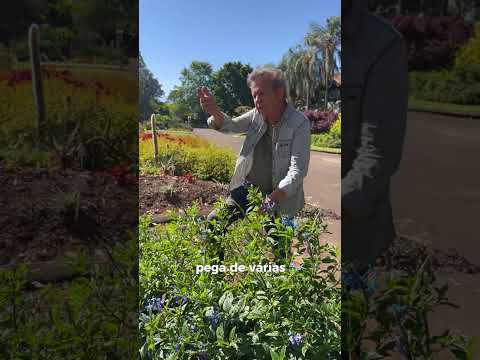
A planta nativa de flores azuis INCRÍVEIS! 💙 | Jardim Botânico Plantarum

💾

Uma flor azul nativa que ajuda a salvar a nossa biodiversidade! 💙🌿

A Stachytarpheta speciosa está em processo de domesticação e conservação no Plantarum (registrado no Sisbio). Ciência e beleza no mesmo lugar! ✨

Abertos parta visitação de quarta a domingo, das 9h às 17h.
📍 Ingressos à venda direto na bilheteria.
📌 Av. Brasil, 2000 - Nova Odessa/SP

#Plantas #Botanica #Natureza #JardimBotanico #PlantasNativas

#229 – Amy Kamala on Art, Tech, and Open Source: A Journey Through WordPress and Community

Transcript

[00:00:19] Nathan Wrigley: Welcome to the Jukebox Podcast from WP Tavern. My name is Nathan Wrigley.

Jukebox is a podcast which is dedicated to all things WordPress. The people, the events, the plugins, the blocks, the themes, and in this case, what draws people into the work of open source projects.

If you’d like to subscribe to the podcast, you can do that by searching for WP Tavern in your podcast player of choice, or by going to wptavern.com/feed/podcast, and you can copy that URL into most podcast players.

If you have a topic that you’d like us to feature on the podcast, I’m keen to hear from you and hopefully get you, or your idea, featured on the show. Head to wptavern.com/contact/jukebox and use the form there.

So on the podcast today, we have Amy Kamala.

Amy’s journey into tech is anything but conventional, starting with a master of fine arts from UCLA, and a passion for art that eventually bled into, and was overtaken by technology. Since 2018, she’s been an active contributor to WordPress, serving multiple teams such as the Hosting and Core Teams.

Her career zigzags through key roles at DreamHost, InMotion Hosting, Pantheon, Canopy Studios, and local government. Picking up everything from technical support and web development, to managing teams of designers and DevOps staff. Along the way, Amy has organised WordCamps, led teams, and is currently being sponsored by Elementor for her open source work.

Today’s conversation gets into the chaotic, creative, overlap between art and tech and how those different mindsets can feed one another, especially in the world of WordPress. We talk about the blend of creative and logical thinking needed in web development and why skills like user experience, curiosity, and even willingness to fail publicly can set you apart.

We then turn to contribution. What draws people to volunteer in an open source community? What Amy gets out of participating far beyond her paid hours, and the messy journey from being an eager helper to an essential part of the team.

She explains the unique feeling of the WordPress community, the importance of being welcoming to new contributors, and why being outgoing and not afraid to ask questions can be your biggest asset.

If you’ve ever wondered about the blurred lines between arts and code, why people throw themselves into volunteer work in the WordPress ecosystem, or what’s really at the heart of this global community, this episode is for you.

If you’re interested in finding out more, you can find all of the links in the show notes by heading to wptavern.com/podcast, where you’ll find all the other episodes as well.

And so without further delay, I bring you Amy Kamala.

I am joined on the podcast by Amy Kamala. Hello, Amy.

[00:03:22] Amy: Hello. Thank you for having me.

[00:03:24] Nathan Wrigley: You’re very welcome. Amy was introduced to me by Jonathan Desrosiers, who’s been on this podcast many, many times before. I don’t exactly recall the nature of that introduction, but I’m very glad to have you on the podcast today. The intention really is to have a broad, wide-ranging, no-holds-barred conversation, I think about contribution, why people do it, and the community in general. So we’ll see where it takes us.

Amy, firstly, thank you for joining us, and I wonder if you wouldn’t mind just telling the listeners a little bit about yourself. Honestly, you can go in any direction you like with that. Maybe if you, I don’t know, bind it to WordPress or contribution or whatever it may be, that would be good.

[00:03:59] Amy: Thank you too. Thank you so much for having me. I’m happy to be here. So I’m from Venice Beach, California, and I’m actually an artist and my background is in art. I have a Master of Fine Arts degree from UCLA. But a lot of my artwork was supported by technology, and at some point, technology crossed over, took over, and now my technology is supported by artwork.

I’ve been contributing to WordPress since 2018. In 2019, I became a team rep for the hosting team, and I am now on my sixth non-consecutive year as a team rep. And this year I’m also a Core team rep, which has been really fun and I love working with both teams.

I started working in the tech industry in 2015 in social support for web host, DreamHost. I was there for about five years, a little bit less than five years. I worked my way up from social support to technical support to live chat, and then helped form a specialised WordPress support team. And I was taking escalations, training team members, devising and documenting team processes. And while I was there, I helped strategise and implement new WordPress products which made revenue in beta, and that was really fun. I got to work directly with the CEO and the VP of product, and I learned a lot doing that.

Then I left, and I became a tech lead at a web dev agency, and then the pandemic hit, and we all know how that went. And then in 2020, I started working for InMotion Hosting as their web development manager. I was responsible for over 23 online corporate assets, five web servers, multiple Jira projects, and also the supporting infrastructure, the DevOps pipeline, GitLab, so on and so forth. And I loved that. It’s actually, that was one of the best jobs I’ve ever had. They’re a great company. It was amazing working there. I had an amazing boss. Totally great. I still have friends from there, and from DreamHost for that matter. And DreamHost was also great. I have a special love in my heart for DreamHost. I’ve known those guys for a really long time.

And then I was recruited by Pantheon to be a solutions architect for their professional support team. That didn’t work out for me as I had hoped, and I left a little bit less than a year later and started being a web developer for my local government. Again, I was recruited. I didn’t pursue these jobs. I may have gone in a different direction if I had. And that was a year-long contract. It ended in the end of 2023, and I’ve actually just been freelancing ever since then. I have a contract with a company called Swishtech. They’re not a WordPress company. They’re not even a web development company. They are an AutoCAD. They train and sell AutoCAD software. And they’re great too. And I also am sponsored by Elementor to contribute to the WordPress open source project.

[00:06:58] Nathan Wrigley: Gosh, you really have done the whole lot, haven’t you? There’s just almost no stone that you haven’t turned over and looked at the underside of. That really is a fascinating story, yeah.

[00:07:09] Amy: Thank you. There is, I considered completely abandoning both of those careers, art and tech and going into psychology and becoming a therapist at some point recently over the past few years.

[00:07:22] Nathan Wrigley: Right, okay. Well I could definitely talk about that. There’s somebody very close to me in my family who does that kind of work.

Can I ask, this is a complete segue, the fact that you pursued art at such a high level tells me that there must be some yearning inside of you for that side of life, you know, the artistic side, the creative side and what have you. I’m wondering if there’s any bit of technology that satisfies that, or do you find that you have to go back to the art to sate that craving? Or are there creative pockets inside of tech that allow you to sate that sort of desire to be creative?

[00:08:00] Amy: So that’s a great question and very insightful of you. Yes, so in 2015 when I started working for DreamHost, I’ve known the founders and some of the managers of DreamHost since like 1999-ish. That’s a different story, but I had just finished grad school and I was kind of in a bad living situation and I just needed a job, any job. I didn’t care what job. And so I hit them up and I found like a entry-level social support, entry-level job that I qualified for. It’s pretty easy to qualify for that. Hit them up and said, “Will you recommend me for this job at your company?” And of course they did. I still went through the interview process and like did typing tests and so on and so forth. But that’s how I ended up.

So it was kind of just circumstantial that I started working in tech. And then once I was there, I tend to get really hyper-focused, and I really hyper-focused on my work at DreamHost on moving up and learning technical things. I’ve always kind of had an aspect of technical. When I was doing art, strictly art, just art, I was still doing technical things. In undergrad I got into, well, so I started, I learned HTML when I was like 18 years old in the year 2000. I was an HTML programmer. It was one of my first jobs. The other job, my first job was working at Venice Beach at one of the stores down there. But like first real job, HTML programmer for a web development agency and graphic design.

And then I went to undergrad and I did a lot of fine art, sculpture, video installations. And working with video is pretty technical. You’re using computers. I also learned Photoshop at Otis where I went to undergrad. I still use it. It’s like one of my primary mediums for making art. But working with video is pretty technical. You’re doing editing, you’re working on a computer, there’s definitely a technical aspect to it.

And I also, I had a boyfriend at the time who was doing web development, and so I started learning PHP and Perl. And I started using PHP as a tool to make my animations. I was making little animations at the time, and video art interactive. So I did some installations that utilised interactive elements that actually used web technology.

Then I was working at an animation studio on a Red Hat box. So I had to, I learned Linux, and I also was introduced to Avid which is a high-end, professional video editing software or film editing software. And then I was working at a film post-production facility where I was using DOS, which is Command Line. And also I was working in the tape room transferring tape formats from one to the other. It was pretty technical. And I was also helping their web team manage the online video assets, uploading and downloading with FTP and so on and so forth. So there’s always been an element of tech integrated in my art.

And to answer your question, working in tech primarily, there’s definitely an element of art that supports, that has supported my career in tech. UI/UX design and graphic design rely on the same fundamentals as fine art. Composition, colour, so on and so forth. And so my training there, and I have some, I don’t like doing graphic design. I, like, actually really hate it, but I do have some professional experience doing it. And that led me to be able to lead teams of designers and developers. At InMotion Hosting, I had five developers and three UI/UX designers on my team, who I was the manager of.

So it wasn’t just development that I was doing there. It was also user experience, very user experience-focused. And so my experience with art has definitely supported my experience with tech and vice versa.

Yes, there’s definitely a yearning that, you know, I wanted to do, I wanted to make weird, cute, maybe a little dark experimental films. And I haven’t been doing that for the past 10 years or so.

[00:11:54] Nathan Wrigley: I always think that the motto for WordPress is code is poetry. I think if you peel back the curtain on that just a little bit, obviously, it may be that you’re just trying to create a website, but there are creative ways of doing that. But also code code really does unlock something, but still it’s quite a logical thing. And I’ve always found those two things difficult to overlap. The sort of Venn diagram of logic meets creativity that, I don’t know how well they fit together. But it sounds from what you’re saying that you feel that the two things have married well in your career.

They’ve enabled you to do things because, I don’t know, maybe it’s thinking outside of the box or something like that. Your capacity to think differently to other people. But I’ve always found that curious. I’ve never had a particularly artistic grain of anything in me. I’m much more logical than I am creative. So I’ve always sort of struggled to see how those two things marry up.

[00:12:49] Amy: Oh, well, you know, that’s actually something that I’ve thought about a lot. And the too long, didn’t read, answer for me about that is, so art is experiential. It’s not about the object necessarily. It’s not even about your skills. It’s about creating an experience. The viewer, relationship between the viewer and the item that they’re looking at. Books, movies, music, all of that, it’s experiential. It creates an experience. And so do websites, so does software, so does using the software.

One of the reasons that Apple is so successful is because of the user experience, because they focus on it being an easy, intuitive, fast experience to use their products. And so when you think about it in terms of user experience, and in terms of just human experience, there’s a lot of crossover.

[00:13:41] Nathan Wrigley: When you worked at some of those companies that you mentioned, I presume that you were surrounded by lots and lots of people, in an office environment. So this question, I hope it lands correctly. I’m certainly not trying to put anybody in a box or stereotype anybody. But did there tend to be a fairly interesting split between the kind of character that you would find on the, I don’t know, making the website look nice, let’s say. You know, putting the pixels on the page, the design and what have you, and then the people who are writing the code in order to make those designs a reality.

I just wonder what, if there’s an aisle down the middle of those two camps where, okay, the artistic people, they’re all over there, look at them being artistic, and over there, there’s all the coders, look at them crouched over their computers being logical. I don’t know if there’s a there there, but I’ve always found that curious too.

[00:14:25] Amy: Well, it crosses over in web development. A lot of web developers are doing, as a web developer, you have to do CSS, SAAS, you have to style the front end. If you’re on a, you know, a big professional team, you’re going to have designers, and then you can just pull the styles from software. But if you’re on a smaller team, which, you know, the majority of people end up working at some point on very small teams or even, like, a one-person team, you do it. And so there’s quite a bit of crossover in web development.

In software development, you’re probably always going to have a bigger team, and so you’re going to need designers. But web development, there’s always web developers that like have a history in graphic design, have a history in UI/UX design that ended up also coding. And those designers don’t necessarily tend to be really great at like PHP and JavaScript, but they do tend to be phenomenal at CSS.

[00:15:18] Nathan Wrigley: Oh, interesting. Yeah, okay. Thank you. I took us on a total detour there. That was really not intentional, but it was kind of fun peeling back the curtain a little bit there.

[00:15:27] Amy: Well as a team lead, it really helps to know people’s strengths and talents, that you’re likely to have developers who are more logical and who, like, they can bang out some code. It’s going to function. It’s probably going to have all of the crosses and the dots and the so forth. But then you also have developers who are more visual, but they just kind of like ended up working in development. And that’s who you would want to tap to make something look really nice but still be functional.

[00:15:52] Nathan Wrigley: Yes. It’s a rare and wonderful thing when you encounter that character who can do all of it. I have a friend, a very dear friend who, it doesn’t matter what task you put in front of him, he just excels at all of it immediately. And it’s rare, you know, because there is this sort of, most poeple get into a niche, don’t they, and they become good at a particular thing. And as the world requires us more and more to be specialised in one thing or another thing, we do tend to lean into, I don’t know, I’m a CSS person, or I’m a PHP person, or I’m into JavaScript, graphic design or whatever it may be. And when you encounter that one character that can do literally all of it, I’m a bit in awe, frankly. Quite a lot of my jealous genes kick in and.

[00:16:31] Amy: That’s very interesting. I am the one character, you know, I’ve had my hands in, DevOps, system administration, but also design, art, user experience, accessibility, so on and so forth, which has served my career, you know, being a web development manager, it was absolutely necessary to have that range of skill set. But I will say that I don’t specialise in any of those things. I’m not like a, you know, JavaScript specialist or anything like that. I’m not the SMC on all of those technologies, but have a good umbrella overview that allows like cross-functionality.

I wouldn’t mind specialising in something like that, but I just haven’t really found a niche. I kind of ended up in leadership roles because I’m outgoing and chatty. And so that reads as leadership ability. And I’m good at organising. So those are some leadership skills. And so I kind of ended up, but I ended up in leadership roles before I had mastered anything other than like drawing and maybe video editing. And so in a way that’s been really good and it’s led me on this career path, and also in a way it’s been really bad because I’ve not been able to focus on any specific skills to excel in those. I guess I’ve excelled in team management.

[00:17:50] Nathan Wrigley: It sounds like you’ve not done too badly. It also sounds from, I mean I’m reading between the lines here, and forgive me if I’ve misconstrued what you were saying. It also sounds like from the go, since you finished your arts program, it sounds like you’ve been quite intentional. You know, when opportunities have arisen, the way you’ve described it makes me feel that you can sense an opportunity and you grasp it with both hands, and you’re willing to learn something which maybe last week you’d never heard of, but this week, okay, that’s a thing. Let’s give that a go. Again, forgive me if I’ve got that wrong, but it sounds like you’re quite a force of nature. Let’s go with that.

[00:18:23] Amy: Thank you. That’s correct. I love learning new things, new skills. I’m never like, well, I’m only going to focus, that’s part of it too. It’s a conscious choice to not focus on just one thing. I did at one point kind of like sit down and say to myself, we have to make a decision, art or coding? And I actually determined that I should just stick with tech, the technical end of things because that makes more money than art, even like with a full-time job.

[00:18:53] Nathan Wrigley: Yes. It is difficult, isn’t it, to become an artist in whatever field of art that may be. I think the chances of you making that work from an economic point of view are much more unlikely than they are.

[00:19:06] Amy: Well, I could tell you as a fine artist, I have made $0.

[00:19:10] Nathan Wrigley: Right. Okay. Well there you go. That puts it into stark relief. That gives us some idea.

It also sounds from what you’re doing that you’re on more of a journey than you are arriving at a destination. And what I mean by that is, it feels like maybe if I chatted to you in a decade’s time, who knows where you’re going to be. It’s more of a, this is where I am now. Tomorrow might present something entirely different. Again, I could have that wrong.

[00:19:32] Amy: No, I think that’s actually totally correct. I’ve kind of, I haven’t really been that intentional with my direction. I tried to be when I, you know, made a decision, art versus tech, to go with tech. Secondary decision, I had already decided to go with art and then, you know, switch careers. But at this point I don’t have, like I don’t dream to be a product manager or dream to be, you know, a coder or a specific thing, a software engineer.

I’m not quite sure to be honest. I do know that I love working in the tech industry, that I love working on teams, I love working on software, I love collaborating and focusing on user experience. And I even, I really actually, I loved being in technical support. Being social and chatty is both a blessing and a curse because my entire career exists because I’m outgoing and social and chatty, and I just randomly message people and start talking to them or randomly walk up to people. You know, and that’s how I ended up in all of it pretty much, and even working on releases.

And that’s also helped me to be able to do those roles because I will randomly message anyone and be like, hi, blah, blah, blah. So that really works to my benefit. But it also, like sometimes I say too much, or I definitely talk too much, way too much, way too frequently. And I might like be bothering people. And I’ll ask them. But at DreamHost, Kira Schroder and Mika Epstein both worked at DreamHost at the same time as me. And because I’m not shy and I am apparently not afraid to talk to people, I started messaging them and asking them questions. And not just them, but the other developers and leads, and the VP of product and so on. It helped that I already knew them, but just started asking them questions.

And also, being willing to be embarrassed and to look stupid is a huge plus because you learn a lot from making mistakes. If you make those mistakes in front of people, you’re going to remember. You’re going to remember the answer to those mistakes. And that’s kind of what I’ve been doing. I’ve kind of stumbled up, and asked a lot of stupid questions, which I’m still doing.

[00:21:46] Nathan Wrigley: I’m just going to interrupt you there very quickly because I love when I meet people who have no shame about failure. I’m being really serious. You know when you meet that character who literally doesn’t have the capacity to feel shame for their inability to do a thing that they’ve never done before? I don’t know, you see somebody who’s picked up a tennis racket for the first time and clearly can’t do anything useful with it, whatever it may be. Just imagine almost any scenario. But they are absolutely happy to do it in front of other people.

I know for me that’s not a gift I possess. I could be racked with sort of, oh, shame and all sorts of other things because I haven’t managed to achieve this level of competency out of the gate. And when I see people doing that, you know, failing willingly in front of other people, I’m always, always thinking, I really should be more like that.

Because I’m glancing around thinking, where are the people that are pouring scorn on them? And the answer is, they’re never anywhere to be seen. There’s nobody, generally speaking, looking and going, look at you. You messed up with the tennis racket. No, there’s just people looking going, oh, hang on a minute. No, what you need to do is this.

[00:22:58] Amy: Right, try this technique and.

[00:22:59] Nathan Wrigley: Right, people around to support. And yet I seem to have, that is a thing in me which I suspect I’ll take to my grave, to my great cost. So well done for being that characteristic.

[00:23:11] Amy: Thank you. Well, I do have shame and fear of, I don’t prefer to fail in front of, for example, 54,000 people in the Core Slack channel. But I’ve done it so many times at this point, I’m like, yeah, I’m going to. I’m going to. I’m going to learn and I’m going to do better next time.

Also in, way back in the day had a brief stint with performing. I was in a theater group, and one of the things that I learned in that theater group, and it really, really stuck with me, is that when you have an audience, the audience is rooting for you. They want you to win. They want you to succeed. They want to hear what you have to say. They want to see you do your whatever it is you’re there to do.

And so when you think about it, I have horrible stage fright, so this doesn’t fix my stage fright but it does kind of fix the mentality of like being embarrassed potentially, or being afraid of failing in front of people. But you go into a room to lead a meeting, or to do whatever it is that you’re doing and you are going to be nervous, but it’s inevitable that you’re going to mess up because you’re human. And to look at it in the way that like, I’m going to mess up and everyone’s on this journey with me and they support me and they want me to win, you know? We’ll fix it together, we’ll learn together, we’ll.

[00:24:23] Nathan Wrigley: We need more of that. Don’t know how many times I’ve preached that gospel to my own children, only to not be able to actually carry it on myself.

I’m going to pivot us slightly. I’m going to sort of draw us into the WordPress space because it’s a WordPress podcast after all. You found yourself in some fairly, I don’t know, important decision-making processes, sort of like contributing to Core and what have you. Can you just chart the journey for that? Like, how did you get to the point where you were contributing your own, presumably free time in some cases? Maybe it was on the company dollar, you know, maybe you were sponsored to do that. I think you implied earlier that that was the case. How did you end up picking WordPress and whichever team that you’ve spent most of your time in? Just chart that journey for us.

[00:25:04] Amy: So that leads us back to DreamHost. DreamHost back in the late, around 2017, DreamHost was, they’re a regular web host, and they were putting in a concerted effort to become a WordPress, a quote unquote, WordPress host. So they were looking into contributing and actively contributing to the project, you know, looking for more PR and marketing opportunities and being a sponsor, so on and so forth. And the hosting team, which has been my main team, was born directly of that.

The hosting team was originally a, primarily DreamHost / wordpress.org project. There have been many other hosts that have been involved. But primarily, at the very beginning, it was spearheaded dramatically by DreamHost and wordpress.org. And so DreamHost was telling its employees, hey guys, we want to be a WordPress host. Hop into WordPress Slack and go to meetings and, like, represent. So they weren’t offering to like any special contribution contracts or anything like that. They were just encouraging people to check it out and get involved in whatever capacity they felt inclined to.

And so I did. I hopped in the hosting channel. I went to a hosting meeting, and I wasn’t expecting this because I didn’t know at the time. I know now. So the hosting team originally was trying to do video meetings. The first meeting I went to was a video meeting, and I knew everyone in the room already. It was a bunch of DreamHost people, but there were also people from other web hosts who I knew from, you know, mutual contacts. So I knew everybody in the room already in one way or another, and so it was a very, very soft landing for me.

It was easy to get involved because I had an in with all those people and with the team reps. Kira Schroder was one of the team reps. It also helps when the people in the project are really friendly and welcoming. And that has been my experience, that the other contributors, the team reps, and the team leads are very welcoming. Might be a different story on the development end. But in terms of just being involved with community and team happenings, usually you’ll get a very warm welcome.

And certainly the hosting team, if anybody wants to hop in and contribute to the hosting team or participate as a team rep, we’re going to be very welcoming. We’re going to want you to come. We’re going to be encouraging. We’re going to help guide you. We’re going to be super patient and we expect confusion, questions, stupid questions, mistakes, and so forth because that’s just how it goes. And so having someone on the other end receiving you really can make all the difference.

So the contributors that are listening today that can receive new contributors, be as warm and welcoming as you possibly can be. And it does kind of take a lot of extra effort to guide people, but I think it’s worth it, and you build relationships and strong ties along the way. And you never know what that person can do and what they will do and how that later on benefits you.

So I got a really warm welcome. The hosting team didn’t even exist until I think it was 2017. 2018 I joined and started contributing. I became a team rep in 2019. And a lot of that is because I’m really outgoing, and I just was like blah, blah, blah-ing in the meetings all the time. And so that also makes me visible. In a remote, a fully remote space, I’m actually less chatty in person, although I think people would probably argue with that.

But it really, really helps to be outgoing and to jump in, like throw yourself in the fire. Throw yourself in the fire because you may or may not be thrown into the fire by someone else. It’s a really good way to learn. It’s very intimidating. I actually, I prefer more hand-holding onboarding than being thrown into the fire. But you can throw yourself into the fire in a gentle capacity. Like, hey, I volunteer to take team meeting notes, or volunteer to update some documentation. These are really kind of low-pressure things that you just need to know English, and how to type to do it. And, you know, it starts the ties between people and your presence in the project and so forth.

So I was really just hosting team for a very long time. At some point, I think it was, I joined Ladies of WordPress, I think the Slack community is, which is just like women who are involved in, women contributors basically, and befriended a couple people in that space. And one of those people I befriended was Francesca, or Francina is her Slack name, who is a Core contributor. I branched out and started going to Core meetings, like waving in at the new contributor meetings and so forth. I wasn’t quite as chatty in there because at the time it was like 30,000 people, which is a lot of people still. Now I think it’s 54,000 people in that channel.

So Francesca roped me in to, and I volunteered. You know, being not shy is really, really the key in this scenario. Being not shy led me to befriend people who then roped me into these projects, and I started contributing to Core, running release model working group meetings to kind of examine and improve the release process. And then at some point, so before every release, there’s a call for volunteers. And anyone can volunteer, you just need a wordpress.org account. Anyone can. And then of those volunteers, they form the release squad.

So I started volunteering. 5.6 is the first Core release that I was involved in. I was also working at InMotion Hosting at the time as a web development lead. And so I was working really, really, really long days. So I wasn’t quite as engaged in that release as I would have liked to been, or as I was with 6.9 and 7.0. But it was a good like backend release squad experience. And I learned a lot and made connections.

And the other contributors are really, really supportive. If you ask them for help, they’re going to help. And if they think you need help, they’ll offer to help even if you don’t ask. And so it’s kind of, there is some competition, and there is some criticism that happens, but for the most part everybody is really, really, really supportive.

So how I ended up being sponsored though, so I was joining from DreamHost on the clock. I was pretty much always working when I worked at DreamHost. I was working like these insane, like, 50, 60, 70 hour weeks. So I was pretty much always working. So I was joining on the clock. I was wearing many hats with them, and that was one of them. So I was not officially sponsored by them, but I do credit them as a past sponsor because of obvious reasons.

And thereafter I became a tech lead at a web dev agency called Canopy Studios. And they market themselves as being an open source contributor. They contribute to WordPress and they contribute to Drupal. And so they’re looking for their employees to be contributors, and they set aside three hours per week to contribute to your project. So they were sponsoring me for three hours per week. At the time I was doing way more than three hours per week. I was doing meetups, I was helping with WordCamp LA, I was helping with the Release Model Working Group, and I was a Hosting Team rep, and I was speaking at Camps.

So it’s a lot. It was really, like way more than three hours a week. But they, because of that sponsorship it kept me inclined to continue engaging with the project. And then InMotion Hosting had never officially sponsored a contributor, but one of my fellow hosting team reps was a developer at InMotion. That’s how I kind of ended up there. And so they were familiar, obviously they’re familiar with the WordPress project, and they’re familiar with contributing. I just straight up asked them if they would be willing to sponsor me. I was just like, hey, I do this thing. You guys want to use this thing for your marketing and PR, and how about you officially sponsor me? So they sponsored me for 10 hours a week. But again, I was working really, really long days, and I wasn’t able to fully dedicate myself to it as much as I would like to.

Also, that was around pandemic time. So the pandemic definitely affected my ability and everybody’s ability to contribute and engage. And then after that, I didn’t have a sponsor. I kept contributing because it was kind of like part of my thing. The Hosting Team had become special to me, and I guess that the element of me getting hyperfocused is probably key also to why I might contribute for free. Because I like will get involved in something, and then it becomes important to me, and I’m focused on it, and I’m going to carry it probably, hopefully carry it through whether I’m paid or not.

So I wasn’t sponsored for a while there. And then in 2023, I did a talk at WordCamp Europe. So I have family that lives in Israel. My brother lives in Israel. That context is important for this story. But WordCamp Europe that year was in Greece. I had been to Greece before. I love Greece. It’s like one of my favorite places. I’m going buy a house on an island there someday. But Greece is really close to Israel, so after WordCamp Europe, I went to Israel and visited my family.

Before WordCamp Europe, I had done some podcasts and written some articles, and in those conversations, at some point it was brought up that I’m Jewish, and Jewish American, obviously. And I don’t know any other contributors that are Jewish. At that time, zero. I didn’t know a single one. I thought there weren’t any. And Jews are a world minority, so there aren’t that many that I know of, but there are a few.

So somebody directed me to Miriam, Miriam Schwab, who is, I didn’t even care who she was. I was like, yay, I get to make a new friend. But she’s the community manager for Elementor. And so I contacted Miriam trying to make a new friend. I was like, yay, another Jewish person that I could be friends with that contributes to WordPress. Little did I, I didn’t even, like I knew what her job role was, but it never occurred to me that Elementor might want to sponsor me, or that they’re looking for contributors to sponsor or anything like that.

And so she invited me when I was in Israel to go to their headquarters, you know, meet their CEO, be shown around, meet other staff members, play on their, in their little old school arcade and so forth. And I was there like, yay, I’m making new friends. Totally naive completely to the fact that there was any professional interest whatsoever, which was silly. I was just so excited to make a new friend, or multiple new friends. And so then Miriam started talking to me about sponsoring me, and that’s how I ended up being sponsored by Elementor. So really kind of what you said, like a very unintentional chain of events that sort of just ended up working out the way it did.

[00:35:47] Nathan Wrigley: Yeah, looking back, there’s a thread there, isn’t there? But it’s only with the benefit of hindsight looking back that you can probably see the thread. On a day-to-day basis, it probably doesn’t quite feel like that. Are you currently sponsored by Elementor? Are you, in fact, are you sponsored by anybody currently? Yeah, okay.

[00:36:00] Amy: I am. So I’m sponsored part-time, 10 hours a week by Elementor. And again, I’ve been spending way more than 10 hours per week. So if anyone wants to sponsor me on top of them, please contact me.

[00:36:10] Nathan Wrigley: Can I ask about that though. Why? I mean the question is probably obvious to you, but I don’t know on what level you’ve inspected that part of you. Obviously there’s a why. You’ve alluded to it. You know, there’s friendship there and there’s habit, and you’ve been accustomed to it and, you know, you like being in that community, and the people there are nice.

But just sort of drawing the veil back a little bit more. Why do you give more time than your allocation, let’s say, from Elementor? Why does the 10 hours not stop on the clock like you would do for a regular job? You know, 5 o’clock winds along and exactly 5 o’clock you put your tools down, and you go off, and you go home, and what have you. What do you get out of it? What’s the thing that is satisfied by this?

[00:36:49] Amy: Well, so it’s part personal and part professional. So I tend to not draw clear boundaries when it comes to work. I tend to like, if my shift is over, but the task isn’t complete, I will finish that task. Depending on, you know, details and so forth. So I guess there’s a bit of a level of dedication that maybe doesn’t even need to be there, but that’s fueled me in a lot of ways.

Why do I contribute to wordpress.org specifically, even if I’m not paid? I do find it personally meaningful. Working with other people, making new friends, contributing to something bigger than me, participating in something bigger than me, giving to the world in one way or another, I find that personally meaningful. And it’s kind of kept my life a little bit more full and more rich over the past eight, nine years. And so it brings value to me in that way.

I have friends of a decade now from, you know, engaging with WordPress. It’s led me to jobs, and it’s led me to other opportunities and to meet really interesting people. And so there is a personal element to that for me personally. And I think that probably a lot of people also, maybe if somebody is more of an introvert, they might not have that same level of benefit that I, as not an introvert, have. Because I get a, the personal connection benefit and the meeting people is really rewarding to me.

But there’s also a lot of professional benefit being a team lead. We don’t say team lead, we say team rep, but it is a leadership position. So leading a team for a major software project has been pretty beneficial to getting jobs, getting opportunities, and just kind of a general professional portfolio. The Hosting Team is a bit of a red-headed stepchild and is kind of like quiet and nobody really knows that it exists. Except for maybe recently because of me talking about it. And it has been for a long time.

It started to blow up a lot, like way back in 2020-ish, 2019, 2020. And the pandemic kind of really threw a wrench in that. And then some other things over the years have also thrown wrenches in that. There was the whole hosting page debacle, and rift between .org and web hosts, that’s still currently affecting. So the Hosting Team is pretty, pretty quiet. It’s not like a big, Core is not quiet, Hosting Team is really quiet.

So that makes it easier to engage. But there’s definitely professional benefit that a lot of my jobs have been because of WordPress, or because of someone I met through WordPress, or my experience with contributing to WordPress just boosts my appeal to employers. So there’s that too.

And on top of that, you build skills. You know, I now have multiple repos that I’ve been a maintainer for, for years. And I had those skills to begin with, but you refine and define your skills more through experience and through working on teams and so forth.

[00:40:03] Nathan Wrigley: Do you know, it’s really interesting the order in which you stack those answers. I feel, I could be entirely wrong about this. I feel like in the corporate world where everything is out and out profit, imagine, I don’t know, evilcorp.com or whatever it may be. I feel like the calculation there might be exactly the opposite. You know, you put them the other way round. You get the skills, which allow you to then advance your career, and the meaningful bit is just maybe there, maybe not.

But the way that you stack that with the meaningful coming first is really interesting because I have that suspicion as well that the majority of the people in the WordPress project, if they were to truly ask themselves that same question, would probably arrive at a similar answer. That meaningfulness bit, it often doesn’t get talked about. It’s just kind of, oh, we all understand, we’re here, we’re having a nice time and what have you.

But that meaningful bit, I can’t put my hands on it. I can’t explain what that is, but that’s the same for me. There is something significant and meaningful about being involved in something, like you said, bigger than you, that has the capacity to improve people’s lives. And you don’t often get the chance to elucidate that thought and say it out loud. But when you do, it’s nice to know that that’s a part of your character, I think. That that that bit matters apparently more any other bit, because that’s the bit that tumbled out of your mouth first of all.

[00:41:26] Amy: Actually way more. Honestly way more than it because I am smart, I’ve taken many IQ tests. I might do and say stupid things, but nonetheless I have a high IQ, and very capable, and I have numerous different talents. I could do any variety of things. I think that if I were to be dropped in any work environment, I would excel, or at least be competent in that work environment. It doesn’t quite matter what it is. That’s, you know, my perception of myself, and I’m also a huge advocate of learning on the job. I think that companies should be hiring people who don’t know what they’re doing, and then teaching them what to do. That’s personally my take on it.

And so the meaningfulness is, it’s way more powerful than, I could make money and I could, obviously we all have to survive, but it kind of all folds into itself. That you get involved in something because it’s meaningful, and then you like learn and build skills and make connections and end up making money from it.

If people come to WordPress trying to make money, I think that you can absolutely, and probably a lot of it, but it’s the wrong values. It’s not a match for open source values and for WordPress values. And the WordPress values are one of the, probably the thing that attracts me to the WordPress open source project the most.

[00:42:52] Nathan Wrigley: Right. And I think me too. I think that was what drew me in the first place. But again, I can’t get my hands around it. I can’t sum it up. But there is a there there. There is a thing. There’s this ephemeral, non, you know, you can’t quite make contact with it, but there’s a certain feeling.

When you go to these events and you see that, you know, this whole thing has been put on by a bunch of volunteers, and the underlying code, which is what we’re all there for anyway, that equally has been largely created by a bunch of volunteers.

Where’s the profit motive for that? Well in many cases, there isn’t much of a profit motive obviously, as you said, for some people there is. That is a curious characteristic. I don’t know, there’s just something about those people that I would like to be in proximity to. Finding it very hard to describe what I’m saying, but there is something about that characteristic that I like to be in proximity to. That’s kind of it, I think.

[00:43:42] Amy: It’s very authentic and genuine. You can feel it as a human being. You can feel it when somebody wants something from you, or maybe I can’t. But most people can feel it, if somebody wants something from you, and that’s their intention. Versus if someone’s interested in you, or compelled towards you for some subconscious or other underlying reason that they’re just like, oh, you seem nice. You seem interesting. You touched on this topic and I like that topic, you know? There’s something very rewarding, and deeply fulfilling, on a human, spiritual. It covers our basic needs as humans for interaction and for community.

And I think that at events it’s even stronger. Like in Slack, you’re all in different locations. There’s definitely, you know, social interaction happening, and friendships being formed, and bonds being built. But at events it’s kind of like that on steroids. There’s a really strong sense of community, really strong sense of belonging together, a really strong sense of doing something meaningful, and contributing to something meaningful, and being part of something meaningful. And I think that’s really powerful. And it satisfies a core human need.

[00:44:54] Nathan Wrigley: Yeah, that is so interesting. I’d love to put a survey together and actually ask intelligent questions which drill down specifically into that. Because I think there would be a correlation between the things that you’ve just described, the characteristics that you’ve described, the feelings that you like to be associated with, the events that you enjoy and what have you. I think there’s a correlation between that and the community that we have. I can’t quite prove it.

But time and again, that intuition has proved itself in the real world. You know, you get into conversations like this, and this kind of subject emerges. Why do you do it? Because it’s meaningful. Because I get a great sense of satisfaction from it, and I know that I’m doing something which will be bigger than me, longer living than me, and so on and so forth. So, gosh, that’s really interesting. I’m glad that you share that same opinion.

[00:45:38] Amy: It’s beautiful.

[00:45:39] Nathan Wrigley: Yeah. Yeah it is, isn’t it? And that’s the basis upon which the whole project is built.

[00:45:44] Amy: Right. Without the community there’s, it would be a much different thing.

[00:45:48] Nathan Wrigley: Yeah, really so. Sadly, we’re going to have to end it because of the time constraints that we’ve got. But what a fascinating, I think we were just peeling back something really interesting there, but there we go. That’s the time that is allowed for this particular episode.

So anything that you wanted to get out that you didn’t get a chance to? Is there any intelligent question that you wish I had asked you?

[00:46:06] Amy: No, not at all. Thank you so much for inviting me. I’ve really enjoyed chatting with you, and I found it very interesting.

[00:46:13] Nathan Wrigley: Yeah, thank you. It’s been a pleasure. Thank you so much. This will go out on the wptavern.com podcast, the Jukebox podcast, so if you want to go and check it out over there, wptavern.com.

So all that it remains for me to do is say thank you very much, Amy Kamala, for chatting to me today. Really appreciate it

[00:46:30] Amy: Likewise. Thank you too, and thank you to all your listeners.

On the podcast today we have Amy Kamala.

Amy’s journey into tech is anything but conventional, starting with a Master of Fine Arts from UCLA and a passion for art that eventually bled into, and was overtaken by, technology. Since 2018 she’s been an active contributor to WordPress, serving multiple terms, such as the Hosting and Core teams. Her career zigzags through key roles at DreamHost, InMotion Hosting, Pantheon, Canopy Studios, and local government, picking up everything from technical support and web development to managing teams of designers and DevOps staff. Along the way, Amy has organised WordCamps, led teams, and is currently being sponsored by Elementor for her open source work.

Today’s conversation gets into the chaotic, creative overlap between art and tech, and how those different mindsets can feed one another, especially in the world of WordPress. We talk about the blend of creative and logical thinking needed in web development, and why skills like user experience, curiosity, and even willingness to fail publicly can set you apart.

We then turn to contribution. What draws people to volunteer in an open source community, what Amy gets out of participating far beyond her paid hours, and the messy journey from being an eager helper to an essential part of the team. She explains the unique feeling of the WordPress community, the importance of being welcoming to new contributors, and why being outgoing, and not afraid to ask questions, can be your biggest asset.

If you’ve ever wondered about the blurred lines between art and code, why people throw themselves into volunteer work in the WordPress ecosystem, or what’s really at the heart of this global community, this episode is for you.

Useful links

 Jonathan Desrosiers

DreamHost

InMotion Hosting

Pantheon

Miriam Schwab

Elementor

💾

Emergency 24/7 | BBC - Trailer

💾

Inside the trauma team, every decision matters.
Every second counts.

Watch brand new #Emergency247.
Coming to #iPlayer August 18.

Emergency 24/7: Embedded inside the busy Southmead Hospital, a Major Trauma Centre in Bristol, this series reveals the everyday pressures, and complex teamwork, required to keep the Emergency Department running. It follows staff as they look after patients from diagnosis through to their treatment, encountering everything from car crash amputations, stabbings and third-degree burns.


#BBC #BBCiPlayer #BBCTrailers

Subscribe and 🔔 to OFFICIAL BBC Trailers 👉 https://bit.ly/2XU2vpO
Watch on iPlayer 👉 https://bbc.in/2J18jYJ

Racismo e exclusão no mercado do amor

Na literatura e na poesia, são vários os aforismos que descrevem o amor como um sentimento puro e desinteressado. Mas a ideia de que o amor é cego não se sustenta na vida real. Pesquisas da socióloga Maria Chaves Jardim, professora do Departamento de Ciências Sociais da Unesp de Araraquara e do Programa de Pós-Graduação em Ciências Sociais da mesma universidade, mostram que relações afetivas também são atravessadas por desigualdades sociais e que mulheres negras ocupam a posição mais vulnerável no chamado mercado do afeto.

Desde 2017, no Núcleo de Estudos e Pesquisa sobre Emoções, Sociedade, Poder, Organização e Mercado (Nespom), Jardim investiga como aplicativos de relacionamento reproduzem — em vez de reduzir — desigualdades presentes na sociedade. Em um estudo de etnografia digital, financiado pela FAPESP, a pesquisadora interagiu com mais de uma centena de homens nos aplicativos Tinder e Badoo, realizou 15 entrevistas presenciais e conversou com integrantes de um grupo virtual fechado em que mulheres compartilham experiências relacionadas à vida afetiva e suas estratégias para fazer sucesso nos aplicativos.

Os resultados mostram que as ferramentas estão longe de democratizar o acesso ao amor e reproduzem constrangimentos sociais presentes fora do ambiente digital, favorecendo determinados perfis e excluindo outros. Padrões estéticos e preconceitos influenciam diretamente quem é visto como desejável e quem permanece invisível.

A interpretação parte da sociologia econômica, que entende o mercado como um espaço moldado por valores e relações sociais, e não como um ambiente neutro. “Não há aqui uma mágica, um cupido. Há elementos sociais e, entre eles, a exclusão de mulheres fora do padrão estético — que estão acima do peso ou têm o tom de pele diferente daquele considerado legítimo, que é o branco”, afirma Jardim.

A popularização dos aplicativos de namoro trouxe a promessa de ampliar as possibilidades de encontro. Com opções para diferentes perfis e interesses — como idosos, veganos e tantos outros —, criou-se a ideia de um mercado afetivo mais acessível. “Esse discurso é uma falácia, especialmente para mulheres pretas, dado o contexto de vulnerabilidade social, econômica e política no qual grande parte delas se encontra”, afirma Paulo Carvalho Moura, doutorando em Ciências Sociais na Unesp e integrante do Nespom.

Segundo Moura, os aplicativos não eliminam desigualdades, apenas reorganizam e reforçam preconceitos já existentes. “O ambiente digital não é livre de constrangimentos sociais. Trata-se de um mercado com hierarquias e padrões, considerando fatores como raça, gênero, escolaridade e gosto cultural”, destaca.

Quem fica de fora

Se o primeiro estudo mostrou como os aplicativos reproduzem desigualdades, uma pesquisa posterior, publicada na revista Tomo em parceria com Renata Paoliello, também da Unesp, buscou compreender de que maneira essas dinâmicas afetam especificamente a experiência de mulheres negras.

O grupo analisou dados de 64 mulheres negras com diferentes perfis socioeconômicos para avaliar o impacto da cor da pele nas experiências afetivas. O primeiro grupo reunia 45 delas, das quais 40 tinham diploma superior. O segundo era formado por 19 mulheres pretas, sem diploma superior, moradoras de um bairro popular de Araraquara. A conclusão foi direta: mulheres negras enfrentam barreiras estruturais também no mercado do afeto. “O amor, como todas as relações sociais, tem relação com poder. Alguns terão mais acesso a ele do que outros, pois o sentimento está sustentado por valores que carregamos no inconsciente, e o racismo é um deles”, explica Jardim.

Entre as entrevistadas, surgem padrões recorrentes de sofrimento relacionados ao racismo, sofrido desde a infância e adolescência, à invisibilidade afetiva e a relacionamentos abusivos. Embora frustrações amorosas façam parte da experiência de muitas, Jardim observa que elas costumam ser retratadas de formas distintas. Com frequência, o debate público associa as dificuldades enfrentadas por mulheres brancas ao dilema entre casamento e carreira. Já entre as mulheres pretas ouvidas pela pesquisa, o obstáculo aparece antes mesmo desse ponto: muitas descrevem dificuldades para estabelecer relações afetivas estáveis. “O dilema da mulher branca pressupõe uma possibilidade de escolha. A da mulher preta não contempla isso”, comenta a pesquisadora.

Segundo Thaís Caetano de Souza, doutoranda em Ciências Sociais pela Unesp e integrante do Nespom, essa diferença ajuda a compreender por que muitas afirmam não conseguir sequer acessar o modelo de relacionamento romântico tradicional. “A desigualdade aparece de forma mais profunda para mulheres pretas. Elas não estão reorganizando a vida afetiva em prol de projetos profissionais; elas simplesmente não possuem uma vida afetiva no modelo romântico de construção de uma família”, afirma.

Quando o amor não se concretiza

O desejo por relações estáveis aparece na fala das entrevistadas, seja na expectativa do casamento, seja experiências cotidianas simples, como andar de mãos dadas com o parceiro. Jardim coloca seus dados da pesquisa de campo em diálogo com as teorias existentes na sociologia sobre o amor, como o amor romântico, o amor confluente, o poliamor e o chamado “amor líquido”, caracterizado por relações frágeis e instáveis. Entre parte das mulheres pretas ouvidas na pesquisa, porém, esta última acaba sendo percebida como a única possibilidade concreta.

Como consequência, muitas relatam início tardio da vida afetiva e sexual e, em alguns casos, o estabelecimento de relações marcadas pela falta de compromisso ou pela posição de amante, não por escolha, mas pela escassez de alternativas percebidas.

Outro padrão recorrente é o tipo de abordagem recebida nos aplicativos: convites de cunho sexual, que reforçam a objetificação e reduzem as possibilidades de construção de vínculos duradouros. Diante dessas barreiras, algumas relatam optar pelo celibato definitivo, enquanto outras acabam construindo famílias como mães solo. Esse quadro contrasta com o estereótipo historicamente atribuído às negras como pessoas naturalmente hipersexualizadas. Entre as mulheres pretas com diploma universitário, a pesquisadora observou que muitas optam pela solidão afetiva em vez de aceitar relacionamentos “líquidos”.

As experiências narradas pelas participantes da pesquisa não aparecem isoladamente. Indicadores nacionais mostram que as desigualdades observadas nas entrevistas também se refletem na formação de casais e famílias no Brasil. Dados do Censo de 2022 do IBGE revelam maior probabilidade de casamento para mulheres brancas (51%) do que para pretas (44%). Já entre as mães solo, negras (pretas e pardas) representam cerca de 90% do total entre 2022 e 2023, segundo pesquisa do Instituto Brasileiro de Economia da Fundação Getulio Vargas (Ibre-FGV).

As consequências desse processo, no entanto, não se limitam às trajetórias afetivas. Elas também repercutem na saúde mental das entrevistadas. Segundo Jardim, os impactos emocionais da exclusão afetiva vão além do sentimento de rejeição e da baixa autoestima. A equipe agora pretende investigar de forma mais aprofundada suas consequências para a saúde mental das mulheres pretas. “Esse quadro pode contribuir para o adoecimento psíquico, incluindo depressão e processos de medicalização, e será objeto da próxima etapa da pesquisa”, afirma.

Para a pesquisadora, um dos principais efeitos do estudo é deslocar a responsabilidade do plano individual para o coletivo. Ao reconhecer que essas experiências refletem desigualdades estruturais, muitas deixam de atribuir exclusivamente a si mesmas a culpa pelo chamado “fracasso afetivo”.

“Isso não resolve os problemas pessoais, mas produz uma tomada de consciência de que se trata de uma questão social. É uma forma de compreender que o problema não está nelas, mas na maneira como a sociedade organiza seus preconceitos, colocando em uma hierarquia quais são as mulheres dignas de serem amadas e as que não merecem o amor”, conclui.

用古老的工艺制作摔不烂的木梳,材料和纹路是关键【阿木爷爷 Grandpa Amu】

💾

生活百般滋味,人生需要笑对!
大家好,我是阿木爷爷,一名喜欢专注于做木工的的老木匠,如果您喜欢我的视频,请持续关注我的频道, 我们拍摄的视频以木质工艺品为主,接下来我和我儿子也在努力拍摄更多有创意的视频,分享给大家,让每一个阅读者学到知识,缓解心情,频道里也有很多精彩的作品,大家可以慢慢欣赏,谢谢你们的支持。
Youtube 【阿木爷爷 Grandpa Amu】https://bit.ly/2X8YIu3
Facebook【阿木爷爷 Grandpa Amu】https://www.facebook.com/GrandpaAmu188/
本频道制作的所有视频都符合平台的使用政策,没有任何违规行为。
#阿木爷爷GrandpaAmu#手工艺#木梳

The History of Bad Ideas: Overdiagnosis

We come to the end of this series of bad ideas with a conversation with neurologist Suzanne O’Sullivan about the problems of living in an age of diagnosis, when all medical conditions need a label and new labels appear all the time. What happens when the classification criteria for conditions like autism and ADHD get broader and broader? Are doctors or patients driving this? When does predictive testing do more harm than good? Why does advocacy for sufferers get in the way of good health? Is de-diagnosis achievable?

The Age of Diagnosis by Suzanne O’Sullivan is available now https://bit.ly/3U1ZwOu

Out tomorrow on PPF+: a bad ideas bonus episode in which geneticist and science writer Adam Rutherford explains what’s wrong with genealogy: why does wanting to know where we come from lead us down so many blind alleys? To get this and all our bonus episodes plus ad-free listening sign up to PPF+ now https://www.ppfideas.com/join-ppf-plus

You can find out everything you need to know about this podcast – who we are, what we do, plus upcoming events and full lists of all episodes including PPF+ bonus episodes on our website https://www.ppfideas.com

Next Time: Forensics on Trial

Learn more about your ad choices. Visit podcastchoices.com/adchoices

💾

Vorcaro e Bernie Madoff

A delação premiada é uma prerrogativa da Viúva. Em dezembro de 2008, o FBI prendeu o financista Bernie Madoff, que brilhava sentado numa pirâmide de US$ 65 bilhões. Comparado com suas conexões, Daniel Vorcaro com seu Banco Master era um flanelinha. Madoff tinha o que contar, um de seus fundos juntava boa parte da granfinagem internacional (com alguns brasileiros). Não se conhecem os detalhes de suas conversas com o Ministério Público, mas o fato é que nem o governo, nem ele puseram a carta da delação na mesa. Leia mais (08/11/2026 - 23h00)

WordPress 7.1 Source of Truth

Welcome to the Source of Truth for WordPress 7.1!

Before you dive headfirst into all the big and small changes and pick your favorites, make sure to read these preliminary thoughts about this post and how to use it. If you have any questions, leave a comment or email me at pauli@gutenbergtimes.com.

A huge “Thank you” to Anne McCarthy, Justin Tadlock, Isabel Brison, Adam Silverstein, Ramon Dodd, Andrew Serong, Hans-Gerd Gerhards, Marin Atanasov, Krupa Nanda, Aaron Robertshaw, Ben Dwyer, Brent MacKinnon, Ashar Fuadi, and a lot more. It still takes a village. Also huge respect to the whole release squad on getting WordPress 7.1 over the finish line.

Estimated reading time

37–56 minutes

at

8,851 words

This article is also available in German on Krautpress: WordPress 7.1 Source of Truth – Deutsch

Table of Contents

Changelog

Any changes are cataloged here as the release goes on.

August 14, 2025

August 12, 2026

  • Corrected the Interactive states section: Global Styles state controls ship for the Button block only.
  • Change the order of Changelog items to newest updates first.

August 11, 2026

  • Updated the Highlight grid with latest iteration
  • Updated the Featured image with the 7.1 color schema

August 5, 2026

August 4, 2026

  • Removed On This Day widget information per this ticket. Punted to 7.2 pending more design input.
  • Corrected the "-current": { "color": { "text": "pink" }” code example.

August 3, 2026

July 31, 2026

July 30, 2026 – First edition.

Important note/guidelines

Try not to just copy and paste what’s in this post since it’s going to be shared with plenty of folks. Use this as inspiration for your own stuff and to get the best info about this release. If you do copy and paste, just remember that others might do the same, and it could lead to some awkward moments with duplicate content floating around online.

Each item has been tagged using best guesses with different high-level labels so that you can more readily see at a glance who is likely to be most impacted.
Each item has a high-level description, visuals (if relevant), and key resources if you would like to learn more.

Overview

WordPress 7.1 Highlight grid draft August 10, 2026

WordPress 7.1 rounds out the block editor’s styling controls and makes working with media noticeably smoother. Long-requested features let you style how blocks look across three screen sizes and in interactive states like hover and focus — all without writing custom CSS. The admin experience becomes more personal, too, following you with your own color scheme and toolbar across every screen.

Handling images gets a considerable upgrade, too. The new media editor modal brings free-form cropping, rotation, and metadata editing into one workflow, and client-side media processing makes uploads faster and more resilient, with broader format support and better-optimized files.

The new Playlist and Tabs blocks enrich the layout options available out of the box and make for more creative information presentation. In the same realm fall the expanded Icon API with custom icon collections, dynamic galleries, and background gradients for more blocks.

The unification of WP Admin and the block editors progresses as well: the editors now respect your admin color scheme, and the admin bar stays with you on every screen — including the editors and the front end.

While real-time collaboration has been punted to a future WordPress version, the asynchronous collaboration in Notes took real steps forward with inline notes on partial text selections, @mentions, rich text formatting, and multiple notes per block.

Beyond the headliners, core blocks receive many quality-of-life improvements and bug fixes to make editing content in WordPress streamlined, consistent, and fast — and developers get an expanding set of APIs to build on.

Resources

This release consists of features from the Gutenberg plugin version 22.7 – 23.6. Here are the release posts of those plugin releases:  22.7 | 22.8 | 22.9 | 23.0  | 23.1 | 23.2 | 23.3 | 23.4 |  23.5 | 23.6  Later Gutenberg releases contain bug fixes, backported to WordPress 7.1. release branches.

Assets 

In this Google Drive folder you can view all assets in this document.

Tags

To make this document easier to navigate based on specific audiences, the following tags are used liberally: 

  • [end user]: end user focus. 
  • [theme builder]: block or classic theme author. 
  • [plugin author]: plugin author, whether block or otherwise.
  • [developer]: catch-all term for more technical folks. 
  • [site admin]: this includes a “builder” type. 
  • [enterprise]: specific items that would be of interest to or particularly impact enterprise-level folks
  • [all]: broad impact to every kind of WordPress user. 

How can you use these? Use your browser’s Find capability and search for the string including the brackets. Then use the arrows to navigate through the post from one result to the next.

Short video on how to use the tags to navigate the post.

Priority Items for WordPress 7.1

WordPress 7.1 introduces significant enhancements to block-based design and editing. These priority features focus on responsive controls, interactive states, media management, and modernized Admin bar navigation.

Responsive styles for blocks

[theme builders] [site admin][end user]

Probably the most requested improvement of the block editor: after years of pushing intrinsic design for fonts and spacing, WordPress 7.1 makes responsive design a built-in, first-class part of the editing experience. The feature builds on earlier steps in this direction — the ability to show or hide blocks by screen size and the Navigation block’s customizable mobile overlay — and extends the idea to styling itself.

The feature is available across all block editors for Posts, Pages, Templates, Patterns,template parts and Navigation. Responsive styling follows a desktop-first model, letting styles cascade to smaller screens until you customize them for specific devices.

Viewport-specific values are currently limited to block sidebar settings (like typography, spacing, and colors). The controls work in Global Styles (affecting all instances of a block) and on individual block instances, across all block editors — Posts, Pages, Templates, Patterns, template parts, and Navigation. 

Any controls from the toolbar that can’t be set by viewport will be hidden when a viewport state is enabled. Among the most significant controls: viewport-level aspect ratio presets for Image, Featured Image, and Cover blocks, so each can be optimized per device (#78543). Alongside this work, the Layout controls moved from the Settings tab to the Styles tab, keeping all styling decisions together. 

Community feedback from the Call for Testing made sure this feature ships with an off switch via a new responsiveEditingEnabled editor setting: turned off, both the Responsive styles option in the View menu and the viewport selector in Global Styles disappear. It gates the editing interface only. Responsive styles already saved keep rendering as before. (#80814). See code examples are in the responsive styles dev note.

Follow the Call for Testing: Responsive Styling to learn how to invoke the feature and what to look out for, and find the technical details in the Dev Note: Responsive block styles and configurable viewports in WordPress 7.1. 

You can find more technical details in the Dev Note: Responsive block styles and configurable viewports in WordPress 7.1.

Viewport breakpoint customization

Themes can now define custom breakpoints in theme.json, so both responsive styling and per-viewport block visibility work from your design system’s breakpoints instead of WordPress’s defaults. For theme developers and designers, this provides fine-grained, device-agnostic control over responsive behavior. (79104).

JSON
"settings": {
		"viewport": {
			"mobile": "30rem",
			"tablet": "45rem"
		}
	}

Tracking: WordPress 7.1: Block visibility configurable breakpoints and theme.json integration (#75707)

This makes interactive design accessible to non-coders and theme builders. It eliminates the need to add custom CSS snippets for common interactions. 

Interactive states styling (hover, focus)

You can now style interactive pseudo-states (:hover, :focus, or :active) without writing any CSS. For the Button block, this works both per-instance and site-wide in Global Styles. For navigation link blocks (Custom Link, Page Link), the state controls are available per-instance in the block inspector; in Global Styles, the state selector is enabled per block, with Button as the first, so styling navigation states site-wide currently goes through theme.json.
An editor UI for the current-item state is also in development as part of the custom states iteration for 7.2.

The Dev Note give you more details Pseudo and custom style states in WordPress 7.1 and more code examples.

JSON

"core/navigation-link": {
  "-current": {
    "color": { "text": "#ff0000" },
    "typography": { "fontWeight": "700" },
    ":hover": {
      "color": { "text": "#0000ff" }
    },
    ":focus": {
      "color": { "text": "#00aa00" }
    },
    ":active": {
      "color": { "text": "#ff6600" }
    }
  }
}

Media editor modal and free-form image cropper

[end user][site admin]

The new media editor modal replaces the inline cropping tool, accessed via the familiar Crop button, and brings together free-form and aspect-ratio cropping, flip, fine-grained rotation with snap guides, and metadata editing in one unified workflow. (78653, 78935, 78792) 

This considerably improves the editing experience in WordPress Block editor. The goal was to eliminate the need for external tools for basic image editing. You can now exercise faster, more precise control over your images—fine-tuning framing, fixing orientation, or mirroring an image to better fit your layout in just a few clicks, all without breaking your editing flow.

For the Cover Block, this new media editor modal is hooked up to the Crop background image button. The option appears whenever the Cover block uses an editable image, and the block automatically recalculates its overlay color and contrast after an edit, so text stays readable even if the crop removes the image’s brightest or darkest areas (79258 )

Tracking: Media Editor Modal task tracking (#73771)

Client-side media processing improvements

[developer][site admin][enterprise]

When you upload an image in the block editor, your browser — not your server — will now handle the creation of all sub-sized images using a WebAssembly (WASM) version of libvips (wasm-vips), a high-performance image processing library. The result stored on your server is improved over what server-side processing produced until today: smaller files generated directly on your device. Server-side image processing CPU usage could decline by more than 80% on capable devices (79188)

The update also comes with broader modern image  format support that includes HEIC (the default format for iPhone photos), JPEGS with HDR gain maps (used by UltraHDR and Adaptive HDR), AVIF and WebP support built in. A great performance improvement is the GIF-to-video conversion feature for lighter, more efficient files that are faster to load on the front-end. This feature is opt-in right now. Uploads are also more resilient, with a progress indicator and automatic retries if your data connectivity drops off (76765, 79307).

For content creators uploading media, this update means better support for HDR images,  faster, more reliable uploads, broader format support, and better-optimized files without manual intervention.

Plugin developers should note that some server-side hooks, including `wp_generate_attachment_metadata`, `image_resize_dimensions`, and `wp_handle_upload` may not fire as before. The team is working on documentation and mitigation strategies. (74333)

More in-depth information is available in the Dev Note Client-Side Media Processing in WordPress 7.1

Icons now inherit color, and the Icons API takes shape

[theme builder][plugin author][developer][enterprise]

WordPress 7.0 shipped a built-in set of SVG icons for the block editor and the Icon block. With WordPress 7.1, this grows into a proper, public API: plugins and themes can register their own icons, group them into collections, render them on the server, and read them over the REST API.

For content creators, the most visible change is the Icon block’s picker: it now groups icons by collection, with a tab per collection plus an “All” tab, and your search query carries over as you switch tabs. Custom icons from plugins and themes appear right alongside the core set. The block itself picked up several refinements: it inserts a default icon so you’re never staring at an empty placeholder, offers flip and rotate controls in the toolbar, and shows text and background color controls by default.

For developers: Registering more collections

For developers, the pieces come together on the PHP side: register a collection with wp_register_icon_collection(), add icons with wp_register_icon() — from an inline SVG string or an .svg file — and print any registered icon with wp_get_icon(), including size, CSS class, and an accessible label. Icon names get strict validation, the registry’s register method is now public, and REST API endpoints expose collections and icons to your own code. A dev note with full code examples is on its way to the Make Core blog.

One breaking change to flag: all 330 icons in @wordpress/icons v15 now declare fill="currentColor", so icons inherit the surrounding text color by default. If you’ve been tinting icons with the CSS fill property, switch to color — it’s more reliable, since an icon may use fill, stroke, or both internally. If you register your own icons, add fill=”currentColor” to their <svg> element to get the same behavior.

The Dev Note Registering and rendering SVG icons in WordPress 7.1 holds all the details. 

Tracking: SVG Icon API: Iteration for WordPress 7.1 (#75715)

Admin Bar everywhere 

[all]

With WordPress 7.1, the WordPress admin bar which sits at the top of your site’s front end and other admin pages is now displayed when using block editor by default. It stays hidden when Fullscreen mode and Distraction-free mode are both turned on. 

Until now, entering the editor in its default fullscreen mode meant the admin bar disappeared, cutting you off from the rest of wp-admin. Since the admin bar now provides site context, the update also replaces the top-left W/site icon in the site editor with an explicit back button, making the navigation control more obvious (79197). 

With this update also comes a design refresh: 

  • your site icon replaces the home icon, 
  • the profile avatar becomes circular, and 
  • the command palette keyboard shortcut moves into the Admin bar to remove visual clutter and resolve shortcut conflicts. (79060) 

This keeps the familiar navigation with you on all screens again. 

Dev Notes with all the details for users and developer can be found here: Consistent navigation in WordPress 7.1 with persistent toolbar.

New Blocks

[all]

This release expands the block library with versatile new tools. These additions provide content creators with improved ways to display interactive media and organize information.

Playlist block

The new Playlist block lets you create audio playlists with waveform visualization, making it easy to showcase multiple tracks or podcast episodes in a single interactive player. Visitors can browse and play through your audio content without leaving the page. For content creators this provides a rich, modern listening experience built right into WordPress to highlight podcast episodes, track of music or talks. 

Each track comes with its metadata: artwork, artist name, track number, and track length. The tracklist itself is configurable — you can set the play order and toggle artwork, artist names, track numbers, and track length individually to suit the design of your page.

The WaveformPlayer visualization comes with a visualization style selector. You can set waveform and waveform background colors for more granular theming and show the track artwork on the play button, accessible for all visitors. The Playlist and Playlist Track blocks are available in the default block library.

This is the first version and contributors are working on improvements for the next WordPress version, too looking to add more waveform styles, shuffle and skip buttons, a hover overlay for more intuitive track scrubbing, as well as performance improvements.

Tracking: Playlist Block: Iteration issue for 7.1 (#77421)

Tabs block

The new Tabs block organizes content into separate tabbed panels that visitors click through to navigate. It’s a design pattern that presents information compactly without overwhelming readers with a wall of text. It’s a common layout for FAQs, product features, or any content where you want to show options side-by-side. For editors, it’s a familiar, flexible layout pattern now available natively in WordPress.

The block family consists of a Tab List for the navigation and Tab Panels for the content. Each panel accepts any blocks you like, and the tab buttons come with their own color, typography, border, and spacing controls, so the navigation can be styled to match your theme. Using the toolbar buttons you can reorder the tabs quickly. 

Under the hood, the markup and keyboard behavior follow the best practices set out in the tabs pattern from the W3C ARIA Authoring Practices Guide.

Tracking: Stabilize Tabs Blocks (#73230)

Improved Blocks and Block handling

Core blocks receive numerous quality-of-life improvements in 7.1. These updates refine existing editing workflows, simplify media handling, and provide deeper customization for layouts and design.

Block transforms: preview first, convert faster

[end user][site admin]

Switching a block’s look or type is now much easier to evaluate before you commit. When you open the block switcher in the toolbar, the style options a theme provides — say, a Button’s “Outline” style — show live previews on hover, so you see exactly how your block will look with the style applied. (75889) The same previews in the inspector’s Styles panel now match the toolbar presentation, so it no longer matters where you make the switch. (75989) A small polish fix also centers the Navigation block’s preview in its preview pane. (75741)

Transforms got more capable, too: a block can now transform directly into a variation of another block. Instead of converting to a Group and then picking Row afterwards, the transform menu offers Row or Stack as direct targets — one step instead of two. (78713)

The same “one step instead of two” thinking extends to legacy content. Pasting or converting an shortcode now creates a proper Embed block instead of leaving raw shortcode text behind, so embeds from YouTube and other services display correctly right away (77937)— and if you change your mind, undo restores a paragraph with the URL rather than deleting it. (77551).

The Shortcode block joins in as well: when its content matches a registered shortcode, it now offers block-specific transforms to convert it into the equivalent block. (77944)

For anyone maintaining a site with years of shortcode-based posts, that removes a tedious cleanup step on the way to block-based editing.

Combine gradient and image backgrounds

[end user] [theme builder][site admin]

More blocks now support background gradients through the new background.gradient block support, which layers a gradient on top of a background image instead of one overwriting the other — a translucent color wash over a photo, for instance, without custom CSS.

Previously, gradients lived only in the Color panel, stored as a CSS background shorthand that clashed with any image on the block. The new support adds a Gradient control to the Background panel next to the existing Image control, and the style engine combines both into a single layered background-image value on individual blocks, in Global Styles, and via theme.json. A follow-up allows modern color functions in standalone gradients, and the text and background color controls moved to the Typography and Background panels to match.

To place the two color settings for background and gradients in the sidebar together, the controls needed to be split up from the text color. So now the color settings for text color and background colore are in two different panels.

WordPress 7.1 ships with six blocks supporting the new gradients: Group, Verse, Accordion, Pullquote, Post Content, and Quote. More will follow, with a long-term plan to migrate the older color.gradient to the new system across all blocks. There’s no built-in migration path in 7.1 yet.

For extenders, opting in follows the familiar block supports pattern. Custom blocks declare it in their block.json:

JSON
"supports": {
	"background": {
		"gradient": true
	}
}

Themes control the setting via theme.json under settings.background.gradient (it’s also included in appearanceTools), and can define gradient values in styles — at the root, per block, or in style variations:

JSON
{
	"styles": {
		"background": {
			"gradient": "linear-gradient( 135deg, #000 0%, #fff 100% )"
		},
		"blocks": {
			"core/group": {
				"background": {
					"gradient": "var:preset|gradient|vivid-cyan-blue"
				}
			}
		}
	}
}

All the salient details in this Dev Note New Block Support in WordPress 7.1: Background Gradient (background.gradient)

Cover Block: control video embed providers

[theme builder][plugin author][enterprise][developer]

Besides gaining the new media editor modal for background images, the Cover block addresses a request from community feedback. When the block’s “Embed video from URL” feature shipped in WordPress 7.0, site builders asked for a way to curate or disable it. WordPress 7.1 adds a new allowedVideoProviders attribute to restrict which video providers are offered, or to remove the URL-embed option entirely by allowing none (#80092). Existing embeds keep working; only new URL input in the editor is restricted. 

The details are already reflected in the Cover block’s documentation.

Gallery and the attached images workflow in the Media Library

[end user][site admin]

Images you upload while writing a post have always been “attached” to that post. This specifically true for older sites, pre-Block editor. Attached images where no accessible as an cluster and need to be added the block editor canvas one at a time. WordPress 7.1 finally puts that relationship to work in the editor, via an additional filter drop-down item Uploaded to this post in the Media Library Inserter modal. Photos and other media you’ve uploaded stay within reach for reuse instead of disappearing into the media library. 

The Gallery block is the showcase: instead of hand-picking every image, a single Use attached images button populates a dynamic gallery from all media attached to the current post (#78796). For content creators, this makes assembling image galleries faster and more flexible. It also helps reorganize image on older posts. The Source panel provides options for sorting the images. This brings the block editor handling of Galleries up to par with some features of the [ gallery ] shortcode.

To have entire freedom to control the Gallery block, the Detach feature comes in handy. A Detach button in the toolbar and in the sidebar’s Source panel, makes out a stand-alone Gallery without the dynamic connetion to the post’s image. Using it help user to edit/upate the gallery block. 

Below video visualizes the connection between a list of image attached to a post from the Media Library and the gallery block with the new feature. 

Tracking: WordPress 7.1: dynamic galleries and post-attached media iteration issue (#77117)

It’s a step back toward the simplicity of dropping photos into a post and having WordPress do the arranging. It’s the first visible piece of a larger effort around dynamic galleries and post-attached media, with dynamic queries by date and eventually categories or tags ahead.

Image Block: Mark as decorative toggle

[end user][site admin]

Screen readers announce every image to their users — but some images, like dividers and design flourishes, carry no information worth announcing. The Image block’s new “Mark as decorative” checkbox tells assistive technologies to skip such an image entirely on the front end, by rendering it with role=”none” in the published post. It now eliminates the question, did we forget an alt=text or was it a deliberate decision to leave the alt-text empty?

There is further processing to come with the checked box. Marking an image decorative clears its alt text and disables captions and links, since an image that links somewhere or explains something isn’t decorative by definition. Until now, the accessible route was knowing the empty-alt-text convention; the checkbox makes the intent explicit, machine-readable, and available to every content creator. (78064)

Login/out Block Improvements

[theme builder][site admin][developer]

The Login/Logout block has an option to display a full login form instead of a simple link — but until now, that form’s submit button ignored your theme entirely, rendering with plain browser-default styles that stuck out next to every other button on the site. With a block theme active, the submit button now carries the standard button classes (wp-block-button__link and wp-element-button), so it automatically picks up the button styling your theme defines in theme.json — colors, border radius, and all — with no custom CSS required. The block follows the same approach the Comments form already uses, resolving a mismatch first reported back in 2023. (76746)

Navigation Block and Link Creation

[theme builder] [site admin][end user]

The Navigation block picks up several improvements that give site builders more freedom in what a menu can contain and where it can be edited. The Login/Logout block can now be nested inside submenus (#75497), handy for tucking account actions into a “My Account” dropdown instead of spending a top-level slot on them. New links can be created directly from the sidebar List View in the Site Editor (#75918), so building out a menu no longer requires clicking into each item on the canvas. And the Home Link block gains previously missing controls (#76672), bringing it up to par with its navigation siblings.

One behavior change to note for theme builders: the Navigation block no longer force-propagates its font size down to individual menu items (#77419). Until now, every navigation link, submenu, and page list item received the parent’s font-size markup — and because relative units multiply, nested dropdowns compounded dramatically (1.5em became 2.25em, then 3.375em).

The block now relies on standard CSS inheritance instead, which also fixes mismatched typography between the editor canvas and the front end. Most themes need no changes, but themes that target has-{slug}-font-size classes directly on nav items should check their menus — the Miscellaneous Editor Changes dev note includes a filter to restore the old markup if needed.

Search block Styling

[theme builder] [site admin][end user]

A styling gap is closed in the release for the Search block: color settings now apply to the search input field even when the search button is disabled (77219), so your search boxes match your design system regardless of which display options you choose.

The block also embraces modern HTML: it can now render inside the native <search> landmark element, which carries search semantics for browsers and assistive technologies without the manual role=”search” attribute. Because dropping that attribute could break existing theme CSS, the feature is opt-in — per block via a new HTML element selector in the Advanced panel, or site-wide with add_theme_support( ‘search-element’ ) (#78485). Default output is unchanged, with a path to making the modern markup the default in a future release.(78485)

Query block

[theme builder] [site admin][end user]

The Query block received an additional filter to control the list of blocks: You can now exclude the current post from a list of posts. This is useful when you want to add a list of posts with related posts. (64916).

General quality of life improvements. 

Pattern editing experience improvements

[theme builder] [site admin] [developer]

WordPress 7.0 shifted pattern editing to focus on content changes rather than exposing every tool, treating patterns more like single blocks. In 7.1, work focuses on UX refinements based on feedback, bug fixes, and general maintenance. For users inserting and customizing patterns, this means a more polished, predictable experience with fewer rough edges.

Tracking: WordPress 7.1: Pattern Editing Iteration (#75717)

  • Pattern Editing and Block Fields: Highlight selected block (74841)
  • Pattern editing: show root block identity when editing pattern sections #79417 

 Block Width and Layout Controls

[theme builder] [site admin] [developer]

Refines spacing and layout tools to be more intuitive. The Columns block no longer shows a confusing ‘Skip’ option in its layout picker, the Button block now uses the standard width control system, and spacing controls display in a more logical order when unlinked. These changes remove friction points that tripped up editors when building complex layouts.

  • Button: Migrate to width block support #74242 
  • Columns: Remove redundant Skip option from layout picker #78405 
  • Re-order spacing side controls when unlinked #66317 

Link Control and Preview Enhancements

[theme builder] [site admin] [developer]

When linking to pages or posts, the link picker now shows ‘Homepage’ instead of just ‘Page’ for your site’s front page, and uses the actual entity link title for previews. These small improvements make link creation feel smarter and help editors understand exactly what they’re linking to before publishing.

  • Use entity link title for link control preview #77155 
  • Link Picker: Use Homepage badge instead of Page if Homepage #75929 

Additional CSS Validation

[theme builder] [site admin] [developer][end user]

Additional CSS is now validated both on mount and via a new dimension validation endpoint for sideloaded styles. These checks prevent malformed or insecure CSS from breaking your site’s appearance or introducing security risks, giving you more confidence when adding custom styles.

  • Validate additional CSS on mount #78682 
  • Add dimension validation to sideload endpoint #74903 

Block Editor Attribute Handling

[theme builder][developer]

The block editor now correctly targets the right block when copying direct insert block attributes, fixing edge cases where attributes would apply to the wrong block. This fix ensures that copy-paste and duplication workflows behave as expected.

  • Block Editor: Fix target block for copying direct insert block attributes #77877 
  • Block Editor: Allow overriding `disableContentOnlyForTemplateParts` setting #79191 

Image handling improved

[end user][site admin]

A set of small fixes makes working with images more predictable. If an image points to a media library item that has since been deleted, the editor no longer treats it as a local attachment, preventing confusing errors. The crop button only appears when cropping is actually available for your user role and image type, so you’re never offered a tool that can’t work. 

And the featured image field now shows placeholder text making clear at a glance what goes there.

  • Image block: Validate attachment ID exists before treating image as local #77178
  • Image/Site Logo: hide crop toolbar when editMediaEntity is unavailable #76626
  • Set placeholder to featured image field #76342

Post Template Layout Improvements

[theme builder][site admin]

Ensures the Post Template block’s fallback styles only apply when appropriate, preventing layout conflicts when custom minimum column widths are defined. This fix gives editors more predictable control over query loop layouts without unexpected style overrides.

  • Ensure Post Template fallback styles don’t apply when minimumColumnWidth is defined #77411 

Post Title Block Enhancements

[site admin][end user]

The Title block gains a placeholder attribute, letting you show helpful text when no title has been entered yet. This small addition improves the editing experience for custom post types and guides content creators to fill in required fields.

  • Post Title: Add placeholder attribute #7601 v22.7.0

Block Inserter Enhancements

[site admin][end user]

Makes discovering and adding blocks easier with visual polish to the inserter interface. The search input now stays visible while scrolling through block options, and the inserter button animates to clearly signal when the panel is open. These small touches reduce friction when building pages and help editors stay oriented while exploring block options.

  • Block Inserter: Animate inserter button icon to signal open state. #78306 
  • Make Block Inserter search input sticky while scrolling #77698

Editor enhancements

Beyond the block improvements, the editing experience itself picks up refinements across the board. Notes mature into a fuller commenting workflow. Visual revisions gain a more detailed timeline. And your site’s brand identity gets a dedicated home in the Site Editor.

A Dev Note provides a list of miscellaneous Editor changes.

Notes move toward a full commenting workflow

[end user][site admin][developer][enterprise]

Notes, the inline editorial comments right in the editor, continue to mature, with several additions in this release that make asynchronous collaboration richer and easier to act on without leaving WordPress.

The headline feature: inline notes. You can now attach a note to a specific text selection rather than to a whole block. Select part of a paragraph, add a note, and the highlight stays anchored to that text as you keep editing around it. A single block can carry multiple inline notes, sorted by the order they appear, and none of the highlighting shows up in the published post. Also, blocks are no longer limited to a single conversation, either — you can start multiple note threads on the same block.

The conversations themselves got more expressive, too. Notes now support rich text formatting — bold, italic, links, and code. @mention autocomplete makes it quick to pull a colleague into a thread. Longer notes collapse behind a “Show more” toggle, and a “Resolved” divider in the sidebar separates finished discussions from open ones, so it’s easy to see what still needs attention.

Tracking: Notes iteration for WordPress 7.1 (#76316)

Dedicated Identity section

[site admin][theme builder][end user]

A new Appearance > Editor > Identity screen consolidates your site’s logo, favicon, title, and tagline into one easy-to-find location, with inline editing so you can crop and adjust images right there. This eliminates hunting through Settings or digging into templates just to update foundational branding. For new site builders especially, it makes setting up your site’s identity quick and straightforward. Existing site owners have an intuitive place to update the data.  (76264, 76116)

Visual revisions improvements

[site admin][end user][theme builder]

Building on the visual revisions introduced in 7.0, the revisions screen gains a paginated timeline in the inspector with more detailed information about each revision, making it easier to understand what changed as you scrub through versions. (77333)

Changes  made via autosave are now labeled in the revisions timeline and make the autosave notice work with the visual revisions UI.(79950, 79947)

Apply Globally now with review panel

The block inspector’s Apply globally action which has been a one button push of the block’s local style changes to Global Styles, has received an upgrade in WordPress 7.1 so designer can have a more granular control, on which part of the styles will make it into the global styles.

The button now opens a review modal instead, listing each modified style with its current and new value. All changes come pre-selected; deselect any you want to keep as local overrides, and only the checked styles are applied. Undo still restores the previous state in one step. What was a somewhat risky action is now a deliberate choice. You see exactly what will change across your site before committing. (#79839)

Admin / Workflow updates

Updates to admin and workflow tools in 7.1 improve navigation, content management, and site administration. These changes are designed to reduce friction and help you work more efficiently within the WordPress dashboard.

Organized command palette

[all]

The command palette, the quick-access menu you open with keyboard shortcuts,  now groups results into recent, suggested, and matching sections, and remembers your recently-used commands across sessions. The visual design has also been refreshed to make scanning results easier. This helps you navigate WordPress faster by surfacing the tools you use most often right at the top. (75691)

Change a comment’s parent from the Edit Comment screen

[end user][site admin][enterprise]

Ever needed to fix a comment that landed in the wrong thread? The Edit Comment screen now has an “In reply to” control in the Save box — hit Edit and you get a dropdown of the post’s other comments, listed by the author with a short excerpt. Top-level comments just show “None.”

You can’t create broken threads with it: the dropdown hides the comment itself and anything nested under it, and the server double-checks on save — the new parent has to be on the same post and can’t be the comment or one of its own replies (anything invalid gets bounced with a WP_Error). If the current parent wouldn’t normally show up in the list (a pingback, say), it’s kept in there as the selected option, so saving without touching the field changes nothing. Works without JavaScript too, and there are tests covering the validation. (65570)

See an excerpt of posts without titles

[end user][site admin]

If you publish posts without titles for instance for quick status-style updates, the Posts list has been pretty useless for telling them apart: just a column of identical “(no title)” links. 

Now, in Compact view, untitled posts show the first 15 words of the excerpt right after “(no title)”, so you can actually see what each post is at a glance. 

The checkbox’s screen-reader label gets the same text, password-protected posts keep their content hidden, and the Extended view is unchanged since it already shows excerpts.(65022).

Media Library: infinite scrolling is back on by default, with a per-user opt-out

[end user][site admin]

The Media Library grid now uses infinite scrolling by default, so attachments load continuously as you scroll instead of behind a “Load more” button. For anyone who prefers the previous behavior, there’s a new personal option: a “Disable infinite scrolling in the Media Library grid view” checkbox on the profile screen. The setting only appears for users who can actually upload files, since others never see the attachment grid.

For developers, the existing media_library_infinite_scrolling filter still works and now takes top precedence: a hooked filter always wins, followed by the user’s profile preference, with infinite scrolling enabled when neither is set. Note the filter’s default value has flipped from false to true as of 7.1.0, so any code relying on the old default should be reviewed. The change ships with unit tests covering the new user option and the full precedence chain (65564).

Read the Dev note: Media Library infinite scrolling is now enabled by default, with a per-user opt-out.

Hosts can now tune speculative loading defaults

Since WordPress 6.8, speculative loading lets browsers prefetch or prerender pages a visitor is likely to open next, making navigation feel near-instant. WordPress ships with deliberately cautious defaults — and until now, changing them required an mu-plugin. With WordPress 7.1, hosting providers and site owners can adjust the default mode and eagerness through environment variables or wp-config.php constants. A well-configured host with page and object caching in place can opt its sites into more aggressive speculation and pass the speed gains on to visitors. The real-world data hosts gather this way will also help inform whether core changes the defaults for everyone in a future release. The technical details are available in the core ticket (#65624).

Developer Goodies 

[developer][theme builder][plugin author][enterprise]

WordPress 7.1 provides developers with expanded APIs, theme.json capabilities, and system improvements. These tools offer greater control over site design, block behavior, and system integrations.

Post editor iframe now always on

Other editors in WordPress—the site editor, the template editor, and block, template, and device previews—have been unconditionally iframed for a long time, going back to the template editor’s introduction in 5.8. The post editor was the holdout: starting in 7.0, whether it ran isolated depended on the blocks actually present in a given post, so a post using only Block API v3+ blocks got the isolated canvas, while a post containing even one older block (API v1 or v2) dropped out of it entirely. That meant the same site, even the same author, could see the editor behave differently from post to post. In 7.1, that condition is removed: every post editor is always iframed, regardless of theme type or block API version.

For most people writing and editing content, this is good news—no more switching behavior depending on which blocks happen to be inserted. Block developers have a bit of homework, though: the iframe has its own document and window, separate from the admin page where editor scripts run, so any code that reaches for the global document or window to touch the canvas will now be looking at the wrong place. The usual fix is to get the canvas’s document from an element inside it (via ownerDocument and its defaultView) rather than the global object, and to use useRefEffect for attaching and cleaning up canvas event listeners.

Read the dev note on the 7.1 changes and the block migration guide for more details.

Ryan Welcher published a guide and a demo plugin. The post editor is going full iframe: what block developers need to know before WordPress 7.1 with code examples and instructions how to fix things if necessary. 

Abilities API opens up its execution pipeline

The Abilities API arrived in WordPress 6.9, and 7.1 gives extenders real control over it. Four new lifecycle filters let plugins step into ability execution — short-circuit it entirely (think caching, rate limiting, or maintenance mode), transform input, layer on extra authorization rules, or reshape and even recover results. Two more filters add custom input and output validation on top of JSON Schema, and a new wp_ability_invoked action fires on every invocation — even failed ones — handy for logging and auditing. The core info abilities return more user details, input over the REST API now arrives properly typed, and wp_prepare_json_schema_for_client() strips PHP callbacks and WordPress-only conventions before a schema goes out to REST clients, MCP integrations, or AI tools.

A new public metadata flag rounds it out: declare once that an ability is meant for external clients, and REST, MCP adapters, and future integrations use it as their default — with channel-specific flags still able to override, and permission callbacks still guarding actual execution.

Finding the right abilities gets easier too: wp_get_abilities() now accepts arguments to filter registered abilities by category, namespace, or meta — with the same filtering available on the REST endpoint.

Details and code examples in these dev notes:

Global Styles and theme.json 

Text Shadow support for theme.json

Theme authors can now define text shadows directly in theme.json via a new textShadow property under styles.typography. It works everywhere you’d expect: at the root level, per-block (say, a shadow on paragraphs only), via style variations, and on elements — including pseudo-selectors like a link’s :hover state. Any valid CSS text-shadow value is accepted, including stacked multi-shadow definitions. Block placeholder text in the editor resets the shadow so it stays readable regardless of what the theme sets.

JSON
"styles": {
		"typography": {
			"textShadow": "1px 1px 2px red, 0 0 1em blue, 0 0 0.2em blue;"
		},
		"blocks": {
			"core/paragraph": {
				"typography": {
					"textShadow": "1px 1px 2px red, 0 0 1em red, 0 0 0.2em red;"
				}
			}
		},
		"elements": {
			"link": {
				":hover": {
					"typography": {
						"textShadow": "none"

More details in the Dev Note: Text Shadow Support in Global Styles

Text-Align Block Support Migration

Nine more core blocks (Post Date, Post Excerpt, Post Navigation Link, Post Title, Query Title, Site Tagline, Site Title, Pullquote and Term Name) now use WordPress’s standardized text-align system. As part of a larger migration effort this update ensures consistent alignment controls across the editor and makes these blocks behave predictably alongside newer blocks. 

WordPress EndUser are not supposed to see any changes and existing blocks continue to work. Theme designers are now able to style any of these blocks text align via theme.json property. The code example shows how to set the center as the site-wide TextAlign default. And `”textAlign”: false` disables the feature for this block 

JSON
{
	"version": 3,
	"styles": {
		"blocks": {
			"core/pullquote": {
				"typography": {
					"textAlign": "center"
				}
			}
		}
	}
}

Block Visibility

Adds settings.blockVisibility.allowEditing to theme.json, allowing themes to disable the block visibility feature entirely.

JSON
{
  "settings": {
    "blockVisibility": {
      "allowEditing": false
    }
  }
}

When set to false, the toolbar button and block options menu item are hidden. In this regard, it makes this block support consistent with color, typography etc.

blockVisibility.allowEditing follows the layout flag. The reason is the two-fold nature of blockVisibility at the block supports level: a bool means don’t render the block at all, but viewport settings allow users to control visibility per viewport.

The object shape also leaves the door open to extending block visibility to triggers, not only blockVisibility.viewports but others like post type or whatever. (76559).

Block Supports: CSS variables by feature selector

Block Supports now generates CSS custom properties based on a block’s feature-specific selectors, not just its root selector. Some blocks—the Button block is the example given—define their outer wrapper and an inner styling target as different elements, and previously there was no way to output a preset variable (like a dimension size) onto that inner element specifically. Theme and plugin authors building design systems now have a way to target the right element per feature, without needing custom CSS to work around the mismatch.

A minimum-width option for block dimensions

Blocks already supported height, minHeight, and width. What was missing was a way to stop something from shrinking too far—so a layout element wouldn’t collapse into an unusable sliver on a narrow screen. Minimum-width closes that gap, mirroring how minimum-height already works.

It’s opt-in at the block level: the control stays hidden in the inspector until a block explicitly enables it, though it shows by default in the global styles panel. Theme-defined dimension presets carry over automatically, so existing spacing scales just work. The Group block is the first to adopt it.

You’ll find more details in the Dev Note New Block Support in WordPress 7.1: Minimum Width

Design System Theme Provider 

The first version of the design system’s theme component arrives in WordPress 7.1. It consists of standardized CSS custom properties that follow the W3C Design Tokens specification. You probably won’t spot the difference right away — the default theme was deliberately built to match existing styles — but this is the machinery that will power the admin color scheme in the Site Editor. You can read more details on the future direction in the Merge Proposal: Design System Theming 

The Dev Note has more: Design System Theming in WordPress 7.1

Admin color schemes in Site Editor

The Site Editor’s sidebar and interface now respect your chosen WordPress admin color scheme instead of always showing a dark background. This brings visual consistency across the post editor, Site Editor, and admin dashboard. If you’ve personalized WordPress with a color scheme you prefer, that choice now carries through everywhere you work. 78397

Mix static HTML with editable blocks

A new innerContent block support lets a block keep static HTML fragments interleaved with editable inner blocks as the canonical source of its own markup. In practice, this means a hand-written HTML structure can have just a piece of it—a paragraph, an image—editable in place, while the rest stays fixed and can’t be moved, removed, or rearranged.

The Custom HTML block is the first adopter: pasting HTML with a block comment delimiter embedded in it (for example, a <!– wp:paragraph –> block inside a larger static <div>) makes that inner piece editable directly in the canvas, while the surrounding markup remains locked in place. It’s a narrow, developer-facing capability for now—the HTML block is the only place it’s wired up—but it opens the door for custom blocks to offer the same kind of “mostly static, partly editable” experience going forward. (79115)

The dev note can be found on the Make Core Blog: Editable blocks inside the Custom HTML block 

Block Bindings for list-items and inner blocks

The List Item block has gained Block Bindings support. A List Item’s content can now be connected to a data source—a custom field, a pattern override, or another registered source—so individual entries in a list can be populated dynamically rather than typed in by hand. The change registers content as a bindable attribute for core/list-item.

A related fix rounds out the feature: previously, if a bound List Item also contained a nested sub-list, that nested list was dropped when the binding was rendered. Now a List Item can carry a bound value and a nested list beneath it at the same time. In practice, this means multi-level lists—say, a team member’s name pulled from a custom field, with a nested list of their current projects underneath—can now be fully dynamic without losing structure.

Tracking: Block Bindings in WordPress 7.1 (#77199)

Connectors authentication improvements

The Connectors framework, which manages WordPress’s connections to external services like AI providers, now supports username and application password authentication as an alternative to API keys. A merged pull request adds a default connector form for this method, along with the underlying authentication type, mirroring the equivalent API already available in WordPress Core.

The change also handles the practical details: saved passwords are masked in the UI and over REST, credentials can be set via constants or environment variables instead of the database, and a companion Core patch keeps the two in sync. For connectors that require an account login rather than a bare API key, this removes the need for a custom settings screen.

This lands alongside a broader open proposal for a PHP-side field registry that would let connector authors declare arbitrary settings—model choice, temperature, custom URLs, and more—the way register_setting() works elsewhere in WordPress. That registry isn’t built yet; the application password work is a first, concrete step (new auth method, not new field types), addressing one of the two gaps the proposal identified rather than the full vision.

Tracking: Connectors: proposal for a PHP-side field registry for connector configuration (#78647)

Blocks package stabilizes two experimental functions

The Blocks package stabilizes cloneSanitizedBlock and sanitizeBlockAttributes, dropping their __experimental prefixes now that the functions have been stable in practice for some time. The old __experimental-prefixed names still work but will log a deprecation notice, so plugins or themes importing them directly should switch to the new names.

Post author notifications: the filter decides

The notify_post_author filter now has the final say: approval status is checked before the filter runs, so it receives an accurate default and returning true reliably sends a notification — even for unapproved comments. Sites forcing notifications with __return_true should switch to a callback that checks approval, or they’ll start receiving emails for spam and moderated comments. (#64217). More Details can be found in the Dev note The notify_post_author filter now has the final say on post author notifications

Accessible tooltips and toggle tips API

WordPress adds a core mechanism for accessible tooltips (51006), offering an alternative to the title attribute, which is not available to keyboard and touch users. Two new functions cover different use cases: wp_get_tooltip() exposes an accessible name when a control has focus or hover, such as for icon-only buttons, and wp_get_toggletip() implements a popover disclosure with extended help information that stays open until dismissed. Both generate accessible markup that avoids excess verbosity for screen readers and follows best practices for voice command users.

The first toggle tip in core explains the “Remember Me” option on the login screen (55343). Plugin developers can use the functions for their own settings screens and metaboxes. (62741).

Dev Note is now available with the details: Introducing name and informational tool tips in WordPress 7.1

Filtering Site Editor screens

Plugin developers can now configure the Site Editor’s Pages, Templates, Template Parts, and Patterns screens through four new PHP filters — one per screen. Each filter adjusts the DataViews and DataForm components powering these screens: the default view (layout, sort order, visible fields), the layouts available to users, the preconfigured views in the sidebar such as “All” or “Drafts,” and the fields shown in the Quick Edit form.

This creates a single place of configuration per entity, with more screens — including the editor inspector — planned to draw from the same source in future releases (#76544). Code examples are in the Dev Note: Filtering Site Editor Screens in WordPress 7.1.

Post list table markup changed for accessibility

An eleven-year-old accessibility ticket is resolved: in post list tables, the row header (th scope="row") moves from the checkbox column to the title column, so screen readers identify each row by the post’s name rather than by a checkbox that may not even be present. (#32892).

Extenders should check their CSS and JavaScript: selectors like th.check-column or ones expecting the title and row actions inside a td need updating. The dev note Post list tables row headers changed lists the affected patterns, and keeping both td and th selectors preserves compatibility with older WordPress versions.


A list of all the dev notes can be reviewed from the Make Core blog

💾

💾

💾

💾

💾

💾

💾

Podcast #278 - Sindicato dos Bancários lançará nó de IA soberana

💾

Nesse episódio, Sergio Amadeu conversou com Mauro Salles, diretor do Sindicato dos Bancários de Porto Alegre e integrante da CONTRAF-CUT. Mauro apresentou o histórico projeto IANDE, primeiro nó de uma rede federada soberana de data centers de baixo impacto ambiental, sem uso de água, para treinamento e inferência de IA. Esse projeto pioneiro no Brasil mostrará que existem outros modos de implementar sistemas automatizados, com software livre, código aberto, sem necessidade de estruturas de hiperescala. Acompanhe essa conversa e se você quer integrar essa rede federada soberana entre em contato com o Sindicato dos Bancários de Porto Alegre. Divulgue e compartilhe esse episódio. Histórico!

Homilia Padre Júlio Lancellotti - 09 AGO 2026 - Rádio Madalena SP

💾

Homilia Padre Júlio Lancellotti - 09 AGO 2026 - Rádio Madalena
Capela São Judas Tadeu - Moóca - SP

Ajude as Obras da Paróquia de São Miguel Arcanjo a manter o Centro Comunitário Santa Irmã Dulce dos Pobres
PIX: 63089825009796

Contribua com a Rádio Madá - o seu lugar de fala!
PIX da Radio - CNPJ: 07.662.569/0001-61
ou direto no Banco do Brasil
Ag.: 3560-2
C/C: 109.058-5

Acesse nossos sites:
https://radiomadalena.com.br/
https://radiomadalena.minhawebradio.net/
❌