If you want to become a patron for one to one help, early video access and quarterly giveaways then head to https://www.patreon.com/JamesDeanDesigns
If you want to help the channel but do not want to become a Patreon, you can contribute directly:
https://www.paypal.me/jamesdeandesigns
Some product links I use are affiliate links. This means they cost you exactly the same amount, but I may make a small commission in return which helps towards making these videos.
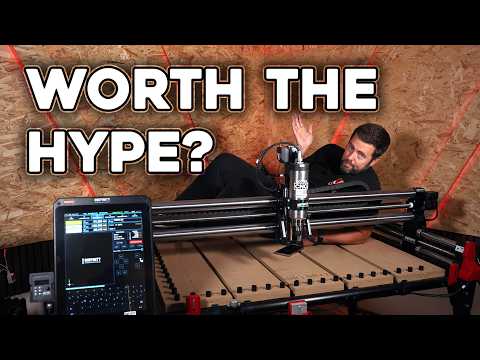
00:00 My dream machine
00:58 About Onefinity and their machines
04:00 The user experience
05:49 Workflow and challenges
08:04 Biggest upgrade for me - spindle
09:17 Top tips when buying a Onefinity
13:38 Accessories and the maker community
15:25 The issues I've had
17:55 So did it live up to the hype?
Disclosure: The product featured in this video was provided to me for free by Bambu Lab for review purposes. All opinions expressed in this video are entirely my own and completely independent.
If you want to become a patron for one to one help, early video access and quarterly giveaways then head to https://www.patreon.com/JamesDeanDesigns
If you want to become a patron for one to one help, early video access and quarterly giveaways then head to https://www.patreon.com/JamesDeanDesigns
If you want to help the channel but do not want to become a Patreon, you can contribute directly:
https://www.paypal.me/jamesdeandesigns
Some product links I use are affiliate links. This means they cost you exactly the same amount, but I may make a small commission in return which helps towards making these videos.
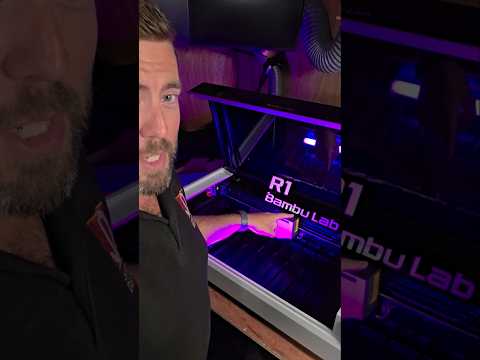
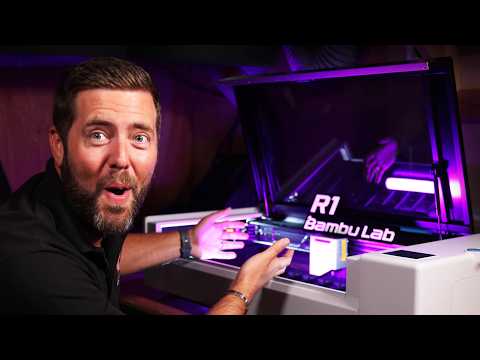
00:00 The brand new R1
00:17 Who are Bambu Lab
00:52 Auto laser alignment
01:47 Auto alignment and detection
03:04 Auto depth focus
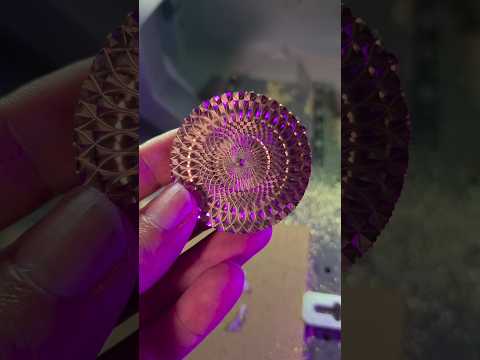
04:00 Curved surfaces
04:38 Total machine calibration
05:19 Specification run down
08:06 Release and price
08:52 Ease of use
11:32 Software
12:42 Improvements
14:22 Accessories and upgrades
16:30 My overall thoughts
*THIS HAS NOW ENDED - WINNERS HAVE BEEN SELECTED*
The draw can bee seen on my Facebook page - https://fb.watch/v/3WfPQZsxJ/
Congratulations to @freddyjayboy and @kiezkurier
Channels to follow are below - ONLY MYSELF WILL CONTACT THE WINNERS!
🔥Carveco Maker https://store-us.carveco.com/?ref=JDDesigns
Discount code JAMESDEANDESIGNS
🔥 CNCWITHME https://www.cncwithme.com
Discount code JAMESDEANDESIGNS
🔥 Jenny Bits https://www.cadencemfgdesign.com/?ref=JDDesigns
10% off code: JAMESDEANDESIGNS
🔥 150+ Fluting Profiles https://jamesdeandesigns.com/shop/
If you want to become a patron for one to one help, early video access and quarterly giveaways then head to https://www.patreon.com/JamesDeanDesigns
If you want to become a patron for one to one help, early video access and quarterly giveaways then head to https://www.patreon.com/JamesDeanDesigns
If you want to help the channel but do not want to become a Patreon, you can contribute directly:
https://www.paypal.me/jamesdeandesigns
Some product links I use are affiliate links. This means they cost you exactly the same amount, but I may make a small commission in return which helps towards making these videos.
🔥Carveco Maker https://store-us.carveco.com/?ref=JDDesigns
Discount code JAMESDEANDESIGNS
🔥 CNCWITHME https://www.cncwithme.com
Discount code JAMESDEANDESIGNS
🔥 Jenny Bits https://www.cadencemfgdesign.com/?ref=JDDesigns
10% off code: JAMESDEANDESIGNS
🔥 150+ Fluting Profiles https://jamesdeandesigns.com/shop/
If you want to become a patron for one to one help, early video access and quarterly giveaways then head to https://www.patreon.com/JamesDeanDesigns
If you want to help the channel but do not want to become a Patreon, you can contribute directly:
https://www.paypal.me/jamesdeandesigns
Some product links I use are affiliate links. This means they cost you exactly the same amount, but I may make a small commission in return which helps towards making these videos.
I share some of the ways I have improved my overall CNC workflow to speed things up. Get your machining running faster, design quicker, save time and make more money.
Adjust speed - https://youtu.be/oZpzJr6oXHU
Using G30 - https://youtu.be/SZXTN6K-pko
Learn more about Offsets - https://youtu.be/iyP81afV-Io
Shortcut sheet - https://1drv.ms/b/s!AuoE9S3Cr4VZgq46_VMnt82iTC56Yg
🔥 90 day free trial of Carveco Maker:
https://bit.ly/CarvecoMakerTrial
🔥 Carveco Academy - Official Carveco training
https://www.carvecoacademy.com/
If you want to become a patron for one to one help, early video access and quarterly giveaways then head to https://www.patreon.com/JamesDeanDesigns
If you want to help the channel but do not want to become a Patreon, you can contribute directly:
https://www.paypal.me/jamesdeandesigns
Some product links I use are affiliate links. This means they cost you exactly the same amount, but I may make a small commission in return which helps towards making these videos.
00:00 Introduction
00:19 Specifications of the machine
04:32 The extras on this machine
09:15 Setting up you machine
10:16 What software can you use
11:49 How accurate is it?
12:27 My overall thoughts on this machine
Taking a first look at the FoxAlien 4th Axis rotary for you desktop CNC machine. Showing you how to set it up, information about it and some of my initial tests.
If you want to become a patron for one to one help, early video access and quarterly giveaways then head to https://www.patreon.com/JamesDeanDesigns
If you want to help the channel but do not want to become a Patreon, you can contribute directly:
https://www.paypal.me/jamesdeandesigns
Some product links I use are affiliate links. This means they cost you exactly the same amount, but I may make a small commission in return which helps towards making these videos.
00:00 Intro
00:19 Quality comes first
00:56 Bit selection - quality vs size
03:16 Material selection - what wood works best
04:56 Stop the lines - stepover
07:13 Quality of your 3D model
09:17 How to test best quality
11:09 No need for a roughing pass
13:18 Ramp up your speeds
15:50 Minimise tool changes
16:36 Quicker clean up
17:48 The Best Possible Quality
If you want to become a patron for one to one help, early video access and quarterly giveaways then head to https://www.patreon.com/JamesDeanDesigns
If you want to help the channel but do not want to become a Patreon, you can contribute directly:
https://www.paypal.me/jamesdeandesigns
Some product links I use are affiliate links. This means they cost you exactly the same amount, but I may make a small commission in return which helps towards making these videos.
00:00 Introduction
01:21 Fitting the stepper motors
03:18 Base frame and bed
06:26 Installing the X and Y axis
09:30 Installing the Z assembly and spindle
13:11 Wiring and brackets
16:14 Initial checks
18:00 Connecting your computer
23:00 Testing your axis and limit switches
25:09 Changing the homing position
26:25 Running your first test file

 Login