Navigation is one of the most important — and most frustrating — parts of building a WordPress site.
With the WordPress 7.0 roadmap now published, two major Navigation initiatives have been accepted that will level up how menus are designed, edited, and maintained in WordPress.
In this video, I walk you through what’s changing, why it matters, and show the real work already underway — including early prototypes and demos.
👨💻 I’m Dave Smith — full-time WordPress Core contributor. I help folks stay ahead of what’s coming to the Block Editor.
⸻
🔎 What You’ll Learn:
• The two Navigation initiatives planned for WordPress 7.0
• Why Navigation has remained a pain point for so many users
• How customisable mobile navigation overlays will work
• How simplified, content-only Navigation editing improves clarity and confidence
• What’s already been built — and what’s coming next
⸻
💬 What would YOU improve about Navigation in WordPress?
Drop your ideas in the comments — as a core contributor, I’ll make sure your feedback reaches the team.
⸻
🔗 Resource Links — please see PINNED COMMENT (below).
⸻
⏱ Timecodes
0:00 – Coming up…
0:38 – The 2 features on the roadmap
0:51 – Overview: Customisable Navigation Overlays
1:52 – Overview: Simple Navigation Editing
2:58 – Recap: Customisable Navigation Overlays
4:13 - Building Custom Overlays in the Editor
10:30 - Custom Overlay Template Parts
11:15 - Overlays on Front of Site
14:45 - What's Next for Custom Overlays?
17:21 – Recap: Simplified Navigation Editing
17:49 – Sidebar Functional Parity
22:22 – Link Creation Validation
25:59 – Fixing Broken Menus
28:16 - Feedback time!
⸻
Don’t forget to like, subscribe, and hit the notification bell for more behind-the-scenes WordPress updates 👇
The newest episode of the Gutenberg Changelog podcast, #125, features hosts Birgit Pauli-Haack and JC Palmes discussing a major trio of releases: WordPress 6.9, Gutenberg 22.1, and Gutenberg 22.2. JC highlights several exciting features in WordPress 6.9, focusing on significant developer and editor experience improvements, including the full iframe editor, routing, DataViews, the Interactivity API, pattern logic and content-only mode, and the Abilities […]
In this post, I reflect on the concept of an application menu for WordPress, aiming to streamline user interactions and enhance confidence in content manag
I reflect on WordPress’s evolution, questioning its complexities and exploring what could be reimagined. This series invites thoughtful discussion on innov
In episode 124 of the Gutenberg Changelog podcast, Birgit Pauli-Haack and guest Ellen Bauer discuss the latest WordPress and Gutenberg updates, including the upcoming WordPress 6.9 release and Gutenberg 22.0. Highlights include insights on AI-powered site building, the importance of collaboration tools like block comments, new blocks such as accordion and stretchy text, and the enhanced plugin security review. […]
Learn how to open the Global Styles panel in WordPress — the place where you can control your site’s colors, fonts, and link styles (including hover effects) all in one spot.
In this quick tutorial, I’ll show you exactly where to find it inside the Site Editor, so you can:
• Change link colors and hover styles globally
• Update typography and spacing for your theme
• Apply consistent design settings across every page
Perfect for anyone using a block theme or the Site Editor in WordPress in 2025 and beyond.
👉 Tip: Global Styles live under the Styles icon (the half-shaded circle) in the top-right corner of the editor.
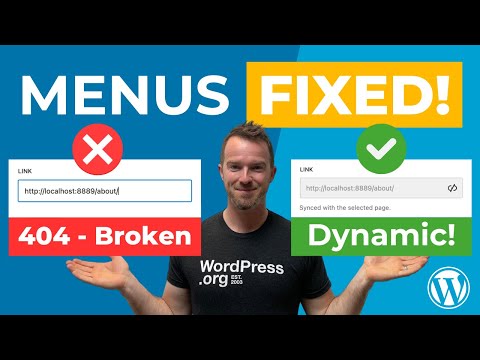
No more broken menus! In WordPress 6.9, Navigation block links can now automatically stay in sync with the pages, posts, or categories they point to — fixing a long-standing issue that caused broken links when URLs changed.
But here’s the catch: this new feature doesn’t apply to your existing menus unless you manually enable it. In this video, I’ll show you exactly how it works, how to enable it, and why it’s one of the most useful quality-of-life upgrades in WordPress 6.9.
👨💻 I’m Dave Smith — full-time WordPress Core contributor. I help folks stay ahead of what’s coming to the Block Editor.
⸻
🔎 What You’ll Learn:
• What this new Navigation Link behaviour is
• Why your existing menus won’t benefit unless you take action
• How to enable dynamic link syncing manually
• Why this change sets the stage for even more improvements in future releases
⸻
💬 What would YOU improve about Navigation in WordPress? Drop your ideas in the comments — as a core contributor, I’ll make sure your feedback reaches the team.
⸻
🔗 Resource Links - please see PINNED COMMENT (below).
⸻
⏱ Timecodes
0:00 - Coming up...
1:09 - The Problem
1:34 - Why / Explanation
2:32 - Dynamic URLs
3:36 - How does it work?
4:27 - The Catch
4:43 - FIX for existing menus
5:55 - Why Opt in?
6:48 - A good upgrade
7:36 - Future upgrades
8:06 - What do you think?
Don’t forget to **like**, **subscribe**, and hit the **notification bell** for more WordPress tips and tricks! 👇
In this episode, Birgit Pauli-Haack and Isabel Brison dive into WordPress 6.9 and Gutenberg 21.9. They discuss major updates such as collaborative block-level comments (notes), expanded template management, the new command palette, and foundational block visibility features. New blocks like the accordion, math, and terms query block are highlighted, alongside enhancements in typography and time-to-read. […]
In episode 122 of the GT Changelog podcast, host Birgit Pauli-Haack is joined by Beth Soderberg, CEO of bethink Studio, to discuss the latest updates in Gutenberg 21.8 and WordPress 6.9. The conversation kicks off with reminiscing about past WordCamp experiences and transitions into a deep dive on block themes, evolving design tools, and the […]
In Episode 121 of the Gutenberg Changelog podcast, Birgit Pauli-Haack and Anne Katzeff dive into Gutenberg 21.6 and 21.7, touching on theme development, block themes, Figma workflows, Playground blueprints, and upcoming WordPress 6.9 features. They discuss enhancements to data views, grid layouts, the new accordion block, command palette improvements, block-level commenting for collaboration, accessibility updates, […]
Birgit Pauli-Haack and Sarah Norris discussed WordCamp US, Automattic Telex, Gutenberg 21.4 and 21.5, and the need for more blocks. This episode dives into the ongoing evolution of Gutenberg, from AI-driven tools for easier block creation to the expansion of core blocks and enhancements stemming from vibrant community input. There’s a strong focus on practical […]
I built agents.foo to share the Claude Code subagents I actually reach for every day. After weeks of building subagents in Claude Code, I’ve settled into a handful that earned their place in my workflow. Not the flashy demos you see everywhere, but mostly boring—but super useful—agents that make me a little faster. My favorite […]
Vibe coding emphasizes blind trust in AI-generated code, while effective development requires guidance, strategic thinking, and a focus on sustainability.
Birgit Pauli-Haack and guest Tammie Lister discuss the latest WordPress and Gutenberg updates, including WordPress 6.8.2 and 6.9, as well as Gutenberg plugin releases 21.1, 21.2, and 21.3. They highlight the renewed excitement around shipping features, the introduction of a core AI team, and significant developments such as Data Views, advanced admin design planning, and […]
 Login
Login