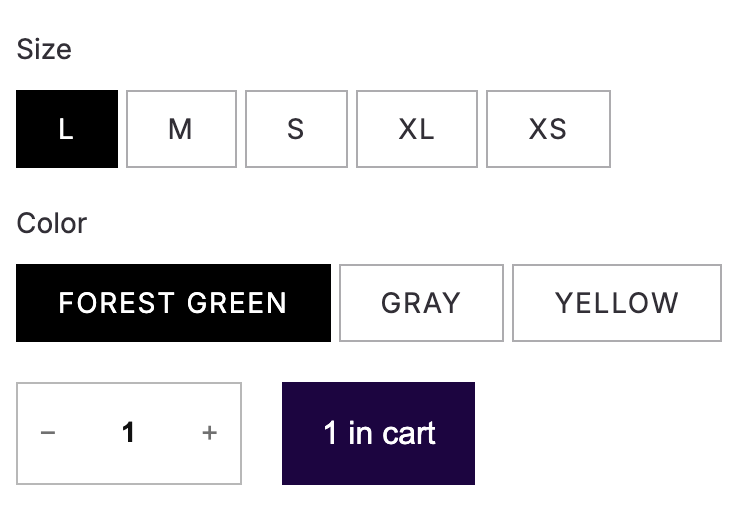
In WooCommerce 11.3, the “N in cart” count of the Product Button block (including the button inside Add to Cart with Options) will leave out cart items that an extension declares as children of another cart item.
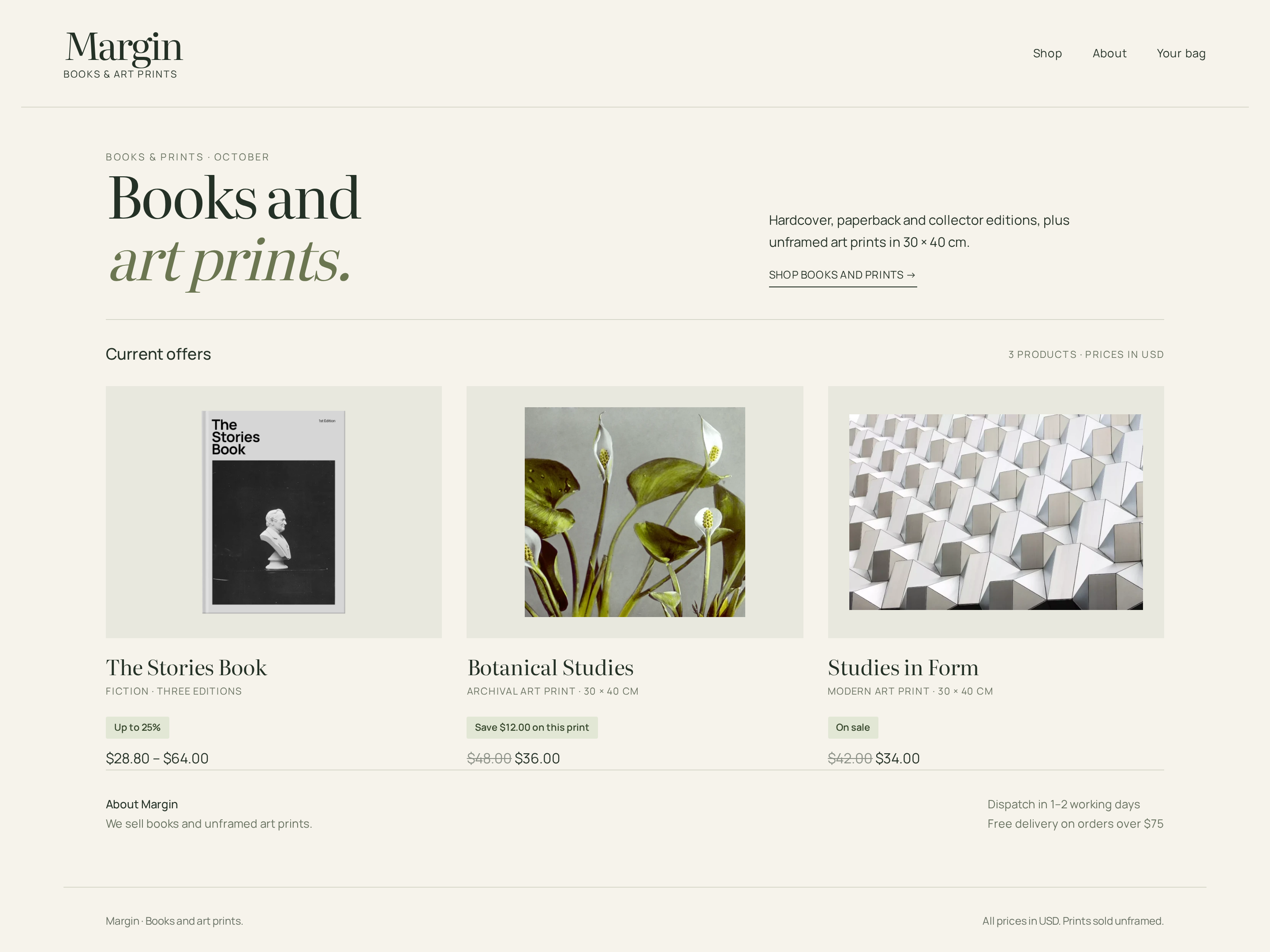
Until now, a product that was in the cart only as part of another item, like a product inside a bundle, made its button say “1 in cart”, even though the shopper never added it on its own. Core can’t tell those items apart from the ones added separately, so the extension that adds them needs to say which item they belong to.
To do that, there’s a new filter, woocommerce_store_api_cart_item_parent_item_key, and a new read-only field in Store API cart items, parent_item_key (a string, or null by default).
A few details:
WooCommerce never marks an item as a child by itself. Only your extension does.
The parent key is returned only while the parent item is in the cart. If the shopper removes the parent, or it’s dropped from the cart, the child’s parent_item_key becomes null and it counts as a standalone item again.
If the filter returns a key that doesn’t match an item in the cart, or the item’s own key, WooCommerce returns null.
If a product appears in several cart lines, the count now adds them all up (before, the hydrated button showed only the first line’s quantity).
For now, the Product Button count is the only place that uses parent_item_key, but the idea is that blocks can rely on it whenever they need to know that an item belongs to another one. For example, in the future the Cart and Mini-Cart blocks could show child items indented under their parent item. So even if the “N in cart” count isn’t a problem for your extension, we think it’s worth declaring the parent of the items your extension adds.
How can developers tell if they are affected?
You’re affected if your extension adds cart items on behalf of another cart item. For example bundles, composite products, mix and match, force sells, chained products or “frequently bought together”.
An easy way to check is to add the parent product to the cart and look at the Product Button of one of the products it added. If it says “1 in cart”, your extension should use the new filter.
Free gift or upsell plugins that add a real product tied to another item can decide either way, because “1 in cart” may be correct for them.
Nothing breaks if you don’t adopt the filter. Those items just keep counting as they do today.
What action do developers need to take if affected?
Store the parent’s cart item key (the one WC()->cart->add_to_cart() returns, not a product ID) in the child’s cart item data, and return it from the filter:
For any other item, return $parent_item_key unchanged so you don’t erase a parent declared by another extension. You don’t need to clear the stored key when the parent leaves the cart, WooCommerce handles that.
The Store API documentation has a full example, including how to add the parent and the child.
Allocate your next marketing budget increase by weighing retention and conversion fixes against more paid search, then fund the bottleneck with evidence.
Andrei Draganescu has been building a free-form grid for Gutenberg. You can drag, resize, snap and rotate blocks on a manual grid in a way that's never been possible in WordPress before.
Create Not Learn is built on WordPress packages, so anything that lands in Gutenberg I can pull straight in. I wanted to see how Andrei's work feels in a real page-building flow.
It's still a work in progress. I'd love the grid to be more visible while you drag and resize, so you can tell when a block is about to snap. Kudos to Andrei for the work so far.
Want to try it? Open the Playground demo below and follow Grid layouts in the site's menu. Switch to Edit, pick a section, then choose Edit design and More control. The grid controls only work on the Grid layouts page.
🔗 Links
- Try it in WordPress Playground: https://playground.wordpress.net/?blueprint-url=https://raw.githubusercontent.com/getdave/create-not-learn-editor/refs/playground/getdave/gutenberg-pr-84894-grid/blueprint.json
- Create Not Learn on GitHub: https://github.com/getdave/create-not-learn-editor
- The grid demo PR on Create Not Learn: https://github.com/getdave/create-not-learn-editor/pull/161
- Try it in WordPress Playground: https://playground.wordpress.net/?blueprint-url=https://raw.githubusercontent.com/getdave/create-not-learn-editor/refs/playground/getdave/gutenberg-pr-84894-grid/blueprint.json
- The Gutenberg PR this demo pulls in: https://github.com/WordPress/gutenberg/pull/85210
⏰ Chapters
00:00 Intro
00:31 The Create Not Learn editor
01:13 Opening the Grid layouts page
01:42 Edit design
02:01 More control
02:17 Moving and resizing blocks on the grid
03:17 Rotating blocks
03:22 How to try it yourself
Try it in Playground: https://playground.wordpress.net/?blueprint-url=https://raw.githubusercontent.com/getdave/create-not-learn-editor/trunk/demos/blueprint.json
The WordPress block toolbar is becoming too cluttered. I am demonstrating a new approach to consolidate these tools for a better editing experience.
Jay Costa has identified that the current block toolbar is no longer fit for purpose, often feeling unwieldy for everyday tasks. This video explores how consolidating these interface elements can improve consistency and speed up your workflow within the editor.
By streamlining the layout, we can reduce friction and create a more intuitive environment for managing content. I walk through the specific formatting adjustments that help simplify the block toolbar while keeping the power of the system intact.
Subscribe for weekly WordPress editor breakdowns, and share your thoughts on whether these interface changes would improve your daily workflow.
WooCommerce 11.3 is scheduled for the week of November 9, 2026 and the first beta release is ready for testing. This is a big one, with 1,310 commits and 117 contributors so far. Highlights include more styling controls, flexible On-Sale Badges, and smoother mobile swiping in Product Galleries to improve the experience of using Purple, our block theme. You’ll also see improvements Analytics, product queries, and numerous REST API and MCP updates for developers.
We’ve expanded styling options for many blocks: Product, Featured Product, Featured Category, and Product Categories List blocks and more. New controls include colors, spacing, and borders, with options curated for each block.
In addition, Featured Category block can now be used in Terms Query block, allowing users to display a collection of product categories in unified way and nice custom designs.
We’ve also introduced more customizable Product Result Count and Catalog Sorting:
Based on user feedback we’ve also improved the mobile gesture support in Product Gallery block. It’s smoother and more intuitive. Images now follow user’s finger and respond to quick flicks with natural momentum, thanks to native scrolling and scroll snap.
In WooCommerce 11.3, the On-Sale Badge block will support showing the discount amount or percentage, along with custom text. This lets you show how much customers save directly on the badge.
Select the On-Sale Badge block in the Product Catalog or Single Product template. Under Badge content → Show, you can now choose between:
Text: show “Sale” or your own text, like “Special offer”.
Amount: show the amount saved, like “$5.00”.
Percentage: show the discount percentage, like “25%”.
For Amount and Percentage, you can add a prefix and suffix. For example, “Save ” and “ off” will display “Save 25% off”. The default remains “Sale”, so you don’t need to change existing blocks.
For variable products, the badge shows the maximum discount with “Up to”, like “Up to 50%”. On single-product views using Add to Cart + Options, it updates to show the selected variation’s discount. If the selected variation isn’t on sale, the badge is hidden. Clearing the selection restores the “Up to” badge.
Merchants can select their refund and returns policy page under Settings → Advanced → Page setup. The selected page is also labeled visually in the Pages list.
For discoverability, WooCommerce adds structured data linking to the selected policy page and expose its link to search engines without requiring custom markup.
WooCommerce 11.3 removes its deprecated /wp-json/woocommerce/mcp endpoint and its REST API key connection path, and stops bundling the MCP Adapter and Abilities API packages. Core product and order abilities are enabled by default. To access them through MCP, clients use the WordPress MCP Adapter plugin with a WordPress application password. Developers using the old endpoint can follow the migration steps in WooCommerce 11.3 MCP Adaptor updates.
The experimental Extensible abilities API is off by default. When enabled, extensions can add their fields to product and order ability reads, support fields in product writes, and register query filters and validators. The API is still changing, and the team is asking extension developers to test it outside production. See Call for testing: Extensible abilities for extension fields for examples, known gaps, and the feedback discussion.
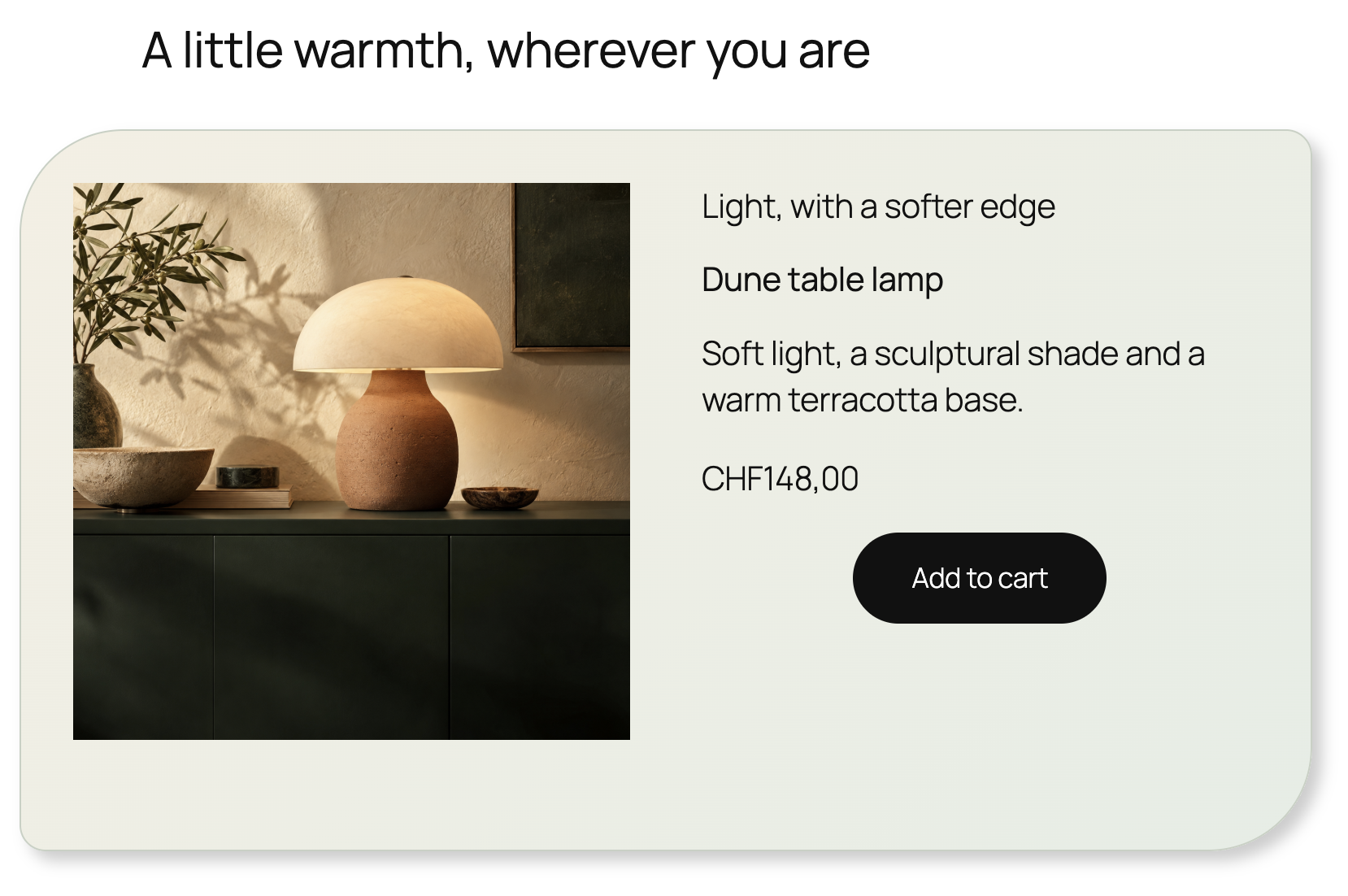
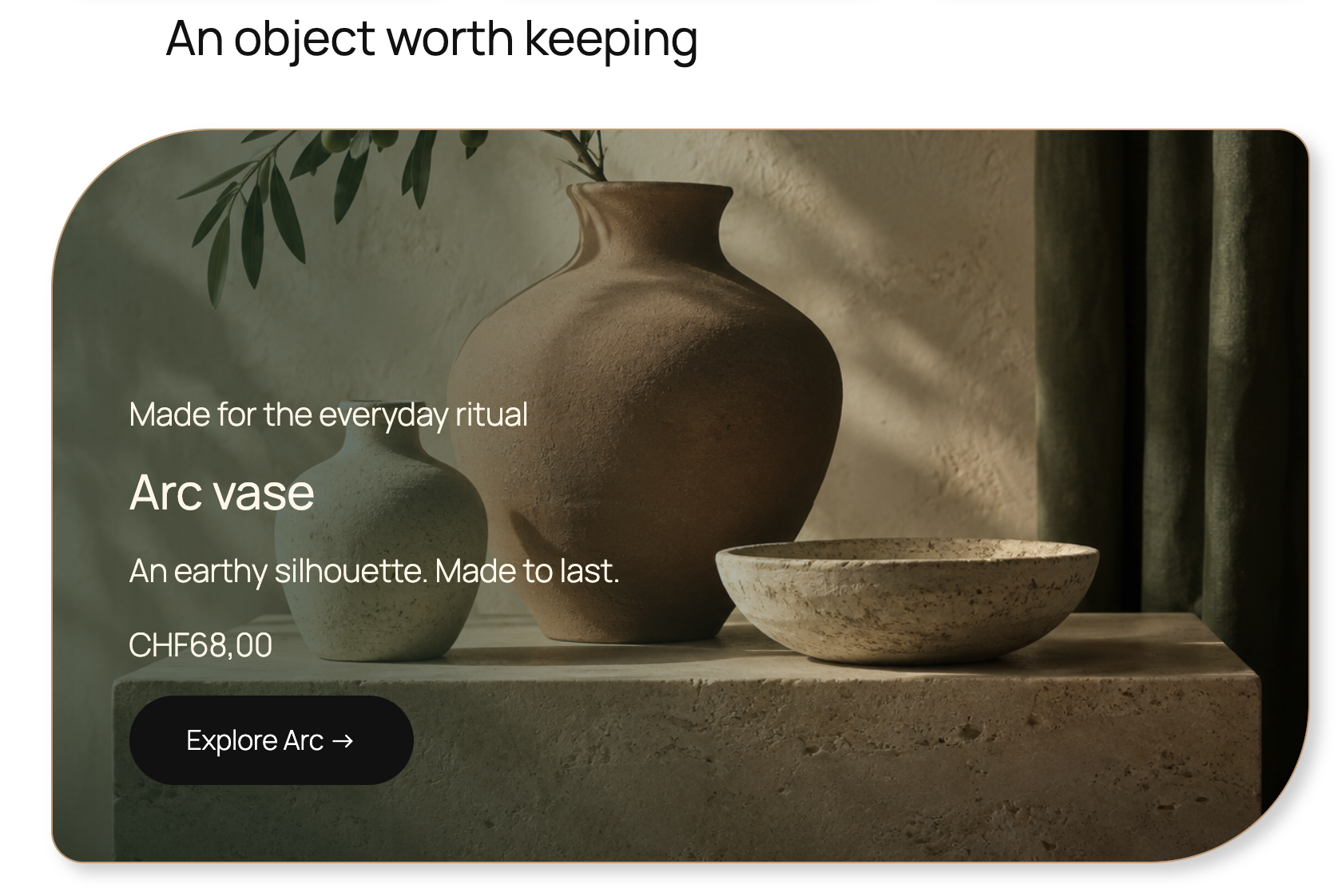
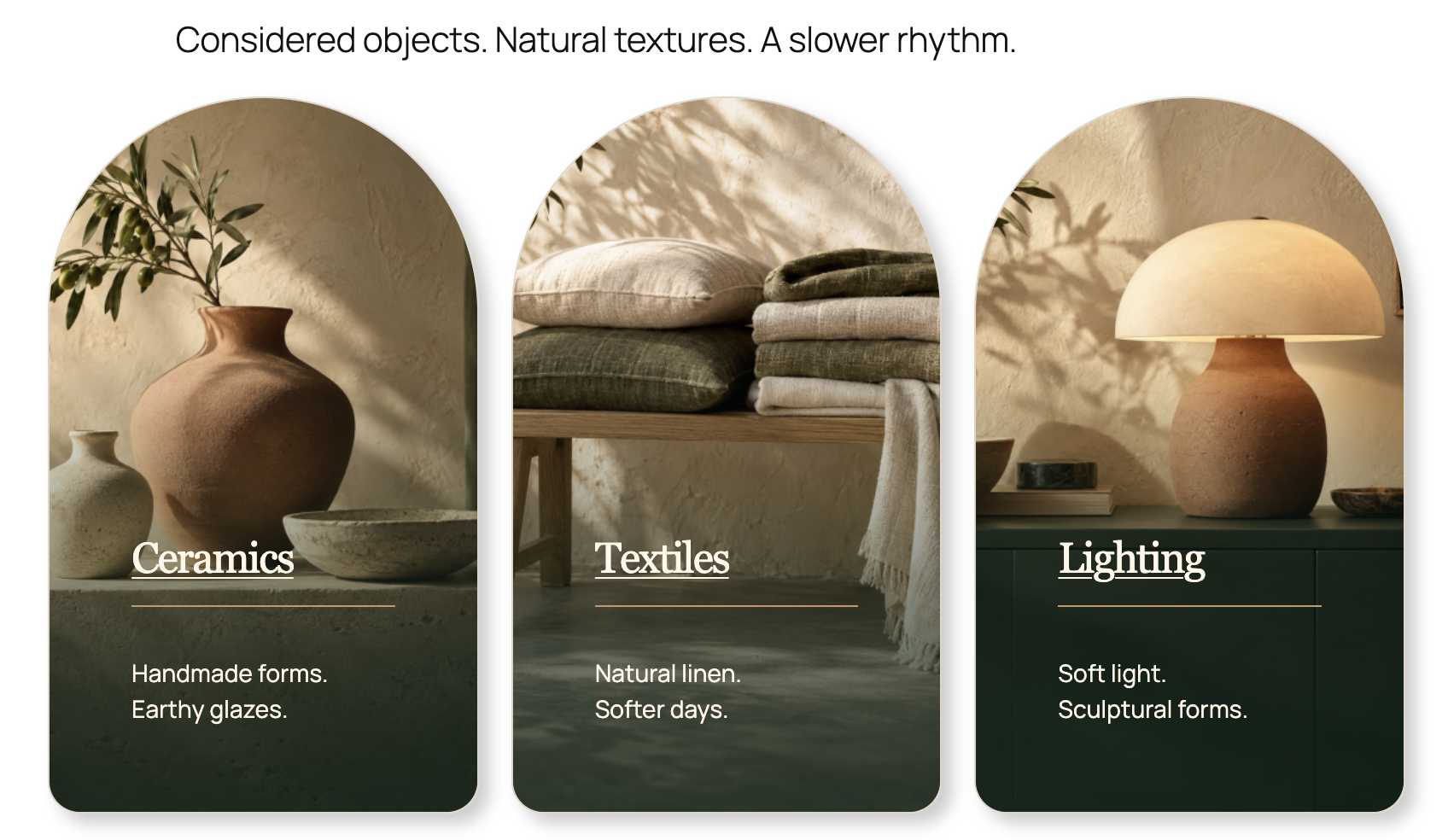
Purple, the official block theme, is broadly available
WooCommerce Beta Tester 4.0.0 is available for testing upcoming WooCommerce releases. Update the plugin before trying the 11.3 prerelease. This version improves switching away from Live Branch builds and adds a template-loading tool to WCA Test Helper. Use it on a non-production site running WordPress 6.8 or newer. Get WooCommerce Beta Tester.
Developer advisories
Products API endpoints have updated on_sale, include, and exclude behavior
Several endpoints related to products have been updated so the include and exclude parameters work in a more predictable way when used in combination with the on_sale parameter.
Using on_sale, include or exclude alone is unchanged. The only change is when the parameters are used in combination.
This table shows how these parameters behaved before 11.3, and how they behave in 11.3:
Request
Before 11.3
11.3
on_sale=true + include
Every included product, including ones not on sale, plus some other on-sale products when the on-sale list was longer than include
Products that are both included and on sale
on_sale=false + include
The include list. on_sale was ignored
Included products that are not on sale
on_sale=true + exclude
exclude was ignored
On-sale products, minus exclude
on_sale=false + exclude
Some on-sale products could still be returned
Products that are not on sale, minus exclude
For example, in a store with product 10 not on sale and products 13-18 on sale, on_sale=true&include=10,13 previously returned 10, 13, 15, 16, 17, 18. In WC 11.3 it will only return 13.
The new behavior matches what developers would expect and makes on_sale aligned with other parameters such as featured or type.
If your implementation is making a request to the endpoints listed above using on_sale in combination with include or exclude, we recommend re-testing it to make sure it matches your expectations.
Additional validation for refunds made via REST API
Starting with WooCommerce 11.3, POST /wp-json/wc/v3/orders/{order_id}/refunds validates explicitly supplied line-item refund amounts before creating a refund. This change prevents the REST API from creating refunds whose line-item amounts contradict the overall refund amount or exceed what remains refundable. Previously, those requests could leave order records and Analytics reporting inconsistent.
Expand for more details and testing instructions
Integrations supplying line_items should check that:
Each nonzero allocation refers to a product, fee, or shipping line on the same order.
Each line’s refund_total plus its refund_tax values does not exceed that line’s original or remaining refundable amount.
The sum of the line allocations, including tax, does not exceed the refund’s top-level amount. If amount is omitted, supply numeric line amounts from which it can be calculated.
Refund amounts have the appropriate sign for their order line. Negative refunds remain supported for negative lines, such as discount fees.
Invalid requests can now return HTTP 400 or 422, with a woocommerce_rest_* error code, rather than creating a refund. For example, amount: “3” with a line-item refund_total: 4 returns 400 woocommerce_rest_invalid_refund_amount; an allocation above a line’s original or remaining balance returns a 422 error. Check the response before treating a refund as created, and correct the allocation rather than retrying the same payload.
Developers are affected if their integration creates refunds through POST /wp-json/wc/v3/orders/{order_id}/refunds with explicit line_items amounts that exceed the refund’s amount or a line’s remaining refundable balance. After updating to WooCommerce 11.3, those requests return HTTP 400 or 422 instead of creating a refund; check for woocommerce_rest_* error codes in the response.
Ensure refunds are within the bounds of the remaining refundable balance, and ensure the combined line amounts do not exceed the refund’s top-level amount. Handle HTTP 400 and 422 responses as validation failures: show or log the error, correct the request, and don’t assume a refund was created.
Changes to Product Collections and Product Filters
Product Collection now uses the same filtering engine as the Product Filters blocks for URL filters. This applies to collections with filtering enabled that don’t inherit the template query.
Extensions modifying generated filter clauses through query_loop_block_query_vars. For price, stock, attribute and taxonomy filters, modify query arguments such as max_price instead of the generated meta_query/tax_query clauses. Custom conditions and rating filters are unchanged.
The newly added woocommerce_product_filter_params hook lets developers localize URL filter parameters or rename them to avoid conflicts. It receives the full parameter map, but only taxonomy changes are supported in 11.3.
As an example, you can replace existing parameter names with Spanish parameter names (categorias, etiquetas, and marcas) by registering the filter before the parameter map is first read:
WooCommerce 11.3 changes how the Single Product block passes product context to nested blocks. The previous implementation tracked descendant block names and could leak context into nested Product Collection, Query, or Single Product blocks. #68533 now uses WordPress block context, fixing #45374 and #45342.
This cleanup removes the protected extract_single_product_inner_block_names() method and the $product_id and $single_product_inner_blocks_names properties. Normal use of the block is unchanged.
Search extension or theme code for extract_single_product_inner_block_names. Only custom PHP subclasses that use them are affected. Before upgrading to WooCommerce 11.3, remove dependencies on the removed method and use WordPress block context instead.
Shop pages now associate directly with the Product Catalog template
WooCommerce now associates the Shop page with the Product Catalog template when a block theme is active, allowing the page editor to preview that template.
This changes the value returned when reading the Shop page’s _wp_page_template metadata. Reads specifying this key return archive-product, including when the page has a custom template assignment saved in the database.
Expand for more details
For example, if the saved value is my-custom-template:
$shop_id = wc_get_page_id( 'shop' );
get_post_meta( $shop_id, '_wp_page_template', true );
// Before this change: 'my-custom-template'
// After this change:  'archive-product'
The saved metadata remains unchanged. However, the override applies wherever the WooCommerce filter is registered, including frontend, admin and REST requests. This metadata override does not affect other pages or stores using classic themes.
Developers should review extensions, themes, and integrations that use the Shop page’s template assignment. Look for:
Reads of _wp_page_template using get_post_meta().
Logic that reads or synchronizes the Shop page’s REST API template field.
You are affected if this code expects a previously saved custom template value while a block theme is active. To verify, activate a block theme, assign a page as the WooCommerce Shop page, and compare the values returned before and after the update. If your integration needs a different effective template value, use the get_post_metadata filter to override the logic.
VAT exemption and calculated shipping now survive customer logins
In WooCommerce 11.3, a logged-in customer’s VAT exemption (is_vat_exempt) and calculated shipping (calculated_shipping) are kept in the session when the customer account is saved. Previously, any save to the account (including checkout saving the billing address) made the session out of date, so WooCommerce threw it away and both values reset to false. If a VAT-exempt customer had their payment declined, tax would be calculated after retrying payment. Addresses and other saved fields still reload from the account as before.
You’re affected if your code calls WC()->customer->set_is_vat_exempt( true ) and relies on an account save to clear it again. For example, exempting a customer with a valid VAT number and expecting that to drop when they change country. The flag now stays set until your code clears it, whether the account was saved by checkout, My Account, or an admin. Set the flag both ways, based on the customer’s current details, rather than only ever setting true:
WooCommerce 11.3 adds the payment method to the Analytics Orders report. It shows as a table column, a CSV export column and a new advanced filter. To make this work, the update changes the wc_order_stats table.
Expand for a deeper dive into what changed:
wc_order_stats has a new nullable payment_method column. It holds the gateway ID, the same value as WC_Order::get_payment_method(). A refund takes the gateway of the order it refunds. Orders with no gateway stay NULL.
wc_order_stats has a new index, idx_payment_method_date_paid_status on (payment_method, date_paid, status).
The database update wc_update_1130_backfill_order_stats_payment_method() fills the column for existing orders. It runs in the background through Action Scheduler, 500 orders per batch.
Items from reports/orders have a new payment_method property.
reports/orders and reports/orders/stats accept two new optional arguments, payment_method_is and payment_method_is_not. Both take a list of gateway IDs.
No existing hook, field or query argument changes.
Custom SQL that joins wc_orders
Before 11.3, only wc_orders had a payment_method column, so custom Analytics SQL could use it without a table name. Now both tables have it.
If your code joins wc_orders into an Analytics query through the woocommerce_analytics_clauses_* filters and uses the bare payment_method, the query fails with: Column 'payment_method' in field list is ambiguous
On the Orders report, this shows an empty table. Search your woocommerce_analytics_clauses_* callbacks for payment_method. Code that reads _payment_method from post meta is not affected.
Large stores
WooCommerce adds the column and the index to wc_order_stats during the update. On MySQL 8.0 and later with InnoDB, adding the column is instant. The index builds without blocking writes, but MySQL still reads every row of the table to build it. On a large store, this takes time and disk I/O. The index needs about 47 MB per 1M orders.
On older database servers, for example MySQL 5.7, adding the column also rebuilds the whole table.
Add the table name to the column. For example, change payment_method = 'stripe' to {$wpdb->prefix}wc_orders.payment_method = 'stripe', or use the alias from your join. This works on earlier versions too.
If you join wc_orders only to get the payment method, on 11.3 you can drop the join and use wc_order_stats.payment_method or the new payment_method_is argument. Existing rows are empty until the background update fills them.
On large stores, plan the update for a quiet time.
Analytics replaced the legacy WooCommerce > Reports screen years ago, but every new store still lists Reports in its menu. From 11.3, stores first installed on WooCommerce 11.3.0 or later no longer show it.
Expand to see more details for stores using legacy reports
What changed:
On a new store, WooCommerce hides the WooCommerce > Reports menu item. It also hides the top-level Sales reports item that users with view_woocommerce_reports see when they can’t access the WooCommerce menu.
Stores installed before 11.3.0 see no change. WooCommerce decides by the woocommerce_initial_installed_version option. A missing or malformed value counts as an existing store.
The page stays registered. admin.php?page=wc-reports, its tabs, the screen IDs (woocommerce_page_wc-reports, toplevel_page_wc-reports) and the view_woocommerce_reports capability all work as before.
WooCommerce hides the item with the hide-if-js class. The entry stays in the global $menu and $submenu arrays, so code that reads, reorders or removes it keeps working.
New filter: woocommerce_show_legacy_reports_menu. It takes one boolean, $show, and lets a plugin force the item on or off.
The menu stays visible on a new store when:
Analytics is disabled, or
an extension adds legacy reports: it hooks wc_reports_tabs or wc_admin_reports_path, or its woocommerce_admin_reports callback adds a report group or report that core doesn’t define, or replaces a core report’s callback.
Analytics-only entries added through woocommerce_admin_reports don’t count, so extensions that use that filter only for Analytics don’t bring the menu back.
You may be affected if your extension:
Adds a legacy report and registers its filters late. WooCommerce makes the decision at the end of admin_menu (priority PHP_INT_MAX). Report filters added after that, for example on admin_init or current_screen, aren’t seen, so the menu stays hidden on new stores even though your report exists. Your report still loads at admin.php?page=wc-reports; merchants just can’t find it in the menu.
Adds a legacy report only on certain screens. If your woocommerce_admin_reports callback checks the current screen before adding its report, it adds nothing when the menu is built, and the menu stays hidden.
Links merchants to WooCommerce > Reports by menu position, or tells them in docs or onboarding to “go to WooCommerce > Reports”. On a new store, that item isn’t there.
Checks for the Reports item in the menu, for example in end-to-end tests that click WooCommerce > Reports on a fresh install.
To check, install WooCommerce 11.3 on a fresh site, activate your extension and open the WordPress dashboard. To test against an existing store, run:
Register your woocommerce_admin_reports, wc_reports_tabs or wc_admin_reports_path callbacks on plugins_loaded or init, before admin_menu. Add the report on every request, not only on the Reports screen.
If you need the menu regardless, return true from the filter, and add the callback before admin_menu:
The woocommerce_json_search_found_customers filter runs both during AJAX customer searches and when WooCommerce renders the selected customer on an order edit screen. The purpose of this change is to bring these two filter call sites into parity, so extensions receive the same array shape whether filtering search results or the customer already selected on an order.
// Before WooCommerce 11.3, the order edit screen passed the selected registered customer with numeric key 0:

array(
	0 => 'Customer Name (#123 – customer@example.com)',
);

// Starting in 11.3, it uses the customer’s user ID as the key, matching the AJAX payload:
array(
	123 => 'Customer Name (#123 – customer@example.com)',
)
Guest orders continue to pass array( '' ). The displayed customer label and the filter’s return value are otherwise unchanged.
Search extension, theme, and custom code for callbacks attached to woocommerce_json_search_found_customers. Code is affected if the callback runs while rendering an order edit screen and directly accesses numeric key 0, such as $found_customers[0]. Callbacks using current(), reset(), or value iteration continue to work.
If the callback only needs the selected label, retrieve it without assuming a key: $label = current( $found_customers );. If it needs the customer ID, use the array key while accounting for the unchanged guest value.
We are graduating the optimized hashing algorithm announced in WooCommerce 10.5 and enabling it by default for new stores to align with the original graduation timeline. Read the developer advisory for more information.
A new filter, woocommerce_store_api_cart_item_parent_item_key, and a new read-only field in Store API cart items, parent_item_key (a string, or null by default), now allows extensions to mark cart items as children of another cart item, leading to more accurate “N in cart” strings for customers. Read the full developer advisory for more information.
Meta delayed its updated business terms amid complaints to EU and UK regulators. The permission to crawl sites tied to its business users hasn't changed.
Brands logged-out ChatGPT rarely named without search also showed up less when it searched, even with cited-page coverage, in new comparison-prompt data.
Before anything else: check which version of PHP your sites run. On October 21, the PHP project released fixes for two critical vulnerabilities, and they affect any server running a PHP application, not only WordPress. You’ll find your version under Tools → Site Health → Info → Server in your WordPress admin. If you manage your own server and are still on a version older than 8.2, I highly recommend updating. While many hosts have patched older PHP versions that are end of life, it’s best to stay on versions that PHP officially supports.
On a happier note, I’m back. I was sick for a stretch earlier this month, which is why there was no edition on October 10. Rather than try to cram four weeks into one post, this edition sticks to the last two. Much of what happened in the gap is covered in my October roundup for developers, linked below.
With that, let’s get down to the latest news.
Your friendly neighborhood developer advocate, Justin Tadlock
Table of Contents
Developing Gutenberg and WordPress
The final major release of the year has entered testing. David Baumwald announced that WordPress 7.2 Beta 1 is ready for download and testing, with the final release set for December 8. Notes move into a margin beside the canvas and pick up emoji reactions. Text shadows and form element styling arrive in the design tools, a new Secrets API gives plugins a standard place to store API keys, and client-side media processing extends to the Media Library. There’s even an On This Day dashboard widget. Not everything made it, though: The Repository reports that Notes suggestion mode was punted to 7.3.
The quickest way to try it is the 7.2 Beta 1 Playground instance, or wp core update --version=7.2-beta1 on a test site. Not on production.
Not sure where to start? Noruzzaman’sHelp Test WordPress 7.2 breaks the release down by area: security, collaboration, admin, blocks and APIs, design, media. It also walks through the different ways to run a beta, from Playground to a staging site on your host, and points you to where feedback goes. The Beta 1 post is clear that testing counts as contributing, whether or not you’ve done it before.
Your first contribution to WordPress shouldn’t start with installing Git, Node.js, npm, and Docker. That’s the friction the WordPress Contributor Toolkit removes, and Ryan Welcher announced Contributor Toolkit 2.0, a redesigned app in your language. It’s rebuilt on the WordPress Design System, ships in ten languages, and adds a settings dialog. After you apply a patch, you can revert a single file without losing the patch itself. It’s also about 350 MB smaller, which helps when a whole Contributor Day room downloads it at once.
Jorge Costa shared what’s new in Gutenberg 24.2, and the Notes feature is the big headline. Notes now float in a margin the editor reserves next to the canvas, so you no longer have to choose between reading feedback and keeping the Settings sidebar open.
The Navigation block’s link search now looks through pages, posts, categories, and tags at once. Gallery can sort hand-picked images and tint all of them with a single duotone. And the design tools push continues with about 80 more PRs. Minimum width and height controls, for example, went from five blocks to 40.
For developers, React 19 is now on by default. Test your plugins and themes, and if something breaks, you can switch it off under Gutenberg → Experiments. Gutenberg 24.3 RC1 is already out, too, with rich text formatting across blocks, so expect that next week.
On the Developer Blog, I put together What’s new for developers? (October 2026), and I tried something different this month. Instead of walking through every aspect of the project, it focuses on the changes I think matter most if you build on WordPress: custom blocks building their own responsive controls, wp_kses() being rebuilt on the HTML API, stroke-based Core icons, and the automated security review for plugin releases. Everything else is linked at the end.
Readers may remember Chris Zarate’s post on moving collaboration to the server from the last edition. Alec Geatches follows it up with a guide to the sync engines for real-time collaboration, comparing yjs-server, DE-RTC, and intent-log on their strengths and weaknesses. In every engine, each change goes through WordPress, which confirms who sent it, checks their permissions, and validates it before merging. You can try all three in the experimental Gutenberg Sync Engines plugin. It needs WordPress 7.0+ and the Presence API plugin, and it bundles its own copy of Gutenberg, so deactivate the Gutenberg plugin first.
Feature Notifications has been quiet since version 0.2.0 shipped in April 2023. Jonathan Bossenger is reviving it with a status update and plan for 0.3.0, aiming to ship it with WordPress. That would be the project’s first working MVP: a notifications system that creates, stores, displays, and dismisses notifications. His honest assessment is that the foundations are solid but nothing is wired up end to end yet. He’s posting weekly updates if you want to follow along or help.
Benjamin Zekavica published the recap of the WordPress 7.1 “Mary Lou” retrospective, summarizing what contributors would keep, add, and change for future release squads. If you answered the survey, this is where your feedback landed.
Plugins, Themes, and Tools for #nocode site builders and owners
Sticky headers are one of those things you end up fixing on nearly every block theme site. Jamie Marsland turned his fix into a free plugin, Jamie’s Header Effects.
The standout is Chameleon mode: as visitors scroll, the header picks up the background color of the section beneath it and flips its text between light and dark to stay readable. There are also frosted-glass, solid, hide-on-scroll, and transparent overlay styles. It finds your header template part on its own, respects prefers-reduced-motion, and lives under Appearance → Header Effects.
Meta Box’s custom models no longer have to sit in isolation. A few weeks after moving model creation into the builder, Lua Nguyen announced the new Custom Model field, which lets you pick one or more items from a custom model the same way the Post field picks posts. MB Relationships also gains a Model object type, so you can connect models to posts, terms, users, or other models in either direction. Think hotel rooms as a post type with bookings attached from a custom model—no IDs stored by hand.
On WordPress.com, Ronnie Burt covers what’s new with WordPress Agent: it now designs a custom theme from your answers, hands you off to a simplified AI Editor with Preview and Edit tabs, and can install and manage plugins when you ask. The latest WordPress.com changelog also opens premium themes to every paid plan, starting with Personal.
WooCommerce 11.2.1 fixes two regressions: classic checkout on stores that remove address fields with filters, and postcode validation in the Checkout block for Argentina and a few other countries.
Theme Development for Full Site Editing and Blocks
If you’ve ever had to explain to a client why they should move to a block theme, Simon Cooke has done the work for you. His Human Made guide on how a WordPress block theme is built, and why it matters for enterprise sites walks through each part of a block theme and who owns it, with a side-by-side comparison to classic themes. He’s clear that moving is a project, not a theme swap. The point he lands on: when design rules live in the theme, a page built by someone who joined last week follows the same rules as one the designer built.
What if you could point a tool at any static HTML and CSS site and get an editable block theme back, headers and footers included? That’s the Static Site Importer, and Chris Huber of Automattic talks it through with Nathan Wrigley on WP Tavern in episode #238 on making migration to WordPress easier than ever. You’ll hear how it crawls a site, maps HTML elements to blocks, and handles trickier features like WooCommerce, plus how it fits into the broader Data Liberation effort.
WooCommerce’s Purple theme has a new home. Luigi Teschio announced that Purple development moves to the WooCommerce monorepo, as the first theme in its new themes/ directory, so contributions and bug reports go there now. One of the stated reasons is that keeping themes next to the blocks they use makes it easier for contributors, and AI coding tools, to see how templates and patterns use WooCommerce blocks. Nothing changes for existing installs, and Purple still releases on its own schedule. For more background, Bob Dunn’s Do the Woo episode on WooCommerce themes in 2026 covers Purple and theme performance.
“Keeping up with Gutenberg – Index 2026” A chronological list of the WordPress Make Blog posts from various teams involved in Gutenberg development: Design, Theme Review Team, Core Editor, Core JS, Core CSS, Test, and Meta team from Jan. 2024 on. Updated by yours truly.
Once your page registers WebMCP tools, those tool definitions are an API, and the consumer is a language model. Pascal Birchler built playwright-webmcp for testing WebMCP tool surfaces, with linting, Playwright matchers, agent evals, and a site audit CLI. He lists the failure modes that make this tricky: vague descriptions the model ignores, schemas the browser quietly rejects, and two tools on the same page with nearly identical names.
Extension developers no longer need to duplicate a WooCommerce ability just to expose a few extra fields. Luis Felipe Zaguini opened a call for testing extensible abilities for extension fields, an experimental API in WooCommerce 11.3. Extensions can add fields to product, order, and order item reads and writes, register query filters, and refuse a change with a validator before it saves. It’s off by default, so turn on Extensible abilities under WooCommerce → Settings → Advanced → Features to try it. The gift wrap example in the post is a good place to start.
What’s new in Playground?
The best way to find out what’s hard about site editing is to watch someone try it. Jamie Marsland built a user testing appforWordPress on Playground and Spacefast to do exactly that. You send a tester a link, and Playground spins up a fresh site in their browser from your existing demo blueprint, with a card of five to seven tasks in the corner. The results page shows how long each task took, who needed the hint, and whether the site actually changed. It’s also an MCP server, and it’ll flag a task that gives away the button name.
AI in WordPress
Two weeks after the MCP Adapter arrived on WordPress.org as a canonical plugin, the AI team got approval to make MCP a default part of WordPress. Rae Morey reports on the move to make MCP a default part of WordPress, with 7.3 floated as a target. That doesn’t necessarily mean merging the adapter into Core: bundling it, enabling it through existing interfaces, and building specific capabilities into Core are all on the table. It’s also a reversal of the reasoning behind the canonical plugin, and maintainers are asking what changed. The AI contributor summary for October 21 has the meeting’s side of the discussion.
Andy Peatling launched WordPress Agent Benchmarks to measure how AI agents handle WordPress, and Rae Morey walks through the first results. Across 193 sites built for requests that suited WordPress, agents chose it zero times, even though they named it as an option about half the time. Using the MCP Adapter alone, they completed no tasks on existing sites, largely because it doesn’t yet bundle the abilities for common operations. Brian Coords asks what WordPress would have to change in helping agents choose WordPress, drawing on a WP Minute panel with Andy.
Is the MCP Adapter safe? Brad Williams of WebDevStudios calls it a door: “You decide which rooms it opens into.” He explains why production use of the MCP Adapter is a governance decision, not a plugin decision. An agent gets whatever abilities are exposed, using the permissions of the user it connects as, and every plugin you install can add more. His advice is to write the agent’s job description before you hand over the keys.
If you connect an AI client to WooCommerce, this one needs action before you upgrade. Darren Ethier explains that WooCommerce 11.3 removes its deprecated MCP endpoint. Requests to /wp-json/woocommerce/mcp will return a 410. Install the MCP Adapter, create an application password for a user with only the capabilities the client needs, and point the client at the adapter’s default server. Extensions that hooked into the old endpoint’s filters should check the post’s full list of what’s been removed.
WPShout’s guide on how to connect Claude to WordPress opens with the question most guides skip: where your site is hosted decides which route you take. WordPress.com, Jetpack, and other self-hosted sites each get their own path, and the walkthrough uses a free MCP plugin with a least-privilege grant. It’s also candid about a gap: the WordPress MCP Adapter has no OAuth server of its own, so claude.ai’s sign-in can’t connect to it directly yet.
Post revisions spent years bloating databases. Human Made thinks they’re about to become valuable. In WordPress revisions: agentic gold?, Noel argues that every revision records what changed, who changed it, and when, which makes them a log of how your team really works. Mine them for repeated changes and you’ve found the workflows an agent could take over. The post includes a prompt you can run, on a copy of your database and never on production.
Now also available via WordPress Playground. There is no need for a test site locally or on a server. Have you been using it? Email me with your experience.
Questions? Suggestions? Ideas? Don’t hesitate to send them via email or send me a message on WordPress Slack or Twitter @bph.
Google reminds sites to use 503s during PHP patch downtime. Other updates cover robots.txt controls, bracket URLs, and JPEG XL in Google Images and Discover.

 Login