❌

Reading view

Intel installs production tools at Fab 62 in Arizona, provides updates on Ohio chip fab

Intel on Wednesday announced that it had started installing production tools at its Fab 62 in Arizona, and the fab is on track for mass production by late 2028. The company also reported progress on its Ohio One manufacturing complex and confirmed that it has integrated High-NA EUV lithography into high-volume manufacturing (HVM). Meanwhile, Intel continues to invest in its leading-edge process technology R&D, advanced packaging, and photomask production capabilities in the U.S., which puts the company ahead of the competition.

"There is an important difference between technologies made in America and technologies that are truly American-made," wrote Naga Chandrasekaran, executive vice president and chief technology and operations officer, Intel Foundry. "The difference lies in the research and development process that transforms ideas into manufacturable technologies."

Fab 62 to begin operations in 2028

Intel completed construction of its Fab 62 shell some time ago; now it is time for the company to begin installing production tools, which is what it is doing now. Intel expects the new facility to become operational before the end of 2028, although it has not disclosed when it intends to begin high-volume production or which nodes it will produce.

Intel

(Image credit: Intel)

Intel has not officially assigned Intel 14A to Fab 62, although the facility has been discussed as a potential manufacturing site for the node. Meanwhile, there is an important distinction between Intel's original plans for Fab 62 and its current commitments. When Intel announced Fab 52 and Fab 62 in Arizona, it said the two facilities would manufacture its most advanced process technologies, including Intel 20A (2nm-class) and 18A (1.8nm-class). Intel subsequently designated Fab 52 for Intel 18A manufacturing. Yet, Fab 62 remains unassigned.

Given Intel's manufacturing process roadmap disclosed earlier this year, Fab 62 will be able to make chips on 18A, 18A-P, and 14A nodes. Intel currently manufactures Intel 18A chips at the neighboring Fab 52, whereas Fab 62 could potentially accommodate either additional Intel 18A capacity or the company’s next-generation Intel 14A process technology. However, Intel has yet to confirm its plans for the facility.

The facility will become Intel's Fab 62, the sixth high-volume semiconductor manufacturing fab at its Ocotillo campus, which has served as one of the company’s primary production sites for decades.

Intel has also not revealed Fab 62's planned wafer processing capacity, or the amount of capital expenditures required to complete the facility. Nevertheless, the installation of production equipment indicates that the project has progressed beyond construction of the building itself. The new fab will expand Intel’s manufacturing footprint in Arizona, where the company already produces leading-edge processors and operates advanced packaging, assembly, and testing facilities.

Intel confirms High-NA EUV insertion into mass production

Another noteworthy disclosure concerns Intel's deployment of High-NA EUV lithography. Intel was the first chipmaker to install a commercial High-NA EUV scanner at its D1X fab near Hillsboro, Oregon, and subsequently integrated the tool into high-volume manufacturing to produce its Panther Lake and other chips.

The Gordon Moore Park at Ronler Acres in Oregon is where Intel develops its most advanced logic process technologies and initiates volume production of the latest processors. Usage of High-NA EUV to produce select tiles for Panther Lake CPUs at D1X is a natural fit for the development fab, as it helps Intel to better understand how these lithography systems work. Meanwhile, it seems (though Intel has not explicitly confirmed) that, for now, High-NA EUV scanners are used to produce the same circuits as Low-NA EUV machines, so the use of next-generation lithography systems does not necessarily provide significant advantages over existing litho scanners.

Ohio One reaches another construction milestone

Intel has also made progress with its 'Ohio One' manufacturing complex in New Albany, Ohio. Construction workers recently installed the first major structural truss at the site's first semiconductor fab, which represents a milestone in the development of the company's manufacturing operations in the state. The project is clearly an important part of Intel's long-term strategy to expand domestic production of chips using leading-edge process technologies for years to come.

Intel

(Image credit: Intel)

Unfortunately, Intel did not provide an updated construction schedule for Ohio One or disclose when the first fab is expected to begin operations. Intel also did not reveal which process technology the facility will eventually use or the estimated manufacturing capacity it will provide. Therefore, while construction continues, which is good news, the announcement does not clarify exactly when Ohio One will contribute to Intel's output.

Other investments across the U.S.

In addition to leading-edge manufacturing capacity in the U.S., Intel continues to invest in advanced packaging technologies. Oregon serves as the company's main research and development center for advanced logic and 3D interconnect technologies, while Arizona hosts advanced packaging R&D, assembly, and testing operations. Intel uses its site in New Mexico to produce its complex multi-chiplet processors relying on advanced packaging methods — starting with modest EMIB and all the way to next-generation EMIB-T and Foveros technologies.
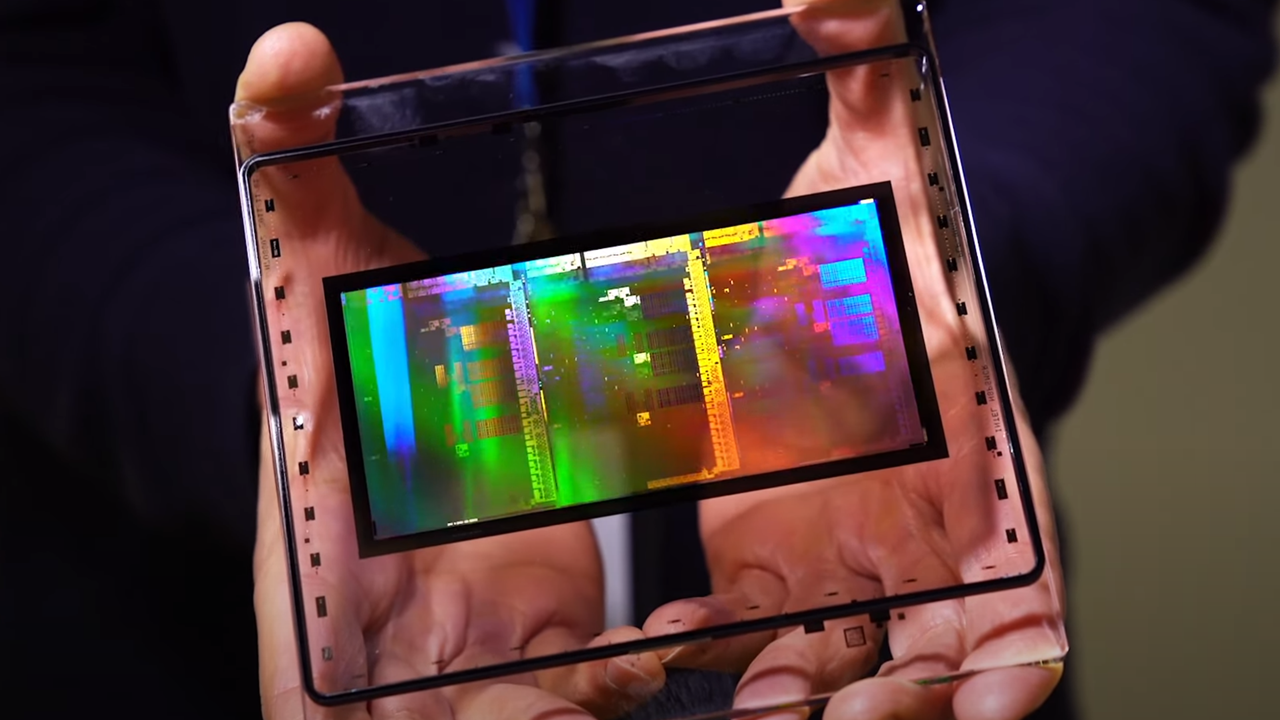
Mask

(Image credit: Intel)

Also, Intel recently broke ground on a new photomask manufacturing facility in Santa Clara, California. The new facility will be an important part of Intel's supply chain in the U.S., as the company will be the only chipmaker in America to develop and produce chips using leading-edge nodes completely in the U.S. (both Samsung and TSMC currently lack leading-edge process R&D in America; they do not run their own photomask shops in the U.S., and Samsung has abandoned its plan to build an advanced packaging facility in Texas). Of course, Intel critically depends on tools from Europe and materials from Japan, but even as its major rivals invest hundreds of billions in their U.S. production capacity, Intel remains ahead.

To highlight its American supply chain, Intel disclosed that its U.S. operations involve more than 4,500 suppliers across 49 states, as its annual domestic expenditures exceed $29 billion. The company stressed that domestic semiconductor leadership requires not only wafer fabrication capacity but also research, process development, advanced packaging, and a comprehensive supply chain.

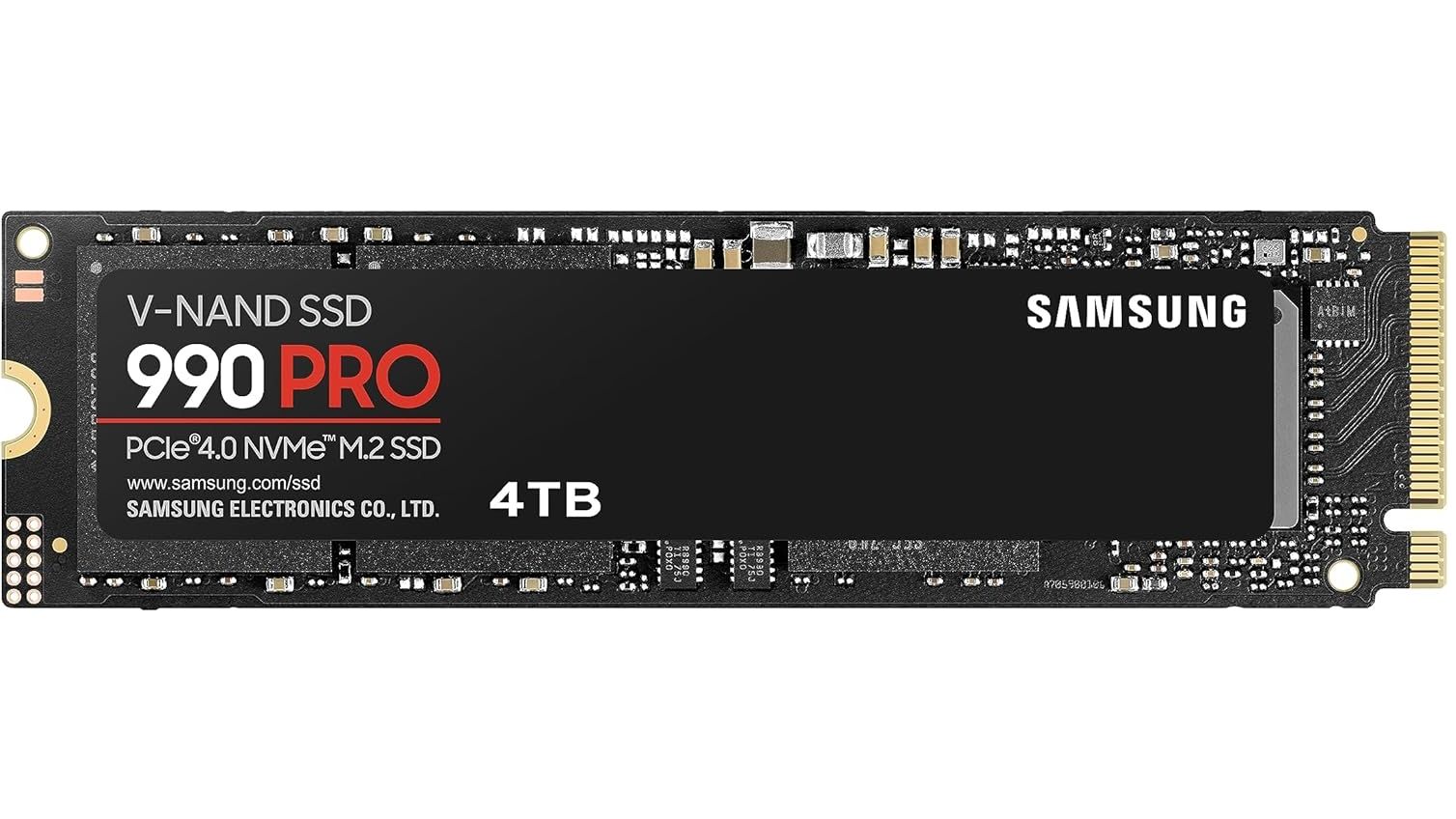
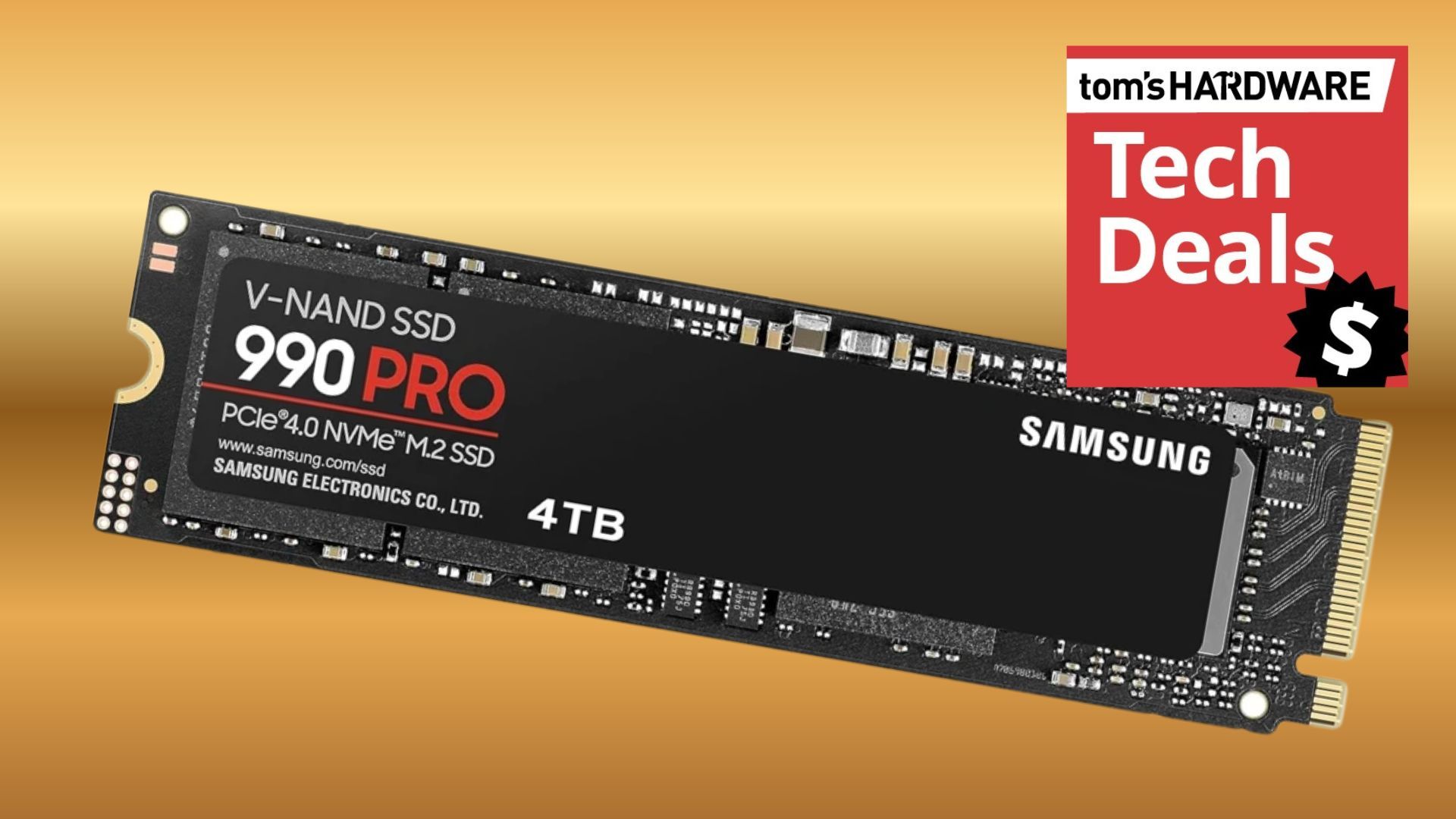
4TB Samsung 990 Pro M.2 SSD falls 27%, hits 20 cents per gigabyte

At one point in time, it was the fastest PCIe Gen 4 drive you could buy. Now, the next generation of PCIe 5.0 drives is available, but the 4TB Samsung 990 Pro still offers extremely fast performance and whopping amounts of capacity in a single-sided M.2 2280 form factor. The main issue at the moment is price. Thanks to the AI boom driving up the prices of memory and storage, SSDs have reached insane highs, so to be able to take advantage of a large 27% discount in these times is nothing to be sniffed at. The 4TB Samsung 990 Pro has fallen from $1,099 to this new price of $799.90, a saving of over $300. This works out as roughly 20 cents per Gigabyte of storage capacity.

● Grab this SSD deal at Amazon

Having reviewed the Samsung 990 Pro 4TB when it was released, we found it to be one of the best 4TB SSDs on the market and among the best SSDs overall. The 990 Pro boasts maximum sequential reads of 7,450 MB/s and sequential writes of 6,900 MB/s, with random reads/writes coming in at 1.6 million and 1.55 million IOPS, respectively, while endurance is rated for 2,400 TBW.

990 Pro 4TB SSD: was $1099.99 now $799.90
The Samsung 990 Pro 4TB is among the fastest Gen 4 SSDs available thanks to read and write speeds of up to 7450/6900 MB/s, almost maxing out the Gen 4 bandwidth. This M.2 NVMe drive comes in the 2280 form factor and holds enough capacity to store a large selection of your favorite games or files.

Random reads/writes come in at 1.6 million and 1.55 million IOPS, respectively, while endurance is rated for a respectable 2,400 TBW.View Deal

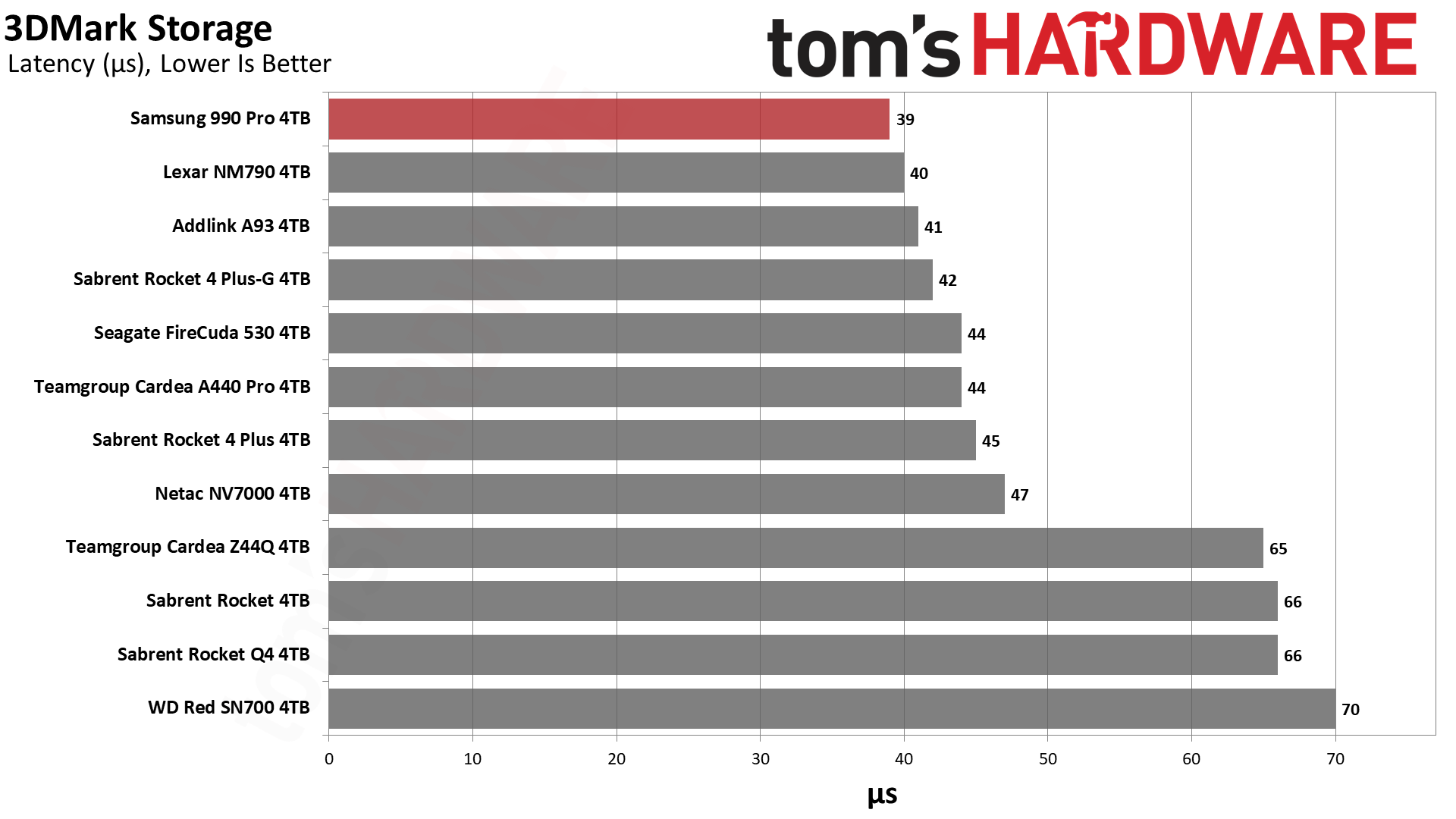
Samsung uses 236-layer TLC V-NAND to achieve its 4TB capacity, while also using a single-sided design, making the 990 Pro ideal for use in computers where space is a finite resource. When we tested the Samsung 990 Pro 4TB, we found it scored above the competition on almost every test. On 3DMark's storage test, it had the lowest latency result, a big plus for responsive load times in gaming.

Samsung 990 Pro 4TB 3DMark Storage Test

(Image credit: Tom's Hardware)

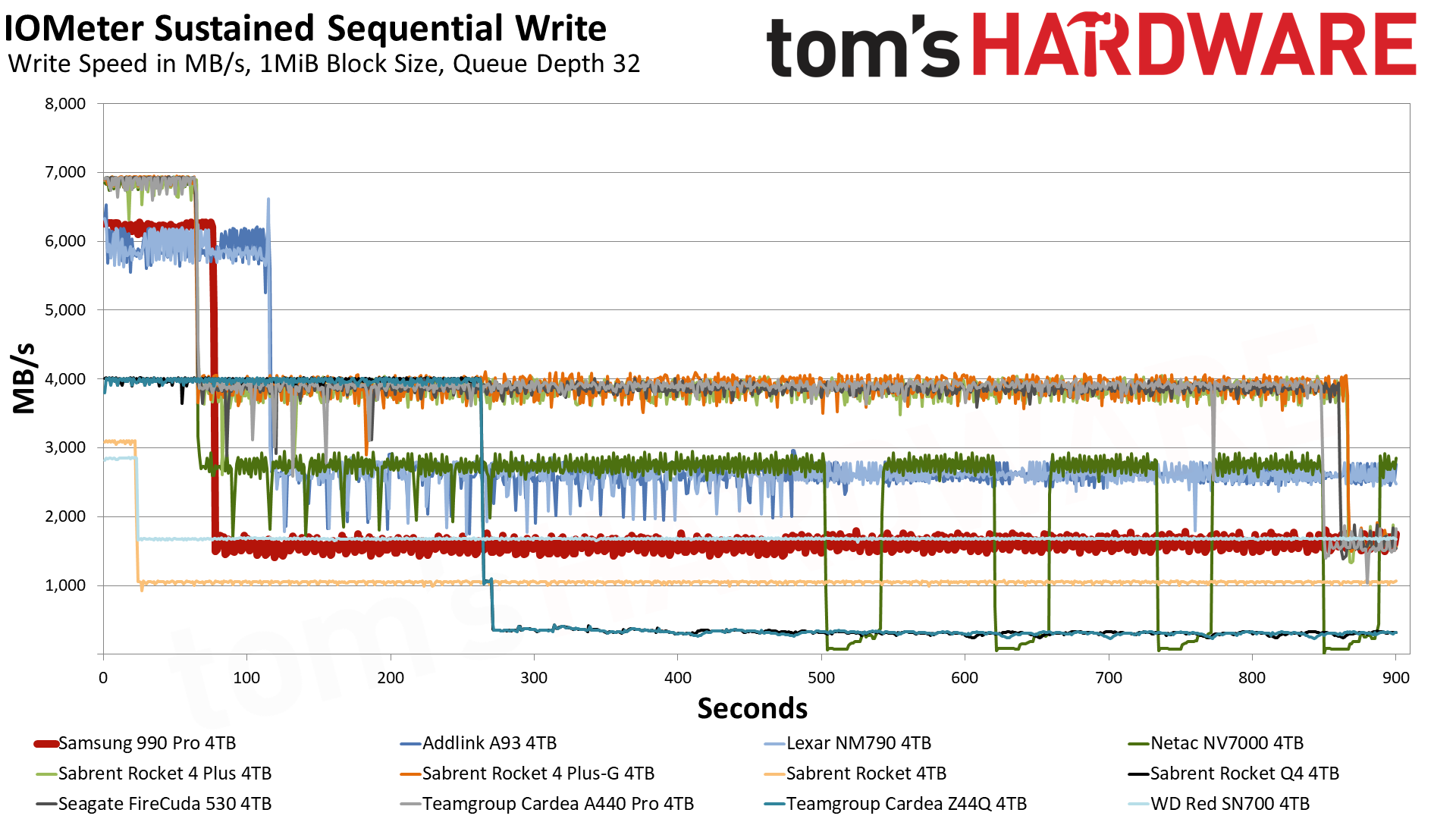
The Samsung 990 Pro is also excellent at sustaining strong write performance. In our IOMeter sustained sequential write tests, the 4TB 990 Pro was able to maintain a speed of 6.2 GB/s for 75 seconds thanks to its generous 10GB of pSLC cache. Once the data spills over into the TLC, it operates at 1.6 GB/s. The Samsung 990 Pro is also a leader in power efficiency, delivering 421.1 MB/s per watt. That number puts it ahead of all competitors but the Addlink A93 4TB and Lexar NM790 4TB.

Samsung 990 Pro 4TB sustained write speeds

(Image credit: Tom's Hardware)

The Samsung 990 Pro is certainly nowhere near the all-time low prices of years gone by, and I'm not sure at the moment when, if at all, we'll ever see those low prices again on storage, certainly not for some considerable time. If you want 4TB of storage now, then the Samsung 990 Pro is a formidable choice; just try to grab it when there's as much of a discount as possible.

ASML and other critical semiconductor equipment suppliers expedite shipments to Musk's Terafab

Elon Musk says ASML and other critical semiconductor equipment suppliers have expedited shipments for the ambitious Terafab semiconductor manufacturing facility, supporting his aggressive timeline for the joint megaproject between Tesla and SpaceX. He made the announcement during a live broadcast of SpaceX's Q3 2026 earnings call on X yesterday, October 20. Musk also said the company is targeting volume chip production at the project's primary facility in Gibbons Creek, Texas, by the third or fourth quarter of 2028, emphasizing that the timeline is highly aspirational and carries "big error bars."

"These are very aggressive dates, and we're very appreciative of ASML and all of our other suppliers in accelerating equipment deliveries in order to achieve this outcome," said Musk, CEO of both companies behind Terafab. SpaceX plans to manufacture its first experimental test chip at its research fabrication facility in Austin, Texas, around Q2 2027.

Aside from Terafab, Musk also outlined near-term ambitions for his AI companies during the broadcast, saying he expects them to have 2.5 to 3 gigawatts (GW) of computing capacity active by the end of 2026. He also stated he is highly confident about bringing an incremental 10 GW online in 2027, saying he "would be surprised" if they do not hit a total of 13 GW of AI compute by the end of 2027.

Meanwhile, the next-largest project by planned capacity, the now-restructured 10 GW Project Stargate, was expected to reach full capacity in the 2030s. Meta's 5 GW Hyperion also has a similar timeline. To achieve the 13 GW milestone, Musk revealed that SpaceX and xAI are aggressively procuring upcoming next-generation NVIDIA architecture. He announced plans to get a massive 440,000-GPU Nvidia "Vera Rubin" training cluster online by the end of Q2 2027.

Shifting back to Terafab, Musk also boasted that once fully scaled and operational, the sheer commercial value of Terafab's advanced chip output will place it within the top 20 global country GDPs from a single physical building. For context, the 20th country on the list is Switzerland, with a GDP of around $1.14 trillion. The facility is a planned multi-billion-dollar, vertically integrated chip factory in Texas, with an ambitious goal of manufacturing 1 terawatt (TW) of AI computing power per year. Terafab will fabricate logic, memory, and advanced packaging internal architectures in one place. The project's massive planned output has mandated various collaborations across the semiconductor supply chain. Terafab will utilize traditional extreme ultraviolet (EUV) lithography systems utilizing Intel's 14A manufacturing node technology.

Intel officially joined the Terafab venture in April 2026 to help co-develop and refactor silicon fabrication technology, providing access to its state-of-the-art 14A manufacturing process. ASML, the world's sole commercial supplier of the $400 million EUV lithography systems required for high-volume, leading-edge chip production, is perhaps the project's most critical partner. Terafab's first EUV tool was reportedly slated for delivery in mid-2027, according to unofficial sources. It remains unclear if this is the expedited timeline Musk referred to in the broadcast.

Other major suppliers include American equipment manufacturers Applied Materials, Lam Research, and KLA Corporation, as well as Japan's Tokyo Electron. These companies will provide front-end processing, metrology, and process control machinery. Tesla and SpaceX are also in talks with about 10 South Korean equipment makers, including Hanmi Semiconductor, known for advanced packaging equipment, and HPSP, a high-pressure hydrogen annealing equipment manufacturer, as well as firms providing specialized piping components and process valves.

Musk's announcement says that several of these suppliers are expediting supply to Terafab, even as capacity remains tight across the semiconductor supply chain. The facility, which aims to mitigate future shortfalls of cutting-edge AI processors from external foundries like TSMC, will supply the chips for Musk's xAI clusters, self-driving vehicles, Optimus humanoid robots, and SpaceX's orbital AI data center, as well as the broader AI industry.
However, many experts have questioned the validity of Musk's 1 TW Terafab ambition. For context, research firm Gartner estimates the total global AI-optimized data center capacity is roughly 44 GW as of late 2026, 4.4% of Terafab's planned output. Although global AI computing capacity has grown by roughly 3.3x to 3.4x per year since 2022, according to EpochAI.
AMD brings official Ryzen overclocking to Linux with AOD driver support

While Windows overclockers have spent years lazily sliding UI controls to adjust frequency curves and tweak voltages inside Ryzen Master, Linux users have largely had to treat their CPU tuning like an archaeological dig into the opaque veil of UEFI/BIOS firmware. Well, rejoice, Linux users, as AMD has officially published a fresh set of patches for the Linux kernel introducing AOD (AMD Overclocking Driver) support for Ryzen processors, Phoronix reports.

Instead of forcing developers to reverse-engineer closed-source firmware hooks or rely on messy, machine-specific ACPI workarounds, this new kernel driver is a direct pipeline to AMD's platform adjustments. By exposing core tuning capabilities straight through the standard sysfs interface, AMD is laying down an official, upstreamed foundation for software-level CPU management.

Right out of the gate, the driver handles platform-level SMT toggling, memory clock visibility, and power tunables. That's right: you can now toggle Simultaneous Multithreading (SMT) dynamically through this driver interface. That works through the CPU hotplugging mechanism and acts as a clean alternative to passing the old 'nosmt' boot parameter to the kernel. The new driver also allows real-time monitoring of memory clocks, and initial power controls are being wired up, too.

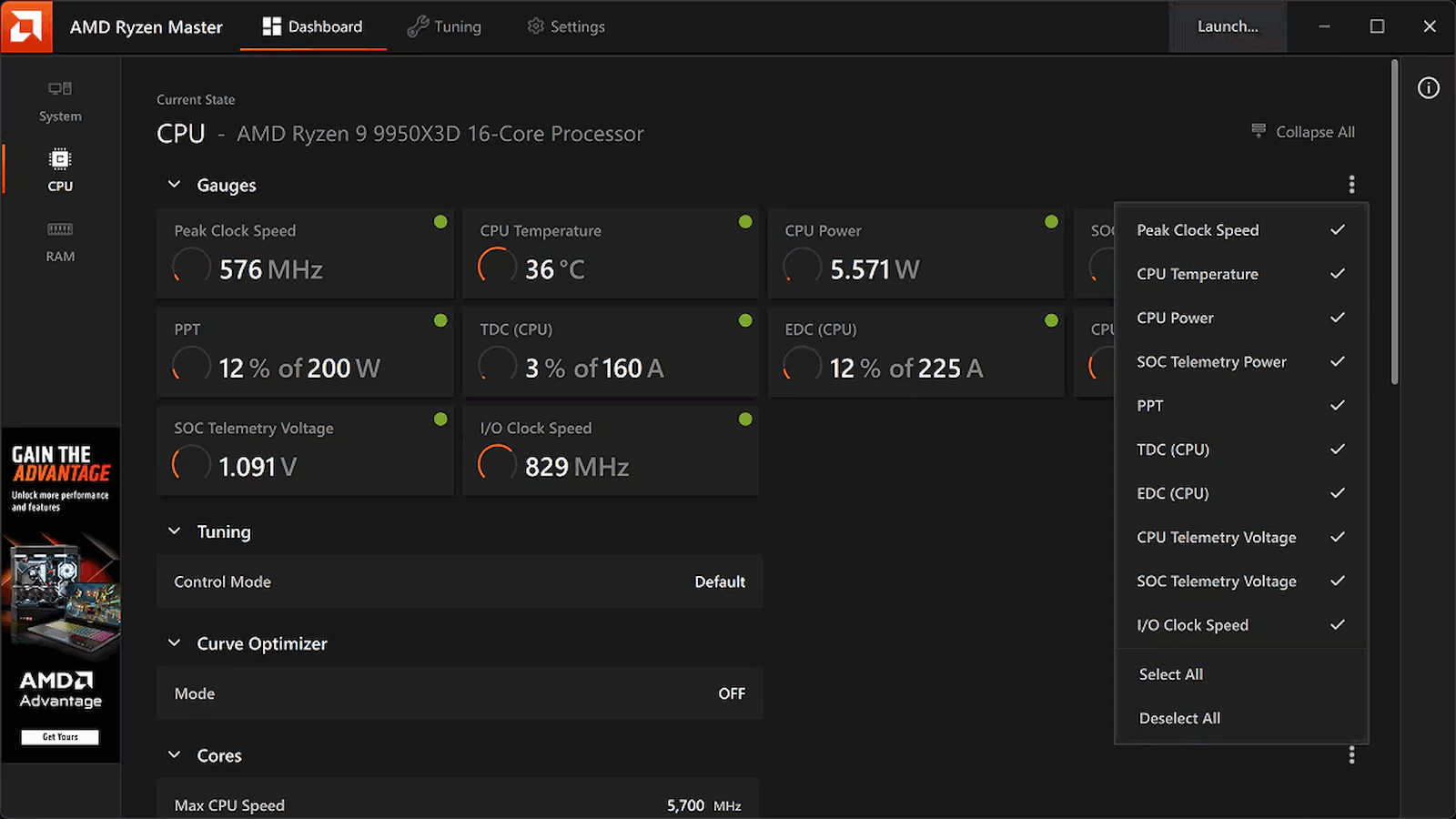
A screenshot of AMD's Ryzen Master CPU tuning tool.

This tool isn't available on Linux, and may never be, but at least its functions will be soon. (Image credit: AMD)

Now, if you're expecting a polished, one-click official AMD application equivalent to Ryzen Master for Linux, just pump the brakes. AMD is following its open-source amdgpu graphics driver playbook here, building the kernel plumbing and then leaving the user-space presentation layer entirely up to the community. That means you're going to have to wait for utilities like CoreCtrl to build out interfaces for this new driver, but it shouldn't be long now before that work gets underway in earnest.

This approach is arguably a better fit for the Linux philosophy anyway. Because the controls are being exposed via clean kernel sysfs nodes, it won't be long before independent developers integrate these knobs into powerhouse open-source monitoring and tuning suites, or even write dedicated desktop environment extensions specifically for the purpose of tweaking Ryzen processors.

The new patches are currently winding their way through review on the mailing lists, meaning mainstream kernel integration is on the horizon. For a DIY enthusiast who loves squeezing every last MHz out of silicon while maintaining a fully open-source software stack, this is easily the most exciting hardware-enablement milestone I've seen in a long time.

Trump announces mandate forcing AI data centers to pay energy dividends to the local community

President Donald Trump has issued a call for data center builders and AI hyperscalers to pay communities a dividend in order to overcome energy-related price hikes, or even to reduce prices, in order to make data centers more palatable to local communities. In a post on Truth Social post, he warned that data centers would be mandated not only to make their own electricity, as he has previously stated, but also to give or sell excess energy back to the local community.

Local communities all over the United States have protested against AI data centers, often owing to their outsized impact on local communities. Rising electricity costs, noise pollution, water shortages, air pollution, deforestation, and more are the things that small communities have to deal with because of these companies.

To ease the pain of local communities, Trump is demanding that these large companies provide the communities they affect with something that will hopefully make their presence more acceptable. The Trump Administration is keen to stay ahead of China in the AI arms race and is looking for solutions to win back some favor by making the data centers pay something back to the affected communities; how that will practically transpire is yet to be seen. Considering the electricity-focused post, the dividend might be in the form of partially paying rising electricity costs to alleviate a pain point that directly affects many homes within the vicinity of data centers. The Trump Administration had ordered these companies to make their own electricity, as we’ve covered previously. Excess electricity from their generation could be used to further lower the electricity cost for the locals, including a recently passed act that orders data centers to shoulder the cost for grid upgrades to avoid taking it from the taxes of local communities.

“Data Centers that were highly unpopular in a certain area have become extremely popular when a financial deal is struck.” Trump further says in his post, aiming to have more data centers built, “MAKE DEALS, and get them built!!!," the President said in closing.

Whether the dividends will be enough to win over communities is yet to be known, as the economic aspect is only one facet of the problem. There are still plenty of problems to face; enormous water consumption, ecological damage, and pollution are still major challenges that make AI data centers a hard sell anywhere they’re located.

Qualcomm to cut jobs globally in "performance-based" layoffs, as company pivots to AI data center and edge computing markets

Qualcomm has told employees it will cut jobs worldwide after its annual performance reviews, and it expects to begin informing affected employees in November. According to a Reuters report, CEO Cristiano Amon framed the move as a “performance-focused reduction” intended to build a “stronger performance culture,” stating that the company will consider organizational needs, business priorities, and employees’ skills and expertise when determining affected positions.

“The reduction will address employees who have consistently fallen short of expectations,” said Amon. The memo did not specify which departments would be affected or how many jobs would be cut. The company had roughly 52,000 employees at the end of its 2025 fiscal year, typically in late September.

Qualcomm, one of the world’s largest smartphone chip manufacturers with customers including Apple, Xiaomi, and Samsung, has been hit by an industry-wide decline in consumer electronics sales as rising memory costs reduce demand. Its shares have risen just 1.5% in 2026, compared to gains of almost 60% for the Philadelphia Semiconductor Index.

As a result, Qualcomm is strategically pivoting to AI infrastructure and edge computing, following a broadening trend across the semiconductor industry. The company unveiled its AI200 and AI250 AI inference accelerators in October 2025. After its latest earnings report projected lower quarterly profits than initially estimated, the company said that growth in its data center business would offset any lost revenue by fiscal year 2027.

Qualcomm’s layoff decision comes as it tries to position itself for future growth. While mobile chips remain its core business, its best future opportunities might lie in data center silicon, automotive platforms, personal computing, and edge computing, and all those fields require specialized engineering talent. A performance-based reduction could let the company retain its most valuable employees in those fields while cutting duplicated roles, lower-performing teams, and positions that no longer fit its strategy.

"As we have expanded the business, so have the competencies ⁠and skills ​we require," Amon wrote. "We must have the right ​people in the right roles so they can perform at their best and the company can continue ​to succeed." The move comes on the back of Q3 2026 financial results that included a 4% year-on-year decline in revenue and 25% lower net income. The core handset business recorded a 20% decline in revenue on the year, too. The company reportedly recorded $97 million in severance-related restructuring charges in the first nine months of its fiscal year.

Qualcomm’s move is part of a larger industry transition, largely driven by AI. After several years of aggressive hiring, many tech companies are now trimming their workforce to fund AI ambitions. Meta announced plans to cut 8,000 jobs to fund AI infrastructure. Even as companies are cutting jobs that don’t fit their AI roadmap, they're fiercely competing for process engineers, chip designers, and AI software developers. McKinsey and the SEMI Foundation estimate that the United States could face a shortage of up to 157,000 semiconductor workers by 2030, while 73% of chip companies report difficulty filling engineering roles.

FADU puts the filesystem inside the SSD's flash to bypass host CPUs

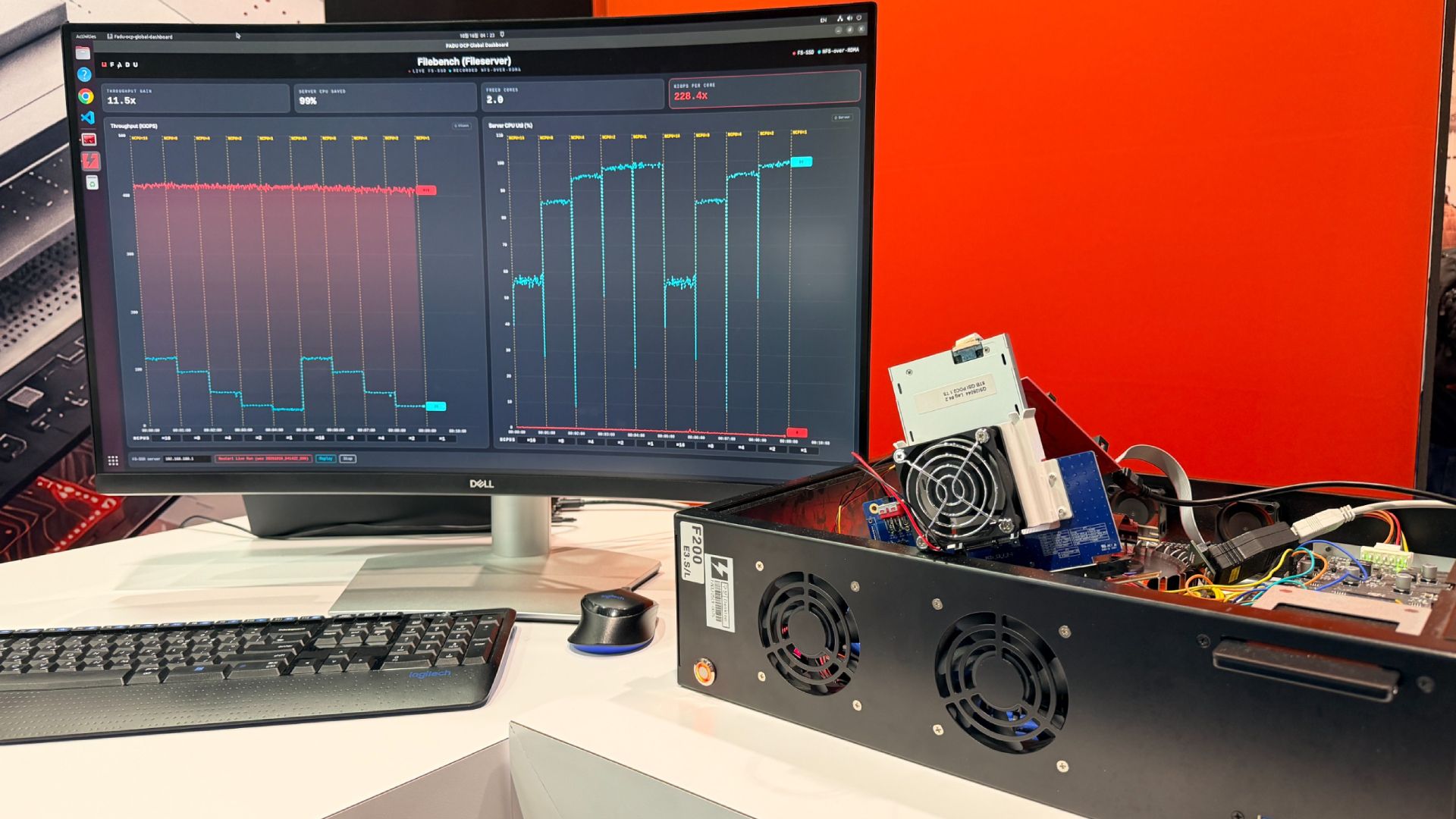
SSD controller designer FADU’s new File-Semantic SSD (FS-SSD) was announced at the 2026 OCP Global Summit. The new device promises to move the file system into the SSD itself. As detailed in a white paper, this enables GPUs, DPUs, and NICs to open and read files with “no host filesystem, no block layer, and no storage-server CPU in the path.” FADU told Tom’s Hardware Premium it expects partner samples by Q3 2027.

FADU is a Seoul, South Korea-based fabless SSD controller designer. Its FS-SSD technology is designed to handle and improve the control path, as the data path side moved to accelerators years ago. FADU’s measurements show that the file system, plus block layers, can consume about 30% of CPU cycles in a GPUDirect Storage (GDS) random-read workload. It notes that bypass options give up the files, and the company claims its solution promises the best of both worlds.

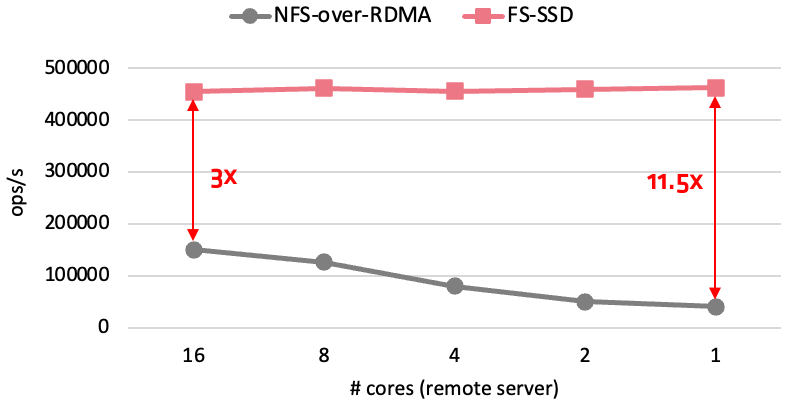
In FADU’s own preliminary Network File System (NFS) over NVMe test, on a drive built on its FC6161 Gen6 controller in a PCIe 5.0 host, remote file throughput held steady as the server downshifted from what FADU labels 16 cores to just one, maintaining about 460,000 ops/s.

The NFSv3 operations are carried inside standard NVMe commands, and the drive handles path lookup, access control, and file-to-flash mapping. FS-SSD’s performance is remarkable when compared to Linux NFS-over-RDMA, which achieved a third of the ops/s with 16 cores and only 40K ops/s with one core. The technology remains “under active development,” and FADU told Tom’s Hardware Premium it expects Gen6-host results by Q1 2027, with partner samples in Q3 2027.

FADU chart of Filebench fileserver results: FS-SSD holds about 460,000 ops/s from 16 server cores down to one, while NFS over RDMA falls from about 150,000 to 40,000 ops/s

FS-SSD holds about 460,000 ops/s from 16 server cores down to one, while NFS over RDMA falls from approximately 150,000 to 40,000 ops/s (Image credit: FADU)

FADU chooses to use NFSv3 because it’s “small (21 operations), OS- and filesystem-agnostic, and stateless” with low firmware overhead. FS-SSD supports PCIe today, with NVMe-oF over RDMA and TCP working without any new transport needed. Reusing an existing protocol is a smart move, in our view. Under the hood, the file system and flash translation layer are merged with a file layer derived from F2FS. Node and data blocks are aligned with the natural flash pages, sections at corresponding erase units, so that the F2FS node table becomes a “File Map” pointing the node IDs at physical flash addresses.

One big advantage is that the DRAM mapping metadata overhead is considerably smaller: it uses the same amount of DRAM as a standard SSD, ~0.1% of NAND capacity (about 1 GB per TB), which a standard SSD fills almost entirely with its mapping table. Here, most of that DRAM, ~95%, can act as a hot-path node cache.

One garbage collector also replaces two, avoiding what FADU calls the “double GC” of host F2FS, where file-system cleanup and the drive’s own garbage collection amplify each other. Write amplification is also 63% lower versus a host F2FS solution on a mixed sequential and random workload with FADU’s research prototype, the company said. FADU told Tom's Hardware Premium that the prototype runs synthetic fio workloads on NVMeVirt, an open-source software SSD emulator from Seoul National University, so it is not a hardware result.

Most importantly for this method, it ensures host-free access. The GPU builds NFS-over-NVMe commands in queues in its own memory, which could include HBM. Alternatively, a remote SmartNIC or DPU with NVMe-oF target offload can drop commands in the drive’s submission queue. The data goes from SSD to NIC via PCIe peer-to-peer DMA, coming out as RDMA writes. FADU’s explicitly named use cases for this include GPU file reads and checkpoints, DPU-served HTTP content delivery, and a JBoF (just a bunch of flash) file server.

FADU’s numbers for its internal test come from a client and server Intel Core i5-13600K, a CPU with 20 threads that clocks up to 5.1 GHz with 128GB of DDR5, and a Mellanox ConnectX-6 100 Gbps NIC. Synthetic testing is compared using fio with the baseline F2FS and Ext4 on block firmware versus the FS-SSD via a kernel client and an SPDK user-space client. The sequential test is 1 thread, queue depth (QD) 128, with 128KB blocks, while random is at 4 threads, the same QD128, but with 4KB blocks.

These block sizes are typical for client workloads in our experience, so they are a fair measure, with detailed preliminary results in the table below. Against SPDK on the raw drive, figures FADU provided to us, FS-SSD’s SPDK client keeps about 93% on 4K random read and 53% on 4K random write, via fio, with around a 7% and 47% cost for the in-drive file layer. Though the raw drive’s 13,240 MB/s random write is above the ~12 GB/s FADU gives as the NAND’s program bandwidth, those runs likely weren’t at steady state. The Filebench result is particularly interesting, as the SPDK random gains apply to a plain block device too.

This should be the workload most favorable for the technology, as the Filebench file server is metadata-heavy with relatively high host overhead: FADU says it uses 10,000 files in a multi-level tree, mean directory width 20, and a mean file size of 128KB with 50 client threads.

FADU’s preliminary fio results: Gen6 controller in a PCIe 5.0 host, direct I/O

Setup

Sequential read (MB/s)

Sequential write (MB/s)

4KB random read (MB/s)

4KB random write (MB/s)

F2FS

14,120

4,510

7,850

3,980

Ext4

14,130

7,050

9,120

4,560

FS-SSD (kernel client)

14,140

11,940

8,070

4,320

FS-SSD (SPDK client)

Not reported

Not reported

13,000

7,030

Raw block (SPDK)

Not reported

Not reported

13,990

13,240

One important thing to recall is that although this test is on a Gen6 drive, the test results are on a PCIe 5.0 host. Therefore, every sequential read config tops out at around 14.1 GB/s, which is roughly the link limit. The testbed also uses a consumer-class desktop CPU, while the one-core NFS server is a showcase example. The kernel client ends up 11.5% behind Ext4 on random read and 5.3% behind on random write, again by our math.

One example of a tough question more generally is: how do concurrent GPU, DPU, and host writers coordinate? How does a kernel mount’s page cache stay coherent with GPU access? NFSv3 storage devices, by the pNFS Flexible File Layout spec (RFC 8435), are “always treated as loosely coupled,” which means “Mandatory byte-range locking cannot be supported.”

Credentials riding in the NVMe command may also face security issues, as loosely coupled devices get only “a level of security equivalent to AUTH_SYS,” NFS’s basic scheme, in which the server trusts whatever user and group IDs the client sends. FADU’s published material also does not describe features such as snapshots, encryption handling, quotas, ACLs, crash handling, and so forth, related to this. Statelessness is what makes it work, but it doesn’t solve all problems, so the trust factor moves elsewhere.

In reply to our questioning, FADU said that there is no cross-host locking, as NFS’s lock manager isn’t implemented. The drive applies each write whole, in order. If two writes hit the same spot, the second one wins; this is “last-writer-wins.” Coordination depends on the clients: kernel-mounted ones get the usual advisory locks among themselves, GPU and SPDK clients coordinate in the application, and at scale a pNFS metadata server handles the coordination. Caching is also handled like ordinary NFS, with kernel clients, or is not done at all, for GPU and SPDK clients. This is stock NFSv3 behavior.

The drive has to check user/group IDs against the file permissions itself. Because those IDs ride inside the command, a client could fake them, but FADU says it closes that issue with capability-based authentication. Each command carries a capability issued by an outside authentication server, plus a code computed with a key shared only between that server and the drive. This is not detailed in its published material. FADU adds that support for the Kerberos authentication protocol is planned. For networked drives, the standard NVMe-oF protections are used, with only pre-approved hosts admitted. A drive trusts a single host’s kernel like any NVMe drive.

However, as FADU described to us, ACLs and other features are missing in the current release, aside from encryption, which in this case is handled by the FC6161’s standard TCG Opal self-encrypting drive support. Power loss is also typically handled with capacitors flushing metadata, the write buffer, and a log of in-flight operations. On restart, the drive replays the unfinished operations, and every write is durable if the drive acknowledges it.

FADU’s longer sights are on producing a JBoF storage solution with no server in front: FS-SSDs, a PCIe switch, and a DPU or NIC for handling NVMe-oF in hardware. FADU’s model puts this at about 42% lower power, about 57% lower cost per 16-drive server, and higher rack density with significantly lower five-year total cost of ownership. The drives would slot in behind existing pNFS metadata servers and could scale. FADU’s controllers already ship with drives such as the SN861, which Western Digital launched and SanDisk now sells, but this would expand the options and solutions it can provide.

FADU’s FS-SSD roadmap

Milestone

Timing (per FADU)

Details

Gen6-host results

By Q1 2027

FS-SSD tested in a PCIe 6.0 host; hardware write-amplification figures to come with them

Partner samples

Q3 2027

OEM/ODM talks are at an early stage; active collaboration expected once samples ship

Hostless JBoF

By end of 2027

Reference design built on Xsight Labs E1 DPUs, delivered to OEM/ODM partners

GPU access

Now, via GPUDirect Storage

Works with GDS through the kernel client; FADU intends to join the Accelerated IO SIG (xio-sig), where Nvidia open-sourced cuFile; no direct engagement with Nvidia

Standards

Nothing submitted yet

FADU plans to start a file-semantic command set discussion at NVM Express and OCP Storage; samples and client code come first

Next year should bring real numbers and samples, with the JBoF reference design also expected. There may be an NVM Express or OCP Storage proposal down the line for a file-semantic command set to further cement and mature the approach. FADU has a good idea, is building it on an existing framework, and has a testbed with results and a hardware path forward on its Gen6 controller, with a trust model in mind. A Gen6-host run is now needed to support the company’s claims.

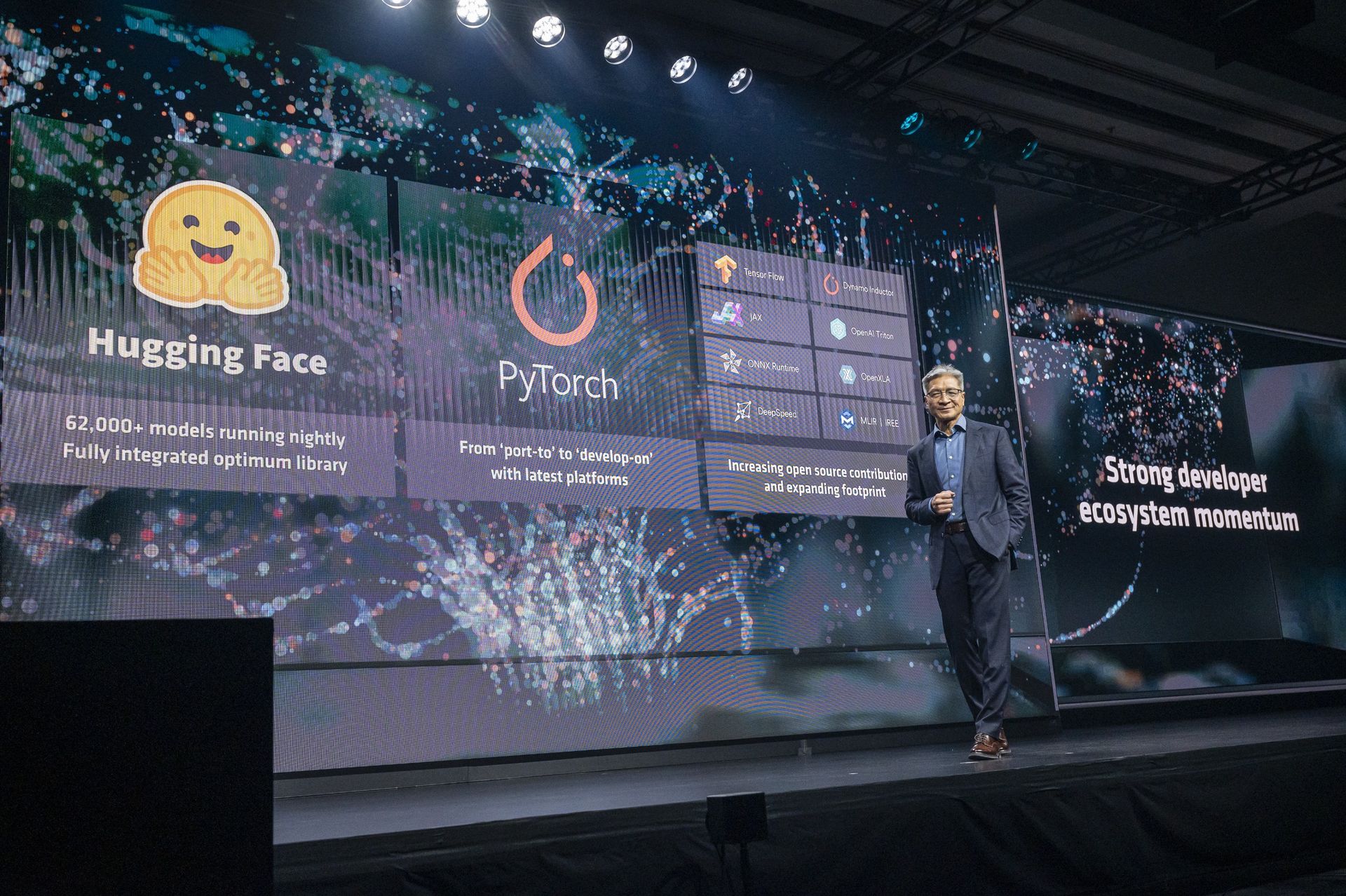
AMD and Intel will work together to create a single PyTorch code path for AI inference on CPUs

Intel and AMD are integrating their CPU optimizations for PyTorch into a unified library, offering tuning for both AMD and Intel chips through the oneDNN library. AMD has maintained a downstream version of oneDNN called ZenDNN, which is now moving into the open-source oneDNN, published by the UXL Foundation and driven by Intel. AMD also announced it's joining the UXL Foundation as a "steering member," which "influences the future of the UXL Foundation" in exchange for a contribution of $20,000 per year.

AMD says the move to unify these efforts under oneDNN was recommended by the x86 Ecosystem Advisory Group (EAG), which is a joint initiative that primarily exists between Intel and AMD and was established in 2024. The two companies have collaborated through the EAG previously, such as with the ACE extensions for x86 that we learned about earlier this year.

The oneDNN backend is used for CPU inference, and it's built to accelerate that workload for the latest Intel (and now AMD) chips in frameworks like PyTorch. When oneDNN was added to PyTorch as a backend in late 2023, it showed a 1.24x improvement with the Float32 data type, and 2.21x for the BFloat16 data type.

From the oneDNN GitHub, the library "detects hardware features at runtime" to generate optimized kernels for the platform, as well as provides low-precision data types. It also features optimized instructions for common AI and machine learning operations, such as matrix multiplication and convolution.

For developers, the move simplifies working with PyTorch across different systems, ensuring a single backend provides the proper optimizations for whatever hardware you're running. Although the news here is focused on the x86 guard, oneDNN is a cross-platform library that works on Arm and RISC-V architectures as well.

Intel originally developed oneDNN, built on top of previously deep learning libraries, before it was folded into the UXL Foundation. Intel was among the founding members of the UXL Foundation, alongside Arm, Qualcomm, Google Cloud, and others.

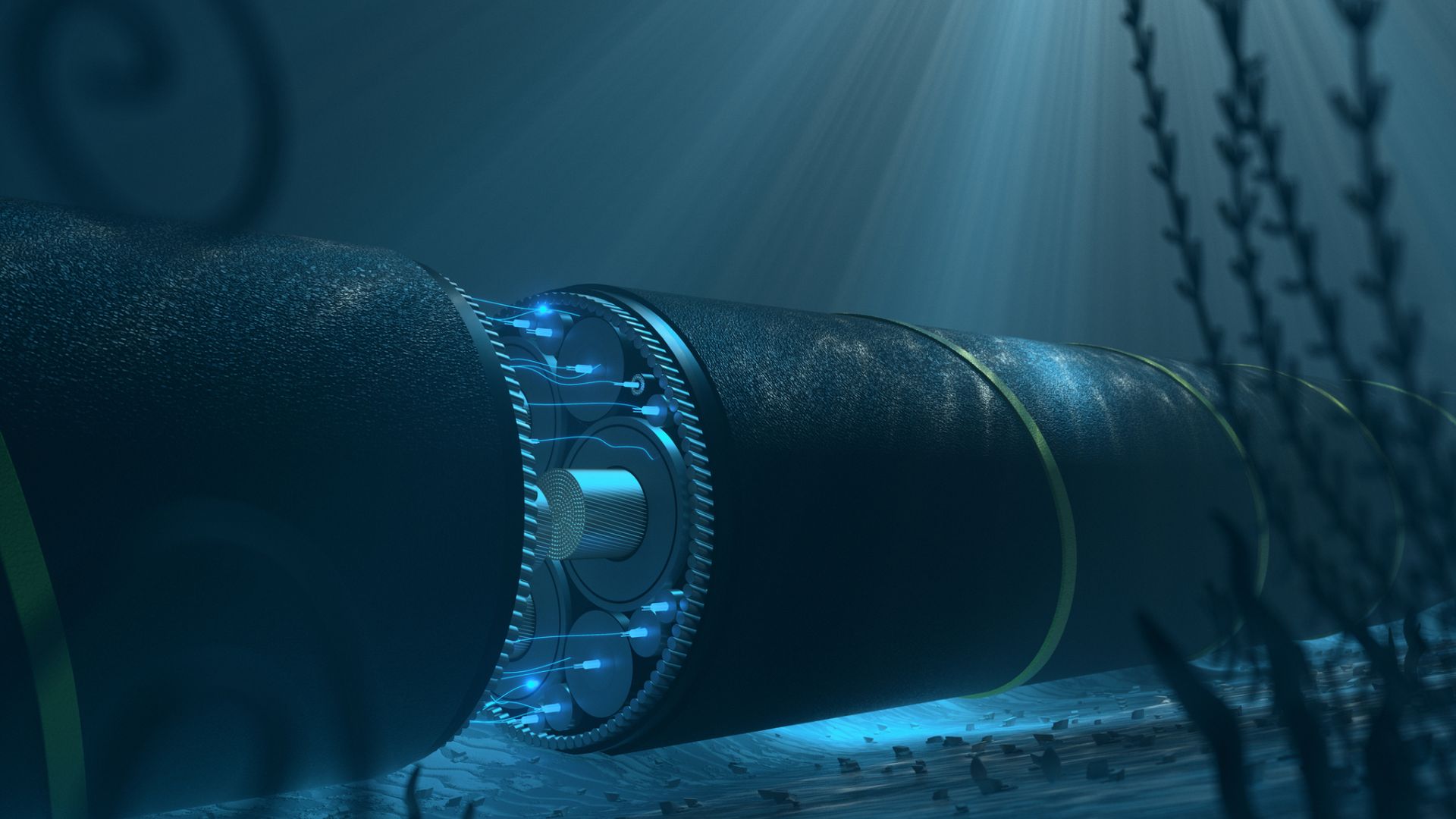
Iran threatens to attack undersea cables in the Strait of Hormuz, calls them 'legitimate new targets' in future conflict

The Islamic Republic of Iran has described several undersea fiber cables that run through the Strait of Hormuz as "legitimate new targets." The area has become a hotbed of conflict since the start of military action by the United States, Israel and others in February. General Hossein Mohebbi, a spokesman for Iran's Islamic Revolutionary Guard Corps, referred to the cables in comments at an event this week, The Telegraph reports.

"Seven large cables pass beneath the Strait of Hormuz, and all internet and commercial data pass through them," according to Mohebbi. He went on to describe the cables as "legitimate new targets" for future assaults. Meanwhile, another IRGC General, Yadollah Javani, who serves as the IRGC's political deputy, has since suggested that if Iranian infrastructure is attacked, Iran will respond by attacking the cables, according to comments reported by Iran International.

The conflict between the United States and Iran has cooled, but it isn't quite over yet. Mohebbi suggested that a "third phase" in the war would reveal a "new geography" that would include "new targets and new weapons." One particular cable referenced by the IRGC appears to match the Asia-Africa-Europe-1 cable, a cable stretching 15,050 miles from Asia to Europe, traveling through Oman, the UAE and Qatar. Both the UAE and Qatar share direct maritime borders with Iran.

Experts believe the threat is credible. Professor Alesso Patalano, a war and strategy professor at King's College London, told The Telegraph that "not only is it possible, but it's been a rather clear possibility for a long time," adding that divers could "go down to the seabed... and cut them or destroy them." Such attacks aren't "unheard of," going on to reference the Nord Stream 2 gas pipeline attack near Denmark in 2022, supposedly by Ukrainian agents, as an example.

Meanwhile, further comments, made to The Telegraph, suggest that Iran had considered cutting the cables several times since the war began. However, up until now, Tehran had avoided doing so, as it would mean "declaring war on the whole world and building new enemies," according to another unnamed Iranian spokesman, although stating that it would continue to be "an option if Trump escalates."

Iran isn't the only country that has taken a special interest in undersea infrastructure. A Russian ship, for instance, was chased from British waters by a Royal Navy attack helicopter earlier this year as it loitered for 14 hours less than a mile from five undersea cables that connect the UK with Spain, Portugal, Canada, and the U.S.

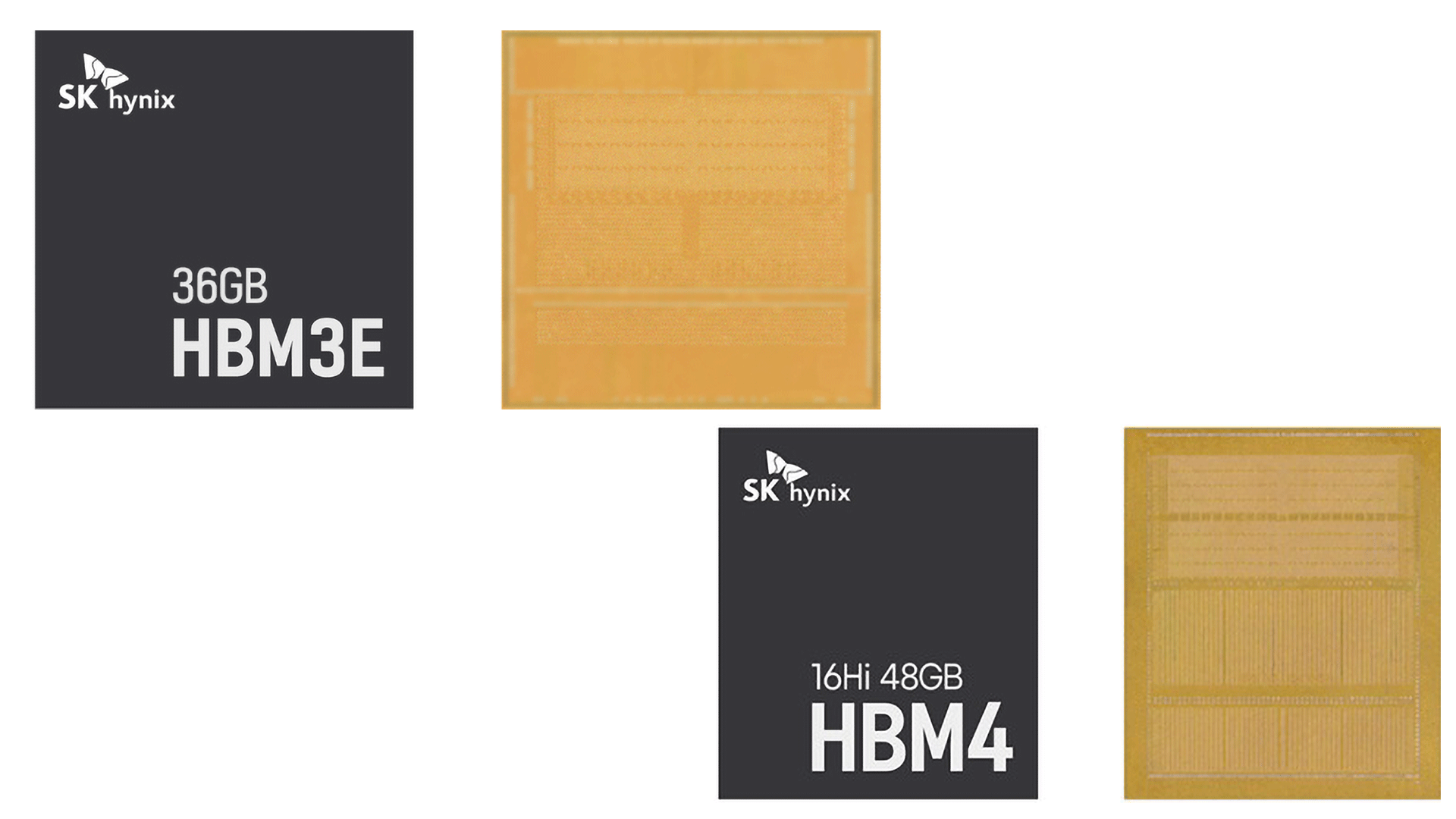
Samsung and SK Hynix are upgrading Chinese factories to produce advanced RAM chips as AI data center competition ramps up

The two biggest NAND flash memory manufacturers on the planet, Samsung Electronics and SK Hynix, are reportedly working to upgrade their Chinese factories to produce more advanced chips for use in AI data centers, Reuters reports. The move comes as the two companies continue to fight off competition from the fast-growing Chinese memory makers like CXMT. Fierce competition in the lucrative AI RAM market has already seen manufacturers slash consumer-focused production to allow them to increase production capacity for the more advanced — and money-spinning — components.

Citing four people familiar with the companies' plans, the report claims that Samsung Electronics aims to switch its Xian plant to the production of 286-layer flash chips by the end of the year. SK Hynix has its sights set a little lower, targeting chips with 240 or more layers at its Dalian facility. That factory was taken over back in 2021, but a timescale for the new upgrades isn't clear.

However, while Samsung Electronics and SK Hynix are well placed to deal with the growing threat from Chinese chipmakers, both are faced with additional complications in the form of U.S. regulations. Export controls on chipmaking equipment were applied in 2022, with the aim of slowing China's technological progress. Both companies, based in South Korea, must now get licenses in order to install U.S.-built hardware in Chinese factories. The report points to this as a reason for the recent growth of Chinese firms like Yangtze Memory Technologies Co. (YMTC). The company told investors at a recent IPO preparation meeting that it aims to become the world's largest NAND flash producer by the end of 2027.

While both Samsung Electronics and SK Hynix say that they are working in consultation with the U.S. authorities, there's little doubt that this extra step has hampered the companies' ability to upgrade their factories to better meet the new AI memory demand.

It's impossible to overstate just how key Samsung and SK Hynix are to NAND supply. Samsung's Xian factory produces around 40% of the company's global output. It currently produces chips that have around 200 layers, but Samsung's plans aim to boost that to 286 layers for V9 NAND chips. For its part, SK Hynix's Dalian plant currently produces chips with 192 layers, with the company's aim for 240-layer chips reportedly confirmed by three people familiar with the plans.

Meanwhile, CXMT, China's premier chipmaker, is looking to move beyond DRAM production. A report from September 2026 noted that it was eyeing production of 3D NAND memory for use in solid-state storage (SSD) products. The country's largest DRAM producer, CXMT, posted $22.41 billion in revenue and $11.57 billion in net profit in the first half of 2026 after years of losing money. But despite this purple patch, the company is still much smaller than the likes of Samsung, SK Hynix, and Micron.

Google Preferred Source

Why you don't need an audiophile headset for gaming — comfort, convenience, and a good mic win over pure audio fidelity

"Best gaming headset for audiophiles" is one of the categories on our list of best gaming headsets, and it's easy to look at that and wonder if you shouldn't be looking at just audiophile headsets to begin with. Headsets are mainly about audio, after all, and it does seem to logically follow that audiophile headsets would have the best audio (I mean, it's in the name).

Well, not so fast.

Headsets are mainly about audio, but that doesn't mean that the "objectively" best-sounding headset by audiophile standards translates to the best-sounding headset by gaming standards. Nor does it mean that you should choose your gaming headset based on audio quality at the expense of everything else.

Audiophile headsets, including headphones, are primarily designed around one thing: audio fidelity. In other words, they're designed and tuned to reproduce audio exactly as it was recorded, which is exactly as the artist heard it when they were recording it, and is therefore exactly as the artist intended for it to be heard. This doesn't necessarily mean it's going to sound amazing to everyone. In fact, to many people it will probably sound somewhat underwhelming, but it's really the only objective way we have of measuring what makes audio "good," since how something sounds depends largely on individual listeners' preferences.

Gaming headsets, on the other hand, are designed around... well, everything else. This doesn't mean they ignore audio fidelity completely, but it tends to not be the priority. (Many premium flagship gaming headsets have been focusing more on audio fidelity in recent years, but it's still generally not the priority.) Gaming headsets tend to focus on other features, such as comfort, convenience, and communication. And when they do focus on audio, their priority is about making games sound good — which is generally not the same as making them sound accurate to their original recording.

Don't get me wrong, some of the "audiophile" elements do help games sound better; for example, detailed, layered sound and a wide soundstage make virtual environments sound more realistic. But ultimate realism isn't always what gamers are looking for. If you're playing a competitive first-person shooter, you're probably looking for audio cues to give you a tactical advantage: you want sound that's directionally accurate and that singles out specific details, such as footsteps and gunshots. You're not here to appreciate the individual details you can pick out from different layers of audio if those details prevent you from hearing what's important. If you're playing a game that's designed to make you feel something with the sound, an epic fantasy or a horror RPG, for example, then the goal isn't really accurate sound reproduction; it's for the game to sound epic (or horrifying, I guess).

There isn't a universally perfect answer, of course, because it depends on how you're going to use the headset. It's easy to get swept up in the audiophile hype, but you shouldn't ditch your mainstream gaming just yet. Here's what you should consider before buying into either side.

Comfort

There are plenty of audiophile headsets and gaming headsets that are comfortable — and plenty that are... not so much. While both categories tend to put comfort at least somewhat high on the priority list, comfort means different things for different listeners. Audiophile headsets tend to be larger and more open — larger drivers can produce more sound with less movement, and less movement means less distortion; an open-back design lets sound waves move through the headset instead of bouncing off the enclosure for a wider soundstage and better spatial accuracy. Open-back headsets offer more listening comfort: you won't feel like the sound is closing in and overwhelming you like you will with closed-back headsets, and you'll be able to listen for longer.

Turtle Beach Atlas Air on a Desk

Turtle Beach Atlas Air (Image credit: Tom's Hardware)

Gaming headsets, on the other hand, are largely closed-back (though there are several open-back gaming headsets on the market now, including the Corsair Virtuoso Pro and the Turtle Beach Atlas Air), with smaller drivers, so there's not as much consideration toward listening comfort. They do, however, tend to focus more on physical comfort. They are lightweight and flexible, with gamer-oriented features such as Turtle Beach's "ProSpecs" earpads, which have softer foam near the front to prevent discomfort for gamers who wear glasses. Or the hinge-free design of Logitech's G735 headset, to prevent snagging on longer hair and piercings. Audiophile headsets are designed to be physically comfortable, but gaming headsets are specifically designed around the gaming audience.

Convenience

Convenience is one area in which gaming headsets will basically always win, hands-down. Not only are audiophile headsets not designed with convenience in mind, they're usually the opposite: wired, with very little non-audio-focused tech, and many require a separate audio interface to even work with a PC or gaming console.

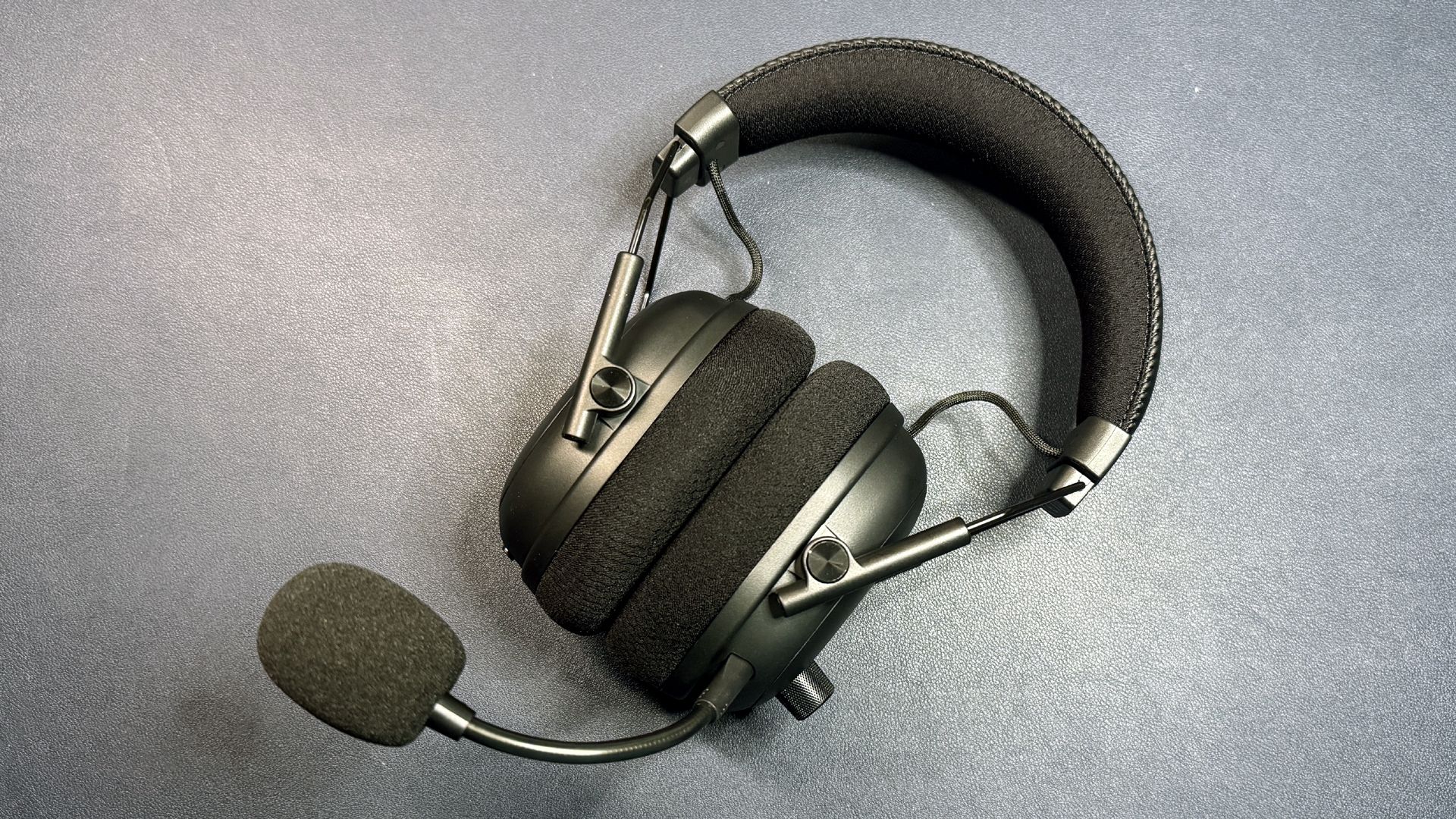
Razer Blackshark V3 Pro on a desk

Razer Blackshark V3 Pro (Image credit: Tom's Hardware)

Gaming headsets, on the other hand, are packed with technology to make your life easier. Headsets like the Turtle Beach Stealth Pro II and the Razer BlackShark V3 Pro let you connect to multiple devices and switch between them seamlessly, listen to two audio sources simultaneously, and quickly cycle through game-ready EQ presets. Gaming headsets try to put as many controls as possible at your fingertips, from on-ear dials and buttons to detailed app-based EQ tuning to separate desktop base stations (such as the one included with the HyperX Cloud Alpha 2 Wireless).

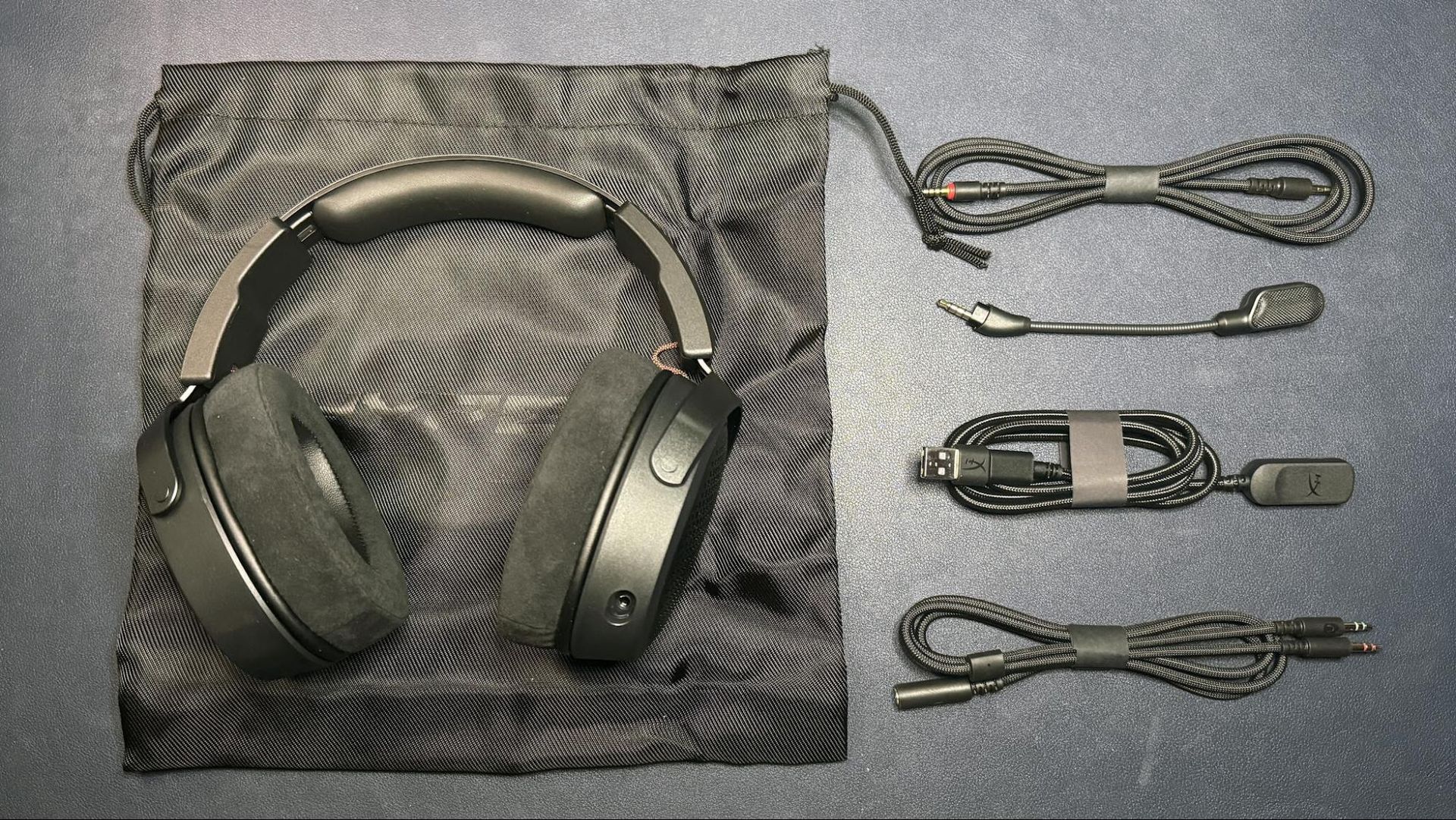
HyperX Cloud Alpha Air box contents, including cables and mics

HyperX Cloud Alpha Air (Image credit: Tom's Hardware)

Even wired gaming headsets often include multiple ways to connect to various devices. For instance, the HyperX Cloud Alpha Air is wired, but it comes with a standard 3.5mm analog cable for plugging into a standard audio jack, a USB-C extension (with USB-A converter) for plugging into a USB-C/USB-A port, and a PC headset extension for plugging into separate audio/mic jacks.

The wireless gaming headsets from the audiophile sector that have these features still manage to implement them in a way that is... well, inconvenient. Audeze's Maxwell and Maxwell 2 allow for dual-wireless connectivity but do not give you a way to manually switch between the two. Instead, Bluetooth always takes precedence over 2.4GHz wireless — full stop. It's infuriating, and it's one of my only real grievances with those headsets.

Communication

A standalone USB gaming mic will almost always make you sound better than a built-in headset mic. But that doesn't mean that you should ignore headset mics or how gaming headsets implement other features that help you communicate with others, whether they're team members or stream viewers, while gaming. (Besides, some headsets, such as the Razer BlackShark V2 Pro (2023), have microphones that actually can rival the best USB gaming mics.)

If you go with an audiophile headset — or headphones — you'll likely need to invest in a separate gaming mic regardless. There's more to communication than just the mic, though. Many gaming headsets, such as SteelSeries' Arctis Nova series, have built-in ChatMix, which lets you channel your game audio and your chat audio through different channels and mix them together on your headset. This lets you dial up (or dial down) chat if you need to hear what's being said over whatever epic music or sound effects are playing in the game. Gaming headsets are also backed by peripheral software that, while often frustrating, is, ultimately, designed around the needs of gamers. Software-based noise reduction/cancellation, microphone EQs, and sidetone are all particularly useful communication tools that you won't find on most audiophile headsets.

Audiophile or gaming headset?

At the end of the day, audiophile headsets tend to focus on audio above everything, which is exactly what audiophiles want. But it's not really what most gamers want. A great gaming headset does have to sound good, but that's not all it has to do.

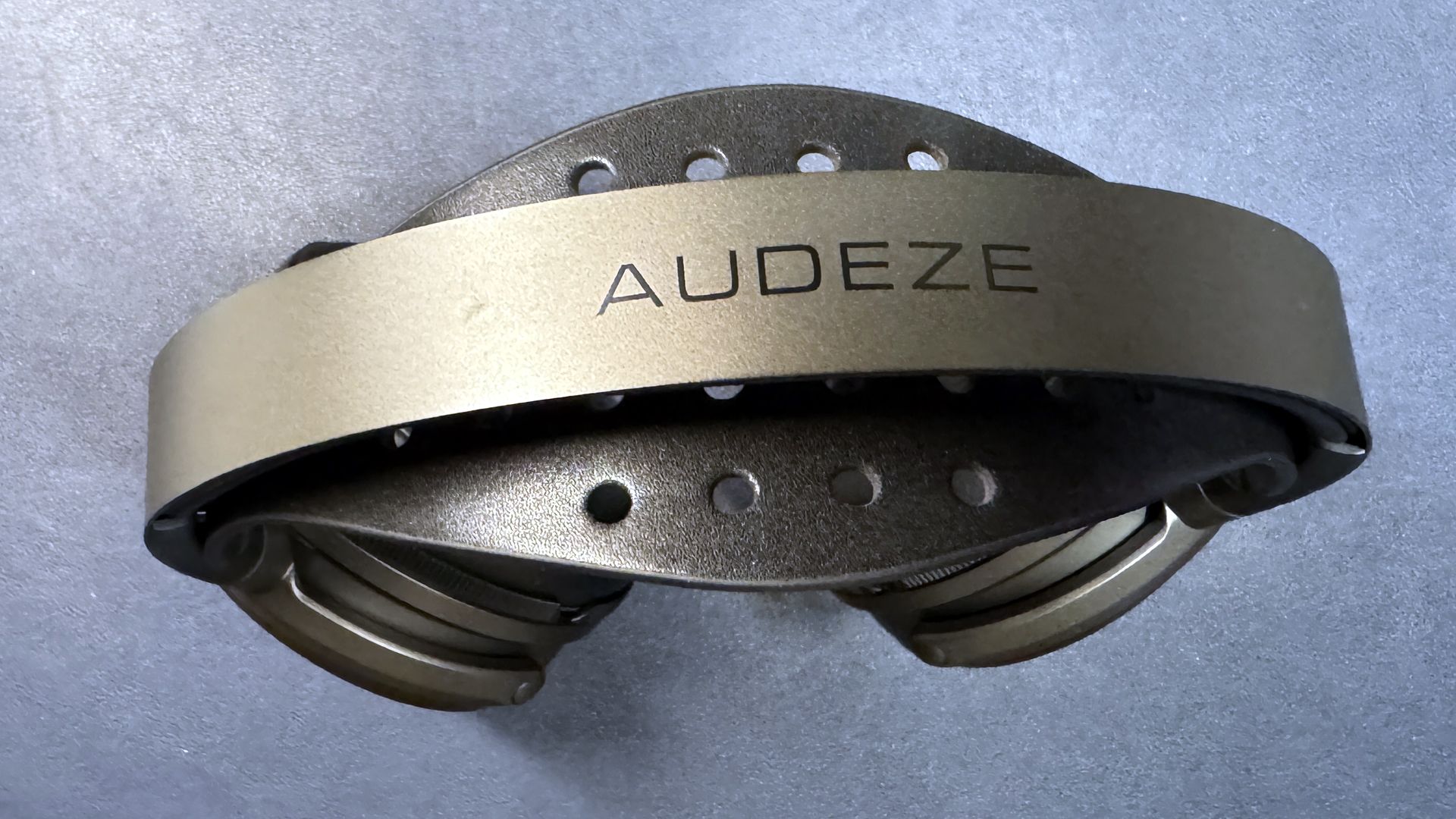
Top-down view of the Audeze Maxwell 2

Audeze Maxwell 2 (Image credit: Tom's Hardware)

There are, of course, gaming headsets from audiophile companies, such as the Audeze Maxwell and Maxwell 2, as well as headsets from gaming companies that implement audiophile features, such as the open-back Corsair Virtuoso Pro. And while a headset like the Audeze Maxwell 2 does a decent job of bridging the gap between audiophile and gaming, it makes some sacrifices; it's a very heavy headset (thanks in part to its large, 90mm planar magnetic drivers), though it is relatively comfortable for its weight. It sounds great, but it doesn't do the best job of implementing the gamer side of things — while it has a wide soundstage and decent spatial immersion, that's not the same as pinpoint spatial accuracy when you're listening for footsteps and gunshots.

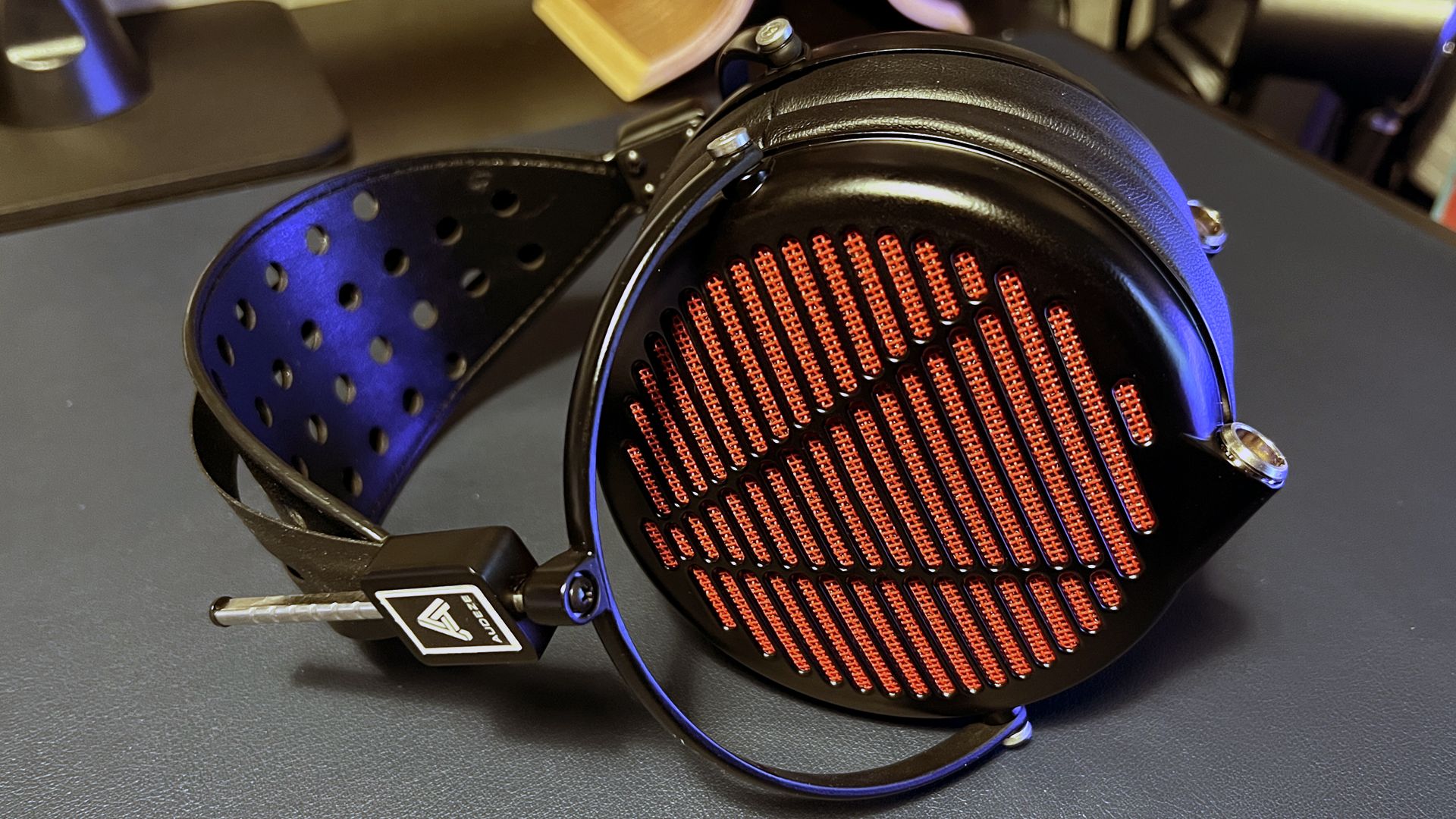
Audeze LCD-GX on a desk

(Image credit: Tom's Hardware)

And while the much pricier Audeze LCD-GX sounds incredible, it's basically the perfect example of how an audiophile headset focuses on sound at the expense of all else, as its gaming features are... mostly non-existent. The only thing that really makes the LCD-GX gamer-friendly is the fact that you can plug it directly into a PC because it comes with a 3.5mm cable and a PC (dual 3.5mm headphone/mic) converter.

So, should you get an audiophile headset in lieu of a gaming headset? Probably not. If you need a gaming headset for its gaming features: multi-device connectivity, super accurate positional audio for tactical advantage in shooting games, the ability to mix chat and game audio on the spot, convenient microphone, connection, and volume controls at your fingertips, or physical comfort for a marathon gaming session, definitely not. Yes, you will give up some audio fidelity and quality by picking a gaming headset over an audiophile one, but you aren't going to miss that when you're arguing over voice chat while trying to determine how far away the enemy is.

Micron's Taiwan union will launch a one-day strike this week, threatening memory production

Micron faces a one-day labor stoppage at its Taoyuan operations in Taiwan on October 22, Reuters reports. Micron's employees are striking for concrete terms for this year's bonus and a clearer mechanism for sharing the company's future profits. The strike's teeth come from the resultant financial impact on Micron's operations, as semiconductor fabs are supposed to operate around the clock. The scheduled protest comes amid strong demand for memory chips and will have a minor impact on Micron's memory output.

The Taoyuan union wants Micron to present a specific proposal for this year's additional employee bonus and establish a transparent formula for distributing a portion of future profits. Previous negotiations between the company and the union ended unsuccessfully in September, which prompted employees to approve industrial action in early October. Nonetheless, the union stresses that the October 22 strike is intended to pressure Micron into reaching an agreement rather than terminate negotiations. The union is prepared to conclude a deal if the company presents terms acceptable to employees across its Taiwanese operations.

The situation could become more serious if employees at Micron's Taichung operations, its largest manufacturing site in Taiwan, decide to join the action. A separate labor organization that represents workers at that facility is scheduled to meet with Micron for mediation on October 22, the same day as the Taoyuan protest. However, the Taichung union has not yet authorized a strike.

Micron's fabs in Taiwan produce commodity DDR5 and LPDDR as well as expensive high-bandwidth memory (HBM) for AI accelerators. Amid record demand for memory of all types, even a one-day suspension of operations would have a material impact on Micron's output and earnings.

Modern semiconductor fabs are supposed to work 24/7/365, as many processes cannot be halted. However, if management has sufficient time and personnel to prepare, a one-day warning strike does not necessarily mean a complete shutdown of Micron's Taoyuan manufacturing operations, not to mention permanent damage to wafers or equipment. The actual consequences of the strike will depend on employee participation, which manufacturing operations are affected, and Micron's contingency plans. While it is likely that the output will drop, the decline will likely be negligible.

Micron employs approximately 15,000 people in Taiwan. The workers point to compensation arrangements at Samsung Electronics and SK hynix as examples of how semiconductor manufacturers can distribute profits among employees as AI-driven demand generates unprecedented cash flows for memory firms.

Save a massive $850 on Lenovo's Legion 5i gaming laptop with this 32% Best Buy discount

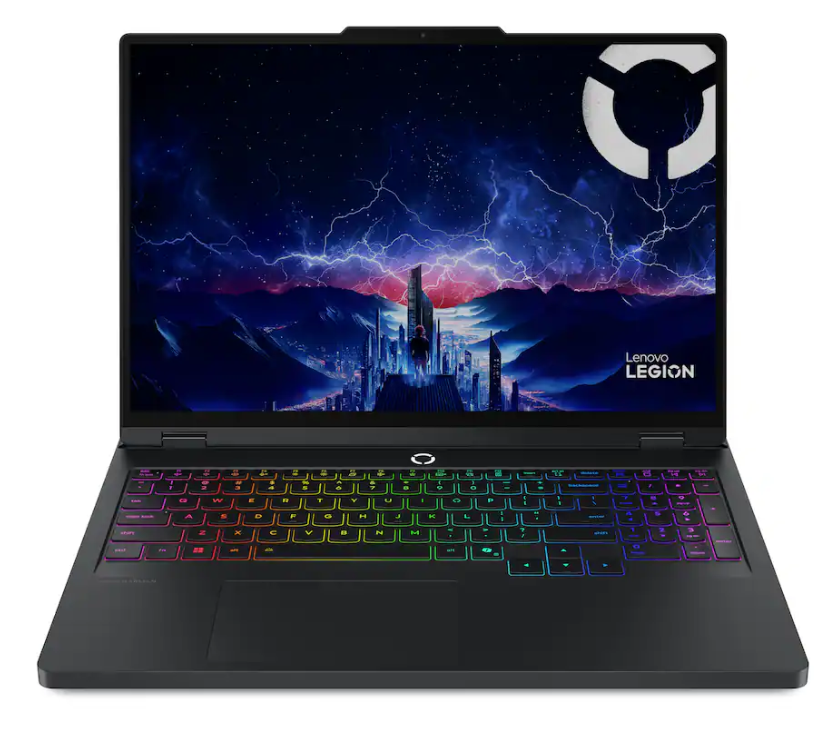
On the lookout for a new gaming laptop? Best Buy is offering $850 off the list price of the Lenovo Legion 5i 16-inch Gaming Laptop, bringing the price to $1799.99. The full list price of this laptop mentioned on the Best Buy store page is $2649.99, which is a hefty sting to anyone's bank account. This Legion 5i packs a high-res 16-inch display and a powerful laptop graphics card, and comes in a very well-constructed Lenovo Legion chassis.

● Check out this deal at Best Buy

The Lenovo Legion 5i in this deal features a 16-inch IPS screen with a sharp 3K display (2560 x 1600-pixel) resolution, a blistering 240Hz refresh rate, and 500 nits of brightness. This Legion 5i model sports an Intel Core Ultra 7 255HX processor with an Nvidia mobile RTX 5070 graphics card with 8GB of GDDR7 VRAM, 16GB of memory, and a 1TB SSD for storage, which completes the main hardware specifications of this powerful gaming laptop.

Legion 5i 16-inch Gaming Laptop: was $2649.99 now $1799.99
The Lenovo Legion 5i uses an Intel Core Ultra 7 255HX processor with Nvidia's mobile RTX 5070 graphics with 8GB of VRAM. There's also 16GB of memory and a 1TB SSD installed. The laptop features a 16-inch screen with a sharp resolution of 2560 x 1600 pixels and a 240Hz refresh rate. View Deal

The Legion 5i also offers video connectivity via USB-C DisplayPort 1.2 and HDMI 2.1. Other ports onboard the Legion 5i include Thunderbolt 4 and 3x USB-A ports. Speedy Wi-Fi 7 connects you wirelessly for gaming, with helpful RGB backlighting on the keyboard for gaming in darker environments.

The battery life for the Legion 5i is rated for around 4.7 hours of use, but, as is the issue with all gaming laptops that use a powerful graphics solution for gaming, the battery can drain very quickly. So, for the full gaming potential of this laptop, you will need to be connected to mains power.

Score a 1440p-ready gaming PC with an RTX 5060 Ti 16GB for under $1,500 right now, saving you $200

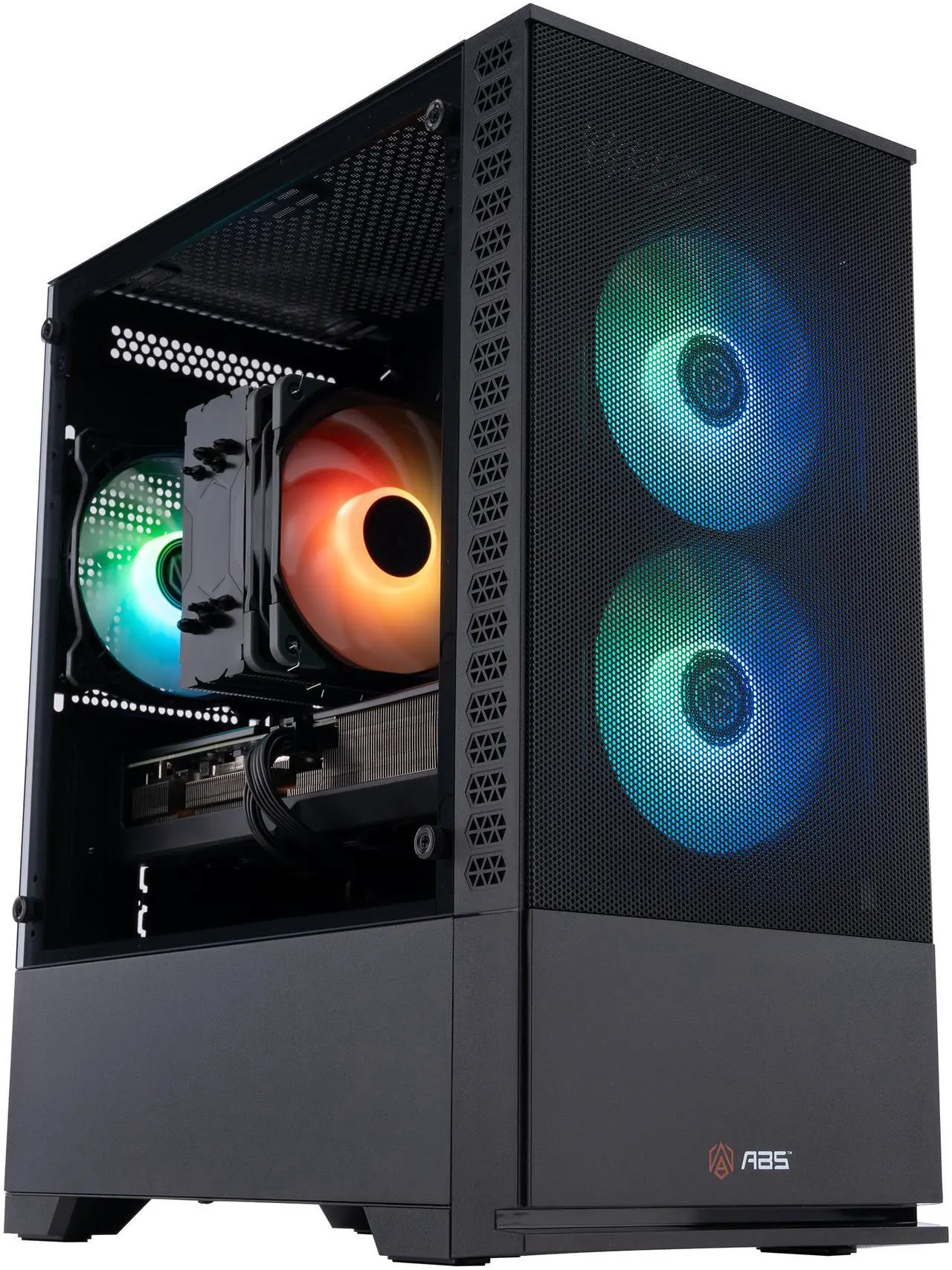
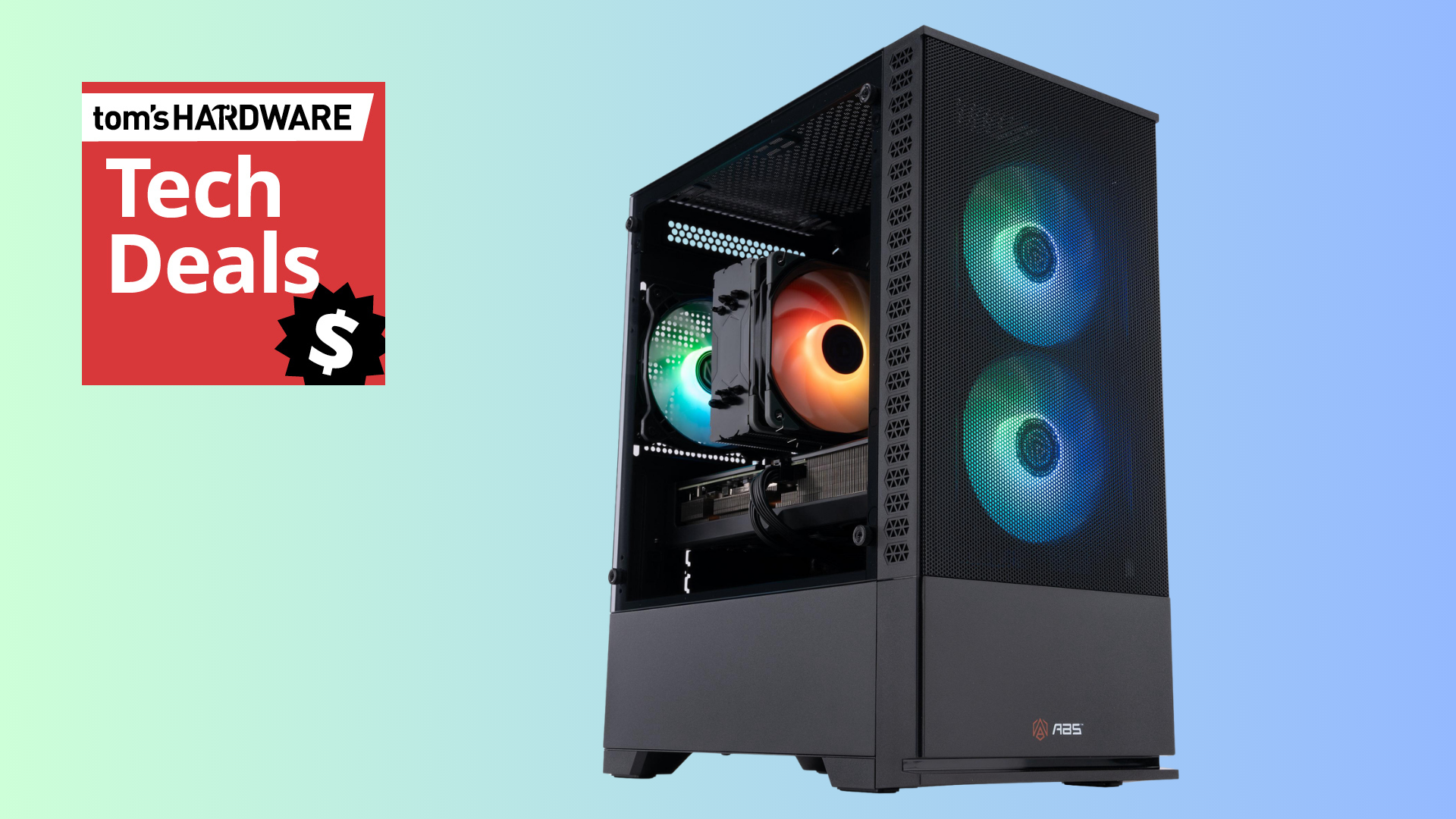
Right now, the best way to pick up a gaming PC is to buy a pre-built, with hardware prices shooting through the roof. Luckily, the big tech retailers continue to throw out deals for gamers to take advantage of. For instance, you can pick up this ABS Cyclone Aqua machine with an RTX 5060 Ti 16GB GPU, giving you 1440-capable performance for $1,499.99.

● Check out this deal at Newegg

If you took these specs and tried to build a matching PC yourself, you'd struggle to beat this price. Front and center here is the Nvidia GeForce RTX 5060 Ti with 16GB of VRAM: a formidable option for a budget-friendly gaming PC. You're also getting a 20-core Intel Core i7-14700F CPU, 16GB of DDR5 RAM, and a 1TB SSD.

Cyclone Aqua (RTX 5060 Ti 16GB): was $1699.99 now $1499.99
This ABS Cyclone Aqua gaming PC is ready for 1080p and 1440p gaming. It features an Nvidia GeForce RTX 5060 Ti 16GB, 16GB DDR5 RAM, a 1TB SSD, and a 20-core Intel Core i7-14700F CPU.View Deal

With the Nvidia GeForce RTX 5060 Ti at your disposal, you're getting one of Nvidia’s latest-generation mid-tier graphics cards. It has 4,608 CUDA cores and a boost clock speed of 2,527MHz. Unlike the more power-hungry top-end RTX 50-series cards, you only need one eight-pin PCIe connector to deliver power here, so you can banish those worries about burning GPU cables.

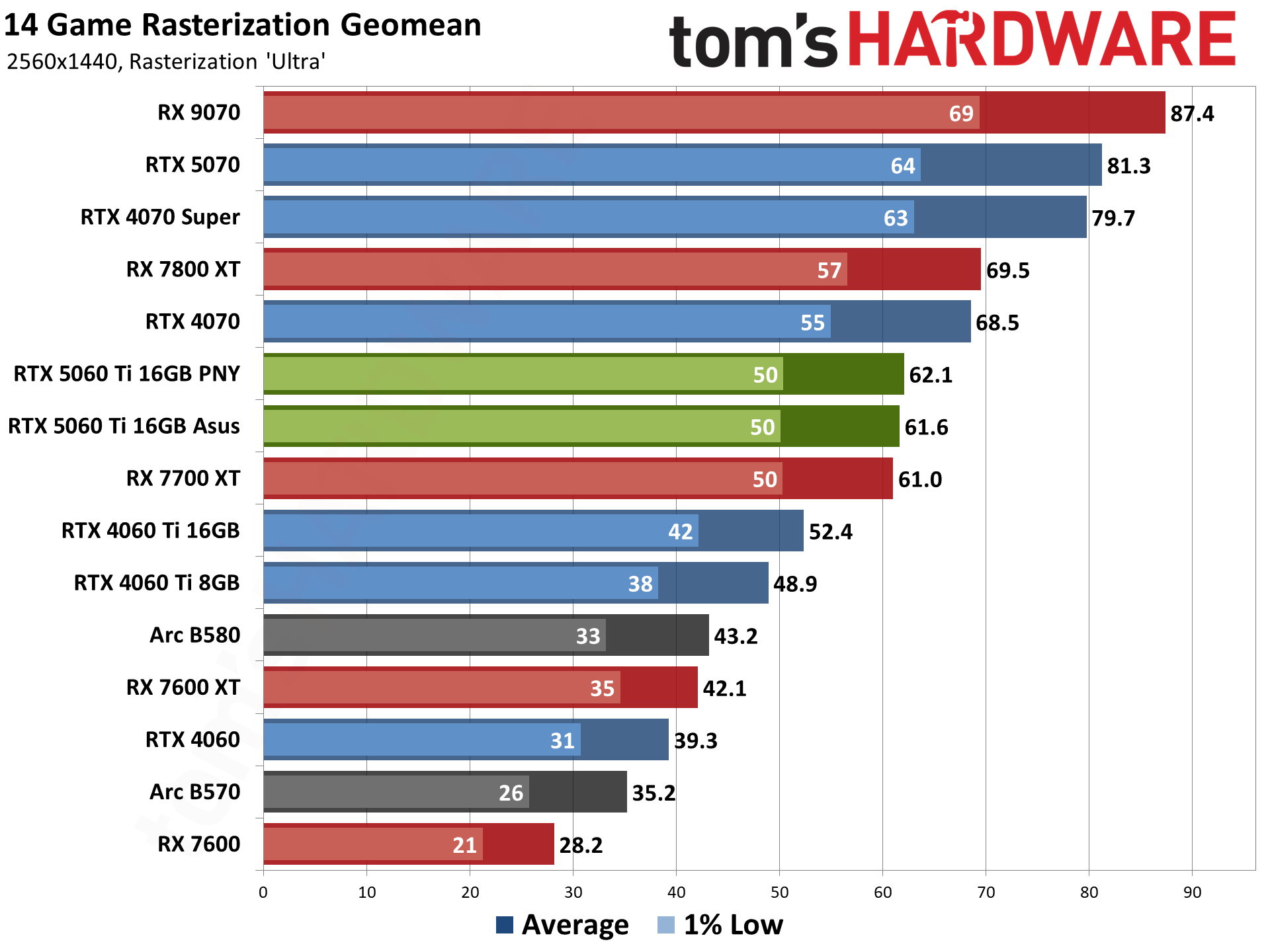
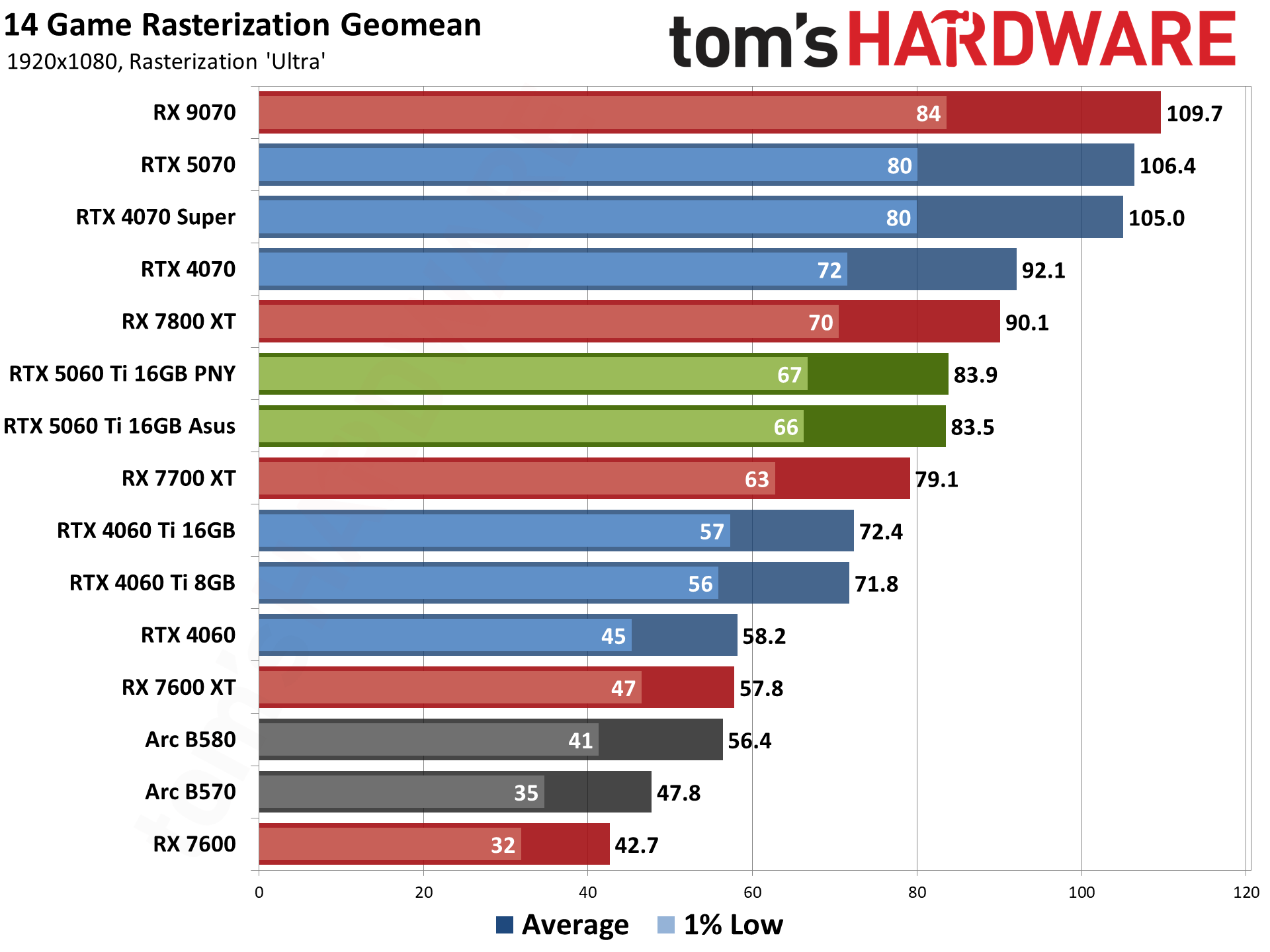
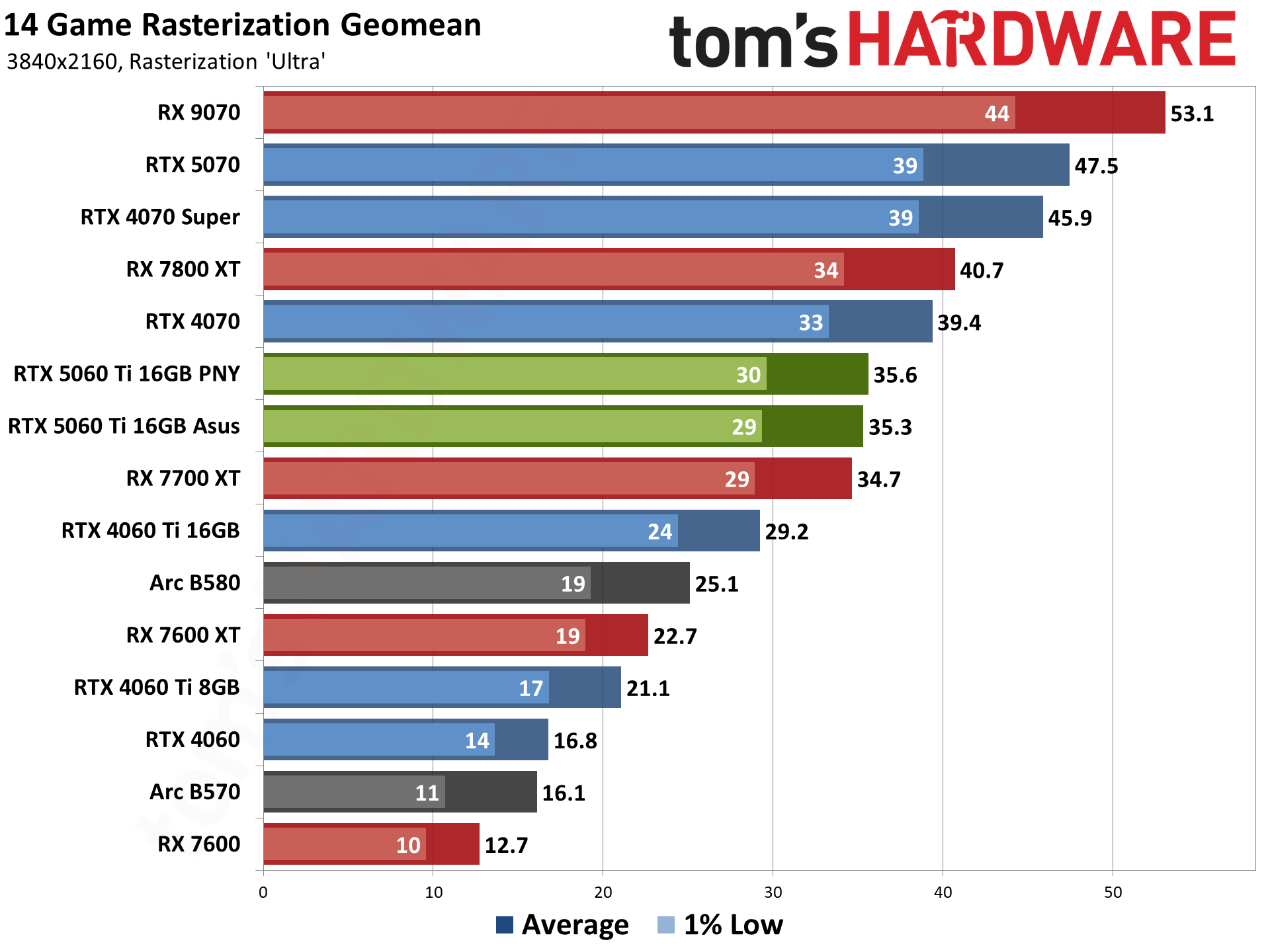
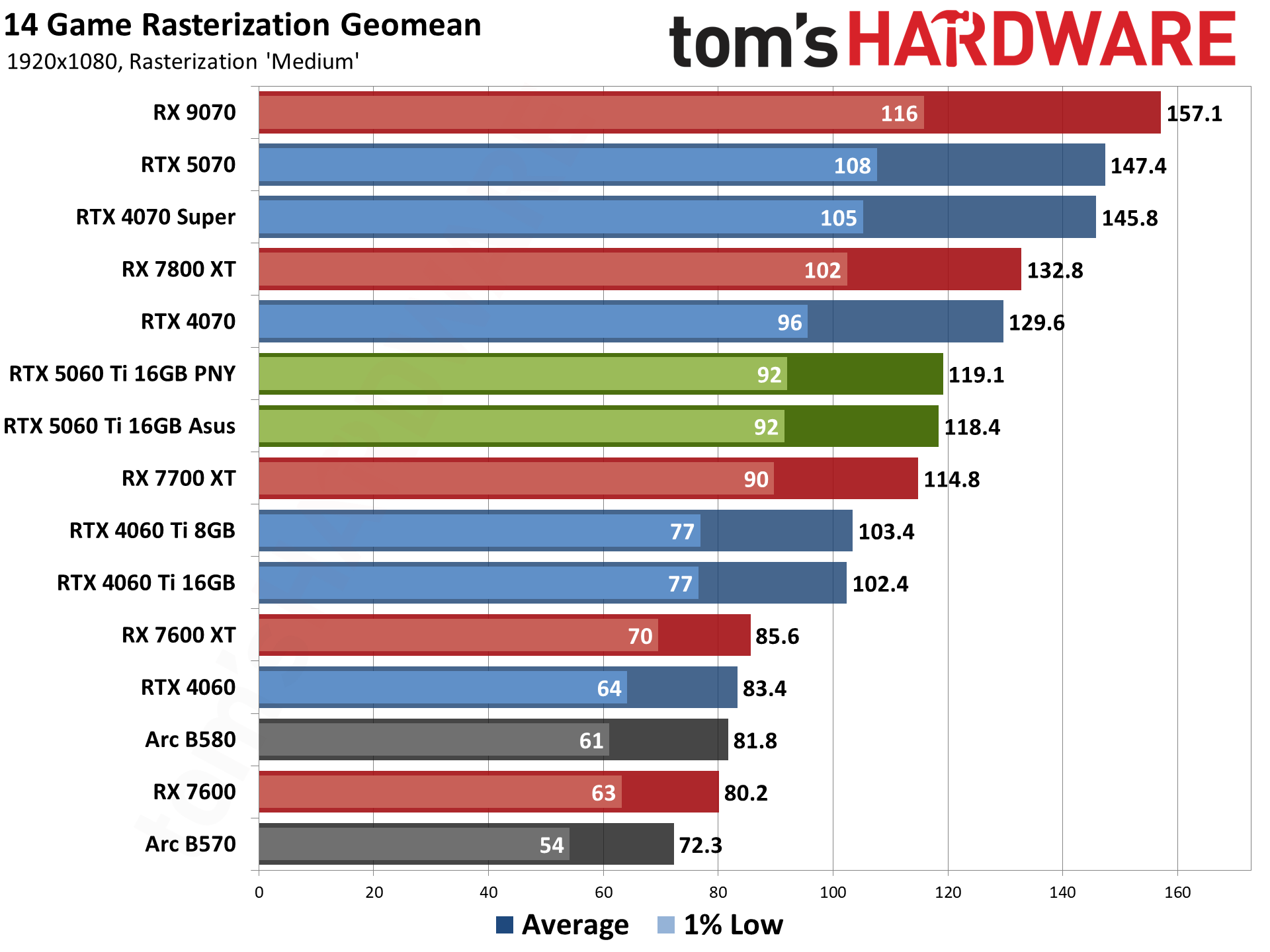
Our RTX 5060 Ti 16 GB review makes clear how good the performance is with this Blackwell GPU for gamers, especially at 1080p and 1440p. The charts you'll see below show that, especially with ray tracing in the mix, compared to rival cards at this level. Full DLSS support is included, too, so you can add multi-frame generation as a backstop. That'll give you a nice frame rate boost in the most resource-heavy games if you're pushing up to the highest resolutions.

Nvidia GeForce RTX 5060 Ti 16GB performance charts
Tom's Hardware
Nvidia GeForce RTX 5060 Ti 16GB performance charts
Tom's Hardware
Nvidia GeForce RTX 5060 Ti 16GB performance charts
Tom's Hardware
Nvidia GeForce RTX 5060 Ti 16GB performance charts
Tom's Hardware

You can also count on 16GB of GDD7 VRAM with this GPU. That makes it a much more appealing option than 8GB variants you might have to settle for in other rigs at this price point. 16GB gives you more headroom, as far as performance goes, for the most resource-heavy games at 1440p.

For the CPU, you're getting the Intel Core i7-14700F. This continues to be a popular CPU option for gaming, despite being a little older. This Raptor Lake Refresh CPU has 20 cores, with eight performance cores, which are the ones you'll want for gaming, along with 12 efficient cores for multi-threaded work. It also has a maximum turbo clock speed of 5.4 GHz, along with a 65W TDP. At 1080p or 1440p, you won't see much of a bottleneck with the 14700F at your disposal in modern games.

No risk of settling for slower DDR4 RAM here, either. You get fast DDR5 instead, with 16GB of G.Skill Flare X5 DDR5 memory included with speeds of 6,000 MT/s. You aren't getting 32GB, which is a compromise, but you do have room to upgrade later, and DDR5 ensures some extra longevity.

Storage-wise, you're also getting a 1TB Patriot P410 SSD. It has Gen 4 speeds, with that 1TB of storage ensuring you get space for a couple of the big AAA games alongside your Windows installation. This ABS build also comes with Wi-Fi 6E and Bluetooth 5.2 wireless connectivity, along with gigabit Ethernet for a wired connection to your local network.

The $1,499.99 sale price for this ABS Cyclone Aqua gaming PC makes it an affordable option for gamers who want a 1440p-ready rig right now, especially with prices rising elsewhere. The RTX 5060 Ti 16GB is the standout component, but there's no guarantee that this price will last for very long.

Elevate your Steam Deck and ROG Ally's SSD storage for just $0.13 per GB

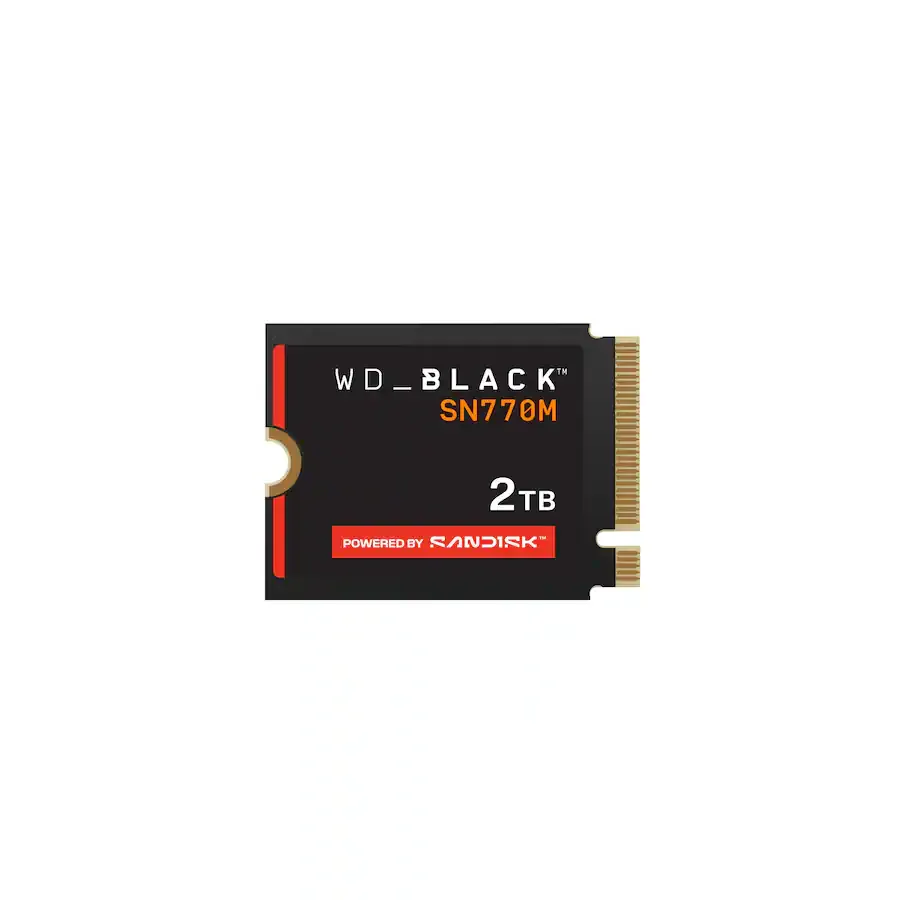
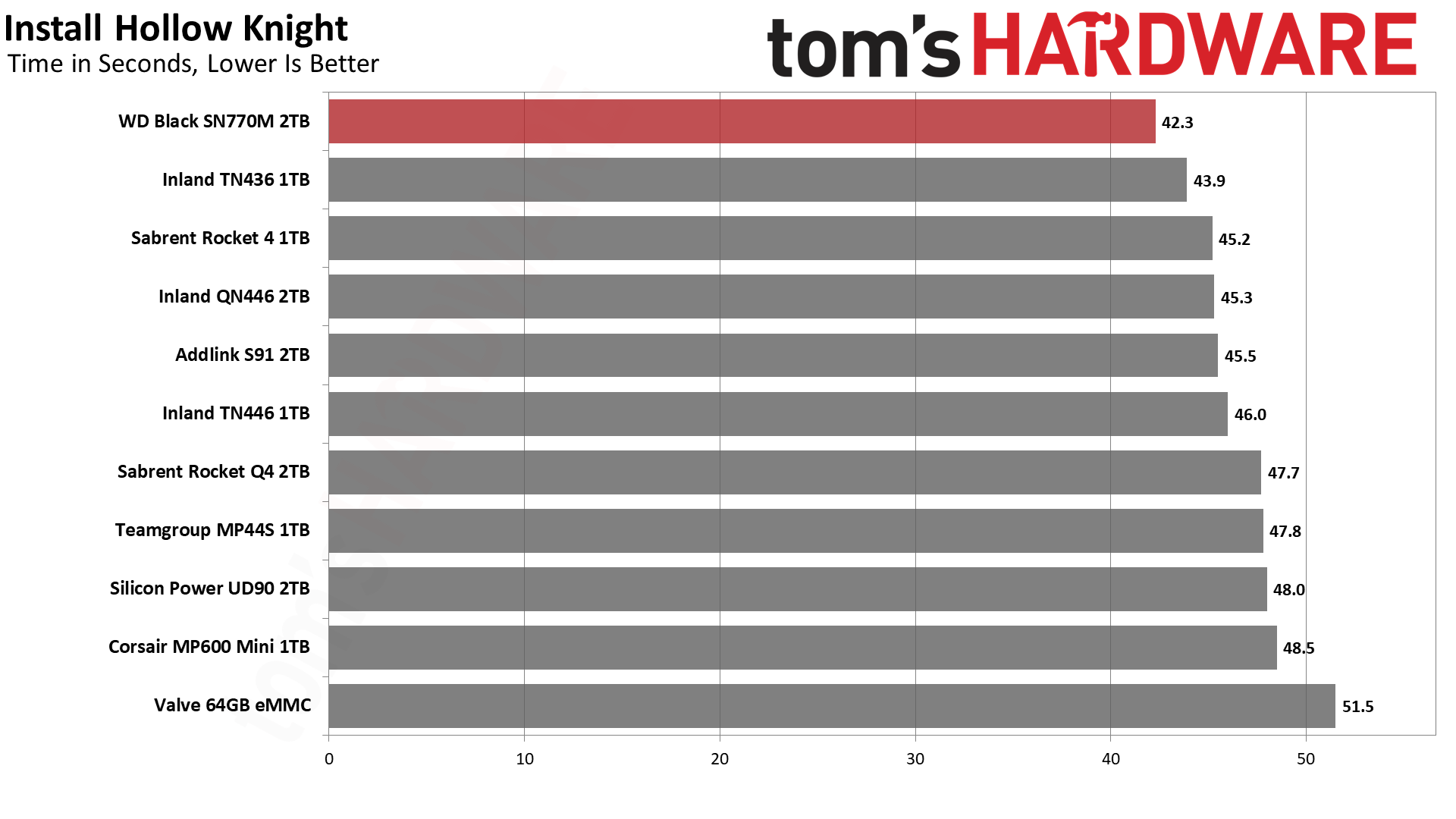
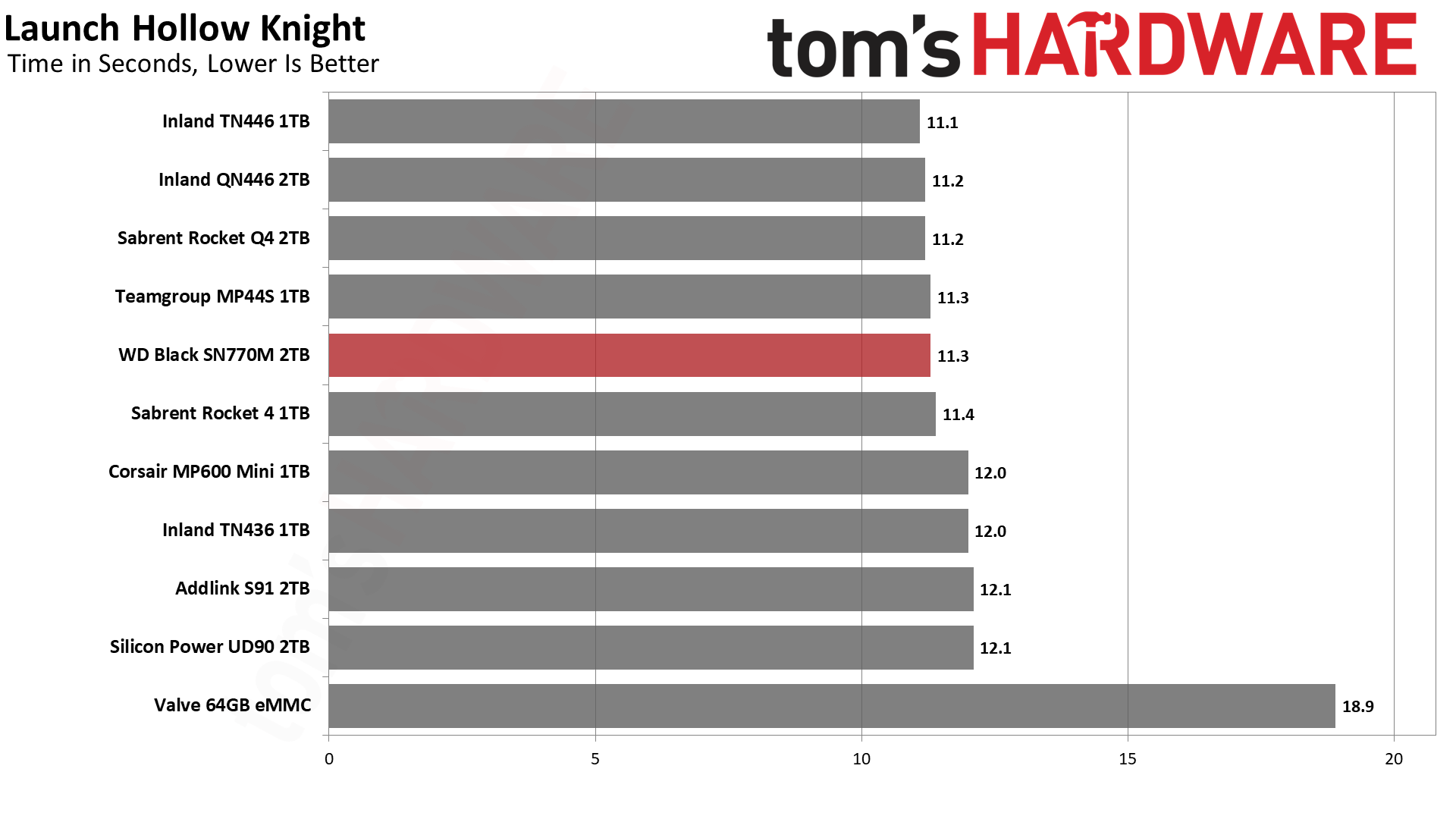
Normally, only a madman would even attempt to buy an SSD during a storage shortage. However, the WD Black SN770M 2TB has fallen to $259.99, just 8% above its original launch price. At this price, it is worth considering if your gaming handheld is running out of internal storage.

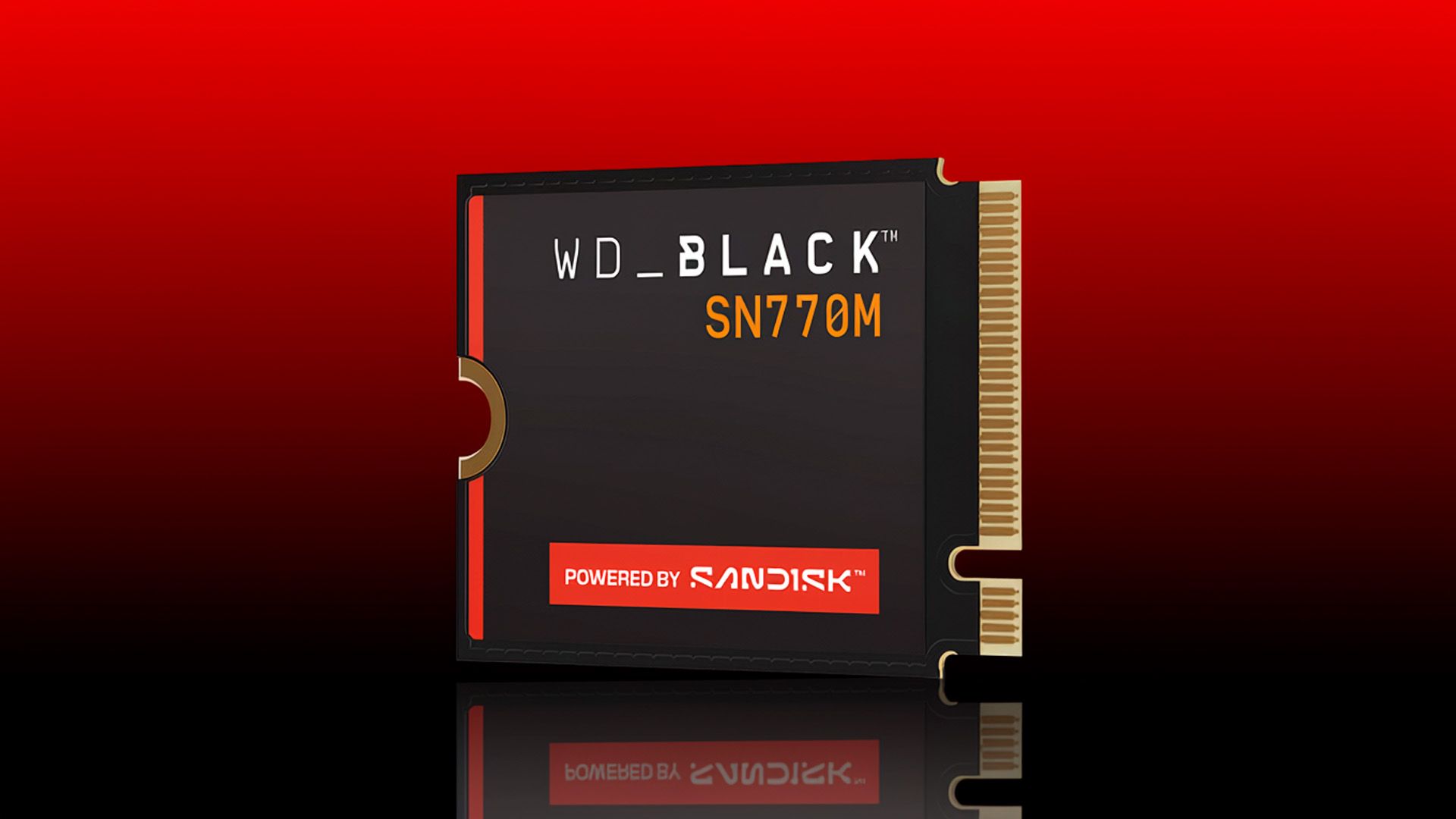
The WD Black SN770M, once one of the best SSDs, is an M.2 2230 drive, making it a perfect fit for popular handhelds like the Steam Deck, ROG Ally, Legion Go, and Claw. Currently, 2TB is the highest capacity available to consumers. Micron announced a 4TB M.2 2230 SSD not long ago, but it is limited to OEM models, so gamers will have to settle for 2TB for now.

The PCIe 4.0 SSD delivers sequential read and write speeds up to 5,150 MB/s and 4,850 MB/s, respectively. It is a perfect fit for modern handhelds that take advantage of the PCIe 4.0 interface. For the Steam Deck, however, which uses PCIe 3.0, the WD Black SN770M is a bit of overkill.

WD Black SN770M 2TB: was $531.99 now $259.99
The WD Black SN770M is an M.2 2230 SSD that delivers sequential read and write speeds of up to 5,150 MB/s and 4,850 MB/s, respectively, over a PCIe 4.0 interface.View Deal

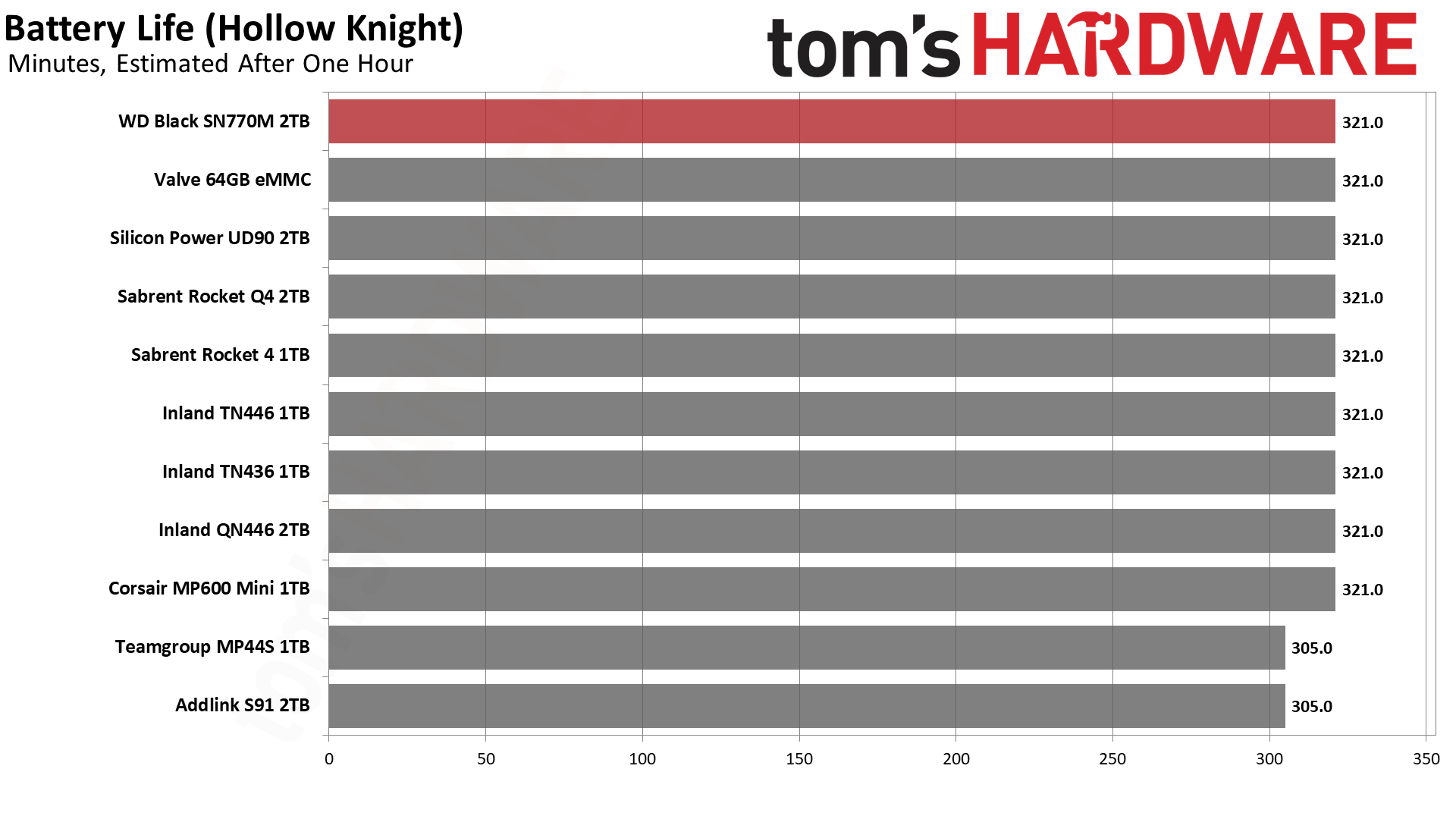
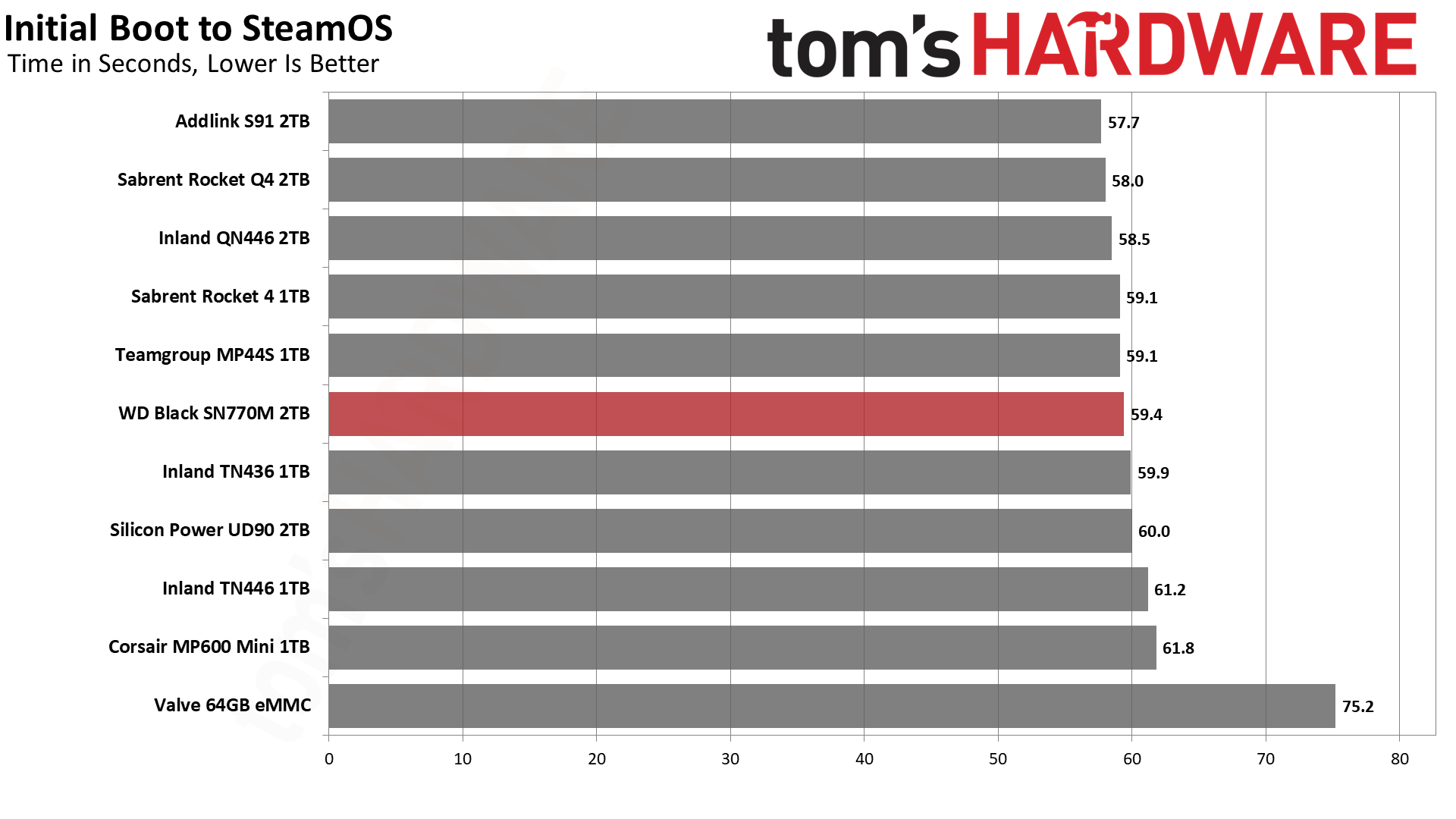
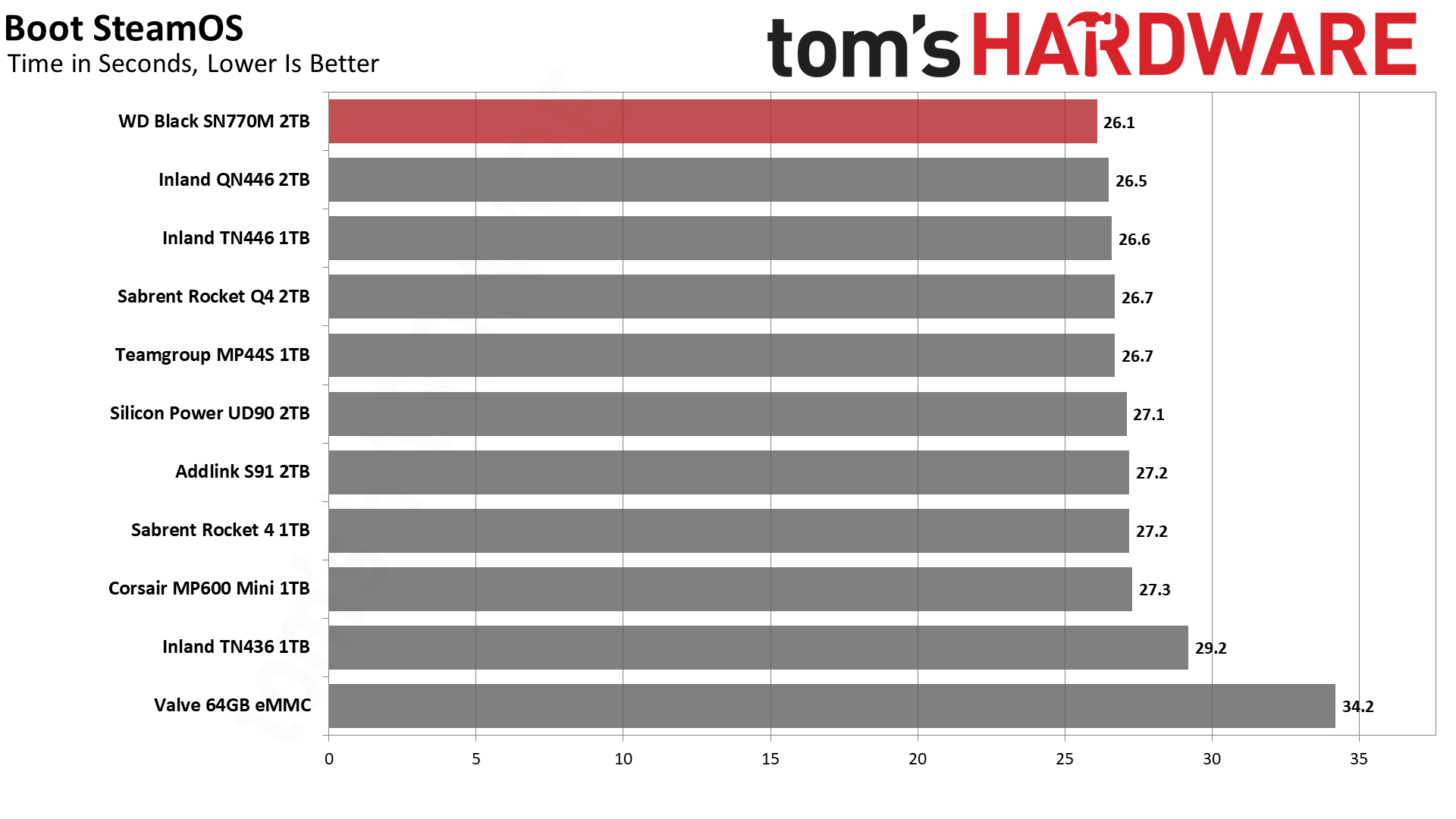
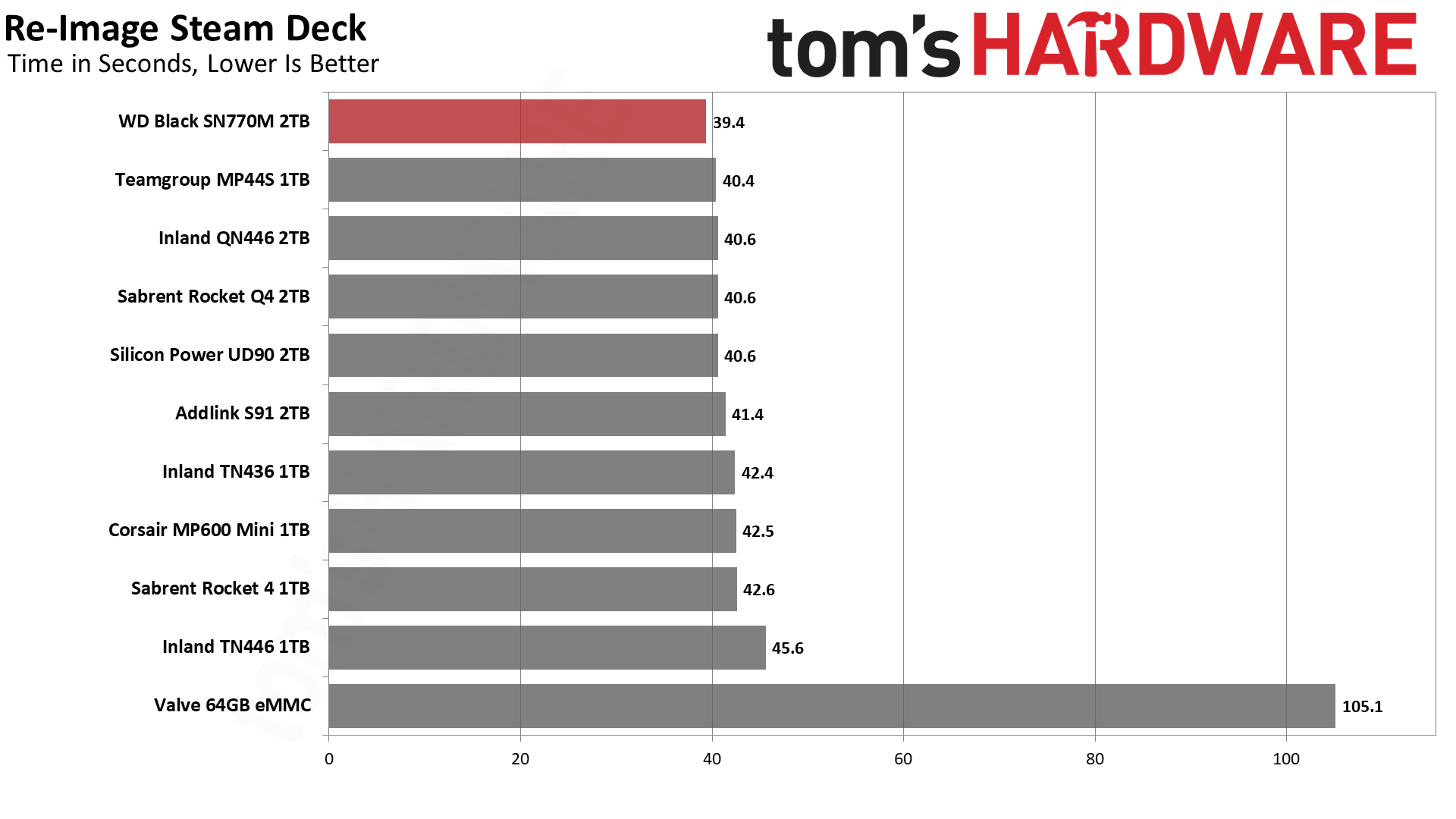
The WD Black SN770M remains a good option for gaming handhelds, even after the introduction of newer models like the Optimus GX 7100M. The SSD strikes a balance between price and performance, especially for the Steam Deck, which is limited by PCIe 3.0.

2TB WD Black SN770M (2230) SSD
Tom's Hardware
2TB WD Black SN770M (2230) SSD
Tom's Hardware
2TB WD Black SN770M (2230) SSD
Tom's Hardware
2TB WD Black SN770M (2230) SSD
Tom's Hardware
2TB WD Black SN770M (2230) SSD
Tom's Hardware
2TB WD Black SN770M (2230) SSD
Tom's Hardware

The WD Black SN770M came out three years ago with an MSRP of $219.99, but it typically hovered around $239.99. During the recent storage shortage, prices surged to between $349.99 and $399.99, so Best Buy's comparison value of $531.99 is heavily exaggerated.

For $0.13 per GB, the WD Black SN770M offers very good value, being only 8% above its pre-shortage retail price. The SSD is among the best deals available if you need a high-performance M.2 2230 SSD for your gaming handheld right now.

Pre-orders are live on Nvidia RTX Spark devices, secure the Surface Laptop Ultra or other RTX Spark laptops here — starting at $2,599

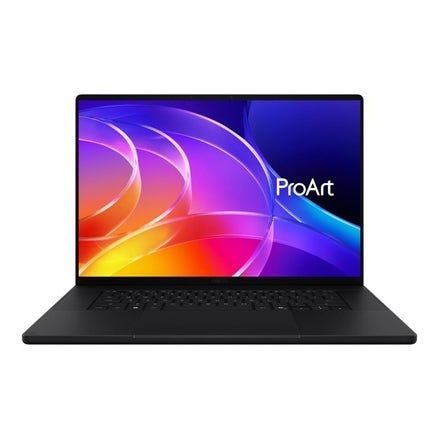
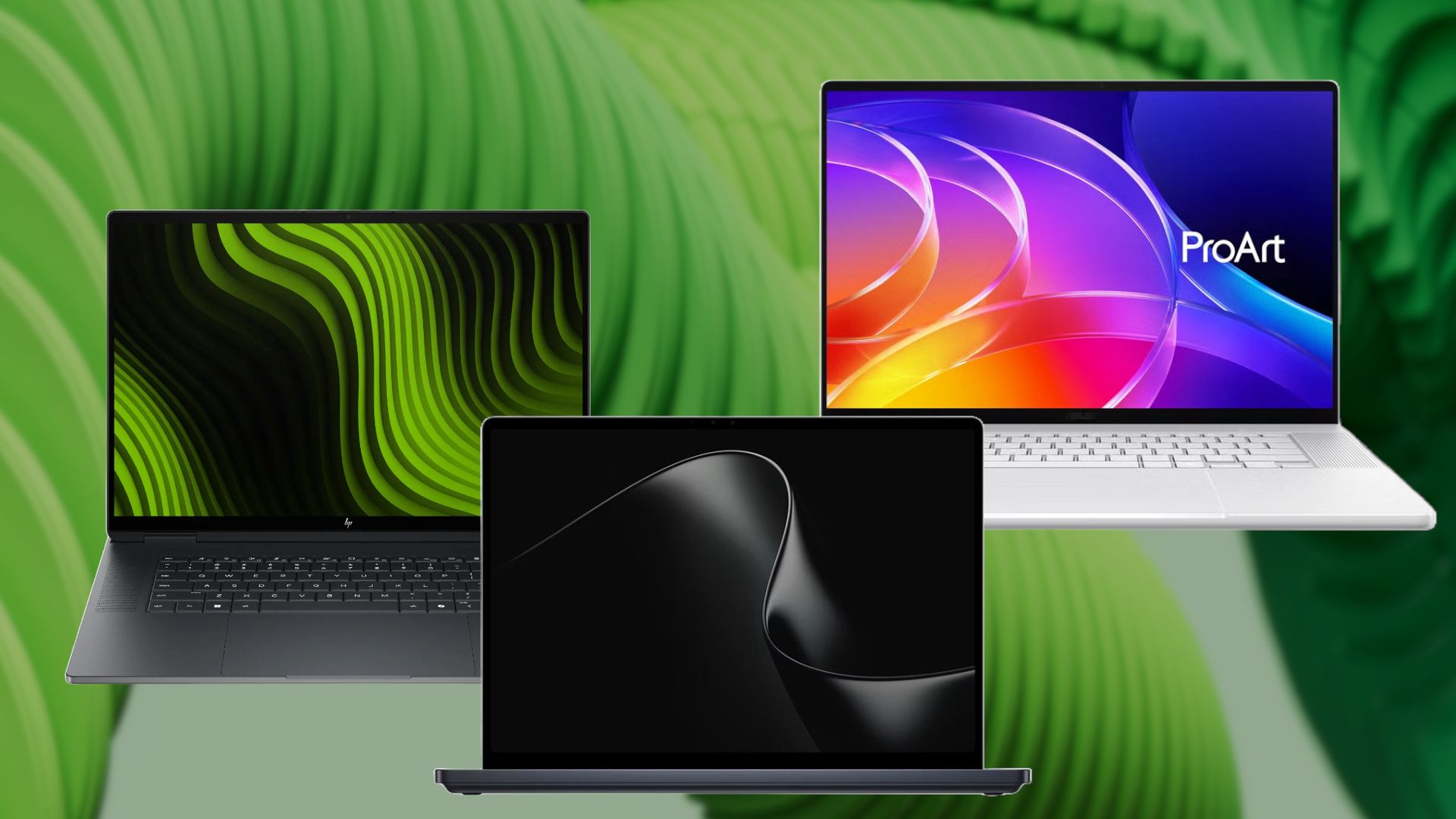
Nvidia's RTX Spark is arriving soon, with devices shipping on Friday, October 16. Pre-orders for RTX Spark from brands like Asus, Microsoft, Lenovo, HP, and Dell are live now, including the new Surface Laptop Ultra. Additional devices will be available post-launch, including small form factor desktops. Further below, you'll find the full list of all available models in detail, but we also have more general links here:

Best Buy has a limited lineup of devices to start, ranging from the Asus ProArt P14 with 24GB of memory for $2,599 up to the Surface Laptop Ultra with 48GB of memory for $3,999. If you want to scale up the RTX Spark's maximum 128GB of memory, you'll need to shop elsewhere.

Nvidia RTX Spark 128GB and 64GB laptop pre-orders

ProArt P16 RTX Spark: $4399.99
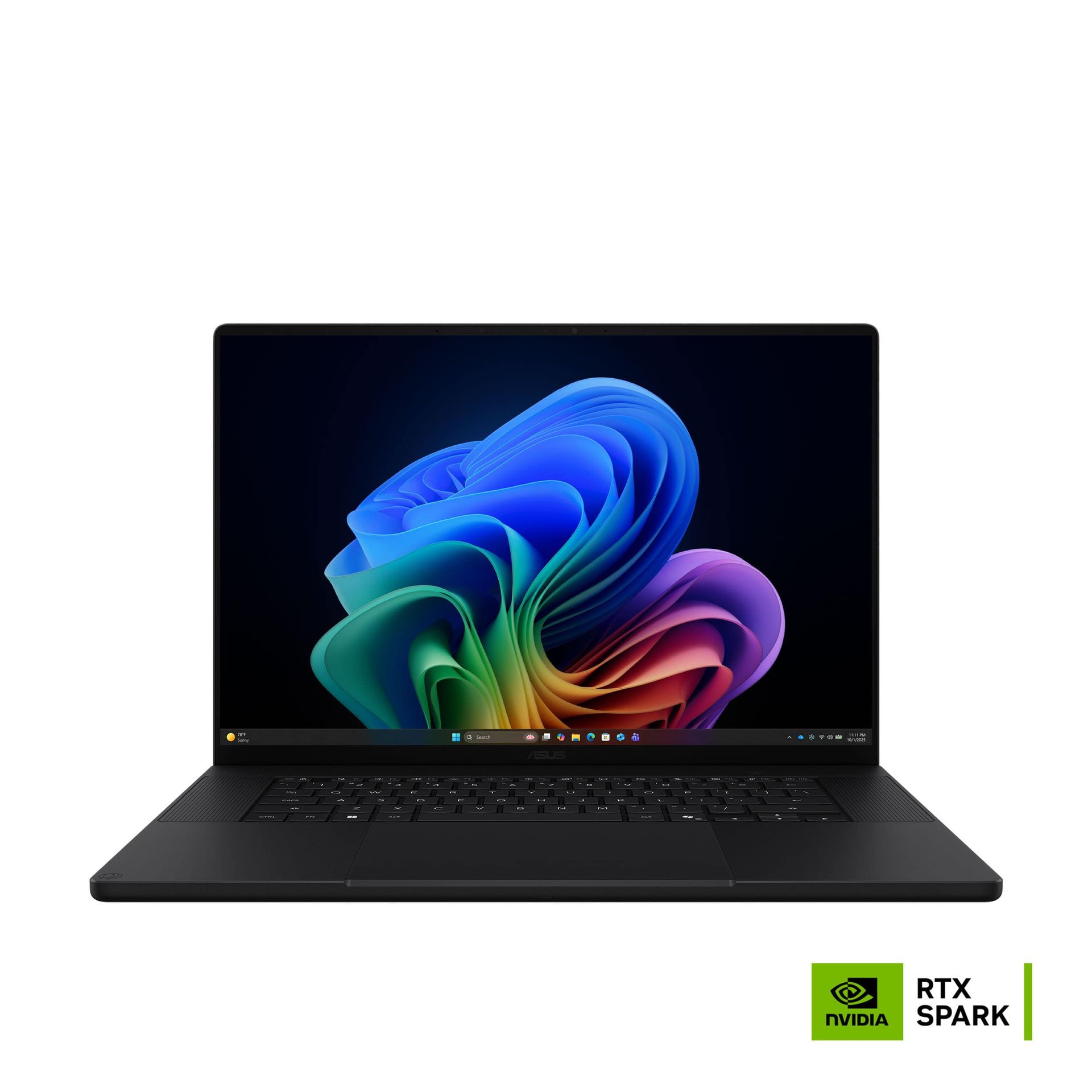
The Asus ProArt P16 is a 16-inch laptop with the RTX Spark chip, which includes the 20-core Grace CPU and a Blackwell GPU, along with up to 128GB of unified memory. View Deal

Asus has the ProArt P16 available with either 64GB or 128GB of unified memory directly from its web store, starting at $4,499.99 for the 64GB configuration. If you upgrade to 128GB of unified memory, the laptop comes in at $6,999.99 with 2TB of storage.

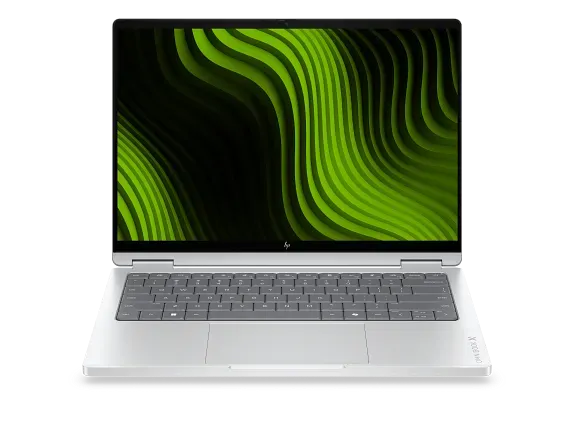
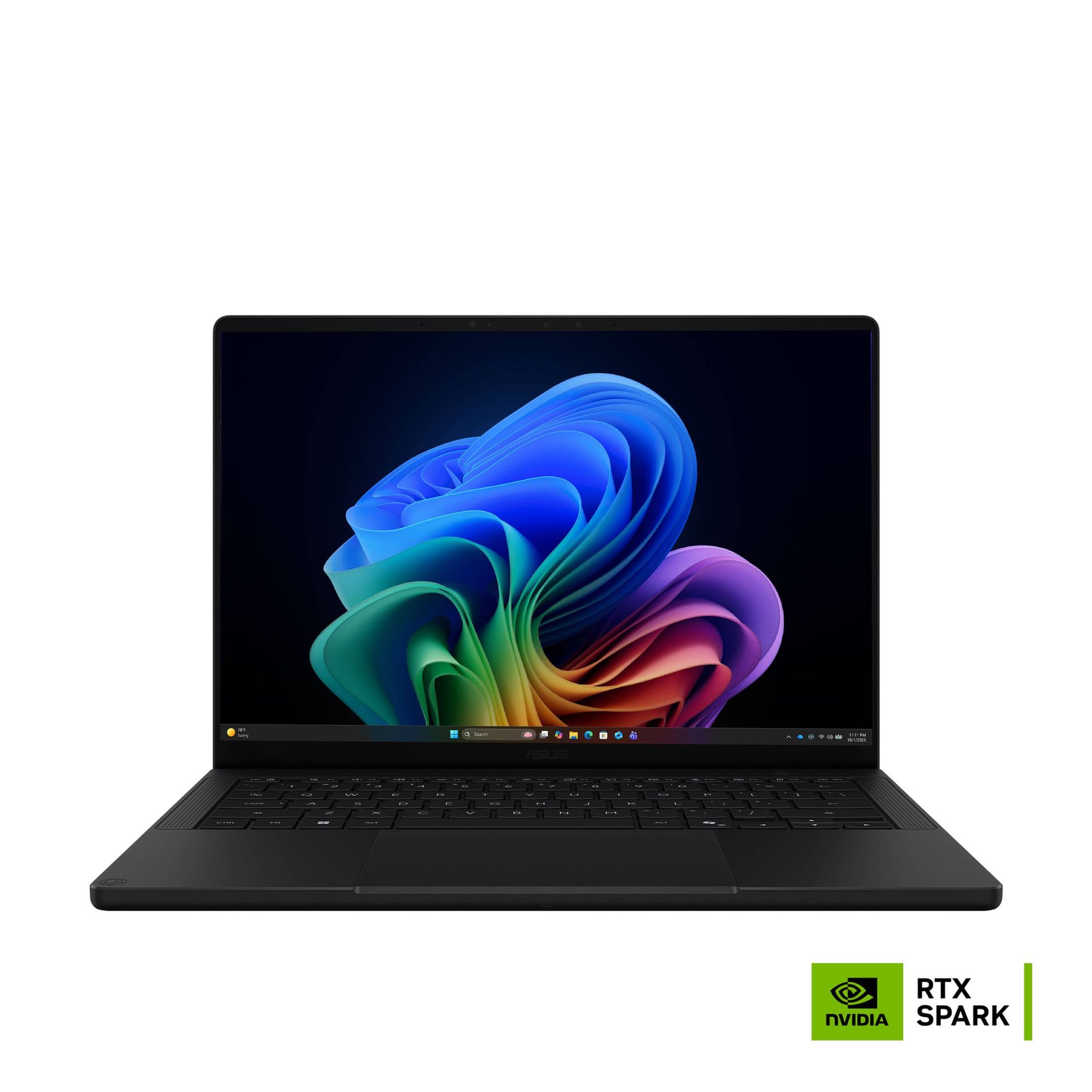
The HP OmniBook X 14 is a 14-inch laptop with the RTX Spark chip. It includes a 3K OLED touch display at a 120Hz refresh rate, along with up to 128GB of unified memory. View Deal

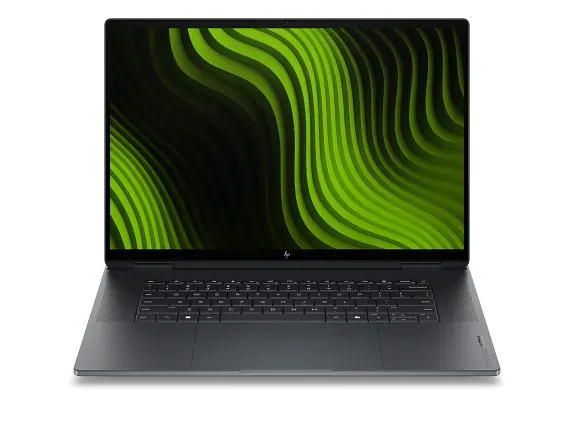
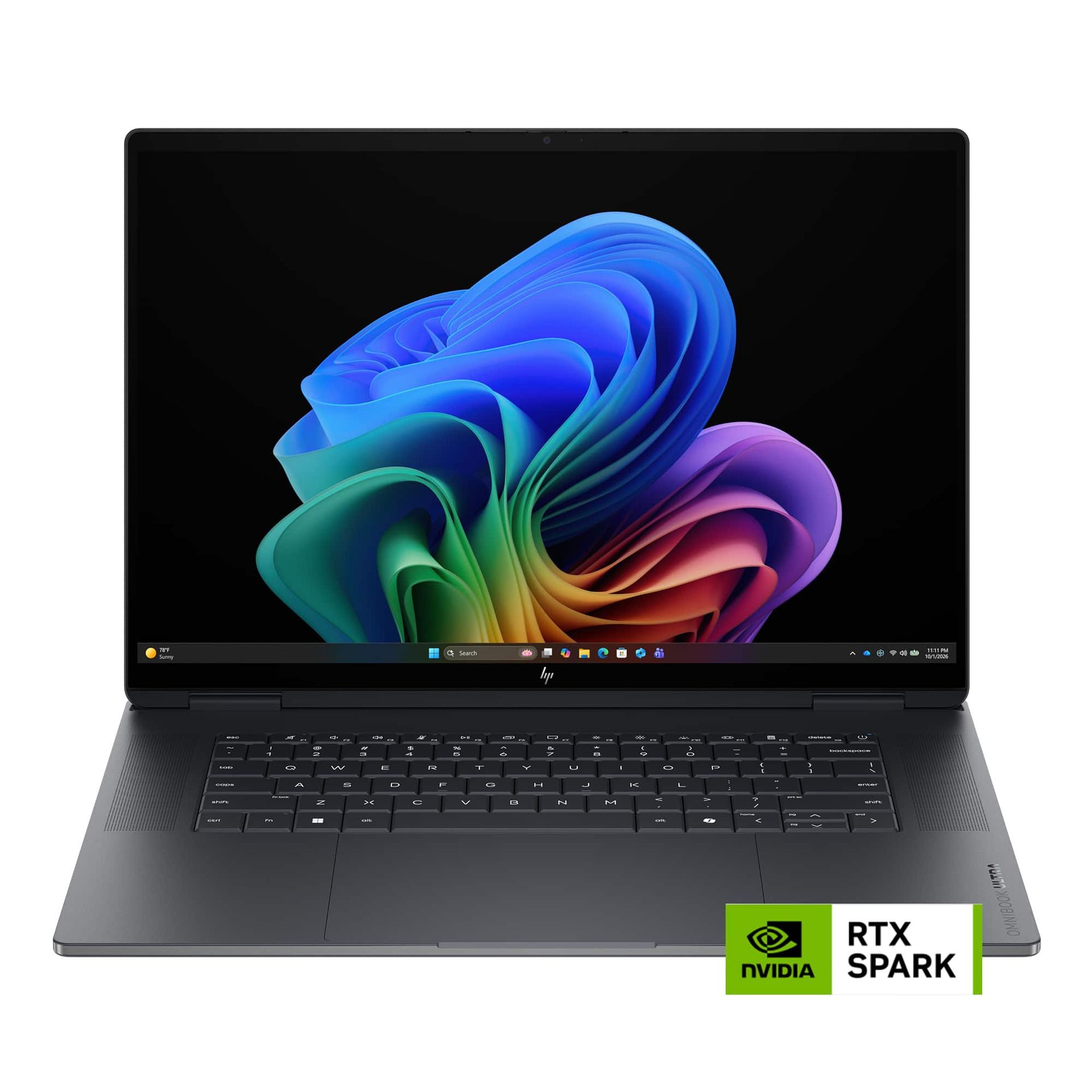
The HP OmniBook Ultra 16 is a 16-inch laptop with the RTX Spark chip and supports up to 128GB of unified memory. View Deal

HP has two models available directly in its web store, both of which support up to 128GB of unified memory (along with 64GB, 48GB, 32GB, and 24GB). Both models are significantly cheaper than the ProArt P16 with 128GB of unified memory. The OmniBook X comes in at $5,109, while the OmniBook Ultra runs $5,309, both with 1TB of storage.

The two models are very similar, differing primarily in screen size. The OmniBook X is 14 inches, and the OmniBook Ultra is 16 inches. Both come with a 3K OLED touch display with a 120Hz refresh rate, and they support up to 2TB of storage.

With both laptops, you'll get a smaller 5120-core GPU with the 32GB configuration. With all other configurations, you get the full 6,144-core GPU available on the RTX Spark.

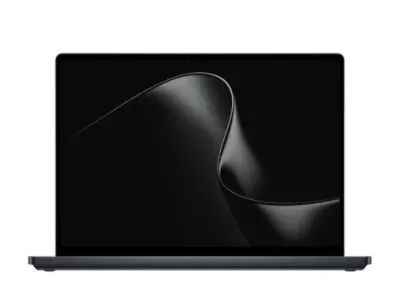
The Surface Laptop Ultra is a 15-inch laptop with the RTX Spark chip and up to 128GB of unified memory. View Deal

Finally, the Surface Laptop Ultra is available up to 128GB directly from Microsoft. It's also available from B&H, though it appears configurations with more memory capacity are exclusive to first-party sources right now. That might mean B&H ships later than what you can get directly.

Dell and Lenovo don't have devices available directly yet, so the only options for pre-order are what you can find at Best Buy. We have those rounded up below.

Nvidia RTX Spark Best Buy pre-orders

Best Buy has a broad range of RTX Spark laptops available for pre-order, topping out at 64GB of unified memory. All of the devices through Best Buy are expected to ship on the October 16 release date. You can find all of the pre-orders going on right below below.

We've included the starting configuration for each machine, though note that Best Buy has other configurations of these models available for pre-order, as well. You can browse all of the pre-orders directly on Best Buy.

ProArt P14 (RTX Spark): $2599.99
The Asus ProArt P14 is a 14-inch laptop with Nvidia's RTX Spark chip. View Deal

Surface Laptop Ultra (RTX Spark): $2599.99
The Microsoft Surface Laptop Ultra features Nvidia's RTX Spark chip and up to 128GB of unified memory. View Deal

ProArt P16 (RTX Spark): $2799.99
The Asus ProArt P16 is a 16-inch laptop with up to 128GB of unified memory and 2TB of storage, featuring the RTX Spark chip. View Deal

OmniBook Ultra (RTX Spark): $3199.99
The HP OmniBook Ultra is a 16-inch laptop with the RTX Spark chip and 3K OLED touch display. View Deal

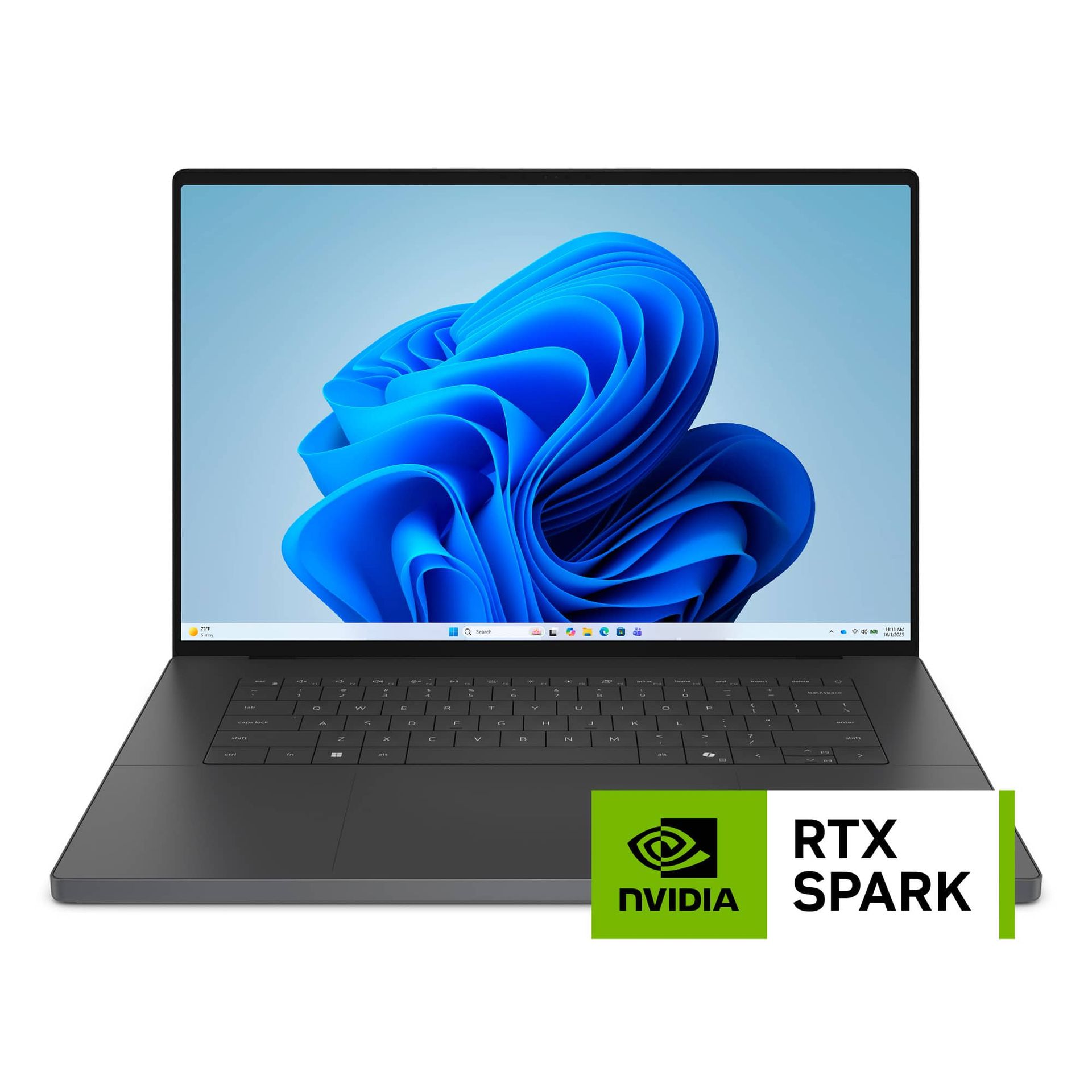
XPS 16 (RTX Spark): $3799.99
The Dell XPS 16 is a 16-inch laptop from Dell's premium XPS line, sporting the RTX Spark chip. View Deal

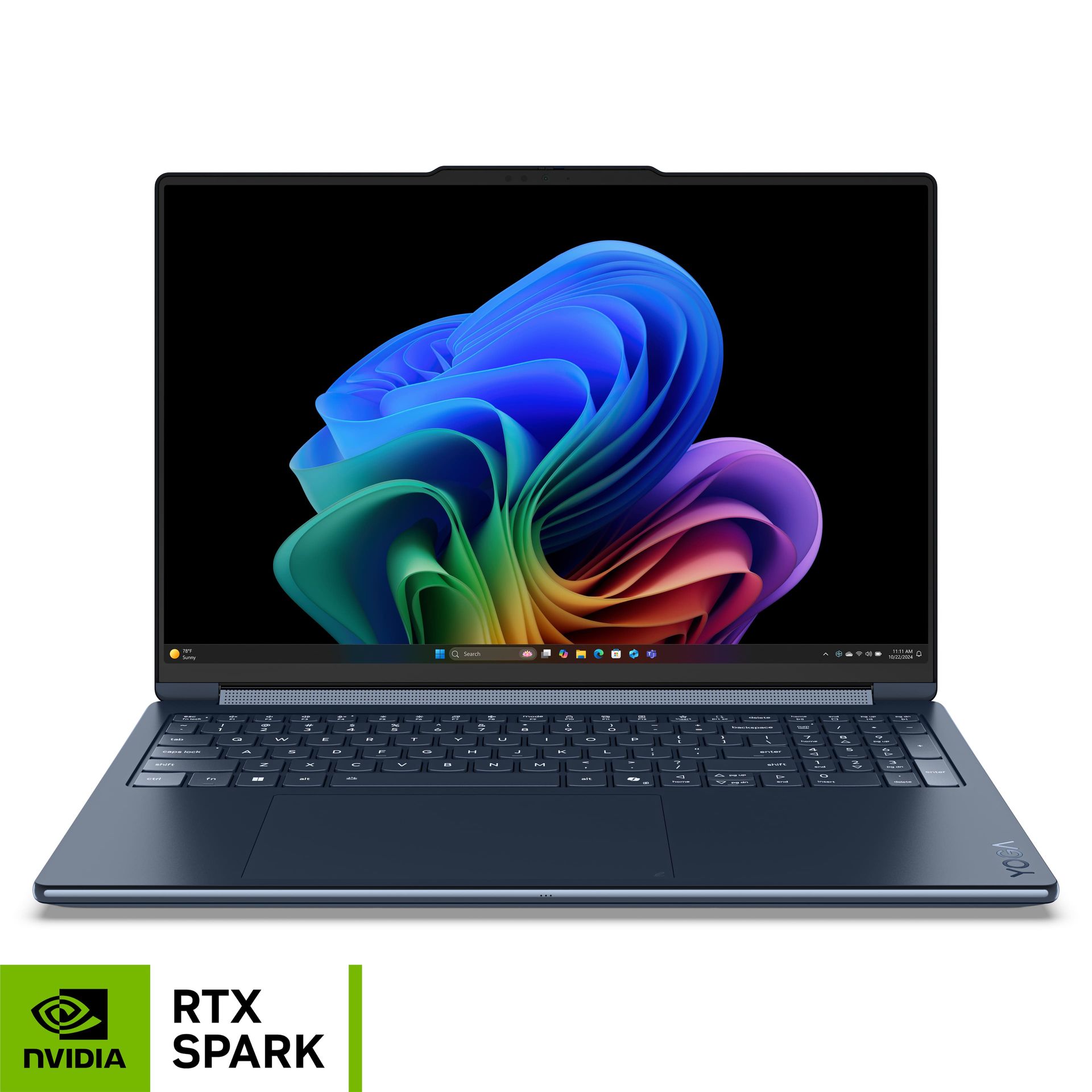
Yoga 9n 2-In-1 (RTX Spark): $3099.99
The Lenovo Yoga 9n is a convertible 2-in-1 laptop that features Nvidia's RTX Spark chip. View Deal

Nvidia RTX Spark specs to know for pre-order

Nvidia calls its latest SoC simply "RTX Spark," but it's actually a range with two different chips. The full chip is comes with a 20-core Grace CPU and 6144-core Blackwell GPU, but there's a lower-end configuration with an 18-core Grace CPU and 5120-core Blackwell GPU.

Pay close attention to which you are pre-ordering. Listings will simply call the chip "RTX Spark N1X," and you have to read through the description to confirm the core counts on the CPU and GPU.

From the pre-orders available now, we've only seen the 18-core CPU/5120-core GPU version with laptops that have 24GB or 32GB of Unified Memory. Listings with 48GB or above have the full chip. The RTX Spark is available with several different memory capacities, including 24GB, 32GB, 48GB, 64GB, and 128GB.

For storage, we've seen configurations with 512GB, 1TB, and 2TB, though the vast majority of devices top out at 1TB, including the Surface Laptop Ultra. Undoubtedly we'll see configurations with more storage capacity eventually, but that's a tough sell right now when even a tricked-out 2TB configuration costs $7,000.

The Logitech G29 racing wheel and pedal set is back on sale with steep 37% discount

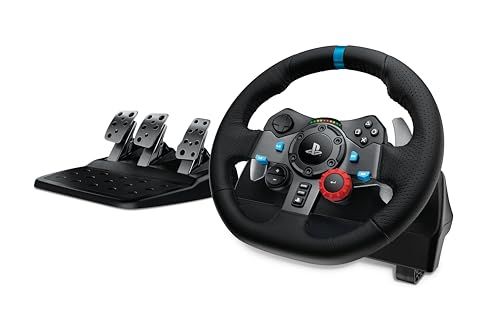
Logitech's entry-level G29 racing wheel and pedal set is on sale for 37% off at Amazon right now, bringing its $299.99 list price down to just $189.98. Although the set frequently goes on sale, it usually sells for above $200, and otherwise, for its list price of $300. This isn't the lowest the set has dropped (it dropped to $170 before), but it's close.

It's a basic wheel and pedal set that's perfect for a beginner racing sim. The wheel includes real force feedback along with a 900-degree rotation (like an F1 car), and the nonlinear pads are customizable for an accurate braking feel. The G29 is the PlayStation version of Logitech's entry-level racing wheel; however, the Xbox-branded G920 is on sale, as well. Both work on PC and Mac.

Logitech G29 Driving Force Racing Wheel and Floor Pedals: was $299.99 now $189.98
The Logitech G29 racing wheel and pedals works with PC and Mac, and there are specific versions for PlayStation and Xbox consoles. View Deal

Logitech's G29 has been around for more than a decade, and it's still a popular entry-level choice today. The wheel and pedal kit is enough to get you started with an adjustable desk mount, but Logitech has built up an ecosystem of racing sim accessories that you can use to expand the G29, as well, some of which are on sale.

The Logitech G Driving Force Shifter, for example, is down to an annual-low price of $39.98, giving you a realistic, H-pattern shifter alongside your wheel and pedals. If you need somewhere to mount everything, the Marada racing sim cockpit is on sale as well. It supports the G29 ecosystem, and it's 15% off on Amazon right now.

If you have more cash to spare and are gunning for a premium racing sim experience, Logitech's direct drive RS series peripherals are on sale, as well. The direct drive RS50 wheel is 21% off, as are the RS racing pedals and RS shifter.

More Prime Big Deal Days Tech Deals

Best Tech and PC deals | Best gaming PC deals | Best RAM combo deals | Best 3D printer deals | Best RAM deals | Best gaming laptop deals | Best monitor deals | Best Wi-Fi Router deals | Best GPU deals | Best SSD deals | Best hard drive HDD deals | Best CPU deals | Best gaming chair deals | Best PC building tool deals | Best PC peripherals deals | Best filament and resin deals | Best motherboard deals | Best CPU cooler deals | Best PC case deals | Best Dell and Alienware deals | Best USB charger deals | Best gaming and productivity laptop deals under $1,000 | Best laptop PC deals

Also, you can join the Tom's Hardware deals Discord for up-to-the-minute hardware deals.

Do you need a mouse with an 8K polling rate?

For years, the standard polling rate for gaming peripherals — mice, keyboards, etc. — has been 1,000 Hz, which equates to a delay, or latency, of 1 millisecond. This is significantly higher than the standard polling rate for non-gaming peripherals, by the way, which is 125 Hz (8ms latency) — in fact, it's eight times as fast.

Well, over the last couple of years, gaming companies have been asking: What if we made the polling rate even faster than 1,000 Hz? What if we made it eight times as fast?

And now just about every single ultra-lightweight, esports-oriented gaming mouse that comes out has up to an 8,000 Hz polling rate. And, of course, this raises the question every time: Do you actually need a mouse with an 8,000 Hz polling rate?

And the answer is... probably not.

What is polling rate, and what does it mean?

Polling rate is, simply put, how often your mouse communicates with your PC. That is, how often it reports mouse movement and clicks to your CPU. At a standard gaming mouse polling rate of 1,000 Hz, your mouse is communicating with your PC 1,000 times per second — or, once every millisecond. Hence, a 1,000 Hz polling rate means 1ms latency. At a standard non-gaming mouse polling rate of 125 Hz, your mouse is only communicating with your PC once every eight milliseconds — or an 8 ms latency. At a polling rate of 8,000 Hz, your mouse is communicating with your PC once every 0.125 milliseconds — a 0.125 ms latency.

Polling Rate

Mouse Report Rate

Latency

125 Hz

125x / second

8 ms

500 Hz

500x / second

2 ms

1,000 Hz

1,000x / second

1 ms

2,000 Hz

2,000x / second

0.5 ms

4,000 Hz

4,000x / second

0.25 ms

8,000 Hz

8,000x / second

0.125 ms

Polling rate affects both mouse movement (if the polling rate is low enough, mouse movement might be jerky) and, more importantly, click latency — you want your mouse clicks to translate instantly.

But it's important to keep this in perspective, because higher polling rates yield increasingly diminishing returns. Going from 125 Hz to 1,000 Hz is definitely noticeable — it cuts your latency from eight milliseconds to just one. But while going from 1,000 Hz to 8,000 Hz cuts your latency by the same factor, we're now talking about fractions of a millisecond. The average gamer can tell if their mouse is lagging by several milliseconds, but can they tell if their mouse is lagging by less than one millisecond?

Maybe. But probably not.

Why not?

Well, inability to distinguish whether your mouse is lagging by 0.875 milliseconds aside, there are some potential downsides to ultra-high polling rates. The main one being that your system may not be able to handle it. A higher polling rate means that the mouse is communicating with your PC more frequently, so this can affect CPU performance — if you don't have a pretty solid gaming CPU, you may see more of a performance hit than is worth the infinitesimal lower latency (which may not even end up being lower if performance issues cause latency). And if you don't have a gaming monitor with a high refresh rate (at least 240 Hz, if not higher), any perceived smoother mouse movement will be just that — perceived. (Of course, with a higher refresh rate you'll need an even better system to keep up with that and the 8,000 Hz polling rate, and... well, you get the point).

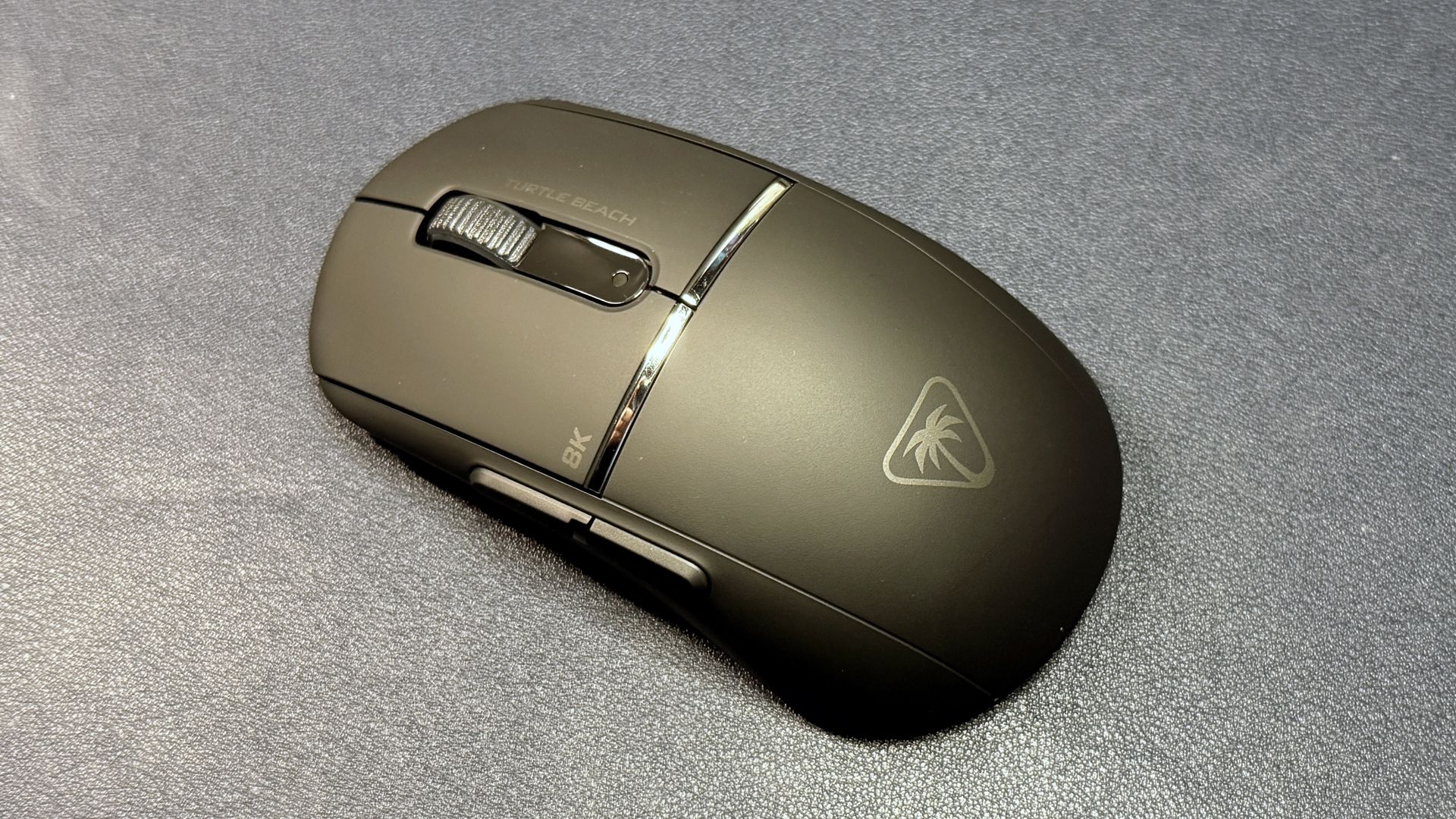
Turtle Beach Burst II Pro

Turtle Beach Burst II Pro (Image credit: Tom's Hardware)

Another downside to an 8,000 Hz polling rate is battery life, because it drops significantly on wireless gaming mice. The battery life of the Corsair Sabre v2 Pro Wireless is a pretty impressive 120 hours at 1,000 Hz, but this drops to just 21 hours at 8,000 Hz. The Razer Basilisk V3 Pro 35K gets up to 150 hours at 1,000 Hz, and just 28 hours at 8,000 Hz. The Turtle Beach Burst II Pro does a little better, going from 150 hours at 1,000 Hz to 40 hours at 8,000 Hz, but it's still a significant drop.

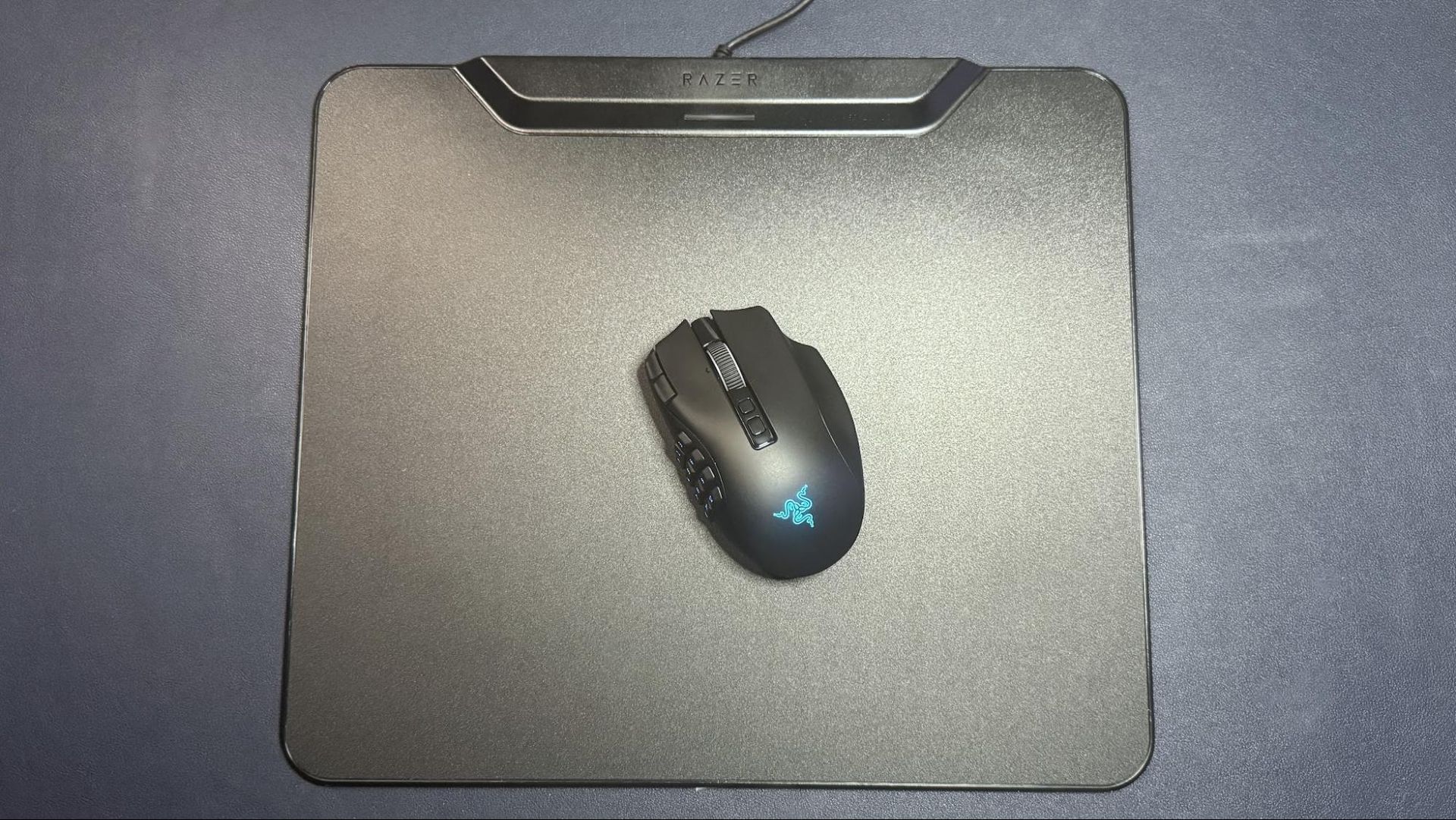
Razer HyperFlux V2

Razer HyperFlux V2 (Image credit: Tom's Hardware)

And while you can cheat the system with select Razer and Logitech gaming mice by pairing them with either the Razer HyperFlux V2 or the Logitech PowerPlay 2 wireless charging mouse pads, you will need to pair the mice to your PC using their included (or, in some cases, sold separately) 8,000 Hz dongles — neither the HyperFlux V2 nor the PowerPlay 2 offer 8,000 Hz polling rates if you connect through the built-in receivers.

But... 8,000 Hz!!

You may not need an 8,000 Hz polling rate, but maybe it will make you feel better.

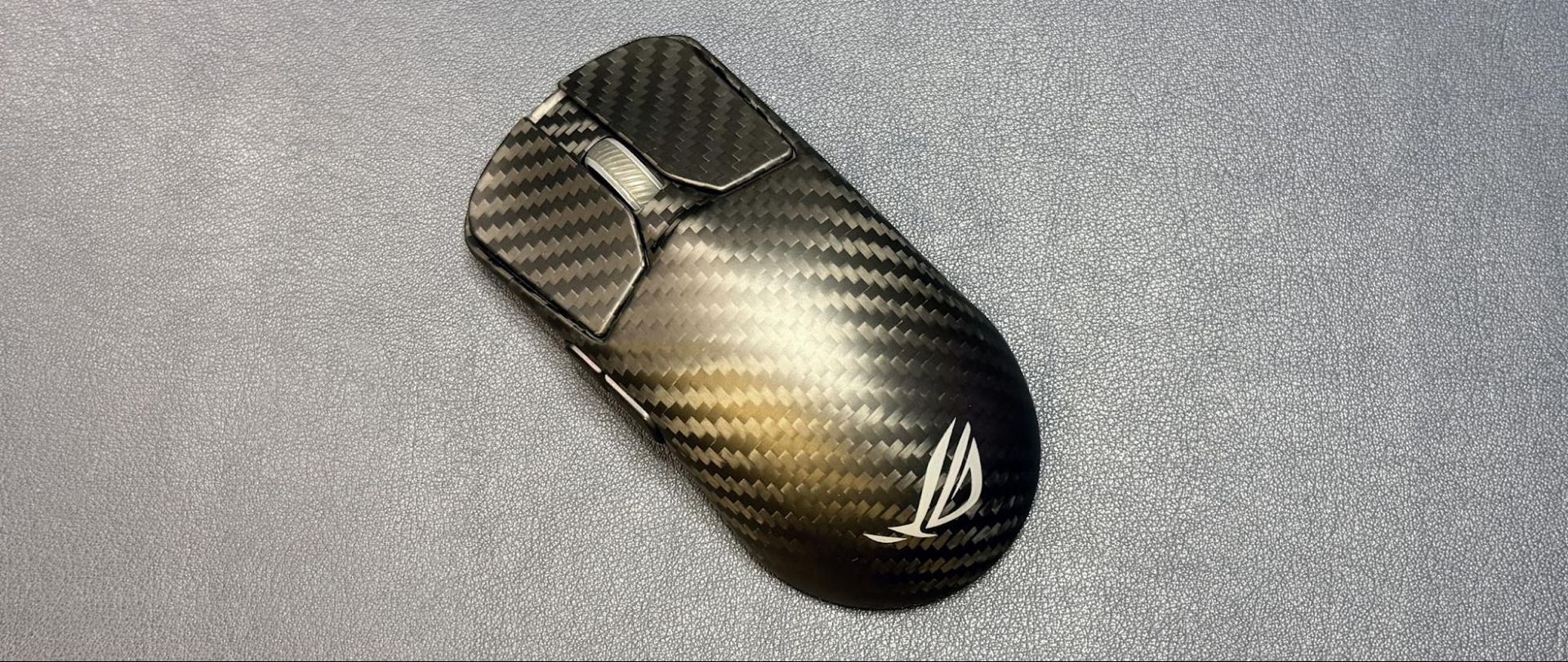
If any category of gaming mouse is going to benefit from lower latency, it's the esports category — where mice need to be lightweight so they can fly across surfaces, relatively small so they can be picked up when sliding them is too time-consuming, and hyper speedy and accurate so competitors can shoot people in the head without missing a beat. And so it's not surprising that flagship gaming mice like the Razer DeathAdder V4 Pro or the Asus ROG Harpe Ace Extreme (or the Asus ROG Harpe II Extreme Edition 20) tout 8,000 Hz polling rates.

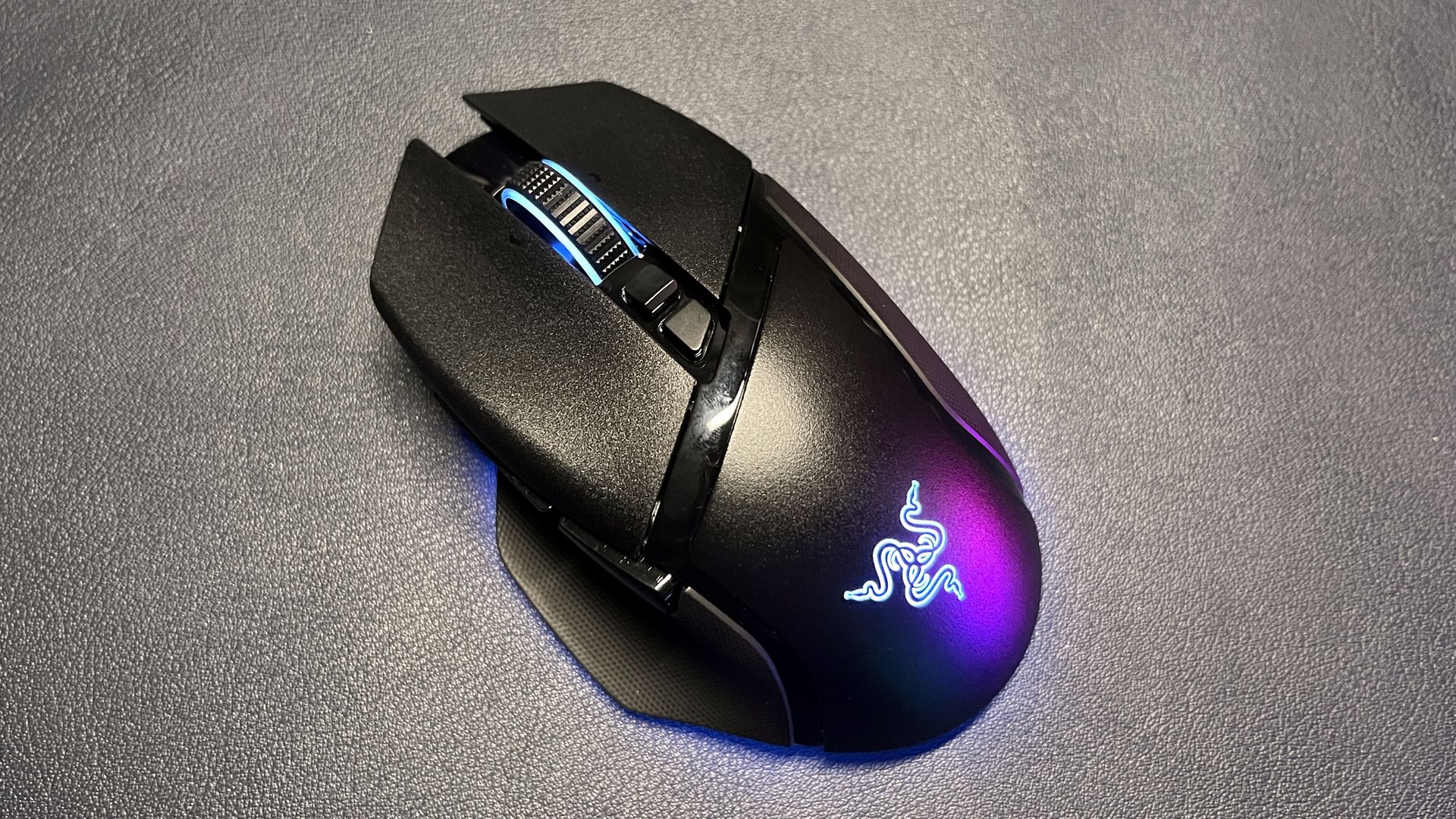
Razer Basilisk V3 Pro

Razer Basilisk V3 Pro (Image credit: Tom's Hardware)

But you don't have to spend a ton on an extreme edition flagship gaming mouse to max out your polling rate — several of Razer's older mice work with the company's Mouse Dock Pro and/or HyperPolling Wireless Dongle to get up to 8,000 Hz wireless polling rates, including the Razer Basilisk V3 Pro, and many of its newer mice come with 8,000 Hz polling out of the box (e.g. the Razer Viper V3 Pro, which is currently on sale for $110 at Amazon — 31% off its retail price of $160).

If you don't need a wireless mouse, Razer's DeathAdder V3 wired gaming mouse gets up to an 8,000 Hz wired polling rate (and is currently on sale for $45 at Amazon — 36% off its retail price of $70). Even Redragon, one of our favorite budget-friendly peripherals companies, has a mouse with an 8,000 Hz polling rate: the Redragon M916 ULT, which is wireless and ultra-lightweight (49g) and retails for just $50.

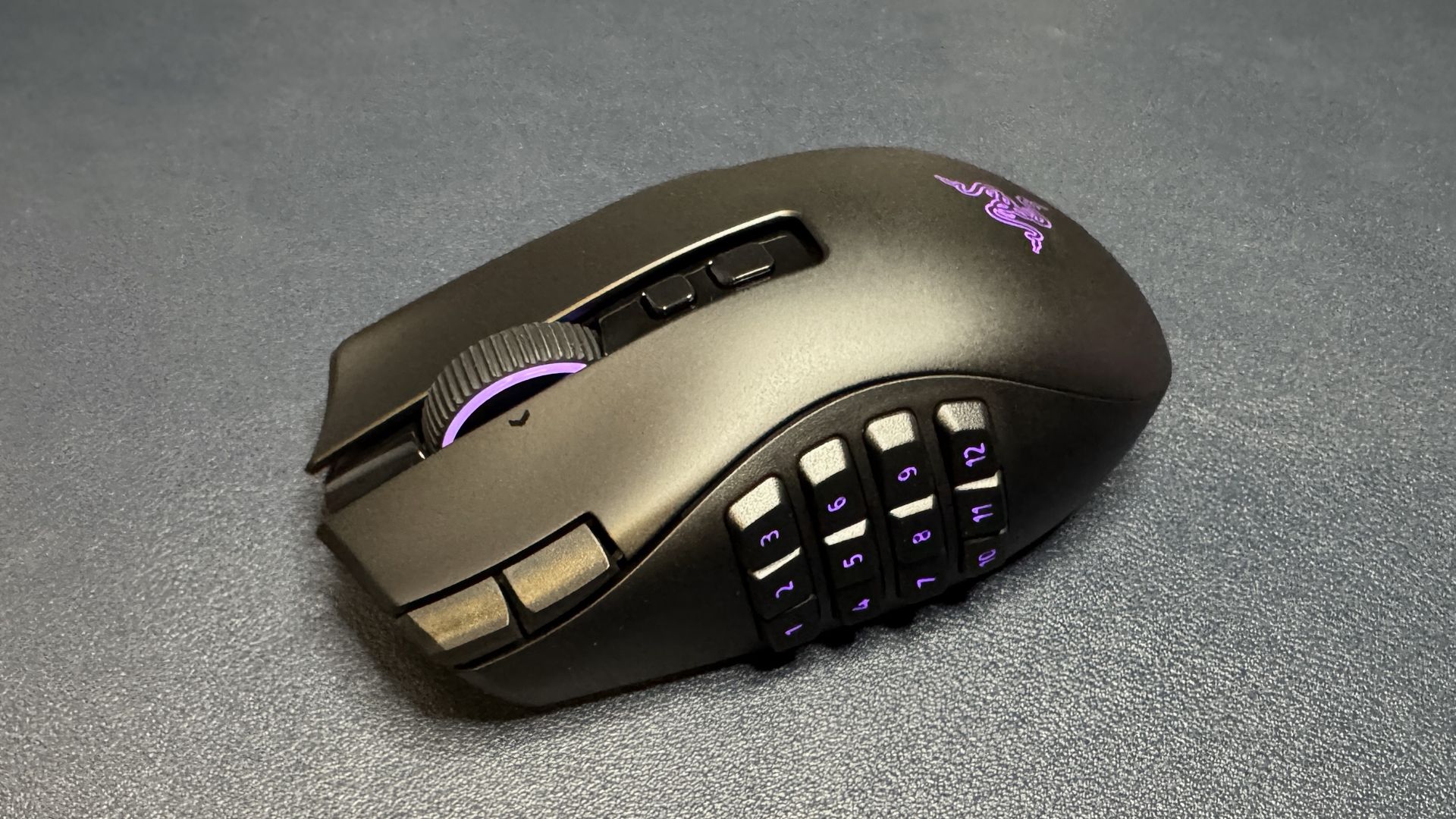
Razer Naga V3 Pro

Razer Naga V3 Pro (Image credit: Tom's Hardware)

Ultra-high polling rates are creeping in everywhere, not just in the competitive esports market. Even Razer's recently launched V3 Naga Pro, which isn't even an ultra-lightweight, esports-oriented gaming mouse (it's a relatively hefty 23-button mouse for games that definitely do not need to worry about ultra-smooth, accurate mouse movement or click latency), can get up to an 8,000 Hz polling rate if you pair it with either the company's Mouse Dock Pro or HyperPolling Wireless Dongle (both are sold separately, naturally, because — again — you don't need this).

Corsair recently showed off its Nightsword v2 Wireless SD, a mouse with a built-in Stream Deck (sort of), which also has up to an 8,000 Hz polling rate (170 hours of battery life at 1,000 Hz, which drops to 47 hours with the lighting turned off and 25.5 hours with the lighting turned on at 8,000 Hz). And if you think that you can tell the difference between half a millisecond but not that extra quarter, there are also mice with up to 4,000 Hz polling rates, such as the HyperX Pulsefire Saga Pro and the SteelSeries Aerox 3 Wireless Gen 2.

And as for whether you need a keyboard with an 8,000 Hz polling rate, the answer is: absolutely not.

Sneak a great deal on the original MSI Claw during Best Buy clearance sale

The original MSI Claw (A1M) was forgotten about almost as quickly as it launched, being the first handheld from MSI, and the first one to sport an Intel CPU (in this case, the Core Ultra 7 155H from the Meteor Lake family). Unsurprisingly, Best Buy has the handheld on clearance, and right now it's available for a surprisingly good price of $562.99 considering how expensive newer handhelds are.

In this case of handheld gaming PC, this is the cheapest option you can get right now. Even the ROG Xbox Ally with the Ryzen Z2 A and 512GB of storage is $600. Handhelds with 1TB of storage and the Ryzen Z1 Extreme (the chip Intel originally targeted) will run you north of $1,000.

In both build quality and layout, the A1M is nearly a carbon copy of the original Asus ROG Ally. It sports a 7-inch 1080p display with a 120Hz refresh rate, a single USB-C port for charging and peripherals, and a microSD card slot for storage expansion; though, you can replace the SSD inside, as well.

Claw A1M (Core Ultra 7 155H, 16GB, 1TB): was $749.99 now $562.99
The MSI Claw A1M is a handheld gaming PC with the Intel Core Ultra 7 155H, 16GB of memory, and a 1TB SSD. It comes with a 1080p display with a 120Hz refresh rate. View Deal

This is a great deal considering the price of handhelds right now, especially those packing 1TB of storage, but the A1M was glossed over quickly for a reason. The Meteor Lake chip inside wasn't built for handheld gaming, so although it offers decent performance, it does so at relatively high power draw.

In a game like Horizon Zero Dawn, it's able to achieve around 30 FPS at native 1080p with the Balanced power plan, which uses a 30W target. Plugged in with a full 40W power budget, the game can crack 30 FPS in titles like Cyberpunk 2077 with the Steam Deck preset.

It falls between 5% and 10% short of the Z1 Extreme, and with worse battery life. With prices equal, we'd normally recommend the ROG Ally. Considering the price gap, the A1M is worth considering. The software isn't as clear as what you get with an Asus handheld, but MSI has made dozens of updates to its firmware and overlay software since the original A1M launched.

Performance is less of a concern than battery life, with the Meteor Lake chip sucking down quite a bit of power relative to modern PC handhelds. That's not a dealbreaker at this price, but make sure to have a quality USB-C charger at the ready.

More Prime Big Deal Days Tech Deals

Best Tech and PC deals | Best gaming PC deals | Best RAM combo deals | Best 3D printer deals | Best RAM deals | Best gaming laptop deals | Best monitor deals | Best Wi-Fi Router deals | Best GPU deals | Best SSD deals | Best hard drive HDD deals | Best CPU deals | Best gaming chair deals | Best PC building tool deals | Best PC peripherals deals | Best filament and resin deals | Best motherboard deals | Best CPU cooler deals | Best PC case deals | Best Dell and Alienware deals | Best USB charger deals | Best gaming and productivity laptop deals under $1,000 | Best laptop PC deals

Also, you can join the Tom's Hardware deals Discord for up-to-the-minute hardware deals.

Grab a SteelSeries Apex Pro keyboard at up to 50% off — save up to $120 on one of the best gaming keyboards you can buy today

The SteelSeries Apex Pro Mini (Gen 2) Wireless currently offers the biggest discount at up to 50% off, pushing its price down from $239.99 to $119.99, saving you as much as $120. You can also get the newer Apex Pro Mini (Gen 3) Wired for just $156.74 — a 29% discount on its $219.99 list price, saving you over $63. Lastly, those who want separate arrow and function keys could get the Apex Pro TKL (Gen 3) Wired at 17%, pushing its $239.99 price down to $199.99, offering savings of $40.

Even if you have the most powerful gaming PC in the world with all the RGB that money could buy, your gaming experience would still be affected if you don’t buy yourself a proper gaming keyboard. So, if you want to treat your fingers to some nice keys, now’s your chance to score a gaming keyboard from SteelSeries, as several Apex Pro keyboards are currently available at a discount.

The Apex Pro keyboards have OmniPoint 3 Analog Magnetic Switches. These Hall effect switches let gamers adjust their actuation exactly to their liking from 0.1 to 4.0 mm and offer a bottom-out force of 45 grams.

Apex Pro Mini (Gen 2) Wireless keyboard: was $239.99 now $119.99
The SteelSeries Apex Pro Mini (Gen 2) is a wireless 65-key keyboard that offers premium performance and aesthetics. It comes with Hall effect switches, allowing you to customize sensitivity to gain an advantage over your opponents during online matches.View Deal

The Apex Pro Mini (Gen 3) Wired keyboard is the latest version of the acclaimed Apex Pro Mini (Gen 2) keyboard. It comes with special features like Protection Mode, Rapid Trigger, and Rapid Tap, so you can react more quickly while preventing mistypes from affecting your game.View Deal

Apex Pro TKL (Gen 3) Wired keyboard: was $239.99 now $199.99
The Apex Pro TKL (Gen 3) keyboard has all the features of the Mini version but comes with extra keys that you might need for productivity. It also has a clickable volume roller, a multifunction media key, and a customizable OLED display for your gaming and entertainment convenience.View Deal

It also comes with three special features: Protection Mode, which cuts accidental key presses by reducing the sensitivity of keys that surround the switch that you’re currently pressing; Rapid Trigger, which resets the key as soon as you lift your finger instead of waiting for it to reach the top of its travel to cut latency; and Rapid Tap, which prioritizes the most recent key you press between two switches for faster inputs.

Aside from these capabilities, SteelSeries keyboards all feature an aluminum frame, per-key RGB, and ergonomic legs to make typing easier. The TKL version also comes with an OLED display, making it easier to make adjustments on the fly. And if you want to make the most out of these keyboards, you can do so with the SteelSeries Engine.

The SteelSeries Apex Pro Mini received Tom’s Hardware’s best mini gaming keyboard award in our best gaming keyboard list, so you won’t be disappointed by this unit. We also have a high opinion of the Apex Pro TKL, especially as we gave it a four out of five score in our review of the unit. These are expensive keyboards, though, so you might find these just a little bit too rich for your taste. But with the current discount, it might finally make sense for your wallet to get one — you have to be quick, though, as we don’t know how long these discounts will last.

❌