Happy New Year, and I hope everyone has had a wonderful holiday!
We’ve been busy working on various things ourselves, including migrating RawPedia to a new server as well as building a replacement raw sample database/website to alleviate the problems that rawsamples.ch was having…
…provide RAW-Files of nearly all available Digitalcameras mainly to software-developers. [sic]
It was created by Jakob Rohrbach and had been running since March 2007, having amassed over 360 raw files in that time from various manufacturers and cameras. Unfortunately, back in 2016 the site was hit with a SQL-injection that ended up corrupting the database for the Joomla install that hosted the site. To compound the pain, there were no database backups… :(
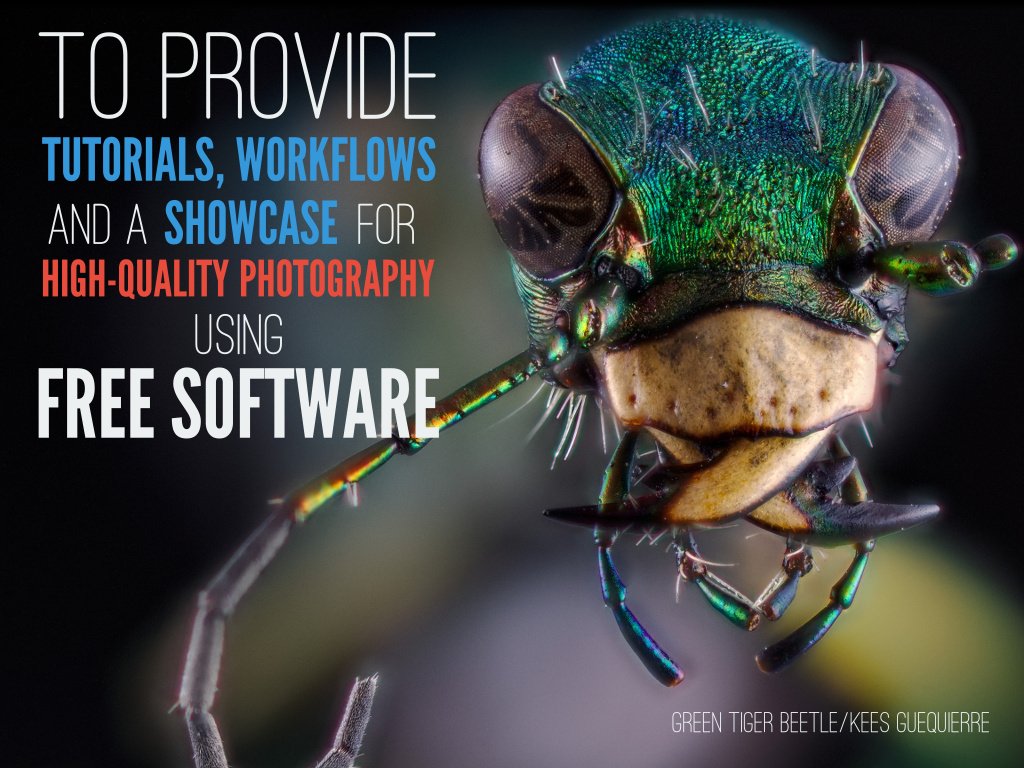
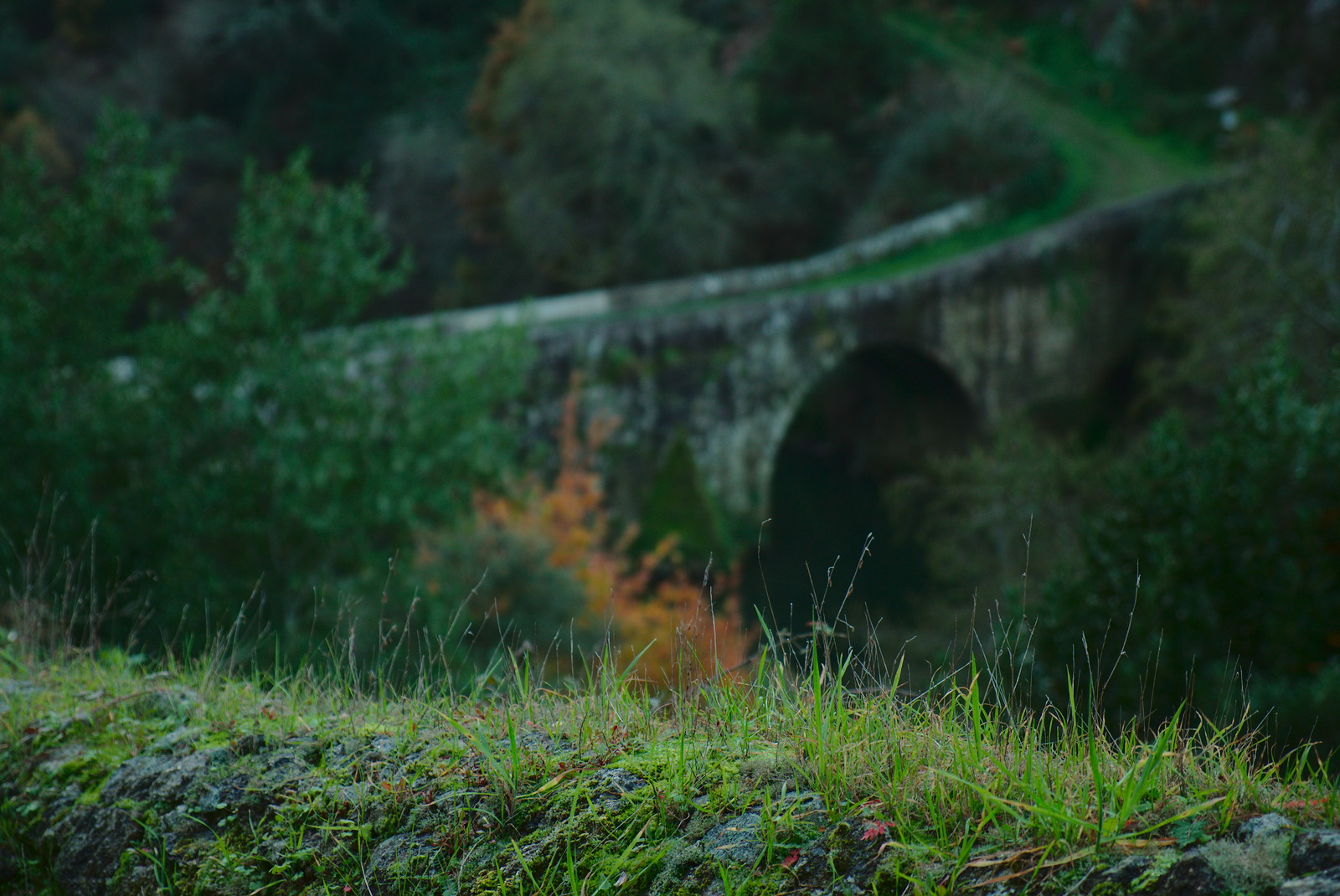
On the good side, the PIXLS.US community has some dangerous folks with idle hands. Our friendly, neighborhood @andabata (Kees Guequierre) had some time off at the end of the year and a desire to build something. You may know @andabata as the fellow responsible for the super-useful dtstyle website, which is chock full of darktable styles to peruse and download (if you haven’t heard of it before – you’re welcome!). He’s also my go-to for macro photography and is responsible for this awesome image used on a slide for the Libre Graphics Meeting:
Luckily, he decided to build a site where contributors could upload sample raw files from their cameras for everyone to use – particularly developers. We downloaded the archive of the raw files kept at rawsamples.ch to include with files that we already had. The biggest difference between the files from rawsamples.ch and raw.pixls.us is the licensing. The existing files, and the preference for any new contributions, are licensed as Creative Commons Zero - Public Domain (as opposed to CC-BY-NC-SA).
After some hacking, with input and guidance from darktable developer Roman Lebedev, the site was finally ready.
The repository for it can be found on GitHub: raw.pixls.us repo.
In addition to browsing the archive, it would be fantastic if you were able to supplement the database by uploading sample images. Many of the files from the rawsamples.ch archive are licensed CC-BY-NC-SA, but we’d rather have the files licensed Creative Commons Zero - Public Domain. CC0 is preferable because if the sample raw files are separated from the database, they can safely be redistributed without attribution. So if you have a camera that is already in the list with the more restrictive license, then please consider uploading a replacement for us!
With Stig Abell and Thea Lenarduzzi – Eimear McBride on the dark side of bad sex writing and why a new anthology is nothing to be snickered at; Diana Darke on the stories of two young women who have fled war in the Middle East and the new pressures they face; and Jenny Hendrix joins us from New York to discuss new works of imaginative cartography that portray that city – indeed any city – in full, kaleidoscopic complexity.Discover more at www.the-tls.co.uk
With Stig Abell and Thea Lenarduzzi – Andrew Scull on the deeply unsettling – and surprisingly recent – history of lobotomy, and the sorry tale of Patient H. M.; Lisa Hilton on the sometimes mystifying appeal of the French Riviera and the vapid aristocrats who holidayed there; Kate Symondson on an all but forgotten novel by Joseph Conrad and a clutch of new books that scrutinize his philosophical and political scepticism – a man for our times?
A recording from the TLS’s 2016 London Lit Weekend at King’s Place, London: Historians Simon Bradley and Rosemary Ashton and the architect Paul Williams (of Stanton Williams Architects) discuss the literary and architectural heritage of King’s Cross, London, an area which has seen tremendous upheaval in the past century.Discover more at www.the-tls.co.uk
A recording from the TLS’s 2016 London Lit Weekend at King’s Place, London: 2016 was the 200th anniversary of a dark and stormy night with an extraordinary literary legacy: Frankenstein. Frances Wilson and Benjamin Markovits recount the three days in June, 1816, at the Villa Diodati near Lake Geneva, when a group of young writers – among them Mary Godwin – sheltered from the gloom.Find out more at www.the-tls.co.uk
A recording from the TLS’s 2016 London Lit Weekend at King’s Place, London: Cinema and television are brimming with literary adaptations. But how does the page translate to the screen? To discuss the ins and outs, successes and failures, we brought together Mary Beard, David Farr (whose screenwriting credits include The Night Manager), and the novelist and literary adaptee Alan Hollinghurst. Discover more at www.the-tls.co.uk
A recording from the TLS’s 2016 London Lit Weekend at King’s Place, London: Overrated/Underrated, a favourite TLS game in which a panel of critics (David Collard, Alex Clark and Michael Caines) select the esteemed writers they would like to build up or knock down a peg or two. Discover more at www.the-tls.co.uk
With Stig Abell and Thea Lenarduzzi – James O'Brien on Brexit and the battle for Britain's soul; a (rather idiosyncratic) round-up of the best arts of 2016 with Arts editor Lucy Dallas; finally, in honour of the season, Philosophy editor and oenophile Tim Crane on the "champagne phenomenon"; see you in 2017.
With Stig Abell and Thea Lenarduzzi – Rupert Shortt on why Christianity has been more help than hindrance to social and intellectual progress; Fiction editor Toby Lichtig meets Emily Witt to discuss sex, drugs and a new novel by Dana Spiotta; Terri Apter on new essays by Siri Hustvedt, the (narrowing?) gap between art and science, and the persistent gender biases that underpin experience. Discover more at www.the-tls.co.uk
With Stig Abell and Thea Lenarduzzi – Frances Wilson on the eccentric life of Lady Anne Barnard, loved by men and bad girls alike; Michael Caines on death and women, and indeed, dead women, on the Shakespearean stage; Scott Esposito on Mexico's violence transmogrified into art, including music made using human vertebrae; finally, seven new (and rare) poems from the critic Barbara Everett. Discover more at www.the-tls.co.uk
The history and evolution of painting has undergone a similar transformation as most things adapting to a digital age. As photographers, we adapted techniques and tools commonly used in the darkroom to software, and found new ways to extend what was possible to help us achieve a vision. Just as we tried to adapt skills to a new environment, so too did traditional artists, like painters.
These artists adapted by not only emulating the results of various techniques, but by pushing forward the boundaries of what was possible through these new (Free Software) tools.
Digital painting discussions with Free Software lacks a good outlet for collaboration that can open the discussion for others to learn from and participate in. This is a similar situation the Free Software + photography world was in that prompted the creation of pixls.us.
Due to this, both Americo Gobbo and Elle Stone reached out to us to see if we could create a new category in the community about Digital Painting with a focus on promoting serious discussion around techniques, processes, and associated tools.
Both of them have been working hard on advancing the capabilities and quality of various Free Software tools for years now. Americo brings with him the interest of other painters who want to help accelerate the growth and adoption of Free Software projects for painting (and more) in a high-quality and professional capacity. A little background about them:
Americo Gobbo studied Fine Arts in Bologna, Italy. Today he lives and works in Brazil, where he continues to develop studies and create experimentation with painting and drawing mainly within the digital medium in which he tries to replicate the traditional effects and techniques from the real world to the virtual.
Elle Stone is an amateur photographer with a long-standing interest in the history of photography and print making, and in combining painting and photography. She’s been contributing to GIMP development since 2012, mostly in the areas of color management and proper color mixing and blending.
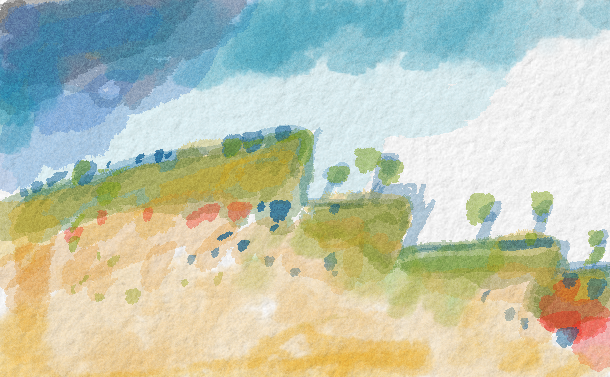
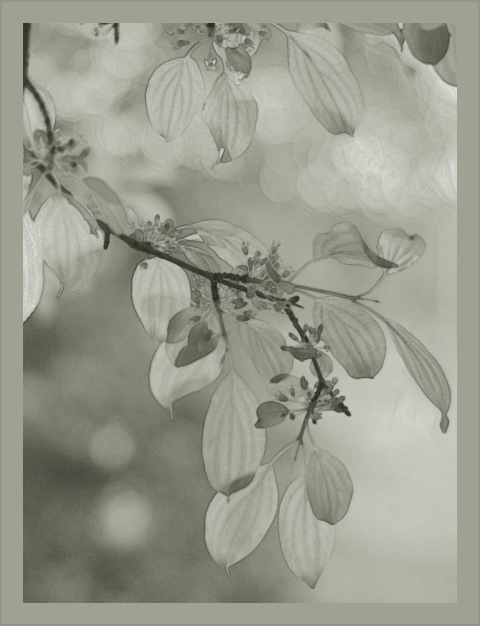
Leaves in May, GIMP-2.9 (GIMP-CCE) Elle Stone, 2016.
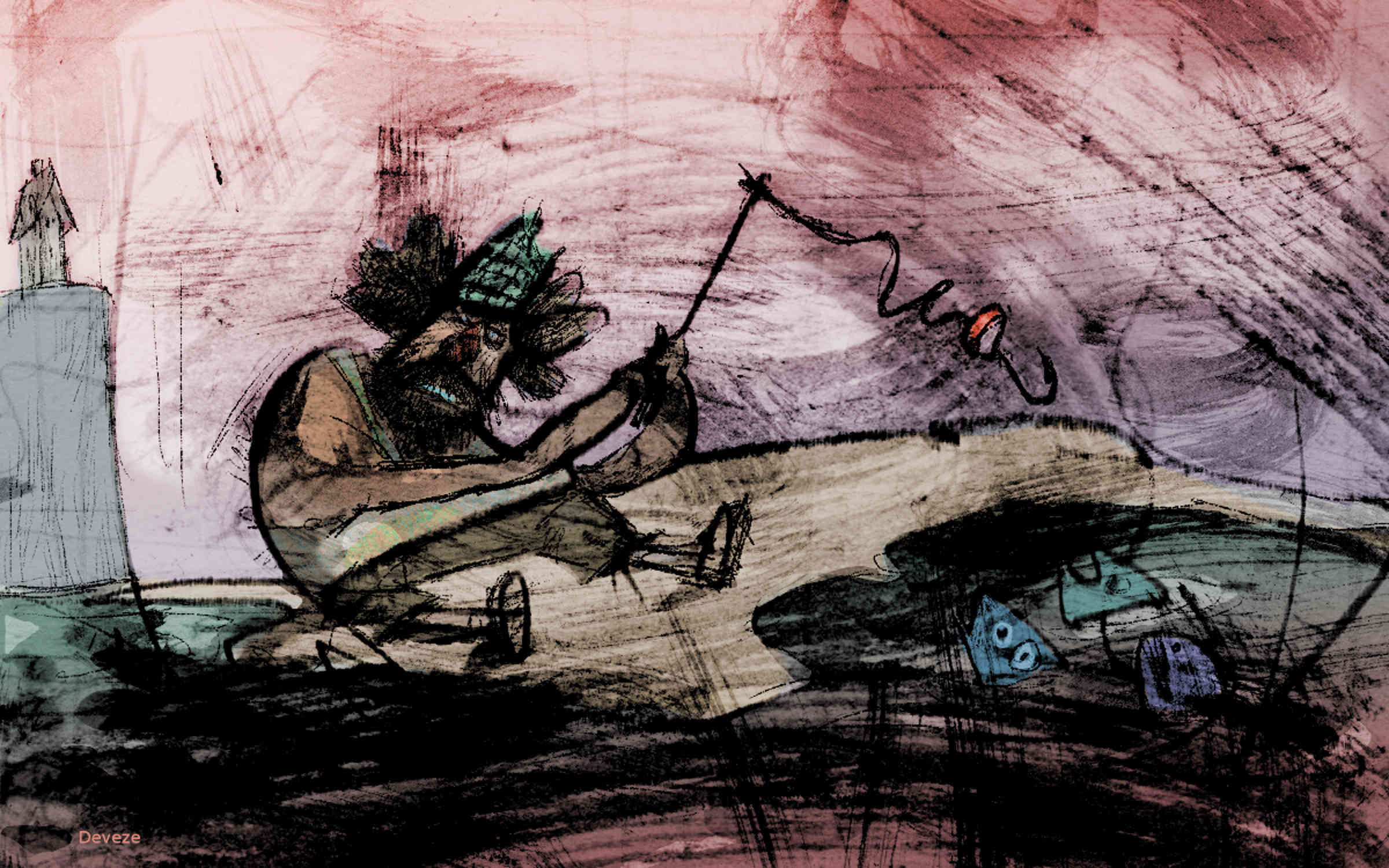
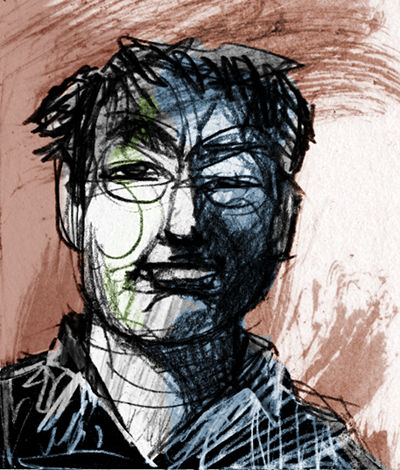
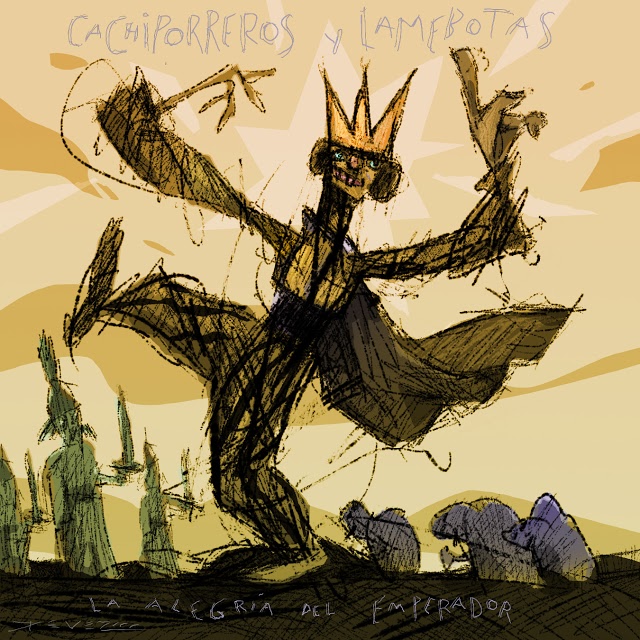
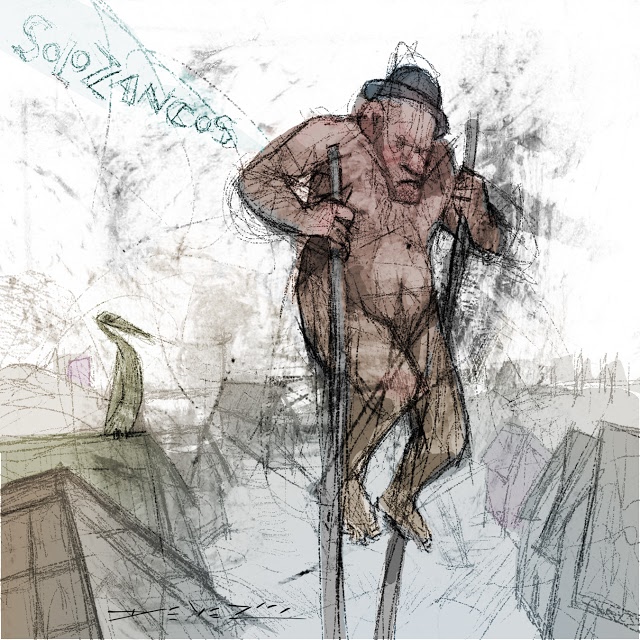
With this introductory post to the new Digital painting category forum we feature Gustavo Deveze, who is a Visual Artist using free software. Deveze’s work is characterized by mixing different medias and techniques. With future posts we want to continue featuring artists using free software.
Gustavo Deveze is a visual artist and lives in Buenos Aires. He trained as a draftsman at the National School of Fine Arts “Manuel Belgrano”, and filmmaker at IDAC - Instituto de Arte Cinematográfica in Avellaneda, Argentina.
His works utilize different materials and supports and he is published by different publishers. Although in the last years he works mainly in digital format and with free software.
He has participated in national and international shows and exhibitions of graphics and cinema with many awards. His last exposition can be seen on issuu.com:
https://issuu.com/gustavodeveze/docs/inadecuado2edicion
The new Digital Painting category is for discussing painting techniques, processes, and associated tools in a digital environment using Free/Libre software. Some relevant topics might include:
Emulating non-digital art, drawing on diverse historical and cultural genres and styles of art.
Emulating traditional “wet darkroom” photography, drawing on the rich history of photographic and printmaking techniques.
Exploring ways of making images that were difficult or impossible before the advent of new algorithms and fast computers to run them on, including averaging over large collections of images.
Discussion of topics that transcend “just photography” or “just painting”, such as composition, creating a sense of volume or distance, depicting or emphasizing light and shadow, color mixing, color management, and so forth.
Combining painting and photography: Long before digital image editing artists already used photographs as aids to and part of making paintings and illustrations, and photographers incorporated painting techniques into their photographic processing and printmaking.
An important goal is also to encourage artists to submit tutorials and videos about Digital Painting with Free Software and to also submit high-quality finished works.
Please feel free to stop into the new [Digital Painting category][dp-forum], introduce yourself, and say hello! I look forward to seeing what our fellow artists are up to.
With Stig Abell and Thea Lenarduzzi: – Jennifer Howard on the threats and thrills of the internet: what price for online freedom?; Rebecca Lemov considers the neurological effects of torture, plus the chilling account of a man who survived Guantanamo; Tom Shippey on the liberated and oppressed societies of Scandinavia, where light meets dark.Find out more at www.the-tls.co.uk
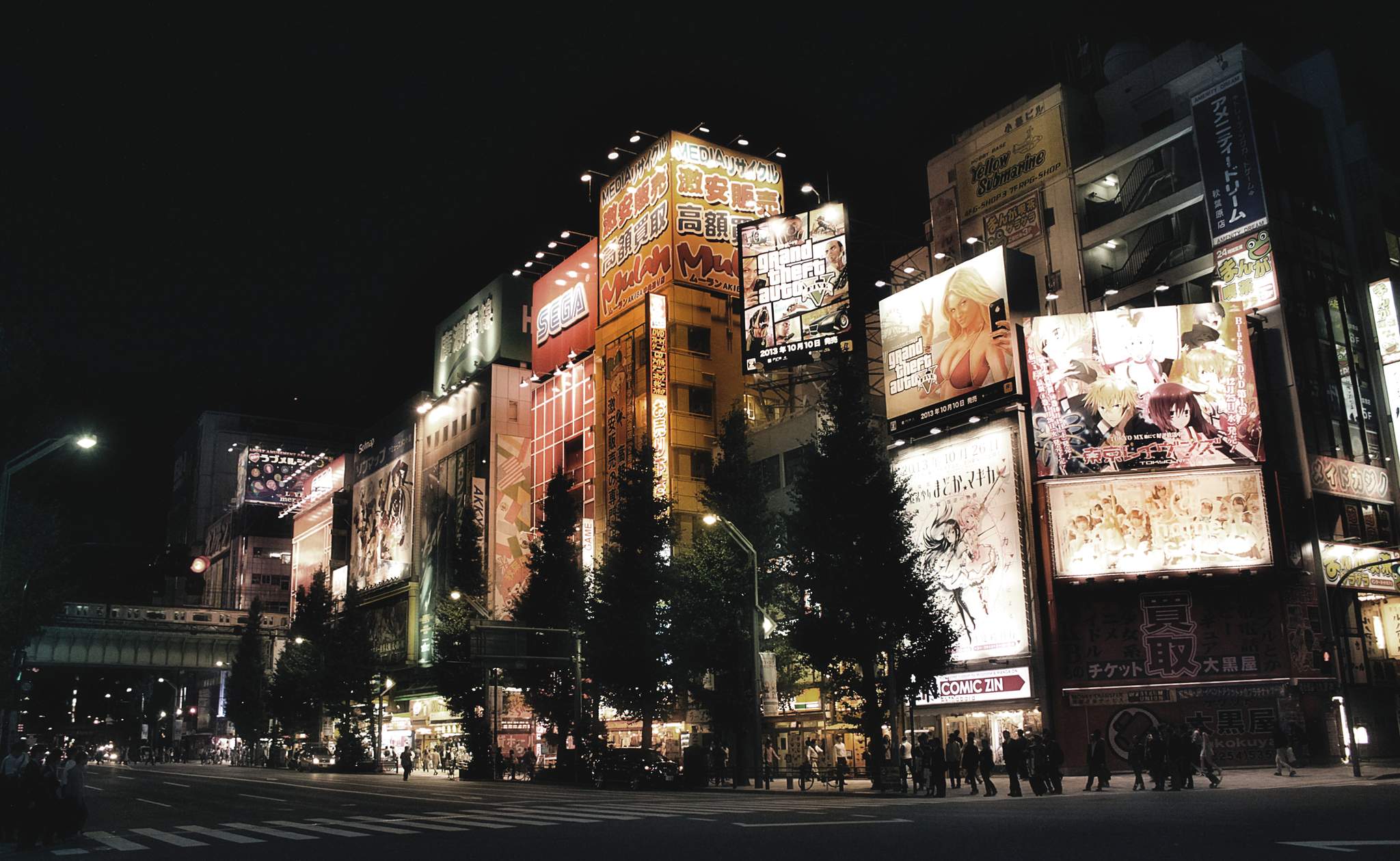
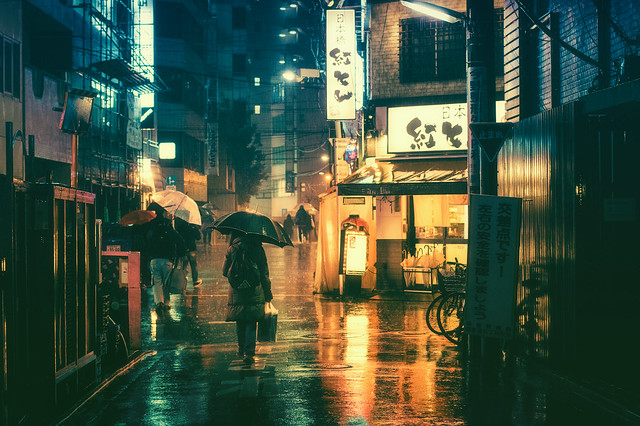
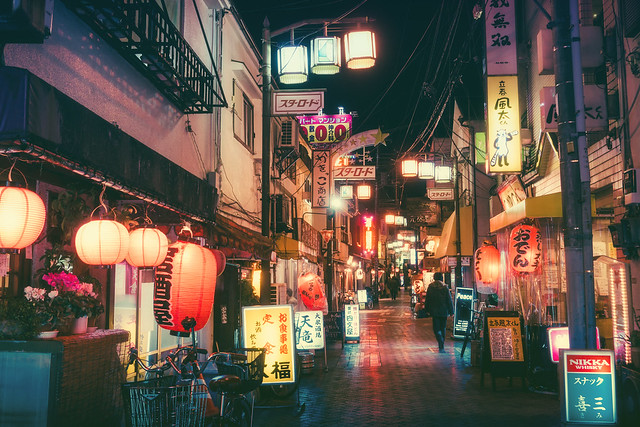
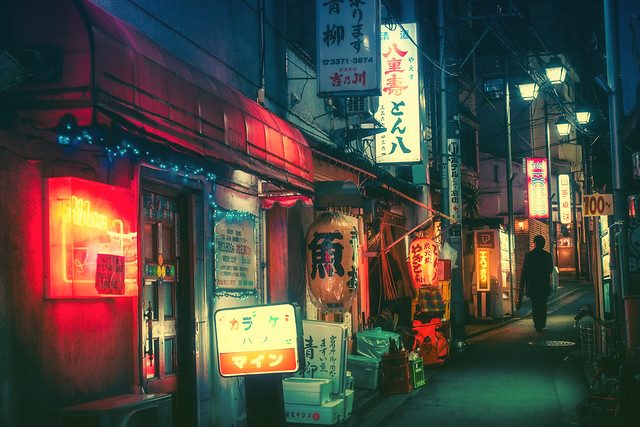
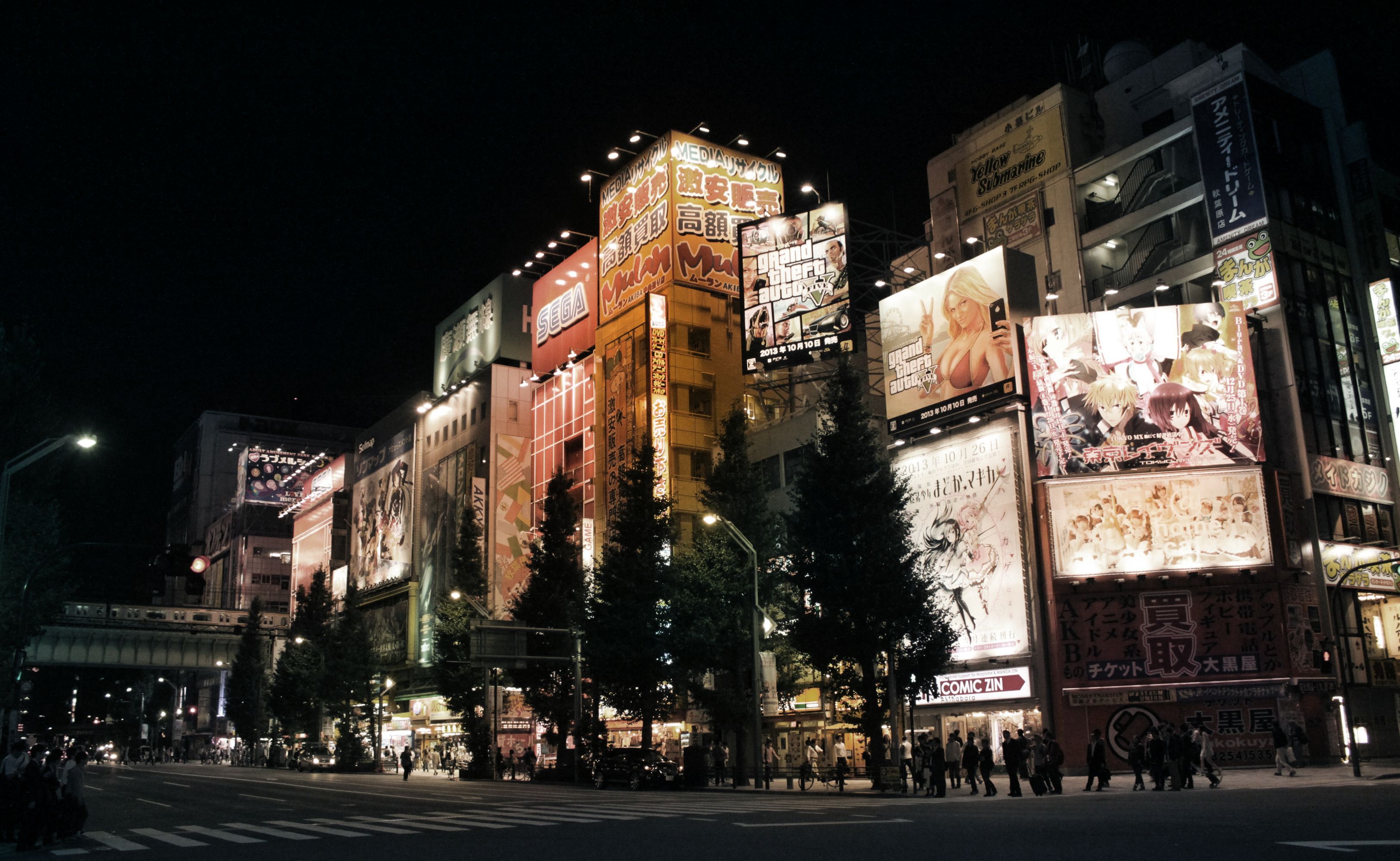
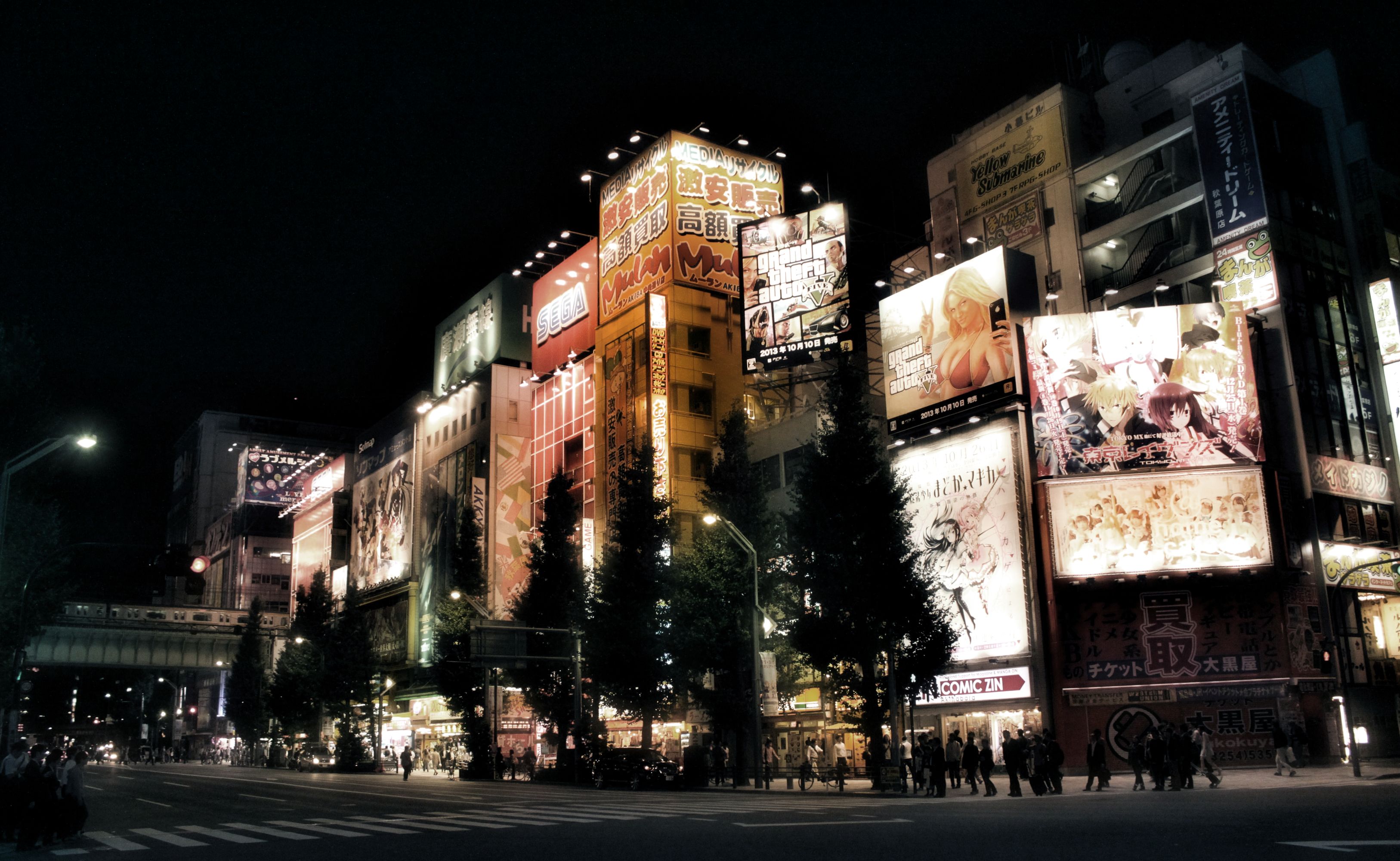
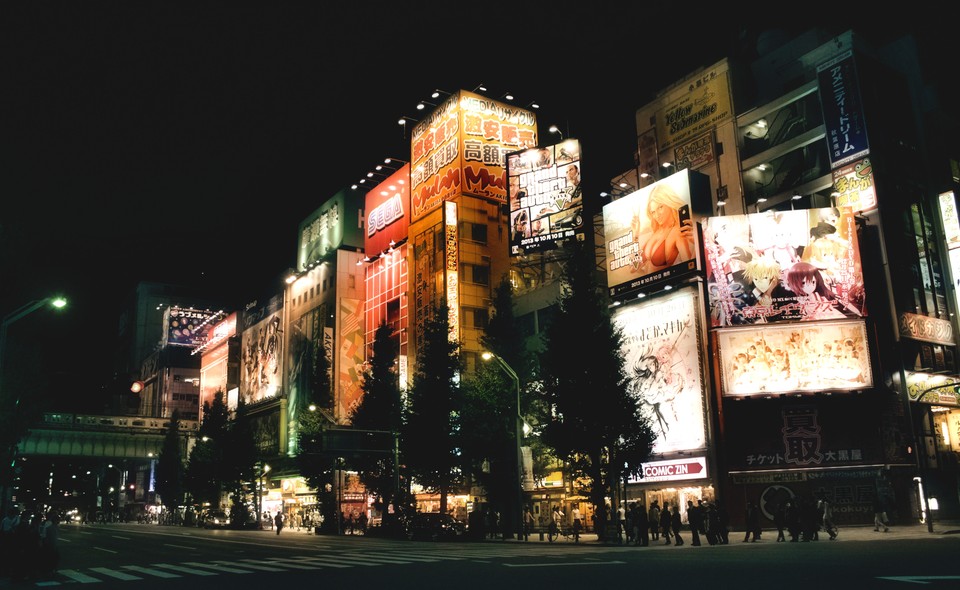
This tutorial explains how to achieve an effect based on the post processing by photographer Masashi Wakui. His primary subjects appear as urban landscape views of Japan where he uses some pretty and aggressive color toning to complement his scenes along with a soft ‘bloom’ effect on the highlights. The results evoke a strong feeling of an almost cyberpunk or futuristic aesthetic (particularly for fans of Bladerunner or Akira!).
This tutorial started its life in the pixls.us forum, which was inspired by a forum post seeking assistance on replicating the color grading and overall look/feel of Masashi’s photography.
Prerequisites
To follow along will require a couple of plugins for GIMP.
You will also need the Wavelet decompose plugin. The easiest way to get this plugin is to use the one available in G’MIC. As a bonus you’ll get access to many other incredible filters as well! Once you’ve installed G’MIC the filter can be found under Details → Split details [wavelets].
We will do some basic toning and then apply Gimp’s wavelet decompose filter to do some magic.
Two things will be used from the wavelet decompose results:
the residual
the coarsest wavelet scale (number 8 in this case)
The basic idea is to use the residual of the the wavelet decompose filter to color the image. What this does is average and blur the colors. The trick strengthens the effect of the surroundings being colored by the lights. The number of wavelet scales to use depends on the pixel size of the picture; the relative size of the coarsest wavelet scale compared to the picture is the defining parameter. The wavelet scale 8 will then produce overemphasised local contrasts, which will accentuate the lights further. This works nicely in pictures with lights as the brightest areas will be around lights. Used on daytime picture this effect will also accentuate brighter areas which will lead to a kind of “glow” effect. I tried this as well and it does look good on some pictures while on others it looks just wrong. Try it!
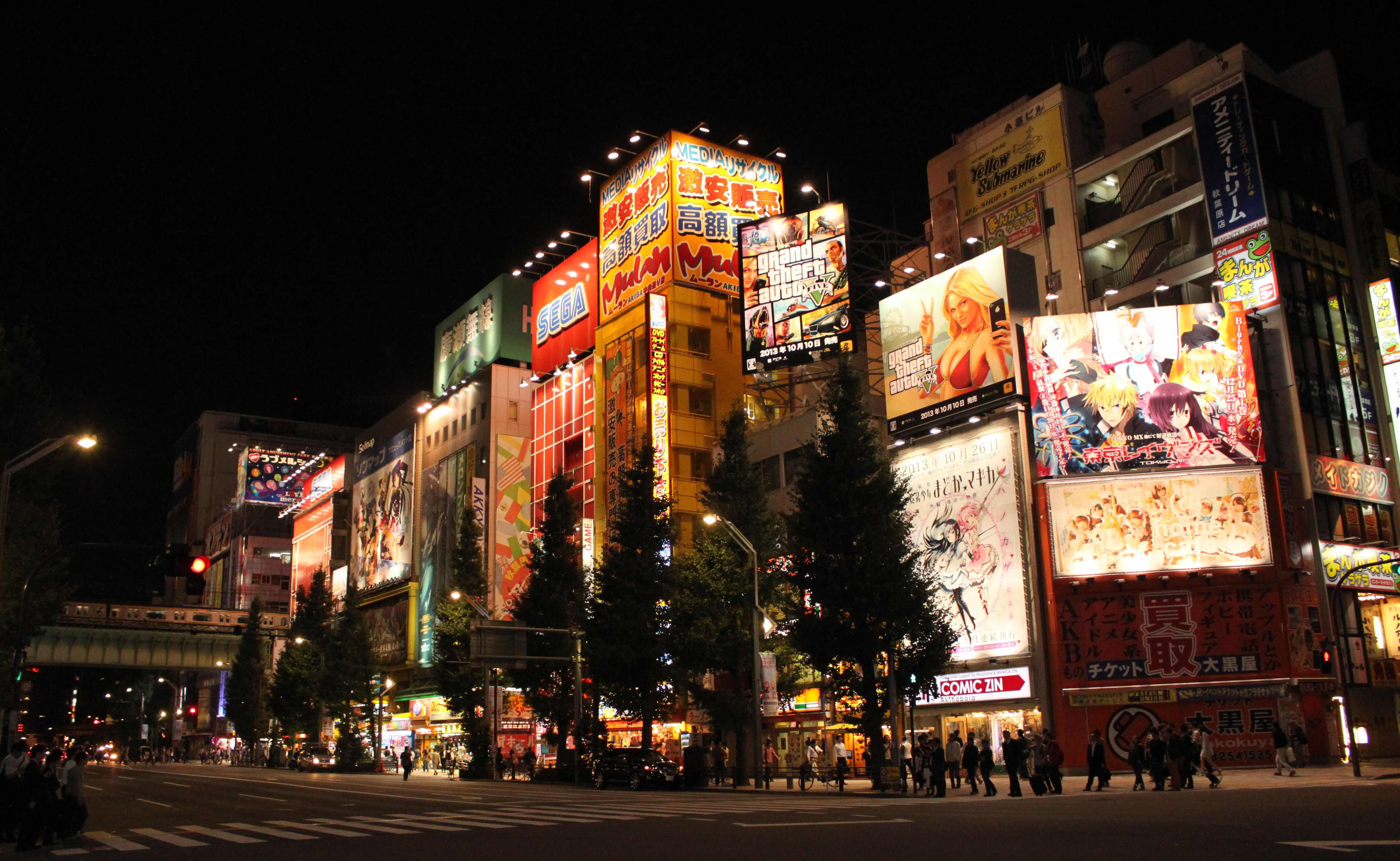
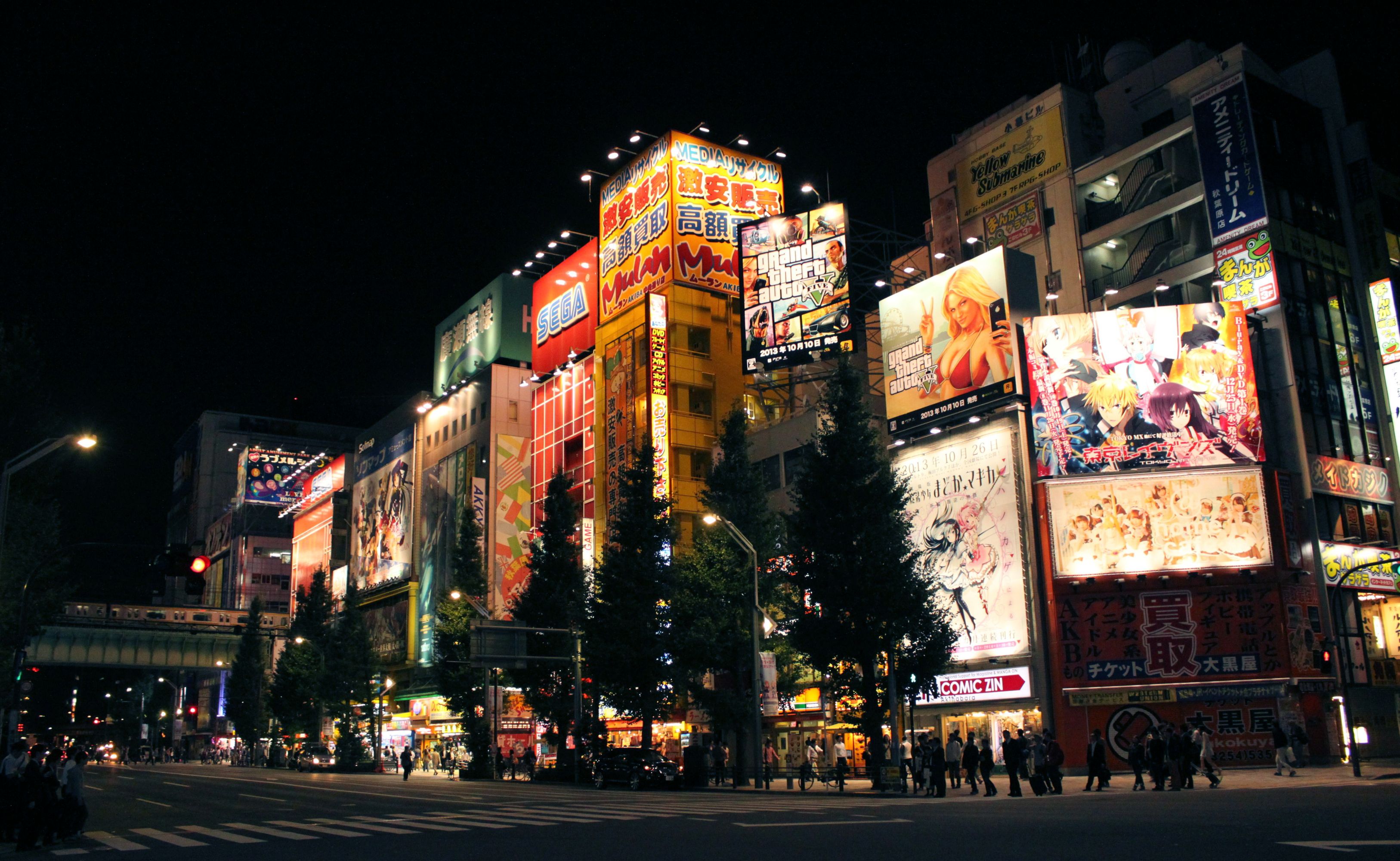
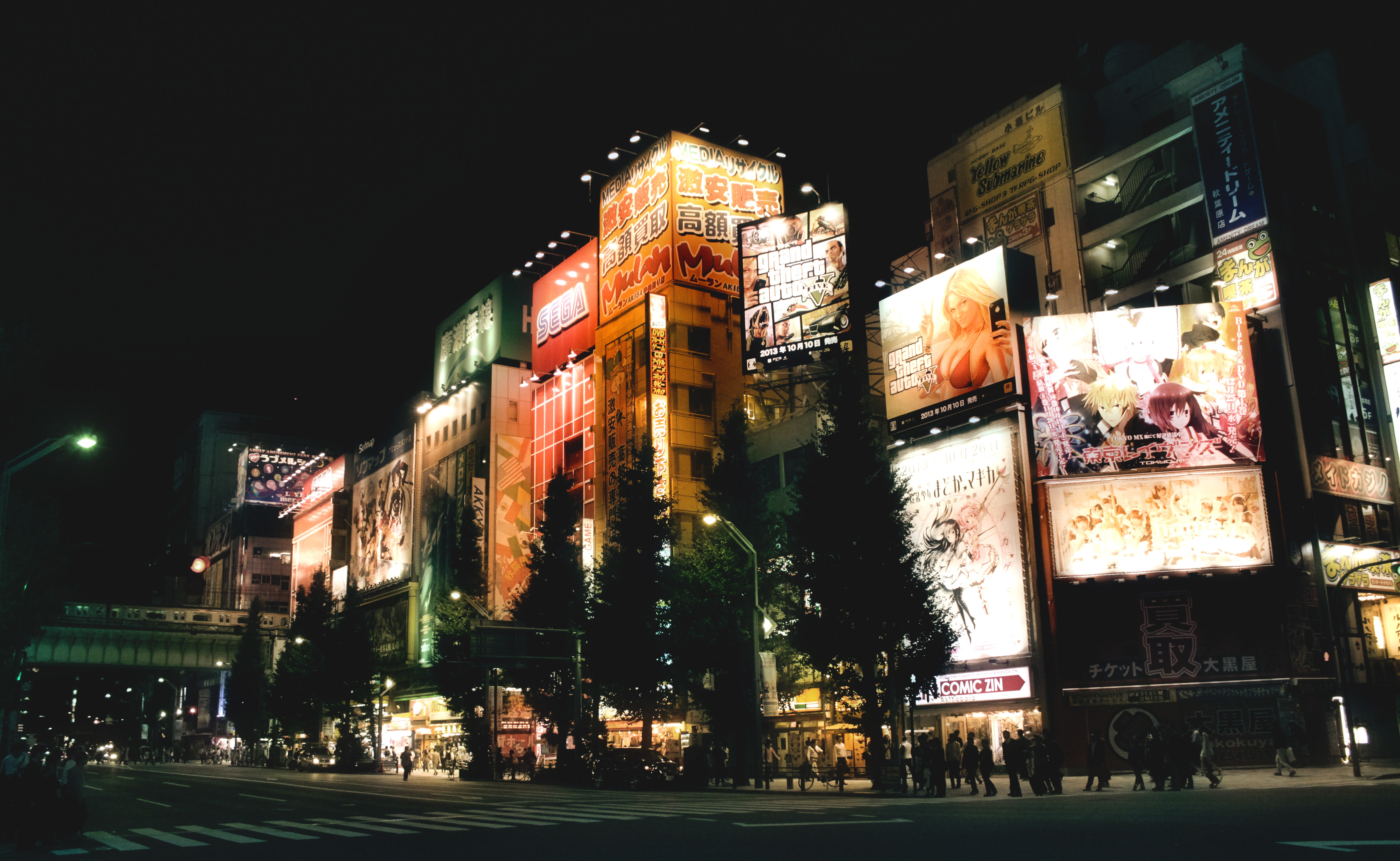
We will be applying all the following steps to this picture, taken in Akihabara, Tokyo.
Apply the luminosity mask filter to the base picture. We will use this later.
Filters → Generic → Luminosity Masks
Duplicate the base picture (Ctrl+Shift+D).
Layer → Duplicate Layer
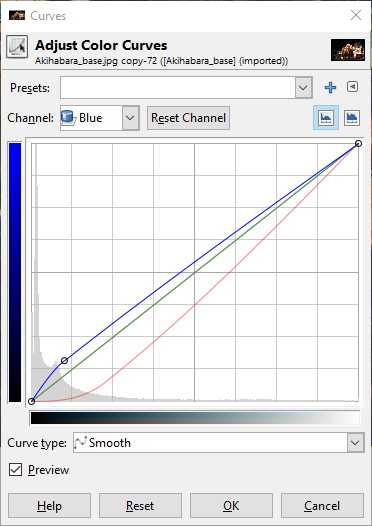
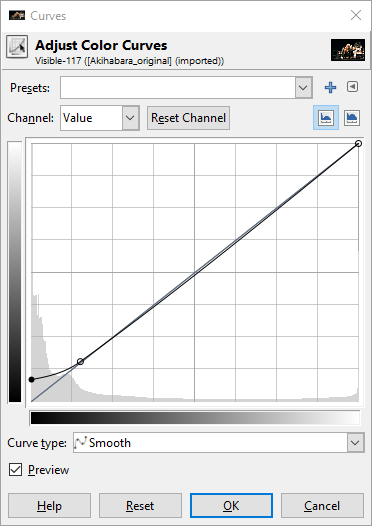
Tone the shadows of the duplicated picture using the tone curve by lowering the reds in the shadows. If you want your shadows to be less green, slightly raise the blues in the shadows.
Colors → Curves
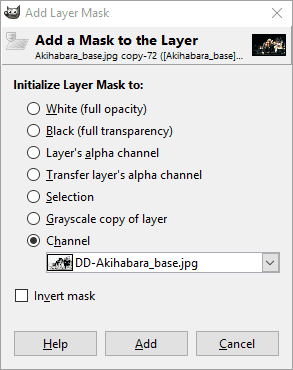
Apply a layer mask to the duplicated and toned picture. Choose the DD luminosity mask from a channel.
Layer → Mask → Add Layer Mask
With both layers visible, create a new layer from what is visible. Call this layer the “blended” layer.
Layer → New from Visible
Apply the wavelet decompose filter to the “blended” layer and choose 9 as number of detail scales. Set the G’MIC output mode to “New layer(s)” (see below).
Remember to set G’MIC to output the results on New Layer(s).
Make the blended and blended [residual] layers visible. Then set the mode of the blended [residual] layer to color. This will give you a picture with averaged, blurred colors.
Turn the opacity of the blended [residual] down to 70%, or any other value to your taste, to bring back some color detail.
Turn on the blended [scale #8] layer, set the mode to grain merge, and see how the lights start shining. Adjust opacity to taste.
Optional: Turn the wavelet scale 3 (or any other) on to sharpen the picture and blend to taste.
Make sure the following layers are visible:
blended
residual
wavelet scale 8
Any other wavelet scale you want to use for sharpening
Make a new layer from visible
Layer → New from Visible
Raise and slightly crush the shadows using the tone curve.
Optional: Adjust saturation to taste. If there are predominantly white lights and the
colors come mainly from other objects, the residual will be washed out, as is
the case with this picture.
I noticed that the reds and yellows were very dominant compared to greens and blues. So using the Hue-Saturation dialog I raised the master saturation by +70 and lowered the yellow saturation by -50 and lowered the red saturation by -40 all using an overlap of _60_.
Stig Abell and Thea Lenarduzzi are joined by Fiction editor Toby Lichtig and Arts editor Lucy Dallas to discuss their favourite books of 2016, plus the titles they guiltily haven't read (yet), old favourites, and a few disappointments; to end the show, Alan Jenkins, TLS Poetry editor, reads "The Song of the Swimmer" by J. A. Symonds, a feverish poem which could never have been shared in the writer's lifetime and which is published for the first time in this week's issue of the TLS.
Here in the U.S., we have a big holiday coming up this week: Thanksgiving.
Serendipitously, this holiday also happens to fall when a few neat things are happening around the community, and what better time is there to recognize some folks and to give thanks of our own? No time like the present!
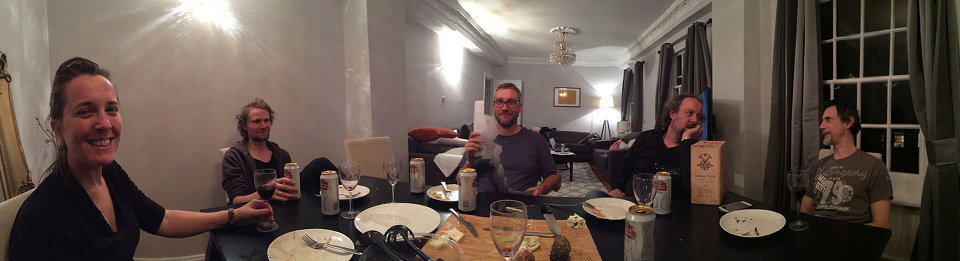
I feel a special “Thank You” should first go to a photographer and fantastic supporter of the community, Dimitrios Psychogios. Last year for our trip to Libre Graphics Meeting, London he stepped up with an awesome donation to help us bring some fun folks together.
Fun folks together.
Mairi, the darktable nerds, a RawTherapee nerd, and a PhotoFlow nerd.
(and the nerd taking the photo, patdavid)
This year he was incredibly kind by offering a donation to the community (completely unsolicited) that covers our hosting and infrastructure costs for an entire year! So on behalf of the community, Thank You for your support, Dimitrios!
I’ll be creating a page soon that will list our supporters as a means of showing our gratitude. Speaking of supporters and a new page on the site…
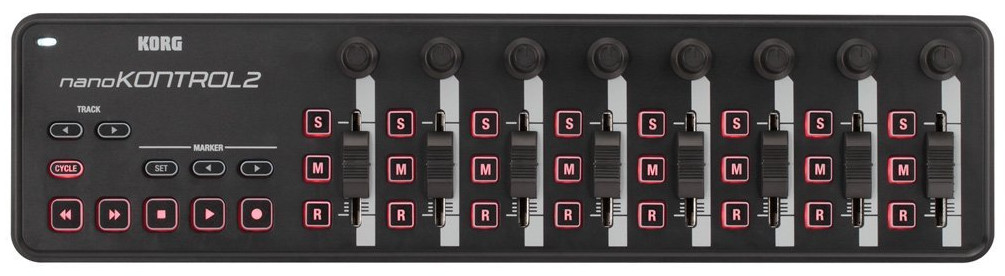
Someone had asked about the possibility of donating to the community on a post. We were talking about providing support in darktable for using a midi controller deck and the costs for some of the options weren’t too extravagant. This got us thinking that enough small donations could probably cover something like this pretty easily, and if it was community hardware we could make sure it got passed around to each of the projects that would be interested in creating support for it.
An example midi-controller that we might get support for in darktable and other projects.
That conversation had me thinking about ways to allow folks to support the community. In particular, ways to make it easy to provide support on an on-going basis if possible (in addition to simple, single donations). There are goal-oriented options out there that folks are probably already familiar with (Kickstarter, Indiegogo and others) but the model for us is less goal-oriented and more about continuous support.
Patreon was an option as well (and I already had a skeleton Patreon account set up), but the fees were just too much in the end. They wanted a flat 5% along with the regular PayPal fees. The general consensus among the staff was that we wanted to maximize the funds getting to the community.
The best option in the end was to create a merchant account on PayPal and manually set up the various payment options. I’ve set them up similar to how a service like Patreon might run with four different recurring funding levels and an option for a single one-time payment of whatever a user would like. Recurring levels are nice because they make it easier to plan with.
Our requirements for the infrastructure of the site are modest and we haven’t actively pursued support or donations for the site before. That hasn’t changed.
We’re not asking for support now. The best way that someone can help the community is by being an active part of it.
Engaging others, sharing what you’ve done or learned, and helping other users out wherever you can. This is the best way to support the community.
I purposely didn’t talk about funding before because I don’t want folks to have to worry or think about it. And before you ask: no, we are not and will not run any advertising on the site. I’d honestly rather just keep paying for things out of my pocket instead.
We’re not asking for support, but we’ll accept it.
With that being said, I understand that there’s still some folks that would like to contribute to the infrastructure or help us to get hardware to add support in projects and more. So if you do want to contribute, the page for doing so can be found here:
There are four recurring funding levels of $1, $3, $5, and $10 per month.
There is also a one-time contribution option as well.
We also have an Amazon Affiliate link option. If you’re not familiar with it, you simply click the link to go to Amazon.com. Then anything you buy for the next 24 hours will give us some small percentage of your purchase price. It doesn’t affect the price of what you’re buying at all. So if you were going to purchase something from Amazon anyway, and don’t mind - then by all means use our link first to help out!
This week we also finally hit 1,000 users registered on discuss! Which is just bananas to me. I am super thankful for each and every member of the community that has taken the time to participate, share, and generally make one of the better parts of my day catching up on what’s been going on. You all rock!
While we’re talking about a number “1” with bunch of zeros after it, we recently made some neat improvements to the forums…
We are a photography community and it seemed stupid to have to restrict users from uploading full quality images or raw files. Previously it was a concern because the server the forums are hosted on have limited disk space (40GB). Luckily, Discourse has an option for storing all uploads to the forum on Amazon S3 buckets.
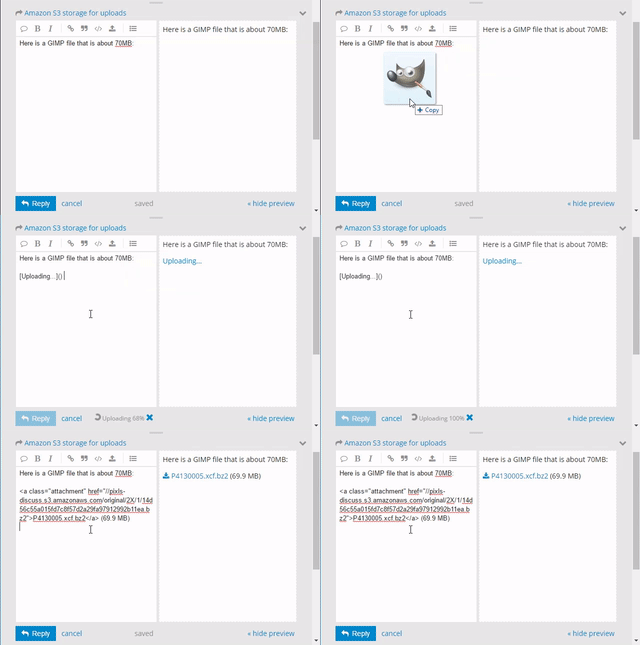
I went ahead and created some S3 buckets so that any uploads to the forums will now be hosted on Amazon instead of taking up precious space on the server. The costs are quite reasonable (around $0.30/GB right now), and it also means that I’ve been able to bump the upload size to 100MB for forum posts! You can now just drag and drop full resolution raw files directly into the post editor to include the file!
70MB GIMP .xcf file? Just drag-and-drop to upload, no problem! :)
On a slightly geekier note, did you know that the code for the entire website is available on Github? It’s also licensed liberally (CC-BY-SA), so no reason not to come and fiddle with things with us! One of the features of using Github is integration with Travis CI (Continuous Integration).
What this basically means is that every commit to the Github repo for the website gets picked up by Travis and built to test that everything is working ok. You can actually see the history of the website builds there.
I’ve now got it set up so that when a build is successful on Travis, it will automatically publish the results to the main webserver and make it live. Our build system, Metalsmith, is a static site generator. This means that we build the entire website on our local computers when we make changes, and then publish all of those changes to the webserver. This change automates that process for us now by handling the building and publishing if everything is ok.
In fact, if everything is working the way I think it should, this very blog post will be the first one published using the new automated system! Hooray!
You can poke me or @paperdigits on discuss if you want more details or feel like playing with the website.
Speaking of @paperdigits, I want to close this blog post with a great big “Thank You!“ to him as well. He’s the only other person insane enough to try and make sense of all the stuff I’ve done building the site so far, and he’s been extremely helpful hacking at the website code, writing articles, make good infrastructure suggestions, taking the initiative on things (t-shirts and github repos), and generally being awesome all around.
Catharine Morris, at the 2016 Singapore Writers Festival, interviews the American novelist and journalist Lionel Shriver about Trump, Brexit and her unsettling new novel, The Mandibles. Find out more at www.the-tls.co.uk
With Stig Abell and Thea Lenarduzzi – Seamus Perry on the difficult, "spiritually dyspeptic" life and work of D. H. Lawrence; Ruth Scurr on two new books by Elena Ferrante, and the struggle over her name; Kathryn Hughes on the knotty, globe-spanning cultural life of hair; and finally, a snippet from our recent interview with the American author Lionel Shriver: can fiction contain the real-life Trump?
I realize that I’m a little late to this, but photographer João Almeida has created a wonderful set of film emulation presets for darktable that he uses in his own workflow for personal and commisioned work. Even more wonderful is that he has graciously released them for everyone to use.
These film emulations started as a personal side project for João, and he adds a disclaimer to them that he did not optimize them all for each brand or model of his cameras. His end goal was for these to be as simple as possible by using a few darktable modules. He describes it best on his blog post about them:
The end goal of these presets is to be as simple as possible by using few Darktable modules, it works solely by manipulating Lab Tone Curves for color manipulation, black & white films rely heavily on Channel Mixer. Since I what I was aiming for was the color profiles of each film, other traits related with processing, lenses and others are unlikely to be implemented, this includes: grain, vignetting, light leaks, cross-processing, etc.
Some before/after samples from his blog post:
João Portra 400
(Click to compare to original)
João Kodachrome 64
(Click to compare to original)
João Velvia 50
(Click to compare to original)
If you see João around the forums stop and say hi (and maybe a thank you). Even better, if you find these useful, consider buying him a beer (donation link is on his blog post)!
With Stig Abell and Lucy Dallas:Mary Beard shares her experience of election night in America; Mark Bostridge discusses Queen Victoria and the stinginess of the Royal Archive; and Nick Groom makes the case for wondrous nature writing.Find out more at www.the-tls.co.uk

 Login
Login