O campo da direita uniu forças para derrotar o petismo, mas a aliança nunca foi óbvia ou natural. Para acontecer, ela demandou que várias facções se resignassem ao peso eleitoral de Jair Bolsonaro.
Leia mais (01/17/2019 - 02h00)
Boyd Tonkin states the case – never overstated – for literature in translation, and reviews a commendable recent effort "to grasp, and to survey, the entire planet of words"; Andrew Scull considers the travails of social psychology and the egos and experiments that professed to tell us something essential about human nature by setting fire to forests or electrocuting dogs...
Books
Found in Translation: 100 of the finest short stories ever translated, edited by Frank Wynne
The Lost Boys: Inside Muzafer Sherif’s Robbers Cave experiment by Gina Perry
The Hope Circuit: A psychologist’s journey from helplessness to optimism by Martin Seligman
Tom Stevenson offers a recent history of political assassination, from a CIA manual of 1953 to the Jamal Khashoggi affair; The literary achievements of Nancy Cunard have long been eclipsed by her image as the archetypal flapper-muse of the roaring 1920s – as Anna Girling reveals a previously unknown short story (published for the first time in this week's TLS), we reassess Cunard's legacy; Who killed Edwin Drood? In 1914, faced with Dickens's final, unfinished novel, prominent literary types gathered to stage the trial of Drood's alleged killer – Pete Orford tells us more...
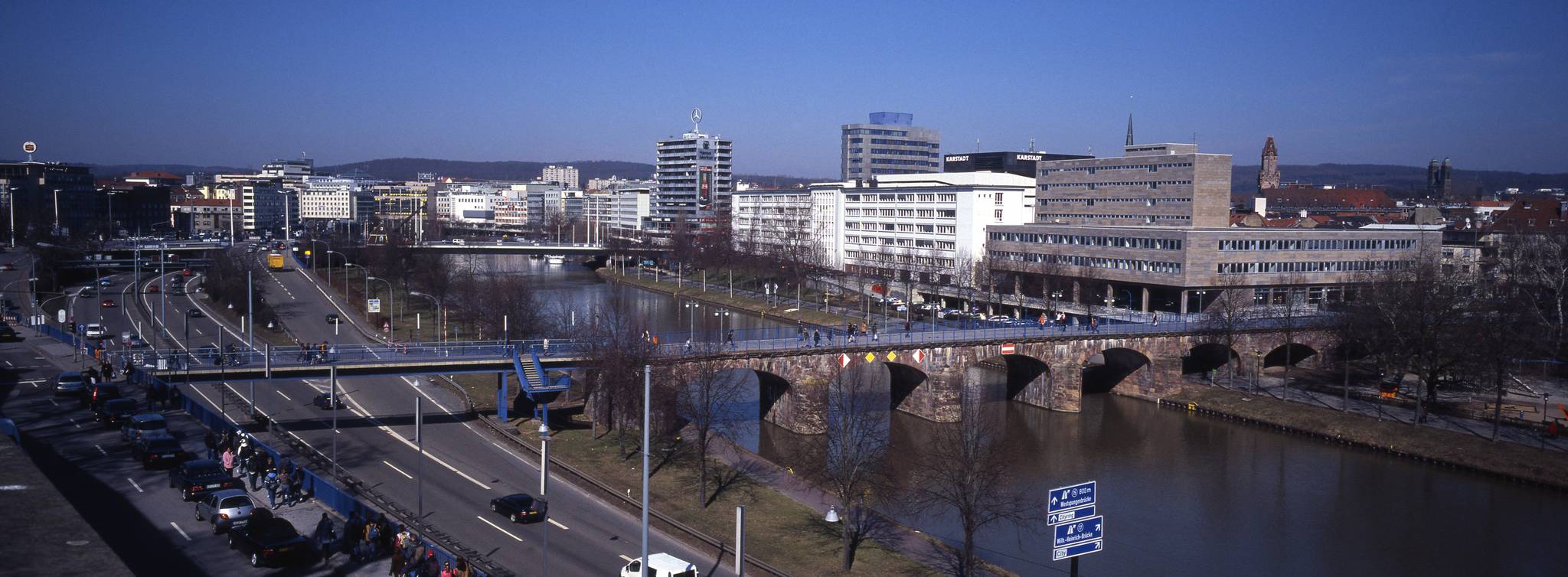
This year the meeting will be May 29 to June 2 in Saarbrücken, Germany.
This is extra exciting because Saarbrücken is centrally located enough that we should have a nice representation from projects and community members.
Members of both RawTherapee and darktable live nearby and will be in attendance (along with others from those projects and many others).
I’m hoping to have a good representation this year, so first and foremost - please, please consider participating by giving a presentation, leading a workshop, or even a quick lightning talk!
The Call for Participation page is here:
I will make myself available to help in any way I can. If you want a hand with the presentation, design, graphics or whatever please feel free to ping me (also - remember that we try to archive all of our presentations and material in our Github repo so you can grab any of the assets from there as well)!
This is a great opportunity to spread the word about what we’re up to and the many, many awesome projects everyone has created, maintained, and contributed to for Free Software photography.
The deadline for submittal is coming up on January 15th! If you think you’d like to present or host a workshop please submit as soon as possible.
I am particularly excited about this meeting because a) I don’t get to attend every year so this is the first time I’m able to make it in a few years, and b) this is a great opportunity to really get a bunch of community members to come together!
Saarbrücken is on the high-speed rail network so it’s readily accessible from many places (now you have less excuses to not make it).
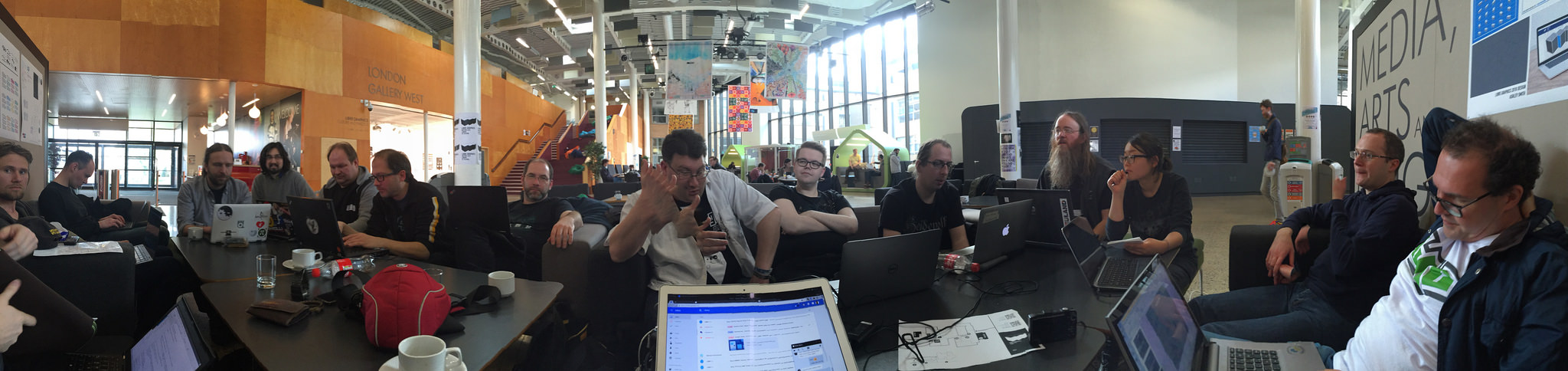
GIMP, darktable, and others all getting together in LGM/London!
I love hanging out with y’all.
It’s great to nerd out about photography and catch up.
Sometimes it really helps to be able to speak face-to-face and this is the perfect opportunity to also be exposed to all manner of other Free Software projects (or to expose ourselves to others?).
Besides, how else am I going to capture some fun photos of y’all?
We have a few things planned for sure at the meeting and you’re going to be really sad if you miss them by not coming!
PIXLS.US BoF (Birds of a Feather) This is a special session set aside for a couple of hours for the entire community to get together and chat about what’s going on, what we’d like to do, and what’s coming up.
Photowalk I’ve been doing photowalks every year that I’ve been because this is almost the ultimate way for me to spend time with folks (unless we can do a beer drinking photowalk all at the same time…).
PIXLS.US Presentation/Update I’ll (We’ll? Anyone from the community is more than welcome to help me present on this) present on the community and what we’ve done so far and what we’d like to accomplish moving forward.
This is our primary way of reporting out to the wider community who we are and what we’re doing.
State of the LGM This is a couple of slides that are included at the beginning of the program giving an overview of the state of the entire libre graphics ecosystem.
I really, really, really want to be able to add to this list with other presentations (or lightning talks, etc) that the community will give! I may even submit a couple of presentations to talk not just about the community but maybe about our technical work coordinating the forum and providing services for the projects (as well as invite other related projects to come join us).
We can make this an incredible and memorable meeting with a fantastic opportunity to meet friends in person and have a wonderful time!
Lara Pawson drops in to tell the tale of David Wojnarowicz, the New York artist whose time has come. Elaine Showalter examines a new biography of Germaine Greer. Kim Addonizio, winner of the Mick Imlah Prize for Poetry, reads her victorious poem. Plus, Lucy admits to having an allotment, and Stig learns he has been introducing the show all wrong.
Over on my personal website I decided to stop using third party trackers and assets to keep from exposing visitors to unintended tracking.
Third party assets expose a user to being tracked and analyzed by those third (or fourth, or more) parties and honestly this is something the web could use a little (lot) less of.
I loved having stats early on when we started this crazy idea for a community and as I mentioned on my blog post, it’s a Faustian bargain to get stats at the expense of allowing Google to track what all the users of the site are doing.
No thanks.
I figure it’s the eve of a new year so why not start it out right and reduce the tracking footprint of the site?
This all started by noticing that some new browser feature strips referer information from requests (thanks @darix) and we were using them to target specific areas of websites that we manage comments for.
It came to my attention when I was reading the release announcement for digiKam 6.0.0 beta 3.
While fixing that problem, I found that once we fixed the referer requirement problem I was still seeing issues with Privacy Badger blocking our embed code.
On further inspection it boiled down to using Google Analytics on our base domain (pixls.us) and having a cookie set by Google, which then got sent with embed requests from other websites (digiKam and darktable).
This triggered the heuristic blocking by Privacy Badger.
Honestly, we derive very little value from the analytics for the price (privacy) we pay to use it.
Better to simply remove it.
We still do analytics but we own the stack ourselves (thank you so much andabata!).
If you want to block our own analytics the domain is: piwik.pixls.us.
An end-of-year edition, bringing together some of our favourite bits from the past twelve months: Kathryn Hughes on whether and where Charlotte Brontë meets Jane Eyre; Margaret Drabble reviews the life and work of Muriel Spark, whose centenary we marked this year; David Baddiel discusses whether Jewishness is inherently funny; Clare Pettitt revisits the history of the Peterloo massacre of 1819. A refresher for regular listeners and a sampler for newcomers – with thanks to all.
Who is Odysseus? Why can't he get home? And will the gods help or hinder his journey? In this special episode, the TLS's Classics editor Mary Beard chairs a panel featuring the author and academic Simon Goldhill, the memoirist and translator Daniel Mendelsohn, the poet Karen McCarthy Woolf and the novelist Madeline Miller. This is a recording of a live event, staged in collaboration with the Southbank Centre’s London Literature Festival in October 2018.
TLS editors discuss some memorable arts events from the past twelve months; plus, food and drink in literature and a preview of the TLS's Christmas double issue, including how to do German food, M. F. K. Fisher, French food slang, pub stories, and a deconstruction of the traditional British Christmas dinner
Lucy Atkins charts our changing relationship with Orcinus orca, from "demon dolphin" to cuddly icon; Ruth Scurr on the lives and unlikely friendship of Samuel Pepys and John Evelyn
Books
Orca: How we came to know and love the ocean’s greatest predator by Jason M. Colby
John Evelyn: A life of domesticity by John Dixon Hunt
The Curious World of Samuel Pepys and John Evelyn by Margaret Willes
Michael Caines on the little-known romantic William Gilbert, a “man of fine genius” (according to William Wordsworth) who had “unfortunately received a few rays of supernatural light through a crack in his upper story”; Daniel Beer tells the tale of the Gulag at Solovki, a converted monastery known as “the Paris of the Northern concentration camps”, a place of brutality but also of resistant culture and ideas; finally, Laurence Scott considers the cultural history of shoeshining, from Dickens to Police Squad
Books
William Gilbert and Esoteric Romanticism by Paul Cheshire
Intellectual Life and Literature at Solovki, 1923–1930: The Paris of the northern concentration camps by Andrea Gullotta
Forty years since the controversial Spanish constitution of 1978, Rupert Shortt, Hispanic editor at the TLS, discusses the painful evolution of democracy in Spain; Siobhan Magee considers our problematic relationship with farmed animals, namely dairy cows, and crops, such as palm oil; Dwight Garner, a literary critic at the New York Times, offers glimpses into his commonplace book, in which four decades of favourite quotations converse with each other
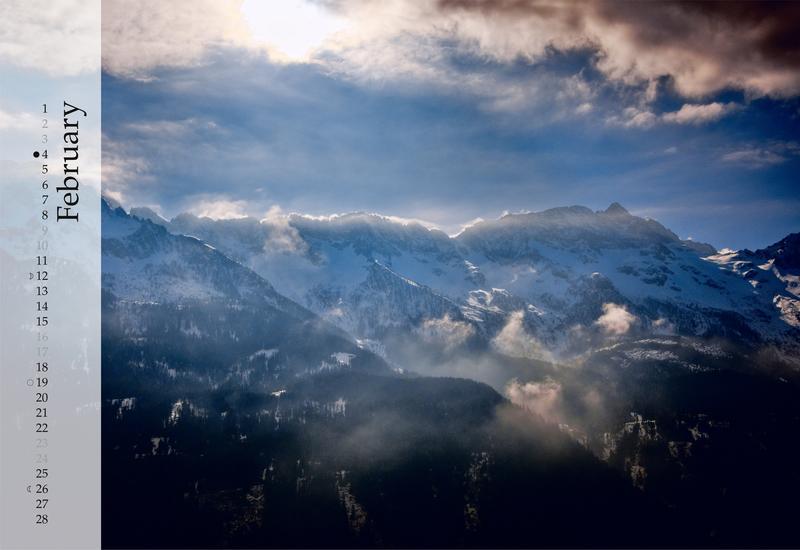
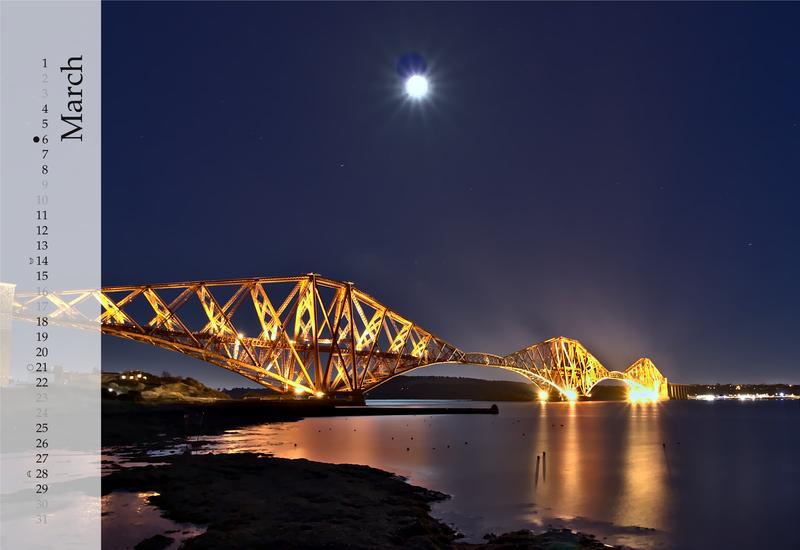
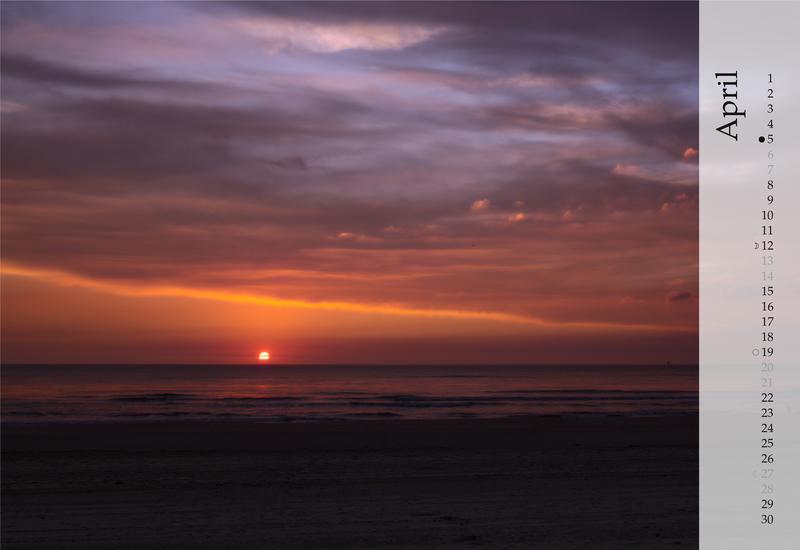
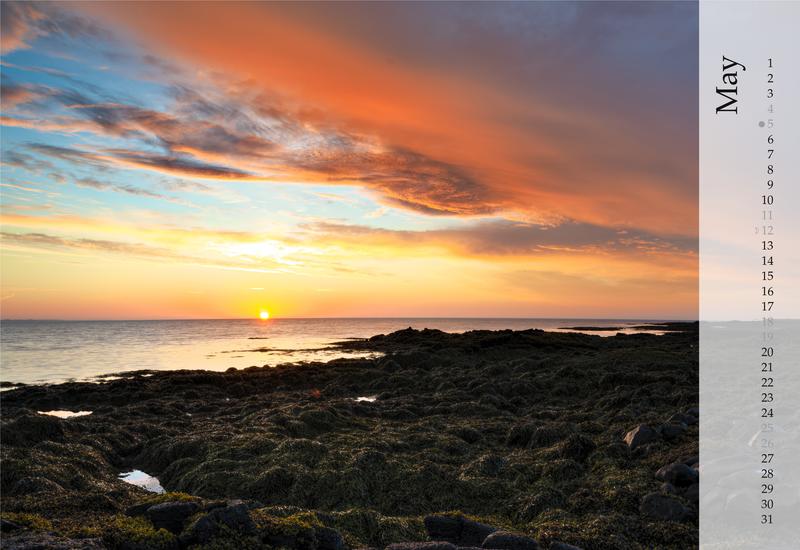
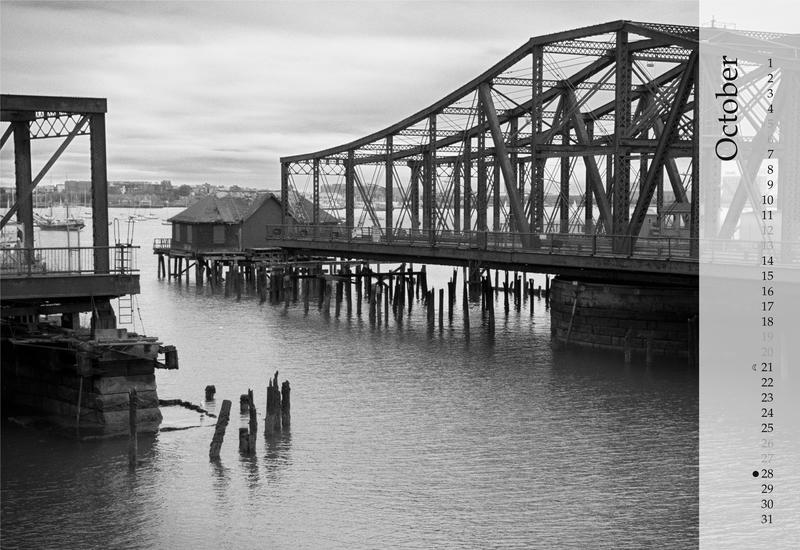
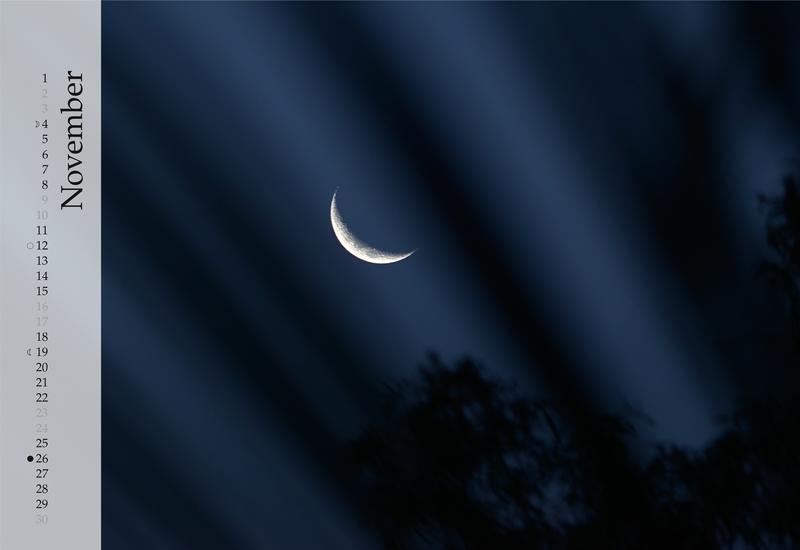
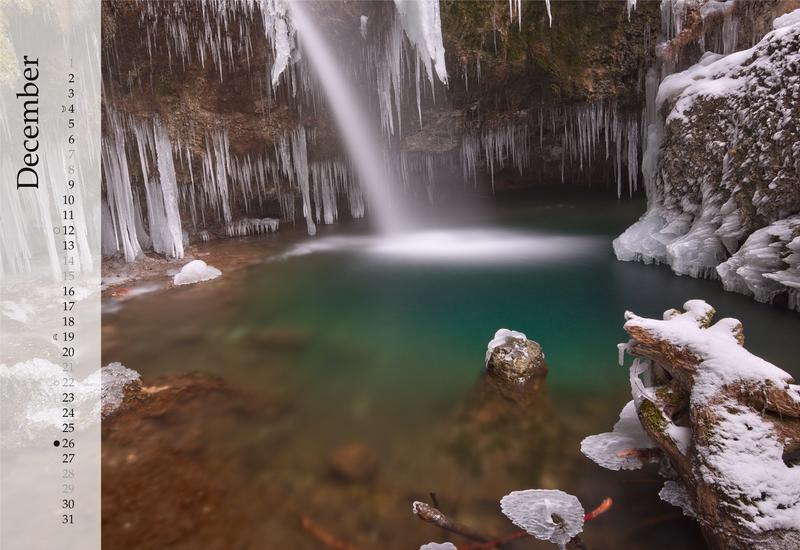
Last year I got an amazing surprise in the mail.
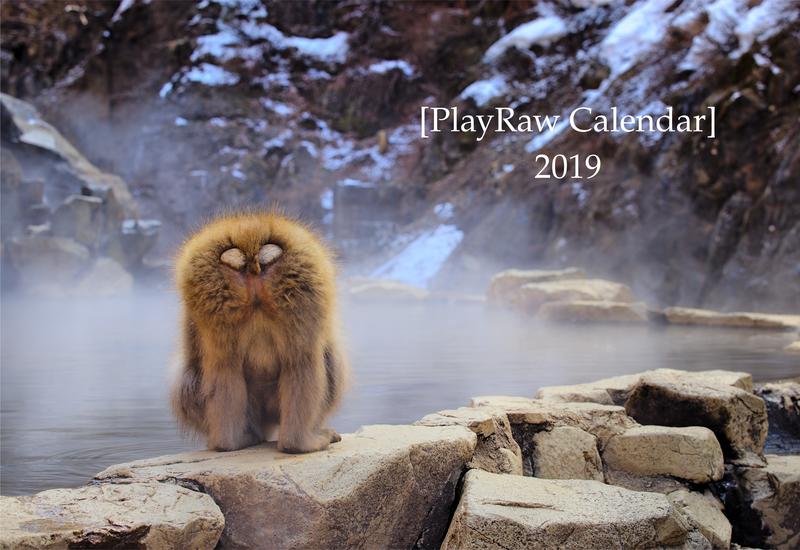
It was an awesome calendar of a handpicked selection of results from the years PlayRaw images.
Chris (@chris) put together another fantastic calendar for this year (while juggling kids, too) and it’s too nice to not have a post about it!
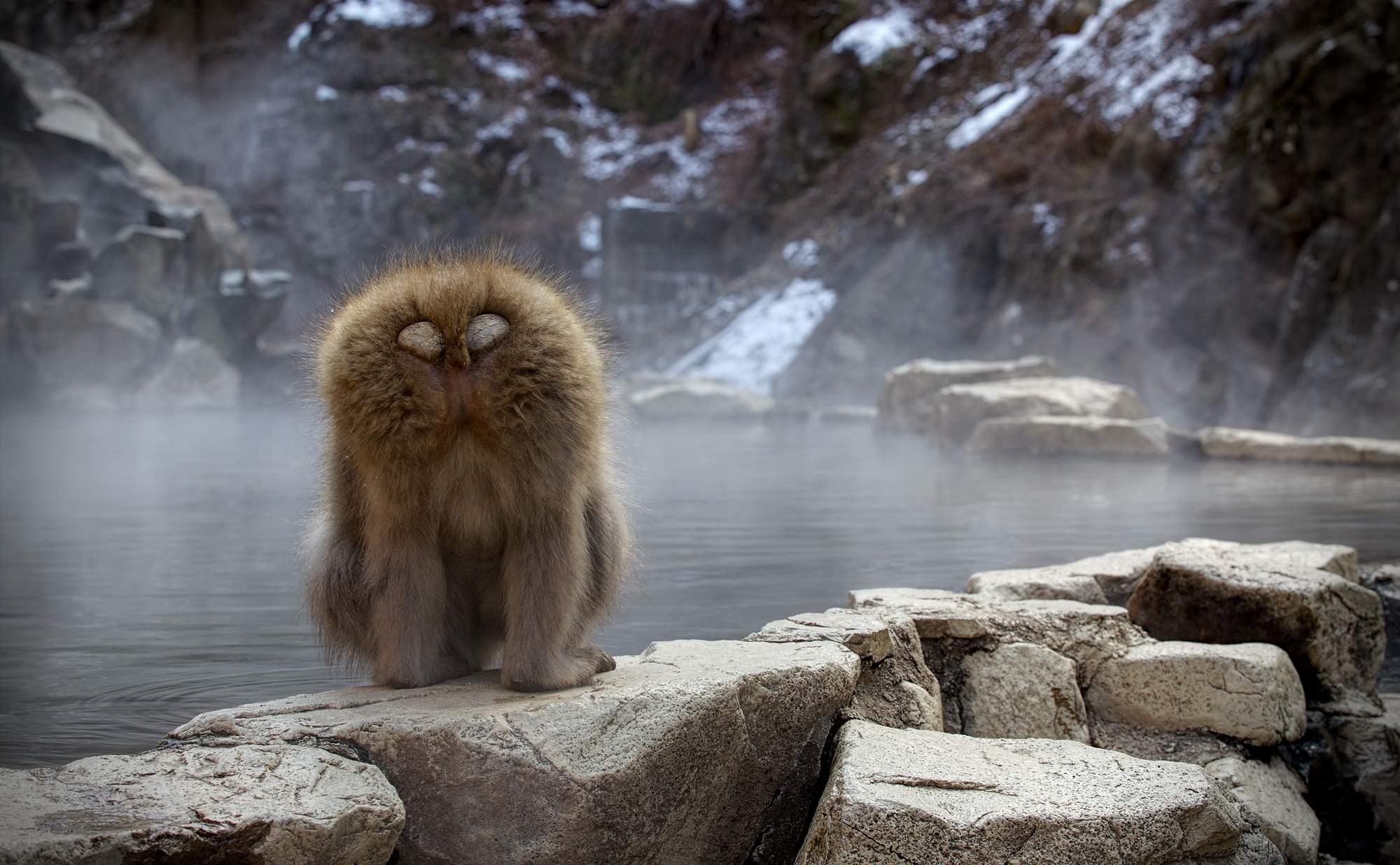
Yep, that’s the back side. Monkey Business by Dimitrios Psychogios (cba)
It was a really awesome surprise to recieve my calendar last year - and I wish I would have planned a little better to be able to grab a photo of the calendar hanging in my office (it’s my work desk calendar - it never fails to remind me that there’s more fun things to life than work - also that I need to up my processing game… ).
This year Chris has done it again by assembling a wonderfully curated collection of images and edits from the various Play Raws that were posted this year.
I’ve plagiarized his post on the forums to put together this post and get some more publicity for his time and effort!
If you get a moment, please thank Chris for his work putting this together!
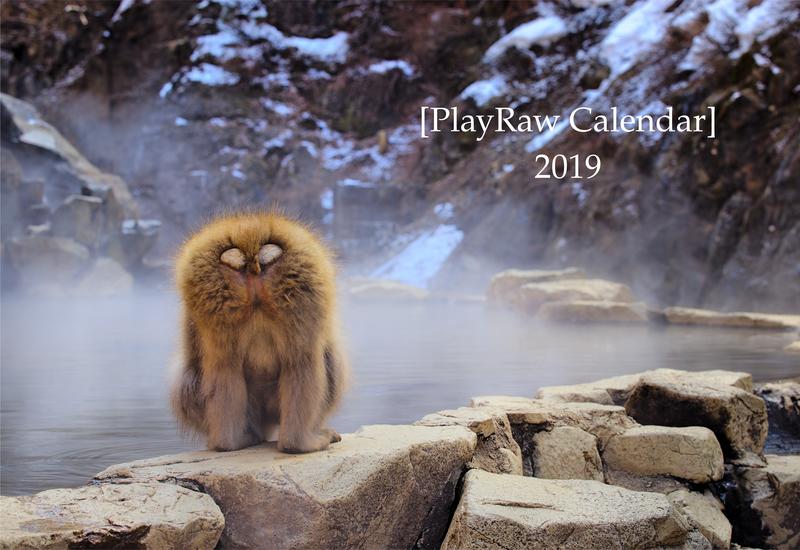
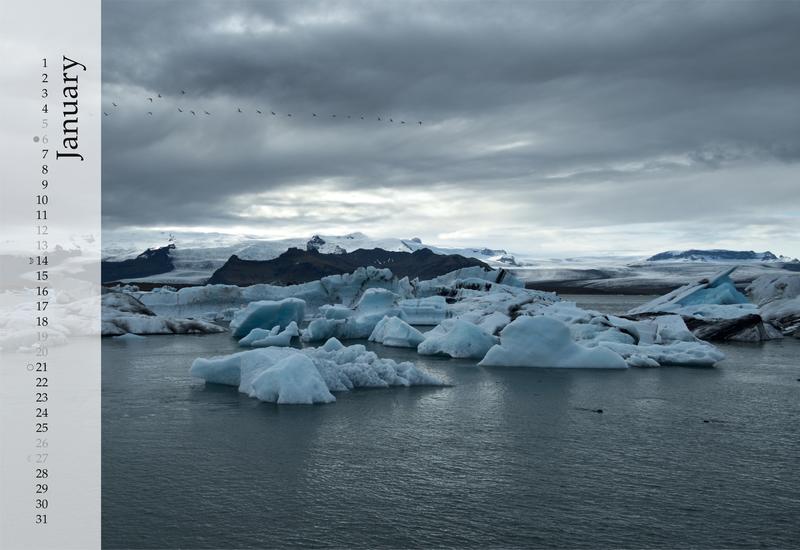
A preview (also shamelessly lifted from Chris’s forum post):
These Play Raws are a ton of fun and one of the great aspects of having such a generous community to share the images and allowing everyone to practice and play.
I am constantly humbled by the amazing work our community produces and shares with everyone.
Thank you to everyone who shared image and participated in processing (and sharing how you achieved your results)! I have really learned some neat things based on others work and look forward to even more opportunities to play (pun intended).
Fun side note: the Play Raws are actually something that began on the old RawTherapee forums. When they moved their official forums here with us it was one of those awesome things I’m glad they brought over with them (the people were pretty great too… :)).
It is a yearlytradition for us to post something giving thanks around this holiday.
I think it’s because this community has become such a large part of our lives.
Also, I think it helps to remind ourselves once in a while of the good things that happen to us. So in that spirit…
We are lucky enough (for now) to not have huge costs, but they are costs none-the-less. We have been very fortunate that so many of you have stepped up to help pay those costs.
For the last several years, Dimitrios Psychogios has graciously covered our server expenses (and then some). On behalf of the community, thank you so much! You keep the servers up and running.
Your generosity will cover infrastructure costs for the year and give us room to grow as the community does.
We also have some awesome folks who support us through monthly donations (which are nice because we can plan better if we need to). Together they cover the costs of data storage + transfer in/out of Amazon AWS S3 storage (basically the storage and transfer of all of the attachments and files in the forums).
So thank you, you cool friends, you make the cogs turn:
Jonas Wagner
elGordo
Chris
Christian
Claes
Thias
Stephan Vidi
ukbanko
Bill Z
Damon Hudac
Luka Stojanovic (a multi-year contributor!)
Moises Mata
WoodShop Artisans
Barrie Minney (He’s a long time monthly contributor!)
Mica
It is so amazing not to have to worry about finding the capital to support our growing community; we just expand things as necessary. It is super great.
If you’d like to join them in supporting the site financially, check out the support page.
This year we added the gphoto project to our list of supported applications! gPhoto is an awesome library for interfacing with your camera. It is used by darktable and entangle to allow you to shoot with your camera attached to your laptop or other device. We’re thrilled that they’ve joined us on the forums!
Natron is a compositing application mostly used in 3D/video compositing. The main developer was looking to give the project more of a community focus, so of course we were happy to provide them their own spot in the forum for their users to communicate and collaborate.
For another year, @darix continues to keep our stuff up and running! Do you ever notice outages? No?! Me either, and that is due to his daily diligence. We can’t thank him enough for his dedication to our community.
The originator of it all, thank you for the initial push to create this community where we are not divided by which application we use. And for your continued good will towards everyone here, your welcoming spirit, and passion. We’d never have done it without you! And for all the great things to come!
The community is the sum of parts + all the extra love that comes from all of you! Thank you so much continuing to stick around, share you knowledge, and spread the great community. It keeps me motivated, creative, and challenged and for that I am very thankful.
A handful of TLS editors gather for the yearly process of picking through contributors' Books of the Year selections, and nominate their own books to remember; Serhii Plokhy, the winner of this year's Baillie Gifford Prize for Non-Fiction for 'Chernobyl: The history of a nuclear catastrophe', speaks to the TLS's History editor David Horspool
Selected books
The Western Wind by Samantha Harvey
Charles de Gaulle: A certain idea of France by Julian Jackson
Normal People by Sally Rooney
Murmur by Will Eaves
Circe by Madeline Miller
Talking To Women by Nell Dunn
Ghost Wall by Sarah Moss
The Collected Letters of Flann O’Brien, edited by Maebh Long
All photographic lenses have several types of errors. Three of them can be
corrected by software almost losslessly:
distortion, transverse
chromatic aberration (TCA),
and vignetting. The
Lensfun library provides code to do these
corrections. Lensfun is not used by the photographer directly. Instead, it is
used by a photo raw development software such as darktable or RawTherapee. For
example, if you import a RAW into darktable, darktable detects the lens model,
focal length, aperture and focal distance used for the picture, and it then
calls Lensfun to automatically correct the photograph.
Figure 1: 16mm lens showing distortion (click on the image to show the distortion corrected image)
Lensfun uses a database to know all the parameters needed to do the lens
corrections. This database is filled by photographers like you, who took time
to calibrate their lenses and to submit their findings back to the Lensfun
project. If you’re lucky, your lens models are already included. If not, please
use this tutorial to do the calibration and contribute your results.
Let us assume your lens isn’t covered by Lensfun yet, or the corrections are
either not good enough or incomplete. The following sections will explain how
to take pictures for calibration. It will also show you how to create an entry
of your own. The best is to provide information for all three errors but maybe
you only need distortion then this is fine too.
Checking if your lens is already supported
Before you start to calibrate new lenses or report missing cameras please check
the lens database first!
The list is updated daily. If your lens is already support then everything is
fine and you just have to update your database.
If the lens is not supported or doesn’t provide all corrections you could add
the missing data following this tutorial.
Taking pictures
Before we start you need to take a lot of images for the three errors we are
able to correct. This section will explain how to take them and what you need
to pay attention to.
For all pictures you should use a tripod, turn off all image correction and
disable image stabilization in the camera and in the lens itself! Also make
sure to that all High Dynamic Range (HDR) or Dynamic Range Optimizer (DRO)
features are turned off. All those options could mess up your calibration.
Distortion
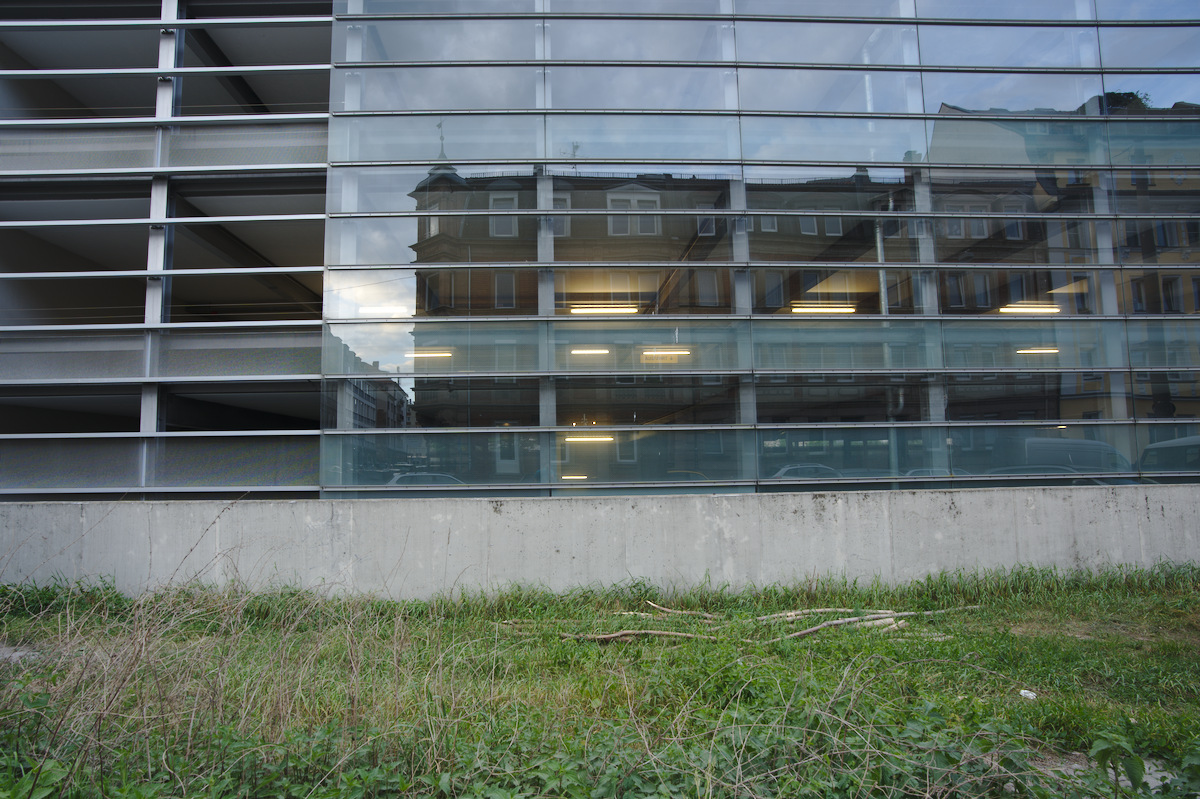
For distortion you can to take pictures of a building with several parallel
straight lines. You need at least two lines, one should be at the top of the
image (Nearly touching the top of frame) and the other line at about a third
down from the first line. The following example demonstrates this.
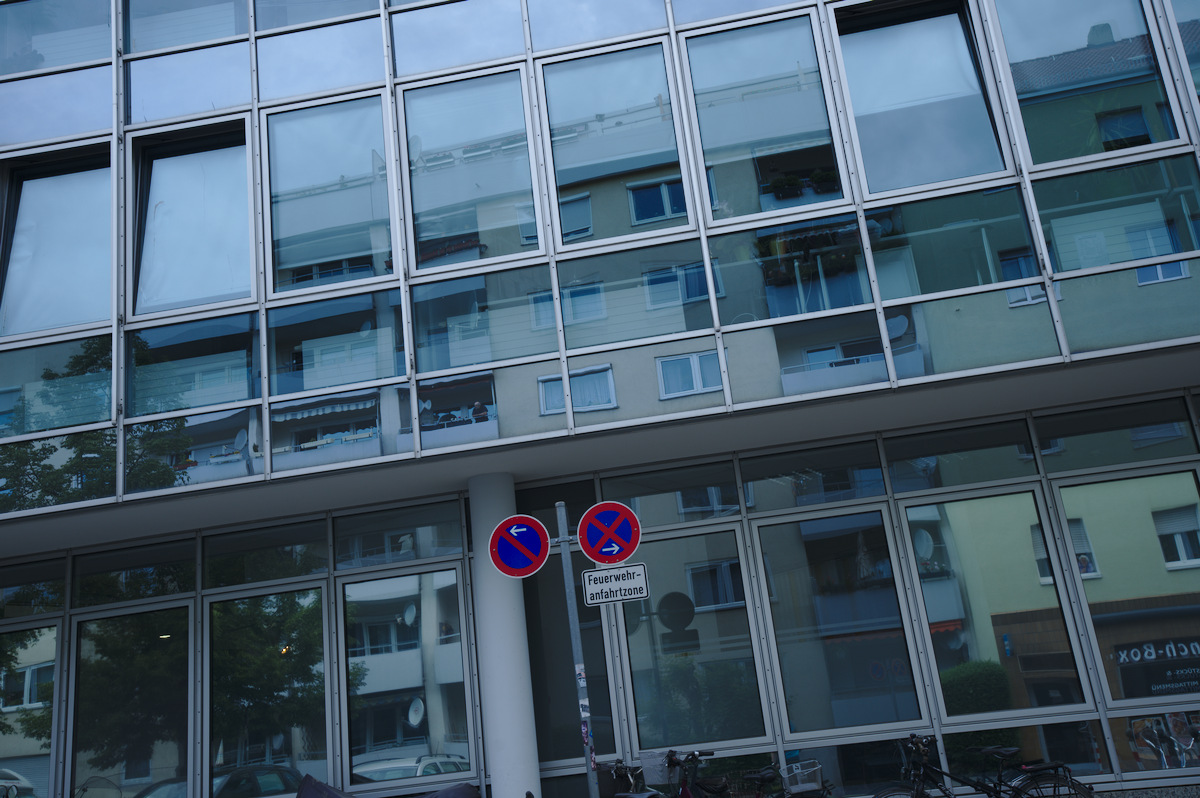
Figure 2: Parking house with straight lines
The lines must be perfectly straight and aligned. You can twist and rotate
the camera, but the lines must have no imperfections. Common mistakes are using
tiles or bricks: to your eye they may be “straight”, but it will cause
calibration defects. The best buildings turn out to be parking houses (US:
parking lot, EN: garages, car parks) or modern glass buildings like
fruit-technology stores.
For a fixed focal length lens, you only will require one image. For a zoom lens
it is recommended to take 5 to N pictures where N is max focal length minus min
focal length. You must take an image at the minimum focal length, and the
maximum focal length. You can move (step backward on forward) between shots to
keep the 1/3rd rule above consistent.
You should shoot at your lenses sharpest aperture - this is often f/8 to f/11.
Setup your camera on a tripod. Shoot at the lowest ISO (without extended
values). This will be 100 or 200. Disable any inbody lens corrections. Every
vendor has a different name for this process (Fuji is modular lens optimization
for example). Check your camera manual and menus.
Chromatic aberrations (TCA)
For TCA images look for a large object with sharp high-contrast edges
throughout the image. Preferably, the edges should be black–white but anything
close to that is sufficient. Make sure that you have hard edges from the center
throughout to one of the edges. The best buildings, for taking photos, have dark
windows with white or gray frames.
Here are some example pictures:
Figure 4: Building with gray framed windows
You should take your pictures being at least 8 meters away. For zoom lenses,
take pictures at the same focal lengths as for distortion (5 to N). Make sure
to capture really sharp photos using at least f/8. The best is to use aperture
control, f/8 and ISO 100 on a tripod to avoid any color noise.
You can use e.g. a streetview service to find the right building in your town
(big buildings, dark windows with white or grey frames).
Vignetting
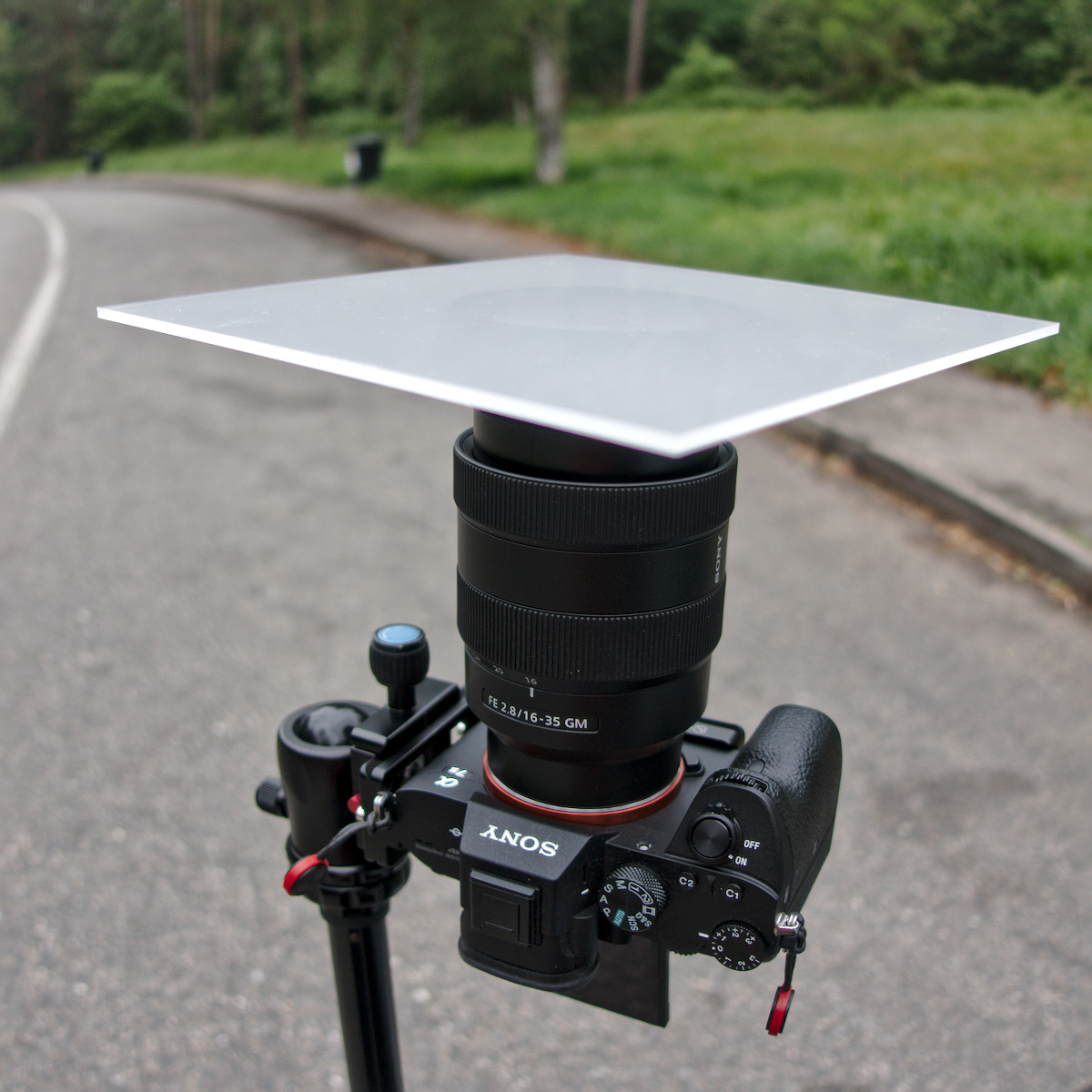
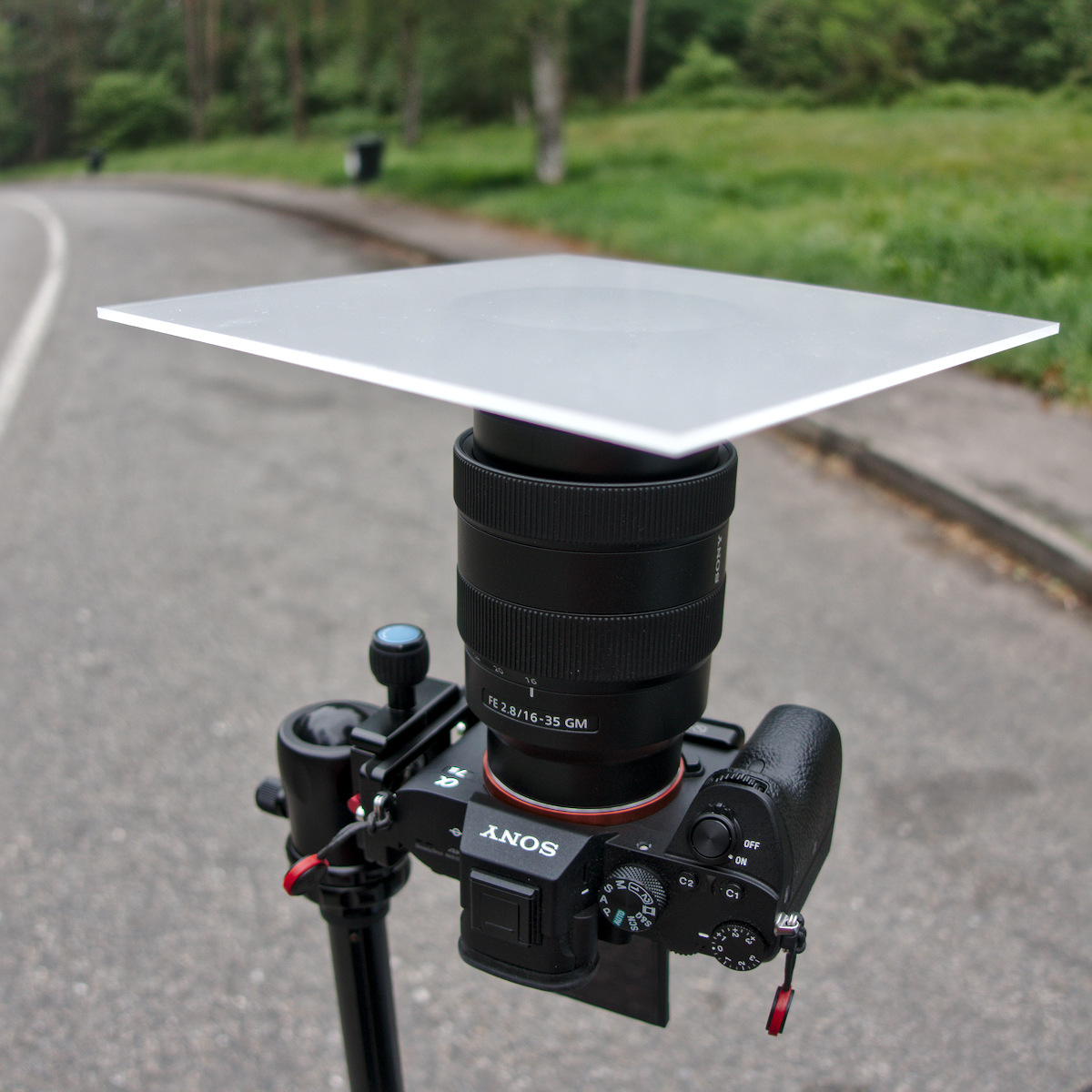
To create pictures for vignetting you need a diffuser in front of the lens. This
may be translucent milk glass, or white plastic foil on glass. Whatever, as
long as it is opaque enough so that nothing can be seen through it, yet
transparent enough so that light can pass through it. It must not be thicker
than 3 mm and shouldn’t have a noticeable texture. It must be perfectly flush
with the lens front, and it mustn’t be bent. It must be illuminated
homogeneously.
However white plastic foil taped on a piece of ordinary glass for stability
might be enough, if the plastic doesn’t have any texture.
I normally wait for a cloudy day with no sun, then the sky is homogeneously
lit. Put the camera on a tripod and point it to the sky. Put the glass directly
on the lens (remove any filters). In some places where sunlight is different
you may need to shoot indoors. You should experiment to make sure your images
are evenly lit (except for vignetting obviously).
Figure 6: Camera setup to take pictures for vignetting correction
Figure 6: Image showing vignetting of a wide angle lens at 16mm
Make sure that no corrections are applied by the camera (some models do
this even for RAWs). Set the camera to aperture priority and the
lowest real ISO (this is normally 100 or 200, don’t use extended ISO values).
Switch to manual focus and focus to infinity. This is the most critical step!
For zoom lenses, you need to take pictures at five different focal lengths. You
only need pictures for five focal lengths because for the other steps it gets
interpolated. For a prime lens you need to take only pictures for the single
focal length.
Take the pictures as RAW at the fastest aperture (e.g. f/2.8) and at three more
closed apertures at 1 EV distance, and also at the most closed aperture (e.g.
f/22.0). These are often marked on your lens’ aperture ring, or on your
electronic display.
If you have for example a 16-35mm lens with aperture f/2.8 - f/22, you need to
take pictures at 16mm, 20mm, 24mm, 28mm and 35mm focal length (Remember you
require the min and max zoom values). For each for those focal lengths you need
to take five pictures at f/2.8, f/4.0, f/5.6, f/8.0 and f/22.0. This makes 25
pictures in total.
For a 50mm prime lens with f/1.4 - f/16 you need to take 5 pictures at f1.4, f/2.0,
f/2.8, f/4.0, and f/16.0.
**Exposing the picture correctly
For taking the picture the middle of the area needs to be as bright as
possible, but not overexposed. This can be easily +1.7 to +2.0 EV.
If your camera has a zebra setting, turn it on and set the zebra mode to ‘100’.
If you start to see the zebra, then take the picure. The profile is created on
a RAW file and the zebra is shown for a developed picture. So we aren’t
overexposed yet. In the control mode in my camera which shows overexposure
everything was fine.
Vignetting correction for the professionals
The following steps are to get really fine grained vignetting corrections. The
gain in accuracy is really very small! I probably only makes sense for prime
lenses used for portrait or macro photography. However this is not required,
the above it absolutely enough.
Lensfun is able to correct vignetting depending on focal distance. Thus, you
can achieve a bit more accuracy by shooting at different focal distances. This
means you will have to take pictures at 4 different focal distances.
The first focus on the near point (The near point is the closest distance that
can be brought in focus). The next focal distances are the near point
multiplied by 2 and by 6 and finally focus at infinity.
Example: For a 85mm prime lens with the near point at 0.8 m. You have to take
pictures at 0.8 m, 1.6 m, 4.8 m and infinity.
Create calibration data
There are two ways to perform the calibration.
Lensfun allows an upload of data to the project, and they’ll do the program
work for you. They’ll also review your images to make sure they are correctly
taken.
Or you can do it yourself with the lens calibration script from the lensfun
project.
The script needs the following dependencies to be installed on your system:
You can download the lens calibration script
HERE or get it as a package
for the major distributions
HERE.
Once you have downloaded the tool create a folder for your lens calibration
data, change to the directory and run:
$ lens_calibrate.py init
The following directory structure has been created in the local directory

1. distortion - Put RAW file created for distortion in here
2. tca        - Put chromatic abbreviation RAW files in here
3. vignetting - Put RAW files to calculate vignetting in here
Follow the instructions and copy your raw files in the corresponding
directories.
Vignetting correction for the professionals
For each focal distance you captures pictures you have to create a folder.
Lets pick up the example from above. For a 85mm prime lens we took pictures at
0.8 m, 1.6 m, 4.8 m and infinity. For this lens you would have to create the
following folder structure in the vignetting directory:
The folder inf is for the focal distance at infinity.
Distortion
Once you copied the files in place it is time to generate the pictures (tif
files) for distortion calculations. You can do this with the
‘distortion’ option:
$ lens_calibrate.py distortion
Running distortion corrections ...
Converting distortion/_7M32376.ARW to distortion/exported/_7M32376.tif ... DONE
A template has been created for distortion corrections as lenses.conf.
Once the tif files has been created, you can start Hugin.
Torsten Bronger created a screen cast to give an overview about the distortion
process in Hugin. He uses an old Hugin version in the video. The following
section of this tutorial explains how to do it with Hugin 2018. You can watch
the screen cast first if you want, you can do it
here (Vimeo).
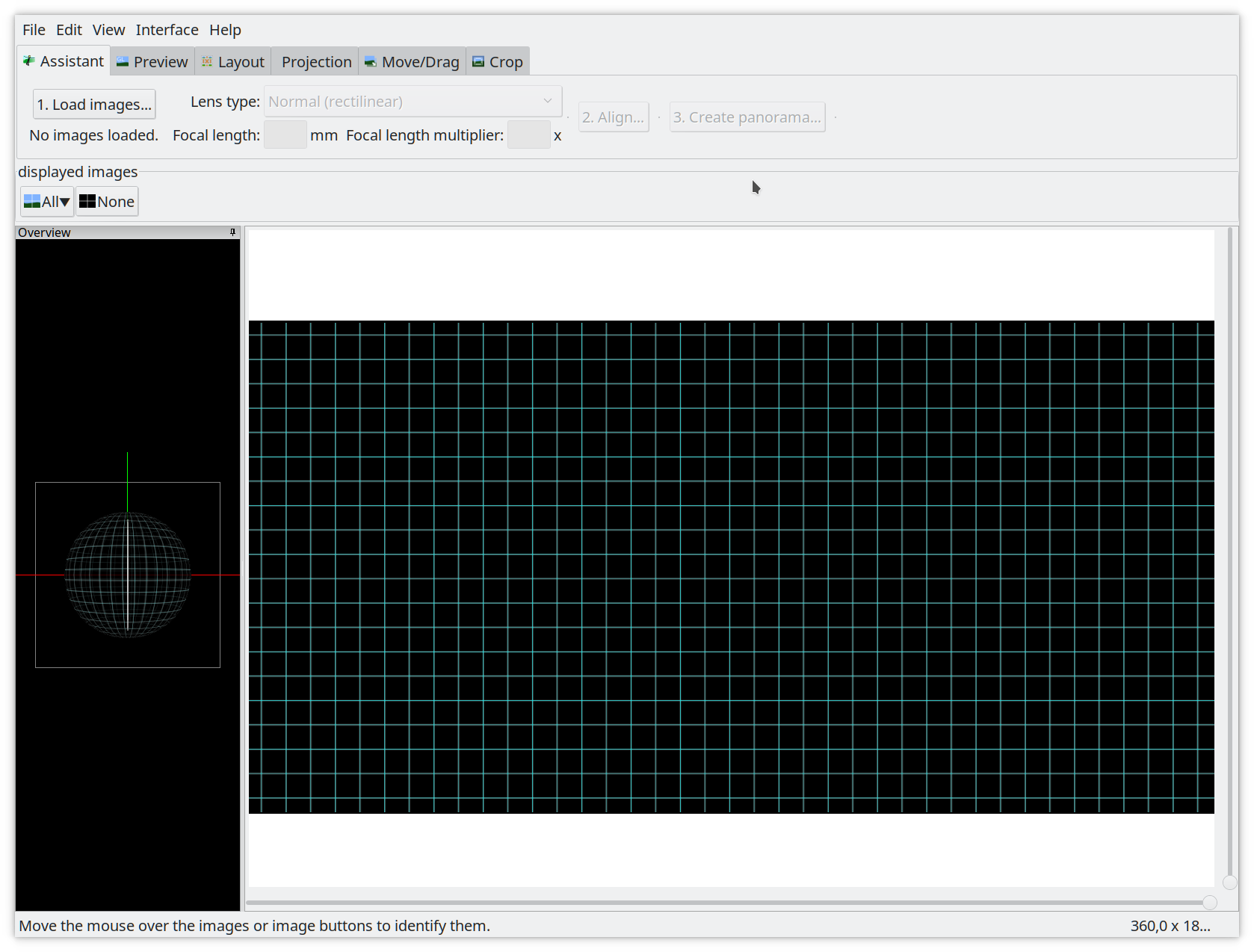
If you start Hugin the first time, the windows you will get should look like in
Figure 8.
Figure 8: Hugin start screen
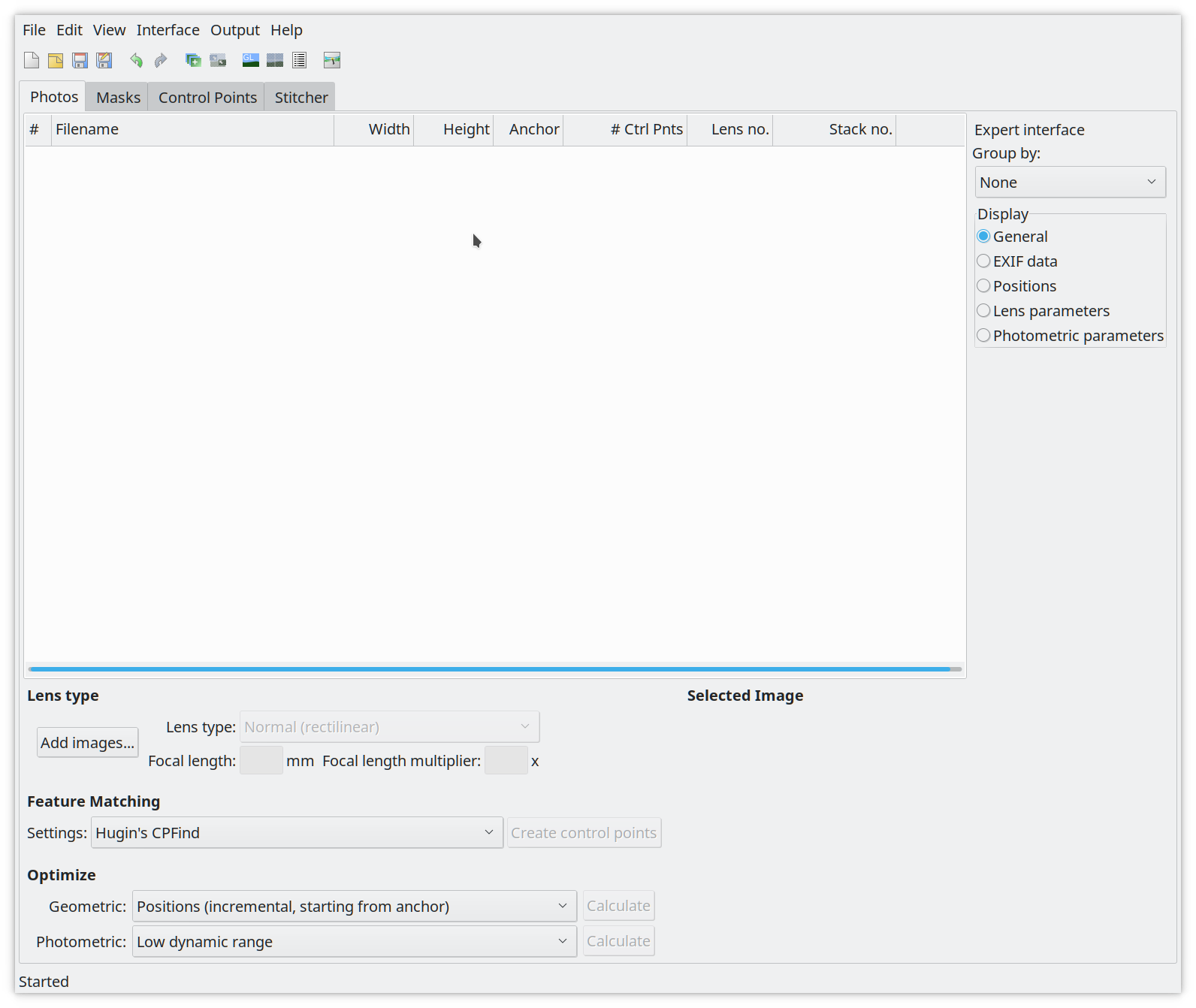
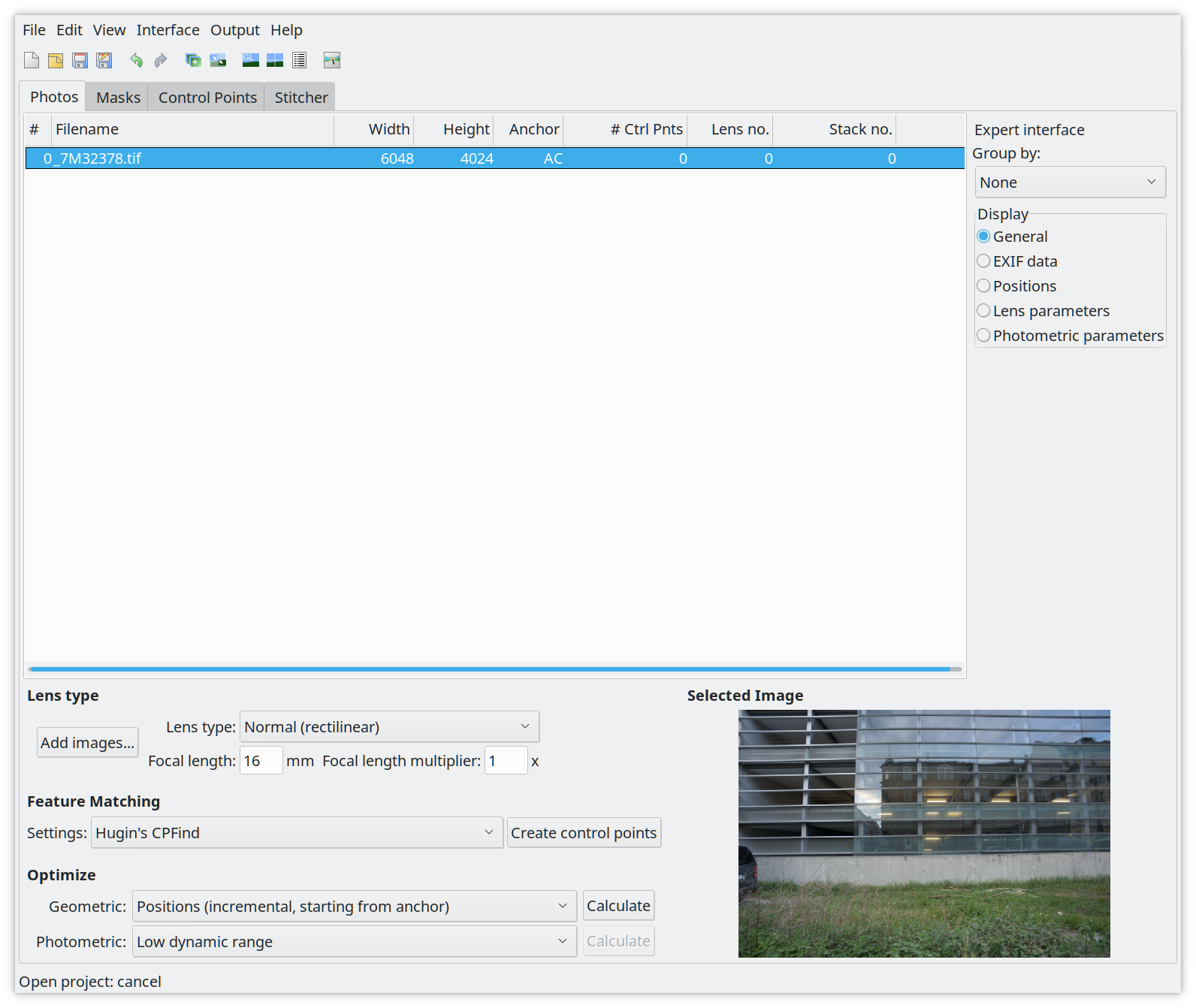
First select on the menu bar Interface -> Expert to switch to the Expert
mode. You will get a windows which should look like as in Figure 9.
Figure 9: Hugin expert mode
Once in the export mode click on Add images (Figure 10) and load the first
tiff from the distortion/exported folder.
Figure 10: Adding images and setting the focal length and crop factor
By default the lens type should be set to Normal (rectiliniar) for normal
standard lenses. Make sure that the focal length is correct and set the Focal
length multiplier, which is the crop factor of your camera. For full frame
bodies this value should be 1. If you have a crop camera you need to set the
correct crop value you can find in the specifications. Next click on the
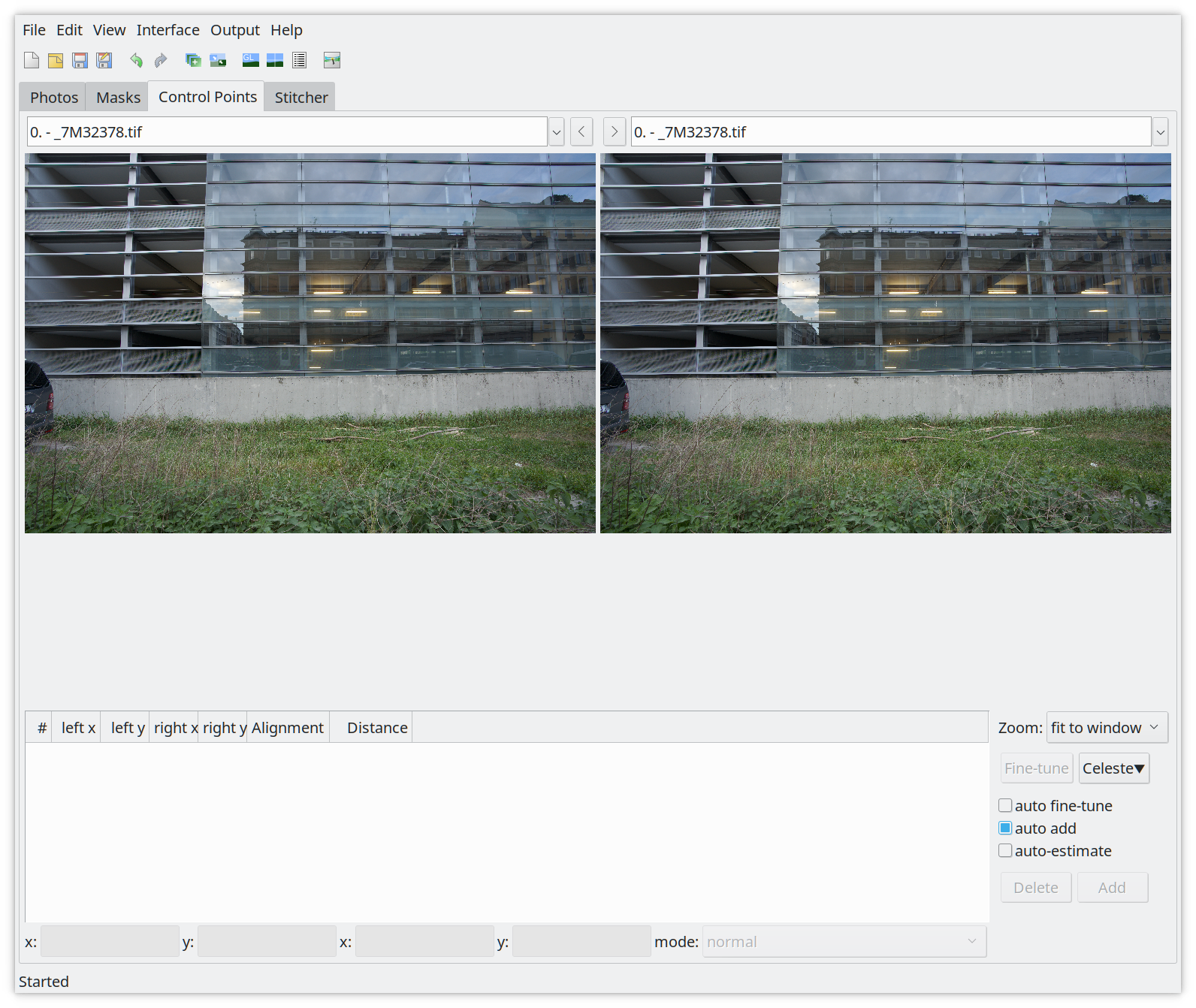
Control Points tab (Figure 11).
Figure 11: The control points tab
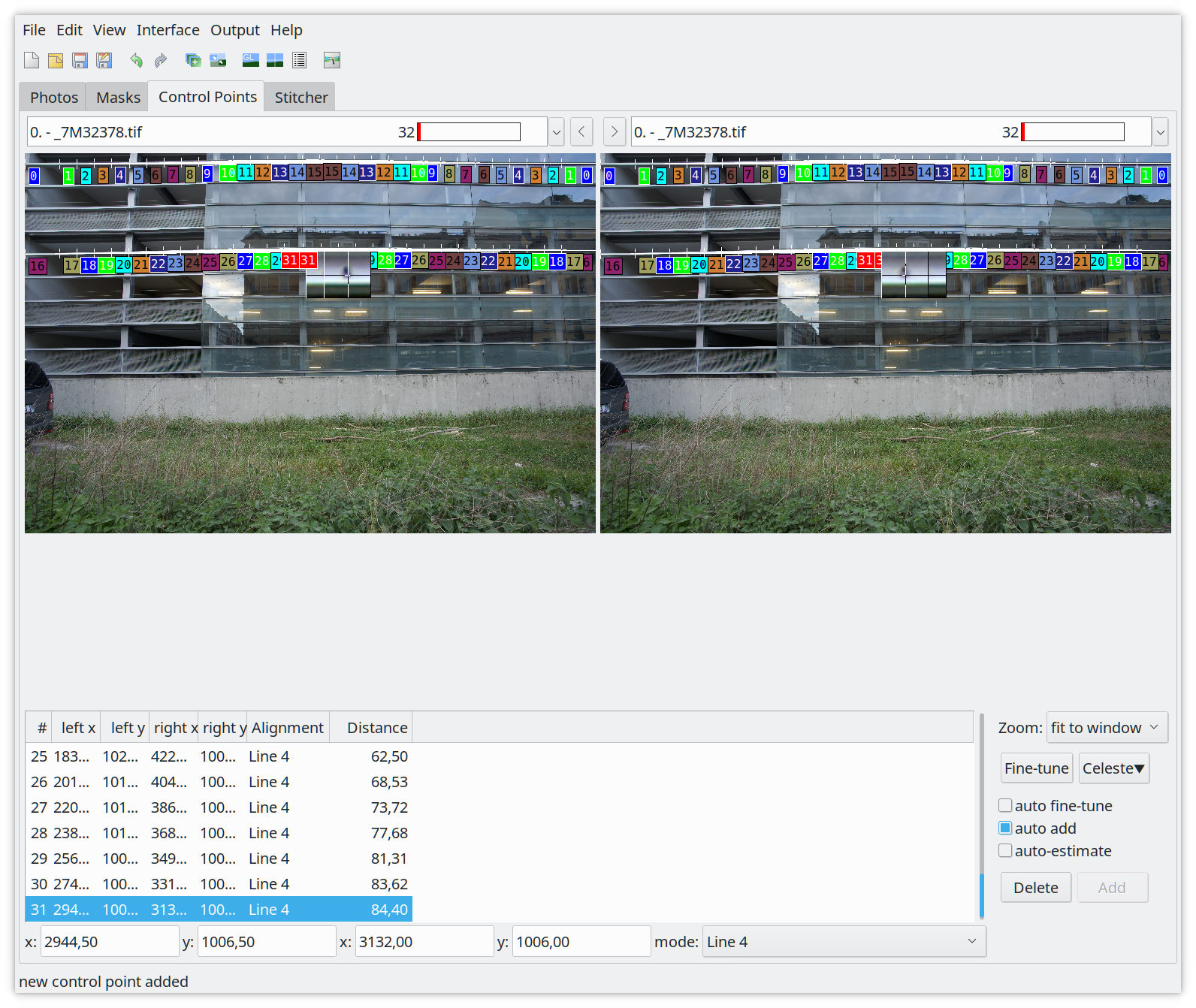
This is the tab to set the control points so that we can tell the software what
are our straight lines we are interested in. In this tab you have to make sure
that auto fine-tune is disabled, auto add is enabled and auto-estimate is
disabled! If this is the case zoom the image to 200% (you can also do this by
pressing ‘2’ on the keyboard).
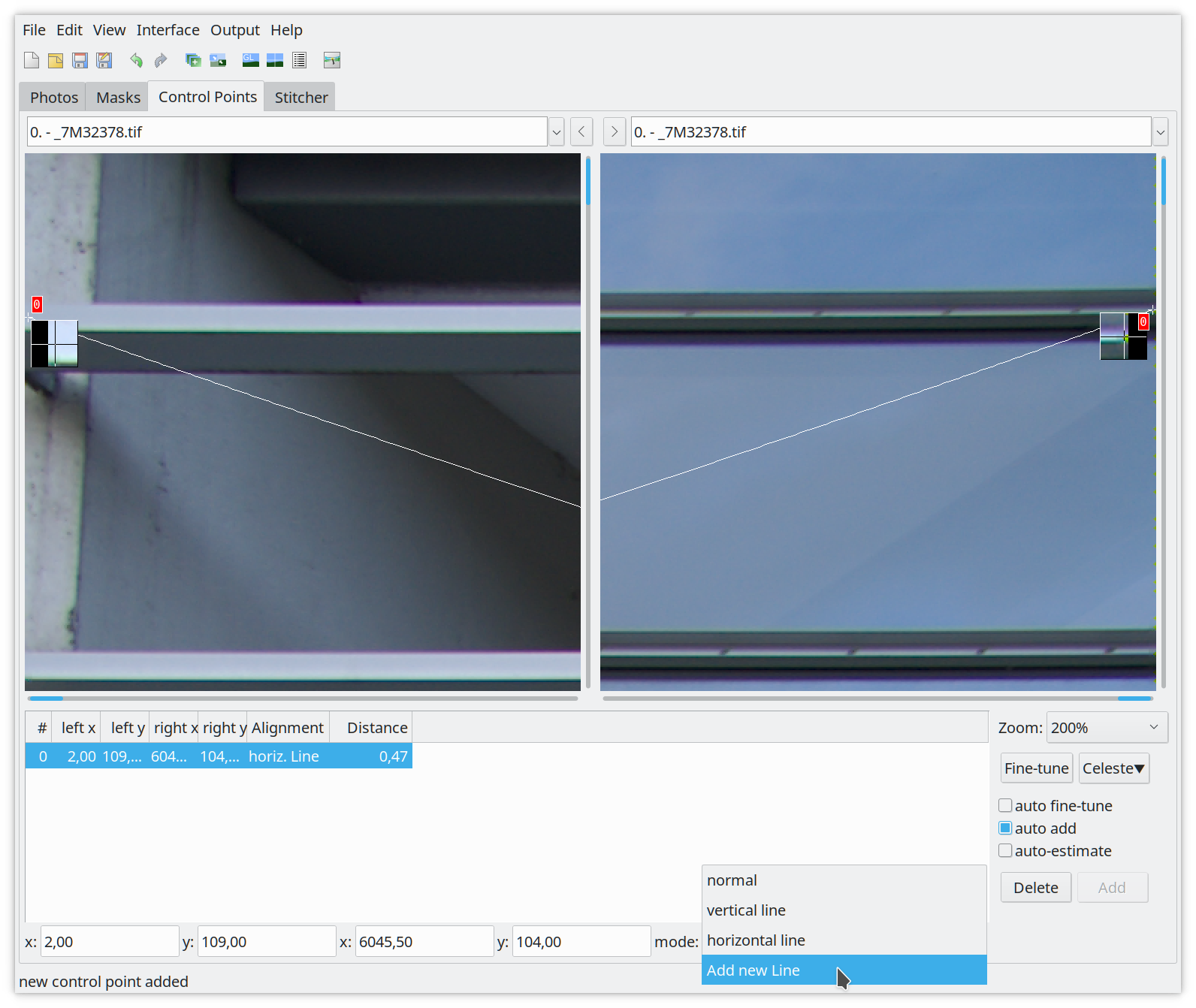
In the zoomed images you have start at the top edges. On the left go to the top
left corner and to the top right corner on the right. The first straight line,
from left to right, should be visible. Select the first control point on
the left edge of the picture on the left page and the right edge on the
right (Figure 12).
Figure 12: Setting the first two control points for the line to add
IMPORTANT: Once you have the first control point selected in both images.
Select Add new Line in the mode dropdown menu! This will add the two
control points as line 3! Now continue adding corresponding control points in
both pictures till you’re in the middle on both sides.
Tip: The easiest and fasted is to set control points in the middle at the
tiling line. This reduces the required mouse movements.
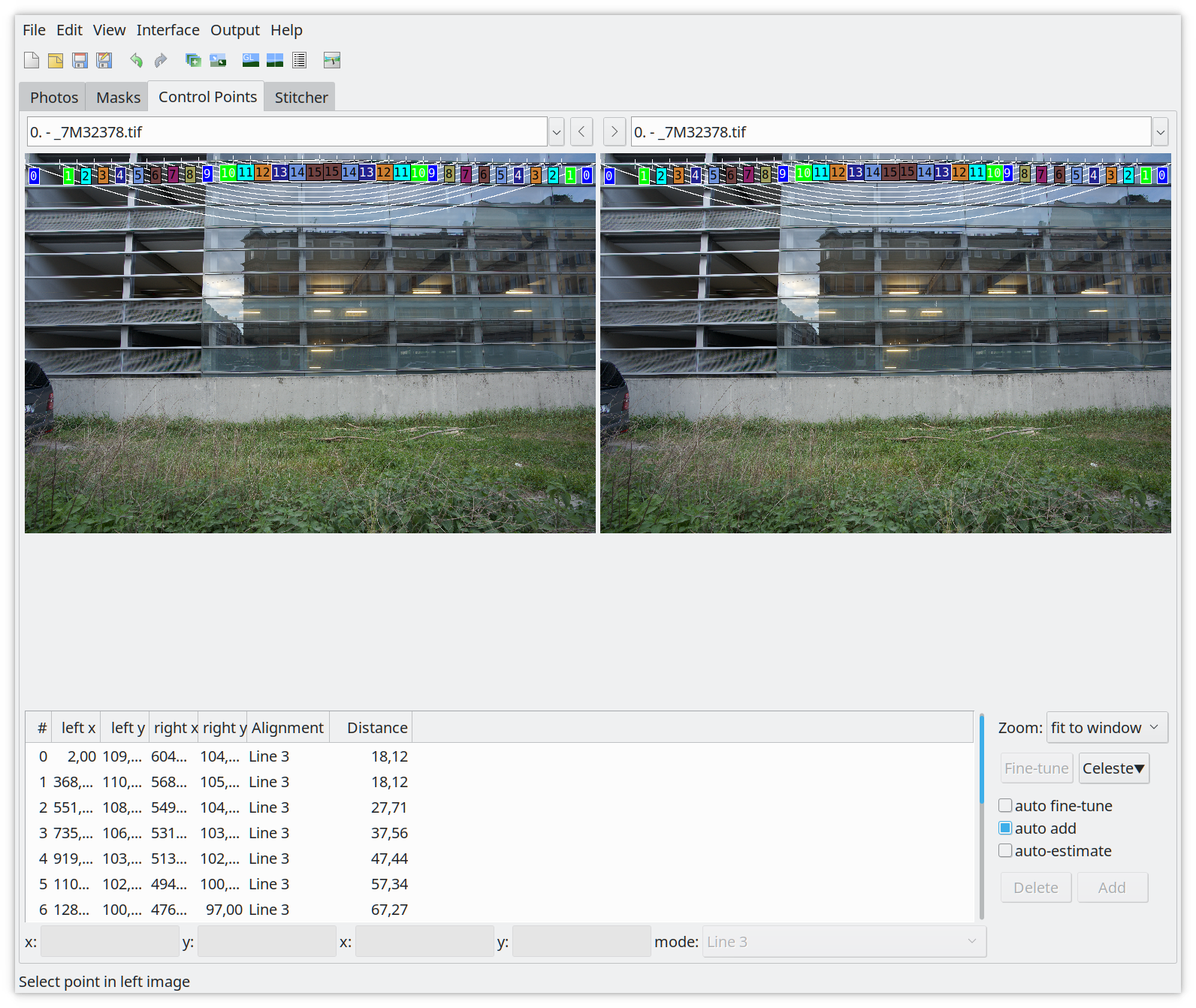
Now zoom out by pressing ‘0’ and check it if everything has been added
correctly (Figure 13).
Figure 13: Control points for line3
While you are zoomed out, find a line which is about 3rd into the image from
the top to repeat adding a line. Zoom to 200% again, select the first control
points and again Add a new line which will result in line4 (Figure 14)!
Figure 14: Control points for line 3 and line 4
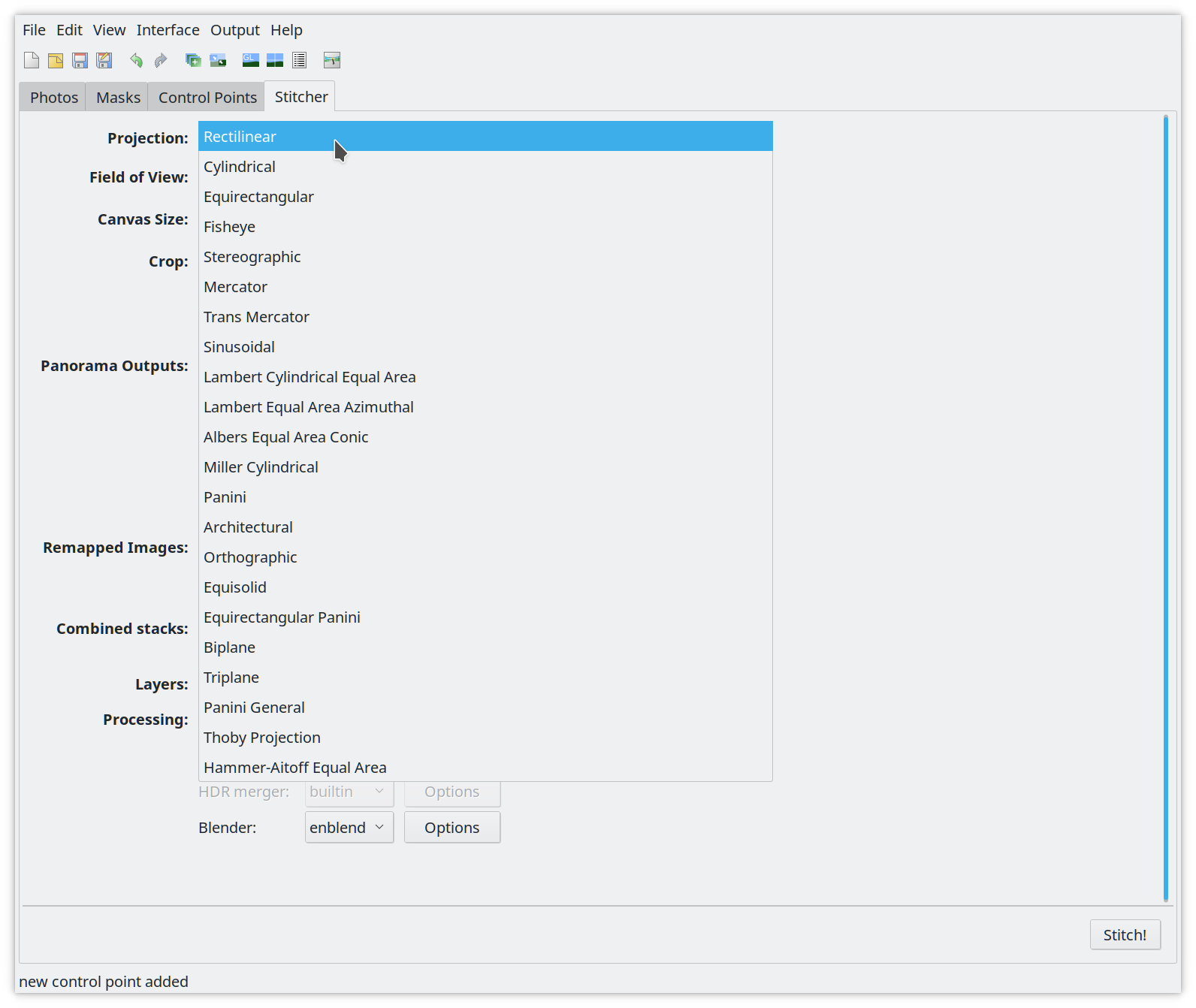
Zoom out by pressing ‘0’ and check that you have two lines, line3 and line4. Now move on to the Stitcher tab (Figure 14).
Figure 15: The stitcher tab, select the correct projection here.
In the Stitcher tab you need to select the correct Projection for your
lens. This is Rectilinear for standard lenses. Once done switch to the
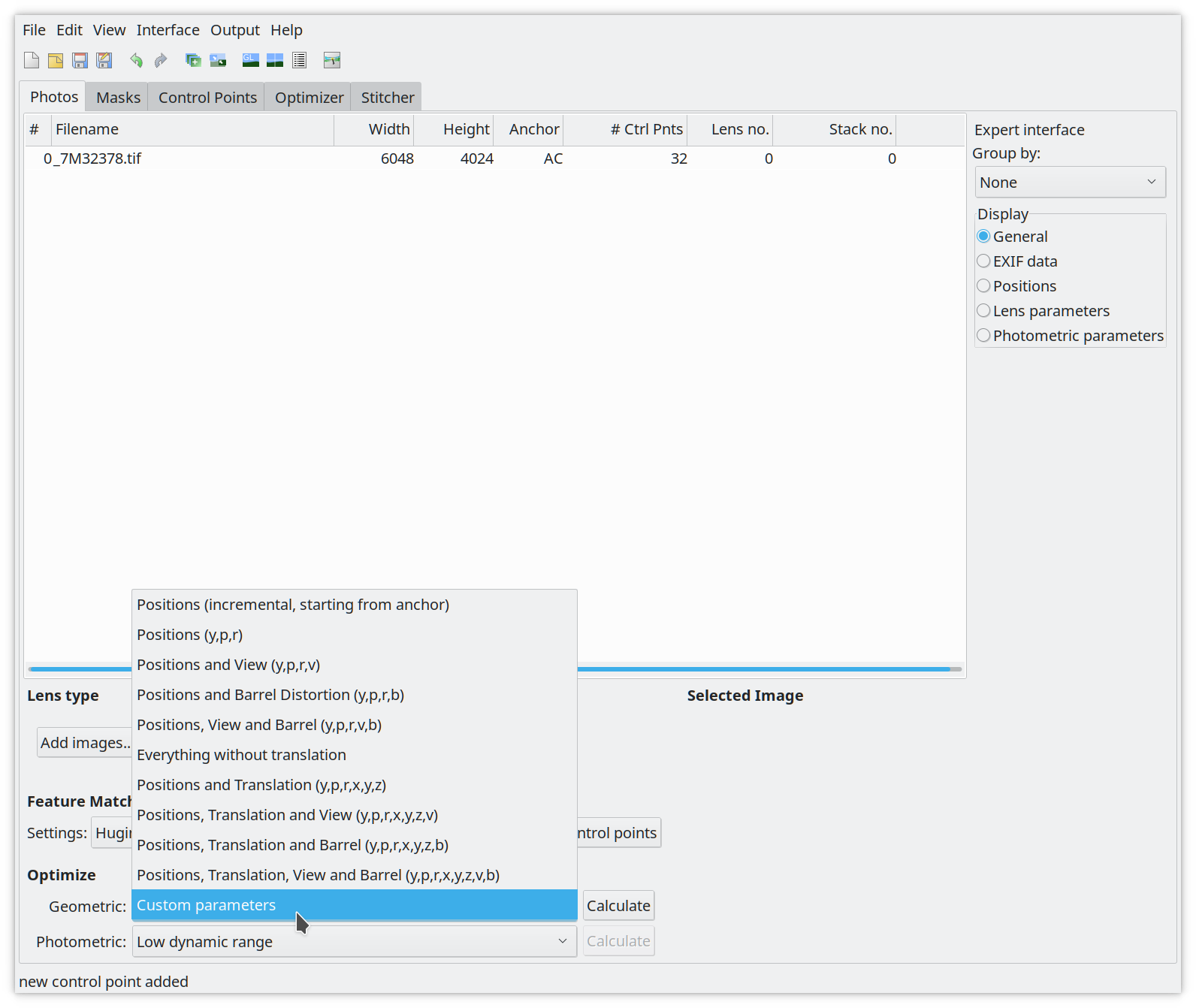
Photos tab (Figure 16).
Figure 16: Enable the Optimizer tab.
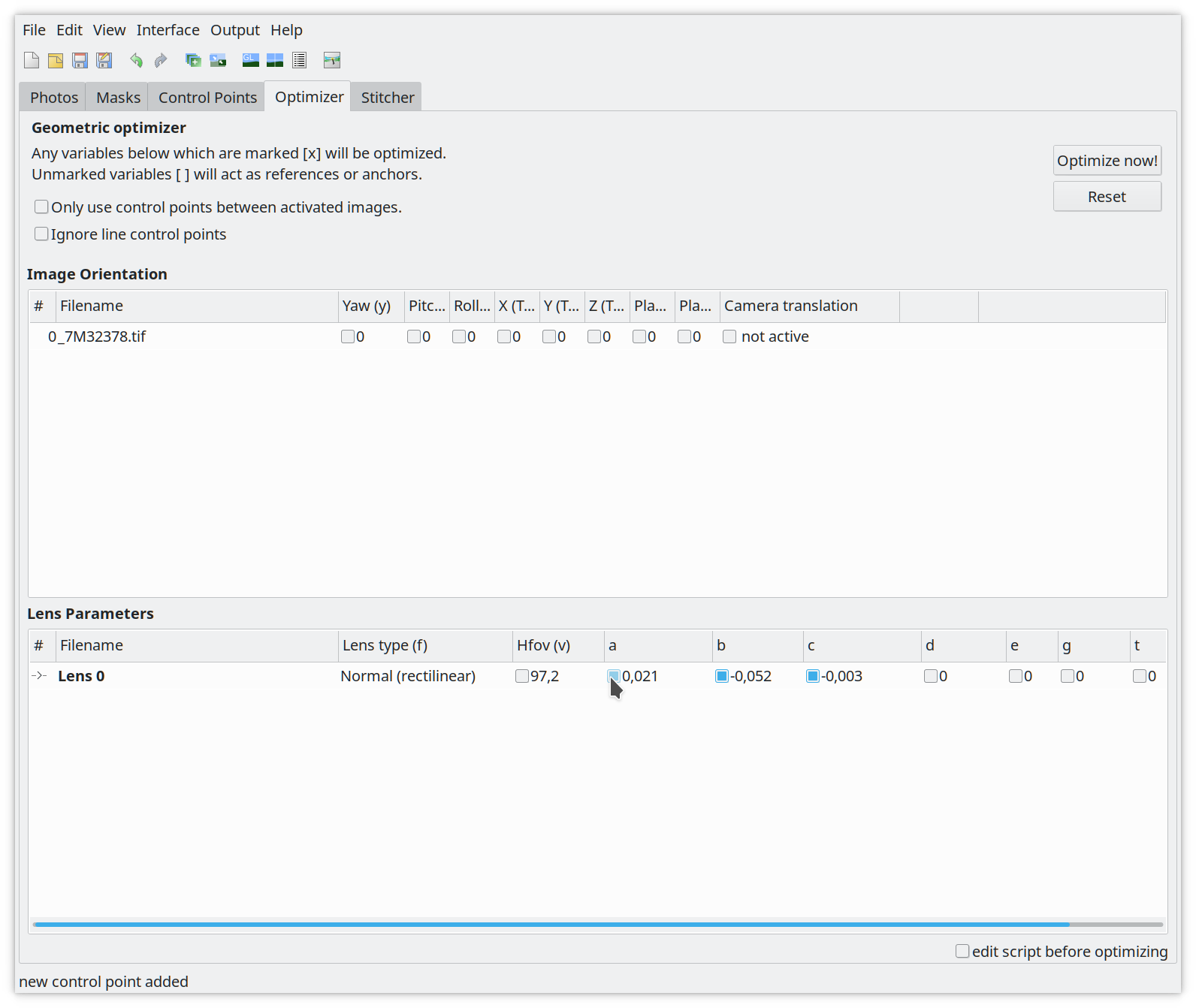
At the bottom under Optimize select Custom parameters for Geometric.
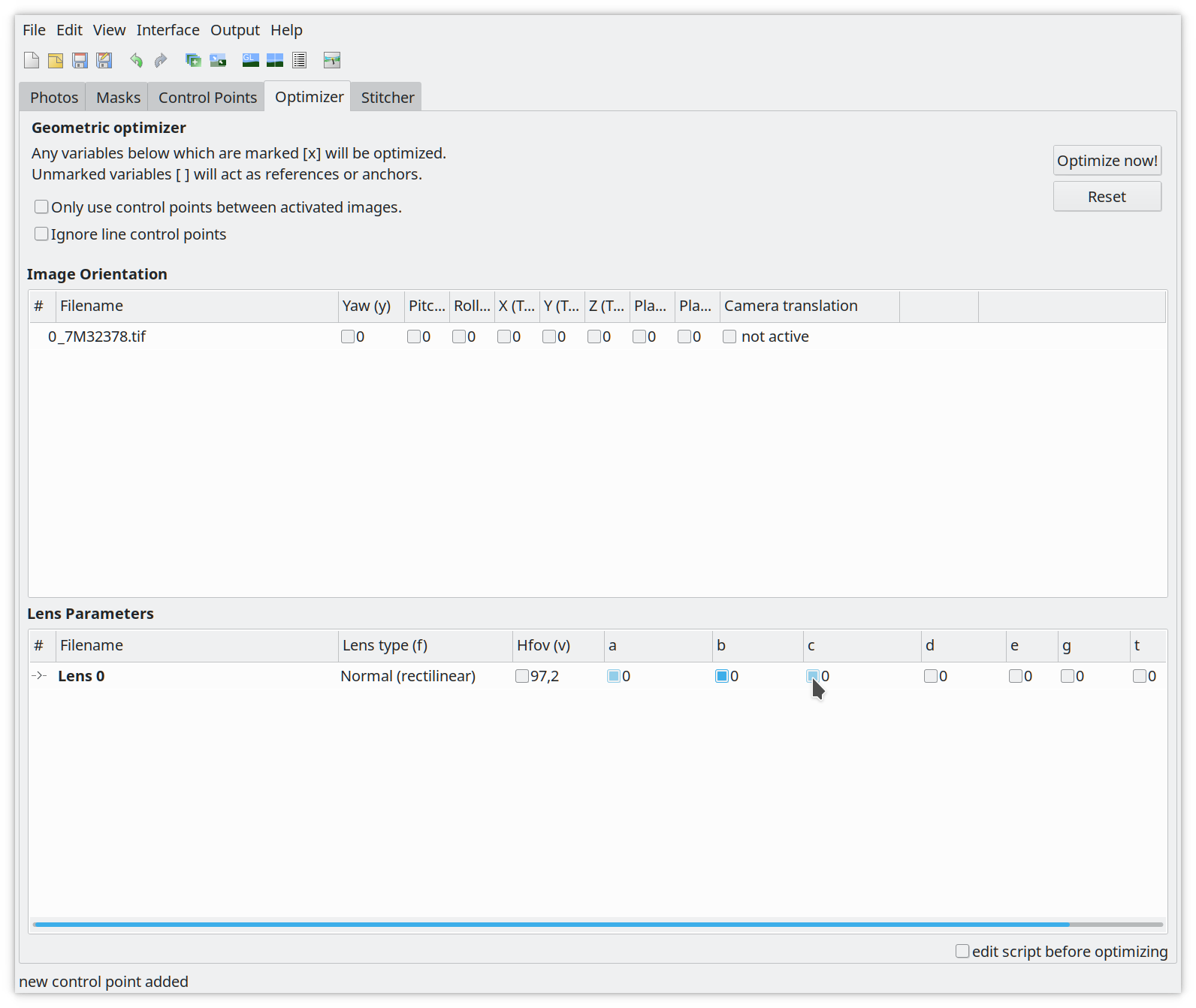
This will add an Optimizer tab. Switch to it once it appears (Figure 17).
Figure 17: Optimizer tab: Select a b c for barrel distortion correction
Select the ‘a’, ‘b’ and ‘c’ lens parameters and click on Optimize now!.
Accept the calculation with yes. Now the values for ‘a’, ‘b’ and ‘c’ will
change (Figure 18).
Figure 18: Calculated distortion correction ‘a’, ‘b’ and ‘c’.
The calculated correction values for ‘a’, ‘b’ and ‘c’ you can find in the tab
need to be added to the lenses.conf. Open The file and fill out the missing
options. Here is an example:
Example:
[FE 85mm F1.4 GM]
maker = Sony
mount = Sony E
cropfactor = 1.0
aspect_ratio = 3:2
type = normal
maker is should be the lens manufacturer e.g. Sony
mount is the mount system for the lens, check the lensfun database
cropfactor is 1.0 for full frame cameras, if you have a crop camera find out the correct crop factor for it.
aspect_ratio is the aspect ratio for the pictures which is normally 3:2.
type is the type of the lens, e.g. ‘normal’ for standard rectilinear lenses. Other values are: stereographic, equisolid, stereographic, panoramic or fisheye.
If you have e.g. a 85mm there should be an entry for the focal length which is
set to: 0.0, 0.0, 0.0. You need to change the values in the lenses.conf for
your focal length with the calculated corrections from the Optimizer tab
(Figure 16).
[FE 85mm F1.4 GM]
maker = Sony
mount = Sony E
cropfactor = 1.0
aspect_ratio = 3:2
type = normal
distortion(85mm) = 0.002, 0.001, -0.009
But I don’t want to do distortion corrections!
No problem, if you want to skip this step then you can created the lenses.conf
manually. It should look like the following example:
[lens model]
maker =
mount =
cropfactor = 1.0
aspect_ratio = 3:2
type = normal
The section name is the lens model. You can find it out by running:
exiv2 -g LensModel -pt <raw image file>
The other options are:
maker is should be the lens manufacturer e.g. Sony
mount is the mount system for the lens, check the lensfun database
cropfactor is 1.0 for full frame cameras, if you have a crop camera find out the correct crop factor for it.
aspect_ratio is the aspect ratio for the pictures which is normally 3:2.
type is the type of the lens, e.g. ‘normal’ for standard rectilinear lenses. Other values are: stereographic, equisolid, stereographic, panoramic or fisheye.
TCA
You can skip this step if you don’t want to do TCA corrections.
This step is fully automatic, all you have to do is to run the following
command and wait:
$ lens_calibrate tca
Running TCA corrections for tca/exported/_7M32375.ppm ... DONE
However it possible to calculate more complex TCA corrections. For this you
need to run the step it with an additional command line argument, like this:
You can skip this step if you don’t want to do vignetting corrections.
To calculate the vignetting corrections it is also a very simple step. All you
have to do is to run the following command and wait:
$ lens_calibrate vignetting
Generating the XML
To get corrections for lensfun you need a lenses.conf with the required options
to be filled out (maker, mount, cropfactor, aspect_ratio, type). And at least
one of the corrections steps done. If you have this you can generate the XML
file which can be consumed by lensfun. You can do it with the following
command:
You can redo this step as many times as you want. And you can just rerun it if
you add an additional correction.
Using the lensfun.xml
You may want to fine-tune the lens model name in the generated lensfun.xml
file. Lensfun normalises names before any matching, so you have some freedom.
For example, upper/lowercase can be changed arbitrarily. Any single f is
ignored, so you may change 16-35mm 2.8 into 16-35mm f/2.8. If there was a
tele converter involved, you must add “converter” into the name so that Lensfun
does not try to derive allowed focal lengths from the lens name.
Ordering of parts in the lens name is completely unimportant for matching. As
are single punctuation characters. You may even add things (e.g. 16-35 into
16-35mm) but be conservative here. Never drop anything what exiv2 reports!
If you want to use the generated lensfun.xml file to test if the calibration
you created works, you can copy to the local lensfun config folder in your home
directory.
cp lensfun.xml ~/.local/share/lensfun
Make sure your camera is recognized by lensfun or you need to add an entry to
the lensfun.xml file too.
Contributing your lensfun.xml
To contribute your calibration data data for your lens to the lensfun project,
execute the script with the following command:
$ lens_calibrate ship
Created lensfun_calibration.tar.xz
Open a bug at https://github.com/lensfun/lensfun/issues/ with the data.
This will create a tarball with all the required data. Now go to
Please add the attached lens data to the lensfun data base.
Attach the lensfun_calibration.tar.xz to the bugreport.
Feedback
Feedback for this article is very welcome. If you’re a lensfun developer and
read this please contact me. I would like to contribute the script to lensfun
and further improve the article. I still have unanswered questions.
Mary Beard joins us to answer the question: Is it accurate to call Donald Trump a fascist?, while the TLS's fiction and politics editor Toby Lichtig discusses how the President is presented, in books and on film; and Julia Bell looks back on her Oxford entrance interview - with no fondness - and wonders: "Was it a trap or a test?"
Books
Fear: Trump in the White House by Bob Woodward
The Fifth Risk by Michael Lewis
Nobody hates Trump more than Trump by David Shields
To mark the centenary of the end of the First World War, the TLS's History editor David Horspool talks us through books, exhibitions and events that commemorate cataclysmic slaughter and scars that endure to this day; it’s easy to think of privacy invasion as a peculiarly modern phenomenon, but it has its own history dating back to the American Civil War – Sarah Igo tells us more; finally, the food writer Bee Wilson discusses two new cookbooks that capture a “fresh mood of experiment in the kitchen”
Works discussed
Pandora’s Box: A history of the First World War, by Jörn Leonhard (translated by Patrick Camiller)
Robert Graves: From Great War poet to ‘Good-Bye to All That’, 1895–1929 by Jean Moorcroft Wilson
Making a New World (across the Imperial War Museum, London, and the Imperial War Museum North)
Plus reviews and original pieces published in the TLS, including “What did Tommy read: The complex mental worlds of soldiers on the Western Front” by Bill Bell – go to the-TLS.co.uk for details
Sight Smell Touch Taste Sound: A new way to cook by Sybil Kapoor
As Mike Leigh's film of the Peterloo massacre of 1819 is released, Clare Pettitt revisits the history; Marina Benjamin offers a personal and literary account of the threshold between sleep and wakefulness; following the publication of a second volume of Sylvia Plath's letters, Hannah Sullivan looks for fresh insights into the poet's work, life and death; finally, Sam Riviere reads his new poem, "Sushi Tuesday"
Works discussed
Peterloo, directed by Mike Leigh
Insomnia by Marina Benjamin
The Letters of Sylvia Plath Volume I (1940-1956) and Volume II (1956-1963), edited by Peter K. Steinberg and Karen V. Kukil
Are authors, reviewers and publicists wasting their time on book coverage? The contemporary conversation about books and ideas goes way beyond traditional features and interviews. Book groups, academic seminars, Amazon user reviews, Goodreads, the press, radio, podcasts, and sometimes even TV: the form, tone and quality of coverage has infinite variety. But how much does any of it help the books business – if it can be measured at all? Do authors, reviewers, and publicists feel their efforts are worthwhile? Michael Caines, an editor at the TLS, chairs an eclectic panel for a crucial conversation about the conversation around books. (This a live recording of an event, in collaboration with BookMachine, which took place on October 3, 2018, at the Driver, Kings Cross, London)

 Login
Login