Are you interested in leveraging Markdown for online content without any website setup or build process? How about seamlessly embedding constraint-free Markdown or HTML into multiple platforms (such as a content management system or learning management system)? The open source project Docsify-This, built with Docsify.js, provides an easy way to publish, share, and reuse Markdown content.
[ Get the Markdown cheat sheet ]
What is Docsify-This?
With Docsify-This, you can instantly turn any publicly available Markdown file into a responsive standalone web page. You can also link multiple Markdown files to create a simple website. Designers can alter the visual appearance of displayed pages with the point-and-click Web Page Builder interface or URL parameters. You can also use a set of provided Markdown CSS classes when creating your own Markdown content. In addition, if you use Codeberg or GitHub to store your Markdown files, an Edit this Page link can be automatically provided for each page to support collaborative authoring.
It's open source, so you can host a Docsify-This instance using your own custom domain without the risk of platform lock-in.
Use the Docsify-This Web Page Builder
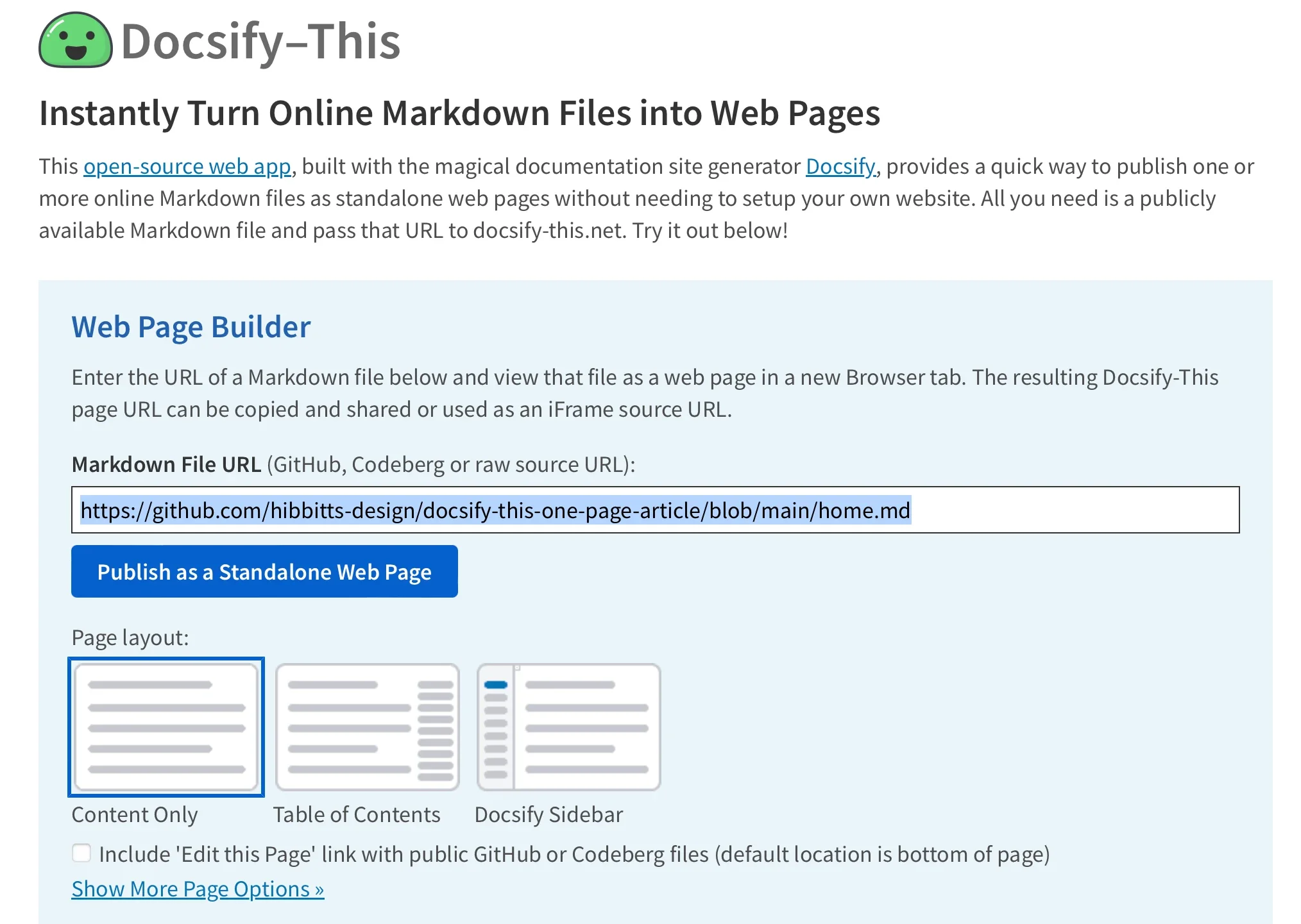
To use the Web Page Builder, open a browser and navigate to the Docsify-This website or your local instance. In the Web Page Builder section, enter the URL of a Markdown file in a public repo of Codeberg or GitHub (other Git hosts can also be used via Docsify-This URL parameters but not in the Web Page Builder), and then click the Publish as Standalone Web Page button.
Image by: (Paul Hibbitts, CC BY-A 4.0)
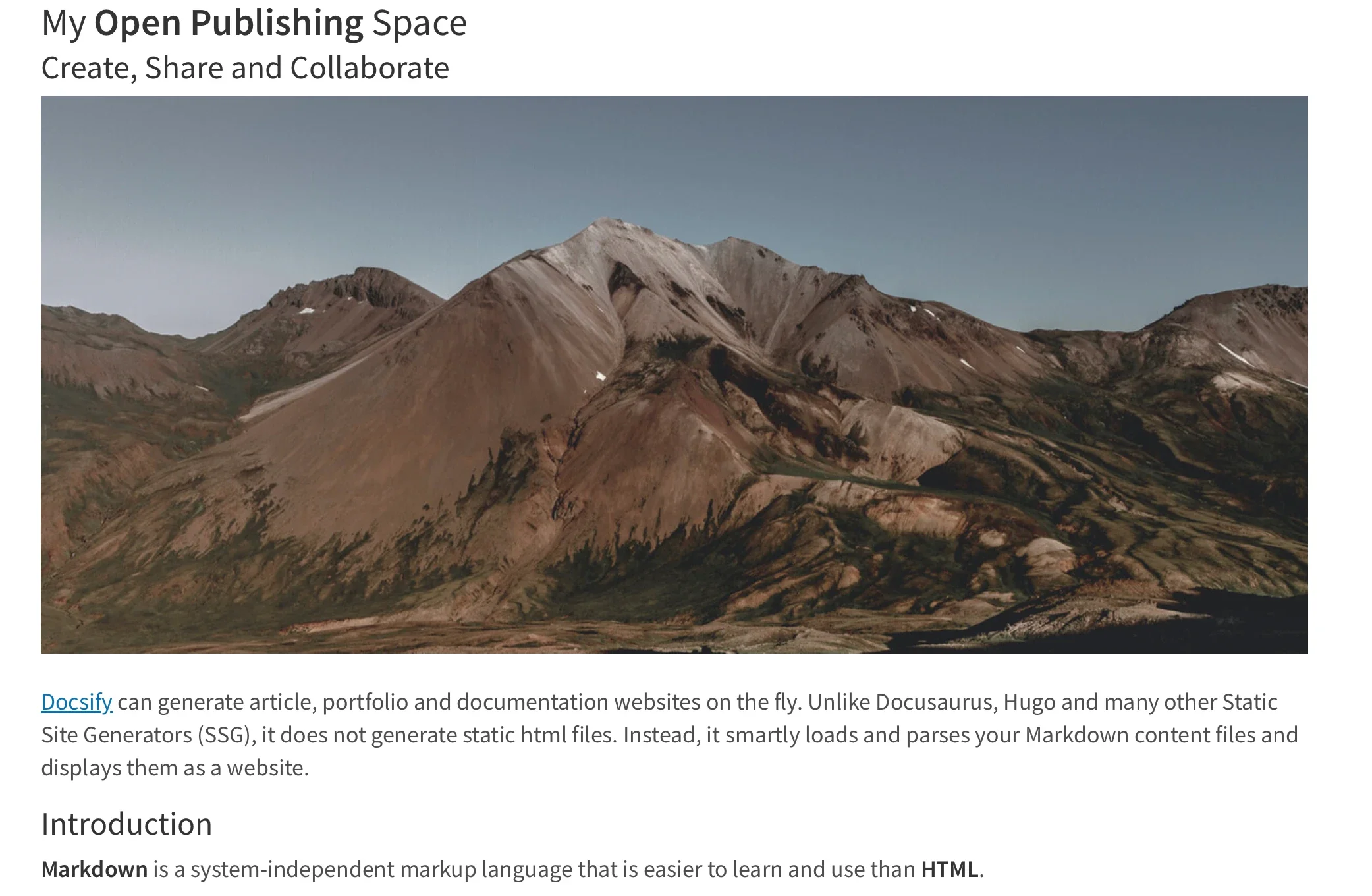
The Markdown file is rendered as a standalone web page with a URL you can copy and share. Here's an example URL:
https://docsify-this.net/?basePath=https://raw.githubusercontent.com/hibbitts-design/docsify-this-one-page-article/main&homepage=home.md
Docsify-This rendered web pages are perfect for embedding, with the ability to visually style Docsify-This pages to the destination platform.
Image by: (Paul Hibbitts, CC BY-A 4.0)
Render other files in the same repository
You can render other Markdown files in the same repository by directly editing the Docsify-This URL parameter homepage. For example:
https://docsify-this.net/?basePath=https://raw.githubusercontent.com/hibbitts-design/docsify-this-one-page-article/main&homepage=anotherfile.md
Modify the web page's appearance
You can change the appearance of any Markdown file displayed in Docsify-This by using URL parameters. For example, font-family, font-size, link-color, and line-height are all common CSS attributes and are valid parameters for Docsify-This:
https://docsify-this.net/?basePath=https://raw.githubusercontent.com/hibbitts-design/docsify-this-one-page-article/main&homepage=home.md&font-family=Open%20Sans,sans-serif
You can also alter the visual appearance using a set of special Markdown CSS classes. For example, you can add the button class to a link:
[Required Reading Quiz due Jun 4th](https://canvas.sfu.ca/courses/44038/quizzes/166553 ':class=button')
This produces a button image instead of just a text link:
Image by: (Paul Hibbitts, CC BY-A 4.0)
In addition to the Markdown CSS classes supported by Docsify-This, you can define your own custom classes within your displayed Markdown files. For example:
<style>
.markdown-section .mybutton, .markdown-section .mybutton:hover {
  cursor: pointer;
  color: #CC0000;
  height: auto;
  display: inline-block;
  border: 2px solid #CC0000;
  border-radius: 4rem;
  margin: 2px 0px 2px 0px;
  padding: 8px 18px 8px 18px;
  line-height: 1.2rem;
  background-color: white;
  font-family: -apple-system, "Segoe UI", "Helvetica Neue", sans-serif;
  font-weight: bold;
  text-decoration: none;
}
</style>

[Custom CSS Class Button](# ':class=mybutton')
Produces this:
Image by: (Paul Hibbitts, CC BY-A 4.0)
Include HTML snippets
As supported by standard Markdown, you can include HTML snippets. This allows you to add layout elements to your HTML render. For example:
<div class="row">
<div class="column">

Lorem ipsum dolor sit amet, consectetur adipiscing elit.

</div>
<div class="column">

Lorem ipsum dolor sit amet, consectetur adipiscing elit.

</div>
</div>
Embed Docsify-This as an iFrame
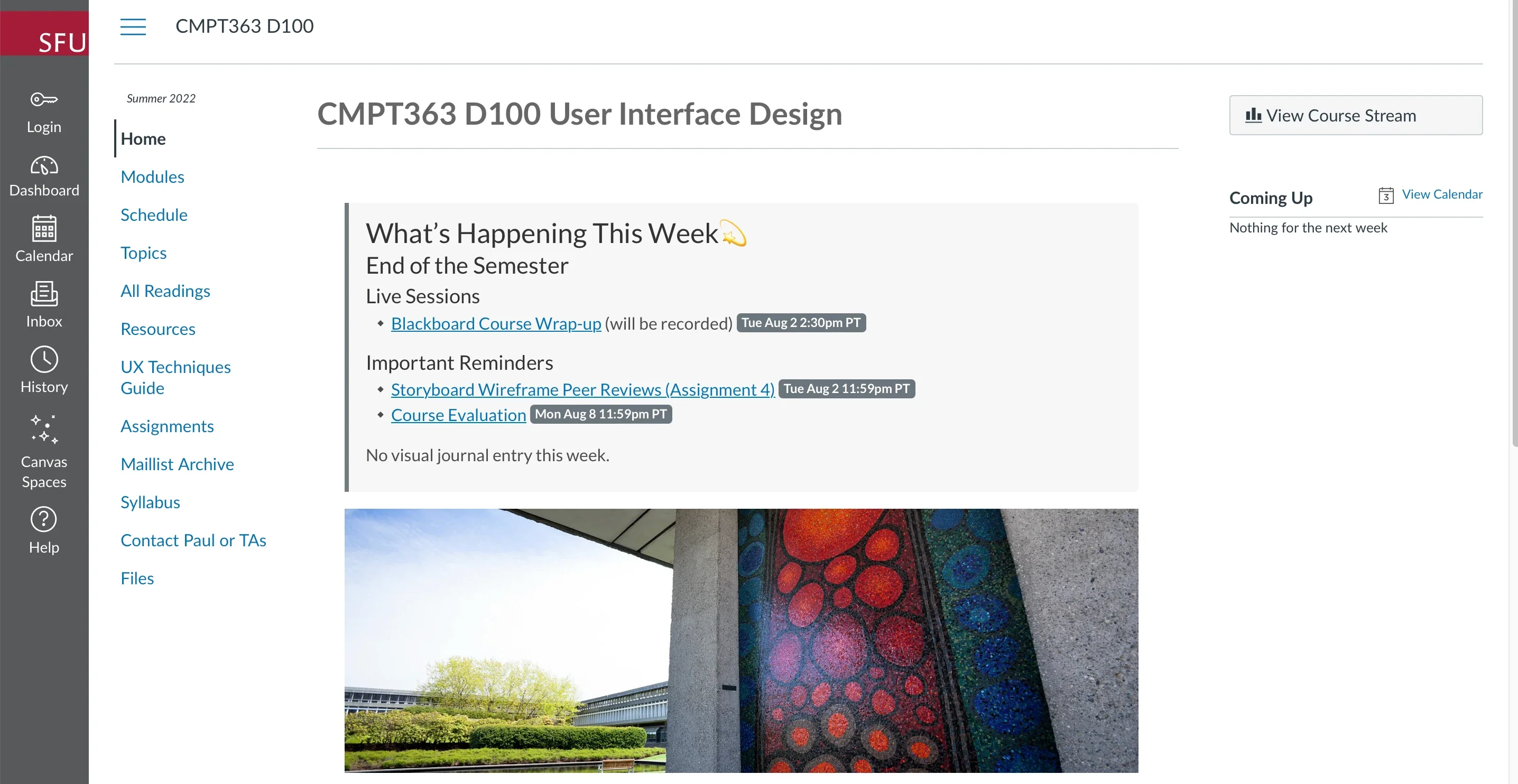
You can embed Docsify-This web pages using an iFrame in almost any platform. You can also use URL parameters to ensure your embedded content matches your destination platform:
<p><iframe style="overflow: hidden; border: 0px #ffffff none; margin-top: -26px; background: #ffffff;" src="https://docsify-this.net/?basePath=https://raw.githubusercontent.com/paulhibbitts/cmpt-363-222-pages/main&homepage=home.md&font-family=Lato%20Extended,Lato,Helvetica%20Neue,Helvetica,Arial,sans-serif&font-size=1&hide-credits=true" width="800px" height="950px" allowfullscreen="allowfullscreen"></iframe></p>
Image by: (Paul Hibbitts, CC BY-A 4.0)
Embed Docsify-This with an external URL
In certain learning management systems (LMS), including the open source Moodle and even the proprietary Canvas, you can link external web pages to a course navigation menu and sometimes more. For example, you can use the Redirect Tool in Canvas to display Docsify-This web pages.
url=https://docsify-this.net/?basePath=https://raw.githubusercontent.com/paulhibbitts/cmpt-363-222-pages/main&homepage=resources.md&edit-link=https://github.com/paulhibbitts/cmpt-363-222-pages/blob/main/resources.md&font-family=Lato%20Extended,Lato,Helvetica%20Neue, Helvetica,Arial,sans-serif&font-size=1&hide-credits=true
Integrate Docsify-This and Git
To fully leverage the benefits of version control and potentially collaboration using an optional Edit this Page link, store your Docsify-This Markdown pages in a Git repository on either Codeberg or GitHub. Several open source tools provide a graphical interface for Git, including GitHub Desktop (recently released as open source), Git-Cola, and SparkleShare. The text editors VSCode and Pulsar Edit (formerly Atom.io) both feature Git integration, too.
[ Get the Git tips and tricks eBook ]
Markdown publishing made easy
The benefits of Markdown-based publishing are available to everyone, thanks to Docsify. And thanks to Docsify-This, it's easier than ever. Try it out at the Docsify-This website.

 Login
Login