
 Login
Login

Normal view
- Paco Nadal

- Con + de 50 grupos étnicos, el Sur de Etiopía es un fascinante museo vivo de la antropología.
Avoid This Mistake In Your Wood Kiln | Wood Fired Pottery Kiln ep. 5

Bambu Lab 3D printers: Never again
Resources mentioned in this video:
- OrcaSlicer-bambulab: https://github.com/jarczakpawel/OrcaSlicer-bambulab
- Bambu's Blog post responding to the situation: https://blog.bambulab.com/setting-the-record-straight-on-cloud-access-and-community/
- Louis Rossmann's video: https://www.youtube.com/watch?v=qLLVn6XT7v0
- My video last year: https://www.youtube.com/watch?v=91kfolYkRNM
- Slic3r: https://github.com/Slic3r/Slic3r
- Prusa Slicer (fork of Slic3r): https://github.com/prusa3d/PrusaSlicer
- Bambu Studio (fork of Prusa Slicer): https://github.com/bambulab/BambuStudio
- OrcaSlicer (fork of Bambu Studio): https://www.orcaslicer.com
Support me on Patreon: https://www.patreon.com/geerlingguy
Sponsor me on GitHub: https://github.com/sponsors/geerlingguy
Merch: https://www.redshirtjeff.com
2nd Channel: https://www.youtube.com/@GeerlingEngineering
3rd Channel: https://www.youtube.com/@Level2Jeff

Is writing fiction harder than journalism?
This clip is taken from season 4, episode 1: What is a must-read book to make me laugh? With Bryony Gordon hosted by Rhianna Dhillon
To put a question to future podcast guests, and for exclusive content and book giveaways, join our Broadcast channel on Instagram: @PenguinUKBooks
Keep up to date and listen to more episodes here: https://podfollow.com/thepenguinpodcast
-------------------------------------------------------------------------
Subscribe to the Penguin channel:
http://po.st/SubscribePenguinYouTube
Follow us here:
Website | http://www.penguin.co.uk
Instagram | http://www.instagram.com/penguinukbooks
Facebook | http://www.facebook.com/penguinbooks
#podcastvideo #booktok #interview #bookrecommendations #podcast #booksuggestions #humour #mentalhealth #peoplepleasing #penguin #journalism #bryonygordon #books #literature

173. Theft
Go to Quince.com/overthink for free shipping on your orders and 365-day returns. Now available in Canada, too. Go to Rula.com/overthink for convenient therapy that’s covered by insurance.
Overthink is a philosophy podcast hosted by your new favorite professors, Ellie Anderson (Pomona College) and David Peña-Guzmán (San Francisco State University). Check out our episodes for deep dives into concepts such as existential anxiety, empathy, and gaslighting.
Works Discussed:
Elaine Abelson, When Ladies Go A-Thieving: Middle-Class Shoplifters in the Victorian Department Store
Anna Kornbluh “Falling Heists, Rising Grift: Filming Capital in the Already Long Twenty-First Century”
Robert Nichols, Theft Is Property! Dispossession and Critical Theory
Enjoy our work? Support Overthink via tax-deductible donation: https://www.givecampus.com/fj0w3v
Subscribe to our Substack for ad-free versions of both audio and video episodes, extended episodes, exclusive live chats, and more: https://overthinkpod.substack.com/
Website: overthinkpodcast.com
Substack: overthinkpod.substack.com
Facebook: https://www.facebook.com/Overthink-podcast-105420885026249
Apple podcasts: https://podcasts.apple.com/us/podcast/overthink/id1538249280
Spotify: https://open.spotify.com/show/4aIlXHTDz5vrc78DyjFg66
Art19 RSS: https://rss.art19.com/overthink
Find us on Instagram, Twitter, and TikTok at @overthink_pod

The Glass House
In the early 2000s, Daniella Tobar, a 20-year-old actress, joined a cutting-edge artistic and architectural project: living in a glass house right in the heart of Santiago, Chile. Anyone passing by could see her doing what we all do: sleeping, cooking, showering. It wouldn’t be long before a scandal broke out.
Find the English transcript of “The Glass House” here. Or check out the Spanish transcript here.
This podcast is the property of Radio Ambulante Studios. Any copy, distribution, or adaptation is expressly prohibited without prior authorization.
► Subscribe to our newsletter. It’s our favorite place to stay in touch with our community. Get an email every Tuesday with the newest Radio Ambulante episode and one every Friday with 5 recommendations from our team.
► We have good news: our partners at Jiveworld have launched a new app to learn and practice English by listening to real stories from fantastic podcasts that have inspired us, such as This American Life and Radiolab. Plus, Radio Ambulante listeners get a 50% discount on their subscription! Just go here.
If you value our work, join Deambulantes, our membership program.
The post The Glass House appeared first on Radio Ambulante.

Esta es Noa y quizás la puedes ayudar
Vamos a operarla a través de la protectora @perrunasadopciones para que todo sea más transparente.
¿Qué hay que hacerle?
Hay que quitarle el bazo, varias mamas y castrarla. El total de la operación son unos 1600 €.
¿Cómo se va a pagar?
Todas las ventas de mi curso de ortografía van a ir destinadas a cubrir el coste total de la operación. Después, hasta fin de mes, si se venden más cursos, el 60 % irá para la protectora para ayudar a otros animales.
Si estabais pensando comprar el curso, podéis hacerlo ahora y también usar el código NOA100 para un descuento de 100 €.
Lo tenéis en www.linguriosa.com/cursos 🧡

WordPress 7.0 Source of Truth
Welcome to the Source of Truth for WordPress 7.0!
Before you dive headfirst into all the big and small changes and pick your favorites, make sure to read these preliminary thoughts about this post and how to use it. If you have questions, leave a comment or email me at pauli@gutenbergtimes.com.
Huge Thank You to all collaborators on this post: Anne McCarthy, Sarah Norris, Ella van Durpe, Maggie Cabrera, Ben Dwyer, Jonathan Bossenger, Justin Tadlock, Dave Smith, Courtney Robertson and a lot more. It’s takes a village…
Estimated reading time
19–29 minutes
at
4,552 words
Table of Contents
Changelog
Any changes are cataloged here as the release goes on.
- May 20, 2026
- Added link to release post: WordPress 7.0 “Armstrong”
- Added link to WordPress 7.0 Field Guide
- Added links to What’s new for Developer post of April and May
- May 12, 2026
- Switch the highlight grid graphic for the latest iteration
- made the Visual Revision section the priority item
- Removed real-time collaboration from the overview section.
- May 8, 2026
- Real-time collaboration will not ship in WordPress 7.0 and the feature has been removed from this post.
- Results: Real Time Collaboration performance testing analysis
- April 23, 2026
- WordPress 7.0 has a new release date: May 20th, 2026! (see post).
- The RTC performance testing script automatically tests all 4 possible architecture approaches. Follow the instructions on the repository. Still under development, though. Release and Call for hosting testing planned for Friday April 24. (See Slack discussion)
- April 17, 2026
- Update on new release date no later then 4/22.
- April 1, 2026:
- Added information from Extending the 7.0 Cycle by release lead Matias Ventura
- Changed release date to TBD
- Updated Real-Time Collaboration section with additional information.
- March 30, 2026:
- Fixes for clarity and grammar.
- Changed feature image of the post.
- RTC: Added Introduce filters for the polling intervals (76518)
- March 27, 2026: First edition
Important note/guidelines
Try not to just copy and paste what’s in this post since it’s going to be shared with plenty of folks. Use this as inspiration for your own stuff and to get the best info about this release. If you do copy and paste, just remember that others might do the same, and it could lead to some awkward moments with duplicate content floating around online.
- Each item has been tagged using best guesses with different high-level labels so that you can more readily see at a glance who is likely to be most impacted.
- Each item has a high-level description, visuals (if relevant), and key resources if you would like to learn more.
Overview
Note: As always, what’s shared here is being actively pursued but doesn’t necessarily mean each will make it into the final release of WordPress 7.0.
WordPress 7.0 introduces several new features and performance enhancements.
Key new features include:
- Visual revisions: A new revisions screen inside the block editor gives a visual preview of the changes with an easy-to-understand color-coded system.
- Navigation overlays: Customizable mobile menus for more flexible styling.
- Content focused pattern editing: Pattern editing now prioritizes the content editing experience with more available options when needed.
- AI Foundation in WordPress: User can connect their site to an AI agent of choice to use the AI experiments plugin. Plugin developers can use the Connectors API to register connections to external services.
Furthermore, WordPress 7.0, entails:
- Two new blocks: the Icon block and the Breadcrumbs block.
- Viewport-based block show/hide: Block visibility extended to customize display according to screen-sizes.
- Gallery lightbox navigation: improved browsing through images placed in a gallery.
- Font management for all themes: The screen to upload and manage fonts is now available in the Appearance menu for classic and block themes.
Many more quality of life changes for workflow and design tools made it into this release. You’ll find the complete list below.
WordPress 7.0 is set to be released on April 9, 2026 at Contributor Day of WordCamp Asia.
The new release date will be announced no later than April 22. (see Ventura’s announcement) is May 20, 2026
Of note, this release consists of features from the Gutenberg plugin version 22.0 – 22.6. Here are the release posts of those plugin releases: 22.0 | 22.1 | 22.2 | 22.3 | 22.4 | 22.5 | 22.6. Later Gutenberg releases contain bug fixes, backported to WordPress 7.0. release branches.
Important links:
- Planning for 7.0 + update on Beta 1
- WordPress 7.0 Development Cycle
- What’s new for developers: December, January, February, March, April, and May
- WordPress 7.0 Field Guide
Assets
In this Google Drive folder you can view all assets in this document.
Tags
To make this document easier to navigate based on specific audiences, the following tags are used liberally:
- [end user]: end user focus.
- [theme builder]: block or classic theme author.
- [plugin author]: plugin author, whether block or otherwise.
- [developer]: catch-all term for more technical folks.
- [site admin]: this includes a “builder” type.
- [enterprise]: specific items that would be of interest to or particularly impact enterprise-level folks
- [all]: broad impact to every kind of WordPress user.
How can you use these? Use your browser’s Find capability and search for the string including the brackets. Then use the arrows to navigate through the post from one result to the next.
Short video on how to use the tags to navigate the post.
Priority items for WordPress 7.0
Visual Revisions [all]
How revisions work for the block editor was completely reimagined. The visual Revisions screen keeps you in the editor the entire time, activating a subtle revision mode right where you work, eliminating the need to jump to a separate screen. A timeline slider in the header allows you to browse through different versions, seeing content updates in real-time.
The system highlights visual differences, showing added and removed text, formatting changes, and outlining modified blocks instead of raw code. For long documents, a mini-map along the scrollbar indicates where changes exist, letting you jump directly to them, and the sidebar remains useful with a summary of the changes for the current revision. To simplify reverting, the “Update” or “Publish” button is replaced by a “Restore” button when you are browsing the history (74742).
Yellow marks a changed section/block, in red you’ll find deletions and green are additions compared to the early version.
Wes Theron has a short video on How to restore previous versions of a page or post in WordPress.
Anne McCarthy also gives a great walk through the screens on Youtube:
Navigation Overlays and more [theme builder][plugin author] [site admin]
Navigation blocks now have customizable overlays and give user full control over mobile hamburger menus. A prominent Create overlay button in the side bar guides you through the setup, providing a selection of patterns to achieve various designs for your overlay. WordPress 7.0 comes with multiple built-in patterns including centered navigation, accent backgrounds, and black backgrounds. New blocks default to “always” showing overlays. The Navigation block sidebar section also shows a preview of the selected overlay template parts. You can also access the list of Navigation Overlays via Appearance > Editor > Patterns > Template Parts.
- On GitHub you’ll find a list of all the Navigation Overlay enhancements.
- The dev note Customizable Navigation Overlays in WordPress 7.0 has everything you need to know.
To make it easier for users to create custom overlays for their mobile navigation, four new patterns are now available for the navigation overlay template parts:
- Overlay with black background
- Overlay with accent background
- Centered navigation with info
- Centered navigation
- Submenus: Always visible option: Users can now add navigation blocks to their overlays and toggle if they’d like to have the submenus always visible or not. (74653)
- Page Creation in Navigation: Create pages directly from the Navigation block with helpful Snackbar notices and improved parent page search using relevance matching (72627, 73836).
Treating patterns like a single block [all]
Get ready for a smoother, more intuitive experience when using patterns in WordPress 7.0. It’s becoming much easier to customize your site’s design sections with a simplified editing workflow and an improved content-focused mode.
Users naturally stay in the safe lane without accidentally breaking designs. Agencies can hand off a site knowing clients can’t wreck the layout by default — they’d have to deliberately choose to go deeper.
What’s New for Patterns:
- Quick Content Edits: When you select a pattern, instead of seeing a list of individual blocks, you’ll see a clean, expanded inspector panel. This panel exposes all the editable text and image fields directly, organized for easy access.
- Content-Only Focus: Patterns will now default to a Content-Only editing mode. This simplifies the experience by letting you quickly fill in the content without seeing all the underlying design tools.
- Full Customization (If You Need It): If you do need to change the structure or design of a pattern, you can simply “detach” it. This gives you full access to all the individual blocks, just like before. Use the Edit Pattern button from the sidebar.
- A Unified Experience: This new approach makes patterns feel like single, smart design objects with easy-to-update attributes, whether you’re using a pattern, a design section, or a partially synced pattern.
Head over to the dev note Pattern Editing in WordPress 7.0 for the full picture.
AI in WordPress [enterprise][developers][site admin]
WordPress 7.0 ships with a WP AI client API and a built-in Connectors screen — a centralized hub for managing all kinds of external service integrations, not just AI providers. Connect to OpenAI, Claude, or Gemini and WordPress automatically installs the right plugin and prompts you for your API key. Developers get a consistent framework to build on—enabling features like content generation, block building, and theme creation without reinventing the plumbing every time.
The new Connectors page also sports a shout-out to the AI Experiments plugin if users want to see AI features, like title, excerpt, or alt-text generation, in action.
But the real value of this Connectors API is broader: any plugin that needs to connect to an outside service via API keys or other credentials can tap into this standardized connection management system. Users get one place to maintain all their integrations. And plugin developer a standardized way to tap into the plumbing.
- Read the dev note Introducing the Connectors API in WordPress 7.0 for all the salient details.
- The Core AI team also published a Call for Testing: Community AI Connector Plugins.
New Blocks
Breadcrumbs Block [all]
The new native Breadcrumbs block in WordPress 7.0 provides dynamic navigational trails for the Site Editor. It automatically generates paths from the homepage to the current page, adapting to context.
The block handles hierarchical pages (e.g., “Home / Services / Web Design / Portfolio”) and includes taxonomy for blog posts (e.g., “Home / Technology / Your Post Title”). Beyond simple pages, it correctly constructs paths for archive pages (category, tag, author, date), search results, and 404 errors. For Custom Post Types, it includes the post type archive in the trail.
The block offers alignment options (left, center, right, wide/full), as well as other block design options. Additional settings are available for showing the last item as text or a link and consistent homepage handling (72649).
The dev note Breadcrumb block filters has the details.
Icon Block [all]
The new Icon block empowers users to add decorative icons from a curated collection to their content. It utilizes a new server-side SVG Icon Registration API, ensuring icon registry updates propagate without block validation errors.
The initial release is limited as it doesn’t yet allow registering third-party icon collections. Extensibility for third-party icon registration is planned for future release in 7.1, following further development on the Icon registry API architecture. A REST endpoint at /wp/v2/icons supports searching and filtering. The initial set draws from the wordpress/icons package (71227, 72215, 75576).
Block Editor enhancements
Custom CSS for Individual Blocks [enduser][site admin] [theme builder]
Previously, applying custom CSS to a block instance required adding a custom class name and then writing a rule in the Site Editor’s global Custom CSS. This two-step process was complex for most users and inaccessible to content editors without Site Editor access.
A new custom CSS block support introduces a Custom CSS input to the Advanced panel within the block editor sidebar, conveniently placed next to the familiar “Additional CSS Class(es)” field. You only need to add the CSS declarations (no selectors!) If you do need to target nested elements, use the & symbol (for example, & a { color: red; }). This field is focused purely on styling and will reject any HTML input. The field is guarded by the edit_css capability to see and use this powerful new field. The editor automatically adds a has-custom-css class for styling consistency. #73959, #74969.
Dive into the dev note Custom CSS for Individual Block Instances for the complete rundown.
Control viewport-based block visibility [all]
When you’re editing a post or page, you can now choose to show or hide any block depending on the visitor’s screen size. Select a block, click Show in the toolbar, and pick which devices — desktop, tablet, or mobile — should display it. You can also hide a block from the document entirely through the same modal.
For the nitty-gritty, see the dev note Block Visibility in WordPress 7.0.
Anne McCarthy walks you through the feature:
Anchor support for dynamic blocks [developer][plugin author]
Dynamic blocks now support Anchor (id attribute) functionality. The anchor reference is consistently stored within the block comment delimiter, enabling dynamic rendering on the front end. (74183)
Paste color values in the color picker [end user][theme builder] [site admin]
Color pickers throughout the block styles sidebar, now offer support for pasting complete color values. You can now copy/paste the brand colors from a design document or website into the color picker box and don’t have to go through the process of selecting the right color and hue (73166).
Dimension support for width and height [theme builder][site admin]
WordPress 7.0 expands the Dimensions block supports system with three significant improvements: width and height are now available as standard block supports under dimensions, and themes can now define dimension size presets to give users a consistent set of size options across their site.
The Dev Note Dimensions Support Enhancements in WordPress 7.0 has the details for block.development and theme builders.
Email notifications for Notes [all]
Collaborators can now get notified when someone leaves a note on their content. No more checking back constantly (73645).
Block Attributions Groups in the sidebar [all]
The block editor sidebar is being reorganized to make controls easier to find. Block settings will be grouped into four clear sections:
- Content (text, images, captions),
- List (reordering and nesting for blocks like Lists and Social Icons),
- Settings (block-specific options), and
- Styles (typography, colors, spacing).
This means you won’t need to hunt through toolbars or scattered panels — everything will live in a predictable place in the sidebar. Connected data sources will also appear directly next to the attributes they affect, so you can see at a glance what’s linked and where. It also means that for the transition a reordering of the sidebar and controls to be in different place than before. For instance. For an image block that includes the “Alt” text setting is now to be found in the content tab rather than the settings tab. (73845)
Here’s an example of the implementation for Patterns:
Link Control validation [end user] [site admin]
The Link Control component in Gutenberg now validates the URLs, you enter helping to avoid broken links (73486).
Improved Blocks and Block handling
Pseudo Styles for Button Blocks [theme builder][site admin]
Theme designers and developers can now style button states (hover, focus, active, and focus visible) directly within the theme.json, making it much easier to keep all design controls centralized and consistent. This reduces the reliance on custom CSS for things like button hover states (71418).
JSON
{
    "styles": {
        "blocks":{
                "core/button":{
                    "color":{
                        "background":"blue"
                    },
                    ":hover":{
                        "color":{
                        "background":"green"
                        }
                    },
                    ":focus":{
                        "color":{
                        "background":"purple"
                        }
                    }
                }
            }
    }
}
More details are available in the Dev Note: Pseudo-element support for blocks and their variations in theme.json.
Extra divs removed from blocks in the editor [theme builder][developer][site admin]
WordPress 7.0 introduced a new HtmlRenderer component, which renders HTML content as React elements with optional wrapper props. For theme authors, this means that several blocks will no longer have an extra wrapping <div> in the editor, allowing for consistent styling with the front end (74228).
Blocks that have been fixed are:
Universal Text Alignment [all]
Nearly all text blocks now support the standardized text-align block support system, including Paragraph, Button, Comment blocks, Heading, and Verse. Plus, text justify alignment is now available. See tracking issue to follow along on the progress (60763).
Cover Block Video Embeds [site admin][end user]
For the Cover block this release comes with the ability to use embedded videos (like YouTube or Vimeo) as background videos in the Cover block, rather than being restricted to locally uploaded files. Offloading video to 3rd-party services helps reduce hosting and bandwidth costs. Also, the focal pointer is now available for fixed background. (#73023, #74600).
Gallery Block
Lightbox navigation [site admin][end user]
The Gallery block’s “Enlarge on click” lightbox now lets you navigate between images. When you click a gallery image, back/next buttons appear so you can browse through the rest of the gallery without closing the lightbox. Keyboard navigation (arrow keys) and screen reader announcements are fully supported. It also works with swiping on mobile, however the swiping isn’t yet visual/animated. (62906) and lightbox items still miss captions.
Content Tab in sidebar [site admin][end user]
For fast access to Alt text box the sidebar of the Gallery block shows a new content tab in the sidebar.
Responsive Grid Block [site admin][end user][theme builder]
The Grid block is now responsive even when you set a column count. Previously, you had to choose between setting a minimum column width (responsive, Auto mode) or a fixed column count (Manual mode)—a binary toggle that confused many users. Now you can set both: when you do, the column count becomes a maximum, and the grid scales down responsively based on your minimum column width.
You can set neither, either, or both—the block handles all combinations gracefully. The confusing Auto/Manual toggle is gone entirely, replaced by clearer “minimum width” and “columns” labels with a plain-language description explaining the relationship between the two controls.. (73662)
Heading block variations [site admin][end user]
Each heading level (H1-H6) is now registered as a block variation on the Heading block. These do not appear in the inserter, but the change does add icons to the block’s sidebar for transforming it between variations (73823).
HTML Block Enhancement [site admin] [themebuilder] [end user]
The HTML block was redesigned to work now as a modal-based editor featuring separate tabs for HTML, CSS, and JavaScript. Admin can now use it for more powerful customizations, when HTML JS and CSS work on a single block. (73108).
Image block inline editing and controls [site admin][end user]
WordPress 7.0 comes with a revamp of the image editing feature in the editor. It’s now easier to crop, rotate or zoom in on a particular image corner. (#72414) (#73277).
Advanced Image Controls [site admin][end user]
Image block now supports the focal point control and aspect ratio adjustments for wide and full alignments, plus reorganized inspector controls with a dedicated content tab. #73115, #74519, #74201
Math Block Improvements [end users][site admin]
LaTeX input now uses a monospaced font, and style options are available for better mathematical expression editing (72557, 73544).
Paragraph [all]
A new typography tool has been added for specifying the line indent of paragraph blocks (73114, 74889). Users and theme creators can specify line indentation rules for a single paragraph block and also at global styles / theme.json level for all paragraph blocks. For global styles and theme.json, it’s possible to choose whether all paragraphs or only subsequent paragraphs are indented, which accounts for different indentation standards around the world.
The dev note on the new textIndent block support has all the details for developers working on blocks or themes.
The example code sets a default indent value of 1.5em globally for paragraphs:
JSON
{
  "settings": {
    "typography": {
      "textIndent": "true"
    }
  },
  "styles": {
    "blocks": {
      "core/paragraph": {
        "typography": {
          "textIndent": "1.5em"
        }
      }
    }
  }
}
More details can be learned in the Dev Note: New Block Support: Text Indent (textIndent)
Columns in Paragraph blocks [all]
Now that there is block support for typographical columns, the paragraph block can now handle text columns by default (74656).
On the front-end only, the Paragraph block now has a .wp-block-paragraph class. This change doesn’t affect global styles, which still use the p selector.(71207)
Query Loop Enhancements [all]
Query loops now support excluding terms. When the block is locked it now hides design change and choose pattern options. #73790, #74160
Verse Block, renamed to Poetry [all]
The Verse Block has been renamed to Poetry block (74722) Also it now utilizes border-box for its box-sizing, which guards against overflow issues and should make it easier to style without additional custom CSS.
Admin / Workflow updates
Manage fonts for all themes in a dedicated page [site admin][theme builder] [enterprise]
A dedicated Fonts page is now available under the Appearance menu for all themes. Until now, font management has lived deep inside Global Styles, requiring navigation through several panels to install or preview a font. This new standalone page lets block theme users browse, install, and manage their typography collection in one dedicated space.
Under the hood, this page is built on a new routing infrastructure for the Site Editor, designed to improve navigation and support new top-level pages in wp-admin. View transitions are now wired into this routing layer, providing early zoom/slide animations when navigating between pages (73630, 73876, 73586).
The Font Library and Global Styles also work with classic themes (#73971, #73876). Like the Media Library, you can access the Font Library as a modal or through a dedicated admin section—regardless of your theme type.
Command Palette in Adminbar [all]
Instantly access all the tools you need with a single click using the new Command Palette shortcut in the Omnibar! In 7.0 Beta 5, logged-in editors will see a field with a ⌘K or Ctrl+K symbol in the upper admin bar that unfurls the command palette when clicked. The new command palette entry point streamlines navigation and customization, giving you full control from anywhere on your site – whether you’re editing, designing or just browsing plugins.
View Transitions [all]
View transitions have been integrated into the WordPress admin in 7.0, enabling smooth transitions between screens. The implementation for the front end is slated for the next WordPress 7.1 (64470) The result is a smoother page-to-page transitions using the CSS View Transitions API — no markup or JavaScript changes required, just a progressive enhancement you’ll notice immediately when navigating between admin screens.
Improved screens across WP-Admin [all]
WordPress 7.0 is getting a CSS-only “coat-of-paint” visual reskin of the wp-admin, bringing the classic admin screens closer to the visual language of the block and site editors — no markup changes, no JavaScript, no functional changes, and all existing CSS class names and admin color schemes preserved. (64308)
- New default color scheme: “Modern” replaces “Fresh” as the default admin color scheme (#64546)
- Updated buttons and input fields: primary, secondary, and link buttons, plus text inputs, selects, checkboxes, and radio buttons, now align with the WordPress Design System (#64547)
- Updated notices: info, warning, success, and error notices refreshed for clarity and consistency (#64548), including on the login screen
- Updated cards and metaboxes: dashboard widgets and metaboxes get modernized styling (#64549)
- New
wp-base-stylesstylesheet handle: consolidates admin color scheme CSS custom properties into a single reusable stylesheet, available across the admin and the block editor content iframe - Login and registration screens: the WordPress logo updated from blue to gray to match the new design, and scheme styles now apply to login, install, database repair, and upgrade screens
Developer Goodies [developer][enterprise]
Client-side Abilities API
WordPress 7.0 ships a JavaScript counterpart to the server-side Abilities API introduced in 6.9. The Client-Side Abilities API arrives as two packages: @wordpress/abilities for pure state management usable in any project, and @wordpress/core-abilities, which auto-fetches server-registered abilities via the REST API. You can now register browser-only abilities — navigation, block insertion, and more — opening the door to browser agents, extensions, and WebMCP integrations directly in the client.
WP AI Client
WordPress 7.0 ships a built-in AI Client, that gives your plugin a single, provider-agnostic PHP entry point — wp_ai_client_prompt() — for text, image, speech, and video generation. You describe what you need; WordPress routes it to whichever AI provider the site owner has configured via Settings > Connectors. Official provider plugins cover Anthropic, Google, and OpenAI. No credential handling, no provider lock-in, and graceful feature detection before any UI is shown.
PHP-only block registration
Developers can now create simple blocks using only PHP. This is meant for blocks that only need server-side rendering and aren’t meant to be highly interactive. When possible this feature also auto-generates sidebars for user input for suitable attributes and design tools.
To do so, call register_block_type with the new autoRegister flag. A render_callback function must also be provided. (71792)
Dev note with all the details. PHP-only block registration
Pattern Overrides for custom blocks
Since WordPress 6.5, Pattern Overrides let you create synced patterns where the layout stays consistent but specific content can change per instance. The catch? Only four core blocks supported it: Heading, Paragraph, Button, and Image.
Not anymore. Any block attribute that supports Block Bindings now supports Pattern Overrides by default. Block authors can opt in through the server-side block_bindings_supported_attributes filter. This closes a long-requested enhancement and opens up synced patterns to custom blocks (73889).
DataViews, Data Form components and Fields API
A substantial API update introduces new layouts, validation rules, grouping options, and picker improvements affecting plugins using wordpress/dataviews. The Dev Note has all the pertinent details: DataViews, DataForm, et al. in WordPress 7.0
UI Primitives and Components
The WordPress UI package just got a significant update, adding multiple new components and tools to help developers create more polished and accessible interfaces for WordPress users.
- A new dropdown menu for creating standardized select controls.
- A tooltip component for displaying helpful hints when users hover over elements.
- The building blocks for creating form fields with consistent styling and behavior.
- A component that hides content from visual display while keeping it accessible to assistive technologies.
- A standardized button component for creating consistent interactive elements.
- Building blocks for grouping related form controls together (fieldsets).
- A component for displaying icons consistently throughout your WordPress interface.
- A building block for creating consistent layouts around input fields with standardized appearance and functionality.
A list of all the dev notes can be reviewed from the Make Core blog
#160 – Inconstitucionalissimamente
Por que estamos caminhando para um judiciário cada vez mais punitivista? Por que o embate entre o Código de Processo Penal – um texto de inspiração fascista – e a Constituição Federal simbolizam essa tendência autoritária? O que a Operação Lava-Jato tem a ver com tudo isso?
Episódios relacionados
86: A Vaza-Jato e o mea culpa da imprensa
110: Você é livre para ser livre?
Entrevistada do episódio
É a coordenadora e professora de direito da Escola de Política, Economia e Negócios da Universidade Federal de São Paulo (Unifesp), doutora em direitos humanos, especialista em direito penal e processual penal. É formada também em Ciência Sociais.
Ficha técnica
Design das capas dos aplicativos e do site: Cláudia Furnari.
Trilha sonora tema: Paulo Gama.
Mixagem de som: Vitor Coroa.
Edição de áudio: Matheus Marcolino.
Direção, roteiro e apresentação: Tomás Chiaverini.

Mutual Aid in 2026: Minneapolis Fights Back
--
Dean Spade has been working in movements for queer and trans liberation, anti-militarism, and police and prison abolition for the past 25 years. He is the author of Normal Life, Mutual Aid, and Love in a Fucked Up World.
Autumn Brown is a mother, movement leader, and musician, whose organizing work is rooted in Black feminist and fugitive freedom movements. For over 20 years she has organized for healing justice, developed movement strategy, and trained organizers in consensus process, facilitation, and racial justice. Autumn is a 2020 Auburn Seminary Lives of Commitment Honoree and recipient of the 2025 Margaret Brent Award. She lives on Dakota land in Minneapolis, MN, where she co-hosts the podcast How to Survive the End of the World. Her forthcoming book, Temper: Practicing Freedom in an Unfree World (St. Martin’s Essentials, 2026), offers wisdom and teaching on cultivating inner freedom and way finding toward liberation, even when the way is uncertain.
Rabbi Jessica Rosenberg is a teacher, writer and organizer on Dakota land in South Minneapolis. She became a rabbi in order to learn diverse and nuanced histories, tell stories, and create spaces, ritual, and organizing that helps transform our relationships to past, present and future. She is co-author, alongside Rabbi Ariana Katz, of For Times Such As These: A Radical’s Guide to the Jewish Year. She is a founding collective member of Signal Fire Radical Jewish Artist Cooperative, a member of the Jewish Voice for Peace Rabbinical Council, a ritual leader and organizing collective member of World to Come - Twin Cities.
- Pesquisa FAPESP
- Leia edição de maio: taxa de gravidez na adolescência segue elevada no Brasil #shorts #science
Leia edição de maio: taxa de gravidez na adolescência segue elevada no Brasil #shorts #science
https://revistapesquisa.fapesp.br/apesar-de-queda-taxa-de-gravidez-na-adolescencia-segue-elevada-no-brasil/
#ciencia #jovem #juventude #gravidez

Building a Micro-Drilling Machine
If you would like to access extra content and help support our channel, please check out our Patreon page: https://www.patreon.com/c/ChronovaEngineering
Thanks to the BIU for letting us use their SEM: www.southampton.ac.uk/biu
- James Dean CNC

- Quality bits = quality cuts 👍 Beautiful work from the Cadence Manufacturering Groovee Jenny
Quality bits = quality cuts 👍 Beautiful work from the Cadence Manufacturering Groovee Jenny
https://www.cadencemfgdesign.com/?ref=JDDesigns

This Tiny Engine Explains Entropy
Anker Tech Event Page: https://shop.anker.com/fdHuxF
Anker Prime Charger: https://ankerfast.club/1t4xxl
Graphics for Carnot engine source:https://www.falstad.com/engine/
#AnkerTech

Faster Edit with Video Proxy Clips - Kdenlive Tutorial
► Support the channel: https://ko-fi.com/nuxttux
Chapters:
0:00 Opening
Download Kdenlive and Fritction
https://kdenlive.org/
https://friction.graphics/
=============================
#kdenlive #Nuxttux #videoediting
=============================
Subscribe for more content
=============================
Where to find me:
Website: https://www.nuxttux.com/
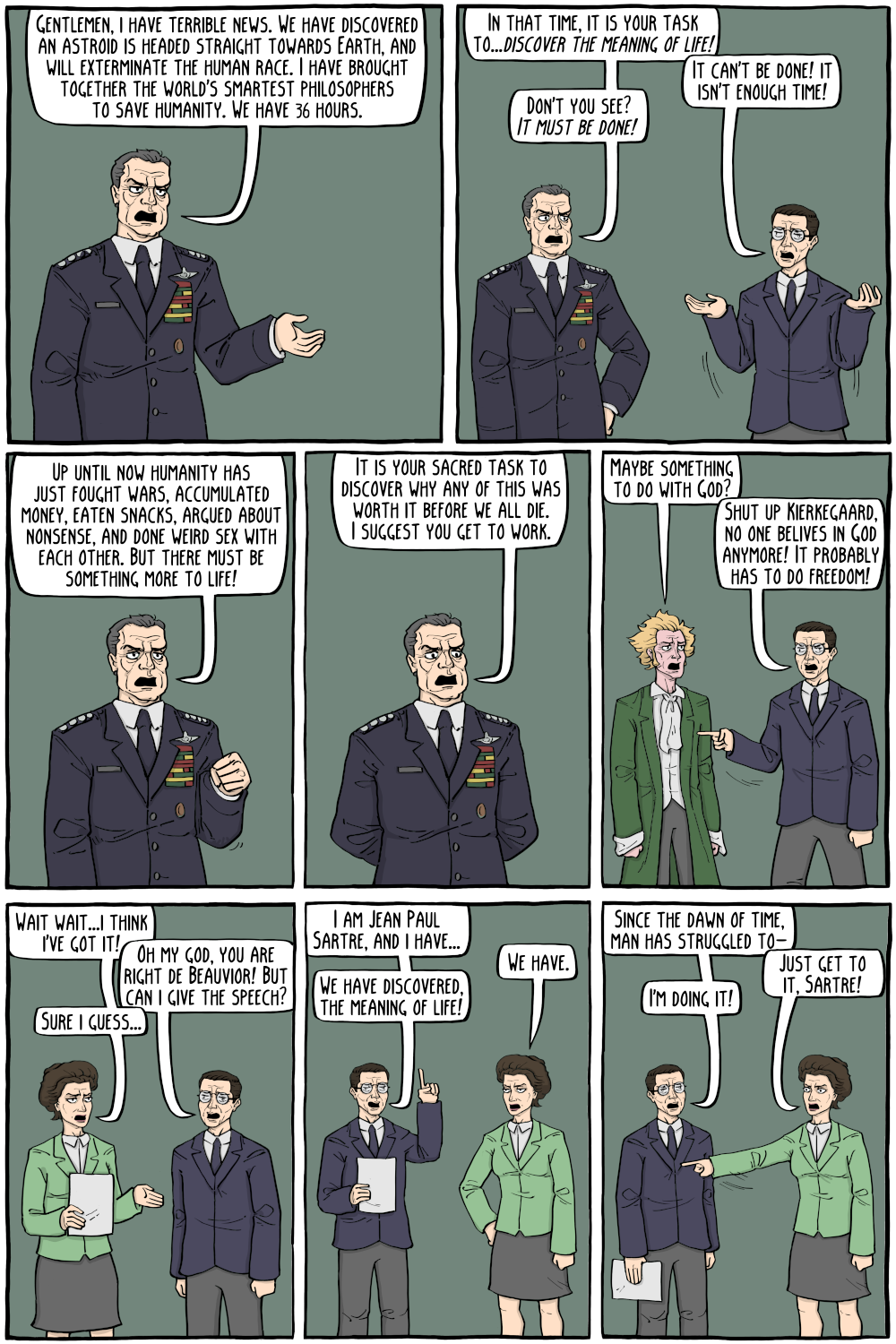

Stop Treating Your Life Like a Journey. It's a QUEST.
"A quest is a journey you undertake whose outcome is not certain."
While you might get blown off course or end up on unexpected shores, it turns out those foreign places might be a better option than the one you originally had in mind.
But the defining principle of the quest?
"Nobody has ever lived your life, and nobody else ever will. You're a unique moment in the whole of human history."
Watching this archive lecture in 2026, as the world becomes increasingly standardized by technology, Sir Ken’s message about reclaiming our individual uniqueness is more critical than ever.
Are you on a commute, or a quest? Comment below! 👇
Sir Ken Robinson (1950–2020) was a legendary voice on creativity, education, and human potential.
#Motivation #Mindset #SirKenRobinson #personaldevelopment

TASCAM DR-40XP 32-bit float audio recorder - Is it clean?
In this week’s episode we take a look at the new TASCAM DR-40XP 32-bit float audio handheld field recorder. And the big question most people are asking is, “Are the preamps on this new version cleaner than the last version?” And the answer is…YES!
If you’d like to learn how to make great dialogue audio for your film and video projects, please have a look at my courses including processing dialogue audio in Adobe Audition and DaVinci Resolve/Fairlight, recording sound, how to use the Zoom F4, F6, F8, and F8n, and how to get the most from the Sound Devices MixPre series of recorders. Our latest courses cover Sound for Live Streaming with the ATEM Mini and an Intro to Izotope RX. See https://school.learnlightandsound.com for more info!
Support my work creating videos by donating at Ko-Fi.com: http://ko-fi.com/curtisjudd
Gear used or mentioned in this episode (the links below are Amazon.com, B&H Photo, Sweetwater, or other affiliate links. As an affiliate, I earn from qualifying purchases):
- TASCAM DR-40XP 32-bit float Field Recorder — https://geni.us/lTJjnoZ
- SHURE SM7B Cardioid Dynamic Studio Microphone — https://geni.us/GYU7dHy
- JZ Mics V11 (the ‘deodorant mic’) — https://usashop.jzmic.com/collections/vintage-series/products/vintage-11 (not an affiliate link)
- Sound Devices MixPre-3 II 32-bit float audio recorder — https://geni.us/O8e0
- Impact Turtle-Base C-Stands — https://geni.us/8a8tt
- Aputure Light Dome III Softbox — https://geni.us/AVHU1p
- Rosco Prismatic Glass Gobo in Cool Lavender — https://geni.us/GWKt
- Canon C70 Cinema Camera — https://geni.us/ABYB
- Canon RF 24-70 f/2.8 lens — https://geni.us/qwsEs
- Panasonic GH5 camera — https://geni.us/InspOl
- Panasonic 12-35mm f/2.8 II lens — https://geni.us/gr47
Copyright 2026, Curtis Judd
#tascam #DR40XP #recorder
Index
00:00 Are the XP version’s preamps cleaner?
00:10 A word from our sponsors
00:36 Audio samples
00:54 This episode’s signal chain
01:06 The big question
02:55 Does it work with high-gain mics?
03:40 State of the modern 32-bit float recorder market
04:05 The importance of mic quality
04:42 (Un?)solicited advice
05:11 Inbuilt mics
05:27 Just ONE A/D converter?!
06:47 Don’t be a (total) spec-hound!
08:43 Please buy my courses!
Geek Tragedy
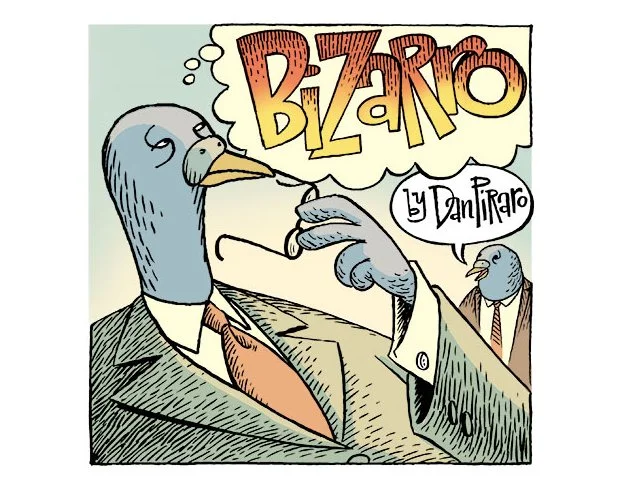
I’m Dan Piraro, the creator of the Bizarro newspaper comic, and this is my weekly blog post. The large Sunday comic above is mine, as are all of the non-cartoon comments below.
Since January 2018, the Monday-Saturday Bizarro comics have been written and drawn by my comics partner, Wayno. For more fun, check out Wayno’s weekly blog post this week.
And here’s this week’s ANSWER KEY to my Sunday comic’s Secret Symbols.
Cock-a-doodle-doo, Jazz Pickles.
That greeting seems appropriate this week as we discuss lesser-known characters of Greek Mythology.
You’re probably familiar with centaurs (half-human, half-horse) and satyrs (half-horny-human, half-goat), but few are acquainted with the half-human, half-chicken, poultraurs.
Poultraurs subsisted on a diet of insects, worms, greens, and berries, just like regular chickens. This made them unpopular dinner guests, as they were almost as difficult to cook for as vegans.
On the plus side, watching them prance around the yard on human legs, pecking the ground, could be amusing. I won’t even get into their reproductive process, as it was fairly disturbing.
I confess the above comic contains an inaccuracy: the poultraur I’ve drawn has the head of a hen, which are female, but is referred to as a “brother.” My bad. I chose the head of a hen because it is inherently funnier than that of a rooster. I’m not sure why, exactly, but that’s my comedy instinct after nearly half a century as a humorist.
Sadly, poultraurs are extinct. During the severe famine Greece endured during WWII, the top half of poultraurs were widely consumed. It led to the expression, “finger-licking semi-cannibalism,” a phrase that was partially appropriated by a certain American fast-food chain a few years later.
If you enjoy these little cloud-burst blog posts, you’ll doubtless thrill to my creative writing project, The Naked Cartoonist. It’s $5 a month for the entire archive and a new article every two weeks. It’s one of the ways I’m supporting Olive Oyl and myself, as well as paying Wayno to do his award-winning thing.
My most recent article is titled “Ten Things I Have in Common with Trump.” It’s a political satire that includes such points as: “We have each been married three times,” (though none of my wives left me because I cheated on them with a porn star); “I have put my name on things” (such as my underwear when I went to summer camp, but never buildings that were already named or a catalog of cheap crap), etc. Here’s a preview:
I Have Fantasized About Being a Superhero
When I was four years old, my mother ordered a Superman suit for me from a catalog and snapped a photo as I posed before running outside to pretend to fly. I was not an 80-year-old leader of the (previously) free world, nor did I share those images on social media, but my mother kept the photo in my childhood scrapbook.
That’s an actual photo of me on the left, while the image at right is some of the stellar work of a mindless robot. This article will doubtless cost me a few subscriptions if I have any MAGA fans left, which I doubt. Oh well.
Time now for the week’s Bizarro comics by Wayno, or Captain Chuckles, as they call him in the Marvel Universe.
The third and fourth Secret Symbols in this one were hard to find even for me.
O2 and I recently endured a cafe musician who was worse than a tone-deaf, drunken, karaoke singer.
Full disclosure: I’m completely against live music in restaurants. It is invariably too loud. If I wanted to eliminate any chance of meaningful conversation with unbearable noise, I’d dine in a teenager’s bedroom.
Once they start to embed computer chips in our brains, this will be inevitable. Rented movies & series on Amazon Prime now include commercial breaks, I guess because Bezos doesn’t have enough money to keep up with his new wife’s plastic surgery addiction.
Speaking of big brass, years ago, in NYC, I happened upon a performance by Edward Babb and the McCullough Sons of Thunder. I can honestly say it was a spiritual experience. Here’s a short clip on YouTube. To skip the long intro, the music starts at 3:25.
https://www.youtube.com/watch?v=AkQnnoJ0xJw
In contrast, I’ve never encountered a sermon that could do what that thundering band I mentioned in the comment above did. IMHO, music has an unexplainable, mystical power.
If there were one of these in the White House, a certain grievance-baby-in-chief would never come above ground.
That brings us to the end of this week’s thingamajig. If you enjoy the things we do and that we offer this majig for free, please consider helping us keep it that way via the links below. We will think of you fondly, with gratitude.
The Naked Cartoonist…My every-other-week creative-writing subscription service.
Limited edition, signed & numbered prints of BIZARRO CARTOONS, and some ORIGINALS!
Bizarro TIP JAR …One-time or repeating. Your choice!
WAYNO’S TIP JAR …One-time or repeating. Your choice!
My (free) graphic novel in progress, PEYOTE COWBOY.
Watch my PITCH VIDEO and become a supporter of Peyote Cowboy here.
Super fun BIZARRO SWAG from ComicsKingdom, including our 2026 Bizarro wall calendar. (ALL the comics are still funny, no matter what month it is now!)
- Pesquisa FAPESP

- Sistema Solar ganha novo mistério com anéis de Quíron #science #universe #ciencia #astronomy
Sistema Solar ganha novo mistério com anéis de Quíron #science #universe #ciencia #astronomy
Leia reportagem: https://revistapesquisa.fapesp.br/formacao-de-aneis-e-disco-de-materia-ao-redor-de-asteroide-e-observada-quase-em-tempo-real/

